
Ever spent more time testing creative tools than actually making something? Pixel Bunny gives you access to different image and video models so that you can turn text prompts into visuals and experiment with different styles without switching platforms.
Instead of locking you into a monthly subscription, it uses one-time credit purchases that you can spend as needed. But how far will your credits go, and are the results worth the cost? This Pixel Bunny review covers its features, output quality, pricing, user feedback, and safety policies.
Part 1. What Is Pixel Bunny AI? Features and Supported Models
Pixel Bunny AI covers several visual creation tasks, from turning text prompts into images to animating still pictures and refining video clips. Its model selection offers different approaches to each project, while its editing tools let you make further adjustments. Here’s a closer look at its main features and supported models.
Key Features
AI Image Generator

From product mockups to character art, Pixel Bunny’s AI Image Generator lets you create and edit images.
- Text-to-image: Generate images from written prompts.
- Image editing: Modify existing images with supported editing tools.
Pixel Bunny AI Video Generator
The Pixel Bunny AI Video Generator turns written ideas and still images into video clips; results depend on the model and settings you use.
- Text-to-video: Create clips from descriptions of scenes, subjects, and actions.
- Image-to-video: Animate a still image to introduce movement while using it as a visual reference.
AI Editing Tools
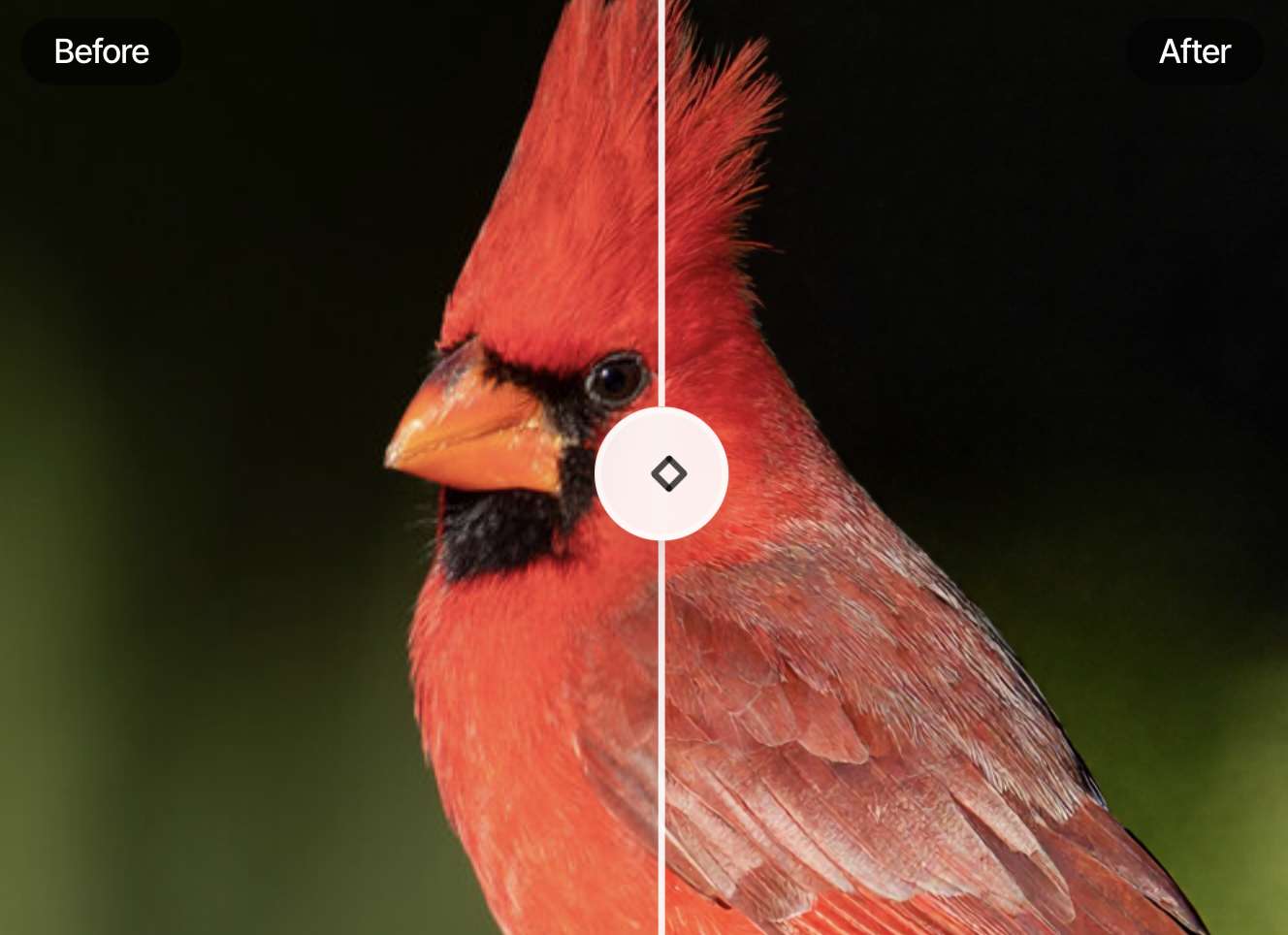
After generating an image or clip, Pixel Bunny offers additional tools to refine it. Its AI Video Editor and other editing features cover tasks beyond initial generation.
- Image enhancement: Upscale supported images to improve their resolution.
- Video extension: Extend eligible clips to continue a scene.
- Motion control: Use supported reference-based features to guide movement in a video.
- Additional editing tools: Explore options such as background removal and visual adjustments, depending on the tool.
Supported AI Models
Pixel Bunny offers models for both image and video generation. Each has its own strengths, so the best option depends on the subject, visual style, and output type you need. Model options may change as the platform updates its catalogue.
| AI Models | |
| Image Generation | Nano Banana Pro, Nano Banana 2, Seedream, Flux, Qwen Imagine, Wan, Grok Image, Flux, GPT Image, Z-Image Turbo |
| Video Generation | Seedance, Kling, Happy Horse, Veo, Wan, LTX, Grok Imagine Video, Wan |
Model availability, supported features, and credit costs may vary. Check the current model list on Pixel Bunny before starting a project, especially if you need a specific model or capability.
Part 2. Pixel Bunny AI Pricing: Free Credits, Costs, and Value
Pixel Bunny uses a pay-as-you-go credit system, so you pay upfront instead of committing to a monthly subscription. New users can start with free credits, while paid credits are available in one-time packs. Credit usage varies by model and generation settings, and promotional credits may expire. Check the official pricing page for current packs and terms.
| Plan | Price | Credits | What you get |
| Starter | $12 | 1,000 | ~100 images, ~33 5-second videos, or ~100 edits/upscales |
| Value | $25 | 2,200 | ~220 images, ~73 5-second videos, or ~220 edits/upscales |
| Creator | $50 | 4,600 | ~460 images, ~153 5-second videos, or ~460 edits/upscales |
| Pro | $100 | 10,000 | ~1,000 images, ~333 5-second videos, or ~1,000 edits/upscales |
| Growth | $200 | 20,000 | ~2,000 images, ~666 5-second videos, or ~2,000 edits/upscales |
| Scale | $250 | 25,000 | ~2,500 images, ~833 5-second videos, or ~2,500 edits/upscales |
| Enterprise | $500 | 50,000 | ~5,000 images, ~1,666 5-second videos, or ~5,000 edits/upscales |
|
Show More
Show Less
|
|||
All listed packs include:
- Access to all tools
- Credits that never expire
- Commercial usage rights
- High-resolution downloads
Is Pixel Bunny Worth the Cost?
- For occasional creators: The $12 Starter pack is a relatively low-commitment way to test different models or create visuals for a small project. Since purchased credits don’t expire, you don’t have to use them all within a billing cycle.
- For frequent users: The $25 Value and $50 Creator packs offer better per-credit rates. They may suit creators who regularly produce images and short videos, though expensive models or repeated attempts can use up credits quickly.
- For beginner users: Start with free access where available, then check the credit cost before generating. Different models and output settings can make a big difference to your total spend.
Part 3. Pixel Bunny AI Examples: How Good Are the Results?
Pixel Bunny AI features several image and video models, with examples ranging from anime illustrations to realistic portraits and cinematic scenes. Reviewing the results gives a clearer idea of the visual quality you can expect.
Image Quality
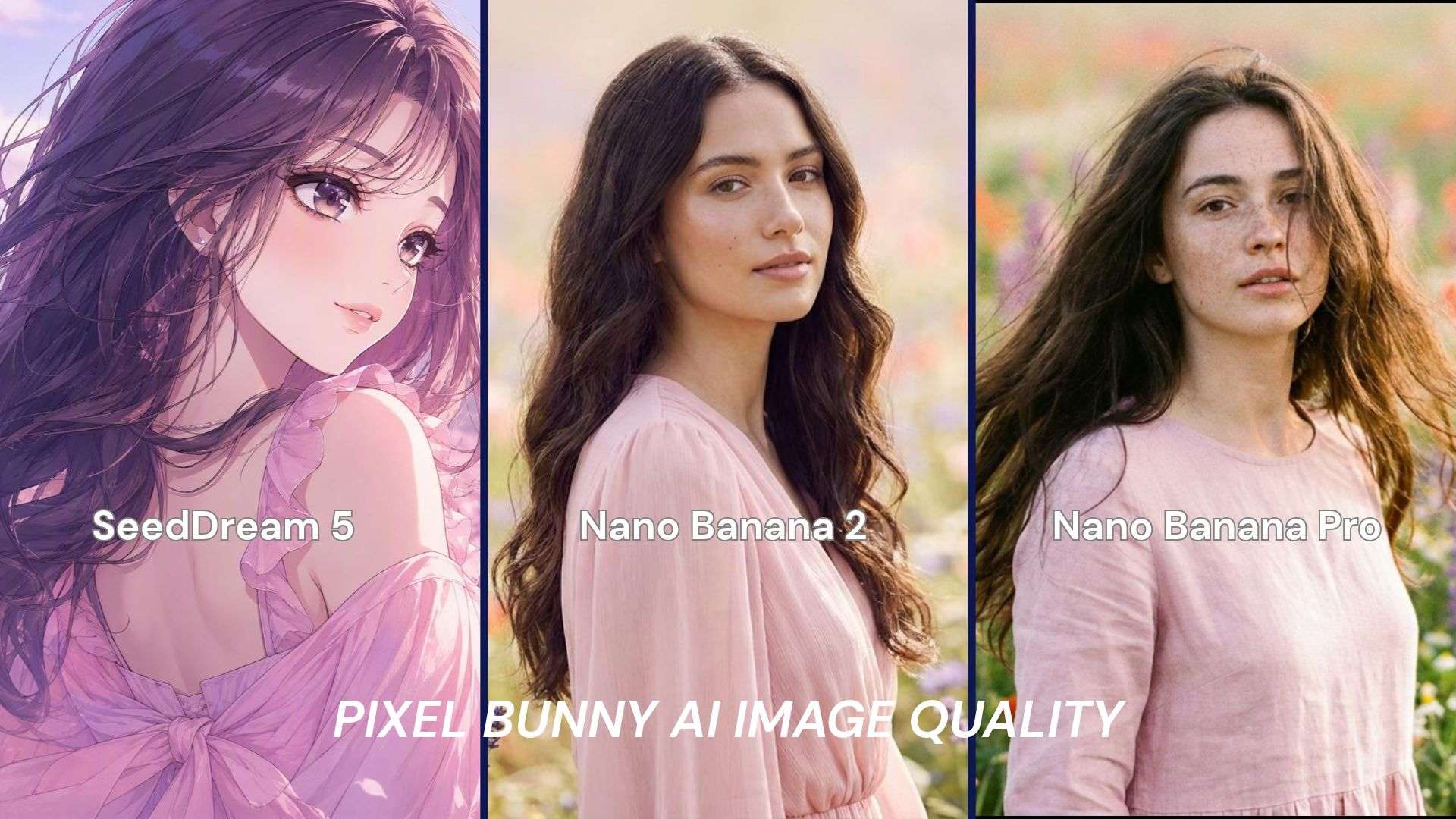
Pixel Bunny AI produces different visual styles depending on the model selected. SeedDream 5 Lite tends to generate anime-style illustrations, with clean outlines, soft shading, and pastel colors. Nano Banana 2 and Nano Banana Pro emphasize a photorealistic look, with finer hair details, lifelike skin textures, and blurred backgrounds. A side-by-side comparison can show how each model interprets the same prompt, from illustrated features to realistic textures.
Video Quality
The Seedance 2.0 example features a hooded figure in a neon-lit city. Blue and pink lighting creates a cinematic atmosphere, while the detailed buildings add depth. The subject moves naturally, and the visual details stay consistent throughout the clip, giving it a polished, futuristic look.
Editing Performance
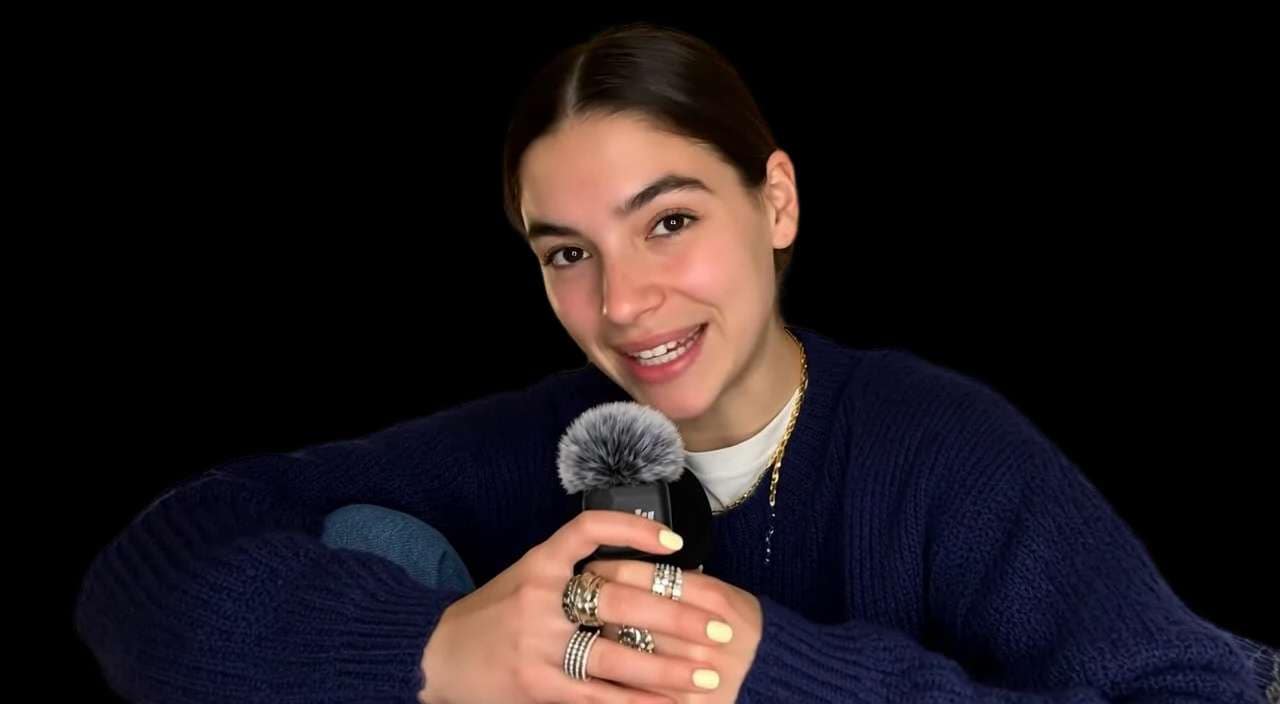
Beyond generation, Pixel Bunny provides tools to upscale images, remove backgrounds, edit visuals, and extend video clips. These features cover common finishing tasks, from sharpening an image for a larger display to making targeted changes without starting over. However, how well they preserve fine details and blend edits into the original depends on the tool and the source material.
Generation Speed and Reliability
Pixel Bunny offers fast generation and affordable image models, but processing times and credit costs vary by model and settings. Results may also vary between attempts, especially with complex prompts. For frequent use, generation speed matters, as does how many retries are needed to get the desired result.
Overall, Pixel Bunny AI combines polished outputs with a wide range of creative tools. Its image examples show a clear range of styles, while its video tools cover cinematic generation. Results and efficiency will depend on the model and task.
Part 4. Pixel Bunny AI Pros and Cons
Pixel Bunny AI combines image and video generation with a range of AI models and editing tools. Its flexible credit system may suit users who generate content occasionally, though limited free access, varying generation costs, and some reported workflow issues are worth considering.
- Includes a wide variety of AI models for different image styles and video creation.
- Offers image upscaling, background removal, visual editing, and motion transfer, including AI generation.
- One-time credit packs let users pay for usage as needed, rather than commit to monthly payments.
- New users can explore some features before purchasing credits.
- Testing several models or generating multiple versions can quickly use up the free allowance.
- Image and video tasks consume different amounts of credits, so it’s important to check the costs before creating content.
- Pixel Bunny Reddit discussions described problems using created character elements in chat, which may be a drawback for projects that rely on reusable characters.
- Some requests may be blocked by moderation rules, limiting what users can generate.
Bonus: Filmora as an Alternative for Editing AI-Generated Videos
Pixel Bunny AI can generate images and video clips using models such as Nano Banana 2 and Seedance 2.0. Once you have the visual content, you may want to combine several clips, add narration, or adapt the video for social media. Wondershare Filmora is one option for handling these edits in a separate video editor.
Check out some Filmora features you can use:
- Multitrack timeline: Import Pixel Bunny clips and arrange them alongside B-roll, text, voiceovers, and music. Trim scenes, adjust timing, and reorder shots to create a cohesive sequence.
- Transitions and effects: Add transitions between generated clips, apply filters, and include titles or motion effects to maintain a consistent visual style.
- Auto Captions and audio tools: Generate subtitles for clips with dialogue, customize their appearance, and balance narration with background music.
- AI editing tools: Use AI Video Extender to lengthen clips, Auto Reframe to adjust videos for vertical platforms, and AI Video Translation to create versions in other languages.
Pixel Bunny handles visual generation, while Filmora provides more options for arranging clips and adding finishing touches. Whether you need a few simple edits or a more developed video, the tools you use will depend on your project and editing needs.
 Secure Download
Conclusion
Pixel Bunny AI is a convenient choice for exploring AI image and video creation without paying for several separate platforms. Its biggest strengths are the range of available models, variety of visual styles, and built-in tools for refining generated content. However, limited free credits and specific models may make frequent experimentation costly.
Pixel Bunny is best for creators who want variety and flexibility in AI generation, not an all-in-one solution for producing finished videos. If your clips need more precise editing, captions, transitions, or audio adjustments, Filmora offers a separate editing option.
FAQs
-
1. Is Pixel Bunny safe and legit?
Pixel Bunny AI provides image and video generation tools and has published terms of service and a privacy policy. Before using it, review how it handles your uploads, avoid sharing sensitive images or personal information, and review the payment terms before making a purchase. -
2. Does Pixel Bunny have an official app or APK?
Pixel Bunny AI is available on its website; however, currently no official mobile app. Avoid third-party APK downloads claiming to offer a Pixel Bunny app. -
3. Can you edit images or videos with Pixel Bunny?
Yes. Pixel Bunny includes image upscaling, background removal, prompt-based image editing, and video tools such as motion transfer. Available features depend on the tool you choose.