


AI video creation is growing quickly. Pictory's 2026 statistics show that the AI video market is growing by 34% per year. Meanwhile, 78% of marketing teams already use AI-generated videos in their campaigns. Short-form videos make up a large part of this trend, accounting for 67% of AI video content.
Revid AI is one platform built around this growing demand for faster video creation. It offers AI-powered tools that can generate videos for social media without requiring as much manual work. But is it actually good at what it does? Let's look at its features, pricing, pros, and cons to find out.
Part 1. Get to Know Revid AI
Revid AI was built with creators in mind. You can create faceless videos and turn your ideas into visuals with AI, without spending as much time, effort, or money on production and editing. Let's take a closer look at what you can do with Revid AI.
Turn Different Inputs into Videos
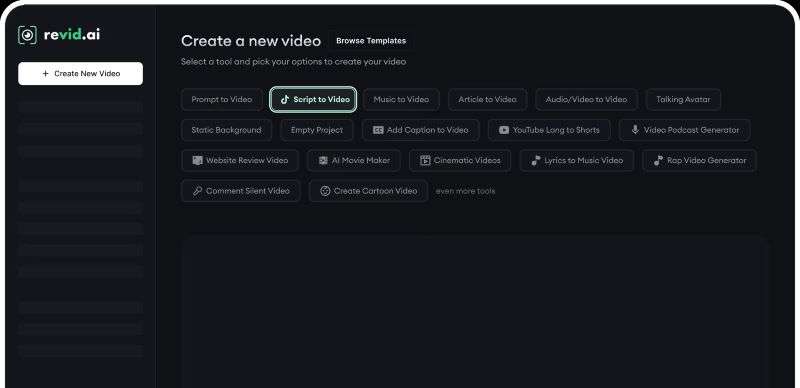
Revid AI video generator supports several ways to create a video. You can provide a simple idea, write a full script, upload an article, or use existing audio, images, and videos as your starting point. Then, choose the video format, visual style, and platform where you plan to publish it.
Turn Music into AI Videos
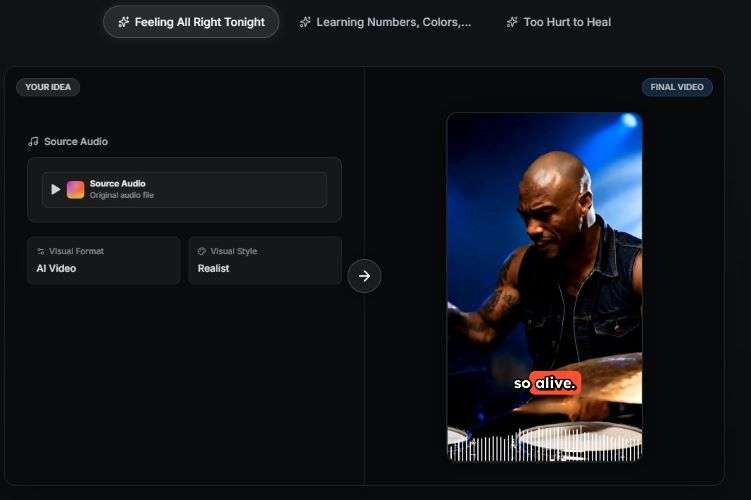
Revid AI music video generator makes it easier to turn a song into a music video. It works by uploading an audio file or adding a music link, and the AI creates visuals and motion that follow the beat. You can also add synced lyrics to make the video more engaging.
Edit Videos with AI
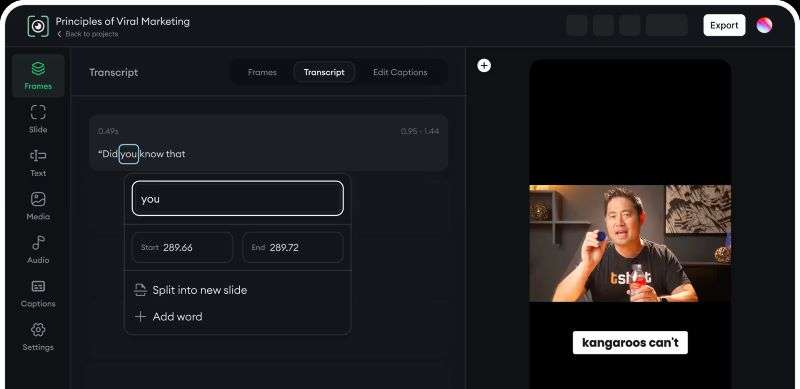
Editing doesn't always have to mean working through a timeline. With Revid AI, you can edit parts of your video directly through the text, like deleting a sentence to remove that section, or use AI to generate captions or remove filler words.
Set Up Automated Video Creation
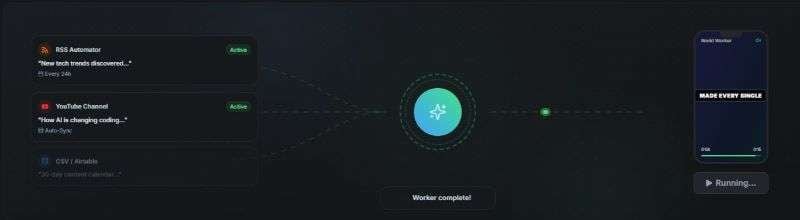
Revid AI can connect to a social media channel. Later on, the AI can look at your existing content and use it as a basis for generating new videos. This can save time when you need to maintain a steady flow of content.
Schedule, Publish, and Track Your Videos
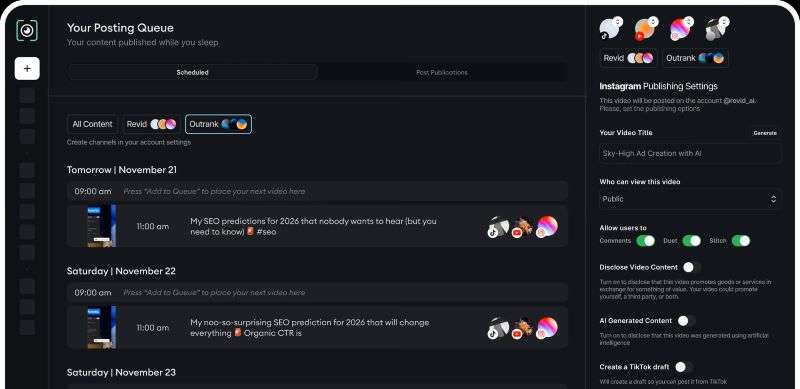
Once your videos are ready, Revid AI can help you manage the publishing process. You can schedule posts, automate publishing, and generate captions and hashtags from the same platform. It also helps with cover selection, so you can spend less time preparing each post.
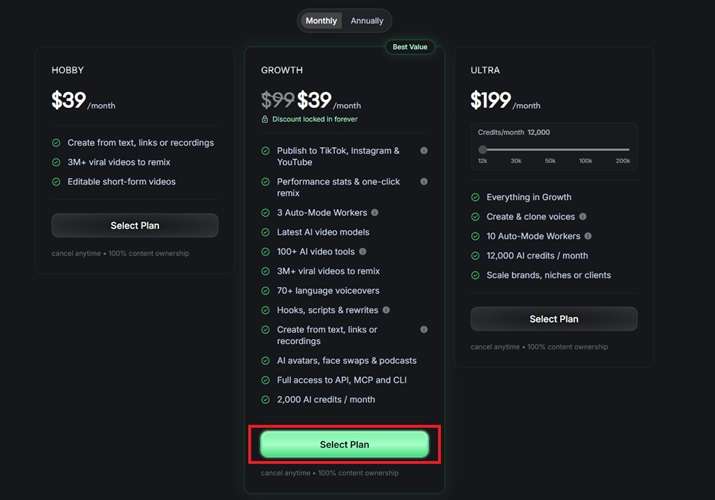
Part 2. Is Revid AI Free? Pricing Breakdown
Revid AI isn't completely free, but you don't have to pay right away. When first signing up, you get 70 credits to try the Revid AI video generator. Depending on the length of your videos, this should be enough to create around two or three videos and see whether the results work for you.
Once you need more than the free trial offers, you can choose from Revid AI pricing plans. See the table below to see the quick comparisons of them.
| Aspect | Hobby | Growth | Ultra |
| Monthly Cost | $39 | $99, discounted to $39 | $199 - $2.799 |
| Monthly Credits | 0 | 2.000 | 12.000 - 200.000 |
| Video Generation Sources | Text, Link, Recording | Text, Link, Recording | Text, Link, Recording |
| AI Video Tools | No Access | Full Access | Full Access |
| Auto-Mode Workers | 0 | 3 | 10 |
| Voiceover Languages | 0 | 70+ | 70+ |
|
Show More
Show Less
|
|||
Pro Tip: Save More with a Revid AI Promo Code
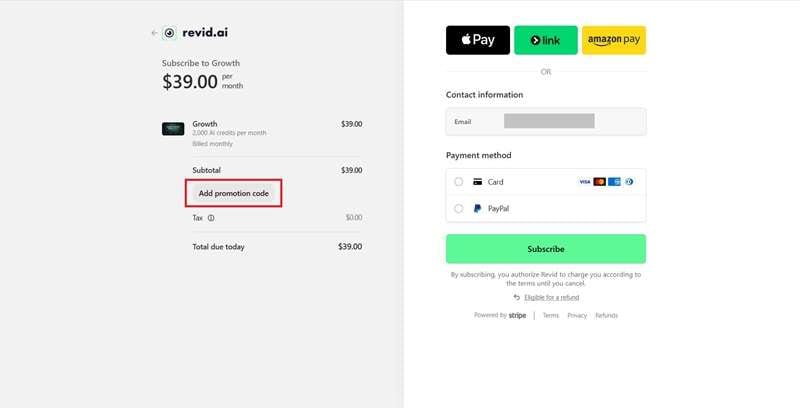
Looking to save on your cost? You can use a Revid AI promo code, Revid AI coupon code, or Revid AI discount code at checkout, which are shared by Revid AI affiliates. We checked several of them, and these were working at the time of writing: EBUBE, 20SAVE, and MAX20.
How to use the Revid AI promo code
Part 3. Does Revid AI Fit Your Workflow?
Although Revid AI makes video creation easier, it may not be the right fit for every creator. Its AI tools are particularly useful for these types of users and content:
| If You Are… | What You Can Do |
| Content Creators | Generate faceless videos about stories, tips, motivation, hobbies, gaming, and more |
| Social Media Managers | Create videos and manage multiple social media channels |
| Marketing Teams | Produce product videos, ads, and campaign content |
| Small Businesses | Create promotional videos for products or services and track their performance |
|
Show More
Show Less
|
|
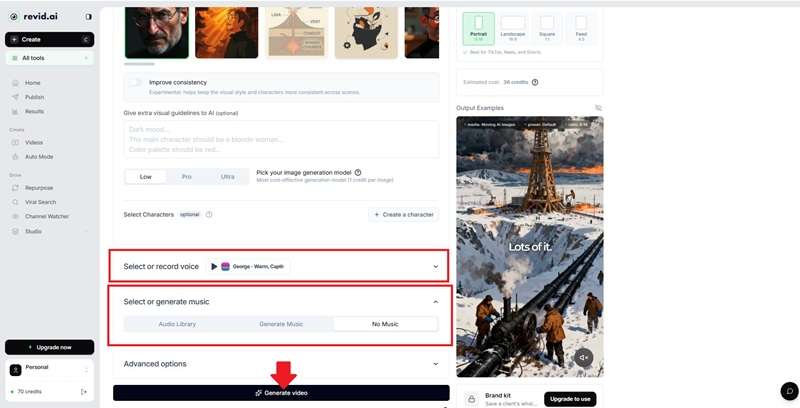
Part 4. How to Generate a Video with Revid AI
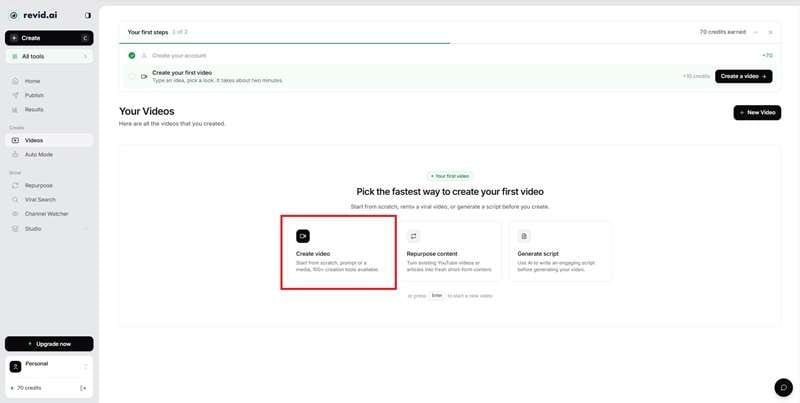
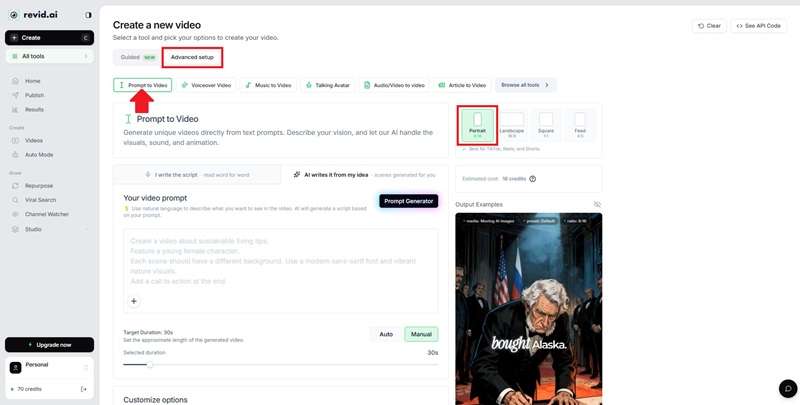
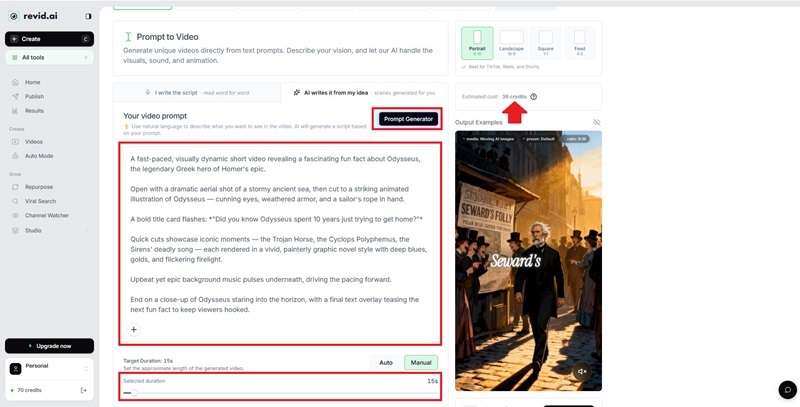
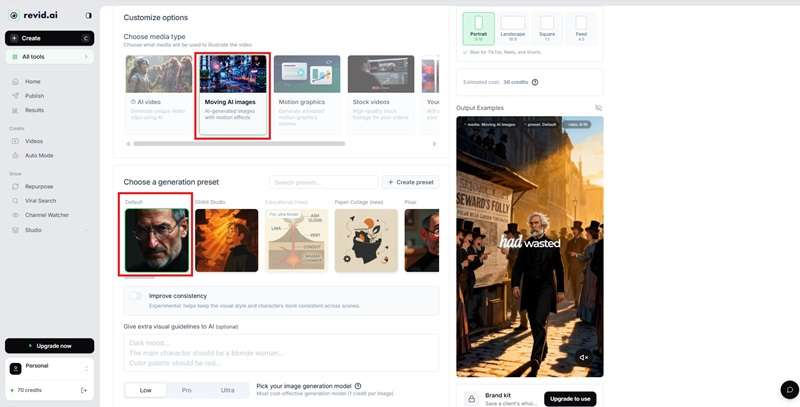
To get a better feel for Revid AI, let’s try its video generator ourselves. We’ll use Prompt to Video to create a short video for social media.
Part 5. Revid AI Review: What Works and What Doesn't
By now, we have a better idea of what Revid AI can do and where it may fall short. We also checked Revid AI Reddit discussions to see what people are saying about their experience with the platform. Here are the main strengths and limitations to consider.
- Fast Bulk Creation: Quickly produce multiple videos for consistent posting.
- Ideal for Faceless Content: Great for quotes, news, and listicles.
- Built for Social Trends: Designed specifically for fast-paced short-form media.
- Inconsistent Results: Generated videos don't always match the prompt.
- Limited Control: Customization is minimal, often requiring multiple regenerations.
- Slow Support: Users on Reddit report mixed experiences with customer service response times.
Bonus: Create More with Wondershare Filmora
Revid AI is a useful AI video generator for creating social media content quickly. However, AI-generated videos don't always turn out exactly as you imagined. You may also want to make more detailed edits after generation, but Revid AI doesn't offer the same level of control as a dedicated video editor.
This is where Wondershare Filmora can be a good Revid AI alternative. It combines a full video editing workspace with a range of AI features, so you can generate, edit, and polish your videos in one place. The timeline is also clean and easy to navigate, so even first-time users can get started without a steep learning curve.
So, what else can you do with Filmora? Let's take a look.
1. Turn Ideas into Images, Videos, and Audio

Filmora gives you plenty of ways to turn your ideas into visuals, whether you already have an image or want to start from a simple prompt.. Here are some of the AI generation tools available in Filmora:
- Create AI Images: Generate new images from text or reference images with models such as GPT Image and Nano Banana.
- Generate AI Videos: Turn ideas, prompts, images, or audio into videos with Seedance 2.0, Sora 2, and Veo 3.1.
- Generate AI Audio: Create background music and sound effects with Filmora's AI Music Generator and AI Sound Effect Generator.
2. Edit Your AI Content in the Same Workspace

After generating the visuals, you can jump straight into Filmora's video editor to finish the project. You can add stock footage, music, effects, and other elements from its built-in asset library.
3. Adapt Videos for Different Platforms
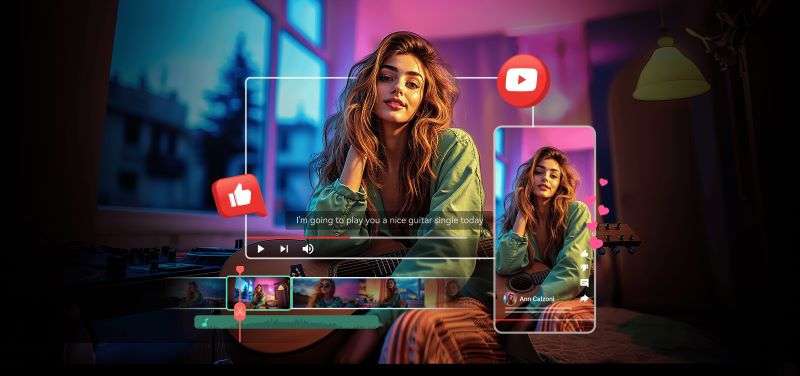
Filmora also makes it easier to adapt one video for different social media platforms. With Auto Reframe, you can change the video's aspect ratio without manually recreating each version. You can also export your videos in resolutions ranging from 480p up to 4K, depending on your needs.
4. Schedule Posts and Monitor Performance

Filmora's Social Content Planner lets you schedule posts in advance, so you can plan your content without having to remember every publishing date. It also helps you monitor how your posts perform, giving you useful insights for your next content plan.
5. Edit Across Desktop and Mobile
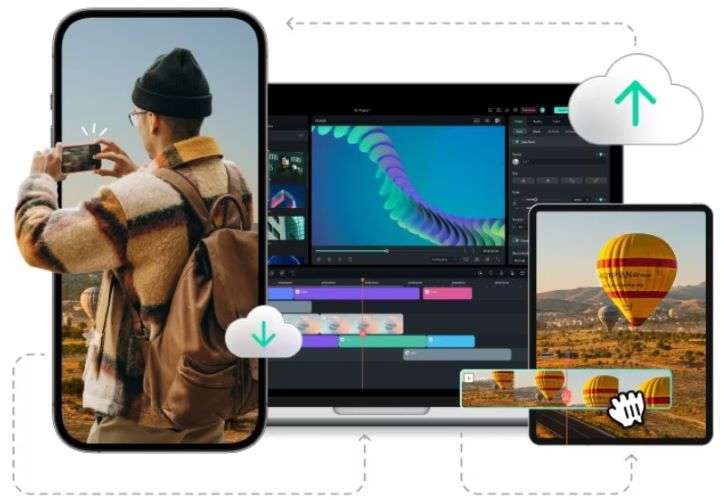
Filmora also gives you the flexibility to edit across different devices. Filmora is available on iOS, Android, Windows, and Mac, so you can edit wherever you are and move to a larger screen when needed.
 Secure Download
Conclusion
Overall, Revid AI is a convenient option for creating social media videos with AI. You can start with different types of content, generate videos with AI, and even automate parts of the creation and publishing process. It can save you time when you need to keep producing videos consistently.
However, Revid AI may not give you enough control when you want to make detailed edits or fine-tune the final result. For more flexibility, Wondershare Filmora can be an alternative. It combines AI generation with a full editing workspace, giving you more ways to refine and finish your videos.
FAQs
-
1. Is Revid AI safe?
Yes. Revid AI is a legitimate AI video creation platform. -
2. Are Revid AI and Revide AI the same?
There doesn’t appear to be a separate platform called Revide AI. If you came across the name “Revide AI,” it may simply be a typo referring to Revid AI. -
3. Is Revid AI available on desktop and mobile?
No. Revid AI is currently a web-based platform. If you’re looking for a Revid AI alternative that works on desktop and mobile, Filmora is worth considering. -
4. Is there any Revid AI free alternative?
There are some free AI video tools you can try, but finding one with the same features as Revid AI can be difficult. Many AI platforms limit free usage because video generation requires significant computing resources and AI model costs. -
5. Can I use Revid AI Mod APK to access the premium features for free?
It’s best to avoid Revid AI Mod APK files from unofficial sources. These modified files may contain malware or other security risks that could affect your device or personal data. Instead, choose a Revid AI pricing plan that fits your budget to access its premium features safely.
