


 TL;DR:
SenseTime's Seko 2.0 AI is a highly specialized story-to-video agent capable of maintaining character, scene, and prop consistency across up to 100-episode short dramas and motion comics, though its strict mainland Chinese (+86) phone number registration requirement currently blocks most international creators.
● The platform's Seko Talk AI feature accurately processes simultaneous multi-person lip-syncing within a single frame, an advanced capability that most standard audio-visual synchronization tools lack.
● Because the built-in workspace relies on rigid scene blocks rather than a multi-track layout, users will still require an external video editor for detailed pacing, captions, and final export polish.
● While Seko AI best serves China-based creators producing episodic narratives, Wondershare Filmora is the practical alternative for global users, integrating generative models like Veo 3.1 and Sora 2 directly into an accessible, multi-platform professional editing timeline.
Ask AI for a summary
 ChatGPT
 Perplexity
 Gemini
 Claude
 Grok
Grok
The AI video generation market is getting incredibly fierce, meaning you need a serious standout to get noticed, let alone completely change how people make content.
SenseTime seems to understand this clearly with Seko AI, a video creation platform built around story planning, character consistency, dubbing, lip-sync, and multi-shot generation. The company even claims Seko can reduce animation production costs by up to 99.5% per minute compared with traditional production methods.
But is that just sweet talk, or is it actually true? This comprehensive review will guide you through it all!

Part 1. What Is Seko AI? A Story-to-Video Agent From SenseTime
If you have ever tried making a multi-episode story with AI, you know the absolute nightmare of keeping your main character from looking like a completely different person in every single shot. Seko AI is SenseTime's answer to this massive roadblock.
Instead of generating isolated clips, it operates as an organized story-to-video production platform built specifically for long-form, episodic content.
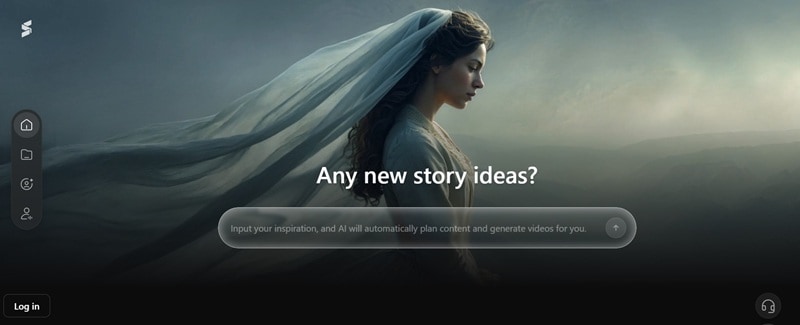
First launched in July 2025, Seko attracted over 100,000 creators within two months, and its user base surpassed 200,000 in less than half a year. And as reported by PR Newswire, interestingly, 30% of those users are short drama creators and 20% are comic drama creators.
The bigger update is Seko 2.0 AI, which SenseTime introduced as a multi-episode drama generation agent. This version goes deeper into short drama and motion comic production, especially for creators who need stable characters, scenes, props, outfits, and world settings across many episodes. This makes Seko AI especially relevant for:
| Best Use Case | Why It Fits |
| 🎬 AI Short Dramas | It supports character-driven story scenes and multi-shot workflows |
| 📖 Motion Comics | It can help turn comic-style story ideas into structured visual episodes with consistent roles and scenes |
| 🎵 AI MV Clips | Seko's multi-person lip-sync and audio-visual synchronization handle the timing that makes the difference between passable and genuinely good |
| 📺 Web Series (Multi-Episode) | The 100-episode series supports with cross-episode character, scene, and prop consistency is literally the platform's headline feature |
Seko 2 AI can even support production for up to 100-episode series while keeping characters, scenes, and props consistent. It also claims the platform can reduce comic drama production time by 80% to 90% compared with traditional methods.
Part 2. Seko AI Access and Pricing
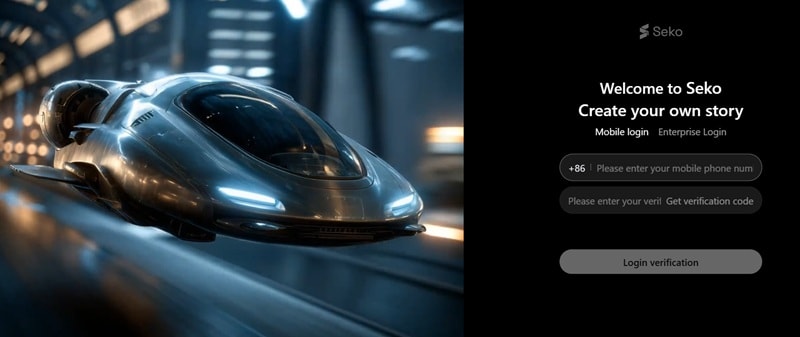
Seko AI is web-based, which sounds convenient. But in practice, the registration flow currently requires a phone number, and the verification system appears to focus on Chinese mainland (+86) numbers.
On top of that, there's no standalone Seko AI app on iOS or Android. So, if you're outside China and want to try it, you'll need to research current workarounds or wait for international registration support.
Seko AI Price: What We Know So Far
The Seko AI price situation is not fully transparent for international users. The official public-facing pages do not clearly show a simple global pricing table, at least not in the way most SaaS tools do.
On LinkedIn, there are mentions of Seko 2.0 AI pricing around RMB 95 to RMB 195 per month, but this should be treated carefully because pricing can change and may depend on region, account type, credits, and platform access.
Part 3. Seko AI Features: Breaking Down the Core Capabilities
The magic of Seko AI lies in its specialized feature set, which moves far beyond standard text-to-video prompt boxes. Let's break them down!
The 100-Episode Brain (SekoIDX)
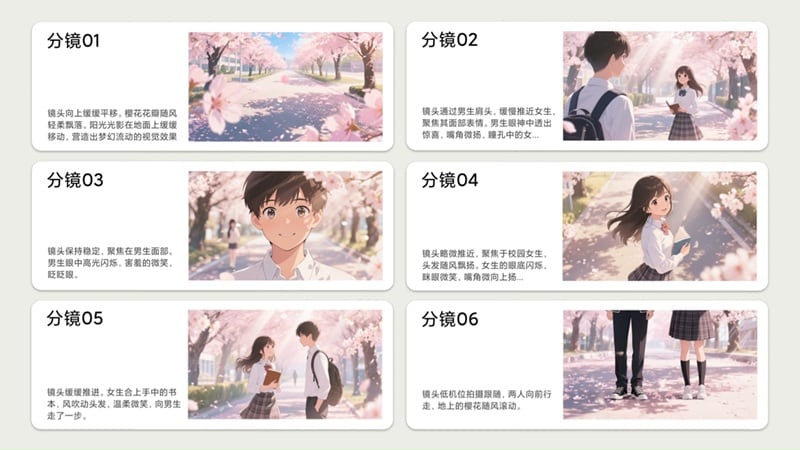
Seko 2.0 AI introduces SekoIDX, which is designed to help with character consistency across long stories. It builds a persistent digital worldview, storing character details, location layouts, and art styles so they remain uniform across dozens of sequential chapters.
For AI video, this is a huge deal. If SekoIDX can keep the same hero, villain, outfit, scene, and prop design consistent across dozens of episodes, that solves a real production problem.
Seko Talk AI
Standard lip-syncing tools usually choke when more than one person is on screen. However, Seko Talk AI handles highly precise, multi-person audio-visual synchronization simultaneously. This means you can render intense, multi-character arguments or dramatic group conversations in multiple languages without the mouths looking glitchy or delayed.
The Style Fusion Library
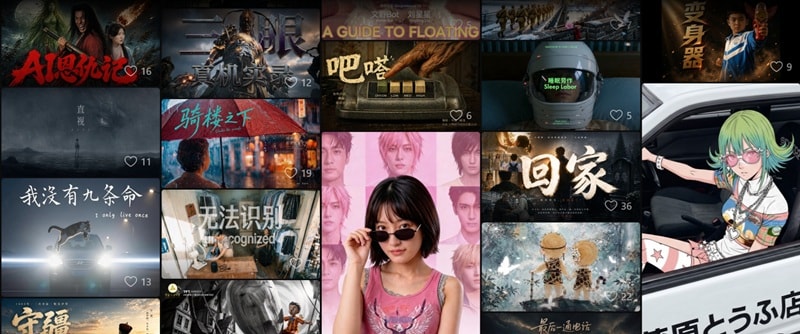
Creators can instantly apply over 100 highly polished visual presets to their scripts. These range from Disney-inspired 3D animation to classic Japanese anime and contemporary Chinese comic aesthetics, allowing for instant tonal shifts. So, let’s say you want to make Seko AI MV clips; then you’ll have various creative artistic options!
Part 4. How Seko AI Works: From One Idea to a Story Video
Seko AI agent's workflow is built around a production assistant model. Meaning, the AI isn't just generating clips in response to prompts. It's actively managing the production pipeline from concept to export. Here's how it works.
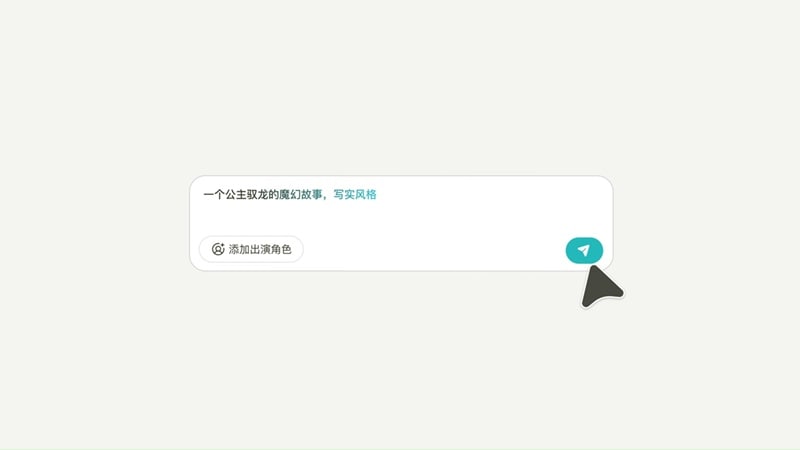
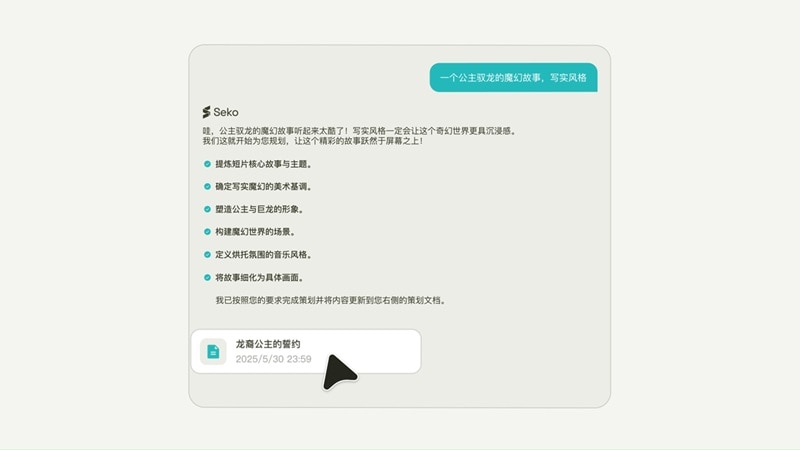
After Seko AI expands the idea, you can review the story structure by checkin on:
- The main conflict.
- The character motivation.
- The beginning, middle, and ending.
- The emotional hook.
- The visual style.
- The scene order.
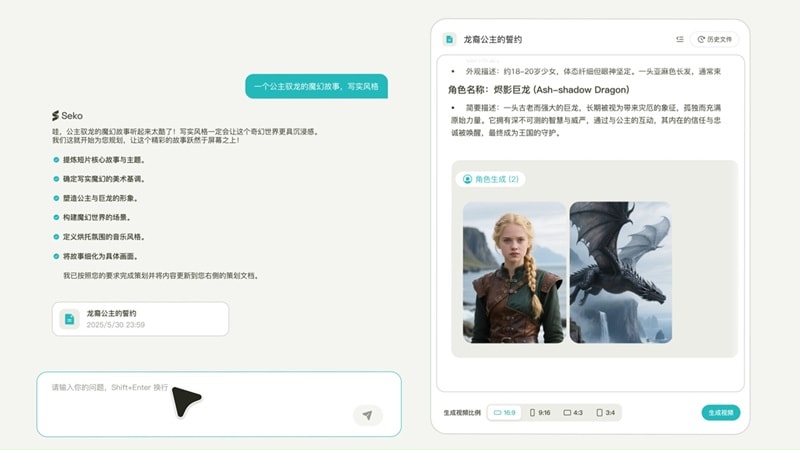
Seko creates storyboard frames or scene cards. These act like a visual preview of the final video. At this stage, you can check:
- Does the character look right?
- Does the scene match the story?
- Is the visual style consistent?
- Does the sequence make sense?
- Are the camera angles interesting enough?
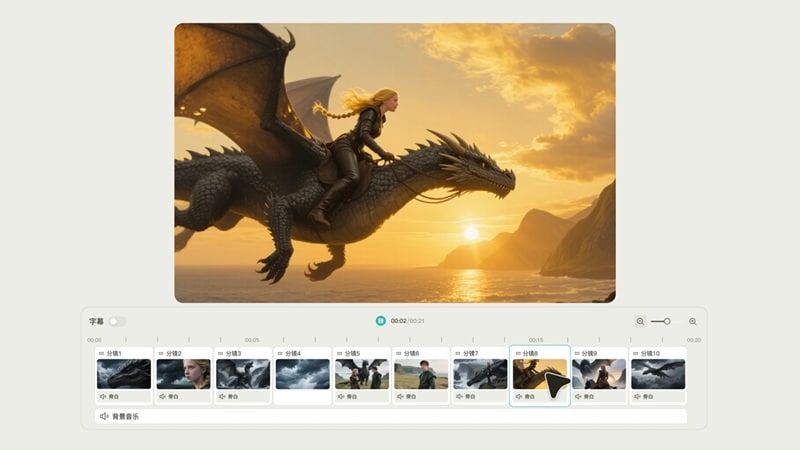
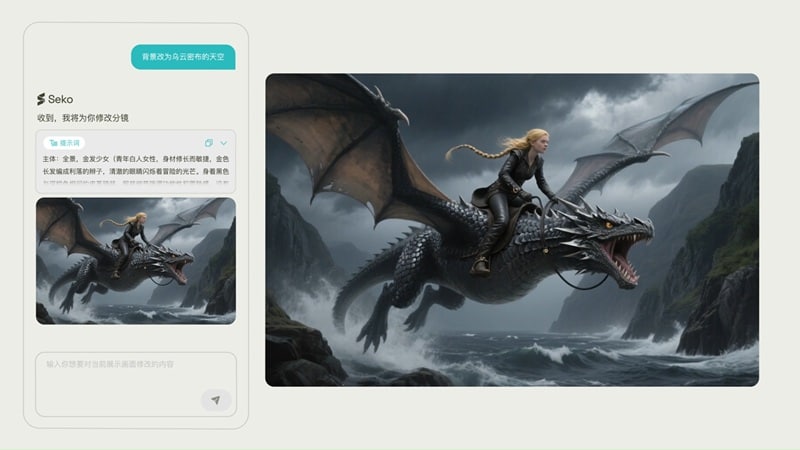

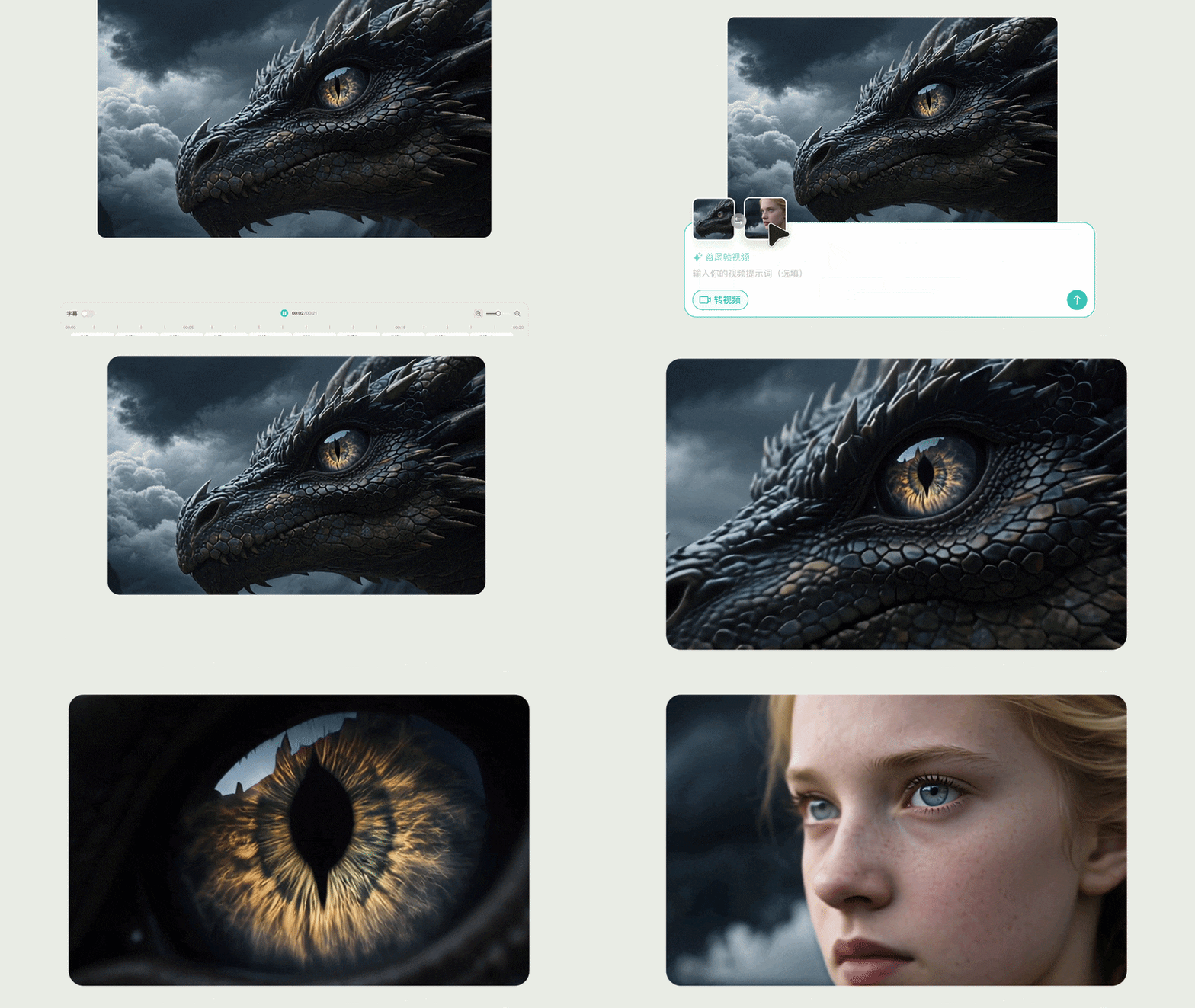
Part 5. The Balanced Scale: Seko AI Pros & Cons
Seko AI is exciting because it focuses on one of the hardest parts of AI video creation: making story videos that stay consistent. However, no piece of technology is completely perfect, and this production platform comes with a distinct set of trade-offs that you should carefully consider before trying to reshape your workflow around it.
- One-Person Crew is Actually Feasible: Traditional 50-episode production takes a team over three months. Seko 2.0 cuts that by 80–90%.
- Multi-Person Lip-Sync Nobody Else Has: SekoTalk is the industry's first tool supporting synchronized lip-sync for more than two people simultaneously.
- Dubbing and Music Are Built In: Voice and music tools help creators move closer to a finished video without leaving the platform.
- Strong Chinese Short Drama Focus: For creators working in China’s short drama, animation, or motion comic scene, Seko feels built around the right content style.
- Global Access Is the Big Wall: If you're in the US, Europe, Southeast Asia, or anywhere outside mainland China, getting into the platform is genuinely difficult.
- Final Editing May Still Need Another Tool: Even with built-in editing, creators may still need a proper timeline editor for captions, pacing, branding, and export polish.
- Language and Region Fit May Be Narrow: The workflow feels heavily tied to the Chinese creator market, which may limit comfort for international users.
- Basic Multi-Track Layouts: Timeline structure is fairly rigid compared to traditional video editing software.
Part 6. A More Accessible Option: Wondershare Filmora
Seko AI is certainly brilliant for long-form storytelling, but the limited regional access is a massive problem for global users. Plus, it lacks the deep, fine-tuned manual editing control that professional video creators need once a clip is generated.
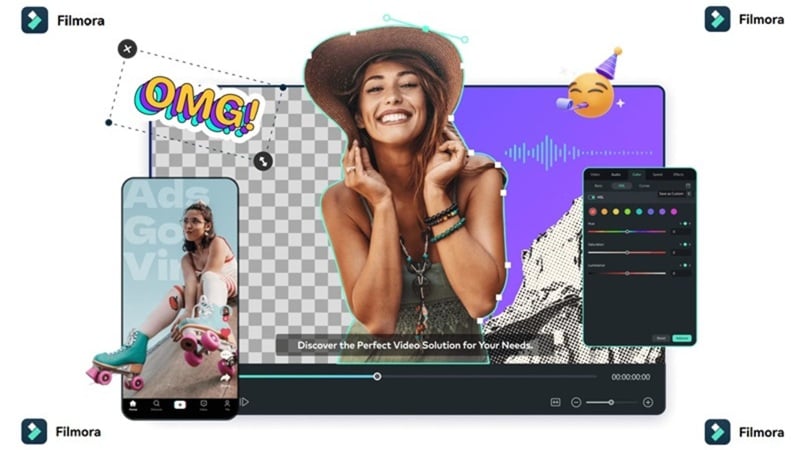
So, there is absolutely no harm in looking at other options that are more open, accessible, and versatile worldwide. Wondershare Filmora is a AI-driven video editing tool worth considering that balances cutting-edge generative models with an industry-standard editing layout.
 Secure Download
Why Filmora Is Worth Considering
Filmora doesn't do 100-episode series generation like Seko AI or SekoIDX-style cross-shot character memory. What it does is give you powerful AI video generation plus a full editing timeline, which covers the needs of the vast majority of creators who can't access Seko in the first place.
1. Powerful AI Video Generators

Filmora integrates several major AI video models, including Veo 3.1, Sora 2, Seedance 2.0, and ToMoviee 2.5 built directly into the editing timeline. That gives creators more flexibility. You can test different model styles without constantly switching between separate websites.
2. Various Ways to Create AI Videos

You aren't just limited to basic text prompts. Filmora features traditional AI text-to-video and AI image-to-video tools, but also introduces unique systems like AI audio-to-video, AI storyboarding, and direct AI idea-to-video drafting. So, you're not limited to one generation method, and you can mix approaches in the same project.
3. Professional Editing Timeline
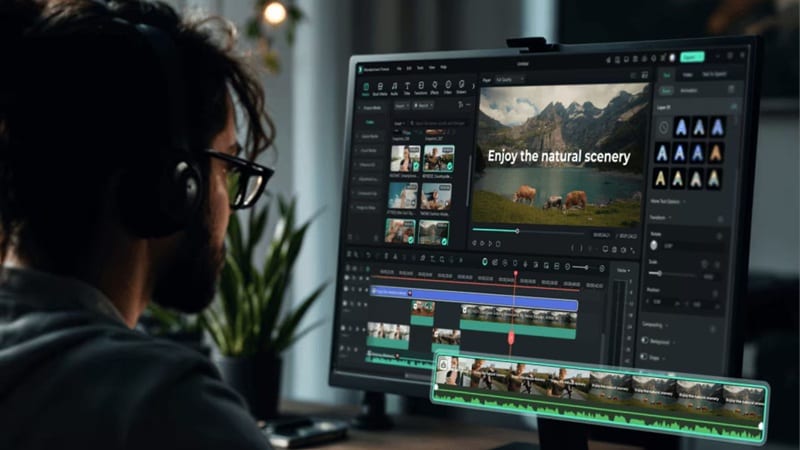
Filmora has a clear advantage in post-generation editing over many AI-first platforms. After generating a clip, you can place it on a proper timeline and keep working by:
- Trimming awkward moments.
- Combining multiple clips.
- Adding transitions.
- Adjusting speed.
- Adding captions.
- Layering music and voiceover.
- Fixing color and brightness.
- Exporting in different formats.
For real work, this flexibility matters a lot. AI generation gets you the raw material, but editing is what makes the video feel finished.
4. Wide Range of AI Efficiency Features
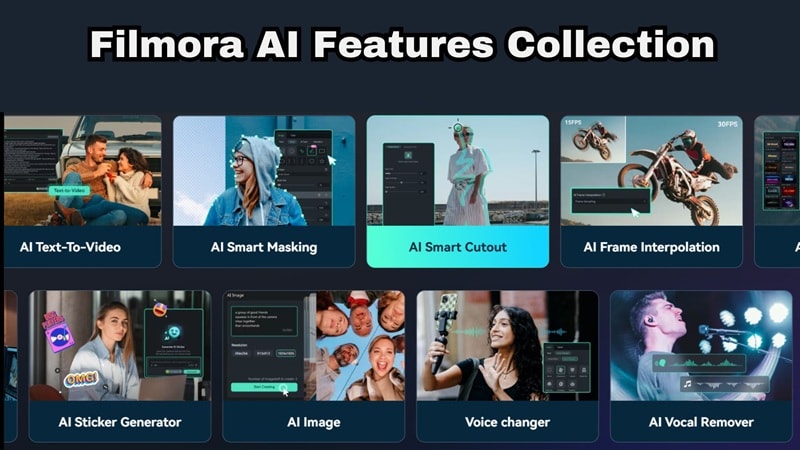
Filmora also includes AI tools beyond generation. The platform is loaded with useful advanced AI features, such as:
- AI Auto Captions & Translation: Generate accurate captions synced to speech, translate them into 40+ languages, and style them to match your brand.
- Voice Cloning & Text-to-Speech: Clone your own voice for consistent narration, or generate spoken audio from a script.
- AI Music Generator & Audio Tools: Generate royalty-free background music that matches your video's mood and length, apply AI denoising to clean up audio, or mix multiple audio tracks.
- AI Color Palette & Denoise: Match your footage to a reference image or a specific mood with AI-generated color grading, then use AI Denoise to reduce grain and make noisy clips look cleaner.
- AI Eye Contact: Adjust the subject’s gaze in post so they appear to look directly into the camera, even if they are reading from a script or glancing off-screen.
5. Extensive Built-In Media Library

Filmora also gives creators access to templates, effects, music, stickers, titles, and creative assets. This helps fill the gap between raw AI clips and a polished final video. For example, if an AI-generated scene feels empty, you can add titles, sound effects, overlays, background music, or transitions to make it more complete.
6. Easy Access Across Devices
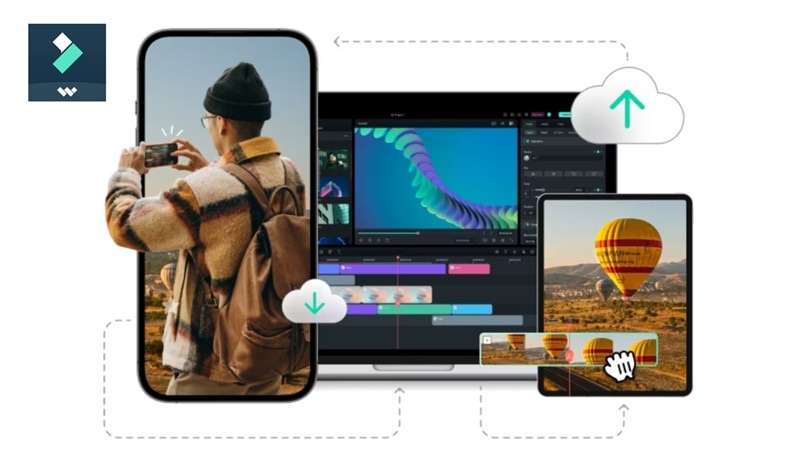
Compared to Seko AI's regional walls, Filmora is fully available worldwide. It runs flawlessly across Windows, macOS, Android, and iOS devices, letting you start a project on your desktop and finish it on your phone.
And for global creators, you don’t need a China-based phone number just to test the tool. You can use it as a normal editing app instead of waiting for regional access to open up.
Secure DownloadQuick Comparison: Seko AI vs Filmora
| Category | Seko AI | Filmora |
| Platform | Web-based | Windows, macOS, iOS, Android |
| Access | +86 phone required for registration | Available worldwide on desktop and mobile |
| Primary Use Case | Episodic short dramas, motion comics, AI MV clips | General video creation, social content, long-form YouTube, ads, courses |
| Timeline Freedom | Basic scene blocks with prompt adjustments | Full professional audio-visual multi-track timeline |
| Best For | Short drama & comic series creators (primarily China market) | Global creators who need generation + complete editing in one tool |
Secure DownloadConclusion
Seko AI is one of the more interesting AI video platforms to watch in 2026. With storyboard creation, dubbing, and Seko Talk AI, it is clearly built for creators who want to make short dramas, motion comics, AI MV clips, and longer story-based video projects. However, its strict regional phone locks make it an unavailable luxury for most global content creators looking to jump in right now.
If you can access Seko and your main goal is AI drama production, it is worth exploring. But if you want a more open and practical tool for everyday video creation, Filmora is the easier choice. It gives you AI video generation, multiple creative models, a real editing timeline, captions, effects, audio tools, and global device support in one place.
FAQs About Seko AI
-
Is Seko AI good for YouTube videos?
Seko AI can be useful for YouTube if you are making story-based videos, animated shorts, motion comics, or AI drama-style content. However, for regular YouTube editing, you may still need a proper editor to handle pacing, captions, thumbnails, branding, sound, and export settings. -
What makes Seko Talk AI different from standard lip-sync tools?
Most common AI lip-sync tools only look for one face in a shot and apply audio to that specific mouth. If a second character starts speaking, the system typically breaks down. Seko Talk AI is designed to track, identify, and apply accurate mouth synchronization to multiple characters interacting within the same frame simultaneously. -
Can I use Seko AI if I live outside of China?
Right now, it is incredibly difficult for international creators to access the platform. While the website loads fine globally, you cannot complete the setup process or log into the workspace without inputting a mobile number that handles mainland Chinese carrier verifications (+86).
