


 TL;DR:
Stability AI in 2026 operates as an enterprise-grade multimodal generation platform best suited for technical teams requiring on-premises deployment, API integration, or custom fine-tuning, whereas individual creators will find out-of-the-box timeline editors like Filmora more practical for immediate content creation.
● Image generation relies on Stable Diffusion 3.5, which currently falls behind competitors like Seedream 4.5 and Nano Banana 2 in text rendering and human anatomy, and is bound by a July 31, 2025 acceptable use policy that prohibits sexually explicit content.
● Web-based image access is managed through the April 2026 Brand Studio platform, but advanced features like custom Brand ID training are locked behind the custom-priced Enterprise tier, and video models completely lack a browser interface, requiring API access or self-hosting.
● The platform supports multiple modalities with commercially safe audio via Stable Audio 2.5 (WAV outputs) and 3D generation via SPAR3D (OBJ/GLB formats), though its StableLM 2 language models function strictly as open-weight base options for privacy-compliant local tuning rather than GPT-4o competitors.
Ask AI for a summary
 ChatGPT
 Perplexity
 Gemini
 Claude
 Grok
Grok
If you’ve been in the AI generation space, you’ve probably heard of Stable Diffusion, one of the most widely deployed open-source image models to date. Stability AI is the company behind it, and it's only one of a few things they've made.
The platform now covers images, video, audio, 3D, and language, and it's positioning itself as a full creative production platform for enterprise teams. We spent time looking into the platform across different production scenarios to see how it holds up, and put everything we found into this review. By the end, you can make a more informed decision before committing to it.
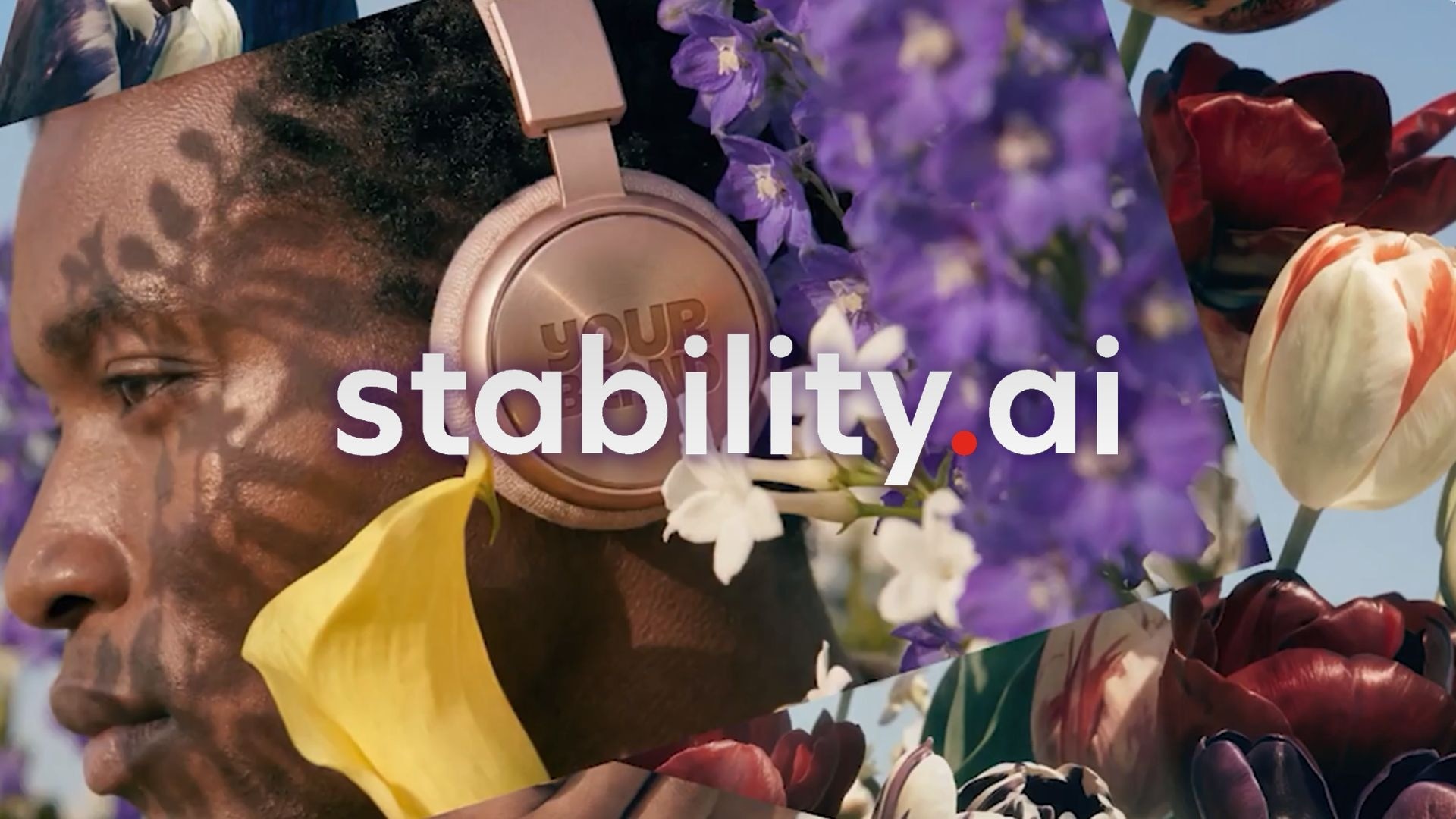
Part 1. What Is Stability AI?
Stability AI has been around long enough that most people in the AI space know the name. But the platform has changed a lot since the early Stable Diffusion days. It's now positioning itself as “the enterprise-ready creative partner for teams and creators,” delivering professional-grade generative AI tools and solutions for content production at scale.
Beyond image generation like Stable Diffusion, Stability AI operates as a multimodal media generation and editing platform. The traction shows in the numbers. Enterprise deployments grew 120% year-over-year, with dozens of Fortune 100 companies integrating Stability's models into creative workflows. Total images generated using Stable Diffusion (Stability AI Image) alone surpassed 7 billion by mid-2026.
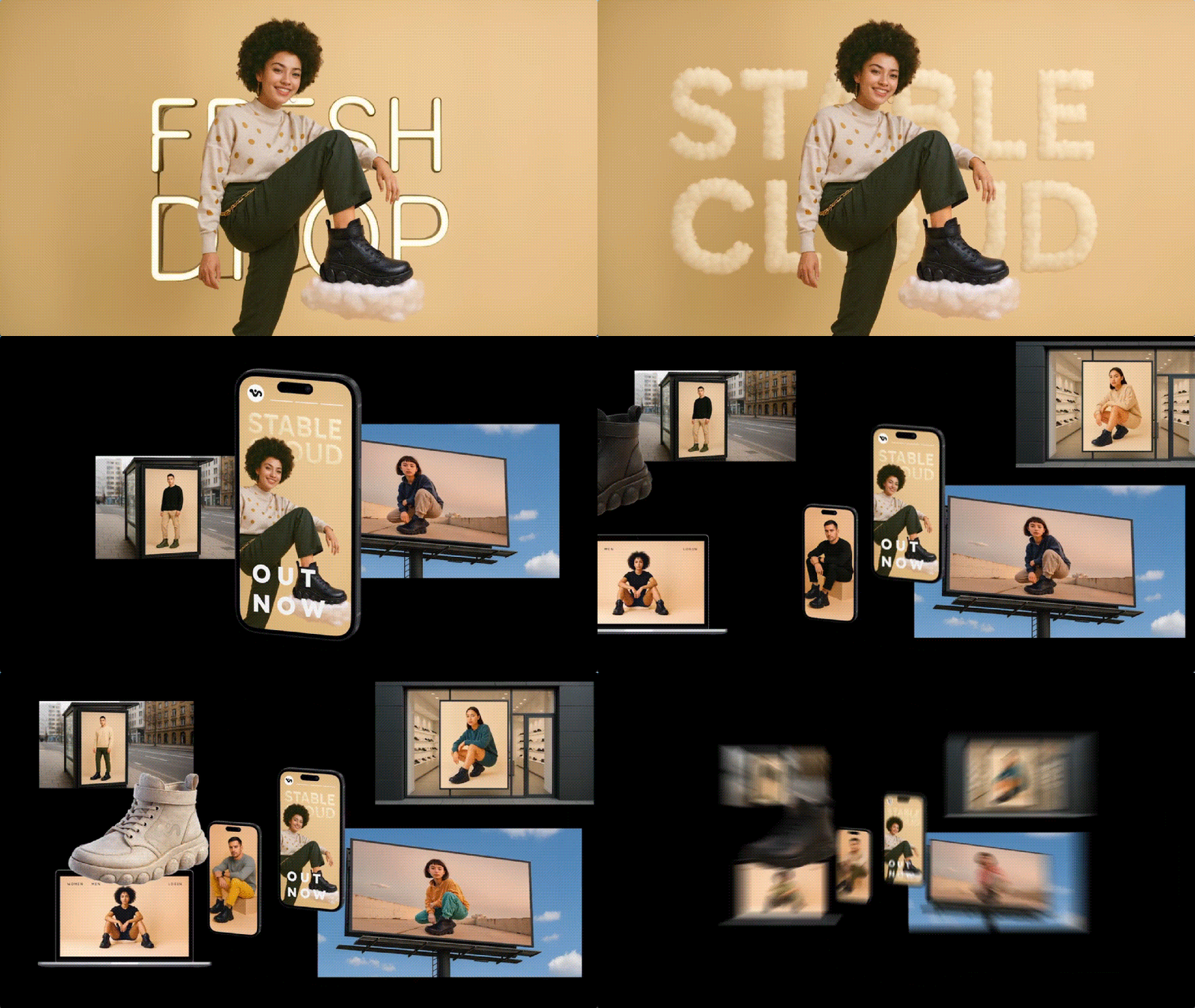
Part 2. Core Multimodal Models in Stability AI
Now that Stability AI operates as a full multimodal platform, its tools span across images, video, audio, 3D, and language. Most of the Stability AI models are built on diffusion, a method that creates visuals by starting with random noise and gradually refining it into an image that matches your prompt.
Image Generation
Stability AI's image lineup is anchored by two main model families: Stable Diffusion 3.5 and SDXL:
- Stable Diffusion 3.5 is the most recent and capable image generation series, which comes in three variants: SD 3.5 Large, Large Turbo, and Medium.
- SDXL (Stable Diffusion XL) came before SD3.5 and is still useful for users who need broader compatibility with the existing ecosystem. SDXL v1.0 has massive community support on platforms like Hugging Face and benefits from hundreds of thousands of custom fine-tunes.
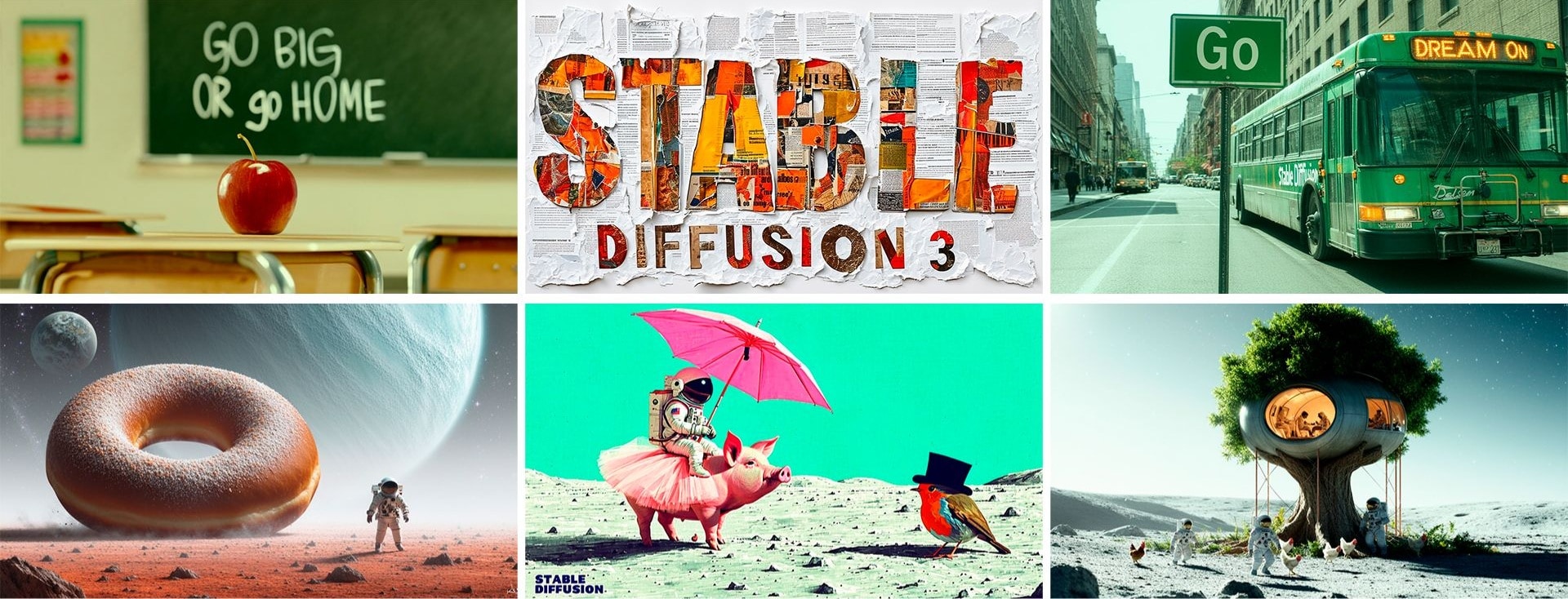
Note: As of July 31, 2025, Stability AI updated its Acceptable Use Policy, introducing new restrictions on how its Core Models can be used, including a prohibition on the generation of sexually explicit content.
Video
For the Stability AI video generation lineup, Stability AI currently includes Stable Video Diffusion (SVD), Stable Video 4D (SV4D) 2.0, and Stable Virtual Camera:
- Stable Video Diffusion (SVD) is the foundation model in the video stack. It generates short video clips from images and is the basis on which several downstream models are built.
- Stable Video 4D (SV4D) 2.0 is a multi-view video diffusion model for dynamic 3D asset generation. It generalizes better to real-world videos, and produces higher-quality outputs in terms of detail, sharpness, and spatio-temporal consistency.
- Stable Virtual Camera is a generative view synthesis model that generates novel views from any number of input views and target cameras, which the user can specify anywhere.
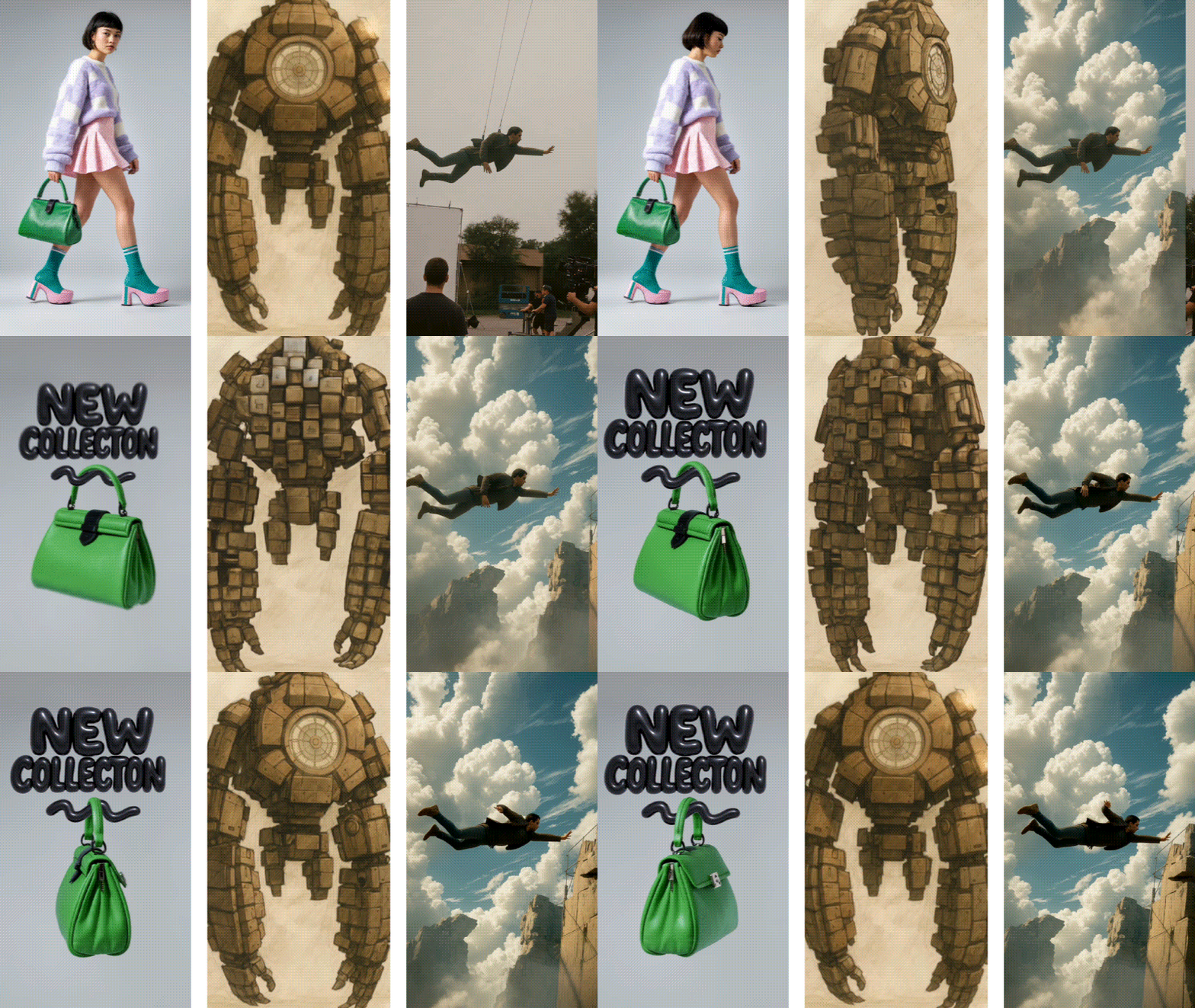
Stability AI's video generation is only accessible through the API or self-hosted deployment. There's no browser-based interface for video. Some platforms that already integrate Stability AI's video models include:
- Hugging Face: Run SVD and SV4D directly through hosted inference endpoints.
- Replicate: One-click access to several Stability AI video models without needing to set up your own environment.
Audio
Stable Audio 2.5 is Stability AI's flagship audio model. It introduces advancements in quality and control that address the demand for dynamic compositions that can be adapted for custom brand needs.
Stable Audio 2.5 is trained exclusively on licensed audio, so it’s commercially safe. It's also partnering with leading sound branding agency amp, part of the Landor Group, a WPP company, to co-develop enterprise solutions for innovative brands that want to create iconic sound identities and experiences.
3D
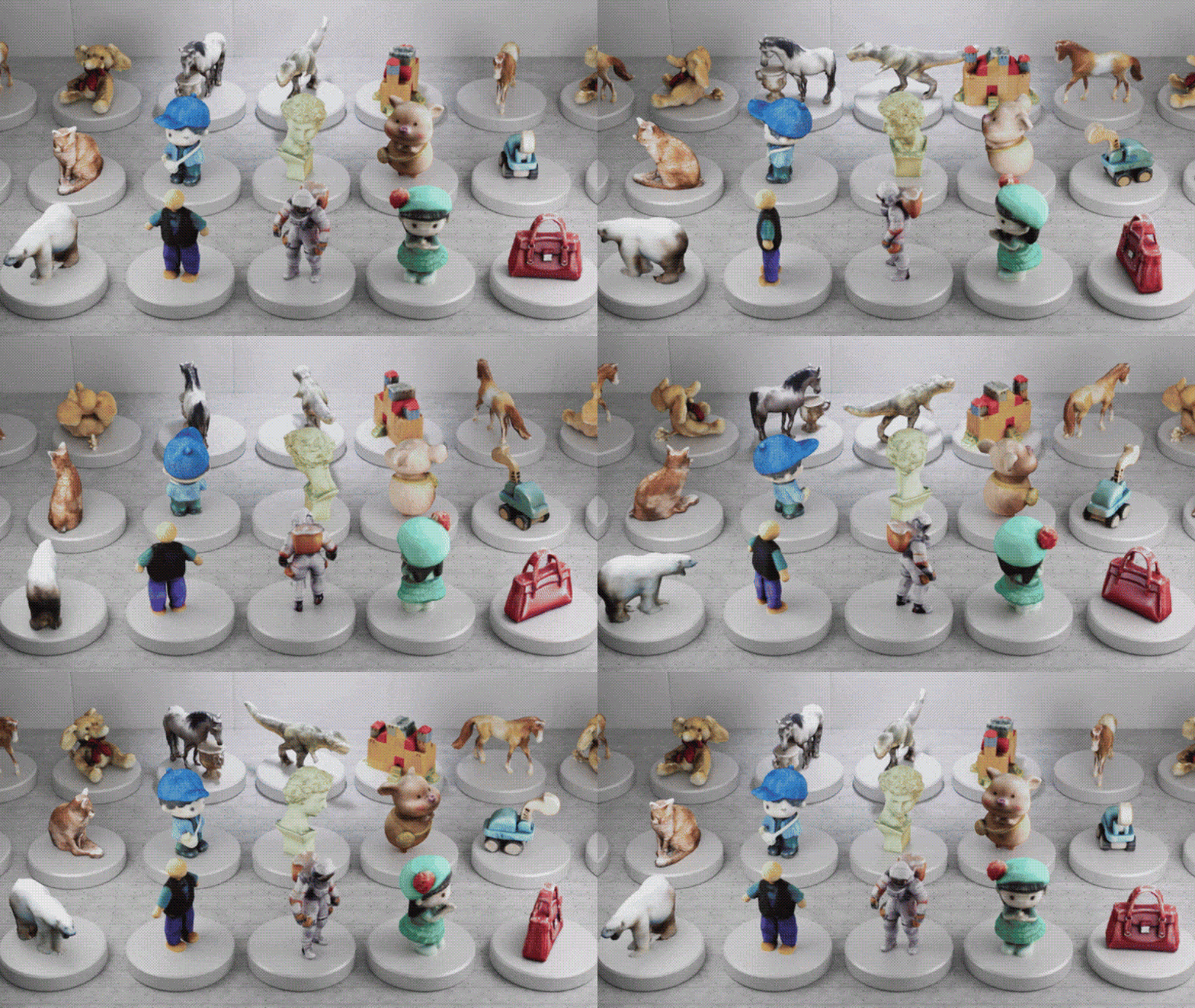
Stability AI has arguably the most comprehensive open-source 3D generation lineup of any AI company right now. The models span different use cases and levels of complexity. SPAR3D (Stable Point-Aware Reconstruction of 3D Objects) is the most advanced single-image-to-3D model in the lineup.
Language
Stability AI language model works under the StableLM 2 family. The series currently includes:
- Stable LM 2 1.6B: a compact decoder-only model. Pre-trained on 2 trillion tokens of diverse multilingual and code datasets.
- Stable LM 2 12B: a 12 billion parameter base model and an instruction-tuned variant, trained on 2 trillion tokens in seven languages.
StableLM models, however, are not competing with GPT-4o or Claude in terms of raw capability. They're positioned as open-weight base models that teams can fine-tune for specific workflows, embed in applications, or run on-premises where data privacy is a concern.
Part 3. How to Use Stability AI Online in Your Projects
Stability AI gives you a few different ways to actually use its models, depending on what you're building. For enterprises integrating AI into existing systems, there are three deployment paths:
- API: Stability AI API is the most direct route for developers. The same credit system applies across all models.
- Self-hosted / on-premises: For teams that can't send data to an external API, Stability AI offers enterprise licenses for deploying Stable Diffusion or Stable Audio on your own infrastructure, with implementation support and customization options included.
- Cloud partners: Stability AI's foundation models are available on Amazon Bedrock and Amazon SageMaker JumpStart, and Stable Diffusion models are available on Microsoft Azure AI Foundry.
Everything runs on the web or your own infrastructure, so there's no need to download Stability AI as a standalone app.
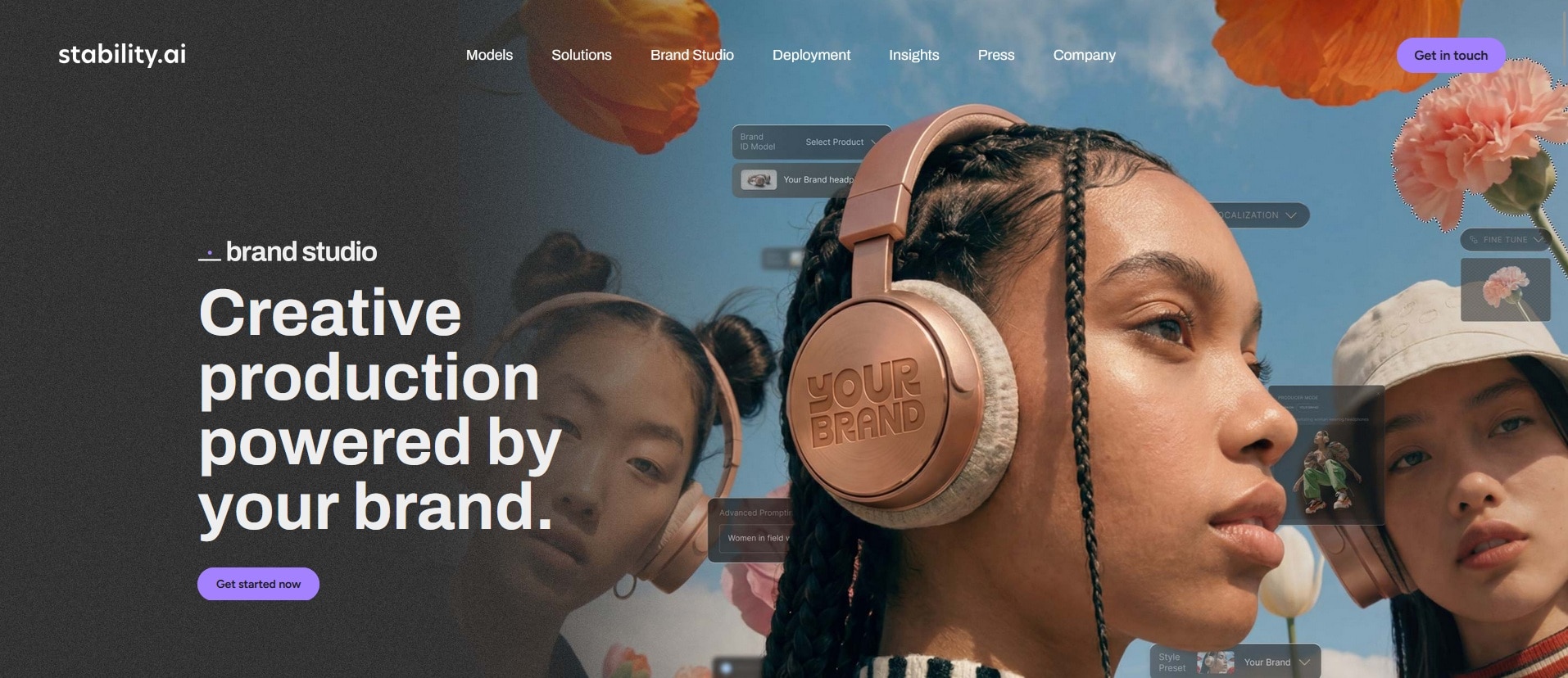
If you’re not building an app and just want to create content, the easiest route is using Stability AI’s own tools. You can use Brand Studio for images or Stable Audio for generating music and sound effects online inside the Stability AI website (https://stability.ai/).
Brand Studio
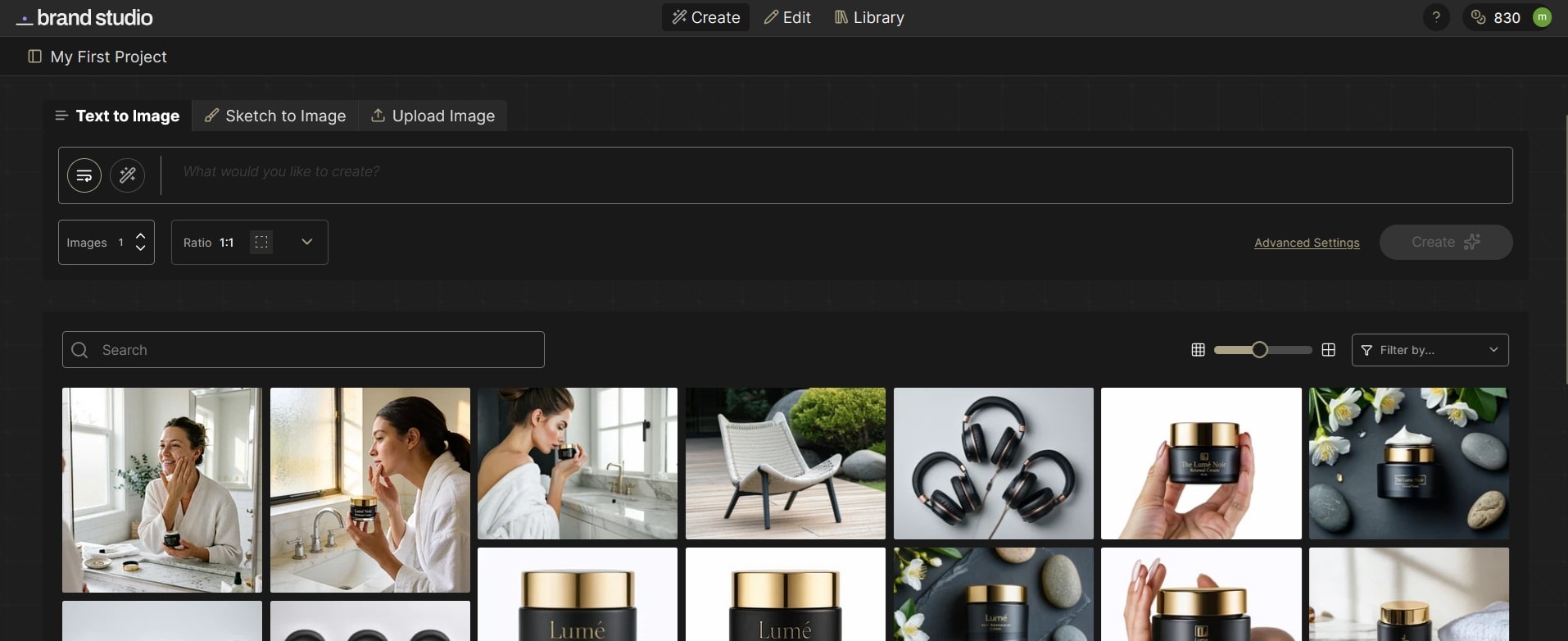
Brand Studio is a Stability AI online platform for creative production, launched in April 2026. It replaced DreamStudio and goes well beyond a basic image generator:
- Brand Central: Allows you to set up your brand identity inside the platform. You can train custom Brand ID models on your own photography style, color palette, design motifs, and logo placement.
- Producer Mode: Describe what you want to create, and it builds a production plan. After approval, it runs each step with the right models and tools, letting you review or regenerate specific parts without starting over.
- Curated Model Routing: Let Brand Studio pick the right one for your use case automatically instead of manually testing models to see what works.
- Precision Inpainting and Product Insertion: Precision Inpainting lets you define exactly what changes and what stays the same, while Product Insertion places a product into a scene and handles the environmental integration automatically.
Brand Studio Pricing (2026):
| Free | Core | Enterprise | |
| Price | $0 | $50/month | Custom |
| Credits | 1,000 | 5,000 | Custom |
| Features | - | Curated model routing, end-to-end generation and editing, precision tools | Unlimited seats, brand central customization, producer mode, enterprise governance |
Stable Audio (AI Music and Sound Generation)
Stable Audio is the browser-based interface for Stable Audio 2.5. It also supports audio-to-audio and audio inpainting workflows, so you can upload an existing track and extend or edit it directly in the browser. Like Brand Studio, it uses a credit-based model for access.
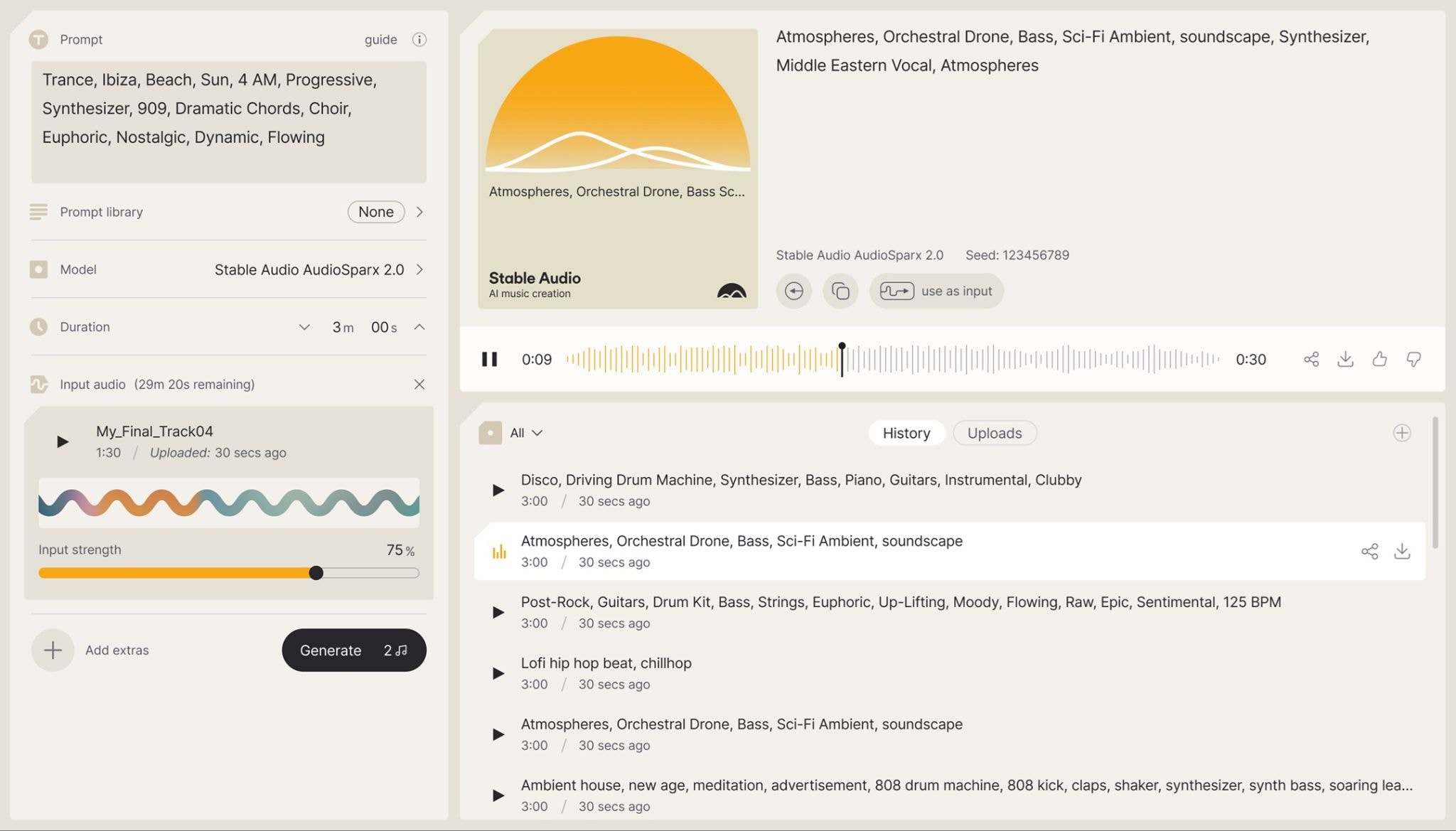
How it works:
- Type a description of the music or sound you want.
- Set a duration (up to three minutes).
- Let the model generate audio in seconds.
Part 4. We Tested Stability AI Image Generator – Here’s Our Review
We spent time using the Stability AI image generation tool, which is its strongest trait, and is easily accessible for anyone. We wanted to see how it holds up when you're trying to get something done. From our findings, Stability AI works best for generating images in these areas:
- Product photography
- Product concepting and design
- Digital twin/model
Image Quality (★3/5)
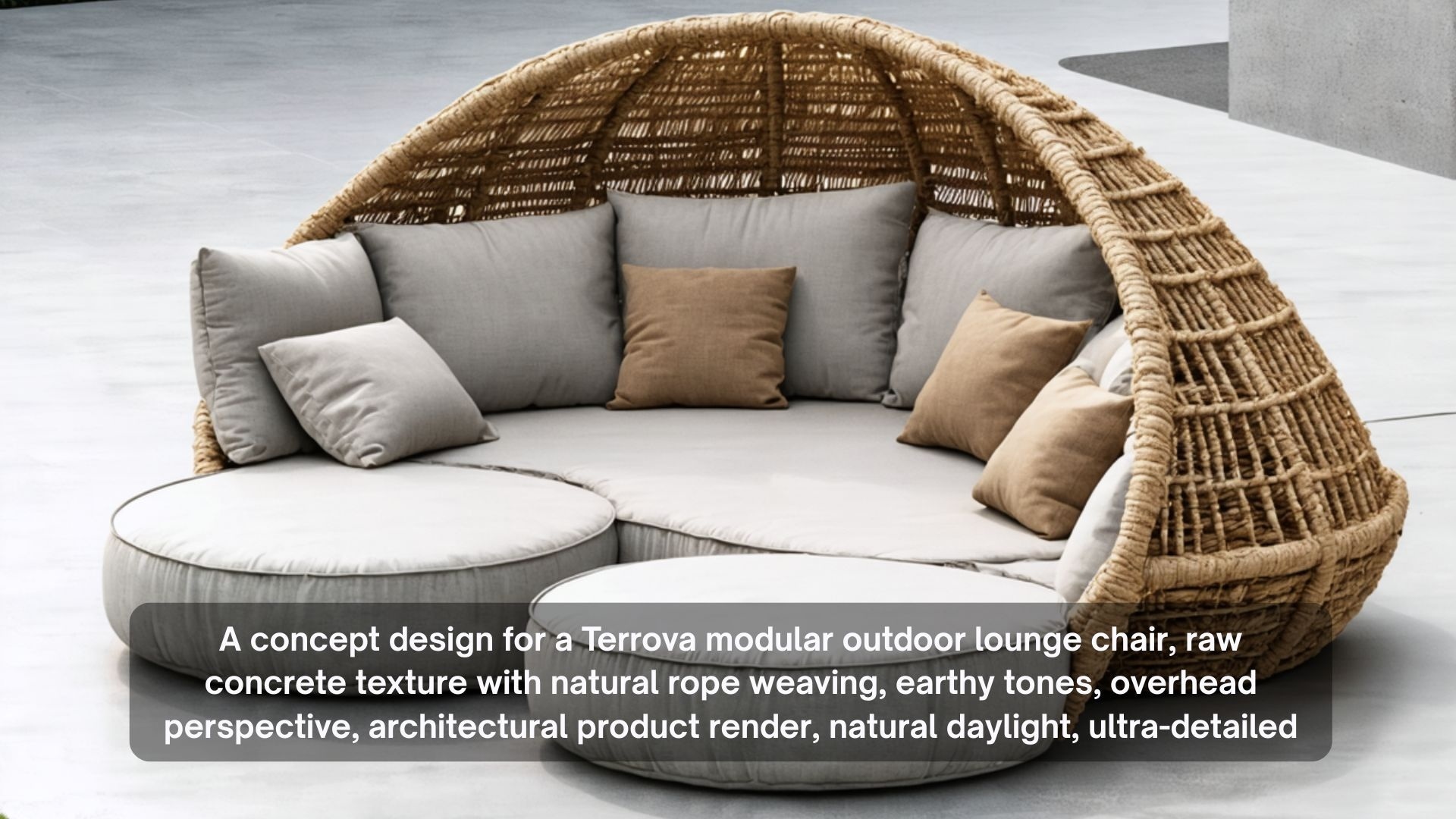
Although Stable Diffusion 3.5 is the most capable Stability AI model in the lineup, we found that it’s still struggling with text rendering. Words, signs, and labels often come back garbled. Human anatomy is another pain point. Extra or missing fingers appear more often than they should. Faces can look slightly off, too. At least, you need to cycle through different seed values to have something usable.

Prompt Adherence & Coherence (★4/5)
Stable Diffusion generally picks up on what you're asking for. What it doesn't do as naturally is composition. Elements can feel randomly placed rather than thoughtfully arranged, and the overall layout sometimes looks like the model made its best guess. But you can improve this by making your prompt more specific.
Style Variation (★4.2/5)
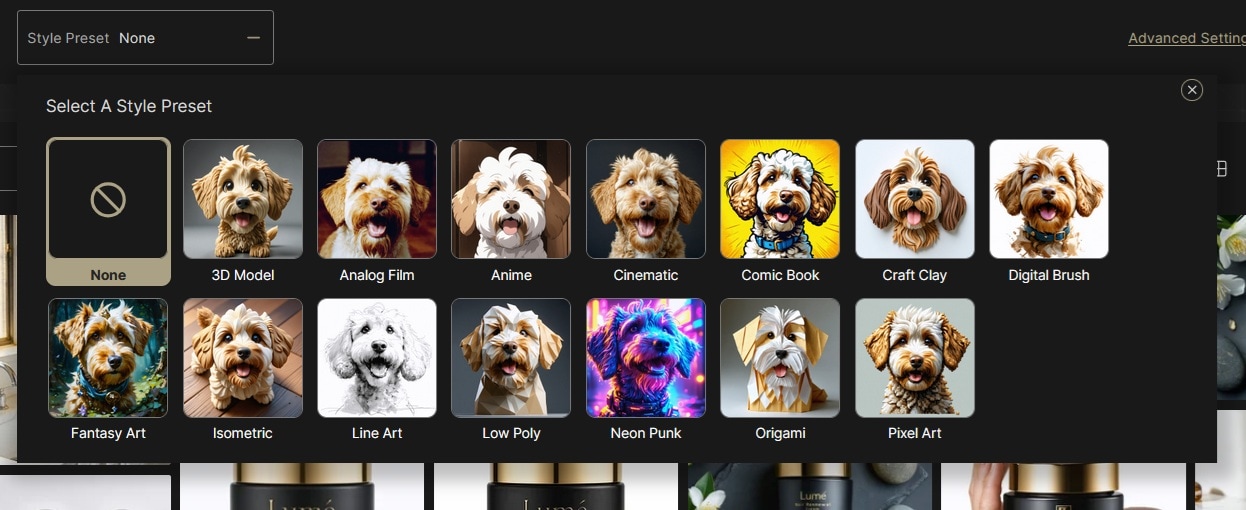
Stability AI image platform, Brand Studio, lets you pick a style directly from the interface, so you're not relying entirely on your prompt to communicate the aesthetic. The range covers photorealistic, illustrated, cinematic, and more.
Customization & Control (★4.4/5)
This is honestly the part we liked most about Brand Studio. You're not just generating images from scratch every time.
- Precision Inpainting lets you click on a specific area and change just that part (e.g., fix a background, clean up a product label) without touching anything else.
- Product Insertion lets you drop a product into any scene and automatically handles lighting and blending.
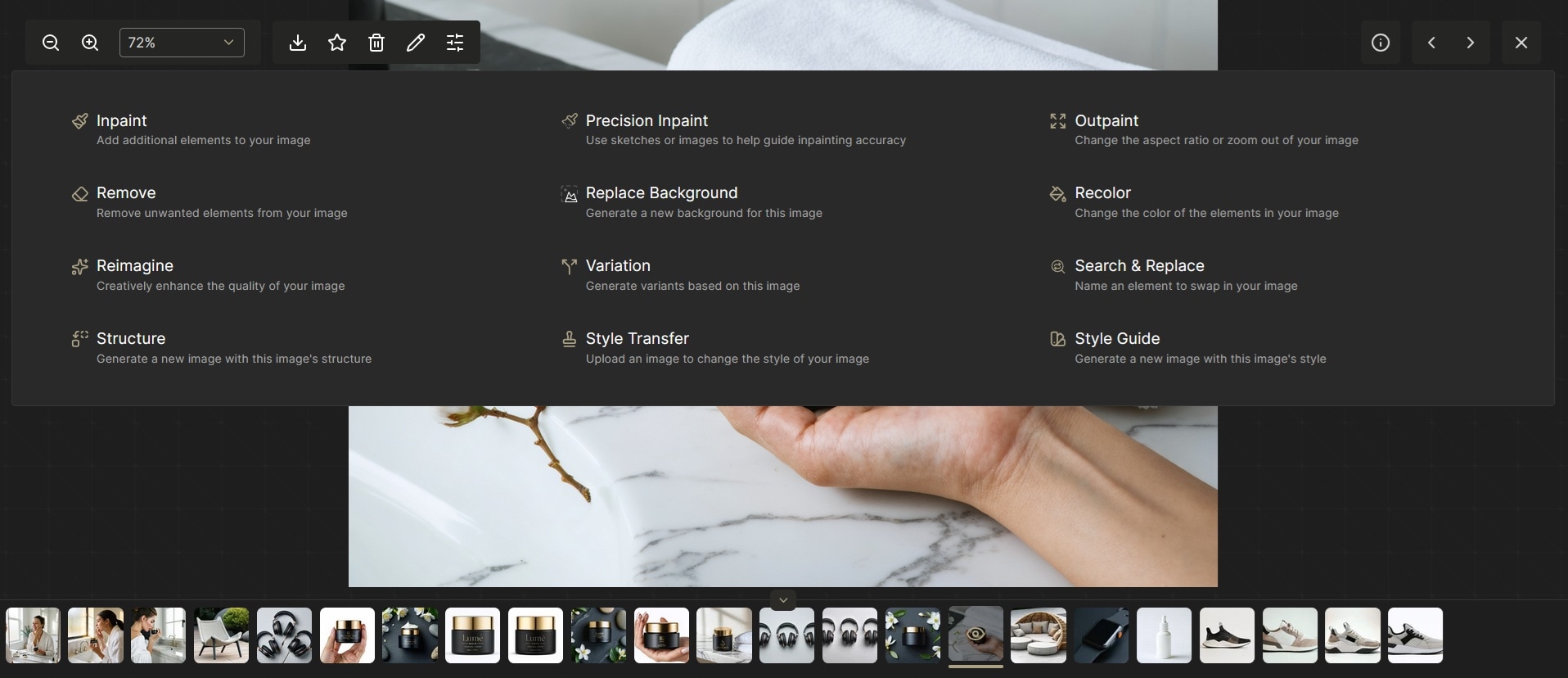
But the real standout is Brand ID models. Train the platform on your own brand assets once, and every image it generates already knows what your brand looks like. However, this feature is for an Enterprise tier only, so you won't get access on the free Core plan.
How Does Stability AI Compare to Other AI Models?
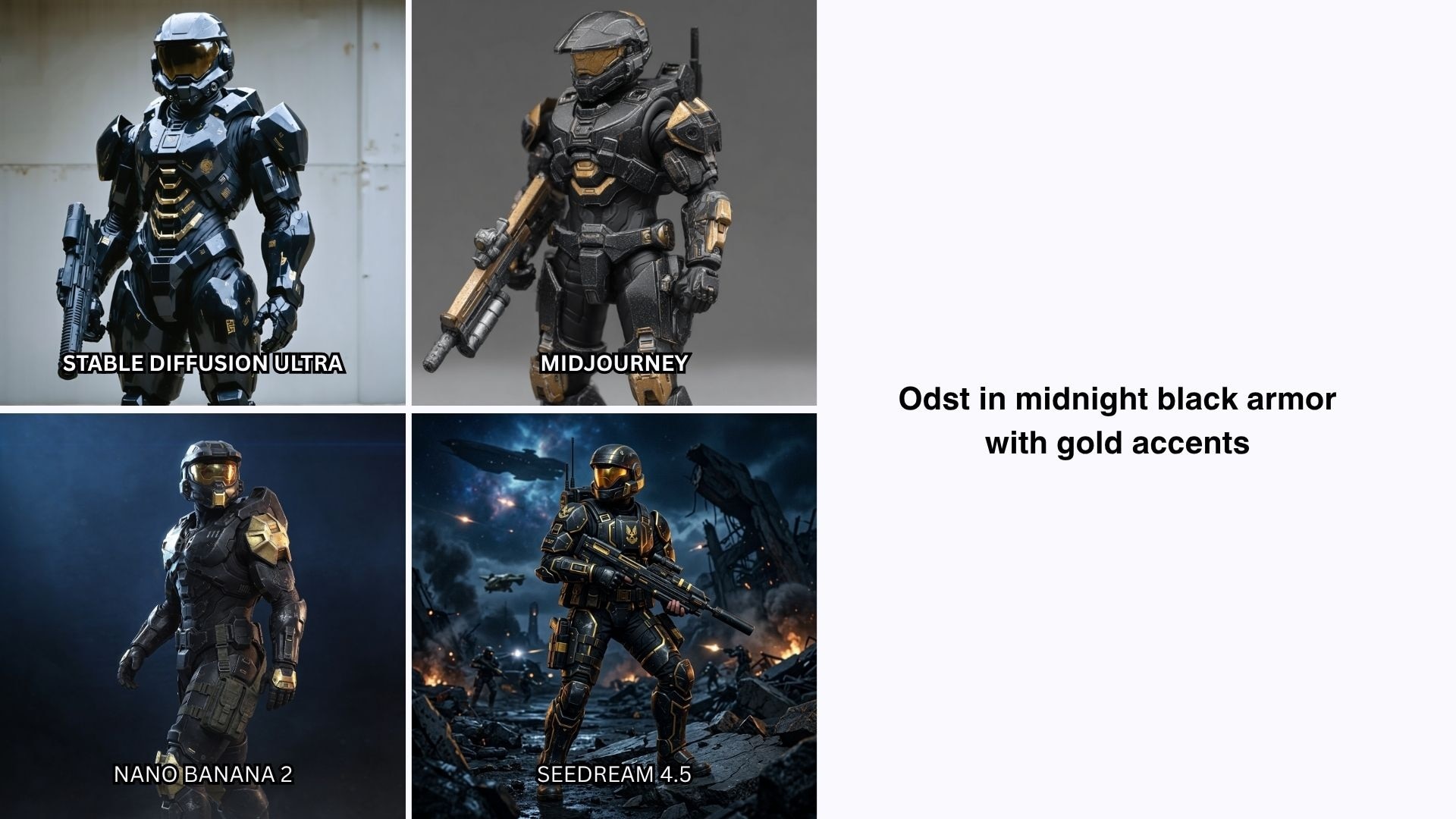
Honestly, for image quality alone, Stable Diffusion 3.5 is behind newer models like Seedream 4.5 and Nano Banana 2. Compared to Midjourney, though, it holds its own across most areas.
| Stable Diffusion (Stability AI) | Midjourney | Seedream 4.5 | Nano Banana 2 | ||
| Image Quality | |||||
| Speed | |||||
| Prompt Adherence | |||||
| Style Variation | |||||
| Customization | |||||
| Best for | Brand pipelines, on-premises deployment, custom fine-tuning | Artistic and editorial visuals | Product photography, text-heavy designs, e-commerce | High-volume content, fast turnaround, Google ecosystem users | |
|
Show More
Show Less
|
|||||
Part 5. Pros and Cons of Using Stability AI
After spending time across the platform, testing everything from image generation to Brand Studio's editing tools, we came away with a clearer picture of where Stability AI is good at and where it still has room to grow.
- Open-weight models you can run, fine-tune, and deploy on your own infrastructure
- One of the most customizable image generation pipelines available
- Covers five creative modalities from one platform (images, video, audio, 3D, and language)
- Enterprise-ready with on-premises deployment, SSO, and role-based access controls
- Good for experimenting, as Brand Studio's free Core tier gives you generous credits to test the platform
- Text rendering and human anatomy still lag behind Seedream 4.5 and Nano Banana 2
- Output quality varies more than on closed platforms without proper setup and fine-tuning
- Brand ID models and advanced customization features are locked behind the Enterprise tier
- Language models are not competitive with dedicated LLM providers
- Video and audio models, while technically capable, still trail dedicated competitors in creative range
Part 6. Apps Like Stability AI With Full Editing Tools – Filmora
Stability AI is built for enterprise teams that want to deploy AI models into their systems. If you're a creator or a small team looking for something that feels more complete out of the box, it can feel like a lot for a relatively simple creative need.
In that case, tools like Wondershare Filmora may be what you’re actually looking for. Filmora is a full video editor with AI generation tools built directly into the timeline. There’s no API setup, no separate platforms to manage, and no stitching outputs together from different tools. You use it to generate and edit in the same place.
 Secure Download
Inside Filmora, you can generate images, produce AI video, and work with AI audio, then bring everything into a multitrack timeline to refine, sequence, and export. The core AI features that make it stand out are:
- Generate videos from texts or images, powered by models like Sora 2, Seedance 2.0, Veo 3.1, and more.
- Generate images with Nano Banana 2 and Nano Banana Pro.
- Generate audio with AI Music and AI Sound Effects.
- Built-in assets library covering images, videos, music, sound effects, stickers, and more.
Everything lives in one place, so you're not jumping between tabs or managing exports from separate platforms. For individual creators and small teams, that alone saves a significant amount of time in a typical production day.
Secure DownloadConclusion
Stability AI is a capable platform for an enterprise team that needs to run AI models on its own infrastructure, produce branded content at scale, or build custom generation pipelines. But for individual creators or small teams just looking to generate good images or videos fast, the platform can feel like more than you need.
Newer models like Seedream 4.5 and Nano Banana 2 will get you better image quality with less setup. For something that feels more complete and ready to use from day one, a tool like Filmora might be what you’re actually looking for.
FAQs
-
1. Is Stability AI good for commercial use?
Yes, with some conditions worth knowing. Stability AI's models are available under commercial licenses, but the terms vary depending on which model you're using and how you're accessing it. -
2. How to use Stability AI to generate videos?
Stability AI's video models, like the Stable Video Diffusion, are accessible through the API or self-hosted deployment. There's no browser-based video interface, the way Brand Studio handles images. If you need something ready to use immediately, Filmora has an AI video generator built directly into the editor. -
3. Can you train your own models with Stability AI?
Yes. Training custom models is one of the strongest aspects of the platform. Through Brand Studio's Enterprise tier, you can train Brand ID models on your own brand assets, including photography style, color palette, and product SKUs. -
4. What file formats does Stability AI support?
For image generation, Stability AI outputs PNG and JPEG files. For audio, Stable Audio 2.5 outputs WAV files. For 3D models, SPAR3D and Stable Fast 3D output textured meshes in OBJ and GLB formats, which are compatible with most 3D software, including Blender, Unity, and Unreal Engine. As for the input formats, it varies by model. Stability image models accept PNG and JPEG, and audio models accept WAV and MP3 for audio-to-audio and inpainting workflows.
