


A lot of screen recording tools only hand you the raw clip and a basic trim tool—but not with Tella. Tella records your screen and webcam, then uses AI to clean up pauses, filler words, and rough cuts automatically, so the video is close to finished by the time you stop recording.
In this Tella review, we'll cover its recording and editing features, supported platforms, pricing, and overall user experience. We'll also look at its strengths, its limitations, and how well Tella fits your workflow, including alternatives for users who need more advanced editing capabilities.
Part 1. What Is Tella? A Screen Recorder with Built-in Editor
Tella is an AI-powered screen recorder designed to help you create presentation-style videos with screen capture, webcam recording, and built-in editing tools. As a Tella screen recorder, the platform goes beyond simple screen capture by giving you options to adjust clips, customize layouts, and refine videos before sharing them.
This way, you can create more polished videos without spending extra time on complex post-production processes. You can adjust webcam positioning, apply customizable layouts, edit recordings, and share videos directly with your audience.
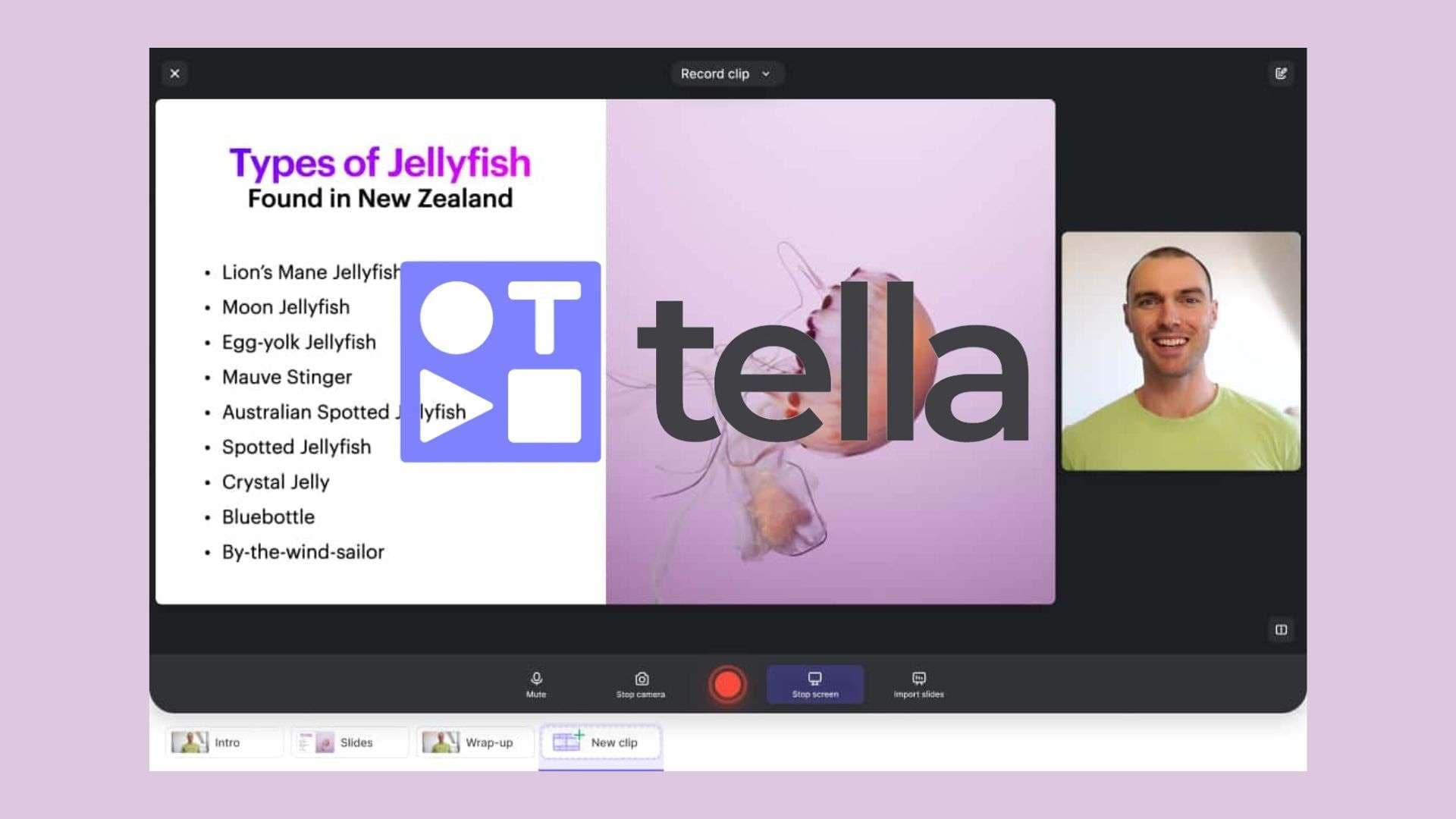
The Tella video recorder is mainly designed for a wide range of content creators, businesses, and educators who need a faster way to communicate ideas through video. Common use cases include:
- Product demos (showcasing software features, product updates, and walkthroughs with screen recordings combined with webcam overlays).
- Tutorials (creating step-by-step guides, how-to videos, and instructional content for customers, students, or online audiences).
- Sales videos (recording personalized product explanations, outreach messages, and presentations to connect with potential customers).
- Team updates (sharing project progress, feedback, or announcements through recorded videos instead of scheduling additional meetings).
- Educational content (producing online lessons, course materials, and learning resources using screen recordings with webcam explanations).
Part 2. Tella Features That Stand Out
To give you a better idea of what you can do in Tella, below are some of the features that make the platform different from a standard screen recorder.
Screen and Webcam Recording
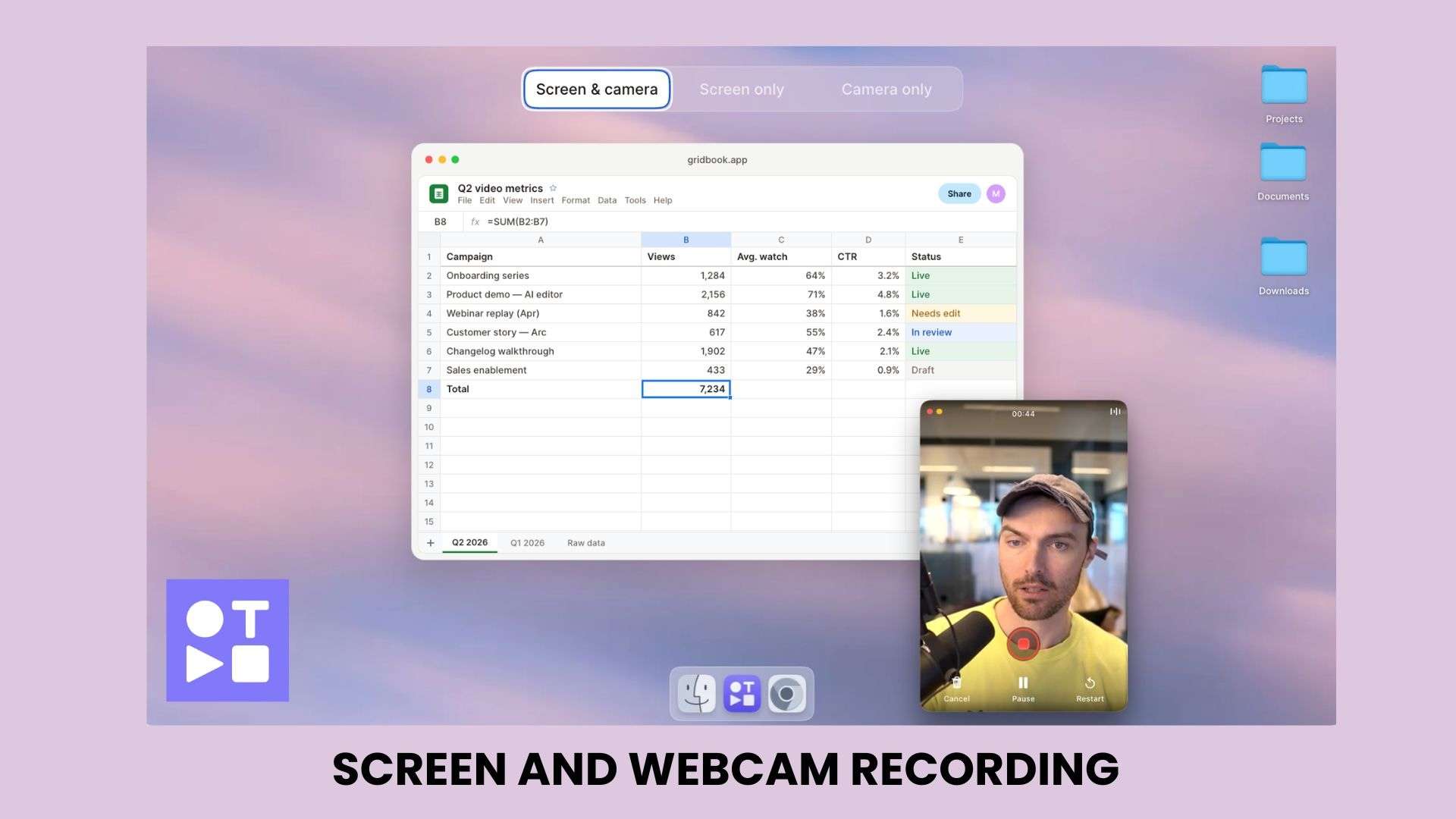
Tella’s screen recorder lets you capture your screen and camera simultaneously to create more engaging presentations, demos, and tutorials. There's also a teleprompter that's helpful when you need to read a script or talk through key points without looking like you're reading off a script.
Key Features:
- Record a browser tab, application window, or full screen
- Add webcam footage alongside screen recordings
- Switch between different recording layouts to match the content style
- Teleprompter for reading scripts without looking away from the camera
- Pause your recording whenever you need to and resume from where you left off
Multi-Take Recording Workflow
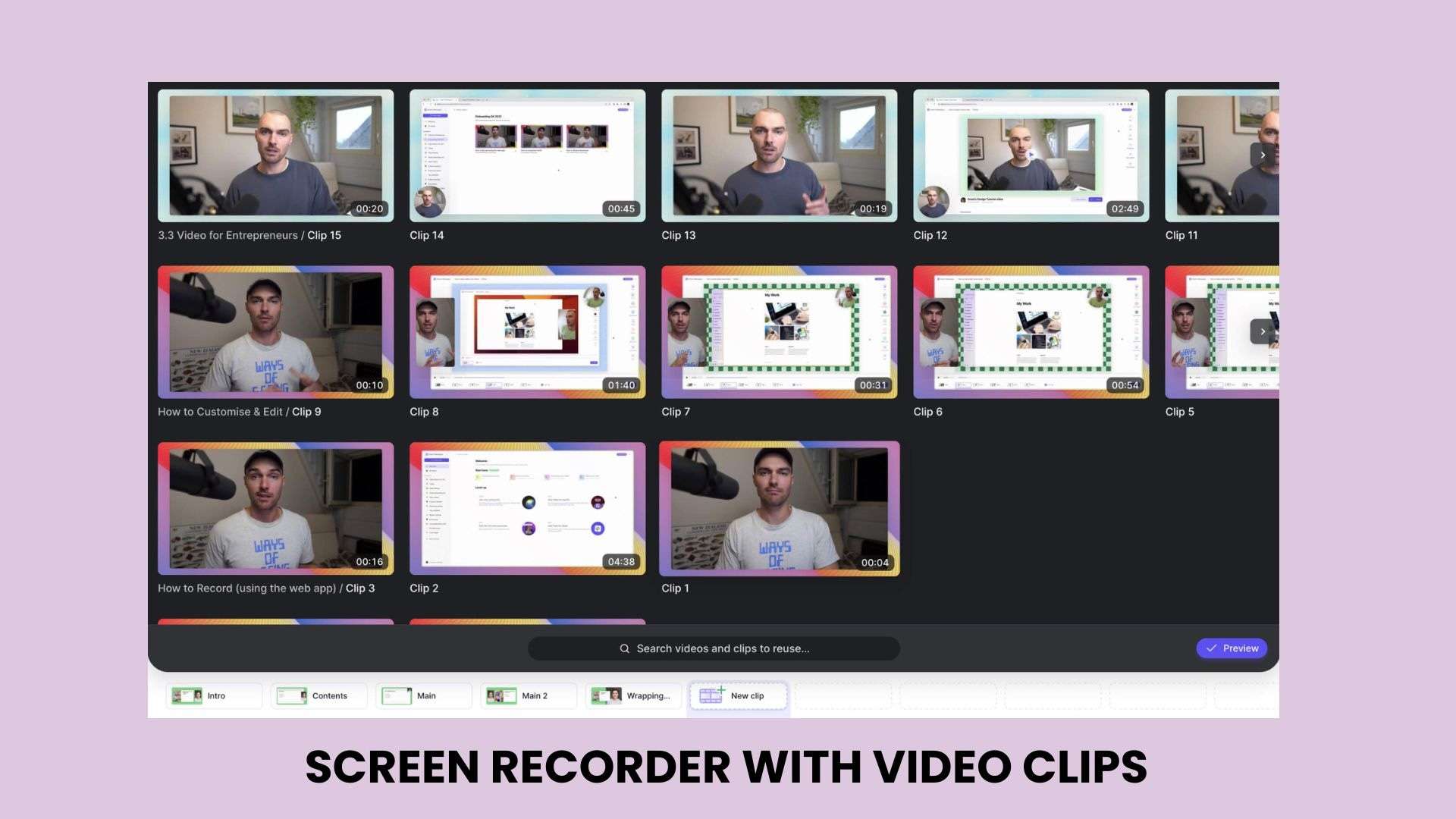
Tella's multi-take workflow gives you more flexibility when recording videos. Instead of creating one long recording, you can build a video from multiple clips. It also lets you reuse clips from older recordings, which eliminates the need to re-record the same section.
Key Features:
- Record sections separately and combine them into one video
- Replace a specific clip without redoing the entire recording
- Rearrange takes to improve the final structure
AI-Powered Video Editing
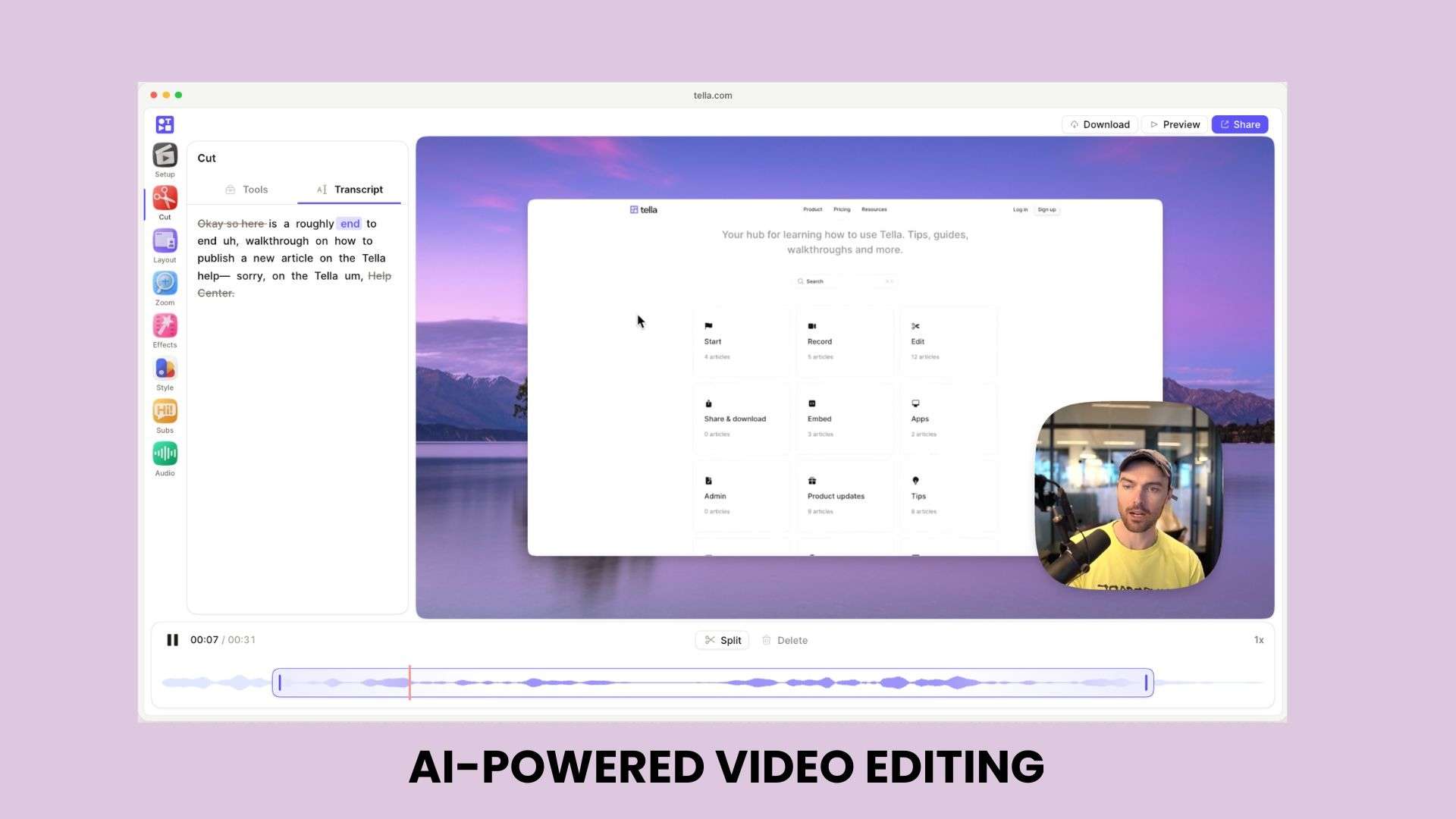
Tella’s video editor helps you clean up recordings and make quick adjustments after filming. Most of the heavy lifting happens automatically, so you're mainly just reviewing and fine-tuning.
Key Features:
- Transcript-based editing: cut content by editing text instead of scrubbing a timeline.
- Auto-zoom: highlights parts of the screen based on cursor movement or clicks.
- Auto-captions: generate captions you can edit or style.
- Dynamic layouts: switch between layouts on the fly.
- Audio enhancement: clean up your sound in one click.
- Sensitive info blur: hide details you don't want visible.
- Filler word removal: cuts "ums" and pauses automatically.
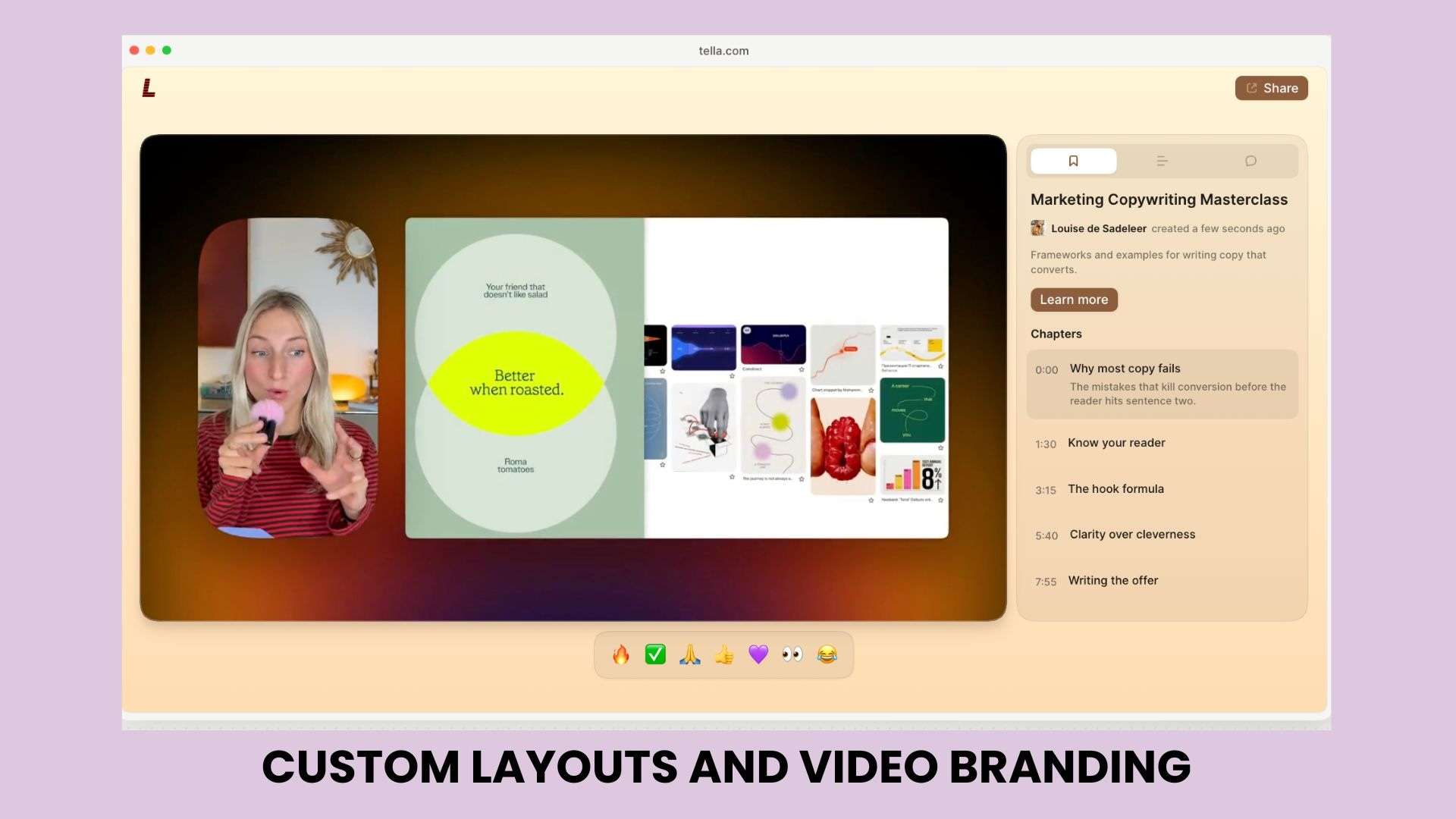
Custom Layouts and Video Branding
Tella includes layout and branding options if you want their recordings to look more refined and consistent. These settings carry over across videos to help you avoid adjusting the same details every time you record.
Key Features:
- Customize screen and webcam positioning
- Create different presentation layouts
- Add branding elements for business videos and customer-facing content
Video Sharing and Analytics
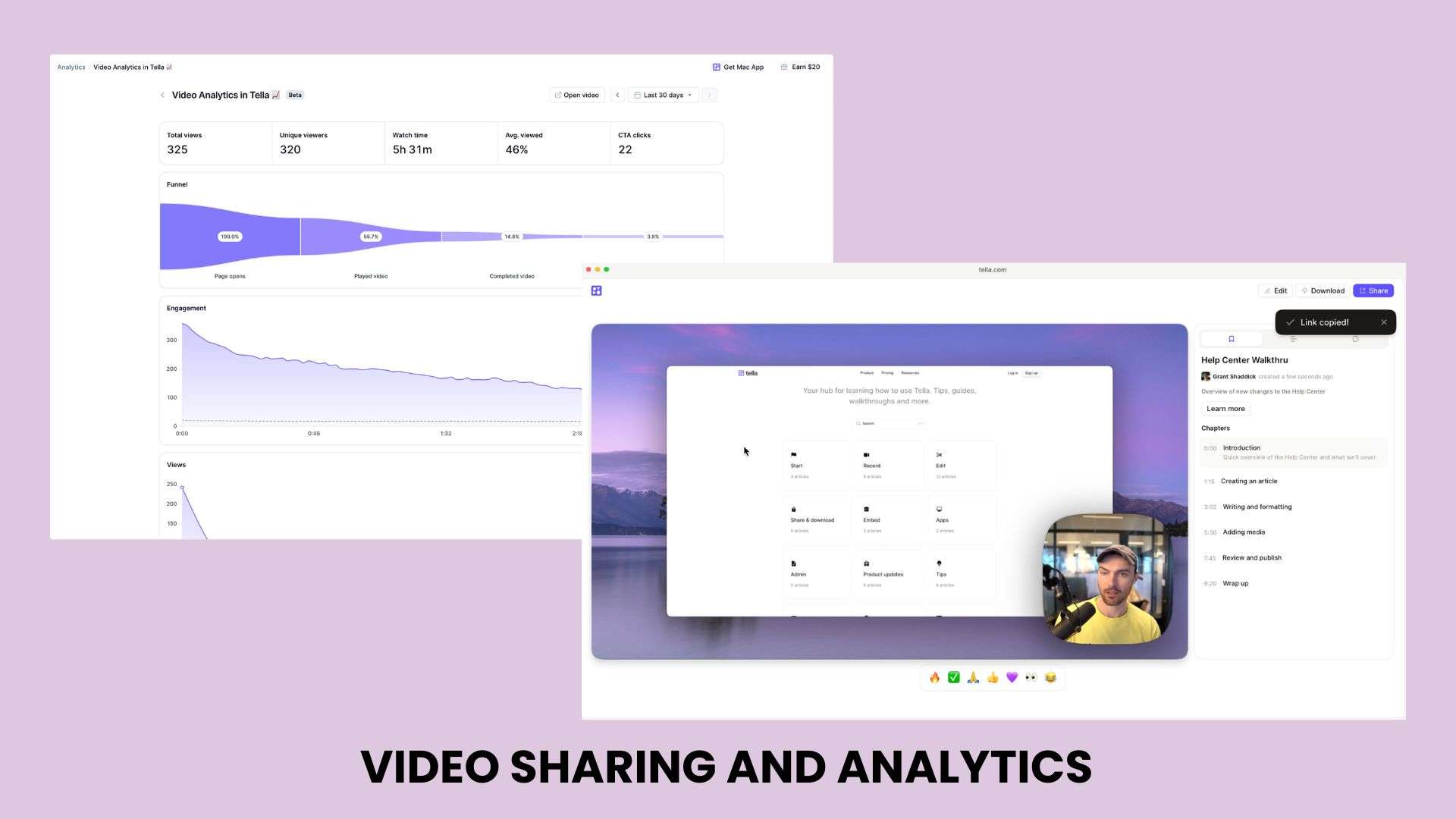
After you’re done recording, Tella allows you to instantly share the videos and track how viewers interact with them. You get a shareable link right away, without needing to export the file or upload it somewhere else first.
Key Features:
- Share videos using a link
- Embed videos on websites or other platforms
- Check viewer engagement through video analytics
Part 3. How to Use Tella Across Different Platforms
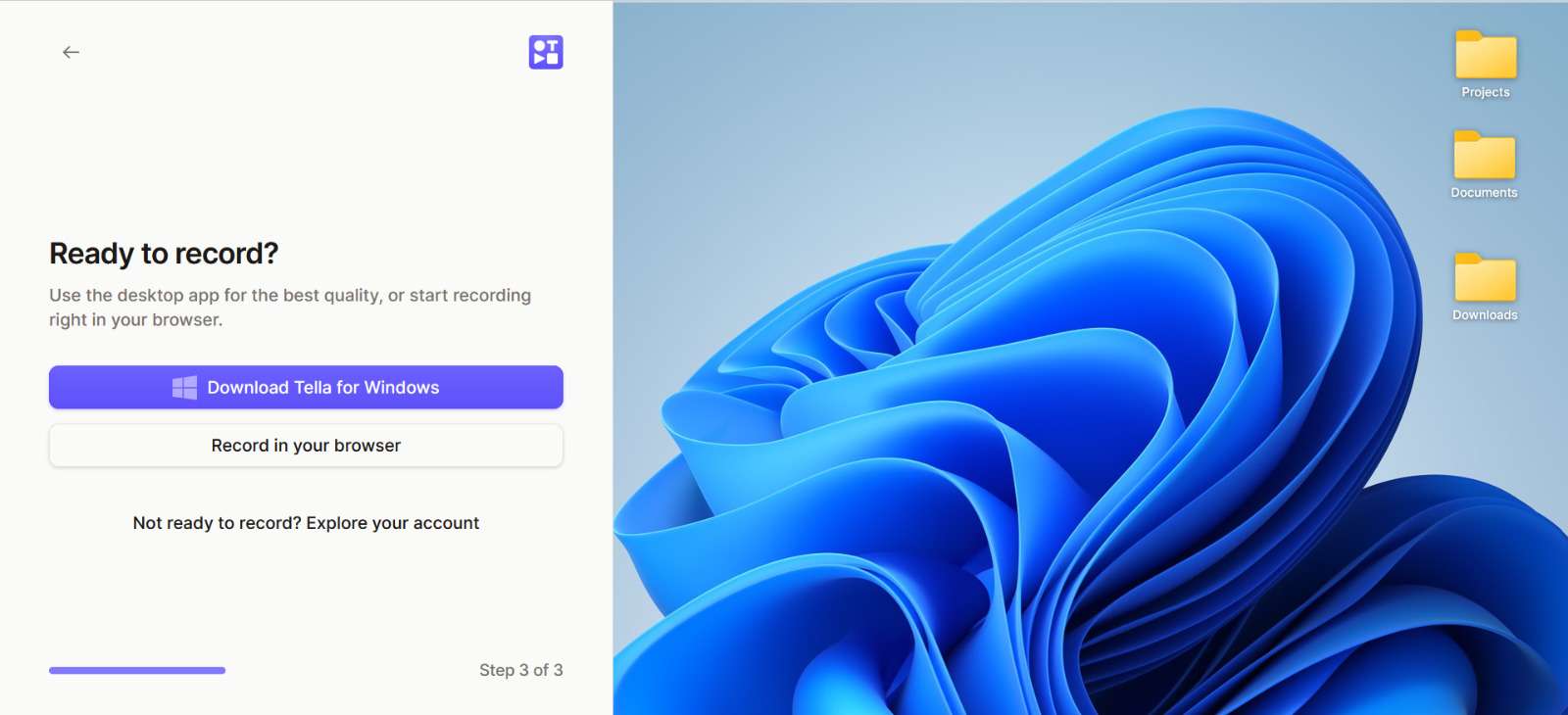
You can use Tella in different ways depending on where you work. But regardless of which version you use, the core recording and editing tools stay pretty much the same.
Available Platforms:
- Web-based recorder: https://www.tella.com/recorder
- Tella extension (Chrome): https://www.tella.com/chrome
- Tella for Windows: https://www.tella.com/windows
- Tella for macOS: https://www.tella.com/mac
- Tella for Slack: https://www.tella.com/slack
Creating a Tella Account
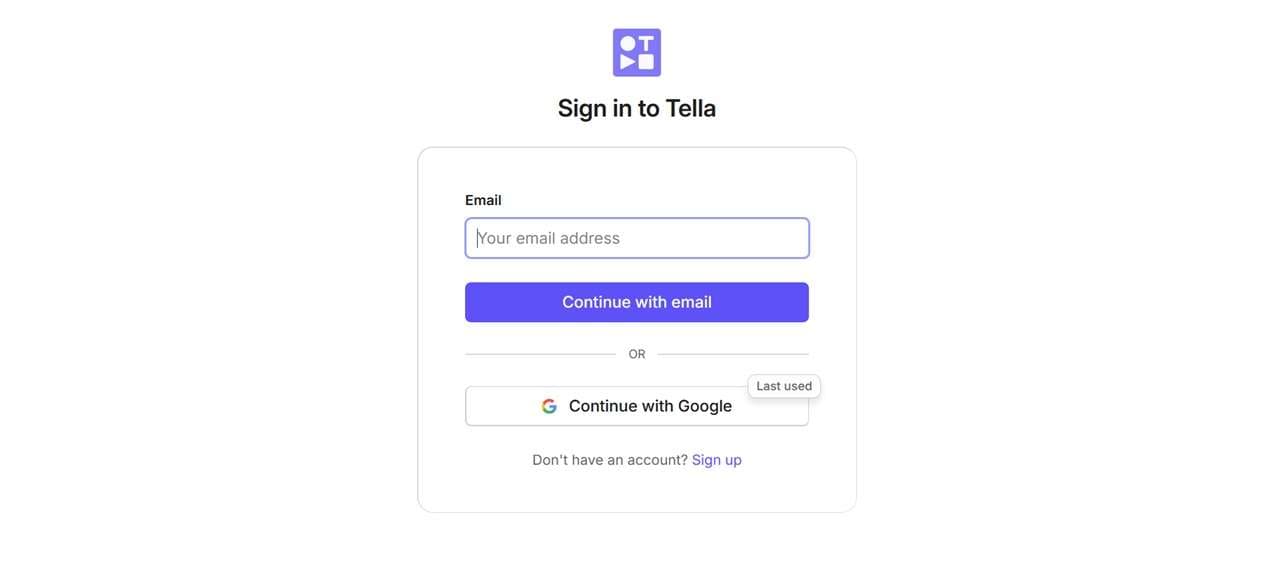
To get started, you need to create an account through the Tella website at https://www.tella.com/. Once logged in to Tella, the dashboard provides access to recording options, saved videos, and editing tools.
Recording and Editing Videos
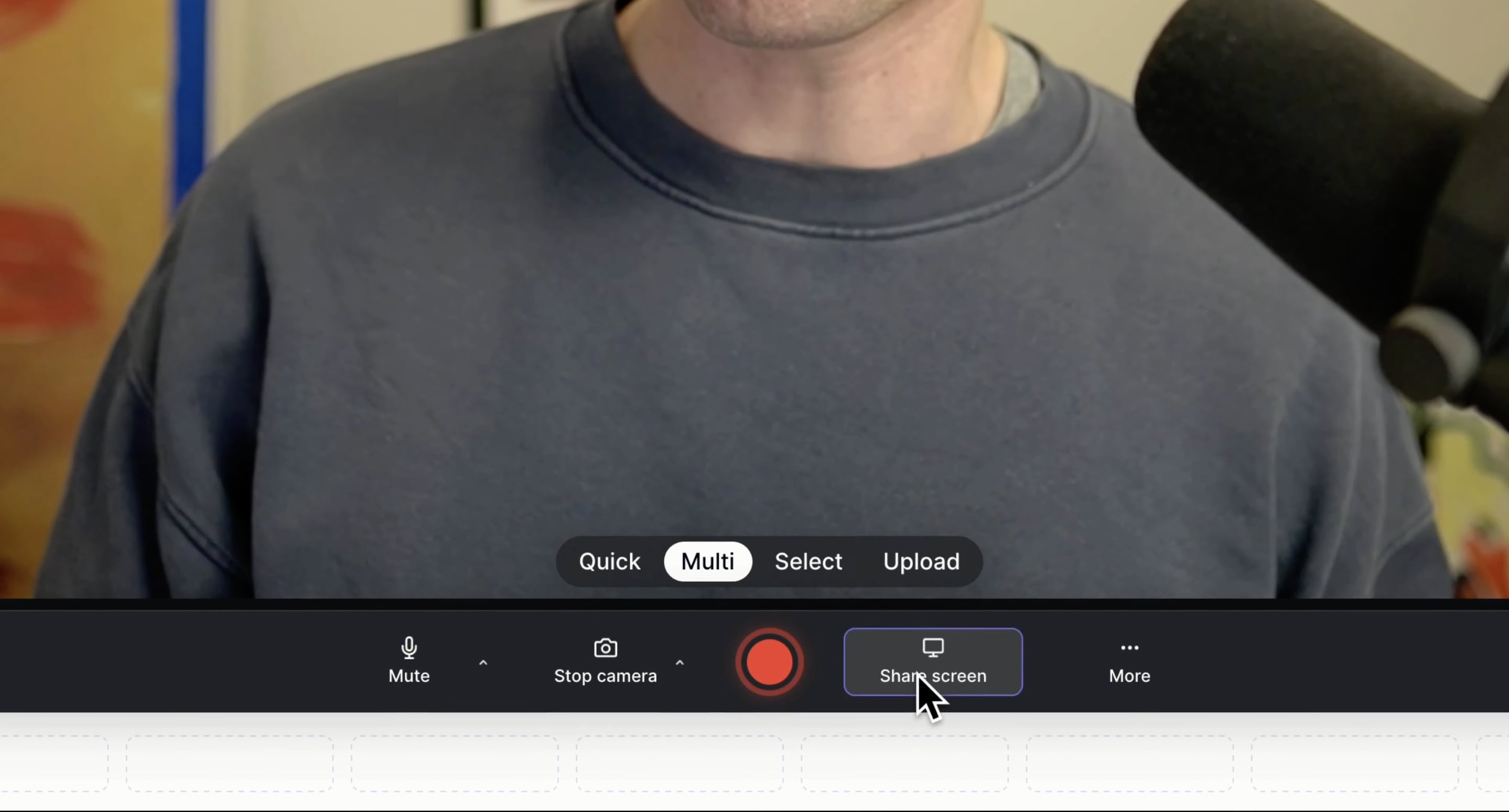
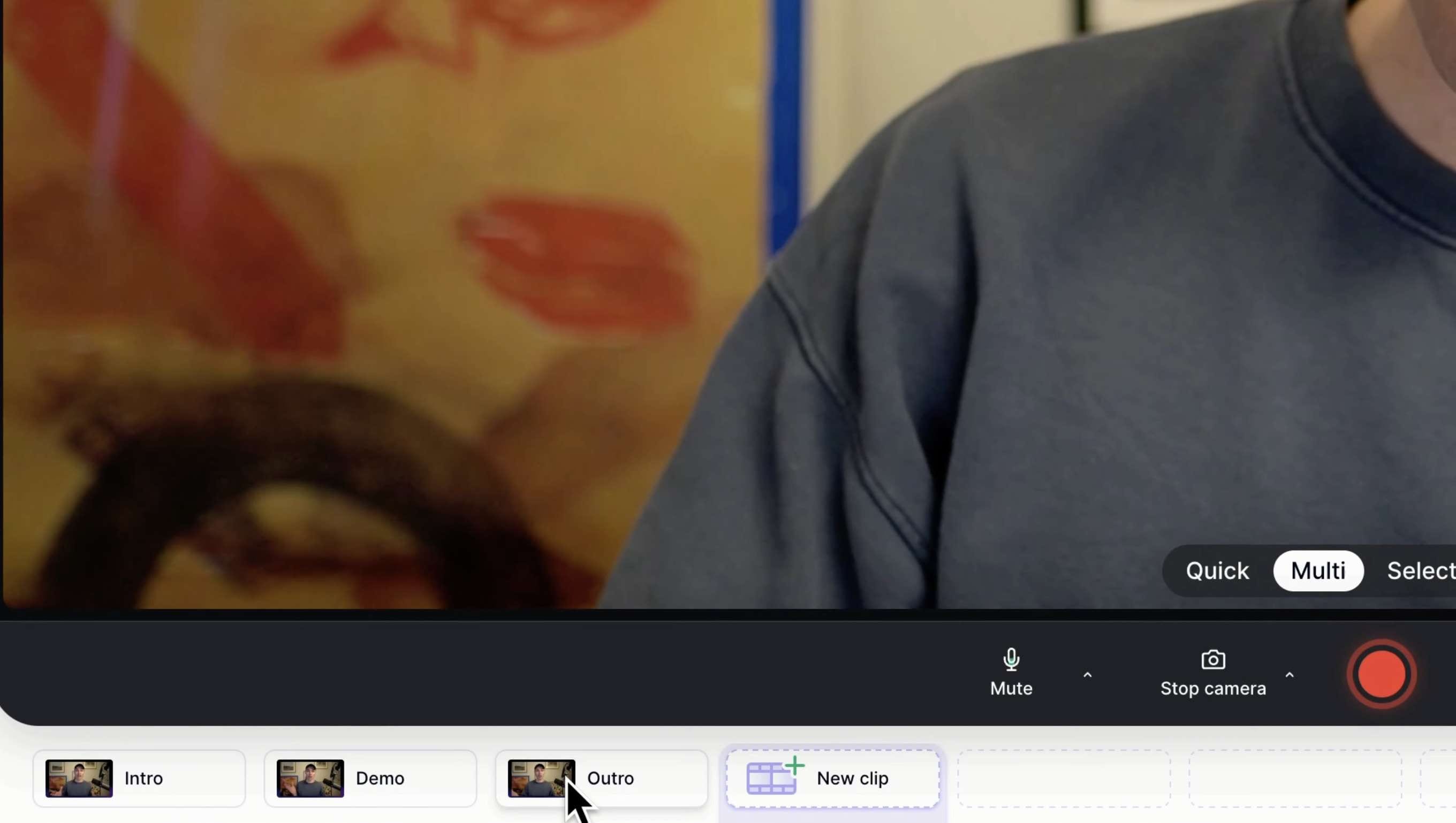
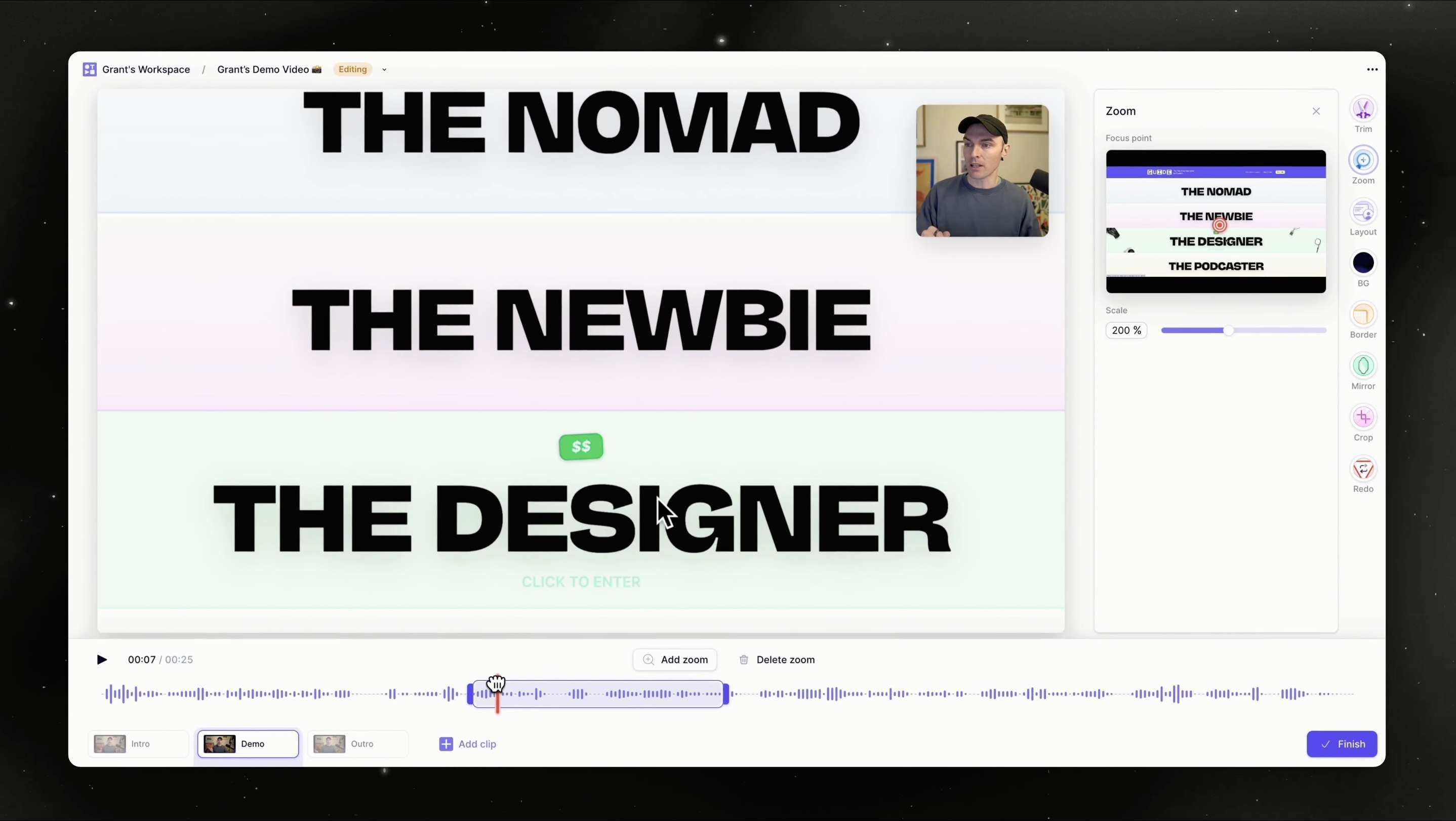
Watch the full tutorial video:
Part 4. Tella Pricing: Is the Free Plan Enough?
Instead of a Tella free plan, new users get a 7-day free trial of the Pro plan with access to most of Tella's recording, editing, and sharing features. No credit card is required to start the trial. During the trial, you can try features such as:
- Screen, webcam, microphone, and system audio recording
- Unlimited videos and recording duration
- AI-assisted video editing tools
- Custom layouts and video adjustments
- Video sharing and analytics features
One limitation is that uploading existing videos requires a paid plan. Once the trial period ends, you can no longer create or edit new videos unless you upgrade, but previously created videos remain available.
Tella Paid Plans
Tella offers paid plans for those who need regular video creation, advanced customization, and team collaboration features. Plan pricing is calculated per user, with an annual payment option that offers a lower monthly rate.
| Plan | Price (Annual Billing) | Best For | Key Features |
| Pro | $13/user/month | Creators, freelancers, and small teams | Unlimited videos, unlimited recording duration, AI editing, 4K export, team workspace, analytics, and video sharing |
| Premium | $19/user/month | Businesses creating branded videos | Everything in Pro, plus custom branding, custom domain, advanced sharing options, and additional analytics features |
| Enterprise | Custom pricing | Larger organizations | SSO/SCIM, personalized onboarding, volume discounts, and enterprise support |
Part 5. Tella Pros and Cons
Tella is a strong choice for creating screen recordings, demos, and presentation videos. However, if you are someone who needs advanced video production tools, you may find its editing options limited.
- Record the screen, webcam, or both with flexible layouts for tutorials, demos, and presentations.
- Create videos using separate takes, then replace or rearrange individual clips without restarting the entire recording.
- Use AI editing tools to clean up recordings and make quick adjustments.
- Add custom layouts and branding elements for business or customer-facing videos.
- Share videos through links and track viewer engagement with built-in analytics.
- Limited advanced editing options for users who need effects, animations, or detailed timeline control.
- After the 7-day trial, continued access requires a paid subscription.
- Less suitable for complex video projects that require a complete editing suite
Part 6. Best Tella Alternative with Advanced Video Editing
Tella is suited for creating screen recordings, product demos, tutorials, and presentation videos. Its clip-based recording system and built-in editing features help you create and share videos without spending much time on post-production.
For projects requiring more detailed editing, a dedicated video editor provides greater control. Wondershare Filmora, for example, builds a screen recorder right into its multitrack editing app.
You can capture footage and jump straight into trimming, adding transitions and effects, cleaning up audio, and applying AI-powered tools that help you turn recordings into more complete video projects.
| Tella | Filmora | |
| Main purpose | Screen recording and presentation-style videos | Video editing, content creation, and advanced video projects |
| Screen recording | Record screen, webcam, or both with customizable layouts | Screen and webcam recording with a full video editing workflow |
| Teleprompter | ||
| Video editing | Basic editing tools with AI-assisted features | Multi-track timeline editing with advanced tools, effects, transitions, and audio controls |
| AI features | AI-assisted editing and transcript-based adjustments | AI Text-to-Video, AI Image to Video, AI Smart Short Clips, Auto Caption, and other AI editing features |
| Video customization | Layout adjustments and branding options | Effects, animations, color adjustments, motion tools, and creative controls |
Choose Tella for:
- Creating quick screen recordings and product demos
- Sharing team updates or tutorials
- Making presentation-style videos with screen and webcam layouts
- A simpler recording workflow
Choose Filmora for:
- Editing longer videos with multiple clips and layers
- Creating YouTube, TikTok, or social media content
- Adding effects, transitions, animations, and advanced audio edits
- Using AI tools to generate and enhance video content
 Secure Download
Conclusion
Tella is a solid choice if you need to create screen recordings, product demos, tutorials, and presentation videos. Its multi-take recording, customizable layouts, and built-in sharing features allow you to create and share videos without a complicated editing process.
However, the platform is more focused on screen-based content, so users working on advanced video projects may find its editing options limited. Overall, Tella fits creators, teams, and educators who need a faster way to record and share videos with a polished presentation style.
FAQs
-
Does Tella use AI for video editing?
Yes. Tella includes AI-powered editing features that help you refine recordings, such as transcript-based editing and tools for making adjustments more quickly. -
Does Tella work on Windows?
Yes. Tella is available for Windows via its desktop app. You can also access Tella through a web browser and Chrome extension. -
Can Tella record screen and webcam at the same time?
Yes. Tella can record the screen and webcam together, allowing you to create videos with camera overlays for tutorials, presentations, and product demonstrations.
