

 TL;DR:
Venice AI is a decentralized, uncensored generative AI platform best suited for privacy-conscious creators who need unrestricted asset generation using open-source models without their prompts being logged on central corporate servers.
● Unlike ChatGPT's heavily moderated cloud ecosystem, Venice AI processes queries via decentralized GPUs using models like Llama, Qwen, GLM, and DeepSeek, carrying the inherent limitation that all conversation history is permanently deleted if you clear your local browser data.
● Guest users can access basic chat anonymously, but analyzing PDF documents and utilizing Venice V2 text-to-video creation tools require a Pro plan, which costs roughly $18 per month and supports cryptocurrency payments.
● While the platform excels at generating raw, unfiltered scripts and B-roll images for import into editing software like Wondershare Filmora 15, it lacks cross-session memory and its publicly explained privacy architecture currently lacks extensive independent third-party audits.
Ask AI for a summary
 ChatGPT
 Perplexity
 Gemini
 Claude
 Grok
Grok
While tools like ChatGPT excel at productivity, data privacy remains a significant concern for many. In this Venice AI review, we explore how this decentralized platform prioritizes user anonymity. Is Venice AI safe? We'll dive into its uncensored AI chat, Venice AI image generator, and why creators are choosing it as a private alternative in 2026.
And against this backdrop, Venice AI has started to get some buzz. Debuted in 2024, the program encourages two basic principles: no censoring of AI for endangered people's information with strong privacy protection. With an effort to avoid centralizing prompt storage and extensive moderation, Venice AI appeals to creators who want more autonomy over their ideas.
This article explores what Venice AI is. Is Venice AI safe? Why privacy-conscious creators are turning to it, and how its chat and image tools work in practice.
Part 1: What is Venice AI? A Deep Dive into the Private AI Ecosystem
Venice AI is a generative AI platform for chat, images, and code built around two ideas: privacy and freedom. The Venice AI chat system stores conversations locally rather than on company servers and uses decentralized computing. Its minimal filtering allows more open discussions, giving creators greater control over ideas and interactions.
1.1 Key Features
Venice AI Image Generator: It turns prompts into visuals using open-source models. Prompt enhancement helps users write clearer descriptions.
Image control tools: Features like high-resolution output, adjustable steps, seed control, and prompt adherence improve image detail and consistency for creative projects.
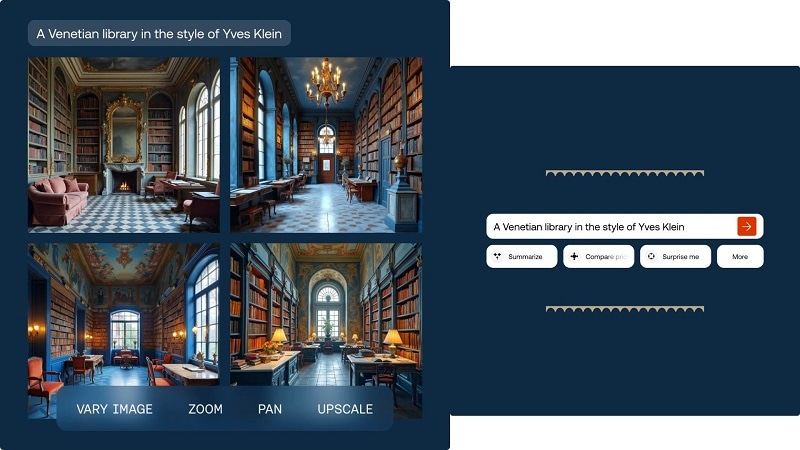
Venice AI Chat: It stores its prompts on your device, meaning chats aren't saved to company servers. This enables users to research, write or brainstorm with less restrictions.
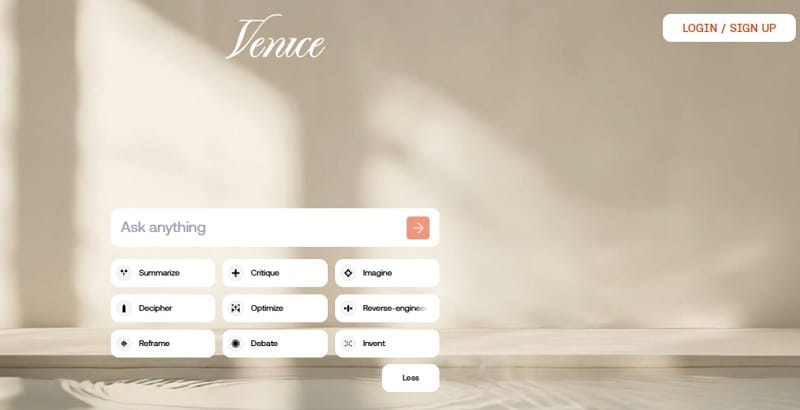
Open-source models & web search: The Venice AI app runs on models like Llama and Qwen for detailed responses. It also supports real-time web search with clickable source links.
Document analysis: Pro users can upload PDF files to create summaries, conduct deeper analysis, and hold question-and-answer sessions. This function is helpful for professionals and researchers.
Character creation: Users can create their own AI characters with unique personalities and backstories, then talk to them for fun or roleplay chats.
Developer API: Venice offers programmatic access for apps and AI agents. Developers can run AI tasks through staking systems or paid inference credits.
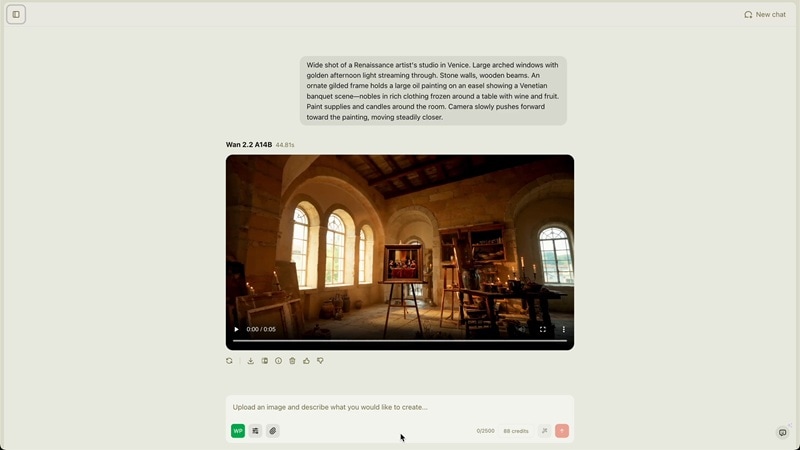
Video creation: Venice V2 added tools for turning text and images into videos. These features were first released for beta and Pro users.
1.2 Comparison: Why creators choose it over ChatGPT
Many creators use both tools but for different tasks. Venice AI is often preferred for private or sensitive questions. ChatGPT works well for general tasks, research, and everyday productivity.
| Feature | Venice AI | ChatGPT (Plus) |
| Privacy Model | Local-first design. Prompts stored on the user device. Uses decentralized proxy computing. | Cloud-based system. Conversations may be stored unless users opt out of training. |
| Censorship | Minimal filtering. Users can explore broader topics. | Strong moderation and stricter content limits. |
| Image Generation | Built-in Venice AI image generator with optional filter controls. | Uses DALL·E models for image generation. |
| Custom Chatbots | Users can create custom AI characters with unique personalities. | Users create custom GPT assistants. |
| Model Choice | Users can choose different open-source LLMs such as GLM or DeepSeek. | Model selection is limited to OpenAI models. |
| Pricing | Around $18 monthly (often lower with discounts). | About $20 monthly for Plus. |
| Main Advantage | Privacy and uncensored AI interaction. | Large ecosystem and multi-tool integration. |
|
Show More
Show Less
|
||
Part 2: Is Venice AI Safe? The Truth
Many users ask a simple question: Is Venice AI safe? The short answer is yes for people who value privacy. The platform follows a privacy-first design, with conversations not stored on company servers. This approach aims to reduce data tracking and long-term storage of user prompts.
2.1 How the Decentralized Storage Works
The safety model of Venice AI chat mainly depends on how it handles data.
Local Storage
All prompts, responses, and conversation history stay in your browser or local device. Nothing is saved in a central cloud. If you clear your browser data or switch devices, the chat history disappears.
Server Processing (Temporary)
When a prompt is sent, it moves through an encrypted proxy to a decentralized GPU network for processing. The request is handled in real time and removed after the response is returned. The servers do not keep permanent records of the prompt.
2.2 Real User Opinions (Venice AI Review Reddit)
Feedback from Venice AI review Reddit discussions shows both strengths and weaknesses.
Advantages
- Strong privacy: Users like that prompts are not stored or used for training.
- Open interaction: Many Reddit users praise the lack of strict censorship filters.
- Crypto-friendly payments: Some privacy advocates prefer paying for Pro plans with cryptocurrency.
Disadvantages
- Less advanced responses: Some users say the AI feels weaker than top models because it does not keep long-term memory across sessions.
- Local storage limits: Chat history may be lost if browser data is cleared.
- Confusing token system: A few users find the credit-and-crypto model complicated.
Part 3: How to Use Venice AI for Your Creative Workflow
For content creators, Venice AI serves as a powerful, privacy-first partner for the pre-production and asset-generation phases of your video workflow. The blank page is ready the moment you open the chat.
You just need to tell Venice what you want to make, and it generates the raw material without saving a record of what you asked.
Since Venice AI focuses on asset generation, the next logical step is professional editing. You can seamlessly import your Venice AI generated images, scripts, and video clips into Wondershare Filmora. As a leading AI video editor, Filmora offers dedicated tools to transform raw AI assets into polished content, ensuring your private creative workflow remains efficient from start to finish.
 Secure Download
Below are what you can do with Venice AI and Filmora.
1. Generating Video Scripts & Creative Inspiration
- Script Structuring: Ask Venice to generate "edgy" or unconventional script ideas and request a scene-by-scene breakdown, complete with visual descriptions, that you can copy and paste directly into Filmora 15's "AI Idea to Video" tool.
- Narrative Refinement: Draft voiceover monologues or dialogue in the chat and bring them to life into your timeline using Filmora's Text-to-Speech.
2. Generating Footage & Matching Images
Venice AI provides high-quality visual assets that can be imported into Filmora as "B-roll" or source material:
- Image Generation: Navigate to the image icon in Venice, enter a detailed prompt (including camera angles and style), and download the results. Import it into Filmora's media panel to use as a still, background layer, or starting frame.
- Text-to-Video Footage: Use Venice's text-to-video feature to generate short cinematic clips from a written description. Use Filmora to refine those clips with color grading, AI motion effects, and precise timeline trimming before they go into your final cut.
- Image-to-Video Matching: Upload a rendered image to Venice's "Image to Video" mode for animation while keeping visual styles consistent in your Filmora project.
3. The Security Advantage: No-Holds-Barred Brainstorming
Aside from using Venice to generate scripts, images, and video clips, its privacy architecture allows for a level of creative freedom not found in mainstream AI tools:
- Zero Data Retention: Venice leaves no traces, it doesn't log your prompts & response on their servers. Everything is locally stored in Chrome.
- Freedom from Censorship: Other hypercreative tools will block "sensitive" or "unconventional" ideas, but Venice is free of censorship, letting you explore the narrative and visual concepts unexamined by others.
- Safe Document Analysis: Upload your scripts or research PDFs to Venice for analysis, and be rest assured they will not be used in the future models training set, nor available to 3rd parties.
Part 4: Pros & Cons (Objective Evaluation Summary)
| Aspect | Pros | Cons |
| Privacy | Venice AI uses local-first storage and decentralized processing to help keep prompts and conversations private. | The privacy architecture is explained publicly, but it has not yet been widely audited by independent third parties. |
| Content Freedom | Minimal filtering in Venice AI chat allows broader creative exploration and fewer restrictions. | Less moderation increases the chance of inaccurate or harmful content. |
| Cost | The Pro plan is usually cheaper than competing tools like ChatGPT Plus. | Pricing models that use tokens or credits may be confusing for some users. |
| Features | The Venice AI App has a simple and clean interface that runs directly in the browser without downloads. | It lacks many specialized tools and integrations found in larger AI platforms. |
| Models | Uses multiple open-source models, giving users flexibility in responses. | The list of models can change over time, potentially disrupting stable long-term workflows. |
|
Show More
Show Less
|
||
Conclusion & Verdict
Venice AI focuses on privacy and open interaction. Its local-first storage and decentralized processing reduce prompt tracking. This design answers a major concern raised by many AI users: data control. The Venice AI chat system also allows wider topic exploration due to minimal filtering.
However, the platform still has a smaller tool ecosystem than larger AI services. Some advanced features and long-term memory tools are limited. For creators, Venice works best as a private ideation tool. It helps generate scripts, visuals, and concepts. Those assets can then move into Filmora for editing, voiceover, and final video production. In practice, Venice supports the idea stage, while Filmora completes the creative workflow.

FAQ
-
Is Venice AI free? Does it require a sign-up?
Yes. Venice AI offers basic features for free and does not always require an account to start (you can use it as Guest). Users can access Venice AI Chat anonymously. Paid plans unlock higher limits and extra models.
-
Can Venice AI content be used in Wondershare Filmora projects?
Yes. Scripts, images, or visuals from the Venice AI image generator can be imported into Wondershare Filmora for editing and video production.
-
Which Filmora features work best with Venice AI content?
Basically, almost every tool in Filmora can pair well with what Venice generates. You can use Filmora to refine and complete your content manually using its timeline editor, color grading panel, and layered audio controls, effects and filters library, or automate the heavier lifting with Filmora's AI tools like Text-to-Speech, Auto Captions, AI Color Palette, Image to Video, and more.
