


 TL;DR:
Downloading a VivaCut Mod APK exposes your device to severe security threats like data theft and persistent malware, making the official 3-day trial or cross-platform alternatives like Wondershare Filmora the only secure options for accessing premium video editing features.
● Sideloaded mod files deliberately bypass Google Play Protect safety checks, and embedded malware often survives standard app uninstallation, typically requiring a full device factory reset to properly remove.
● The official VivaCut app restricts watermark removal and 4K exports behind a subscription-only model with no one-time purchase option, and its APK format is completely incompatible with iOS devices.
● While VivaCut suits creators editing exclusively on mobile phones, Filmora is better for users who require cross-platform continuity across Windows, Mac, iOS, and Android, offering longer 7-to-30-day trials, 8K export capabilities, and perpetual licensing options.
Ask AI for a summary
 ChatGPT
 Perplexity
 Gemini
 Claude
 Grok
Grok
The appeal of downloading VivaCut Mod APK to unlock premium features for free without a subscription is real, but so are the dangers. What you find could cost you far more than a few bucks for a subscription.
This article is here to give you the full picture that mod APK sites deliberately leave out, including what VivaCut itself actually offers on its official free and Pro tiers, what the real risks of any VivaCut cracked APK are, and what your best legitimate options are if you want to edit videos without putting your device or your data on the line.
Part 1. What is VivaCut Mod APK
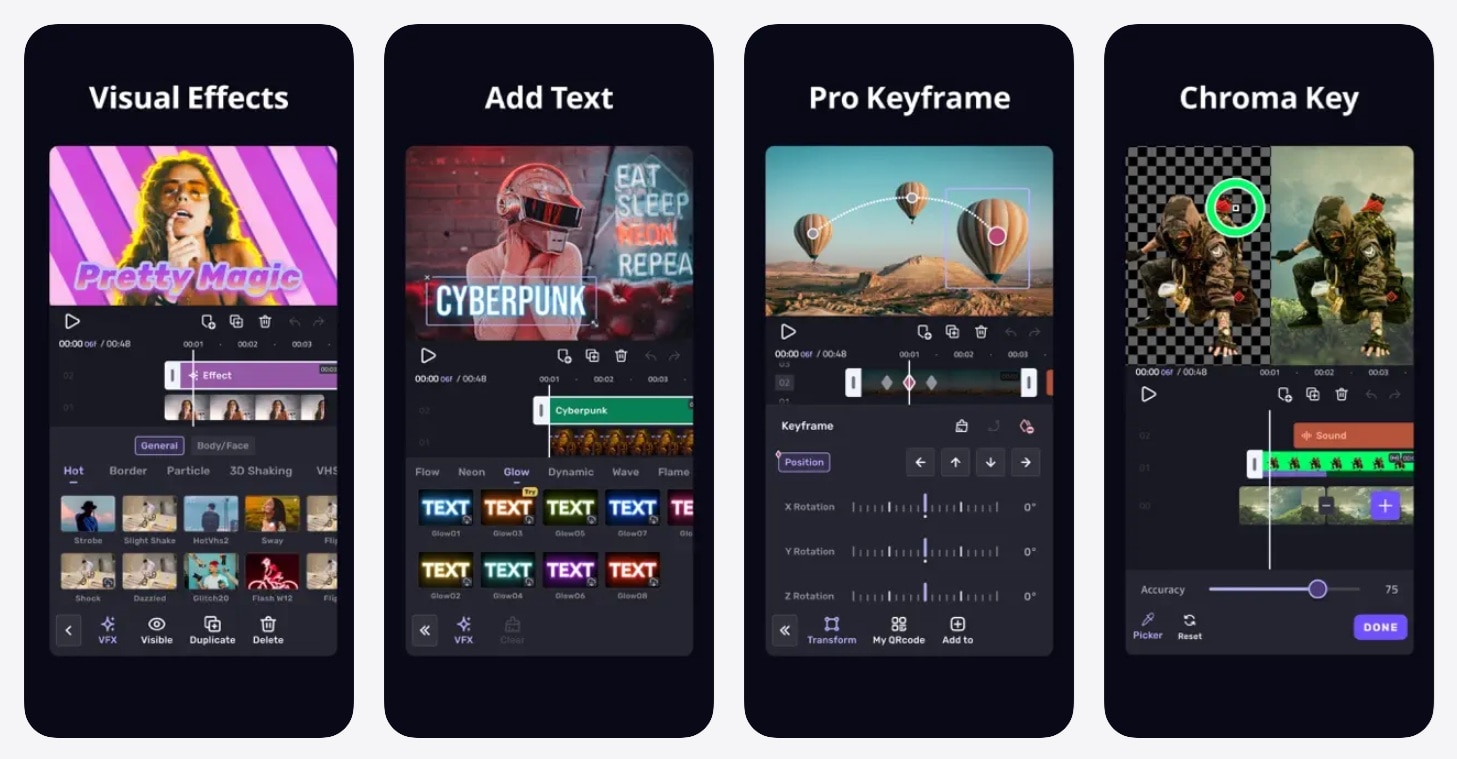
VivaCut is a mobile video editing app built for creators who want more than just basic cuts and trims. It gives you multi-layer timelines, chroma key, keyframe animation, blending modes, and a growing library of effects and templates. Many short-form video creators are using it daily to edit their content.
The official VivaCut app is available for download on Google Play (Android).
Meanwhile, VivaCut Pro Mod APK is a tampered version of the official app. It's not available on the Google Play Store and never will be. Someone takes the original APK (Android app installation file), cracks the license verification, removes the watermark barrier, and re-uploads it to random third-party sites.
VivaCut Pro Features & Pricing
The reason people look for a VivaCut Mod APK is that VivaCut Pro sits behind a paywall. You need an active subscription to unlock the full app. The plans include:
- Monthly Plan: $6.99 - $13.99
- Annual Plan: $39.99 - $59.99
For that price, you get access to everything free users are locked out of:
| VivaCut Free | VivaCut Pro | |
| Features | Limited to basic editors | Access to all features |
| Templates and Effects | Limited | All |
| AI Credits | ||
| Watermark | ||
| Ads | ||
| Export Quality | Up to 720p | Up to 4K |
Those limitations are significant enough to push many creators toward searching for a VivaCut Pro APK, especially when committing to a monthly subscription doesn't feel worth it yet. You might also be tempted to look for a VivaCut mod APK with no watermark just to export clean videos for free. But what looks "free" never actually is. There’s a hidden cost behind it.
Part 2. The Reality of Downloading VivaCut Pro Mod APK
The hard truth that mod APK sites will never tell you is that there is no such thing as a safe VivaCut mod APK download. Every file you find on those sites has been modified by an unknown person, stripped of its original security signature, and pushed out completely outside the safety checks Google built into the Play Store.

You have no way of knowing what else got bundled into that VivaCut APK file before it reached you. In the worst case, someone may have deliberately packed it with harmful code designed to do things like:
- Steal your login details, passwords, or saved payment info
- Access your photos, videos, contacts, or private files
- Track what you type or what apps you open
- Show aggressive ads or redirect you to unsafe pages
- Install more malware in the background
- Break the app, corrupt files, or make your device unstable
That’s why downloading modified VivaCut premium APKs is risky. Even if the app looks normal at first, you can’t easily see what’s running behind the scenes.
Part 3. Safer Ways to Get VivaCut Premium Features (Without the Risk)
You don't have to choose between paying full price and putting your device in danger through the VivaCut mod. There are legitimate ways to get more out of VivaCut.
Use VivaCut's Free Trial
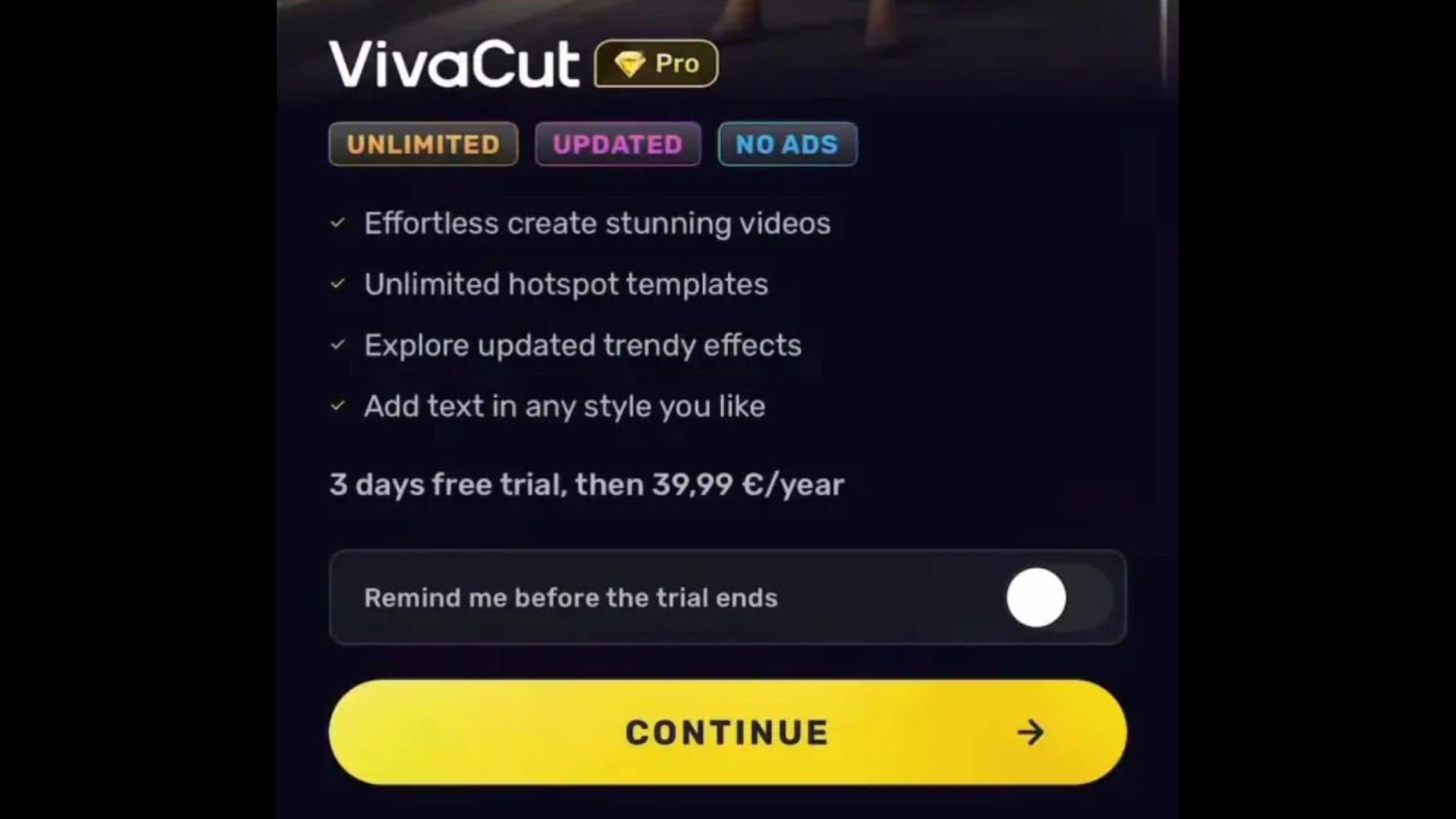
VivaCut offers a free trial period for its Pro subscription, usually for three days. Since the window is pretty tight, you can do these things to get the most out of this period:
- Plan your projects before activating the trial. Have your footage ready, so you're not spending trial time on prep work.
- Export everything in 4K. Use it on every project you have queued.
- Go through the full effects and templates library. The free tier only gives you a slice of it. Browse everything so you know what you'd actually be paying for.
- Push the AI tools hard. Run them on real projects, not just test clips. That's the only way to know if they're genuinely useful to your workflow.
- Set a reminder before the trial expires. If the app does not feel worth paying for, cancel it before the billing date so you do not get charged unexpectedly.
During the trial, pay close attention to whether VivaCut Pro's feature set genuinely fits the way you create. If the AI tools feel underwhelming, the mobile-only experience feels limiting, or the pricing doesn't match the value, that's a signal worth listening to.
Consider a Better Alternative
If the trial turns out not to be what you expected, the best alternative to a VivaCut Mod APK isn't a cracked file. It's a better legitimate tool. One that offers more features, broader platform support, and a free tier that doesn't feel like a demo.
Wondershare Filmora is the closest legitimate alternative to what VivaCut promises, and in several ways, it goes further. Filmora brings professional-grade editing to both mobile and desktop.
A few other reasons Filmora is worth considering are:
- It scales with your growth. Starting with Reels and short clips today doesn't mean you'll stay there. Filmora's desktop tools mean you won't outgrow the app when your content ambitions expand.
- Free plan and trial available. You can test Filmora without a credit card, and the free tier is functional enough to get a real read on the tool.
- Advanced AI toolkit. Filmora's AI features cover image and video generators, auto-captions, background removal, noise reduction, and more. The toolset is broader and more developed than VivaCut's current AI offering.
- Cross-platform support. Windows, Mac, iOS, and Android. Your projects move with you regardless of what device you're on.
- Regular updates and official support. Filmora is a Wondershare product with an actual support team behind it. Bug fixes ship regularly, and you're not left waiting on a community forum for answers.
 Secure Download
Part 4. VivaCut vs. Filmora — Which Is the Better Choice?
If you are considering switching from VivaCut or looking for a legitimate alternative before committing to a subscription, this quick comparison can help you see which editor fits your workflow better.
| VivaCut | Filmora | |
| Platforms | Android, iOS | Android, iOS, Windows, Mac |
| Free trial | 3 days | 7-30 days |
| Pricing | Subscription | Subscription, perpetual license |
| Watermark | On the free tier | On the free tier |
| AI Features | Basic | More extensive |
| Export Quality | Up to 4K (Pro only) | Up to 8K |
| Ads | On free tier |
Quick verdict:
- VivaCut is a capable mobile editor, but it's built entirely around the phone. If mobile-only editing is all you need and you find the Pro pricing reasonable after the trial, it does the job.
- Filmora makes more sense if you want a tool that works across devices, comes with a stronger AI toolkit, and has a longer track record of support and updates. For most creators who are growing, Filmora is the harder option to outgrow.
Secure DownloadConclusion
No app is worth compromising your device over. A VivaCut mod APK trades your data, your security, and your device's stability for features you could access legitimately through a free trial.
If VivaCut Pro's pricing doesn't feel justified after testing it, Filmora gives you a broader toolset across mobile and desktop at a comparable price. The best editing tool is the one that fits your workflow without putting everything else on your phone at risk.
FAQs
-
1. Does VivaCut APK work on iOS?
No. VivaCut APK is an Android file format. iOS uses a completely different installation system and does not support APK files. iPhone and iPad users can download the official VivaCut app through the App Store, but there is no mod APK equivalent for iOS. -
2. Can VivaCut mod APK be detected by Google Play Protect?
It can, but not always. Google Play Protect scans for known threats, and some mod APKs are flagged immediately. Others are built to evade detection, at least temporarily. Either way, Play Protect works best on apps installed through the Play Store. Sideloaded APKs partially bypass that layer of protection by design. -
3. Will uninstalling a mod APK remove the malware?
Not necessarily. Some malware installs itself separately from the APK that carried it in. Uninstalling the app may leave behind components that continue running. If you have installed a mod APK, a full factory reset is the most reliable way to clear your device. Running a reputable mobile security scanner beforehand can help identify what was left behind. -
4. Is there a one-time purchase option for VivaCut?
VivaCut currently operates on a subscription model only. There is no lifetime license or one-time purchase option available at this time.
