

 TL;DR:
Selecting the right AI tattoo generator requires matching the tool's core strength to your current design phase—whether you need rapid concept brainstorming, professional-grade realism, or accurate on-body placement previews.
● For initial conceptualization, Perchance delivers rapid, registration-free text interpretations, while Canva excels at editable minimalist layouts; conversely, for professional, tattoo-ready linework, InkLab (paid) and Inker.ai provide the precise shading and shadow depth required for realism.
● If visualizing physical placement is your priority, Tatship.com and Appointo simulate realistic, multi-angle skin mapping that adapts to muscle structure, though Tatship requires premium plans for watermark-free exports and Appointo restricts creative styling options.
● To test how a static design stretches and behaves with real-life motion, upload your AI-generated artwork as a clean-edged PNG into Wondershare Filmora’s AI Image-to-Video tool and apply a descriptive text prompt to simulate natural body movement.
Ask AI for a summary
 ChatGPT
 Perplexity
 Gemini
 Claude
 Grok
Grok
Finding the perfect tattoo idea can be exciting, but it can also be confusing when trying to imagine the right style, position, and variations. Hence, AI tattoo generators have become one of the must-try creative tools if you are thinking of getting a new tattoo. You can visualize a variety of ideas even without any design skills.
To help you choose the best AI tattoo generator for your style, we will explain how each tool works and which platforms offer the best balance between creativity, realism, and ease of use. From free online AI tattoo generator tools to apps that let you try tattoos directly on your skin, this review covers everything you might need to design your own dream tattoo.

- Output quality, detail, and style accuracy
- Tattoo style diversity, such as fine lines, realism, tribal, geometric, and minimalist
- Prompt responsiveness and how well the AI follows instructions
- Availability of free features and limitations for free users of AI tattoo generators
- Ability to upload photos for body placement or custom references
- Ease of use on desktop, mobile apps, and free online platforms
- Export quality and suitability for professional tattoo artists to trace or refine
Our Top 3 Picks: Best AI Tattoo Generators at a Glance

Part 1. The 8 Best AI Tattoo Generators for Custom Tattoo Designs (Detailed Review)
Not all AI tattoo generators work the same way. Some tools offer preset tattoo styles that you can quickly customize, while others rely entirely on text prompts to create original artwork from scratch.
In this section, we outline the strengths of each generator and help you choose the one that suits how you want to create, depending on your preference for quick concepts or highly detailed designs ready for tattooing.
Top AI Tattoo Generators Comparison Chart
| Tool | Best Feature / Best For | Input Methods (Text/Image) | On-Body Preview (Yes/No) | Design Styles | Pricing (Free Tier?) |
| Canva | Clean and editable tattoo images | Text and image | Minimalist, fine line, geometric | ||
| Perchance | Fast and free prompt-based ideas | Text | Simple sketch and concept art | ||
| Inker.ai | Detailed tattoo realism | Text and image | Realism, neo-traditional, tribal | Limited free | |
| Tatship | Accurate body-placement previews | Text and image | Blackwork, fine line, realism | ||
| InkLab | High-detail tattoo-ready designs | Text | Realism, linework, custom shading | Paid | |
| Remaker | Free online tattoo generator | Text and image | Modern and classic tattoo styles | ||
| Adobe Firefly | High-quality stylized artwork | Text and image | Artistic, illustrative, fantasy | Limited free | |
| Apppointo | Mobile tattoo-on-body previews | Text and image | Realistic previews and simple designs | ||
|
Show More
Show Less
|
|||||
1. Canva: Best for Quick and Free Tattoo Design Ideas
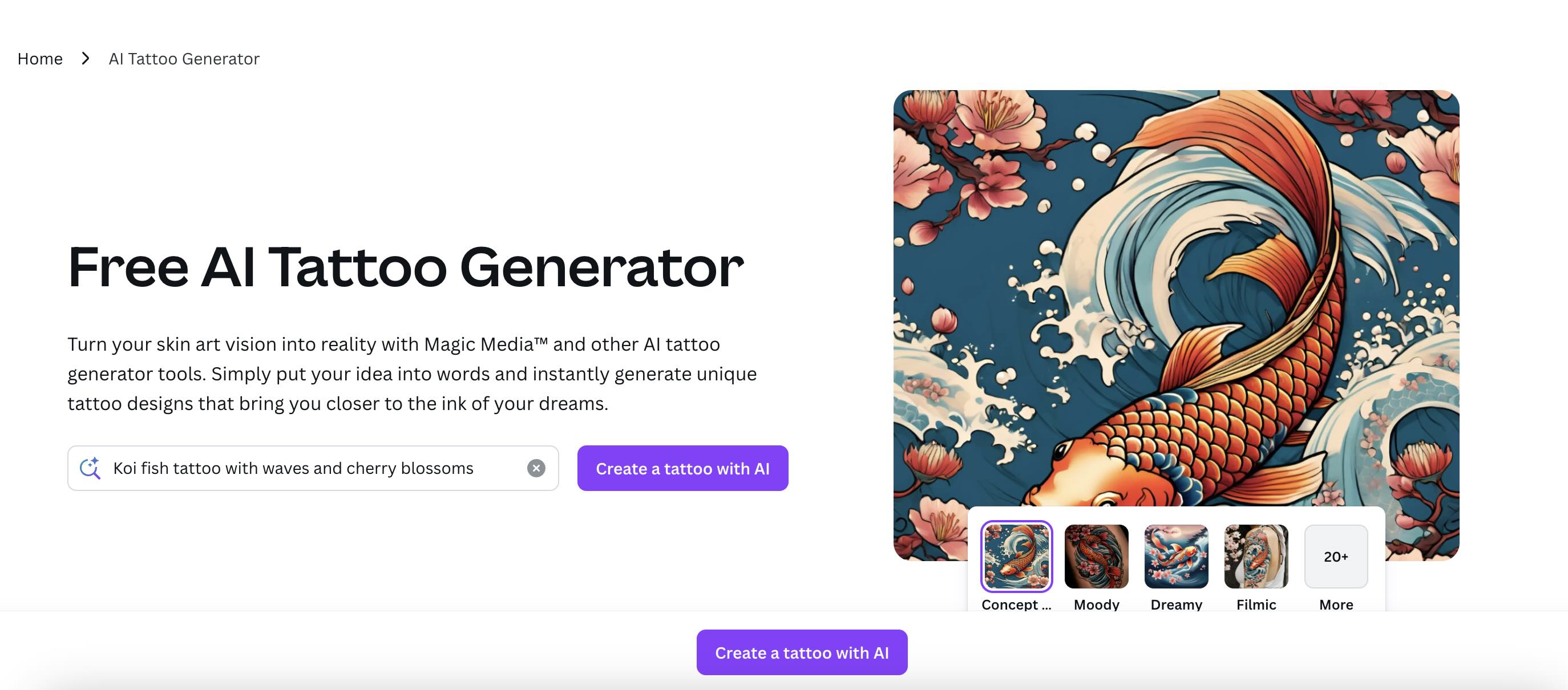
Canva is one of the easiest platforms for creating clean and beginner-friendly tattoo concepts. Its AI tattoo generator can turn simple prompts into stylish designs, and you can refine the results instantly using Canva's built-in editor. This platform is ideal for users who want quick inspiration and polished visuals without the need learning complicated design tools.
- Canva's AI generator that produces clean lines suitable for minimalist tattoos and fine lines
- Layer-based editing to help you refine symmetry, spacing, and composition
- Access to thousands of geometric shapes to enrich tattoo layouts beyond basic AI output
- Ability to combine AI results with hand-drawn elements for hybrid designs
- New Magic Studio feature for quick style remixes and better detail control
Web, Windows, Mac, iOS, Android
- Suitable for structured, layout-based tattoo concepts
- Produces clean lines that are easy for tattoo artists to trace
- The flexible editor allows you to refine proportions and negative space precisely
- Not ideal for realism because AI output often looks too “digital”
- Shadow and tattoo depth adjustments often require manual tweaking
- No body mapping or skin texture previews
Free plan available, but limited premium assets
Pro plan starts with monthly and annual options
2. Perchance: Best for Fast and Free Tattoo Concept Prompts
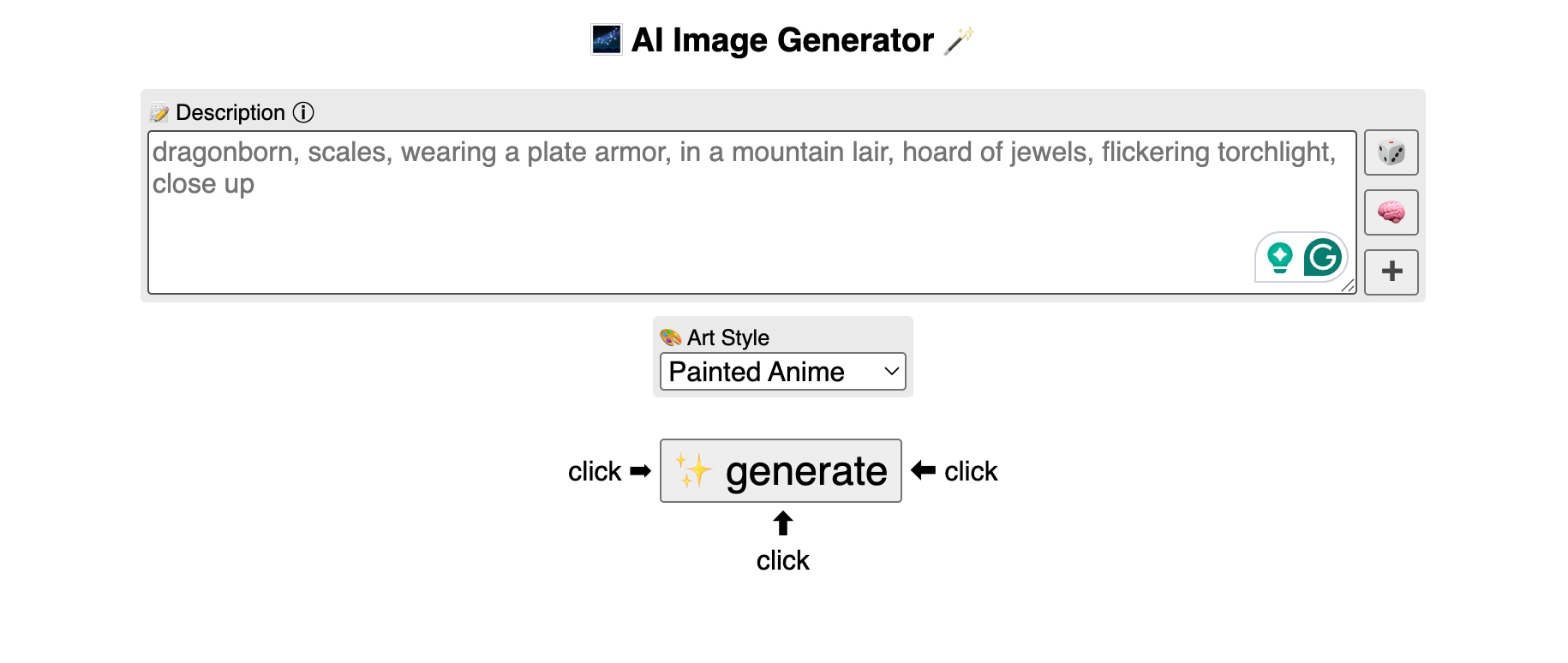
Perchance is a lightweight AI tattoo generator that focuses on generating ideas quickly through simple text prompts. This tool is an ideal choice for users who want a wide variety of creative or symbolic tattoo ideas without signing up or paying. Although the results are not fully polished, Perchance works well for early brainstorming.
- A text generator that focuses on creative prompts rather than polished visuals
- Produces highly varied interpretations, useful for brainstorming unusual or symbolic concepts
- Lightweight, ideal for rapid iteration without waiting time
- Well-suited for the conceptualization stage when you need lots of variety quickly
- Very little style bias, so prompts generate unique, unexpected ideas
- Works well for users who plan to give rough concepts to tattoo artists for refinement
- Output is less polished and may appear unfinished
- Not suitable for users who need ready-to-use tattoo art
- No ability to control composition or correct AI errors within the tool
Available for free; paid plans are also available.
3. Inker.ai: Best for Realistic and High-Detail Tattoo Artwork
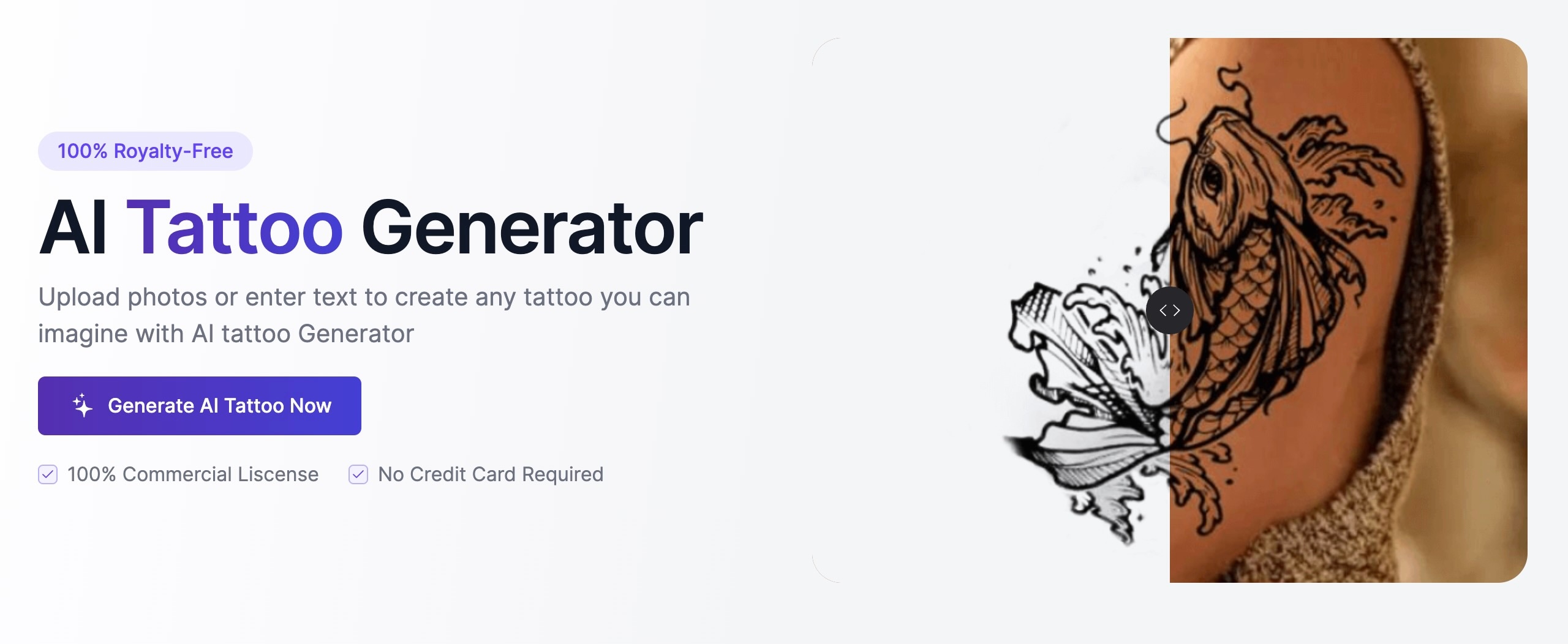
Inker.ai is designed for users who want realistic and detailed tattoo art with strong shadows, depth, and precise lines. Its AI tattoo generator uses photo and text input, so it's ideal for creating ready-to-use tattoo designs that artists can easily replicate. The body preview helps you visualize placement more accurately.
- Strong attention to shadow gradation and contrast, key elements for realistic tattoos
- Image enhancement that preserves user references better than many competitors
- Offers line stabilization that improves tattoo usability for professional artists
- Body preview that adjusts lighting based on uploaded photos
- One of the few AI tools that produces depth, shadows, and textures suitable for realism
- Strong consistency between multiple iterations, useful for client sessions
- Body previews are more natural thanks to dynamic lighting simulation
- Requires careful commands for the best results
- The free version is limited to high-resolution output
- Sometimes produces overly dense shadow gradients that may need to be corrected by the tattoo artist
Limited free credits
Paid tiers available
4. Tatship.com: Best for Life-Like Tattoo On-Body Previews
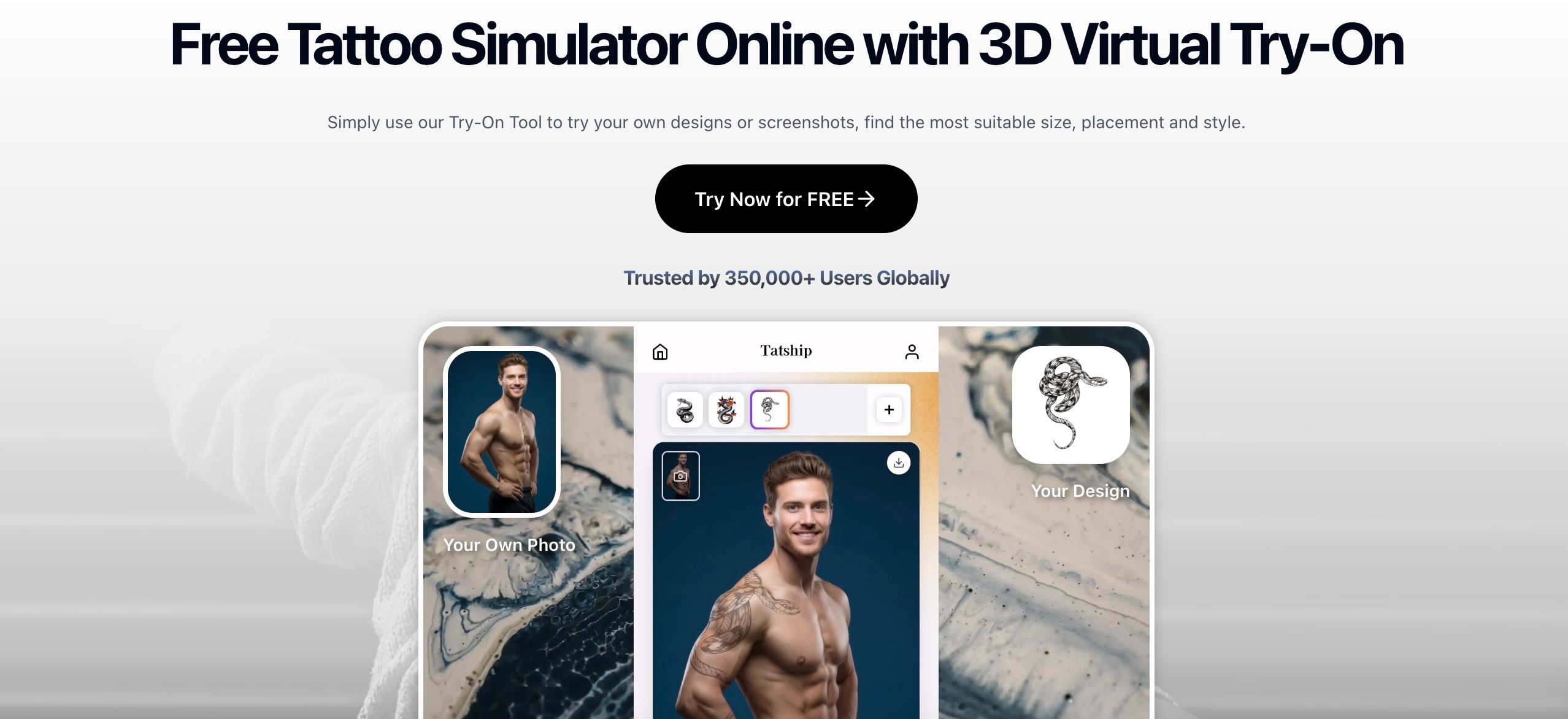
Tatship.com is a practical choice if you want to see how a tattoo design will look directly on your skin. This AI tattoo generator uses a realistic placement system that adjusts to lighting and body contours. It's ideal for users who want to specify the location and size of a tattoo before going to a tattoo studio.
- True-to-scale tattoo placement to help users understand size and proportions
- Multi-angle previews so you can see how the tattoo wraps around curved areas
- Smart placement tools that adjust the tattoo shape based on muscle structure and pose
- Realistic black and fine line tattoo simulations
- Ideal for users who want to visualize tattoos before making a decision
- Multi-angle previews are useful for forearms, shoulders, legs, and ribs
- Designs adapt to skin tone and lighting for more realistic mockups
- Fewer creative style options compared to other AI tools
- Watermark removal requires payment
- Tattoo art quality varies depending on prompt complexity
Free version available
Premium plans unlock clean exports
5. InkLab: Best for Professional and Tattoo-Ready Linework
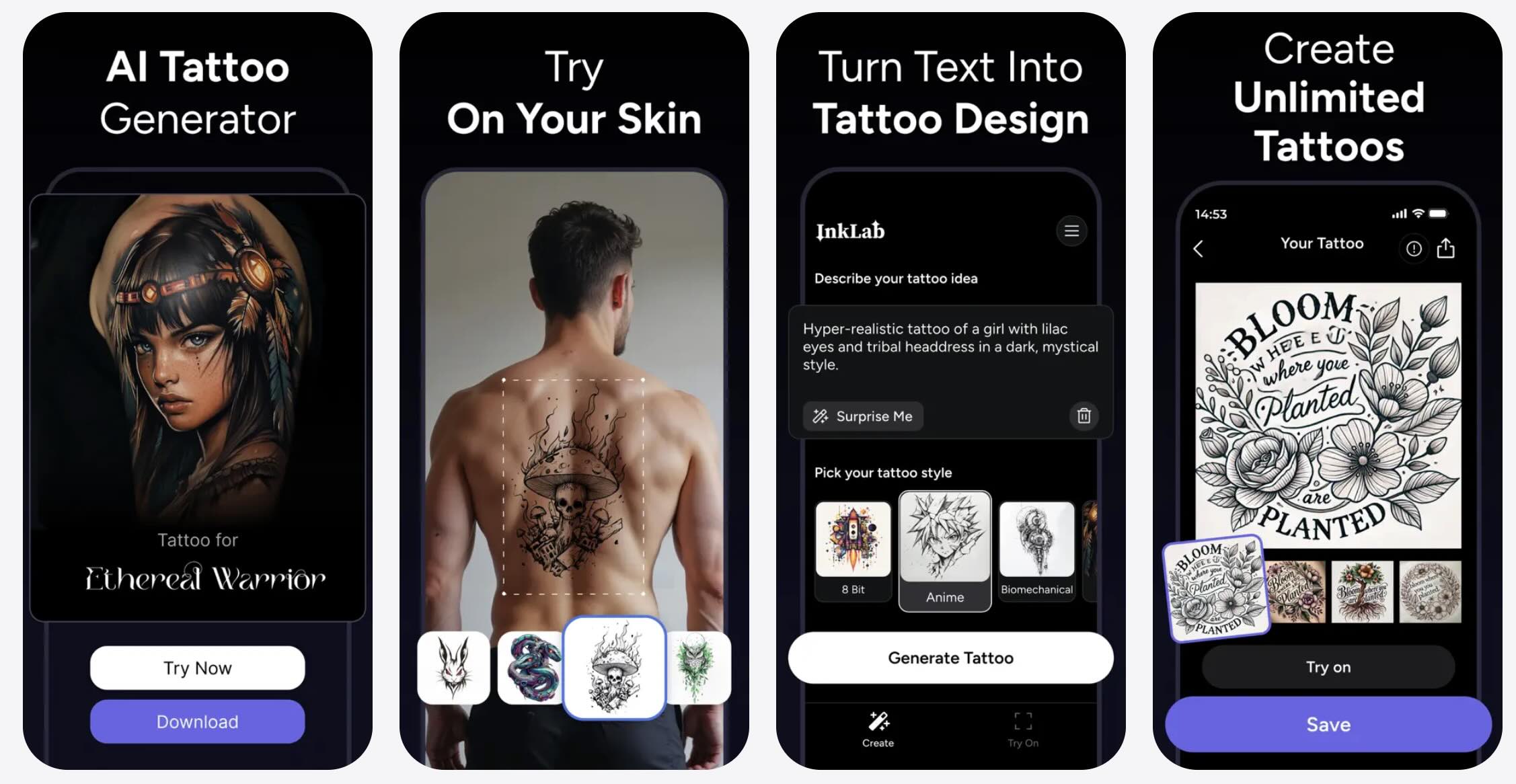
InkLab focuses on creating intricate tattoo art with clean lines, accurate shading, and strong stylistic consistency. The platform stands out as an AI tattoo generator for users who want professional results they can take straight to their tattoo artist.
- Focuses on specialized tattoo rendering, including realistic line thickness and needle-style textures
- Advanced control over density and contrast, enabling the creation of blackwork ready for tattooing
- Designed to produce clean, stencil-like images that artists can easily convert
- Excels at maintaining anatomical accuracy for portraits and animals
- Produces some of the best “tattoo-ready” designs among other AI tools
- Ideal for users who want polished results without extensive manual editing
- Excellent at maintaining facial proportions in portrait tattoos
- Paid-only tool makes it less accessible for casual users
- No body preview, so you'll need to use another app for placement
- May struggle with highly abstract or surreal styles
Free with an in-app purchase option
6. Remaker: Best for Free Online Tattoo Design Generation
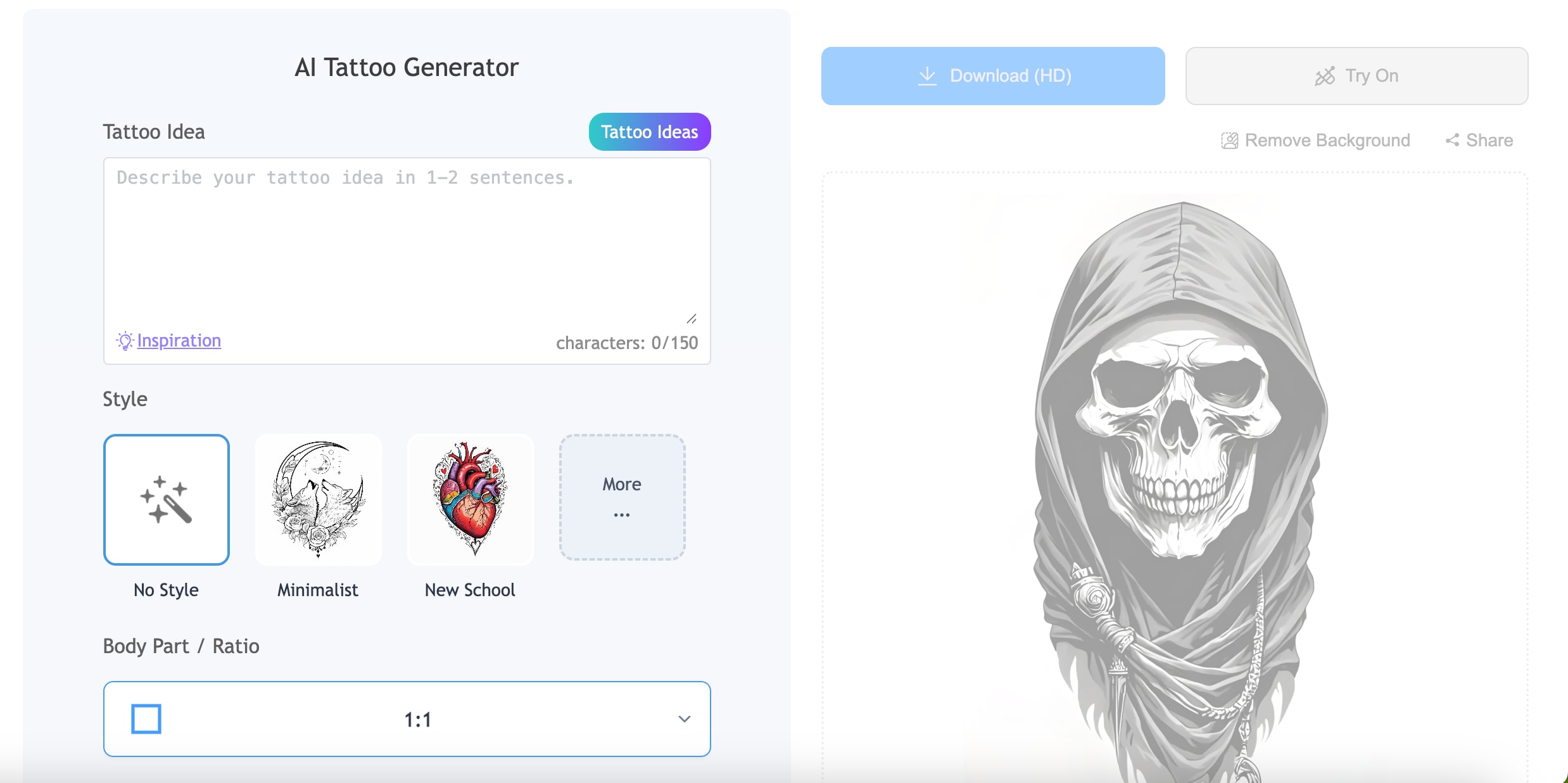
Remaker is a versatile, free, online AI tattoo generator with high-quality output and a variety of tattoo styles. Users can upload photos, generate concepts, and even preview designs on their bodies. If you're a beginner looking for a combination of quality and ease of use, this is one of the best free tools available.
- High-resolution generation even at the free level
- Balanced rendering suitable for both simple and detailed tattoos
- Preview on the body with adjustable opacity so users can mimic the look of fresh ink
- Provides batch generation that allows for the creation of multiple variations at once
- High-quality free results make it suitable for beginner users
- Adjustable tattoo opacity helps assess long-term readability
- Batch generation is useful for comparing different styles
- Previews sometimes appear less realistic on dark skin
- Some styles may look too “AI-polished” rather than having an authentic tattoo texture
- The editor is more limited compared to the competitors
Free with optional upgrades
7. Adobe Firefly: Best for Artistic and Stylized Tattoo Concepts
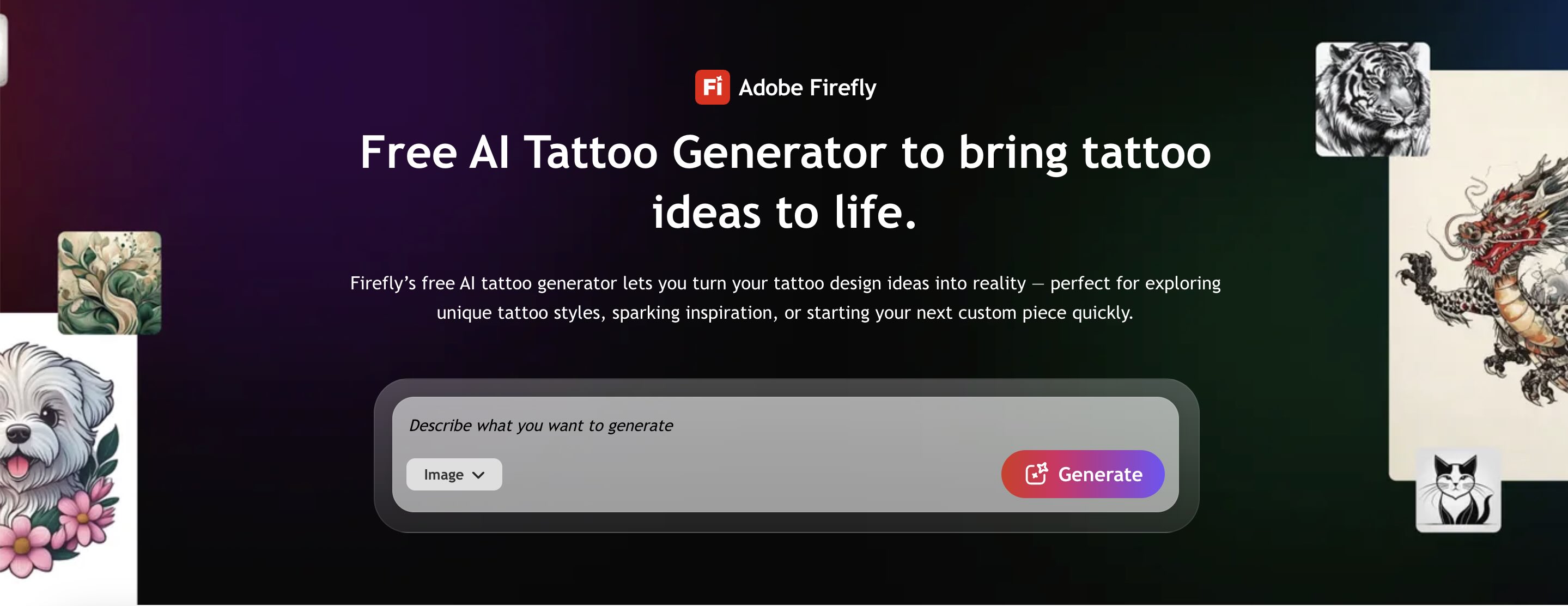
Adobe Firefly generates visually clean and stylish tattoo concepts through text and image prompts. As an AI tattoo generator, it excels at creating illustrative or fantasy-style artwork that looks clean and professional. This tool is ideal for users who want to further refine their designs in Photoshop or Illustrator.
- The industry's leading image composition control for complex tattoo art
- Force Slider that helps balance between your prompts and Adobe's artistic engine
- Seamless integration with Photoshop for line cleaning and color adjustment
- Stable output that avoids distortion in fine details
- Works great for complex illustrative tattoos
- Highly reliable results with minimal distortion
- Ideal for users who want to refine designs in Photoshop afterward
- Requires an Adobe account and uses credits
- No tattoo or body placement preview
- Art may appear more “illustrative” than “tattoo-like” without editing
Limited free credits
Paid Adobe plans are available
8. Appointo: Best for Mobile Tattoo Previews on Your Skin
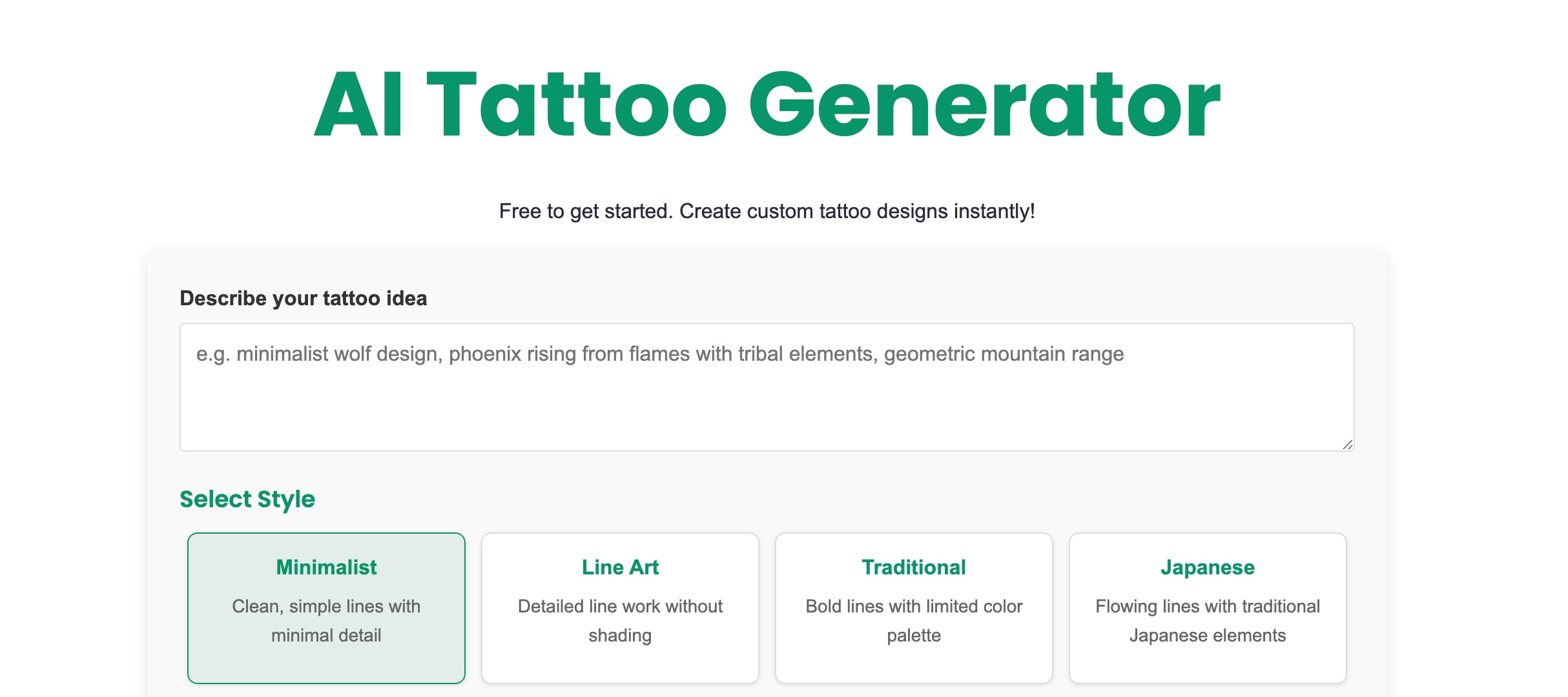
Appointo provides a free online AI tattoo generator that allows you to describe your ideas in words and instantly convert them into custom tattoo designs that can be downloaded and shared. The platform supports a variety of styles, from minimalist and line art to tribal and Japanese, so it offers flexible options for users who want high-quality designs without having to use complicated apps or software.
- Advanced body mapping that mimics skin texture, lighting, and contours
- Auto-adjustment feature ensures tattoos fit perfectly on arms, legs, and body
- Designed for quick mobile testing, ideal for real-time decisions in the studio
- Supports AI-generated designs and user-uploaded designs
- One of the most realistic mobile tattoo placement tools
- Great for checking scale, position, and orientation during consultations
- High-speed generation is perfect for on-the-spot decisions
- Limited tattoo design style options, more focused on placement than creation
- Some outputs may require external editing before use
- In-app purchases may add up with regular use
Free with optional in-app purchases
Part 2. Pro Tip: How to Preview Your Static AI Tattoo Design in Motion with Filmora
Tattoos are not placed on a flat canvas. As you move, the skin stretches and the light changes. Bringing your AI-generated tattoo design into an AI video editor, such as Wondershare Filmora, lets you check the scale, placement, curvature, and how the ink looks in real life.
 Secure Download
You can animate static designs, test them on recorded body clips, and make quick fixes before showing the idea to the tattoo artist using Filmora's AI image-to-video.
Step by Step: How to Preview Your AI Tattoo Using Filmora
- Launch Filmora on your desktop.
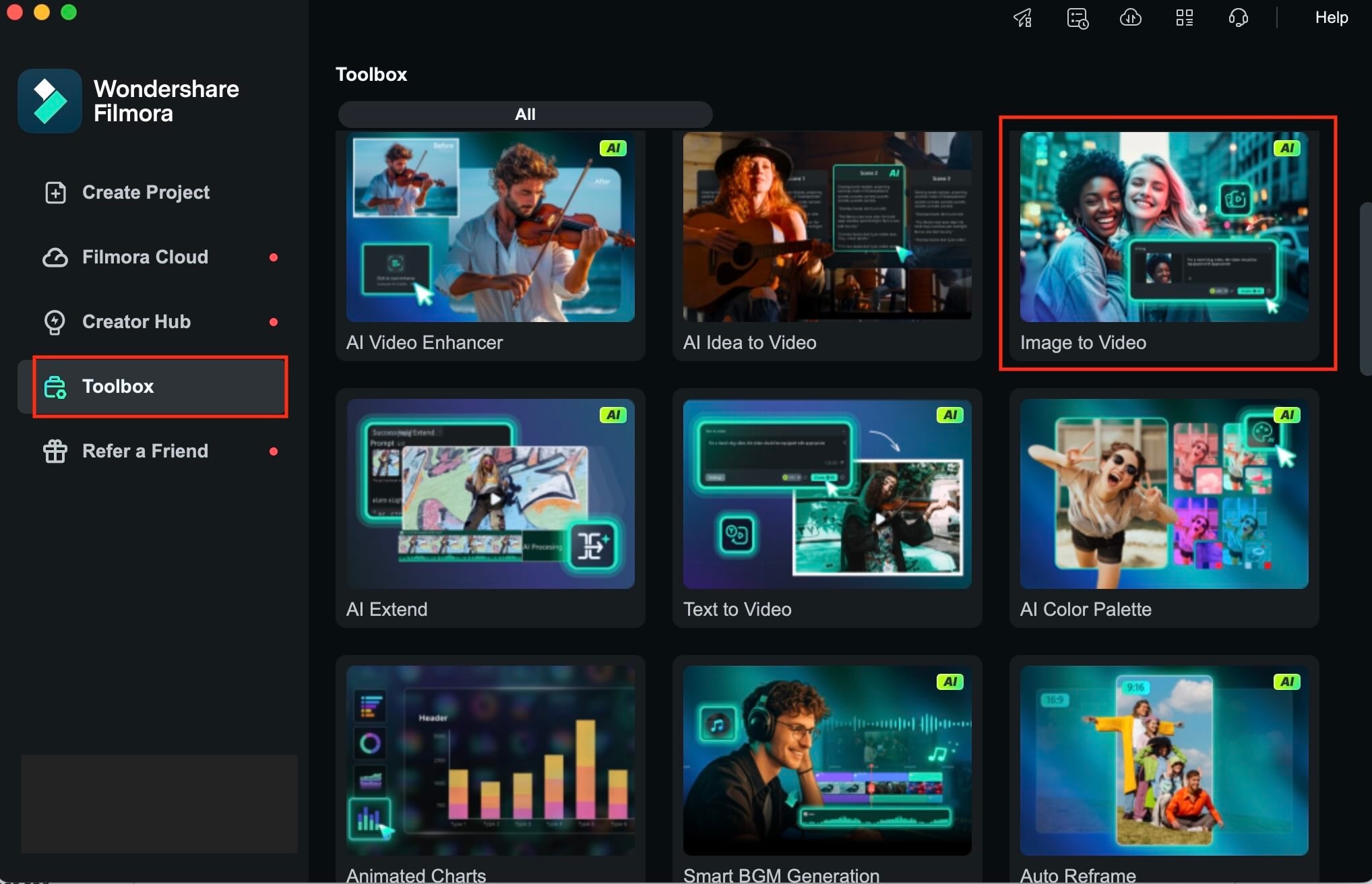
- From the main dashboard, select the Toolbox and then choose AI Image-to-Video.
- This feature automatically animates the static tattoo design you upload.
 Secure Download
- Select the tattoo image you created using your favorite AI tattoo generator.
- PNG format is preferable as it maintains clean edges.
- Filmora will load the image into the animation template.
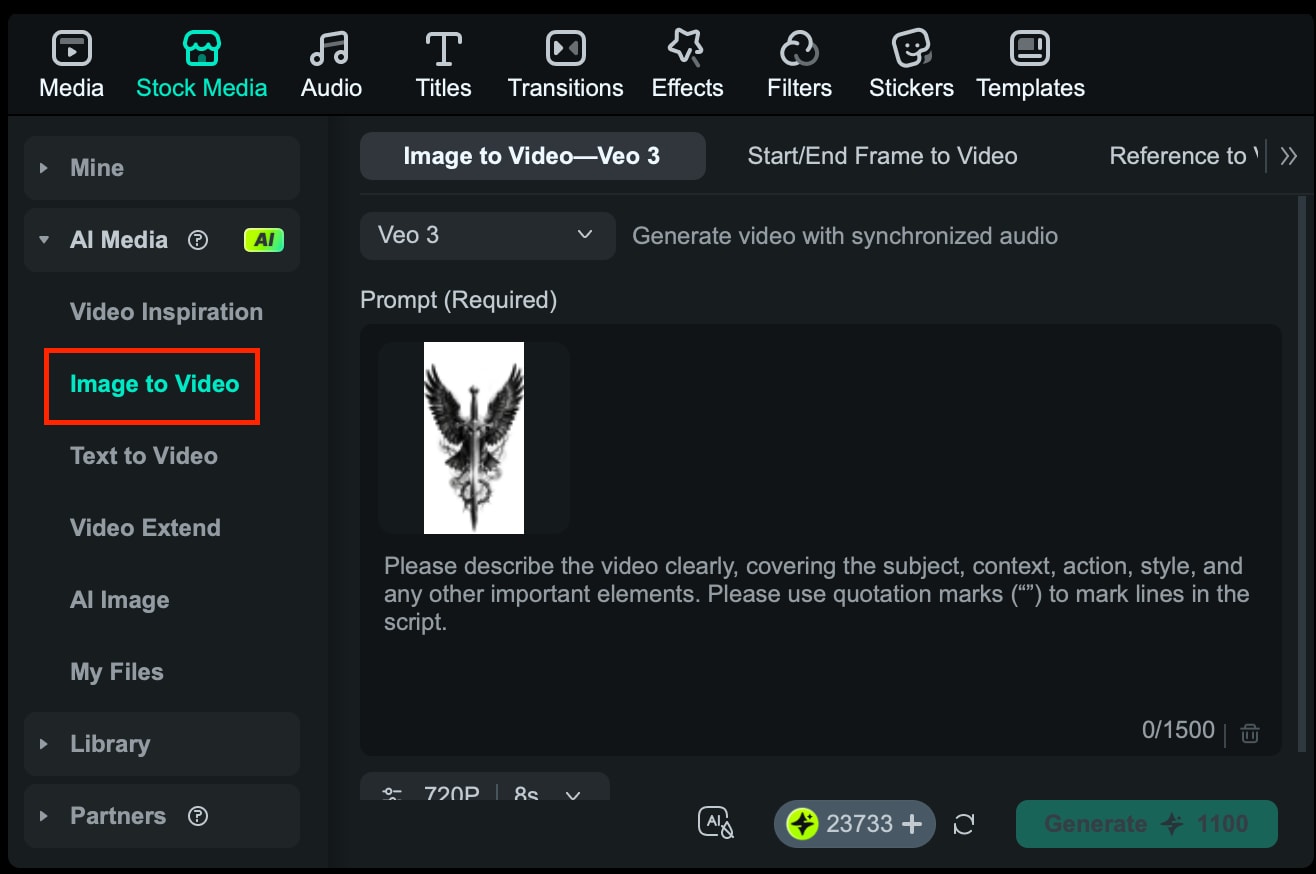
Describe the motion or mood you want. For examples:
- “Smooth, slow movement to preview tattoo flow”
- “Gentle movement for tattoo realism”
- “Soft shifting to simulate body motion”
Filmora's AI uses this to animate the tattoo in a way that feels natural.
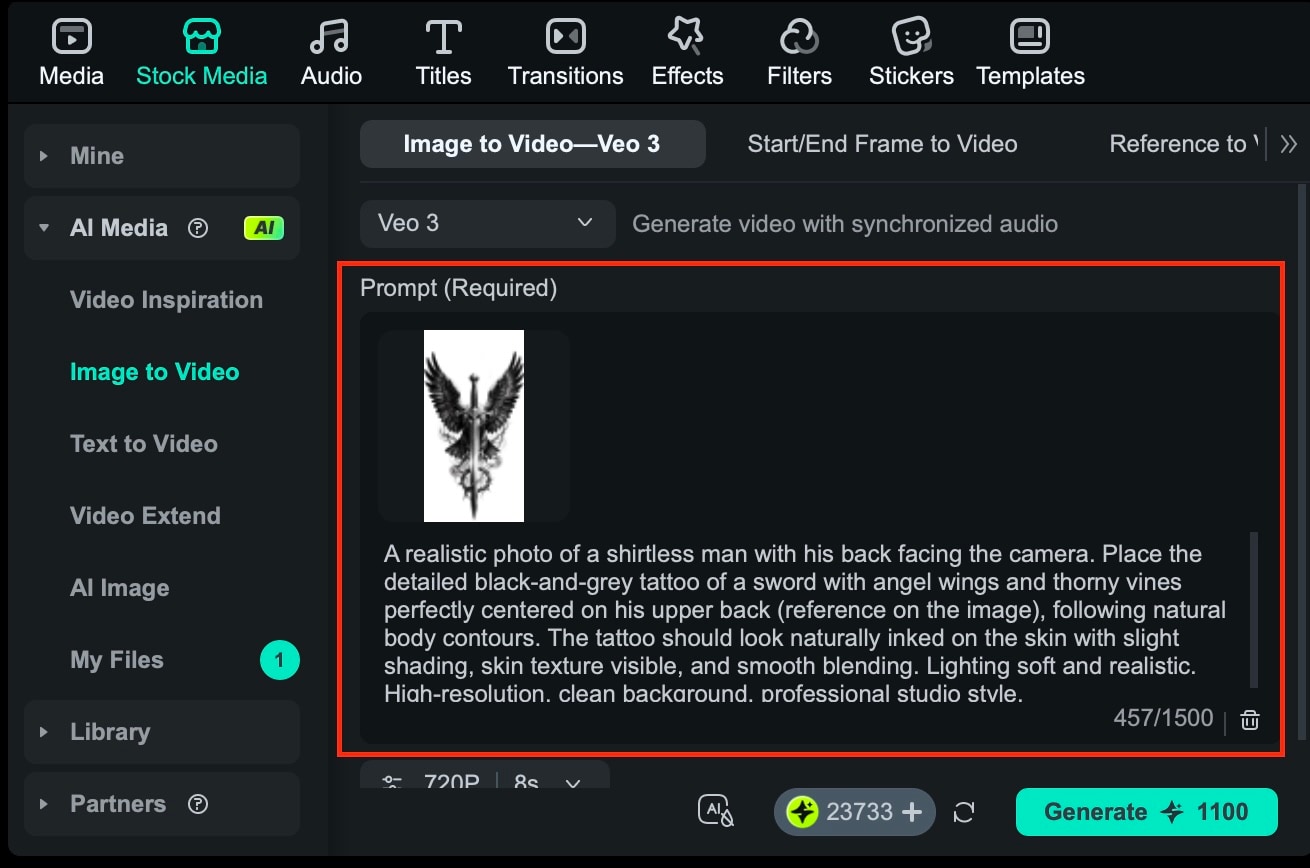
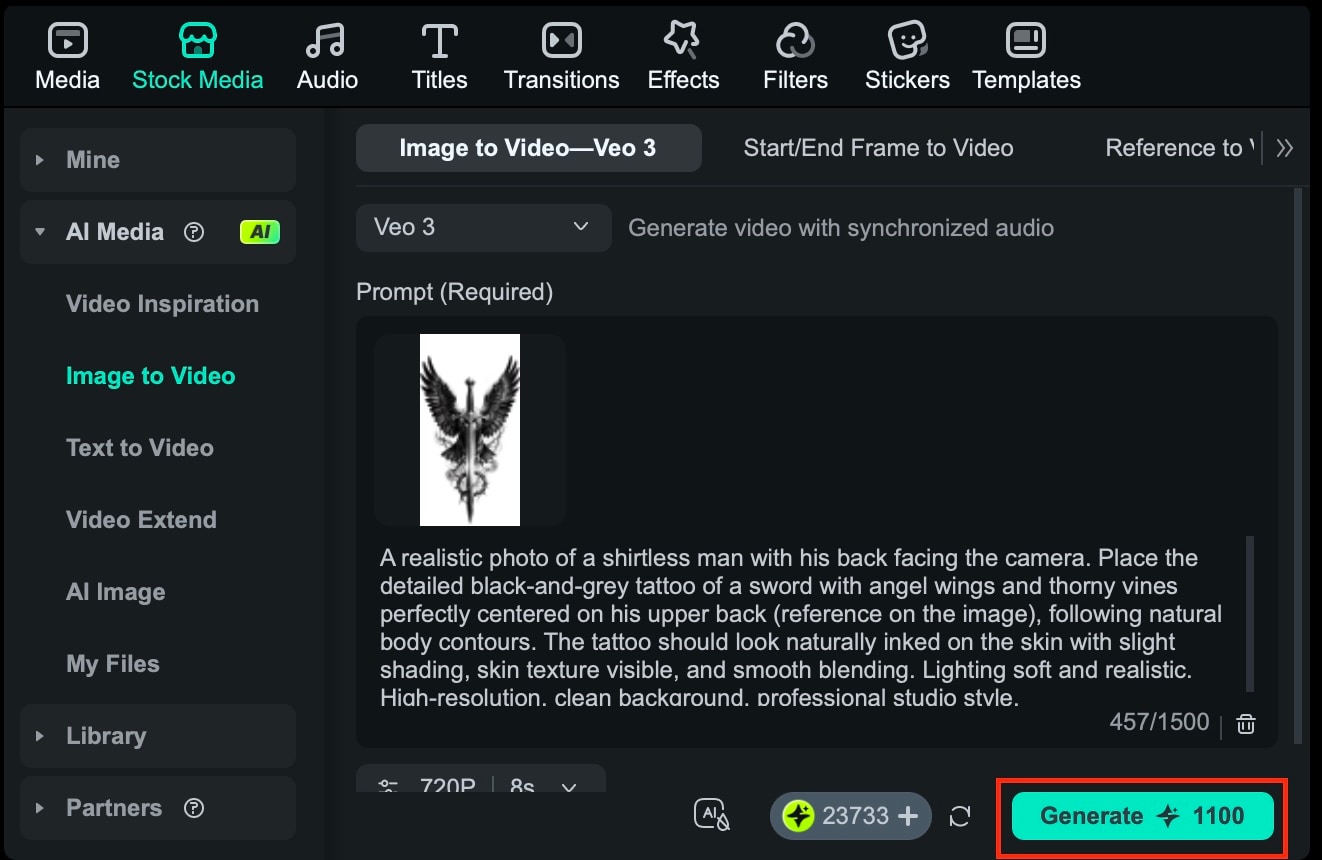
- Click Generate to let Filmora process the animation.
- Within seconds, the tool produces a short animated clip of your tattoo design.
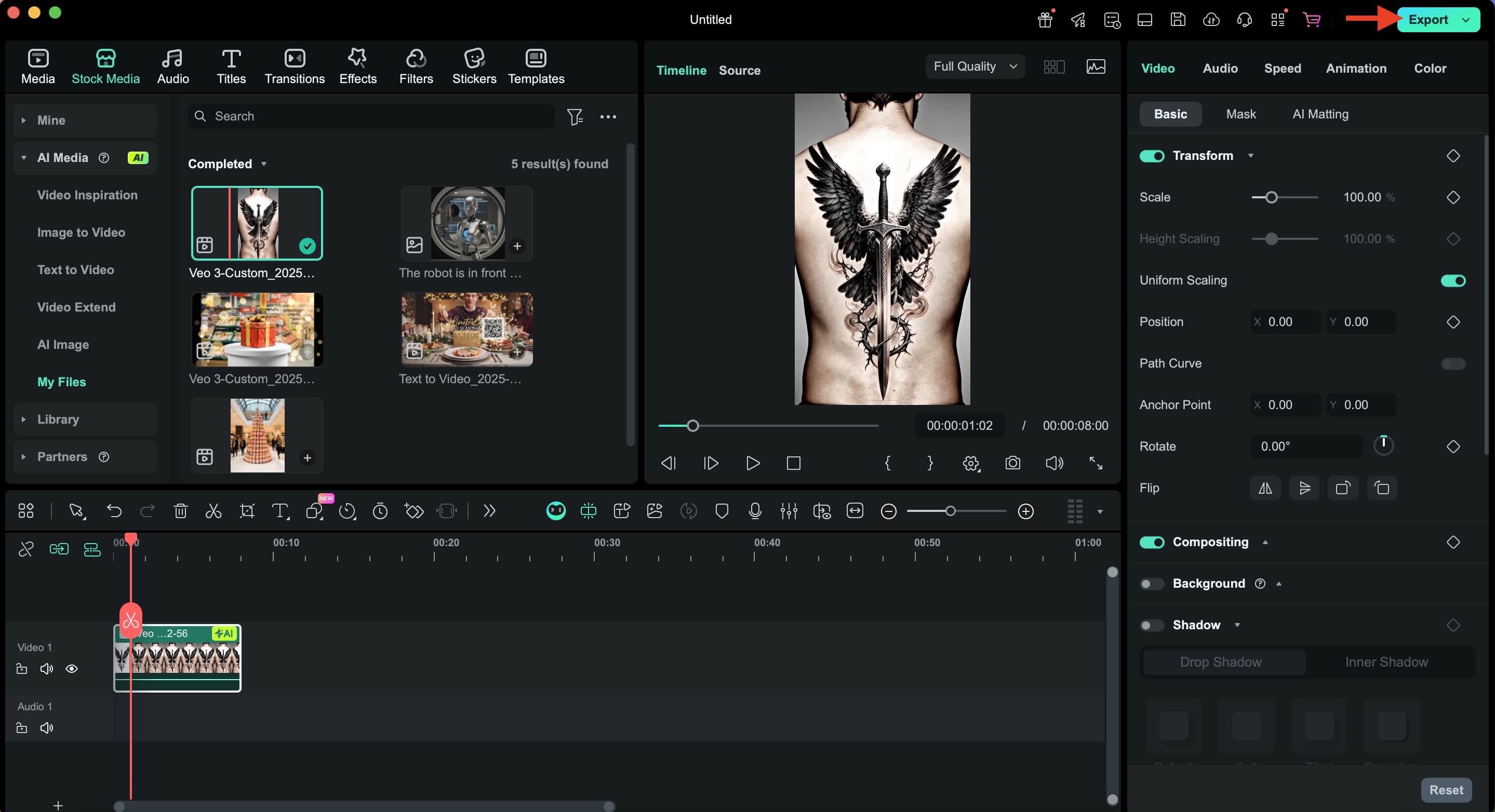
- Review the final result to check readability and detail.
- Export the final clip and share the preview with your tattoo artist for feedback.
Conclusion
Exploring custom designs with an AI tattoo generator gives you room to experiment before making a permanent decision. By leveraging the best tools for creation and using Filmora's AI Image-to-Video feature, you can preview your static tattoo design in motion, check scale and movement, and visualize the final result with confidence.
This process helps you refine your concept, adjust details, and feel confident in your choice. You can start planning your first tattoo or add to your existing collection. Using an AI tattoo generator makes this journey more creative and less stressful.

