

 TL;DR:
For calming nature documentaries, select AI voice generators that simulate natural breathing and emotional neutrality, prioritizing ElevenLabs for subtle micro-intonations, WellSaid Labs for premium enterprise projects, or Wondershare Filmora for an integrated editing workflow.
● Descript Overdub is specifically designed for multi-episode documentary series that require consistent voice cloning from a clean audio sample, whereas Play.ht provides dedicated meditation categories but restricts exports based on character limits.
● Murf AI offers built-in EQ and timeline pitch adjustments strictly for long educational videos, while Resemble AI allows custom voice modeling via temperature and exaggeration sliders but requires navigating a highly technical interface.
● To ensure synthetic narration blends seamlessly with natural background audio, users must manually reduce the generation speed, insert short text pauses between simple sentences, and eliminate sharp consonants or energetic emotional variations.
Ask AI for a summary
 ChatGPT
 Perplexity
 Gemini
 Claude
 Grok
Grok
Nature videos, wildlife scenes, and meditation content require an immersive, calming narration. Discover how the best natural AI voice generators are transforming documentary production, delivering a soft, warm, and human-like tone that perfectly complements your visuals. We rank the top 10 tools, including Filmora's integrated AI voice feature, and explain what makes an AI voice truly natural for professional narration.
Not all AI voices are suitable for nature-themed videos, so choosing the right style is crucial. Here, we will discuss the best natural AI voice tools. But before we explore these top tools, it's important to understand what makes an AI voice truly natural and why this quality is important for soothing, documentary-style narration.
Part 1. Understanding the Difference: What Makes AI Voice Truly Natural for Narration?
In case you're not familiar with natural AI voices, they're synthetic voices that sound smooth, human-like, and emotionally stable rather than robotic. This is important for nature documentaries and ambient videos, as viewers expect the narration to blend in with the scenery rather than distract from it.
Robotic TTS often has a sharp tone and unnatural pauses, while natural AI narration feels soft, warm, and consistent. Audiences generally prefer a gentle pace, clear pronunciation, and calm delivery when watching nature content. Achieving this level of realism is key for creators searching for the most natural AI voice generator for their projects.
Modern AI models achieve this by simulating natural breathing patterns, balanced pauses, and subtle vocal expressions to create a soothing and convincing listening experience.
Part 2. What Makes an AI Voice Suitable for Nature Documentaries and Ambience?
As we know, nature videos rely on calm and steady narration that supports the visuals rather than competing with them. This means that the voice should be soft, balanced, and undistracting. A suitable AI voice blends seamlessly with the natural atmosphere, keeping the audience relaxed and maintaining the scene's immersive atmosphere.
An AI voice is effective for nature-based content when it has qualities that support a calm viewing experience, such as:
- Calm tone and natural pronunciation that harmonize with the ambient background
- Natural pacing that follows the slow movement of nature visuals
- Consistent emotional neutrality to keep the ambience videos soothing and non-intrusive
- Clear pronunciation without sounding robotic or sharp
- Stable volume so the narration does not overpower the ambient sound
- Soft, warm resonance that reinforces the peaceful atmosphere
- Steady rhythm during long scenes with minimal variation
Part 3. Ranking the 10 Best Natural AI Voice Generators for Documentary Narration (2025)
With the growing demand for soft and realistic narration in nature documentaries and ambient videos, creators now have more options than ever before. Below are the best natural AI voice generators in 2025, selected based on realism, tone quality, voice stability, and suitability for calm narration.
1. Wondershare Filmora AI Voice Generator
 Secure Download
Wondershare Filmora AI Voice Generator (Text-to-Speech): The Integrated Solution for Natural Documentary Narration. Wondershare Filmora's built-in AI Voice Generator (Text to Speech) provides high-quality, natural AI voice narration directly within your video editing timeline. Designed for creators of calm forest, meditation, or soft documentary scenes, Filmora offers stable and professional narration without the need to switch between separate tools.
- Nature-friendly voice styles tuned for soft narration
- Real-time preview to match pacing with nature shots
- Compatible with Filmora's AI Image, AI Music, and AI Video features
- Built-in subtitles for documentary clarity
- Fully integrated into the editing workflow
- Stable long narratives
- Beginner-friendly for those who want to edit like an expert
- Smaller voice library compared to dedicated TTS platforms
- Limited advanced emotion shaping features
Nature ambience creators, forest meditation loops, and simple documentaries
Included in Filmora subscription. Premium voices and heavy usage require AI credits
2. ElevenLabs

ElevenLabs is widely considered one of the most advanced natural AI voice generators. Its micro-intonations, breath realism, and smooth emotional transitions make it ideal for slow-paced, atmospheric nature documentaries.
- Highly realistic speed settings and breathing control
- Emotional gradient adjustments for calm narration
- Detailed speed sliders to match the slow-paced nature of the visuals
- Strong multilingual support
- Leading natural AI voice technology
- Well-suited for whisks and soft tones
- Highly stable for long scripts
- Costly credit usage for long videos
- Requires careful adjustment for extremely calm delivery
High-quality documentary narration that requires emotional sensitivity and human-like subtlety
Monthly subscription with usage credits. Higher tiers recommended for long-form content
3. Play.ht

Play.ht specializes in warm, clear, and natural AI voice narration with storytelling depth. The platform provides voice packages focused on meditation, suitable for nature scenes, guided relaxation, and slow-paced documentaries.
- Speed and emphasis control at the sentence level
- Softness and voice smoothness filters
- Smooth mid-sentence transition engine
- Meditation and storytelling voice categories
- A wide range of voice styles
- Flexible pitch adjustment
- Strong voice clarity for quiet backgrounds
- Some voices sound slightly commercial
- Requires manual refinement for ultra-calm tone
Meditation scripts, soft storytelling, and peaceful nature explainers
Subscription plans with character-based limits
4. Murf AI
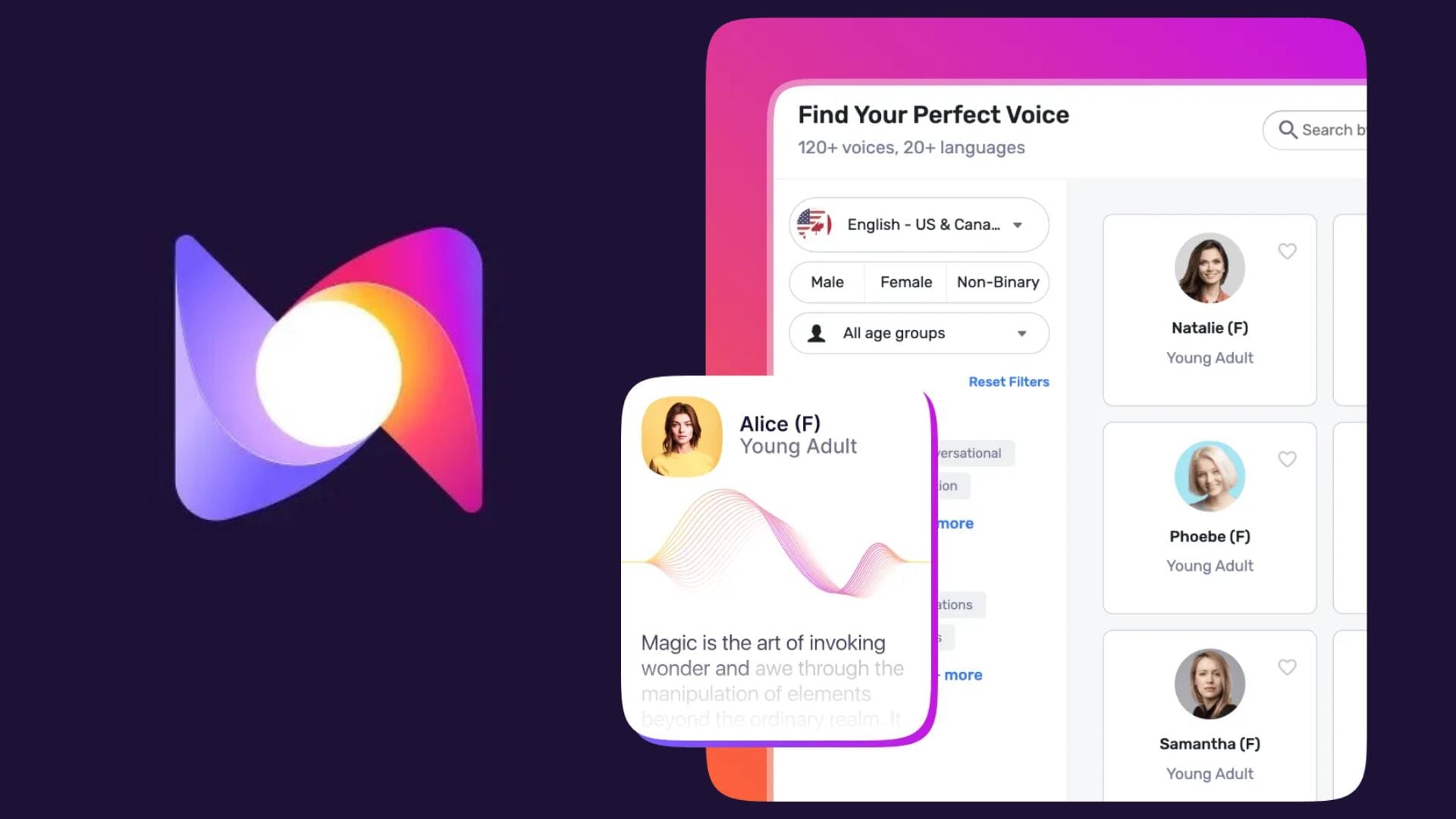
Murf AI delivers studio-quality natural AI voice narration with built-in audio editing. This allows creators to customize the voice, blending with environmental ambience.
- Built-in EQ and noise control tools
- Soft documentary sound style
- Timeline editor for precise pace adjustments
- Pitch shift correction for long scenes
- Powerful audio control within the platform
- Clear and stable narrator voice
- Reliable for documentary-style delivery
- Warmth is sometimes neutral unless adjusted
- Audio tools can be confusing for beginners
Long educational nature videos, professional outdoor explainers, and polished narration
Time-based generation plan. A great investment for the Pro level
5. Lovo AI
Lovo AI generates natural AI voice narration with a warm, emotionally balanced tone, ideal for atmospheric nature videos and travel documentaries.
- Warm-toned narrator collection
- Intonation shaping for subtle emotional balance
- Natural breathing and soft pauses
- Custom voices that maintain the softness of tone
- Produces highly natural warmth
- Strong emotional neutrality
- Well-suited for scenic and atmospheric content
- Occasional glitches in long pauses
- Emotional tools can feel limited for beginners
Scenic storytelling, relaxing travel videos, and enchanting nature narration
Bundled packages with character limits. Custom voices cost extra
6. Descript Overdub

Descript's Overdub lets creators build a consistent, natural AI voice for recurring documentary narration. This feature is ideal for nature documentary series that require the same narrator voice across episodes.
- Voice cloning with stable emotional tone
- Automatic level adjustment and audio mixing tools
- Script-timeline editing for pace control
- Good connectivity for multi-episode series
- Highly consistent voice identity
- Excellent for branded narration
- Strong audio editing tools
- Voice cloning requires a clean sample
- Requires a paid subscription for full features
Nature documentary series, recurring content, and personalized narration
Overdub is available in paid plans. Higher tiers allow more cloning and longer exports
7. Resemble AI
Resemble AI is a platform that offers AI text-to-speech with extra tools such as voice cloning. When you pick a voice, you can adjust the pace, exaggeration, and temperature with simple sliders, and you also get a prompt box where you can type extra instructions.
The default voice works well for basic narration. You can also start fast by choosing from several suggested options based on your use case. Resemble AI will guide you toward voices that fit your project.
- Custom voice models with softness and warmth sliders
- Emotion layers for calmness or mild curiosity
- Real-time generation for live narration edits
- Strong consistency for long documentary scenes
- Highly customizable sound
- Deep emotional shaping
- Has a very stable speed
- More technical interface
- Advanced features take time to learn
Creators who need a custom narrator voice specifically tuned to the natural atmosphere
Credit-based pricing. Custom voice models require additional fees
8. Speechify
Speechify offers smooth, stable, and natural AI voice narration, suitable for educational content and wildlife explanations. It's perfect for creators who want simple and consistent delivery.
- Smooth sentence flow
- Calmer premium voices with controlled pacing
- Mobile-friendly script creation
- Stable long-form narration
- Easy to access and easy to use
- Clear and easy-to-understand explanations for wildlife
- Suitable for long educational scripts
- Some voices sound energetic unless slowed down
- Limited emotional shaping
Light nature documentaries, wildlife education videos, and beginner-friendly narration
Premium subscription unlocks full access to the sound library and extended export
9. Listnr

Listnr is designed for soft, smooth, and natural AI voice narration. Voice is optimized for content creators who want a soft and stable delivery without pitch peaks.
- Calm narrator voice with minimal tone variation
- Smoothing tool to reduce voice harshness
- Quick workflow from script to audio
- Podcast-style output is ideal for mood videos
- Soft and consistent tone
- Easy to use for quick export
- Suitable for calm and soothing content
- Lacks advanced emotional controls
- Voice variety is more limited
Short nature explainers, ambience videos, and minimalist narration
Affordable plans with clear character limits
10. WellSaid Labs

WellSaid Labs delivers premium-quality natural AI voice narration created by professional voice actors. Its subtle tonal balance and studio-quality clarity make it the ideal choice for large-scale nature documentaries.
- Voices modeled from professional narration talent
- Clear voice quality for outdoor documentary scripts
- Designed to blend seamlessly with ambient background audio
- Enterprise-level reliability for repeat production
- Top tier studio sound quality
- Excellent tonal consistency
- Reliable for premium projects
- Higher pricing
- More suited to professional teams than hobbyists
Top-quality nature films, museum content, and premium narrative productions
Business-oriented subscription package with usage rights and collaboration features
Part 4. Filmora Guide: How to Add Natural AI Voice to Ambience Videos Seamlessly
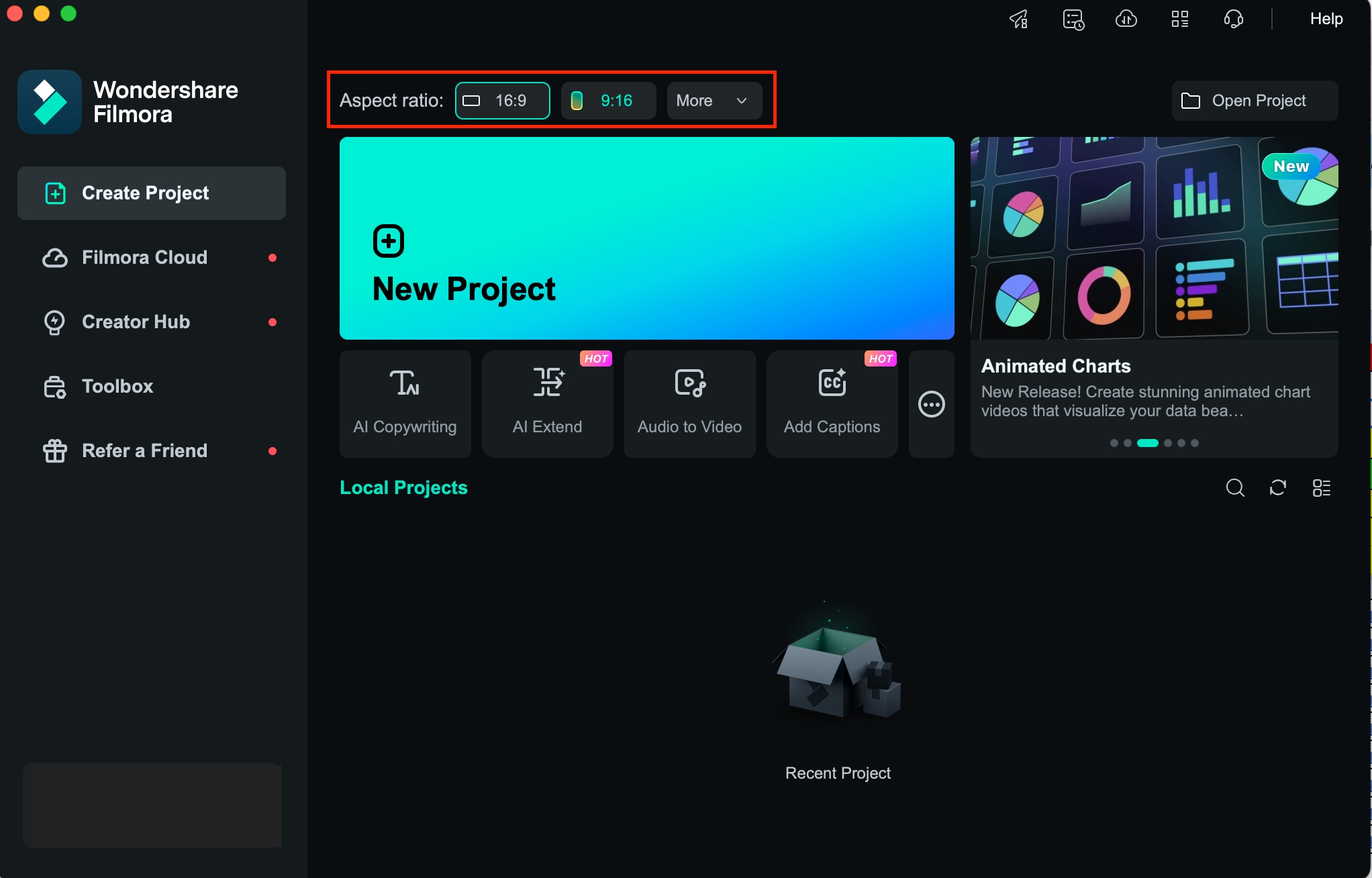
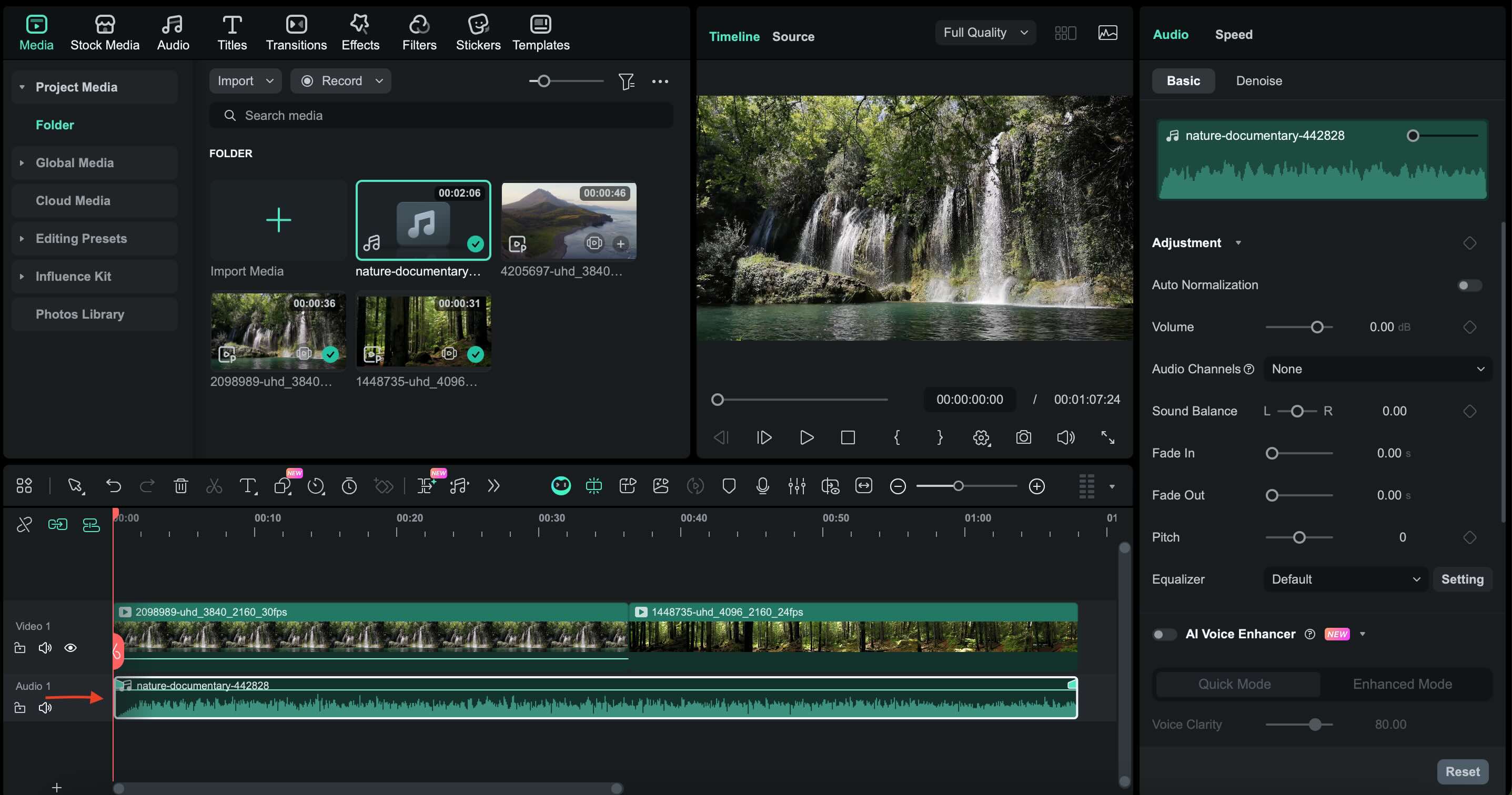
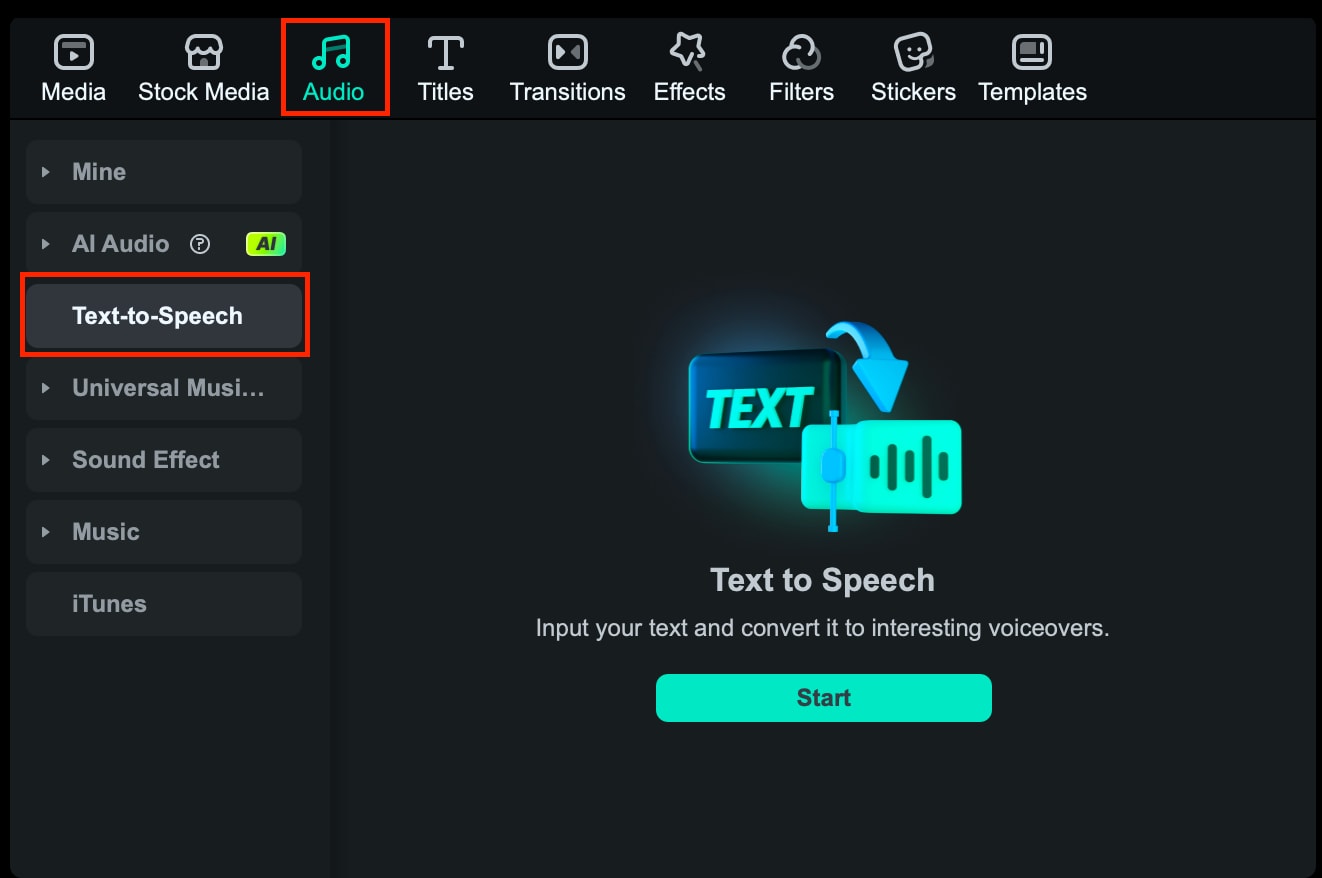
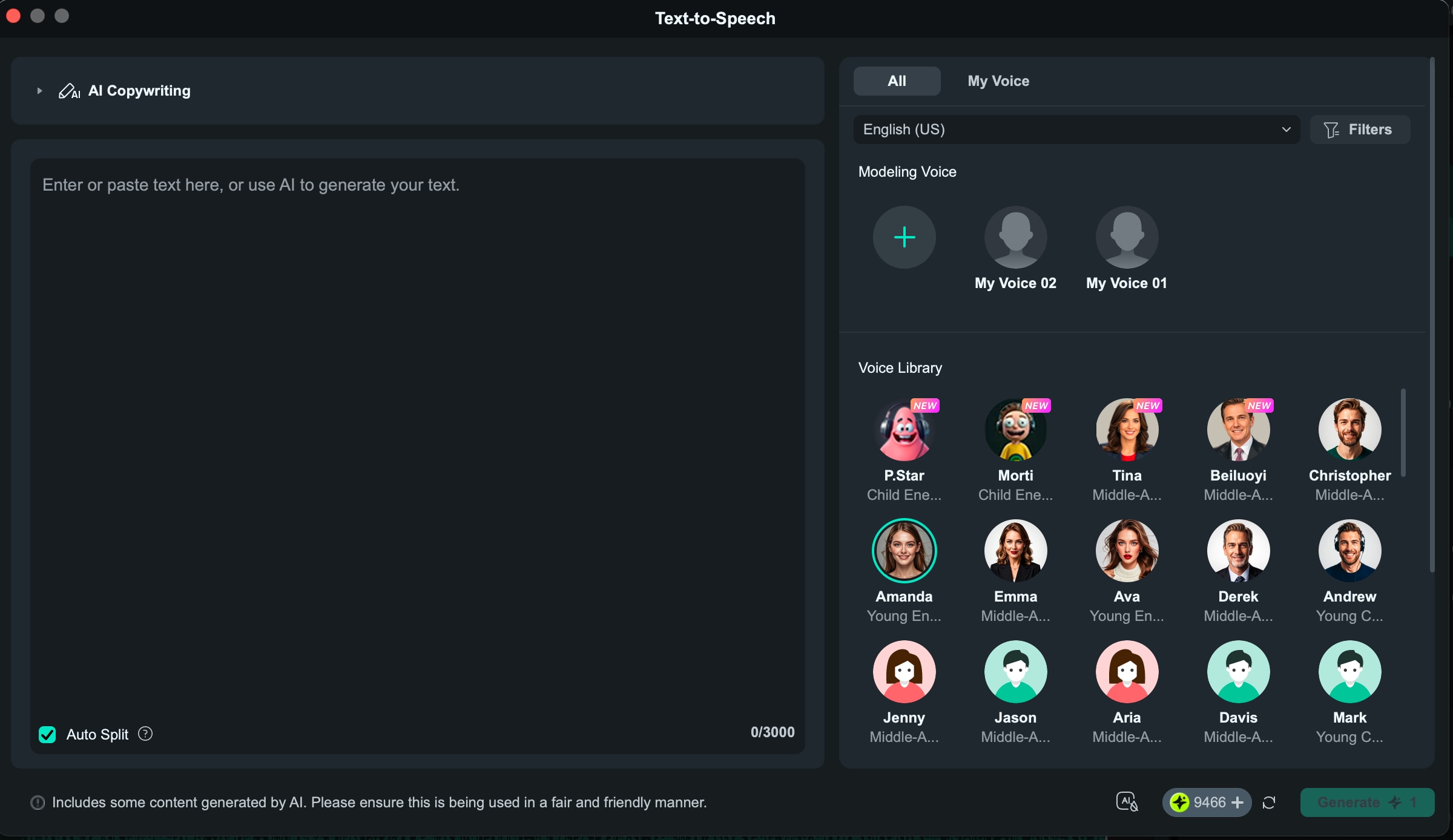
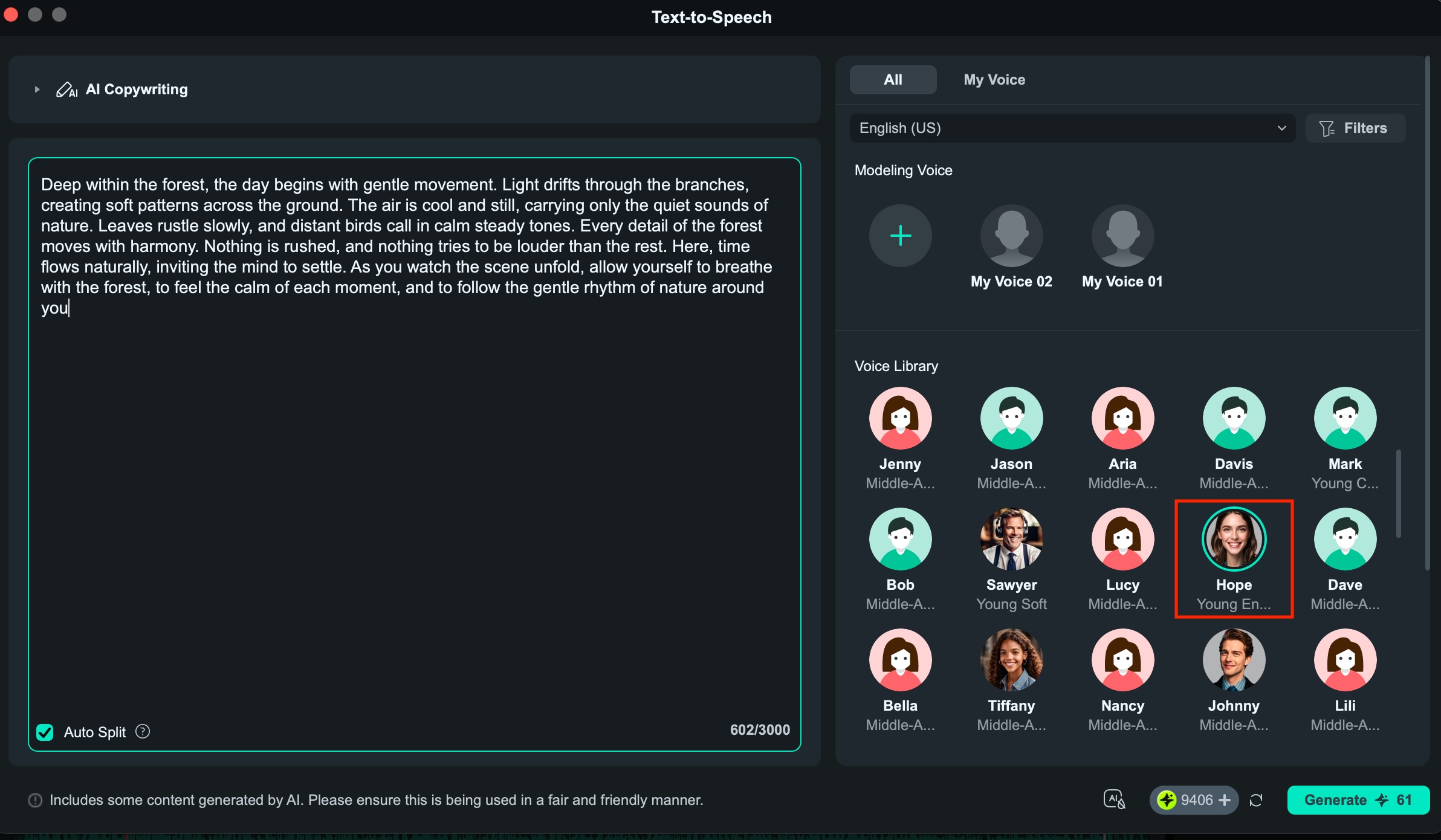
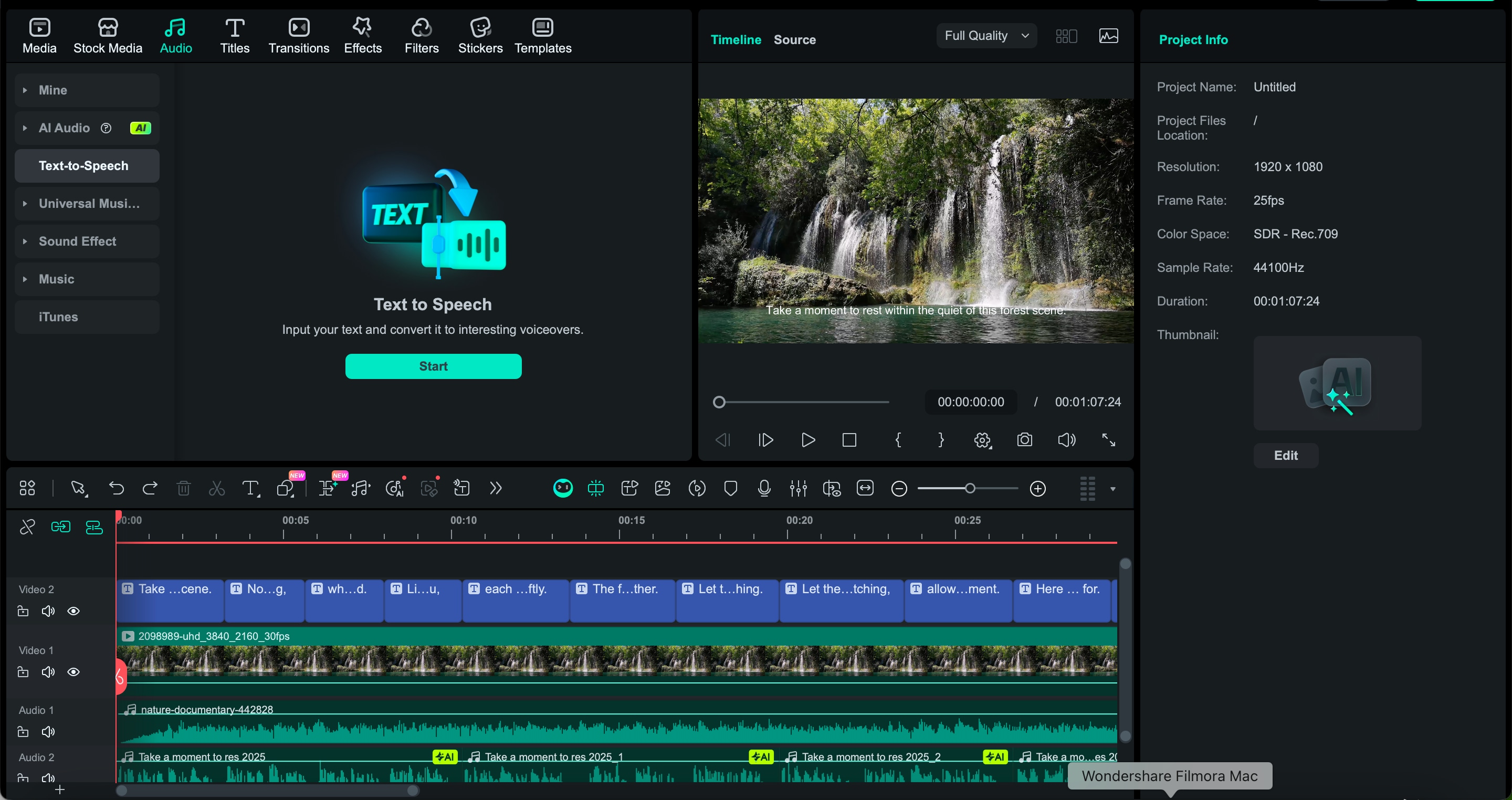
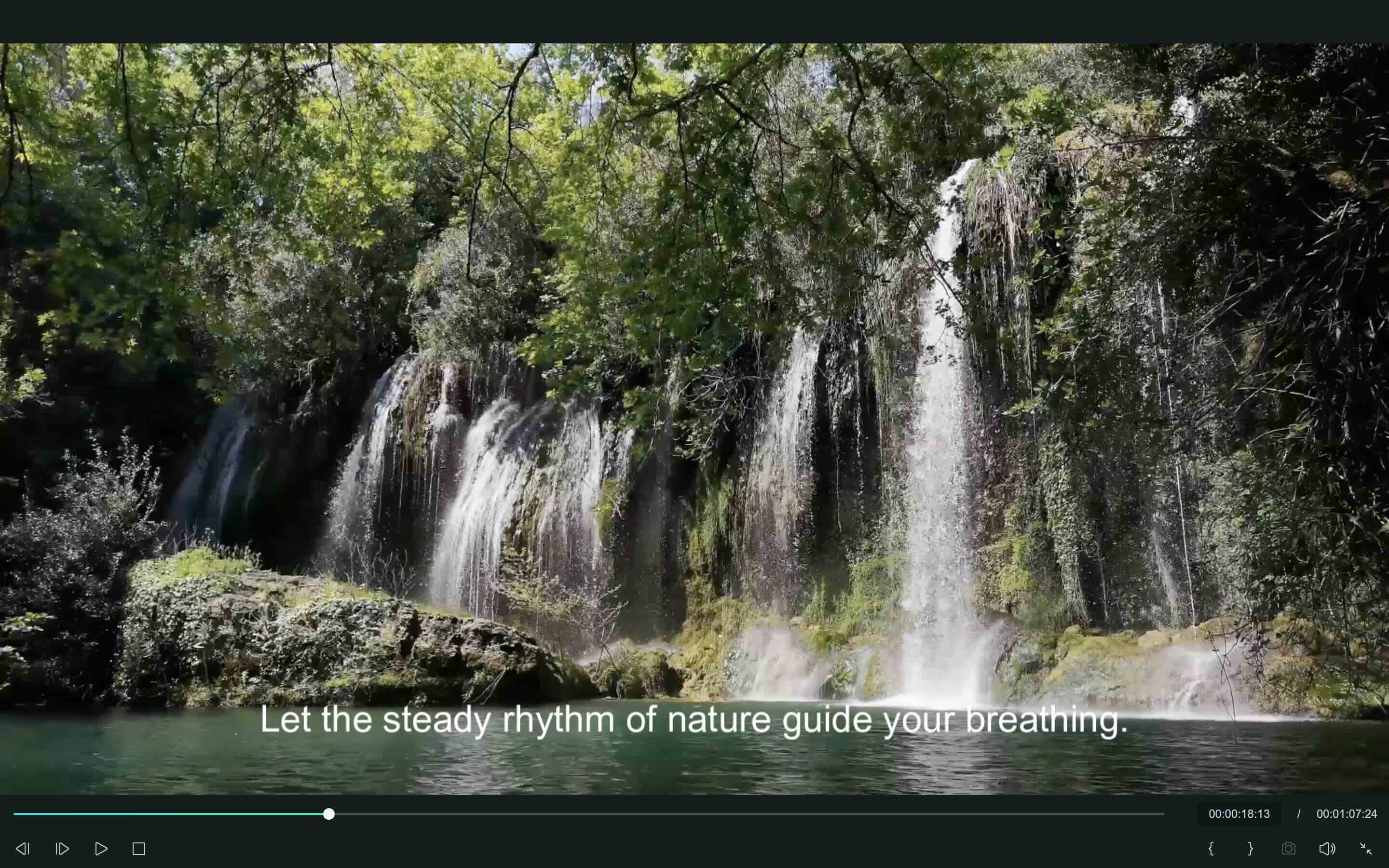
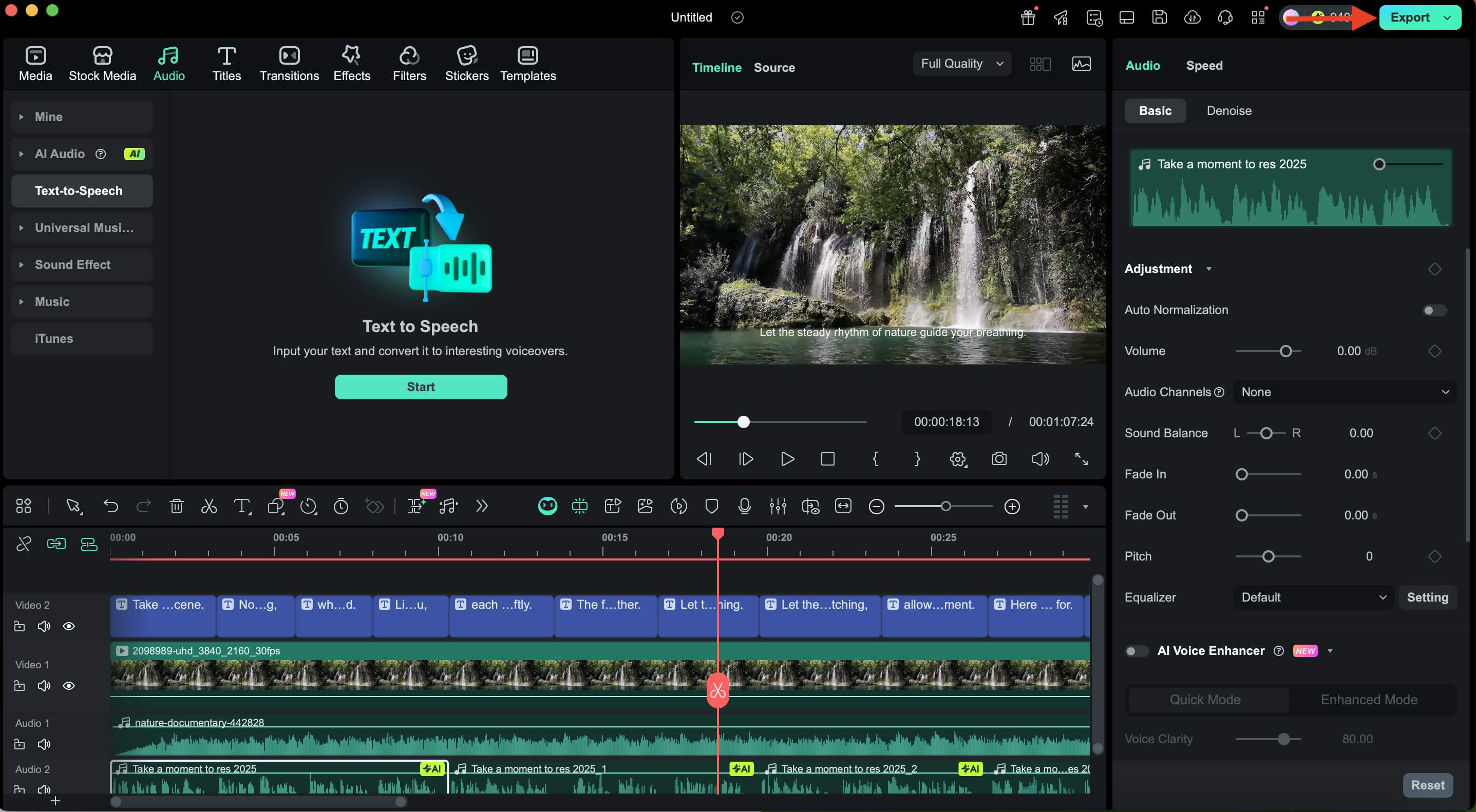
With the 10 best natural AI voice generators listed above, it's time to start practicing with Filmora. Prepare your script in short, calm sentences. Prepare forest atmosphere audio or other ambience tracks. Filmora's Text to Speech feature supports voice selection, tone and speed settings, and voice cloning for a custom narrator.
 Secure Download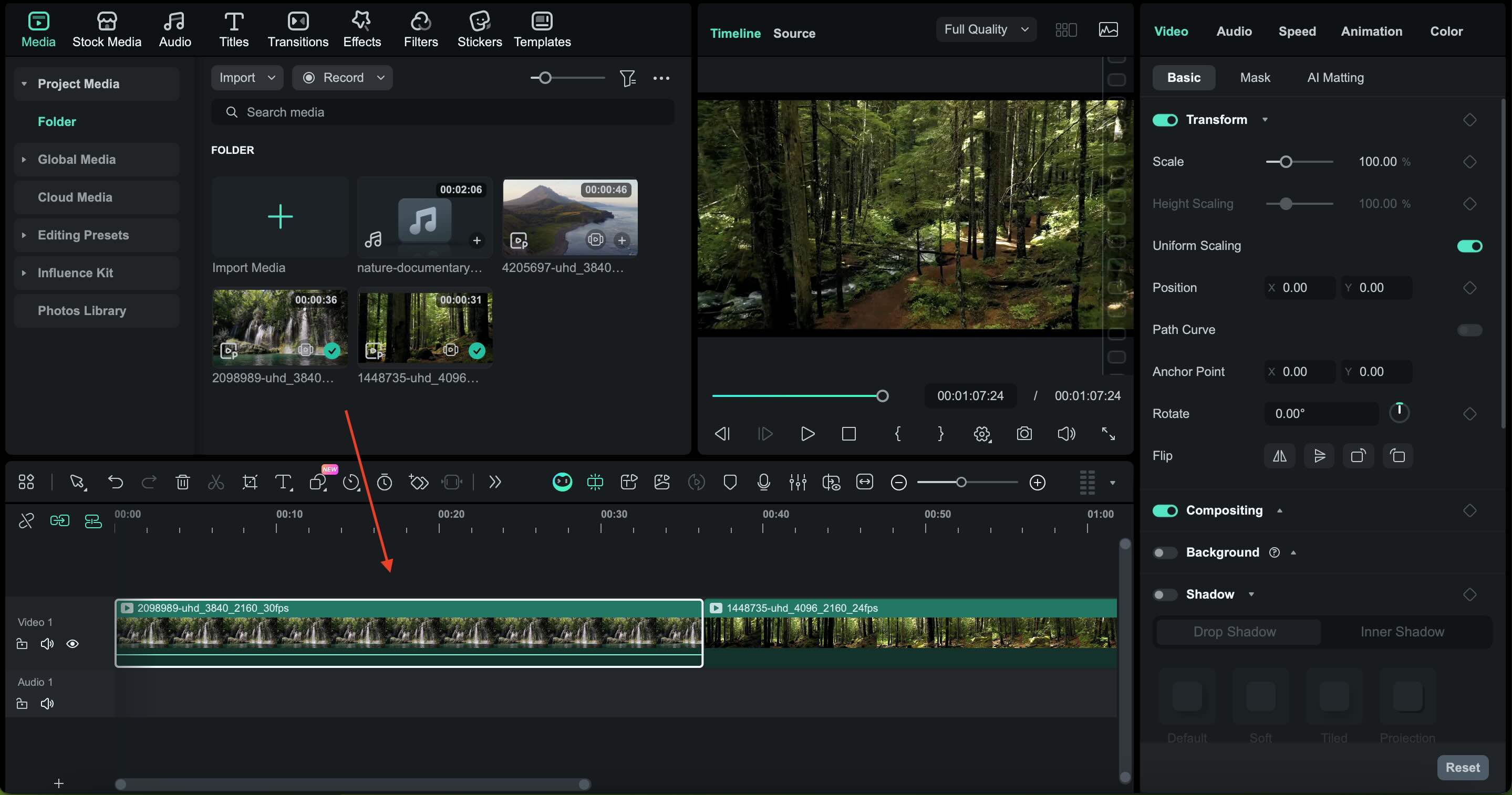
Part 5. Best Script Prompts and Styles for Generating Natural AI Voice Narration
To help you create a calming narrative that blends with natural visuals, here is a ready-to-use prompt combined with a suggested voice style. You can copy and paste this prompt into your AI text-to-speech tool to instantly generate a soft and natural narration voice for mood videos, documentaries, or meditation scenes.
Forest Meditation Narration
Prompt:
"Use a gentle, meditative voice with slow pacing and soft articulation. Keep the tone warm, calm, and steady. Avoid dramatic emotions. Narrate the following meditation script for a peaceful forest ambience video:
[INSERT SCRIPT HERE]."
Best voice style:
A soft female voice or warm baritone with slow pacing.
Nature Documentary Introduction
Prompt:
"Speak in a clear and natural tone, as in a documentary. Use a balanced pacing, calm pronunciation, and minimal emotional variation. Maintain a professional yet soothing voice suitable for nature scenes. Read the introduction below:
[INSERT SCRIPT HERE]."
Best voice style:
Male or female narrator with a neutral documentary style.
Ocean Relaxation Guide
Prompt:
"Use a slow, smooth, and light voice with gentle breathing. Make each sentence flow like ocean waves. Keep the tone peaceful and consistent for relaxation. Narrate this ocean-themed guidance script:
[INSERT SCRIPT HERE]."
Best voice style:
A light female voice or soft mid-tone male voice.
Waterfall and Rainforest Storytelling
Prompt:
"Use a calm storytelling voice with natural warmth. Maintain a steady tempo and let your pronunciation follow the rhythm of gently flowing water. Keep your expression relaxed and neutral throughout. Narrate the following rainforest script:
[INSERT SCRIPT HERE]."
Best voice style:
Warm narrator with smooth, moderate pacing.
Mountain Scenery Documentary
Prompt:
"Speak in a calm and stable tone. Use clear sentences and a slow tempo that matches the wide-open mountain scenery. Keep your voice neutral, calm, and natural. Read this mountain documentary script:
[INSERT SCRIPT HERE]."
Best voice style:
Deep baritone or confident neutral narrator.
Part 6. Tips to Make AI Voices Sound More Natural for Nature Videos
Along with a few prompt lists for creating a natural AI voice, it's also important to keep your narration in sync with the calm nature visuals. You can adjust some settings and writing techniques to make the AI voice sound softer, warmer, and more human-like.
These small changes can help the voice blend into the surroundings rather than standing out too much. Here are the key tips:
- Reduce the narration speed so it follows the slow movement of nature scenes
- Choose soft, neutral voice styles instead of energetic or promotional tones
- Avoid long or complex sentences that force the voice to rush
- Add short pauses between phrases to create a relaxed rhythm
- Maintain consistent volume to prevent overpowering ambient sounds
- Use simple vocabulary that flows smoothly
- Keep emotional expression to a minimum for videos that focus on atmosphere
- Avoid sharp consonants or overly crisp articulation if the tool allows tone adjustment
- Test with background audio to ensure the voice blends seamlessly
- Use shorter paragraphs to help AI maintain natural pacing
Conclusion
After understanding how natural AI voices enhance narration and turn nature scenes into a more immersive experience, you can start creating your own calming audio with the right tools and settings. Soft, stable, and realistic narration works beautifully with forests, oceans, rain, and other natural environments. With Filmora or other AI voice generators, this process becomes much easier. Keep in mind this simple goal: let the narration support the visuals, not overpower them. Choose a calm voice, adjust the pace, and use thoughtful prompts to produce nature videos that feel soothing, balanced, and professionally crafted. Your story should flow as naturally as the scenes you capture.

FAQ
-
What is the most natural AI voice for nature documentaries?
Voices with a calm, steady, and neutral tone work best. Tools like Filmora, ElevenLabs, and Play.ht offer natural-sounding documentary voices.
-
Which AI generator is best for calm ambience narration?
Filmora is perfect for a calm atmosphere because its sound is soft and easy to adjust. Additionally, ElevenLabs and Murf AI are also good alternatives.
-
Can AI voices and ambience be generated in one tool?
Yes. Filmora lets you create AI narration and add natural ambience in the same editor.
