

 TL;DR:
Choose landscape video orientation for cinematic, desktop-viewed long-form content, and use portrait orientation for mobile-first, short-form videos on platforms like TikTok and Instagram Reels.
● To prevent unnatural feed cropping based on 2026 standards, export vertical short-form videos in a 9:16 aspect ratio (1080 x 1920), long-form widescreen videos in 16:9 (1920 x 1080), and Facebook feed posts in 4:5 (1080 x 1350).
● Horizontal landscape frames provide the visual width necessary for environmental details and group scenes, whereas vertical portrait frames restrict horizontal space to intensify focus on single subjects and direct-to-camera expressions.
● Existing 16:9 landscape footage can be converted into 9:16 portrait videos without re-recording by using the AI Auto Reframe tool in Wondershare Filmora, which automatically tracks and centers the primary moving subject to eliminate awkward cropping.
Ask AI for a summary
 ChatGPT
 Perplexity
 Gemini
 Claude
 Grok
Grok
In photography and videography, choosing between portrait vs landscape orientation determines how your audience experiences your story. While portrait is vertical (perfect for mobile), landscape is horizontal (the standard for widescreen). Selecting the right video orientation is crucial for engagement on platforms like TikTok, YouTube, and Instagram.
If you've been going back and forth on portrait vs. landscape orientation, we've prepared this guide to walk you through why orientation matters, which aspect ratios you should use, and how to convert landscape videos to portrait without sacrificing quality.
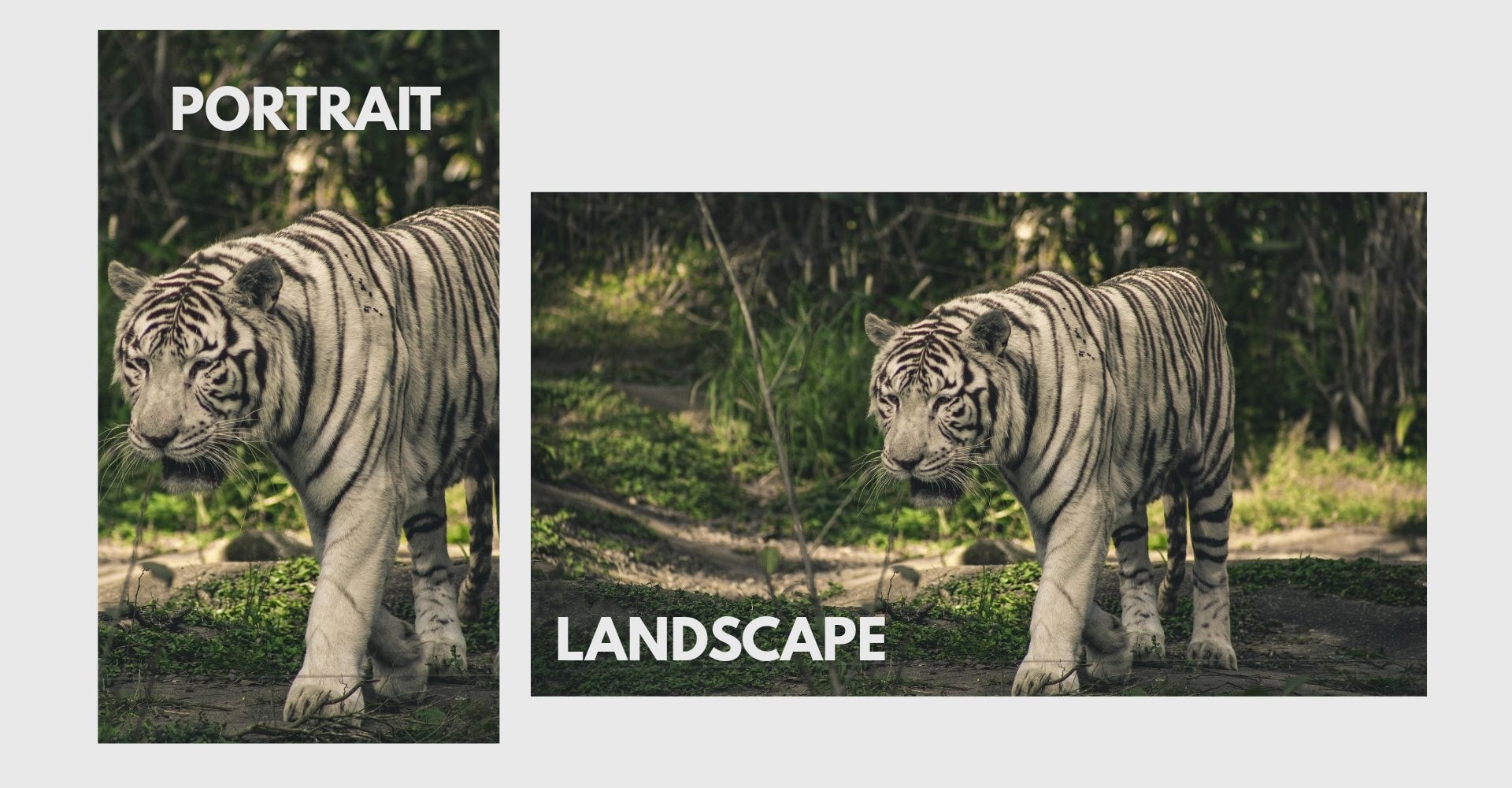
Part 1. What Is the Key Difference Between Portrait vs Landscape Orientation?
Portrait orientation is vertical, meaning the frame is taller than it is wide. Landscape orientation is horizontal, meaning the frame is wider than it is tall.
But beyond just how you hold your camera, portrait vs landscape orientation shapes the way your content is framed and experienced. It influences composition, focus, and how well your video fits different screens.
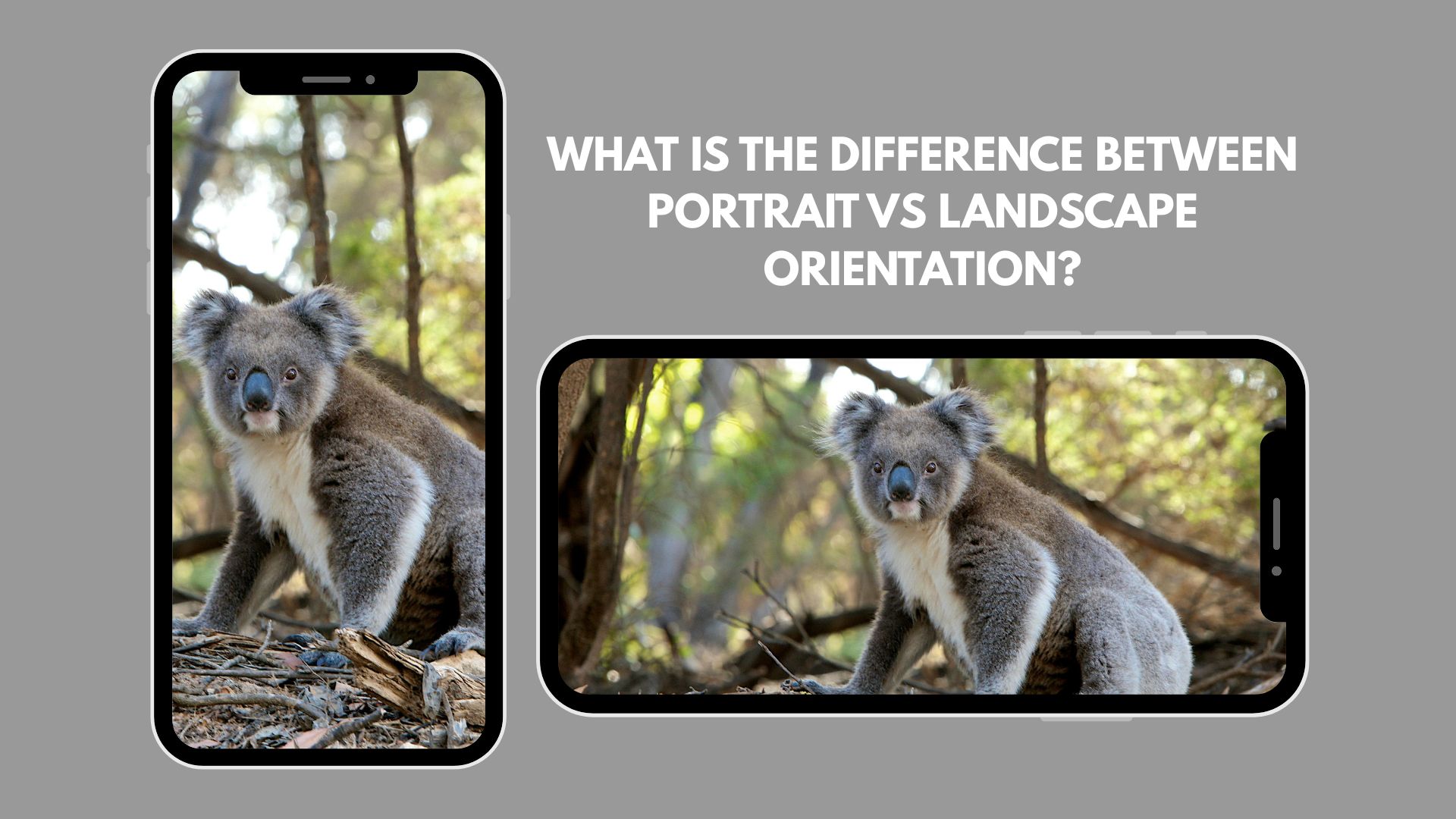
To make it clearer, here's a simple comparison table that highlights the key differences:
| Feature | Portrait Orientation | Landscape Orientation |
| Frame Shape | Vertical (taller than wide) | Horizontal (wider than tall) |
| Common Use | Mobile content, Stories, Reels | YouTube, films, presentations |
| Visual Focus | Emphasizes height and single subjects | Captures width and wider scenes |
| Viewing Habit | Designed for smartphone scrolling | Designed for TVs and desktops |
When comparing landscape vs portrait photos or deciding between portrait vs landscape images, the key difference lies in how space is used.
- Portraits draw attention upward and downward, ideal for photos of people and mobile displays.
- Landscape spreads attention side to side, perfect for scenery, group photos, and cinematic narratives.
Part 2. Portrait vs Landscape Video: Why Your Choice Matters
In video production, choosing portrait vs landscape shapes how your story unfolds on screen. The frame controls what viewers see first, how movement is captured, and how much visual information fits naturally within the shot.
With portrait vs landscape video, composition works differently:
- A horizontal frame gives space for the environment, background details, and multiple subjects.
- A vertical frame narrows the focus, making expressions, gestures, and direct-to-camera moments feel more intimate.
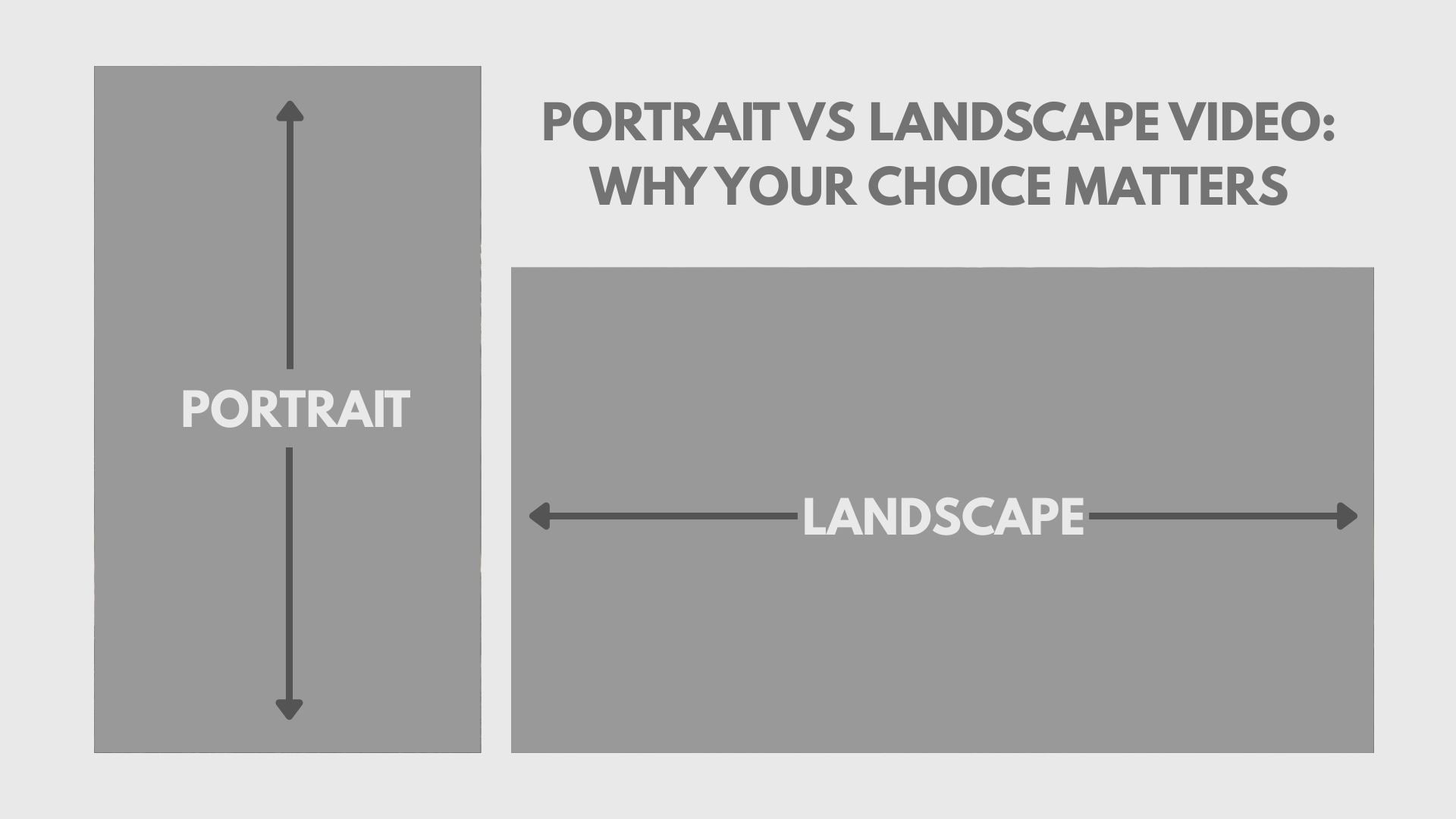
The key difference between portrait and landscape orientations for video lies in visual space. Landscape creates width and cinematic flow. Portrait creates intensity and immediacy. Rather than asking which is better, the real question is which format best supports your message and platform.
When to Use Landscape Orientation (Horizontal)
Landscape works best when your content is designed for cinematic viewing or larger screens. Best for:
- YouTube long-form videos
- Movies and documentaries
- Tutorials and webinars
- Desktop and TV viewing
- Wide scenic shots and group scenes
Horizontal framing captures more detail from side to side. It feels immersive for storytelling, interviews, travel videos, and any content that benefits from a wider visual field. If your goal is a polished, professional production, landscape is often the safer choice.
When to Use Portrait Orientation (Vertical)
The portrait is optimized for the natural way people hold their phones. Best for:
- TikTok
- Instagram Reels
- YouTube Shorts
- Mobile-first ads
- Quick, scroll-stopping content
Vertical videos fill the entire smartphone screen, eliminating distractions and increasing viewer focus. In the short-form content era, this full-screen experience often leads to higher engagement and better retention.
Part 3. Best Aspect Ratios for Social Media (2026 Trends)
Once you understand portrait vs landscape orientation, step two is choosing the right aspect ratio. In 2026, platforms prioritize content that fits their native dimensions. Using the correct ratio prevents unnatural cropping, black bars, or reduced visibility in feeds.
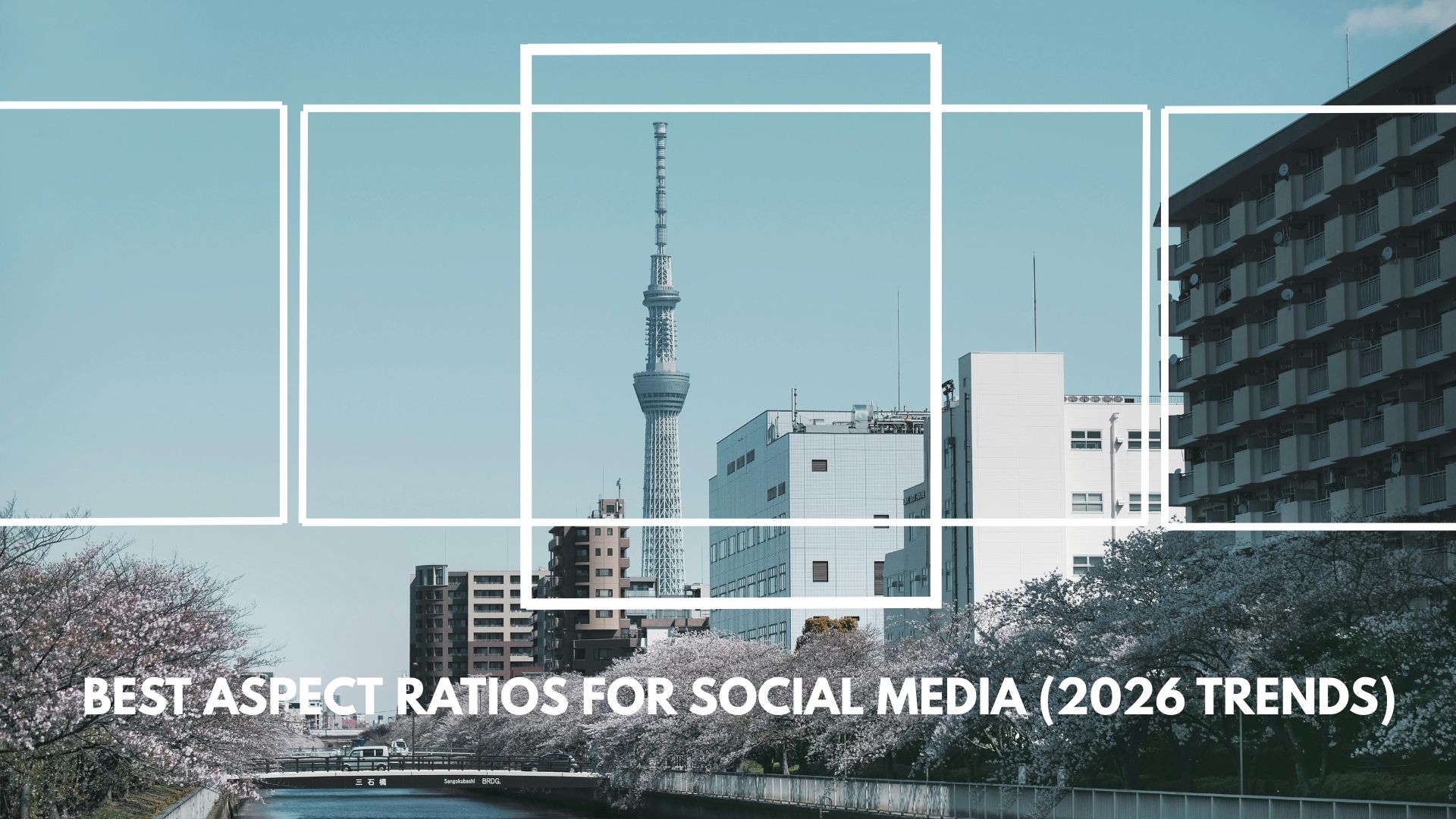
Here are the cheat sheet of the current standard recommendations:
| Platform | Best Aspect Ratio | Recommended Resolution |
| TikTok | 9:16 | 1080 × 1920 |
| Instagram Reels | 9:16 | 1080 × 1920 |
| YouTube Shorts | 9:16 | 1080 × 1920 |
| YouTube (Long-form) | 16:9 | 1920 × 1080 |
| Facebook Feed | 4:5 | 1080 × 1350 |
16:9 vs 9:16: Understanding Video Aspect Ratios
- 16:9 (Landscape): The widescreen standard for YouTube, cinema, and television.
- 9:16 (Portrait): The vertical orientation dominant on TikTok, Reels, and Shorts. Understanding the landscape vs portrait aspect ratio is the first step in professional video editing.
The difference is not just technical. It changes how your content appears in feeds and how much screen space it occupies. Matching the correct aspect ratio to the platform ensures your portrait vs landscape video performs as intended without losing important visual elements.
Part 4. How to Convert Landscape Video to Portrait (Step-by-Step Guide)
Confused about choosing between portrait and landscape formats after recording a video? The good news is, you don't have to re-record. With the right tools, you can convert horizontal clips to vertical format while keeping the subject centered and the resolution sharp.
One of the easiest ways to do this is by using Auto Reframe in Wondershare Filmora. Using this tool, you don't have to worry about having your subject cropped out during the conversion. Filmora's AI automatically tracks the most important element in your frame and repositions the crop as the action moves, so your subject stays front and center throughout the entire clip.
 Secure Download
Step-by-Step: Use Filmora's Auto Reframe
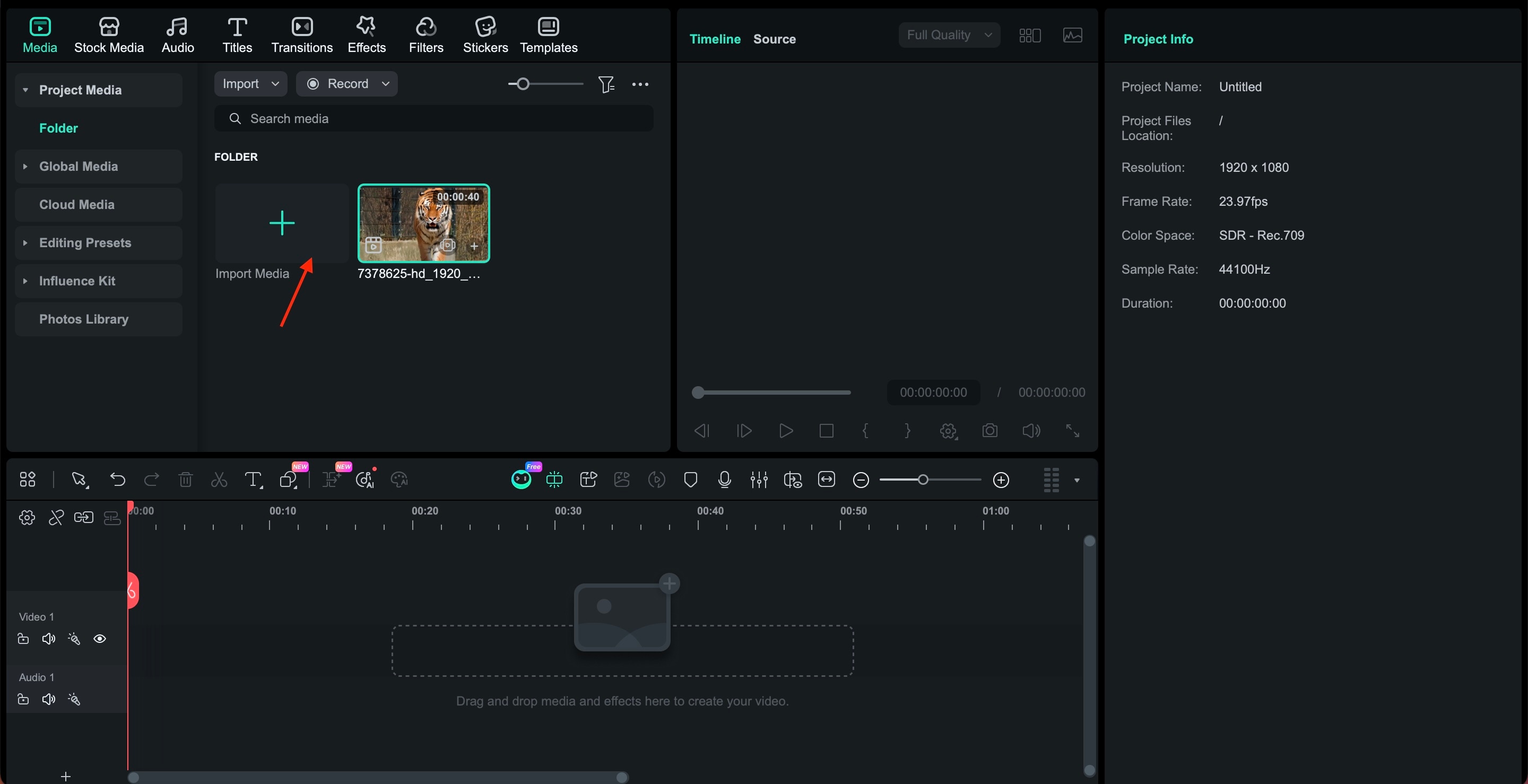
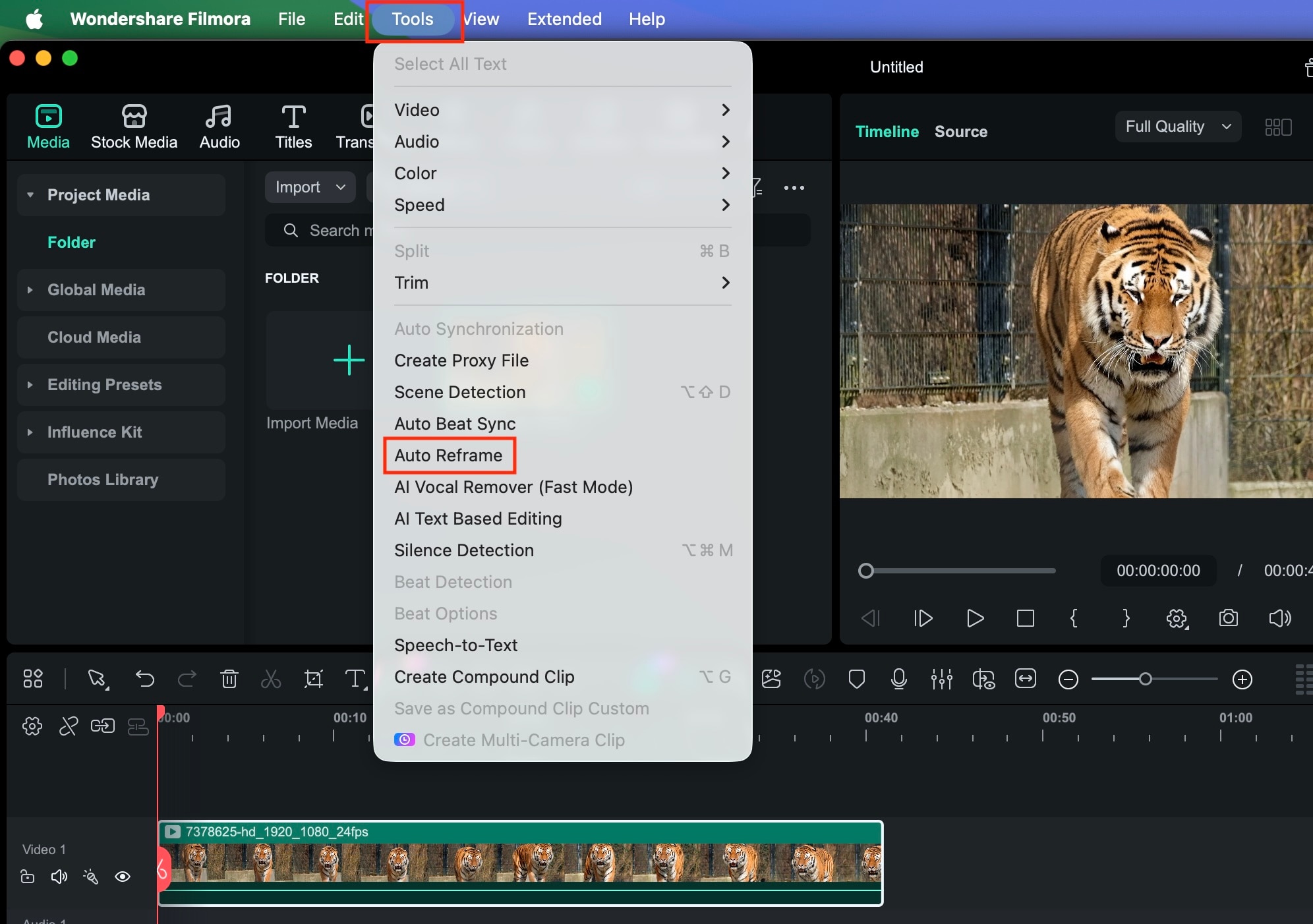
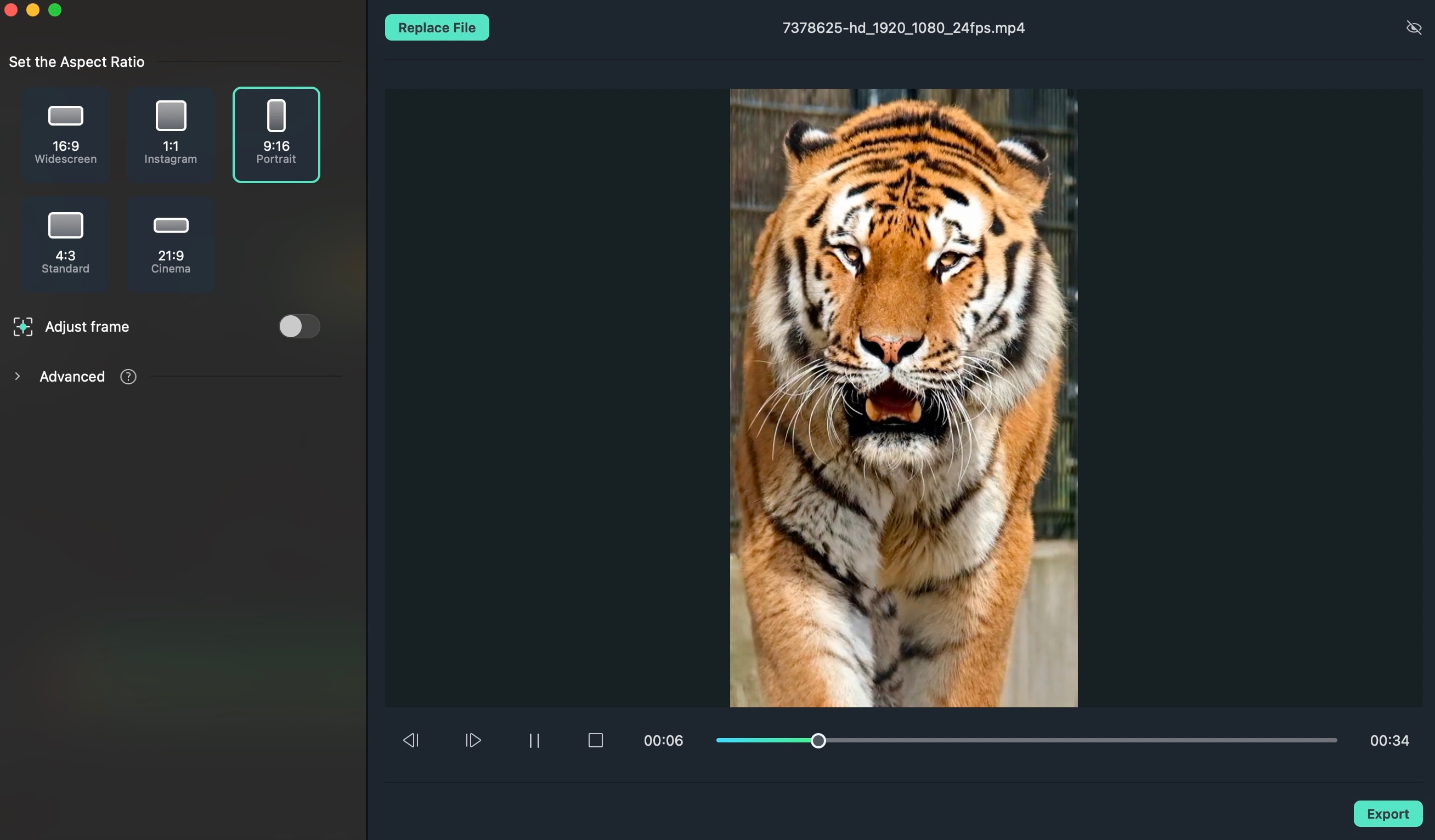
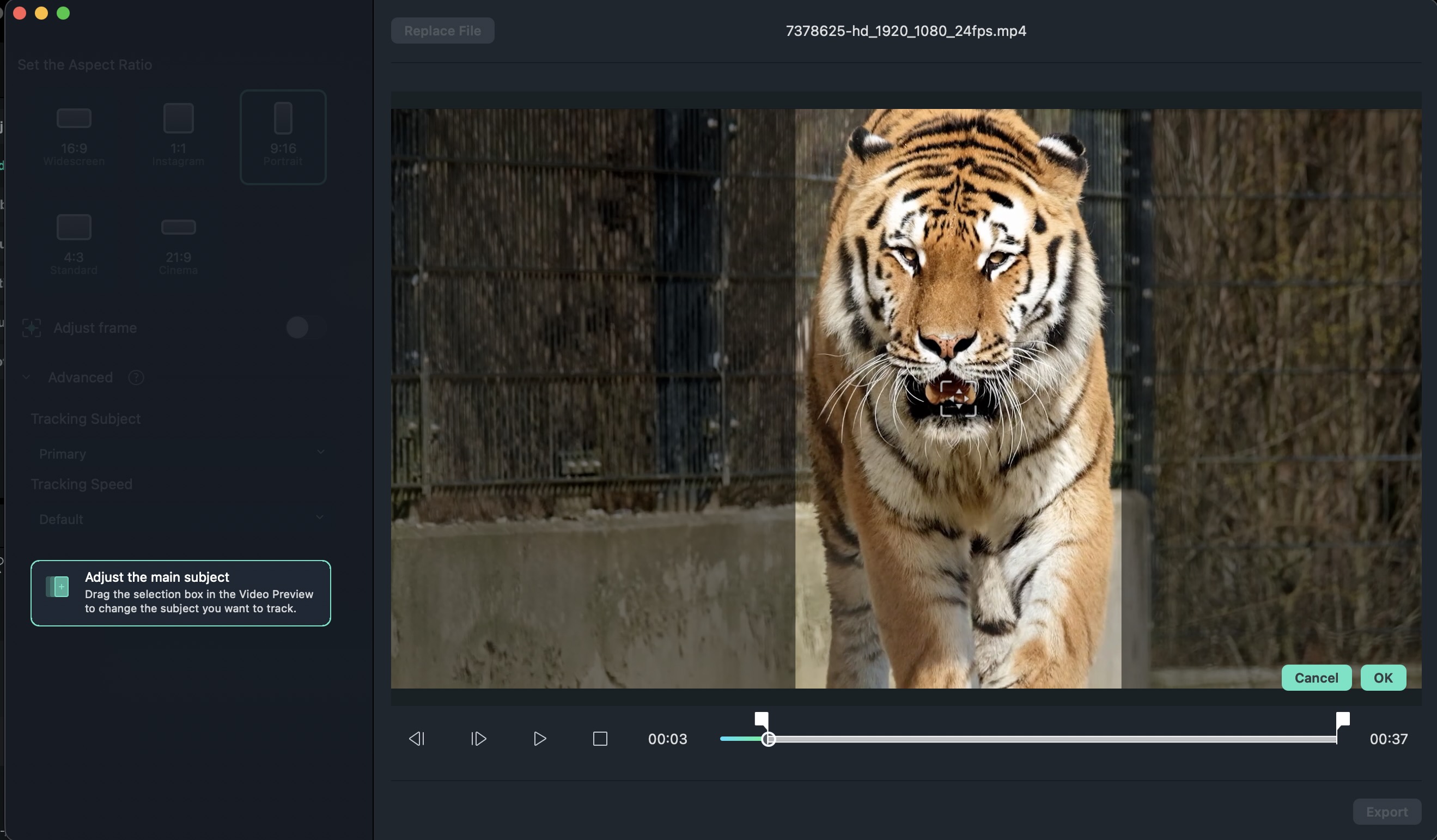
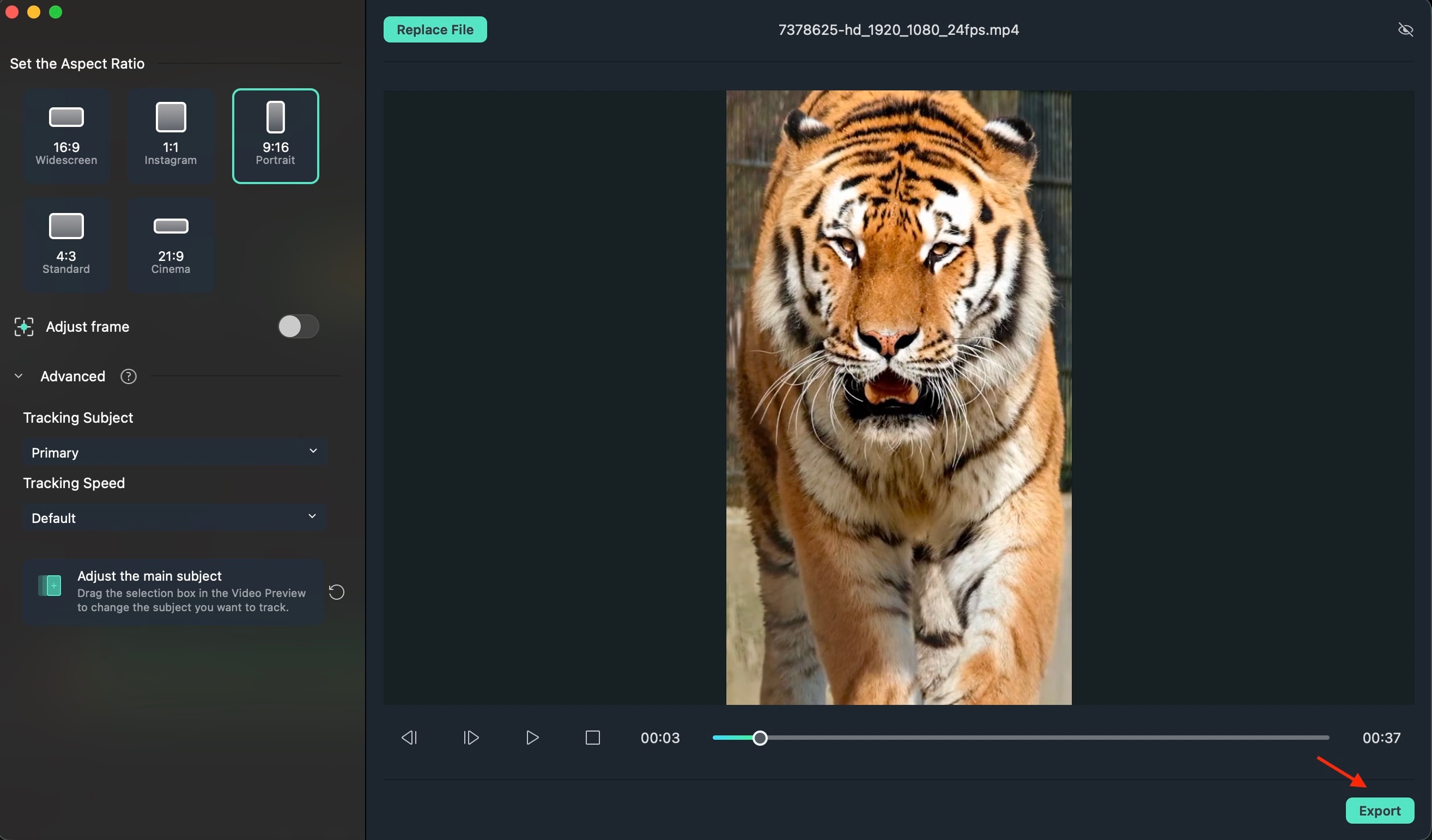
The Auto Reframe feature uses smart subject tracking to keep faces or moving objects centered when converting from 16:9 to 9:16. Instead of awkward cropping, the frame intelligently adjusts to maintain focus.
This makes it simple to repurpose landscape orientation into portrait videos ready for short-form platforms, without sacrificing clarity or professionalism.
Conclusion
When it comes down to it, choosing between portrait vs landscape orientation is about intent. The difference is not just how your video fills the screen, but how well it fits the moment. The right framing directs attention, shapes the mood, and strengthens what you want to communicate.
Horizontal orientation gives your story space to unfold naturally. Vertical orientation feels closer and more personal, especially on mobile. Neither is better by default. The key is selecting the format that matches your platform and purpose.
Once you understand aspect ratios and can adjust footage smoothly, technical limits stop holding you back. You gain flexibility, confidence, and visuals that support your goals effortlessly and deliver stronger results with less stress.

FAQs
-
What is the difference between portrait and landscape orientation?
The portrait is vertical, taller than it is wide. The landscape is horizontal, wider than it is tall. The choice affects composition and how your content fits different screens. -
Which is better for social media, portrait or landscape?
Portrait works best for short-form mobile platforms like TikTok and Reels. Landscape is ideal for YouTube long-form videos and cinematic content. -
What aspect ratio should I use?
Use 9:16 for vertical platforms and 16:9 for horizontal videos. Matching the platform's standard ratio prevents cropping and improves display quality. -
Can I convert a landscape video to portrait?
Yes. With tools like Auto Reframe in Wondershare Filmora, you can resize and reposition footage while keeping the main subject in focus.
