

 100% Security Verified | No Subscription Required | No Malware


 ChatGPT
 Perplexity
 Gemini
 Claude
 Grok
Grok
Every video editor wants the same thing — crisp, clear, and high-quality visuals. Sure, you may have captured high-resolution footage with excellent camera settings, but that alone isn’t enough. During post-production, you must refine and optimize your clips further. This is where the 4K settings in Premiere Pro become extremely useful. Aside from resolution, you can adjust the aspect ratio, frame rate, and other key parameters to achieve the best results.
In this article, we will discuss the essential 4K sequence settings in Adobe Premiere Pro and introduce an easier alternative software you may consider. Continue reading below to learn more.
In this article
What are the Essential 4K Settings in Premiere Pro?
Today, 4K shooting has become standard in professional and consumer-level video creation. However, even high-quality 4K footage may look lackluster if not edited with proper settings. This is why Premiere Pro’s 4K sequence settings matter. They allow you to customize resolution, frame rate, aspect ratio, and related options so that your content can maintain its sharpness and clarity throughout the editing process.
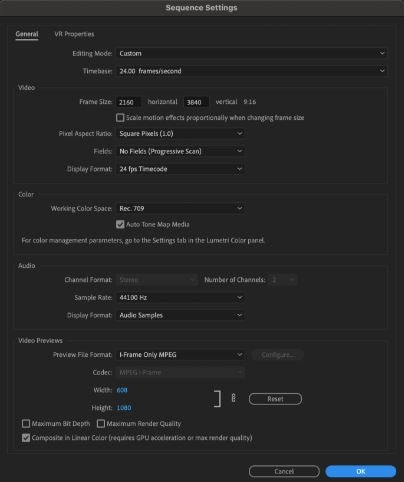
Advantages & Drawbacks
Adjusting the 4K sequence settings in Premiere Pro offers many benefits, but also comes with certain limitations. Let’s break them down.
Advantages
- Generates super clear and professional-grade visuals.
- High resolution gives more freedom for cropping, zooming, and reframing.
- Ideal for cinematic effects and heavy visual enhancements.
- Ensures great playback performance on major streaming platforms.
- Allows customization of resolution, aspect ratio, frame rate, bitrate, and more.
Drawbacks
- Requires strong hardware and a powerful operating system.
- Consumes significant disk space depending on project size.
- Might overwhelm beginners with its technical complexity.
- Requires an Adobe Creative Cloud subscription, which is less budget-friendly.
Does Wondershare Filmora V15 Have 4K Settings?
As mentioned earlier, Premiere Pro’s 4K settings are strong but not perfect. Some users may find them too technical or hardware-intensive. If you're looking for a simpler alternative, Wondershare Filmora V15 is an excellent option. It is a versatile editor that supports both basic and professional workflows — and yes, it offers full 4K editing support similar to Premiere Pro.
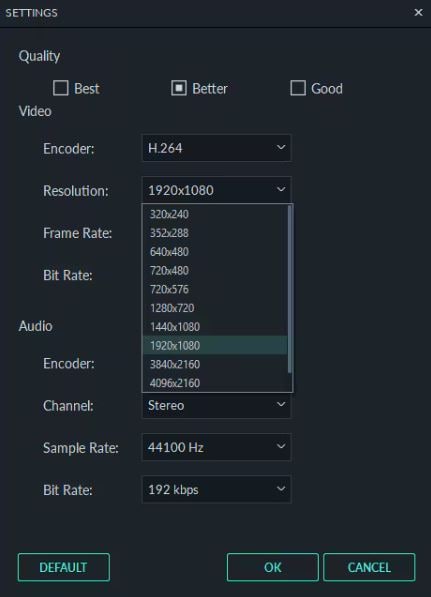
Why Wondershare Filmora V15 is the Perfect Choice?
 secure download

- Extensive Customization: Configure frame rate, aspect ratio, bitrate, and more — just like in Premiere Pro.
- Real-Time Preview: Filmora automatically pre-renders clips for smooth playback.
- 4K Presets: Includes optimized export presets for YouTube, Vimeo, and other platforms.
- Numerous Tools: Offers a wide collection of filters, effects, templates, and AI tools.
Extra Features to Explore in Wondershare Filmora V15
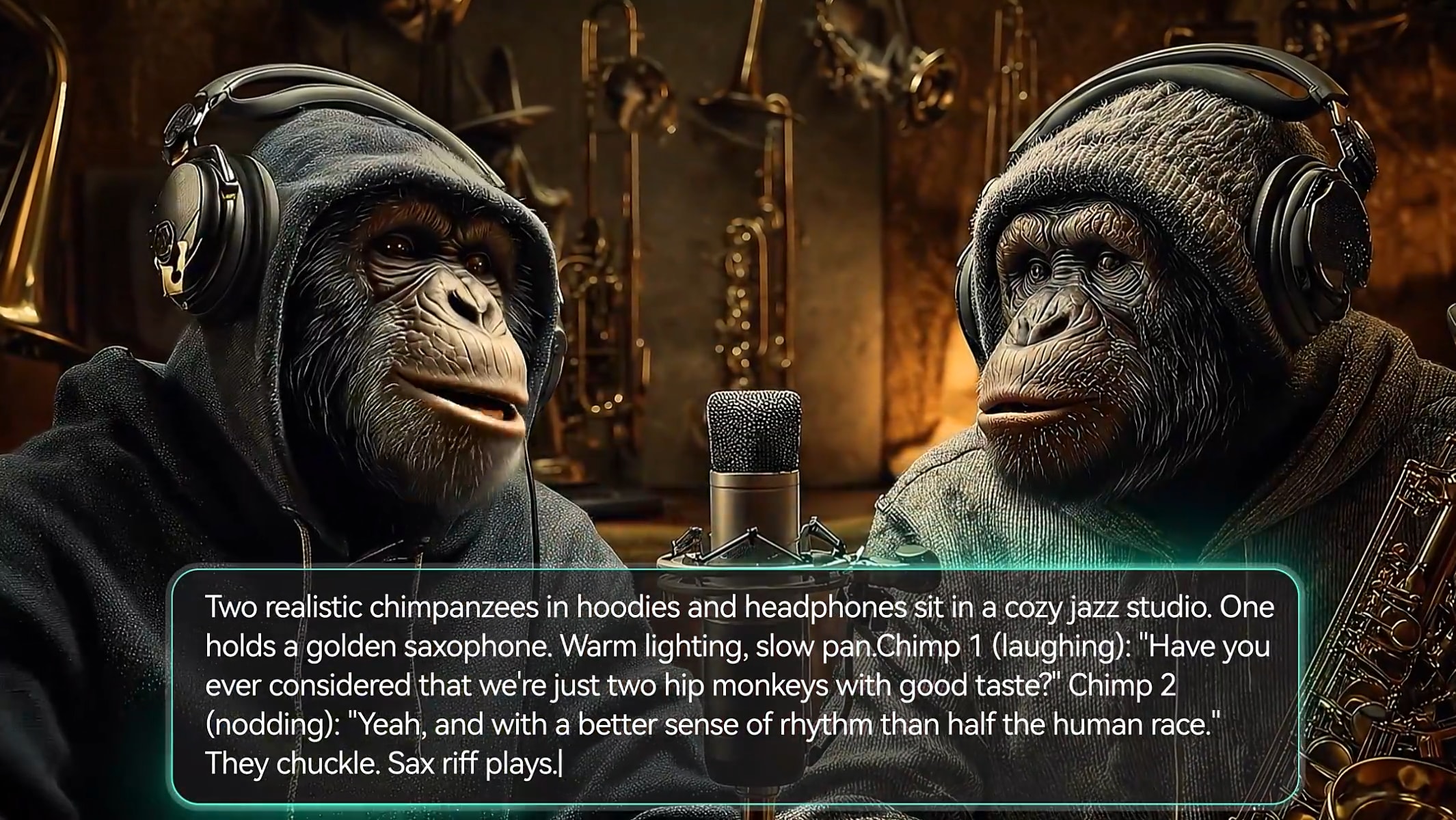
- Google Veo 3 in Filmora: Generate cinematic AI-powered video content.
- AI Image to Video: Turn still images into animated scenes instantly.
- AI Video Enhancer: Improve clarity and visual quality with one click.
- AI Face Mosaic: Automatically blur faces for privacy and security.
- AI Audio Stretch: Extend audio tracks seamlessly to match video duration.

Conclusion
Mastering the 4K sequence settings in Premiere Pro is key to producing stunning, high-quality video content. But Premiere Pro may feel overwhelming for some users due to its complexity and hardware demand. If you want a simpler, more flexible, and more affordable option, Wondershare Filmora V15 is an excellent choice. It offers powerful 4K features, smooth editing performance, and a much easier workflow — perfect for beginners and professionals alike.
So what are you waiting for? Download Wondershare Filmora V15 today and start creating breathtaking 4K videos effortlessly.
secure download FAQs
-
Q1. Are 4K settings in Premiere Pro detected automatically?
Yes. Premiere Pro automatically applies 4K sequence settings when 4K footage is imported. However, you should still adjust the settings manually to get the best results. -
Q2. Can I configure 4K settings in Premiere Pro using old or low-performing devices?
You can try, but expect slow performance, lag, or stuttering previews. Rendering and playback will be significantly affected. -
Q3. Are the 4K settings in Premiere Pro similar to Wondershare Filmora V15?
Yes. Both support 4K editing and exporting. However, Filmora offers a more user-friendly workflow with easier controls and faster preview performance.
