
Seedance 2.0 Travel Video Examples & Guides
Browse template styles, prompts, and cinematic vlogging tips for your next trip
Loading more examples...
 Category:
 Duration:
 Aspect Ratio:
Essential Features for Travel Creators
Cinematic trip edits used to mean endless timeline work. In Filmora, Seedance 2.0 and template assets help you sync media, mood, and pacing faster—whether you want Travel vlogs or Slideshow-style summaries.
Smart tools surface highlights from your global travel footage and shape them into a clear story—from transitions to map-style overlays, with control when you want it.
From Seedance Clips to Timeline Edits

From Seedance Clips to Timeline Edits
Stop hunting through folders of footage. Scene-aware tools scan your travel clips for highlights—sunsets, cityscapes, landmarks—and when you apply a vlog template, Filmora can trim and sequence to the music so you spend less time on tedious cuts.
- Auto-Highlight Detection - Instantly find the best cinematic shots in your raw files.
- Beat-Synced Cuts - Line edits up with the track so transitions hit on the beat.
- Smart Trimming - Remove repetitive or shaky footage automatically with AI assistance.
Interactive Route Maps & Immersive Overlays
Interactive Route Maps & Immersive Overlays
Help viewers follow the route. Many templates include customizable map animations from city to city, plus dynamic location tags and markers—documentary-style context with less manual keyframing.
- 🗺️ Dynamic Map Generators - Animate your travel route between multiple global destinations.
- 📍 Smart Location Tags - Auto-generate stylish text overlays for every new city or landmark.
- 🌡️ Weather & Alt Info - Integrate real-time data overlays to enhance the storytelling experience.
- 🎨 Thematic Color Match - Match grading to the mood of each stop on the trip.
Global Language Support for Worldwide Vlogging

Global Language Support for Worldwide Vlogging
Reach an international audience by translating your vlogs instantly. If you are creating content for Education or global outreach, our AI tool translates spoken dialogue into dozens of languages. Pair this with Gaming or fast-paced travel edits to keep everyone engaged regardless of their native tongue.
- AI Voice Cloning - Narrate your journey in multiple languages while keeping your original voice.
- Multilingual Subtitles - Generate accurate captions for international viewers in one click.
- Voice-to-Text Sync - Keep spoken dialogue aligned with on-screen text.
- Export Anywhere - Optimized settings for 9:16 vertical travel reels or 16:9 cinematic YouTube features.
Frequently Asked Questions
How to Create a Travel Video with Seedance 2.0 in Filmora
Road trip or overseas trek—generate with Seedance 2.0, then polish audio, pacing, and captions on the Filmora timeline before export.
Step 1 Upload Travel Photos (Image to Video)
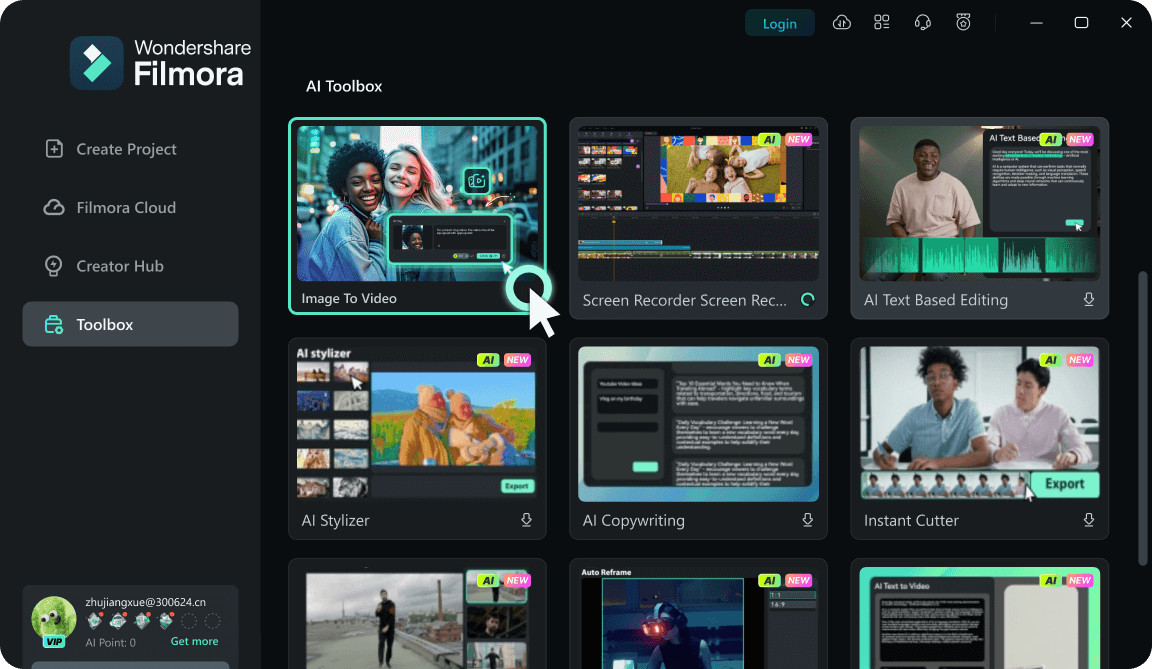
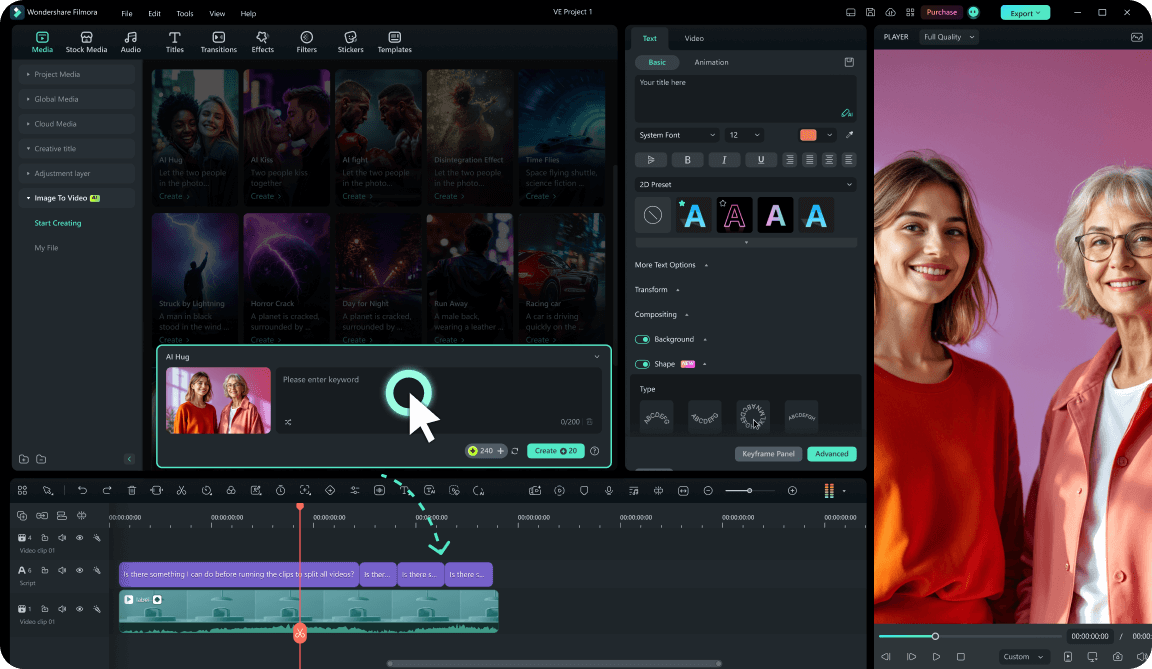
Step 2 Generate with Seedance 2.0 (Effects & Prompts)
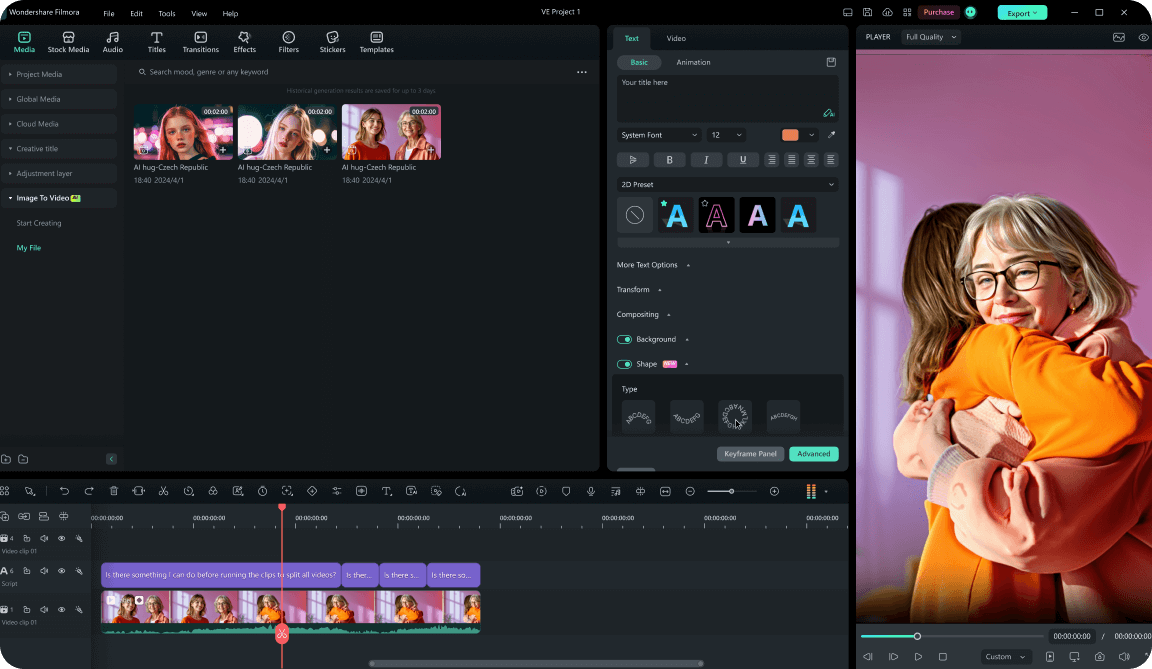
Step 3 Edit on the Timeline & Export
-
1:Upload Travel Photos (Image to Video)
Open Filmora and choose Image to Video. Add one hero shot or a set of trip photos—this is the input Seedance 2.0 uses to generate motion. -
2:Generate with Seedance 2.0 (Effects & Prompts)
Pick presets from the AI video library or write prompts for a specific mood. Seedance 2.0 renders the clip—preview until you like the take. -
3:Edit on the Timeline & Export
Drag the generated clip to the timeline: trim, grade, add AI-translated subtitles or map overlays, then export—up to 4K when your project allows.
Explore More Travel Video Templates
More templates and resources for vlogs, slideshows, and trip docs




