

Typography has shaped industries for a long time. Classroom posters, conference slides, custom gift prints, and social posts all use them, usually in a shape that matches the topic, like a heart for a love letter or a country outline for a travel list.
If you like turning plain text into something people actually want to look at, word art online tools can turn text into shaped word clouds, visual frequency maps, or decorative lettering in your browser. This guide compares the best online word art makers, explains what each one does best, and shows how to move from static word art to animated video text.
Part 1. What Can You Create With Word Art Online?
The term word art online covers several types of typography. Knowing the difference helps you choose the right tool before you start.
| Type | What It Creates | Best for |
| Word Cloud Art | Arranges words by frequency or assigned importance, with prominent words displayed larger. | Reports, survey results, lessons, presentations, and text analysis |
| Shaped Word Art | Places many words inside a heart, animal, letter, logo, or another silhouette. | Gifts, posters, classroom projects, invitations, and wall art |
| Decorative Text Art | Styles a word or short phrase with effects such as gradients, outlines, shadows, curves, 3D looks, or textures. | Logos, headings, thumbnails, banners, social graphics, and titles |
How We Test a Good Online Word Art Maker
The best online word art maker should make customization easy without forcing users into a complicated design workflow.
For this comparison, the tools were shortlisted around six practical points:
- Ease of use: Can a new user understand the workflow without a long learning curve?
- Input options: Can you paste text, upload a file, import a URL, or enter individual words?
- Visual control: Can you change fonts, colors, layouts, word angles, or word sizes?
- Shape support: Does the tool include built-in shapes or let you upload your own?
- Free access: Can you create a useful result without immediately paying?
- Export quality: Does it support practical formats such as PNG, SVG, or printable output?
These factors matter more than having the longest feature list. The right tool should match the final output you need.
Part 2. Best Websites to Create Word Art Online in 2026
1. WordArt.com - Best for Custom-Shaped Word Art
WordArt.com is an easy-to-use online word art maker for creating shaped word clouds with little design skill. You can either select one of their built-in shapes, or you can upload your own! You can also adjust your fonts, colors, word size, and orientation too!
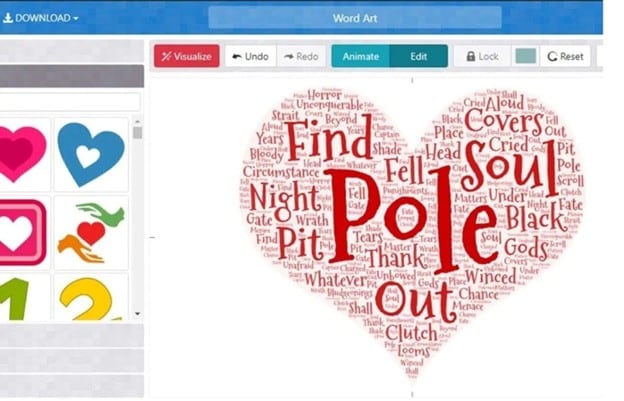
- Built-in and custom image shapes
- Manual, URL, and CSV word input
- Font, color, size, and layout controls
- Custom fonts, icons, and emojis
- PNG, JPEG, SVG, PDF, HTML, and CSV export
- Easy for beginners
- Strong custom-shape controls
- Produces polished word art online quickly
- High-quality downloads for print or merchandise require payment
- Free use is limited to personal, non-commercial projects
Gifts, posters, classrooms, custom word collages.
2. WordClouds.com - Best Free All-Round Word Cloud Maker
WordClouds.com is a versatile free online word art tool with strong input and design controls. It can build clouds from pasted text, URLs, PDFs, CSV files, and other text files. You can also shape the result with built-in forms, letters, or your own uploaded image.
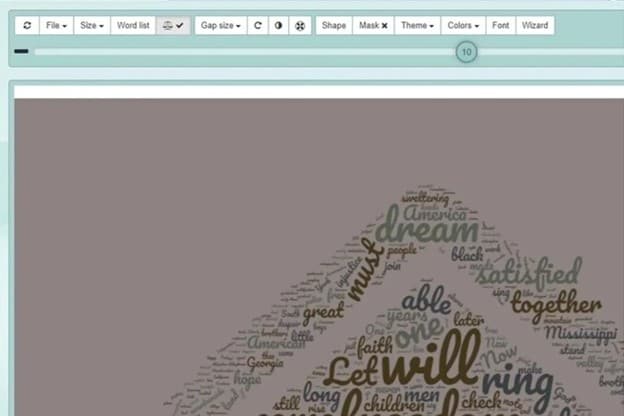
- Imports text from PDFs, CSV files, URLs, and pasted content
- Supports built-in shapes, letters, icons, and custom images
- Controls word size, spacing, direction, fonts, and colors
- Allows custom backgrounds and canvas sizes
- Exports in JPG, PNG, and PDF, including HD output
- Broad input support
- Strong customization for a free word art generator online
- Large choice of shapes and ready-made design ideas
- The workspace can feel less smooth when making many edits
- Not designed for live or interactive audience word clouds
Users who want to create word art online and immediately place it inside a poster, thumbnail, invitation, or social graphic.
3. Jason Davies' Word Cloud Generator - Best for Simple Browser-Based Control
Jason Davies' Word Cloud Generator is a lightweight word art generator online that focuses on how words are arranged. You paste in text and fine-tune the cloud through mathematical layout controls instead of decorative templates.
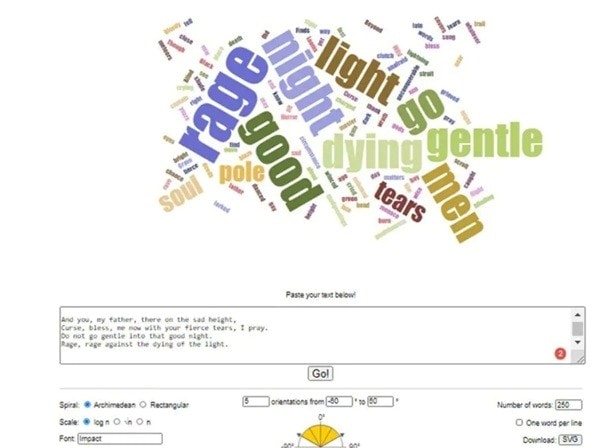
- Archimedean and rectangular spiral layouts
- Adjustable scale, rotation, font, and word count
- Frequency-based word sizing
- Basic stopword filtering and text processing
- Fast browser-based rendering
- Precise control over cloud structure
- Quick to load and easy to experiment with
- Useful for simple free online word art and data-focused visuals
- Very limited decorative styling
- Lacks file, PDF, and CSV import options
Free online word art and customizable word clouds.
4. ABCya Word Clouds - Best for Students and Classroom Use
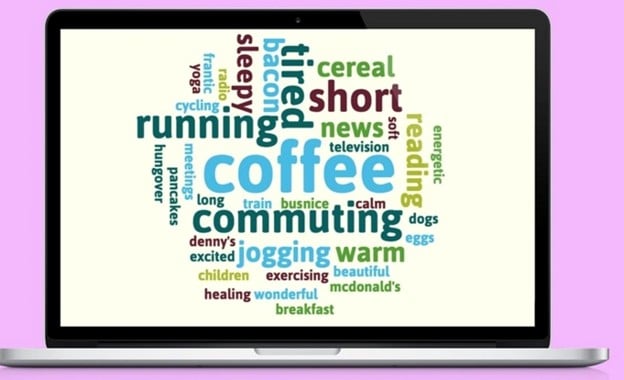
ABCya Word Clouds is a simple word art site made with younger users in mind. Students can paste text, create a cloud, and adjust the result through easy preset controls. The playful layout makes it suitable for classroom tasks and basic visual learning.
- Supports word limits from 10 to 1,000 words
- Includes preset fonts, colors, and layouts
- Randomize option quickly changes the cloud style
- Offers several ready-made shapes
- Saves designs as PNG or prints them as PDF
- Very easy for children and beginners to use
- Useful for school projects, vocabulary work, and brainstorming
- Fast way to create word art online with minimal setup
- Fewer font choices than more advanced tools
- Shape and design controls are fairly basic
Essays, speeches, survey text, SEO analysis, and classroom work.
5. TagCrowd - Best for word-frequency analysis
TagCrowd is a simple word art website built more for analysis than decoration. It turns pasted text, web pages, or uploaded text files into frequency-based word clouds, which is useful for seeing which words appear most often.
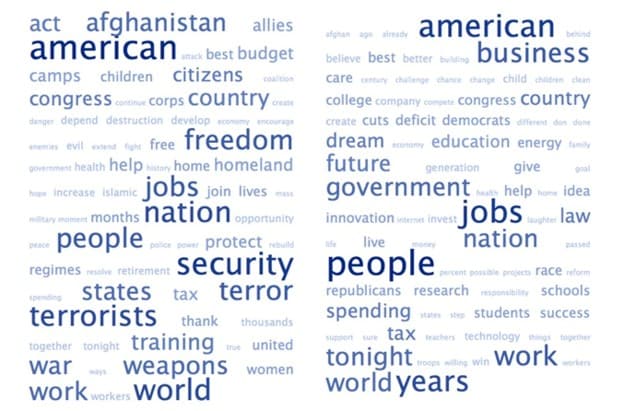
- Accepts pasted text, URLs, and text-file uploads
- Shows optional frequency counts beside words
- Lets you set the maximum number of words and minimum frequency
- Groups similar English words
- Supports word exclusions and multiple languages
- Useful for academic, business, and text-analysis tasks
- Makes repeated words easy to identify
- Simple and quick to use
- Very limited fonts, shapes, colors, and layout controls
- Less suitable for decorative word art online
Logos, headings, banners, social graphics, and decorative typography.
Part 3. Quick Comparison: Which Word Art Website Fits You?
| Custom Shapes | Free Use | Main Strengths | Limitations | |
| WordArt.com | Yes | Yes, basic use | Custom-shaped word art | HQ downloads may cost extra |
| WordClouds.com | Yes | Yes | Broad inputs and strong customization | Many controls can feel busy |
| Jason Davies | No | Yes | Precise layout and SVG/4K export | Few decorative options |
| ABCya | No custom uploads | Limited free access | Simple, classroom-friendly design | Basic styling and shapes |
| TagCrowd | No | Yes | Word-frequency analysis | Very limited visual styling |
|
Show More
Show Less
|
||||
For static designs, these online tools cover most needs. If the word art needs to move inside a video, a video editor becomes more useful.

Part 4. Want Your Word Art to Move? Create Animated Text with Filmora
A browser-based word art generator online is ideal for static designs. Video titles, lyric clips, intros, and social posts need another layer: motion. Wondershare Filmora provides dedicated text tools for styling and animating typography directly inside a video project.
Filmora combines WordArt presets with text styling, curved text, and animation tools inside the video timeline. Its current Title Editing tools also include WordArt, 3D Titles, VFX Text, and other title categories.
 Secure Download
1. Customize the Words
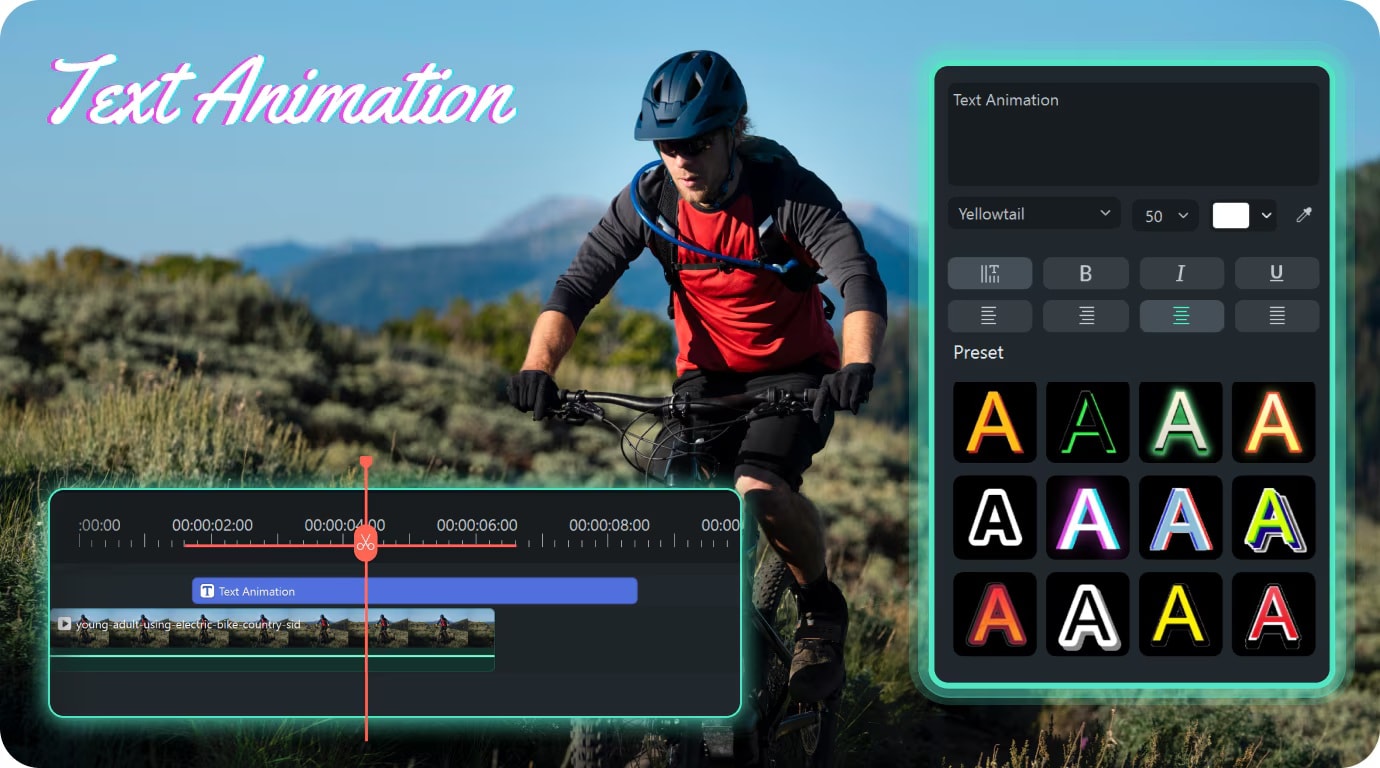
Filmora gives you detailed control over how text looks. You can change the font, size, color, alignment, spacing, and position. More advanced styling includes color, gradient, and image fills, along with outlines, borders, shadows, and opacity controls.
2. Shape It with Curved Text
Filmora's Curved Text tool bends straight text into arched or circular designs. You can adjust the curve, direction, spacing, and strength to fit the composition. Filmora's current Title Editing page also supports curvature adjustments from 0 to 360 degrees. It works well for badge-style titles, circular lettering, logo-inspired graphics, and words arranged around objects.
3. Add Depth with with Perspective Text
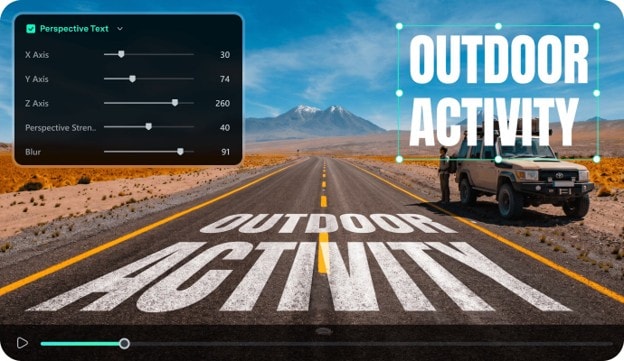
Filmora also features a Perspective Text tool that tilts and angles titles so they look placed in a 3D space instead of flat on the screen. You can adjust the X, Y, and Z axes, the perspective intensity, and the blur to control the angle and depth of the text. There's a built-in perspective text animation presets that save you from keyframing the effect by hand.
4. Animate Your Word Art
Filmora lets you add motion through built-in Text Animation presets, including entrance, exit, and looping effects. You can preview these animations while editing and control how long the text stays on screen.
For more control, the Bezier Path tool can move text along straight, curved, or custom motion paths. Filmora also offers Audio-Driven Text, which reacts to an audio track and lets you adjust the animation's sensitivity and strength. Together, these tools are better suited to animated titles, lyric clips, quote videos, intros, and social content than a static word art website.
Secure DownloadPart 5. Word Art Online vs. Filmora: Which Should You Use?
The right tool depends on the final format. Word art online tools are better for static clouds, print designs, and frequency-based visuals. Filmora is the stronger choice when the text needs animation or has to appear inside a video.
| Need | Better Option |
| Shaped word cloud | WordArt.com / WordClouds.com |
| Analyze repeated words | TagCrowd |
| Decorative static text | WordArt.com |
| Printable static artwork | WordArt.com |
| Animated titles and quotes | Filmora |
| Word art inside a video | Filmora |
|
Show More
Show Less
|
|
FAQs
-
What is the best free online word art maker?
WordClouds.com is one of the strongest free choices for most users. It is free without registration and supports custom shapes, fonts, themes, word rotation, warping, HD images, and SVG export. -
Can I create word art online without signing up?
Yes. WordClouds.com clearly states that no account or registration is required. You can create, customize, and save your word cloud directly in the browser. -
Can I make word art using my own shape?
Yes. You can upload your own image at WordArt.com and use it as a custom shape. Similarly, you can upload shapes at WordClouds.com too.
If you want your regular text to move inside a video, Filmora is capable of taking the concept a little further with curved text, text animation presets, and custom motion paths.
