

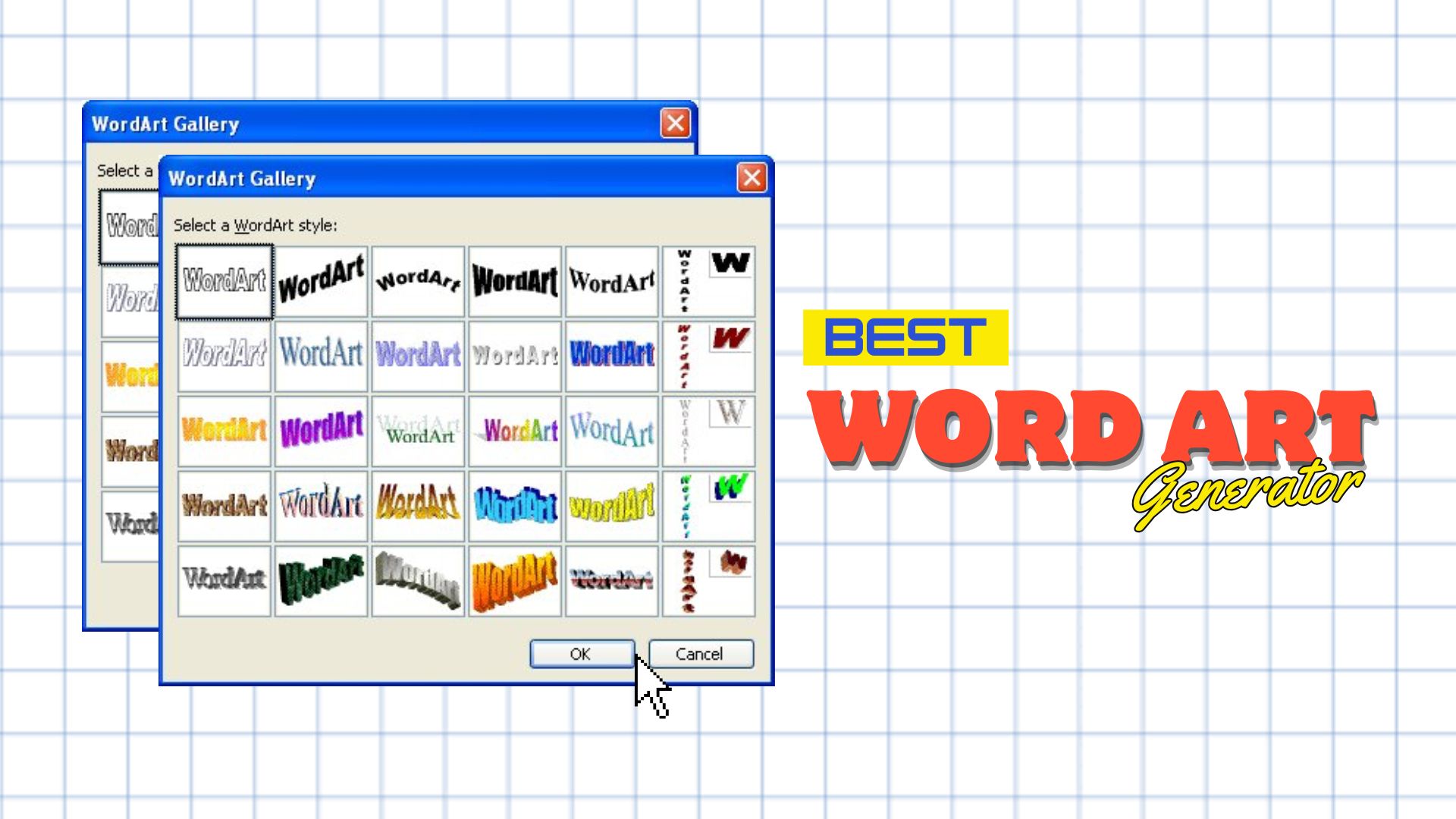
WordArt used to be the cool thing everyone played with on Windows 95 and in the early 2000s to make our documents, school projects, and presentations more colorful and eye-catching. But even today, you can still make WordArt and use its bold text effects to add more personality to your designs.
You don't need an old copy of Microsoft Word to recreate it, though. Free word art generators make it easy to create classic, modern, or AI-generated word art. We tested seven options to help you find the right one. Some are better for classic WordArt, while others work better for videos, social media graphics, or creative AI-generated designs.
How We Test It
Before we get into the best free word art generators, let's get one thing out of the way: free rarely means completely free. There's often a catch hiding somewhere, be it watermarks, ads, limited features, or lower-quality downloads.
- Ease of use: How quickly you can create WordArt without a learning curve.
- Features: The text styles, effects, templates, and other tools available.
- Customization: How much control you have over fonts, colors, shapes, and effects.
- Free access: What you can create and download without paying.
- Limitations: Watermarks, credits, attribution, download limits, or commercial-use restrictions.
Our Top 3 Picks

Part 1. Best Free Word Art Generators Compared
The comparison table below gives you a quick look at what each free word art maker offers before we get into the details of each tool.
| Tool | Features | Customization | Limitations | Best for |
| Filmora | WordArt, 3D titles, animated text, keyframes, text effects | Fonts, colors, position, animation, effects | Watermark on final output; some AI and premium assets require payment | WordArt for videos, animation, or GIFs |
| WordArt.com | Word clouds, custom shapes, fonts, colors, layouts | High control over words, shapes, colors, and layouts | Free downloads are standard quality and for non-commercial use | Word clouds and text-based graphics |
| Canva | Text effects, 3D text, templates, graphics, design tools | Fonts, colors, spacing, effects, layouts | Some templates, assets, and features require Pro | Social media and graphic designs |
| MakeWordArt | Classic WordArt styles, retro effects, text customization | Text, colors, positioning, and effects | Personal use only, ads, and limited controls | Recreate the classic 90s and early-2000s WordArt |
| TextStudio | 3D text, gradients, bevels, shadows, glows, animation | Detailed control over text effects and layers | Free downloads have quality and attribution limits | Detailed 3D and decorative text |
| OpenArt | AI word art, image generation | Prompt-based, AI models | Credits are limited on the free plan; AI may distort lettering | Artistic and creative word art |
| Genspark | AI word art, layered editing, curved and 3D text | Prompt-based, layers, colors, layouts, elements | Daily credits and lifetime free-credit limits | Custom AI-generated word art |
|
Show More
Show Less
|
||||
Part 2. Free Word Art Makers Online and Desktop
Have any favorites in mind yet? For a closer look, let's break down what each free word art maker offers, including the platform, key features, pros, cons, and pricing.
1. Wondershare Filmora – Best Word Art Generator for Videos / GIFs
Wondershare Filmora is primarily a video editor, but its text effects library includes many WordArt-style options for titles, intros, and outros that you can add directly to your video project. Because it's built on a video timeline rather than a static canvas, you can create free word art, animate it with keyframes or presets, and export it as a video clip or GIF rather than a flat image.
 Secure Download
- Perspective Text: Adjust the text perspective to create a more dynamic, 3D-style look.
- Bezier Path: Place and animate text along a custom path for more creative layouts.
- Outline, Shadow, Shape, and Glow: Add different visual effects to make your WordArt stand out.
- Text Bubbles: Put your text inside speech bubbles and other decorative shapes.
- Keyframe Animation: Control how the text moves, scales, rotates, or changes over time.
- Custom Fonts and Colors: Choose your preferred font, color, size, and position to match your design.
- Animated Text Presets: Apply ready-made text animations without creating them from scratch.
Windows, macOS, iOS, Android
- Good selection of WordArt and other title styles and effects
- Supports animated WordArt
- More editing control than a simple online generator
- Works well for social media videos
- Free exports include a watermark
- Some premium designs sit behind a paid plan
Free version available. Paid plans add watermark-free exports, premium assets, AI credits, and other features. Check Filmora's pricing page for more details.
2. WordArt.com – Word Art and Word Clouds Generator
WordArt.com (formerly Tagul) leans more toward word cloud-style art. Rather than focusing on a single stylized word, it turns multiple related words into one cohesive graphic, although you can use a single word too by repeating it. You can start with AI or manually enter your words and customize their shapes, fonts, colors, and layouts to create a design that fits your theme.
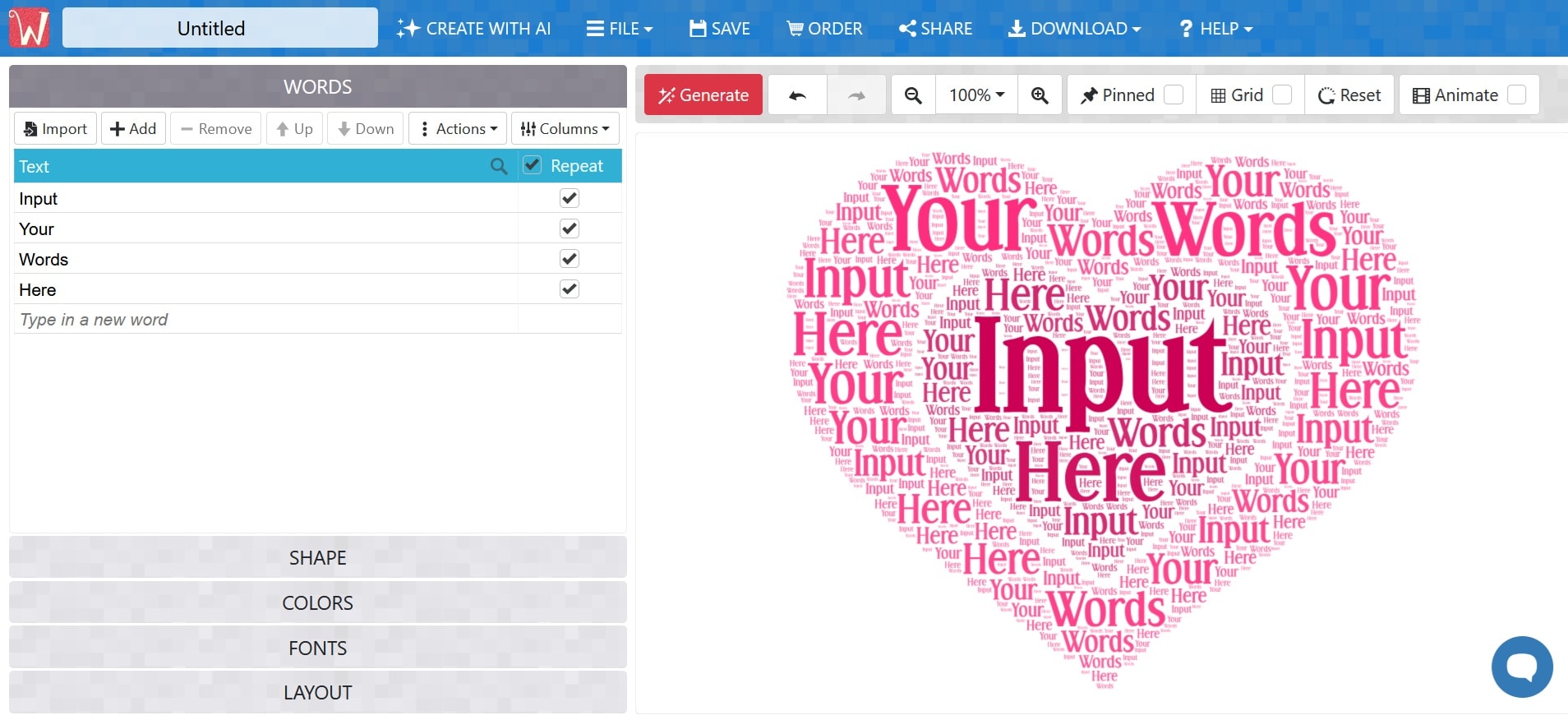
- Word Clouds: Turn a collection of words into a visual word cloud.
- Custom Shapes: Arrange words inside different shapes and silhouettes.
- Font Selection: Choose from different fonts to change the look of your word art.
- Color Customization: Apply different colors to individual words or the entire design.
- Word Size: Adjust word sizes based on importance or frequency.
- Layout Options: Change the positioning and arrangement of words within the design.
- Image Import: Use an uploaded image as a shape for your word cloud.
Web browser
- Huge shape library for a browser tool
- Easy to use
- No design software required
- Lots of word cloud customization
- Supports animated word clouds
- Free downloads are Standard Quality
- Free images are for non-commercial use
- HQ JPG, PNG, PDF, SVG, HTML downloads require payment
Free with limitations. Paid options start at $2.77 for a single high-quality image download, while subscriptions start at $16.65/month.
3. Canva – A Design Platform With Word Art Built In
Canva doesn't market itself as a free word art generator specifically, but it doesn't need a dedicated tool since text effects and word art apps live right inside the editor. On top of that, the Canva Apps Marketplace has purpose-built apps like Word Art Generator and TextArt that use AI to turn a typed word into stylized artwork.
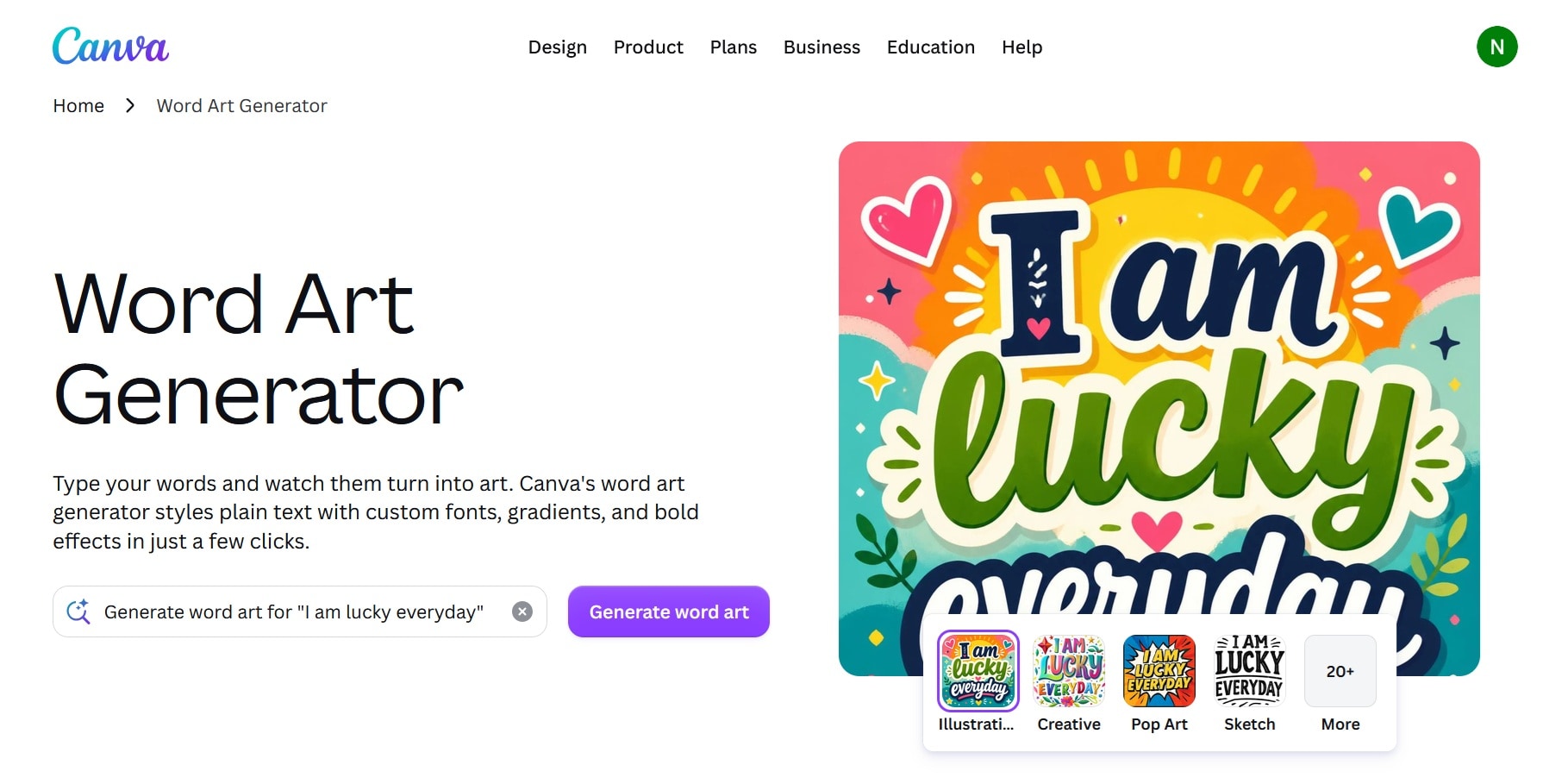
- Text Effects: Add effects such as outline, shadow, curve, lift, splice, and more.
- 3D Text: Give text a dimensional look with 3D extrusion effects.
- Font Selection: Choose from Canva's large collection of fonts.
- Text Customization: Adjust colors, sizes, spacing, alignment, and other text settings.
- Templates: Start with ready-made designs for social media posts, presentations, posters, and more.
- Graphic Elements: Combine WordArt with images, illustrations, shapes, and other design elements.
- Backgrounds: Add colors, images, or graphics behind your WordArt.
Web browser, Windows, macOS, iOS, Android
- WordArt can be part of a complete design
- Large template and asset library
- Some elements require Canva Pro
- More like a general-purpose tool than a dedicated WordArt generator
Free plan available, with limited access to premium templates, assets, and features. Paid plans start at $18/month or $144/year for Canva Pro.
4. MakeWordArt – The Closest Thing to MS Office WordArt
MakeWordArt is probably the closest free word art generator that matches the classic Microsoft WordArt look. The site focuses specifically on nostalgic 90s-style text effects. You can choose a style, edit the text, adjust colors and positioning, then download or copy the result.
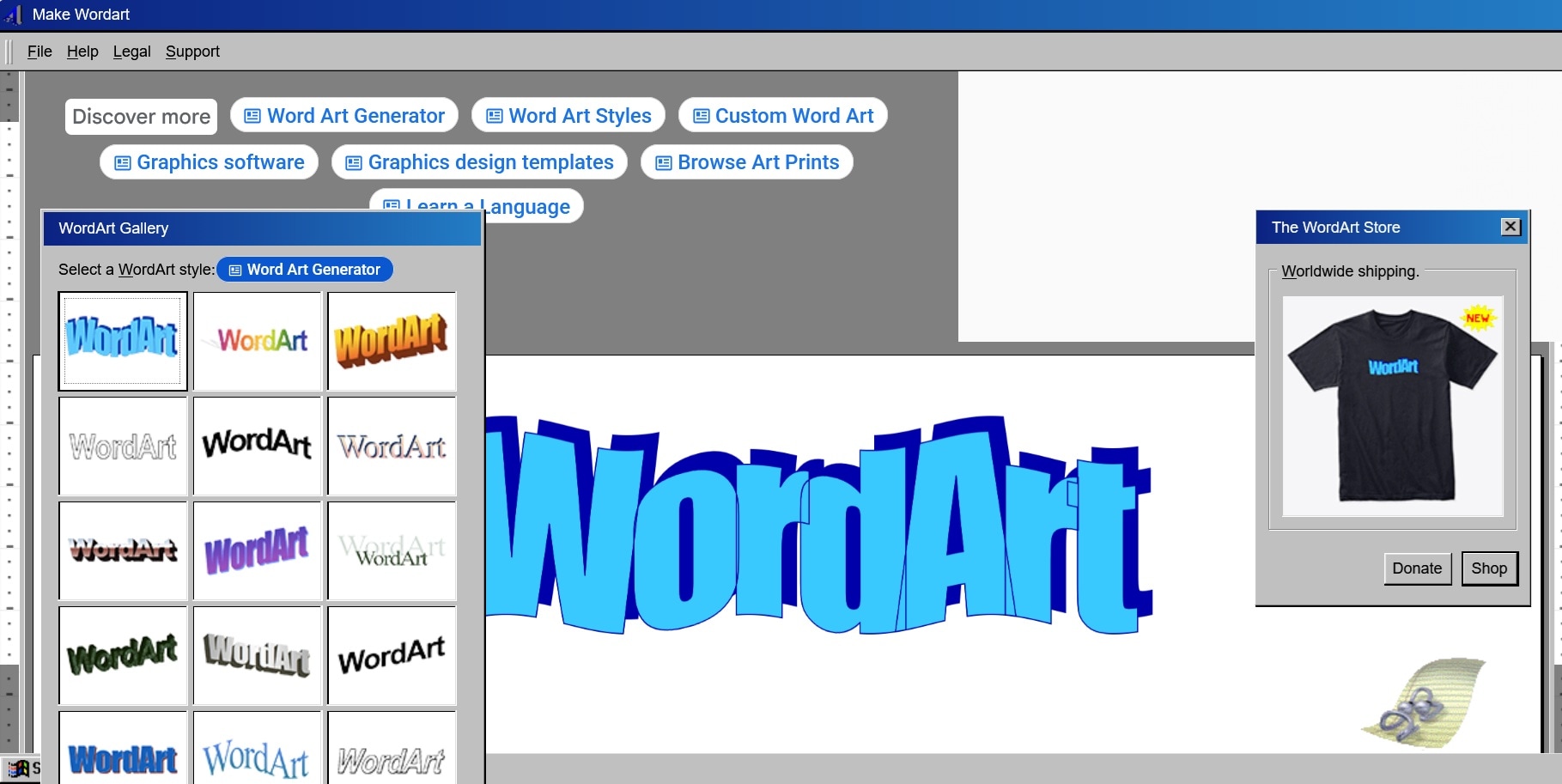
- Classic WordArt Styles: Choose from text styles inspired by the WordArt look of the 1990s and early 2000s.
- Text Customization: Change the wording, colors, and other available text settings.
- Text Effects: Apply bold outlines, gradients, shadows, and other retro-style effects.
- Text Positioning: Move and arrange your WordArt within the design.
Web browser
- Fastest way to get the old WordArt look
- Completely free, no watermark, no login
- Simple enough for anyone to use in under a minute
- Limited to non-commercial use
- Less suitable for modern professional typography
- Fewer advanced editing tools than a full design platform
- Displays ads
Free for personal use only.
5. TextStudio – Best for Detailed Text Effects
TextStudio Word Art Generator offers much more control than a basic free word art generator. It's built for people who want to control every layer of a 3D text effect, such as bevels, lighting, projected shadows, gradient fills, outlines, and pattern fills. Its Word Art template leans into 80s/90s retro synthwave styling, but the underlying editor can produce more than that one look.
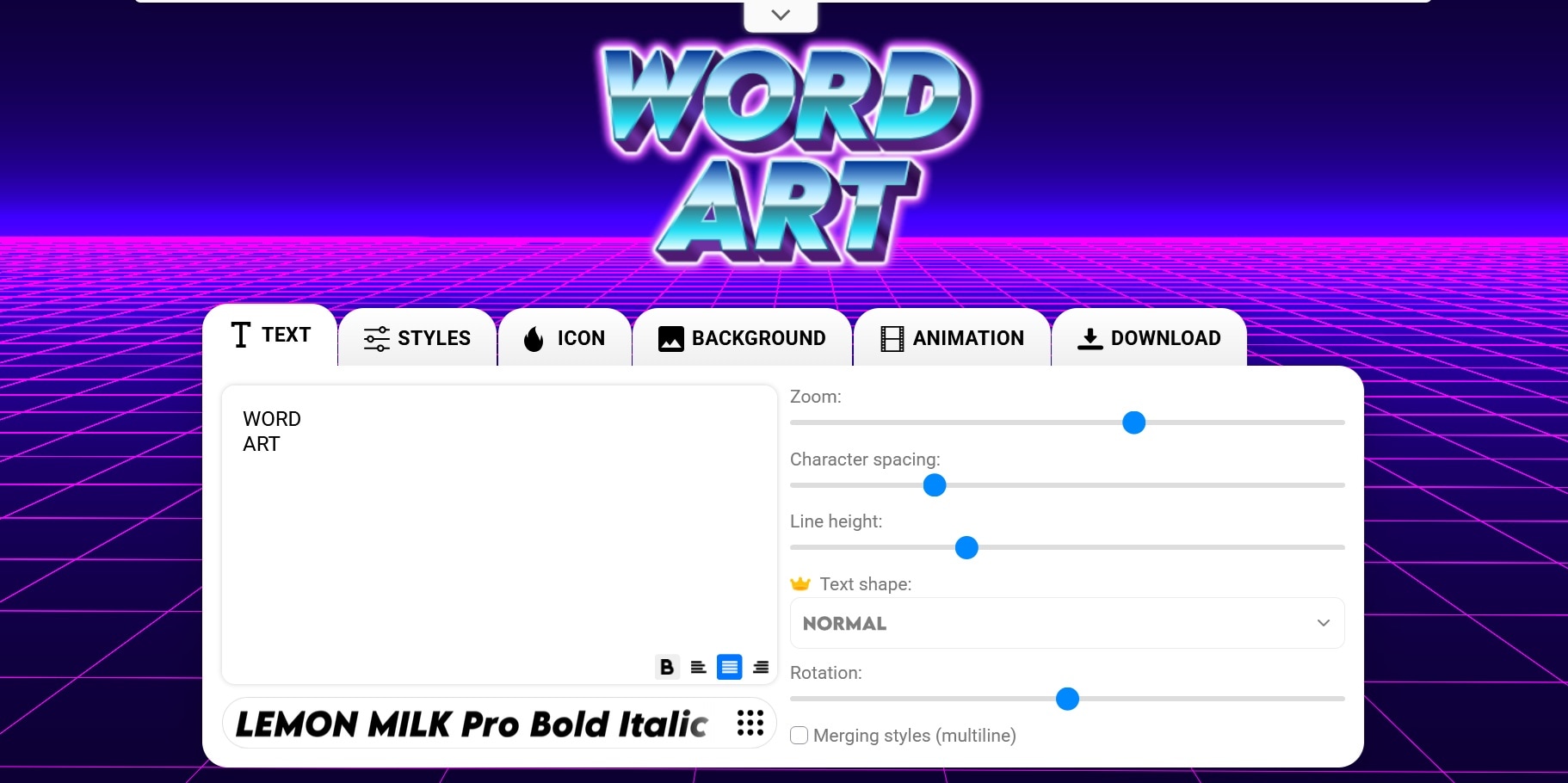
- 3D Text: Create dimensional text with depth and perspective effects.
- Text Effects: Add gradients, outlines, shadows, glows, and other visual effects.
- Font Selection: Choose from a range of fonts and text styles.
- Text Customization: Adjust colors, spacing, alignment, size, and other properties.
- Curved Text: Bend or arrange text along a curve.
- Backgrounds and Icons: Add backgrounds, icons, and decorative elements to your design.
- Text Animation: Animate your text for moving graphics and titles.
Web browser
- Hundreds of text styles to start from
- No sign-up needed to begin
- Layer-level control over 3D effects, lighting, and shadows
- Can animate text, not just export stills
- Daily download limit on the free tier (standard quality)
- Free downloads require an attribution link back to TextStudio
- Limited font selections for free users
- Ads on the free plan
Free with ads and standard-quality downloads. Paid plans start at $9.99/month or $49.99/year. You can also make a one-time purchase for $129.99.
6. OpenArt – AI-powered Word Art Generator
OpenArt Word Art Generator uses AI rather than traditional text-effect controls to make free word art. You describe the look you want, and the generator creates an image based on your prompt. It leans toward decorative and illustrative results, graffiti lettering, calligraphy, and name art, so it suits requests that don't fit neatly into a preset gallery.
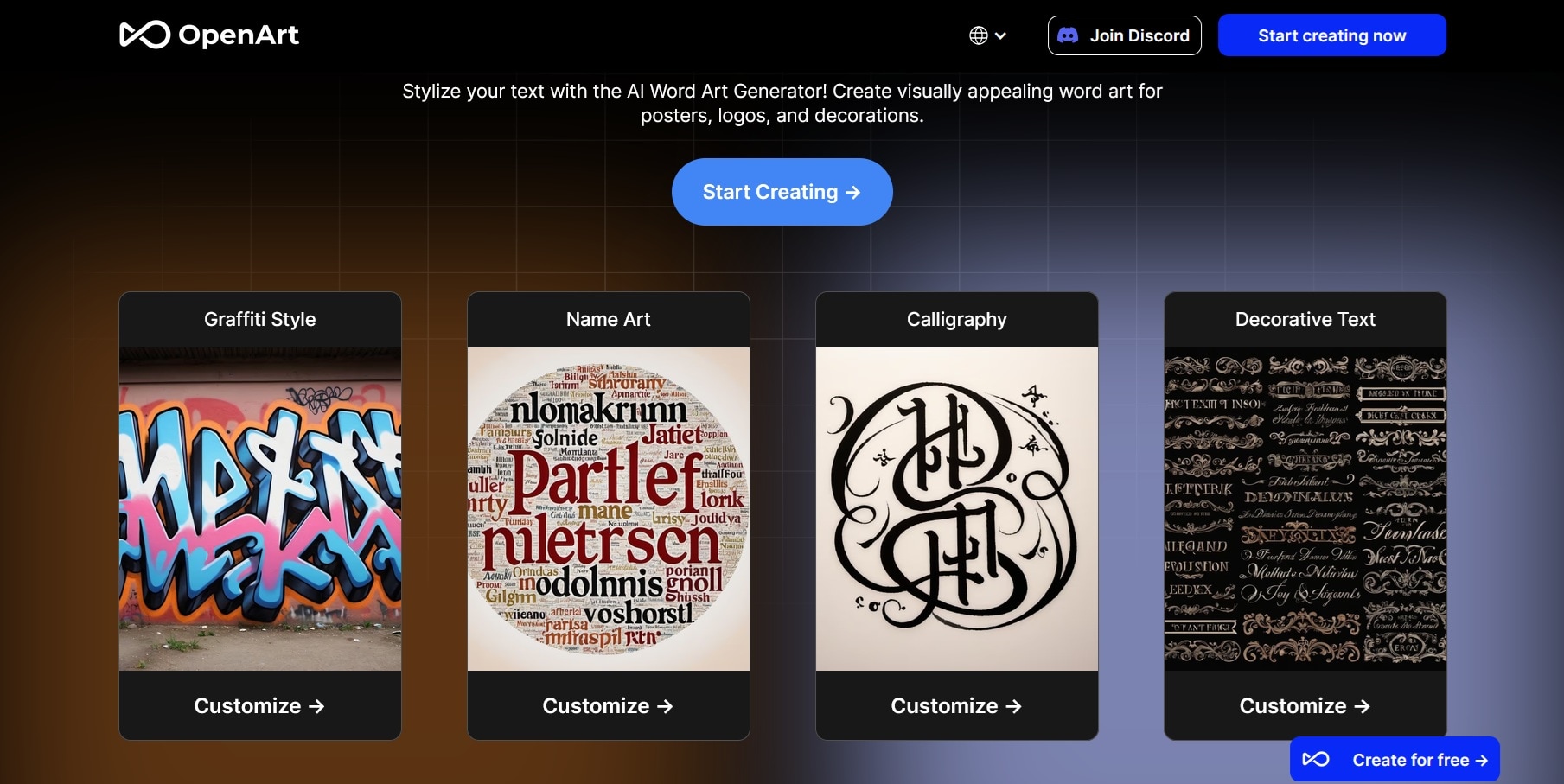
- AI Word Art Generation: Create word art from a text prompt instead of starting with a preset.
- Prompt Customization: Describe the style, colors, composition, and other details you want.
- AI Models: Choose from available AI models for different visual styles and results.
- Style Options: Create designs ranging from realistic and 3D looks to illustrated and artistic styles.
- Variation Generation: Generate multiple versions of a design to explore different results.
Web browser
- Handles styles that presets can't, like graffiti, calligraphy, and name art
- Free plan with trial credits for premium models
- Same account also covers AI images and video
- Some AI image models can misspell or distort your wordart letters
- Credit-based, so heavy use needs a paid plan
- OpenArt's word art page asks for attribution and a backlink when you use free creations commercially
Free plan includes 50 free trial credits (one-time). Paid plans range from $14/month (Starter) to $240/month (Wonder). Annual billing lowers the price by up to 27%. Commercial use rights are only listed from the Plus plan up.
7. Genspark – AI Word Art Generator for Custom Designs
Similar to OpenArt, Genspark free AI word art maker creates word art from a plain-language description of the word, style, colors, and layout. The difference is that it builds each design as separate layers, so you can fix a typo, swap in a new word, or change one part and keep the rest. The platform will guide you in shaping the overall design before you make any final adjustments.
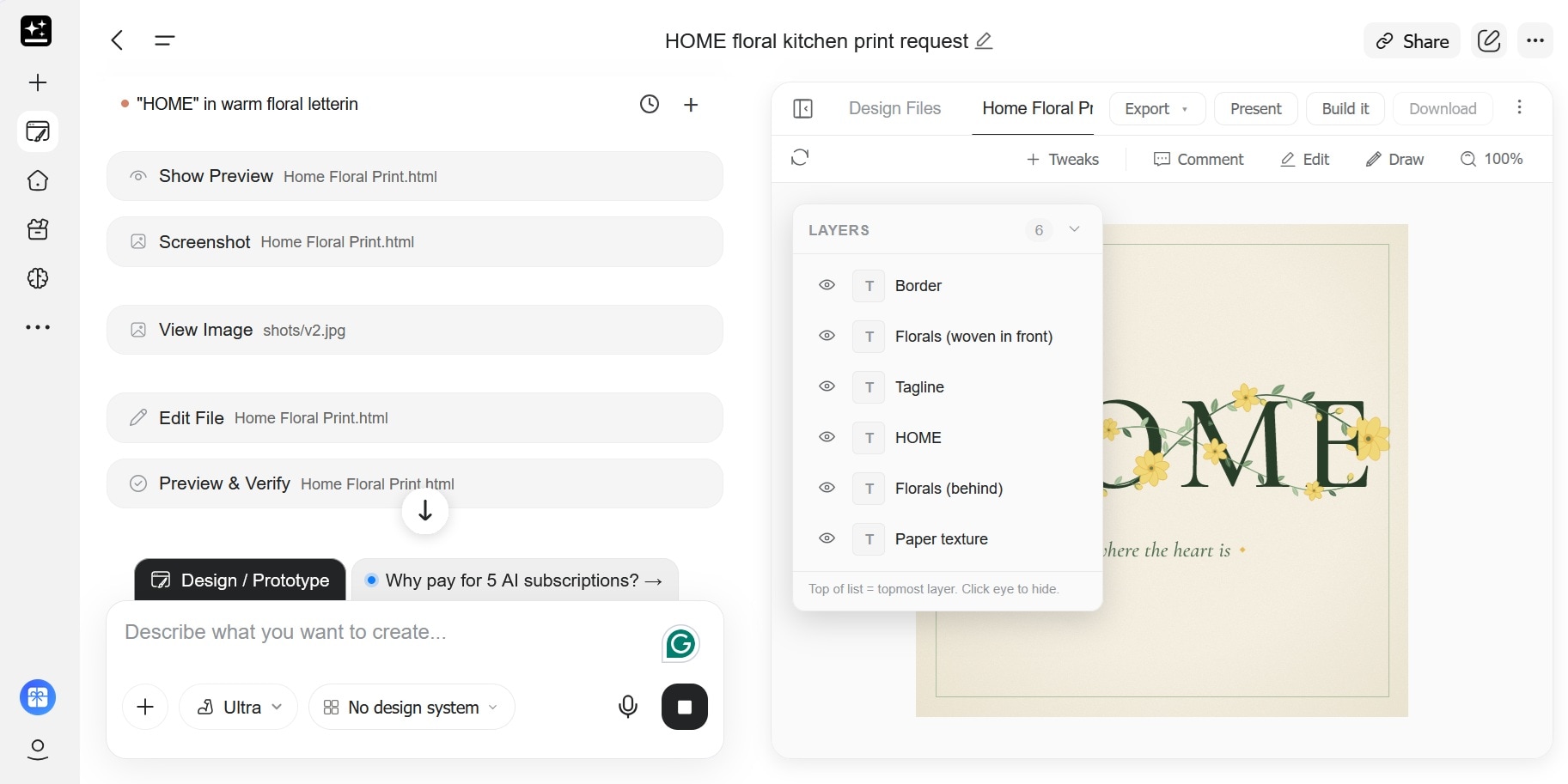
- AI Word Art Generation: Describe the word art you want instead of selecting a fixed template.
- Curved Text: Create arched, circular, or wavy lettering through a text prompt.
- 3D Text: Generate dimensional styles such as chrome, inflated, or extruded lettering.
- Layered Editing: Adjust elements such as lettering, colors, and backgrounds after generation.
- Multiple Export Formats: Download PNG, layered PSD, or print-ready PDF files.
Web browser
- Good for custom AI-generated designs
- Can create curved and 3D lettering
- Supports layered editing
- Useful for prints, signs, and merchandise drafts
- Free access is limited to a daily credit allowance
- Less suitable if you want precise traditional font controls
- 3D styles are flat images, not 3D models you can rotate
Genspark Free plan includes 100 daily credits, subject to a lifetime free-credit limit. Paid plans provide larger credit allocations and additional features, with prices ranging from $24.99/month (or $239.99/year) to $249.99/month (or $2,399.99/year).

Part 3. Which Free Word Art Generator Should You Choose?
Opening paragraph. Help users decide which free word art generators they should choose, starting with these questions. Present in a readable format.
1. What's Your Main Use Case?
The best free word art generators we recommended have different strengths. Even if a tool has plenty of features, it doesn't help much if it can't create the type of WordArt you are looking for. Start by thinking about how you plan to use the design, then choose a tool that matches that purpose.
- Animated word art for videos or GIFs: Filmora
- Classic Microsoft WordArt look: MakeWordArt
- Word cloud from a list of words: WordArt.com
- Detailed 3D text effects: TextStudio
- Artistic lettering from a prompt: OpenArt, Genspark
2. Do You Just Need a Word Art Tool or a Full Design Platform?
A dedicated free word art generator is usually enough when you only need the lettering. It's also faster, since you just need to choose a style, enter your text, customize it, and export the result. A broader design platform takes more time to navigate, but it gives you more options for combining WordArt with photos, illustrations, shapes, backgrounds, and other content.
- Dedicated word art generator: MakeWordArt, TextStudio, WordArt.com
- Full design platform: Filmora, Canva, OpenArt, Genspark
3. Are You Okay With Free-Plan Limitations?
Not every free word art generator gives you the same level of access. Some let you create and download WordArt for free, while others limit the download quality, add attribution, use credits, or place a watermark on the result. Check these restrictions before choosing a tool, especially if you need a free word art download for a project.
Conclusion
WordArt has changed quite a bit since the days of Microsoft Word, but you can still use it today using the best free word art generators in this list. Some tools focus on recreating the classic WordArt look, while others let you create word clouds, detailed 3D text, or AI-generated designs.
The right choice depends on what you need. If your WordArt needs to move, appear in a GIF, or become part of a complete video, Filmora gives you more control over animation and editing.
Secure DownloadFAQs
-
Can I create word art from a long list of words?
Yes. There are usually few to no restrictions on how many words you can add, although the exact limit depends on the tool. -
Can I create word art from an image or logo?
Yes. Some tools support image-based shapes or references. WordArt.com, for example, lets you import an image and use its shape as the basis for a word cloud. -
Can I create word art on my phone?
Yes. Browser-based tools such as WordArt.com, MakeWordArt, TextStudio, OpenArt, and Genspark can be accessed from a mobile browser. Canva and Filmora also have mobile apps. -
Is there a free word art generator with no watermark?
Yes, but the conditions vary. MakeWordArt lets you create WordArt without a watermark, while other tools may apply restrictions based on the type of download or the plan you use.
