


The shot you capture with a DJI camera is only the beginning. Once you’re back at your computer, you may need to trim clips, stabilize footage, adjust colors, add effects, or reframe 360° video before it’s ready to share.
While DJI offers its own editing tools, there are also third-party DJI editors that give you more features and flexibility for different types of projects. Here are seven DJI video editors to consider this year, covering everything from quick edits to advanced desktop and 360° editing.
Part 1. Does DJI Have Its Own Video Editor?
Looking for a DJI video editor doesn’t lead to one single app. DJI alone offers several DJI video editing apps, and the right one depends on what you’re shooting and where you want to edit. Its main editing tools include:
- DJI LightCut is DJI’s recommended DJI editing app for mobile, with AI One-Tap Editing, templates, music, and quick editing tools for compatible footage.
- DJI Mimo is designed for supported DJI handheld products, combining camera control with editing and sharing features.
- DJI Studio is a DJI desktop editor for Windows and Mac, focused on panoramic footage such as Osmo 360. DJI also offers Reframe plugins for Premiere Pro and DaVinci Resolve.
Third-Party DJI Video Editors
You’re not limited to DJI’s own video editing software for DJI footage. Wondershare Filmora, DaVinci Resolve, Adobe Premiere Pro, Final Cut Pro, and CyberLink PowerDirector can also edit DJI videos. They offer more control for detailed editing, color grading, audio, effects, stabilization, and 360° reframing.
Part 2. Best DJI Video Editors at a Glance
Before we get into details, here’s a quick look at seven of the best DJI video editors worth considering.
| Tool | Best for | Platform | Key Strength |
| Filmora | Easy desktop and 360° editing | Windows, Mac | Native 360° reframing with a full editing workflow |
| DaVinci Resolve | Color grading DJI footage | Windows, Mac, Linux | Advanced color and post-production |
| Adobe Premiere Pro | Professional DJI editing | Windows, Mac | Professional editing workflow |
| Final Cut Pro | DJI editing on Apple devices | Mac, iPad | Fast editing optimized for Apple |
| CyberLink PowerDirector | Editing with a variety of features | Windows, Mac | Broad editing and AI tools |
| DJI LightCut | Quick mobile DJI edits | iOS, Android | AI One-Tap Editing |
| DJI Studio | DJI 360° and panoramic footage | Windows, Mac | Dedicated DJI panoramic workflow |
|
Show More
Show Less
|
|||
 Secure Download
Part 3. Best 7 Video Editors for DJI Footage
From quick mobile edits to detailed desktop projects, these DJI video editing software options cover different editing needs. The list includes DJI’s own tools and third-party editors for more advanced control over color, audio, effects, and 360° footage.
1. Wondershare Filmora — Best DJI Video Editor for Easy Desktop and 360° Editing
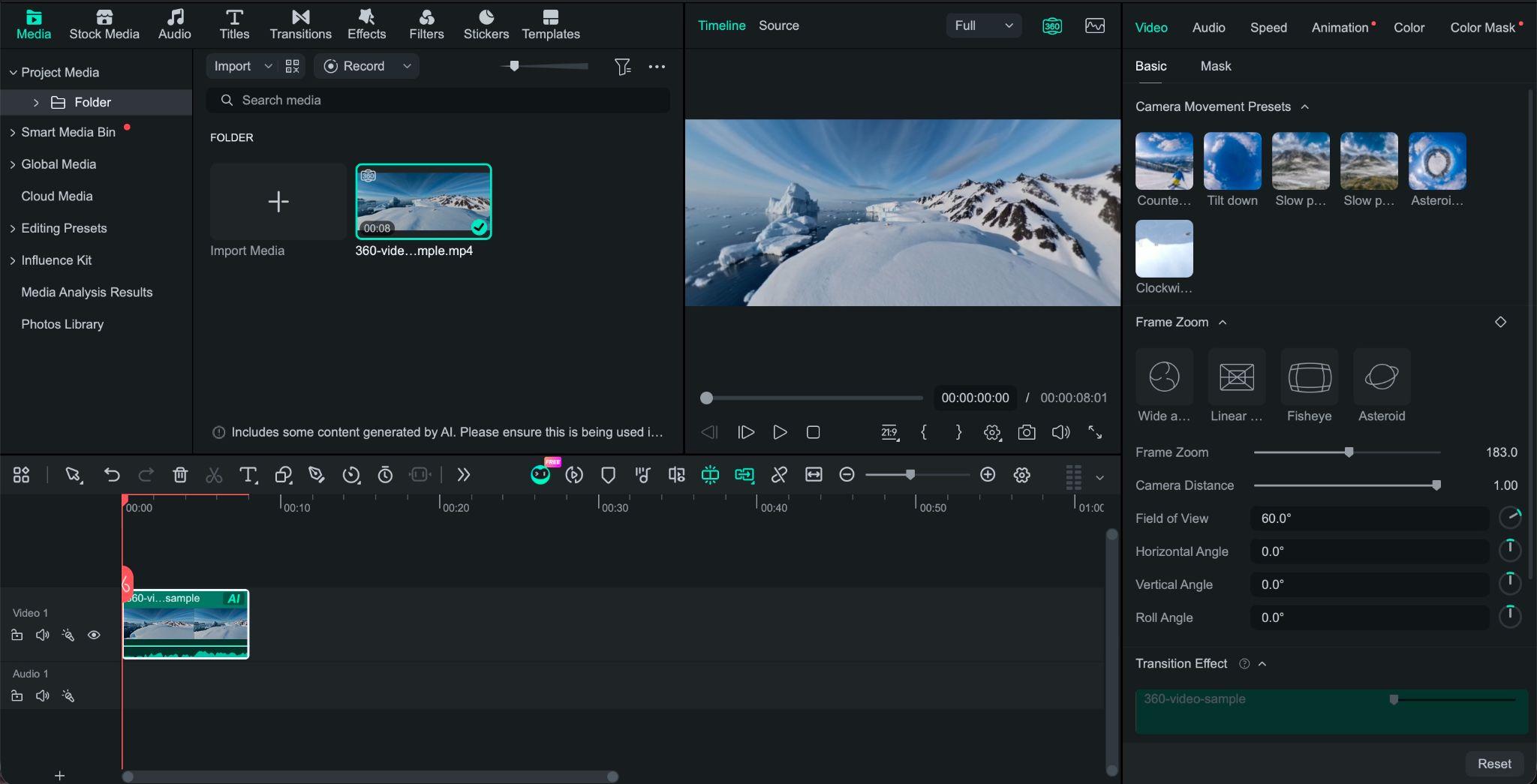
Filmora is a video editor known for its beginner-friendly interface and wide range of built-in editing tools. As a DJI video editor, it now supports 360° video editing, letting you import compatible 360° footage, adjust the viewing angle, and reframe it into standard formats such as 16:9 or 9:16.
You can then continue editing the reframed video without switching between DJI’s software and another editor. Add transitions, VFX, speed ramps, text, audio, and color adjustments, or use keyframes and preset camera movements for effects such as Tiny Planet and Orbit/Pan.
- Native 360° video editing and reframing
- Interactive player for adjusting the viewing angle
- FOV, Pitch, Yaw, Roll, and Camera Distance controls
- One-click perspective and camera movement presets
- Keyframes for controlling camera movement
- Multi-track timeline editing for trimming, speed ramps, VFX, transitions, audio, and more
- Export to standard 2D formats such as 16:9 and 9:16
Windows, macOS
Filmora is free to download, with flexible pricing plans that cater to different budgets and editing needs. Check the latest plans and pricing details on the Filmora website.
- Reframe 360° footage and finish the edit on the same timeline
- Movement presets make 360° camera moves easier to create
- Regular DJI footage can be edited alongside 360° clips
- Includes editing, effects, audio, and AI tools
- Interactive viewing-angle controls
- .OSV (DJI) files need to be converted to MP4 first
- 360° projects currently export as flat 2D videos
Filmora is a good fit if you want to reframe DJI 360° footage and finish the project in the same editor. The presets also make camera movements easier to create without manually setting every keyframe.
2. DaVinci Resolve — Best for Color Grading DJI Footage
DaVinci Resolve is video editing software for DJI footage when color grading is a priority. It’s known for its advanced color correction tools and node-based color grading, which gives you precise control over how different adjustments are applied. DaVinci Resolve also includes editing, visual effects, and audio tools, while DJI's Reframe plugin supports compatible panoramic footage.
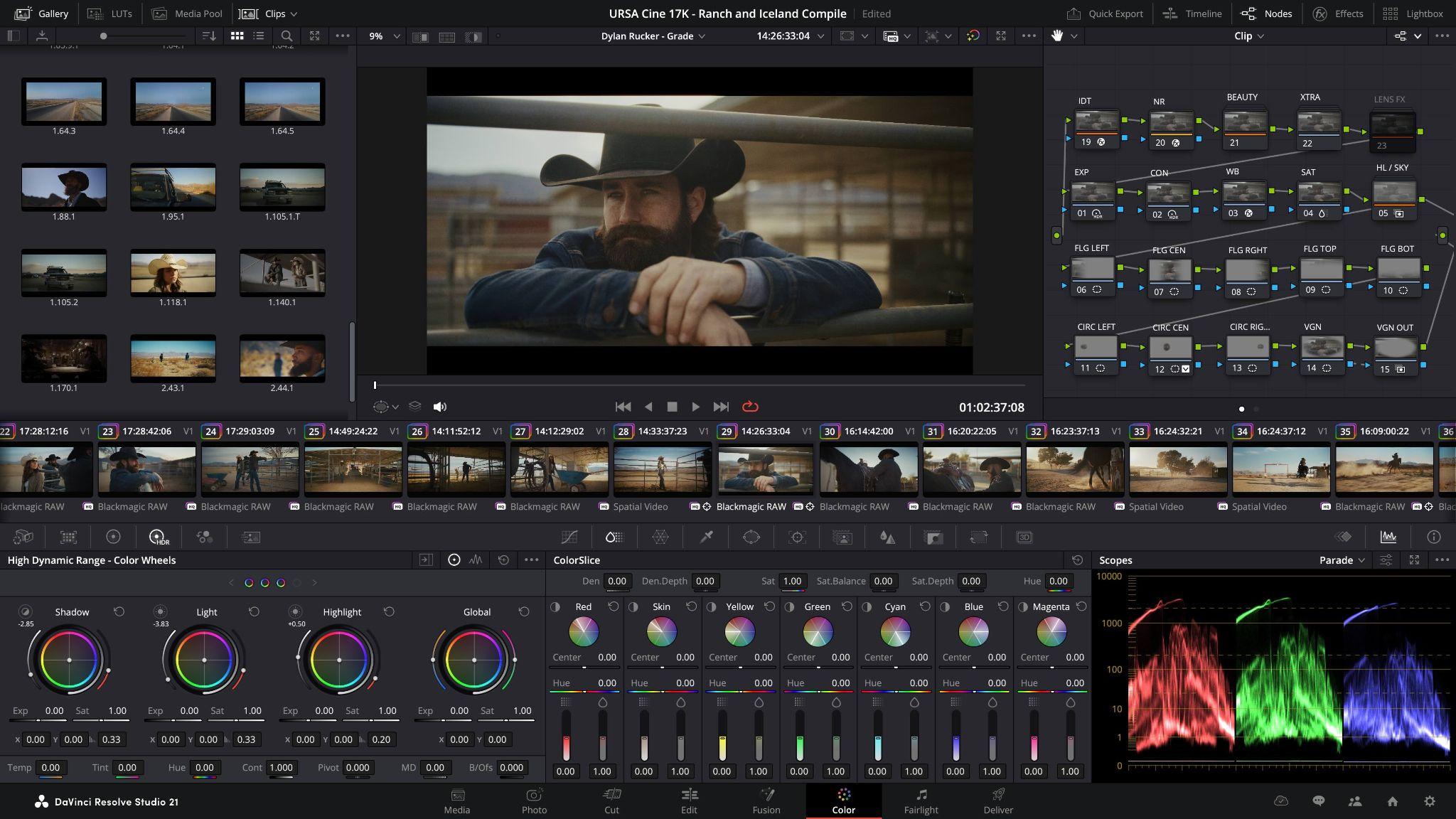
- Advanced color correction and grading
- HDR color grading tools
- Fusion visual effects and compositing
- Fairlight audio editing and mixing
- Professional video editing and timeline tools
- DJI Reframe plugin for compatible panoramic footage
Windows, macOS, Linux
- DaVinci Resolve: Free
- DaVinci Resolve Studio: $295 (one-time purchase)
- Detailed control over color and exposure
- Free version handles many editing projects
- Edit, Color, Fusion, and Fairlight cover different post-production tasks
- Supports DJI panoramic workflows through the Reframe plugin
- Node-based color workflows can take time to learn
- High-resolution projects may require a powerful GPU
- DJI panoramic footage needs preprocessing for the Reframe workflow
Resolve stands out when color grading is a major part of the DJI video workflow. It gives you detailed control over the final look while also covering editing, effects, and audio.
3. Adobe Premiere Pro — Best for Professional DJI Video Editing
Adobe Premiere Pro can work as one of the best DJI editing software options, professionally suited to detailed DJI footage editing and post-production. Premiere Pro also supports proxy editing for working with large or high-resolution DJI footage, while DJI provides a Reframe plugin for compatible panoramic footage.
- Advanced timeline editing for detailed DJI footage
- Color correction and grading tools
- Audio editing and mixing
- Effects, transitions, and motion graphics
- Proxy editing for large and high-resolution video files
- Captions and subtitle tools
- Adobe Creative Cloud integration
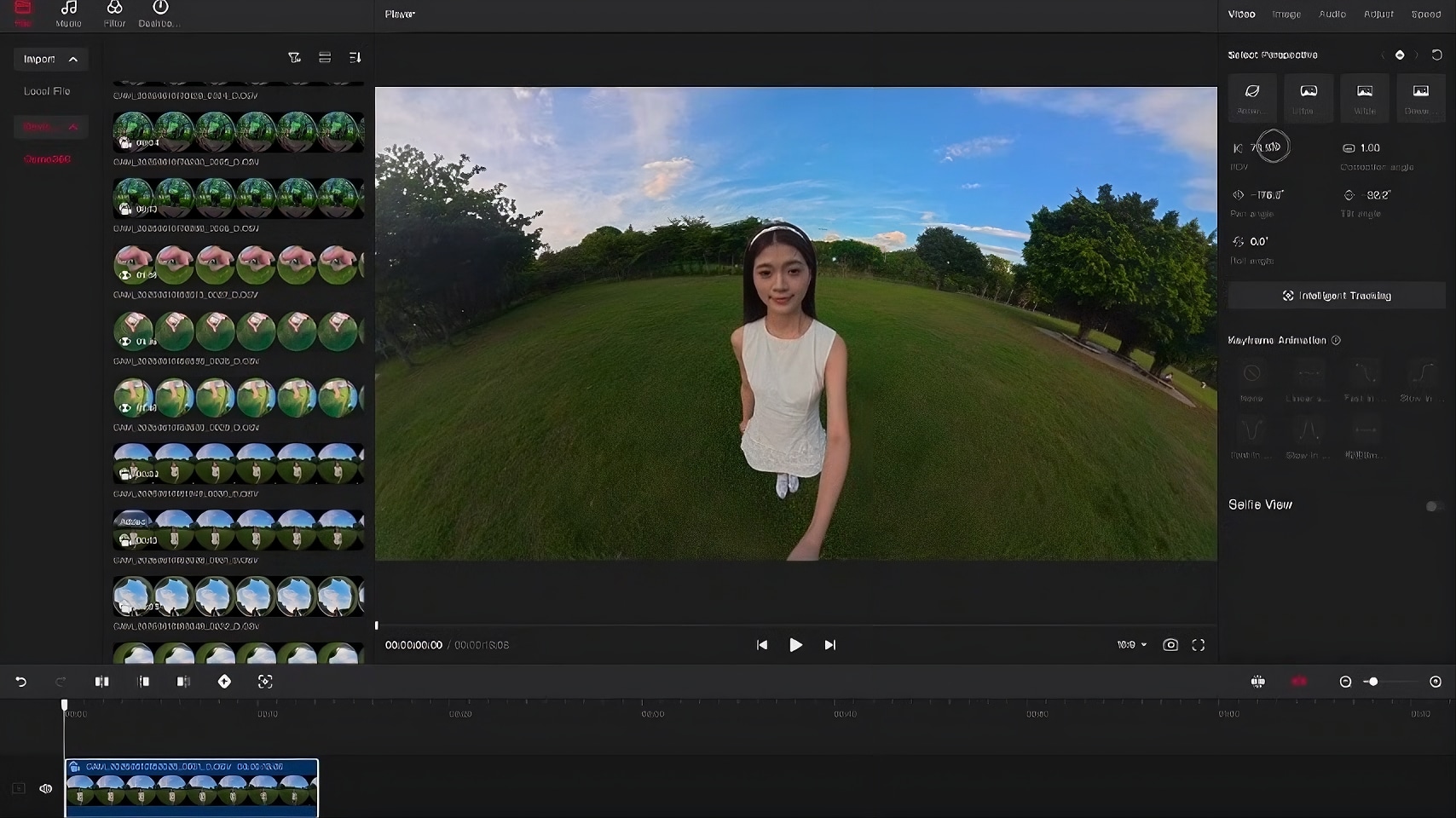
- DJI Reframe plugin for compatible panoramic footage
Windows, macOS, iPhone
- Premiere: $22.99/month with an annual commitment, billed monthly
- Creative Cloud: $69.99/month with an annual contract, including 20+ Adobe apps
- Free trial: 7 days
- Detailed control over long and multi-layered timelines
- Strong tools for color, audio, captions, and effects
- Proxy workflows can help with large DJI files
- Integrates closely with other Adobe apps
- Subscription required
- Larger projects can involve more media management
- Panoramic workflows may require additional DJI tools
Premiere is ideal for creators who need a professional workflow for complex DJI projects. It also fits users who already work with Photoshop, After Effects, or other Adobe applications.
4. Final Cut Pro — Best DJI Video Editor for Mac
Final Cut Pro is Apple's DJI video editor for Mac and iPad users who want a fast editing workflow for drone and action-camera footage. Its Magnetic Timeline and Apple hardware optimization make it well-suited to organizing and editing high-resolution DJI clips.
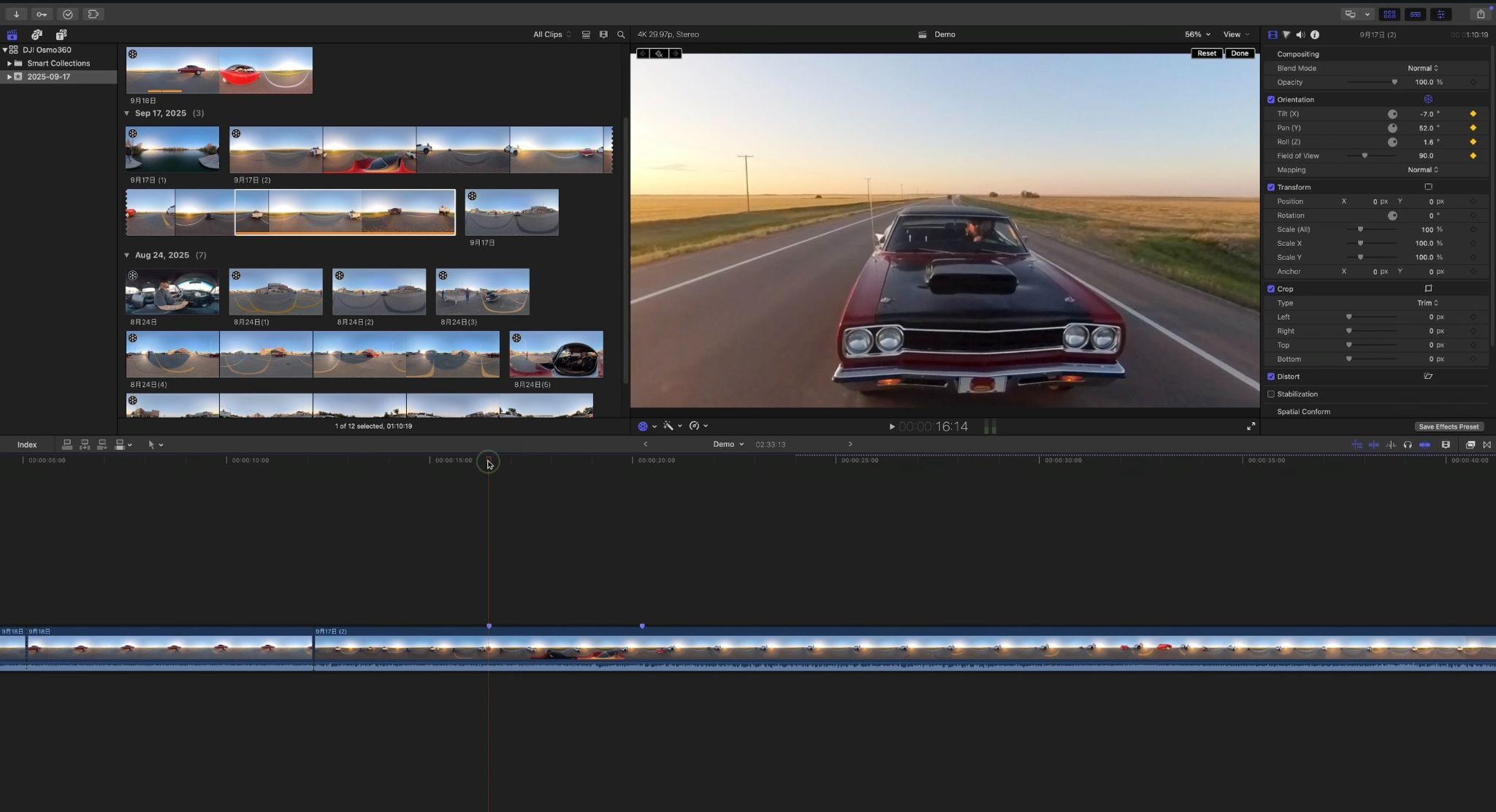
- Magnetic Timeline for flexible editing
- High-resolution video editing for DJI footage
- Advanced color correction and grading
- Multicam editing for multiple camera angles
- Proxy media for smoother editing of large video files
- Object tracking for titles, effects, and graphics
- Built-in stabilization and video enhancement tools
- Media organization with keywords and Smart Collections
macOS, iPadOS
- Final Cut Pro: $299.99 one-time purchase for Mac
- Apple Creator Studio: $12.99/month or $129/year
- Magnetic Timeline makes it quick to rearrange DJI clips
- Optimized for Apple Silicon Macs
- Handles high-resolution footage well on supported hardware
- Mac and iPad only
- Magnetic Timeline can take time to get used to for users coming from track-based editors
- Some newer features require newer Apple hardware or software
Final Cut Pro is a good DJI video editor for Mac users who want fast timeline editing and strong performance on Apple hardware.
5. CyberLink PowerDirector — Best for Easy Advanced Editing
PowerDirector is another DJI desktop video editor that offers more editing control than basic consumer apps without requiring the complexity of some professional editors. It gives DJI users a traditional multi-track timeline with tools for editing, color, audio, effects, and AI-assisted tasks.
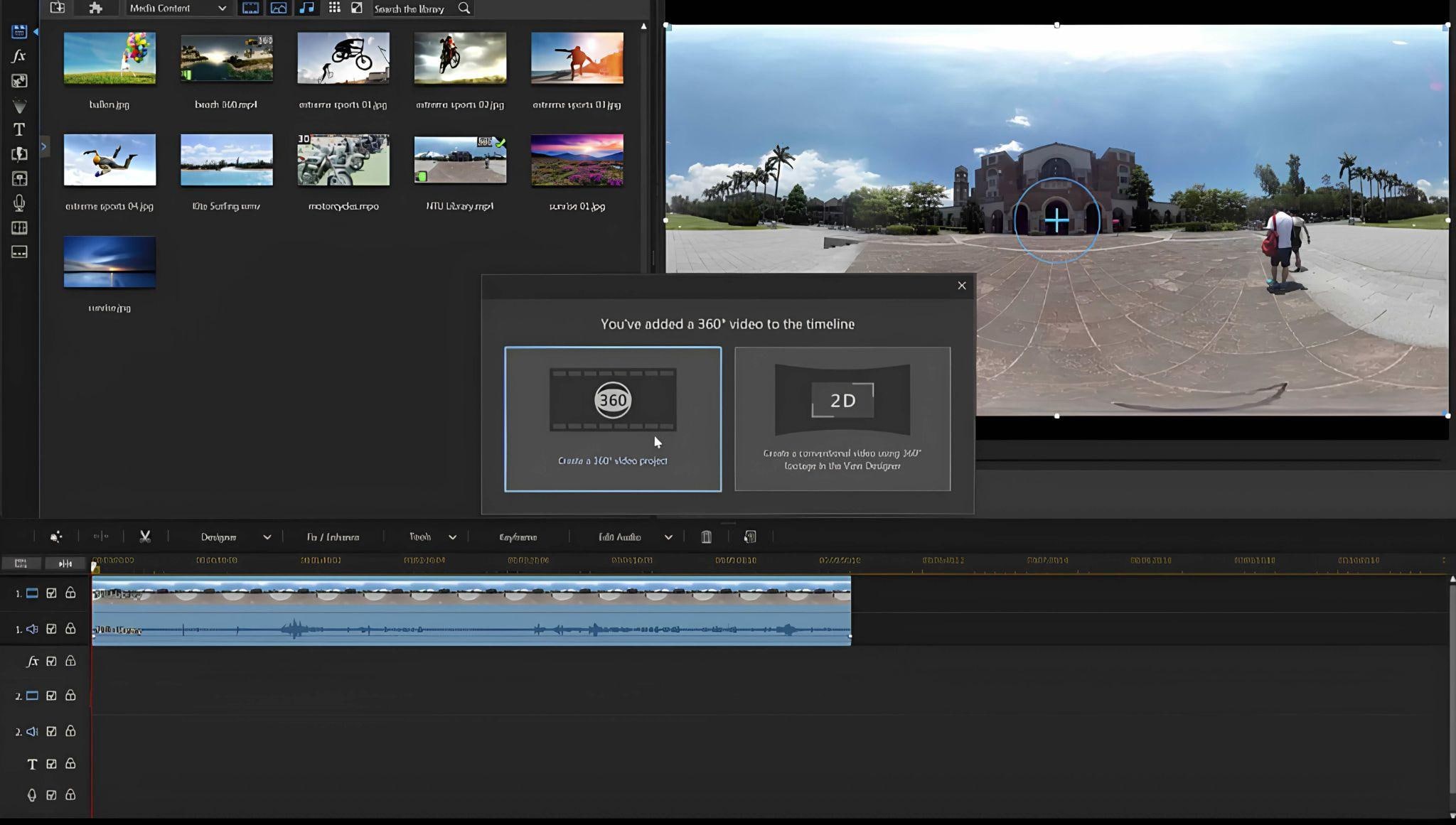
- Multi-track timeline for detailed DJI footage editing
- AI-powered video and audio editing tools
- Video stabilization and lens correction
- Color correction and audio controls
- Effects, transitions, titles, and motion graphics
- 4K video editing and export
- Wide format compatibility for DJI footage
Windows, macOS
- PowerDirector 365: $24.99/month (monthly plan)
- Director Suite: $29.99/month (monthly plan)
- Traditional timeline is easy to navigate for multi-track DJI projects
- AI tools are integrated into the editing workflow
- Lifetime and subscription licenses are available
- Offers more control than a mobile editing app
- Some AI features and premium assets require paid plans
- Large feature set can make the interface feel busy
- 360° editing is not its main focus
PowerDirector fits DJI users who want a feature-rich editor without committing to a fully professional post-production workflow.
6. DJI LightCut — Best Official DJI Mobile Editor
LightCut is DJI’s editing app for quickly turning footage from supported DJI devices into short videos. Its AI One-Tap Editing can select clips and create a finished edit with music and templates, making it better suited to quick social content than complex projects.
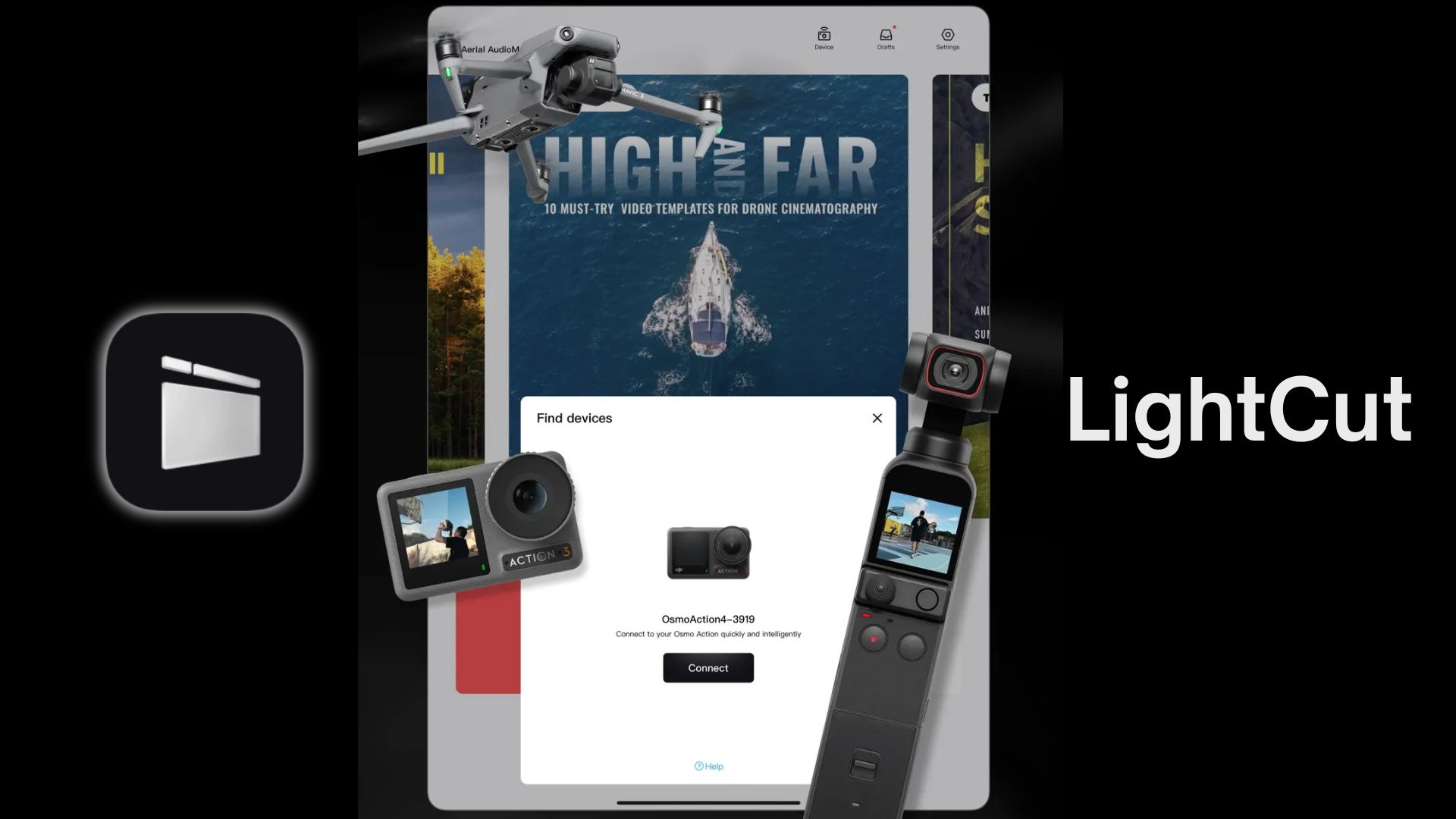
- AI-powered One-Tap Editing for quick video creation
- Automatic highlight selection and template recommendations
- Real-time footage preview from supported DJI devices
- DJI-specific video templates for aerial, travel, sports, and vlogs
- Custom editing for music, filters, text, stickers, and speed
- Quick 4K video output for supported devices
- Wireless connection for editing without first exporting footage
iOS, Android
Free
- One-Tap AI Editing can quickly generate short videos
- Works directly with supported DJI devices
- Suited to social media clips
- Basic editing completely on your phone
- Less control over detailed color and timeline editing
- Supported DJI devices vary
- Not designed for long or complex projects
LightCut is the simplest DJI video editor for Android and iOS on this list if you want to turn your footage into videos ready to upload to social media from your phone. It handles quick edits without requiring a desktop workflow.
7. DJI Studio — Best for DJI 360° and Panoramic Workflows
DJI Studio is a DJI desktop editor focused on panoramic footage, including projects shot with the Osmo 360. The app handles DJI’s panoramic workflow and prepares footage that’s compatible with the DJI Reframe plugin in Premiere and DaVinci Resolve.
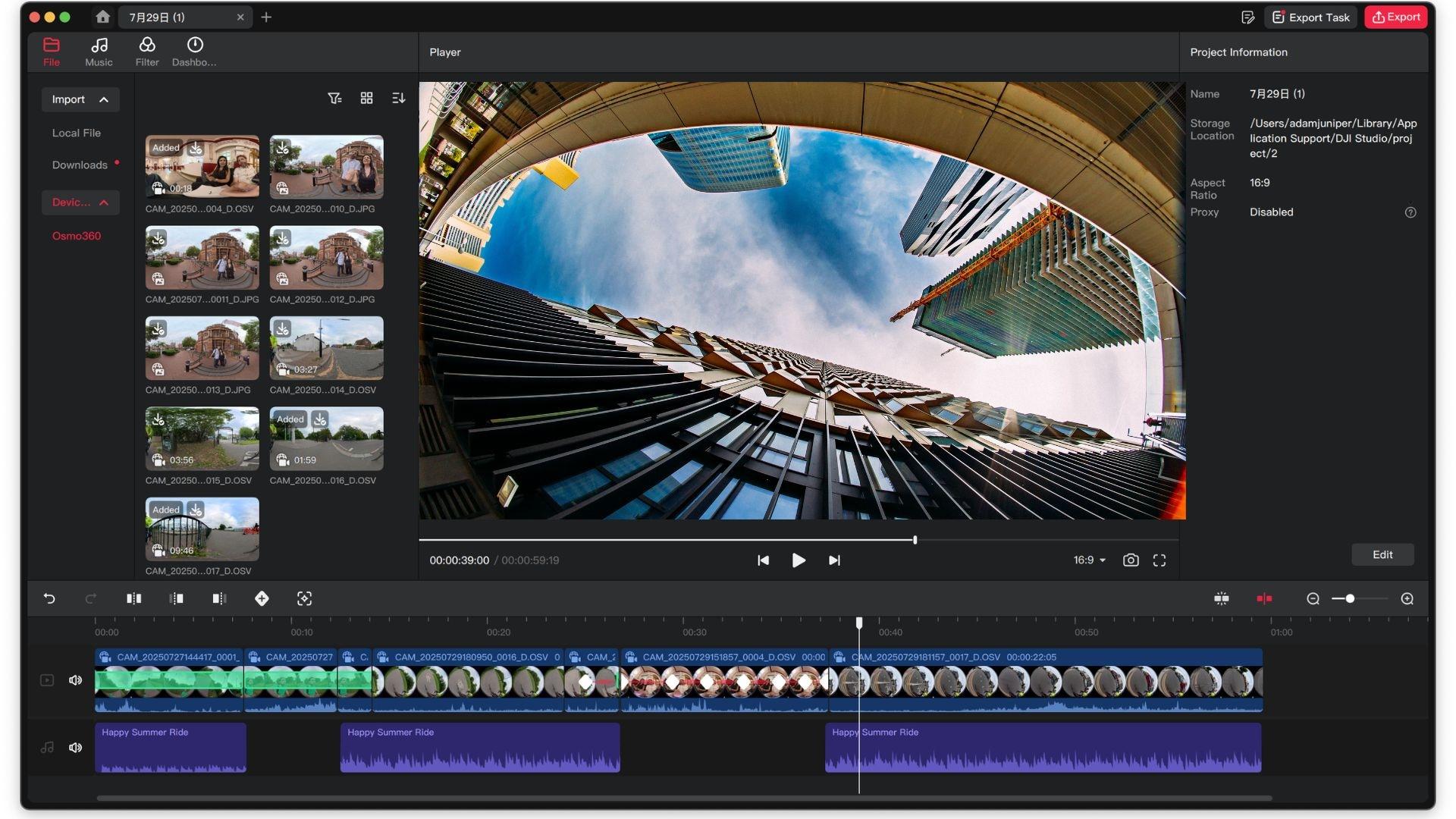
- DJI panoramic workflow
- Osmo 360 support
- Reframing
- Reframe plugins for Premiere and DaVinci Resolve
- LUT for Osmo 360 D-Log M
Windows, macOS
Free
- Built specifically around DJI panoramic footage
- Manages DJI 360° workflow preparation
- Connects with Premiere and DaVinci Resolve through Reframe plugins
- Useful for Osmo 360 projects
- Not a replacement for a full video editor
- Mainly useful for panoramic DJI footage
- You may still need another editor for titles, music, effects, and final timeline work
DJI Studio is best suited when panoramic footage is the main part of the project. For complete edits with titles, music, effects, and detailed timeline work, a full editor gives you more flexibility.
Part 4. How to Choose the Best DJI Video Editor
Choosing the best DJI video editor depends on the footage you shoot, the device you use, and how much control you want over the final video. Short social clips have different needs than long-form 4K drone projects, while 360° footage requires tools for reframing and controlling the final view.
1. Check Your Platform
Your device will narrow down the options for which DJI video editor you should work with.
| Device | DJI Video Editors |
| Windows PC | DJI Studio, Filmora, DaVinci Resolve, Adobe Premiere Pro, PowerDirector |
| Mac | DJI Studio, Filmora, DaVinci Resolve, Adobe Premiere Pro, PowerDirector, Final Cut Pro |
| iPhone / iPad | DJI LightCut |
| Android | DJI LightCut |
|
Show More
Show Less
|
|
Don’t forget to check the software’s support and system requirements before choosing. Working with 360° video usually requires more processing power.
2. Decide How Much Control You Need
To trim clips, add music, and create short social videos, a simple video editor for DJI footage may be enough. For larger projects, look for multi-track editing, color grading, audio tools, stabilization, and effects.
- Quick Editing: DJI LightCut and DJI Studio
- All-Around Editing: Filmora and PowerDirector
- Advanced Post-Production: DaVinci Resolve, Adobe Premiere Pro, and Final Cut Pro
3. Compare Pricing
Both free and paid options are available, but a free DJI video editor may come with limitations such as watermarks, fewer features, or export restrictions. Instead of looking at the price alone, consider what features you get for the cost and whether they match your editing needs.
- Free Options: DJI Studio, DJI LightCut, DaVinci Resolve (Free)
- Mid-Range Options: Filmora, PowerDirector
- Higher-Priced Options: Adobe Premiere Pro, Final Cut Pro
Check the included features before comparing prices, especially if you need AI tools, premium effects, or creative assets.
Editor’s Choice
Filmora is our top pick for most DJI users. It covers everyday drone and action-camera editing while giving 360° footage its own workflow. You can reframe compatible 360° clips, adjust the view, add camera movements, and continue editing on the same timeline.
For creators who want capable DJI video editing software without the learning curve of a professional editor, Filmora offers a good balance of control and ease of use.
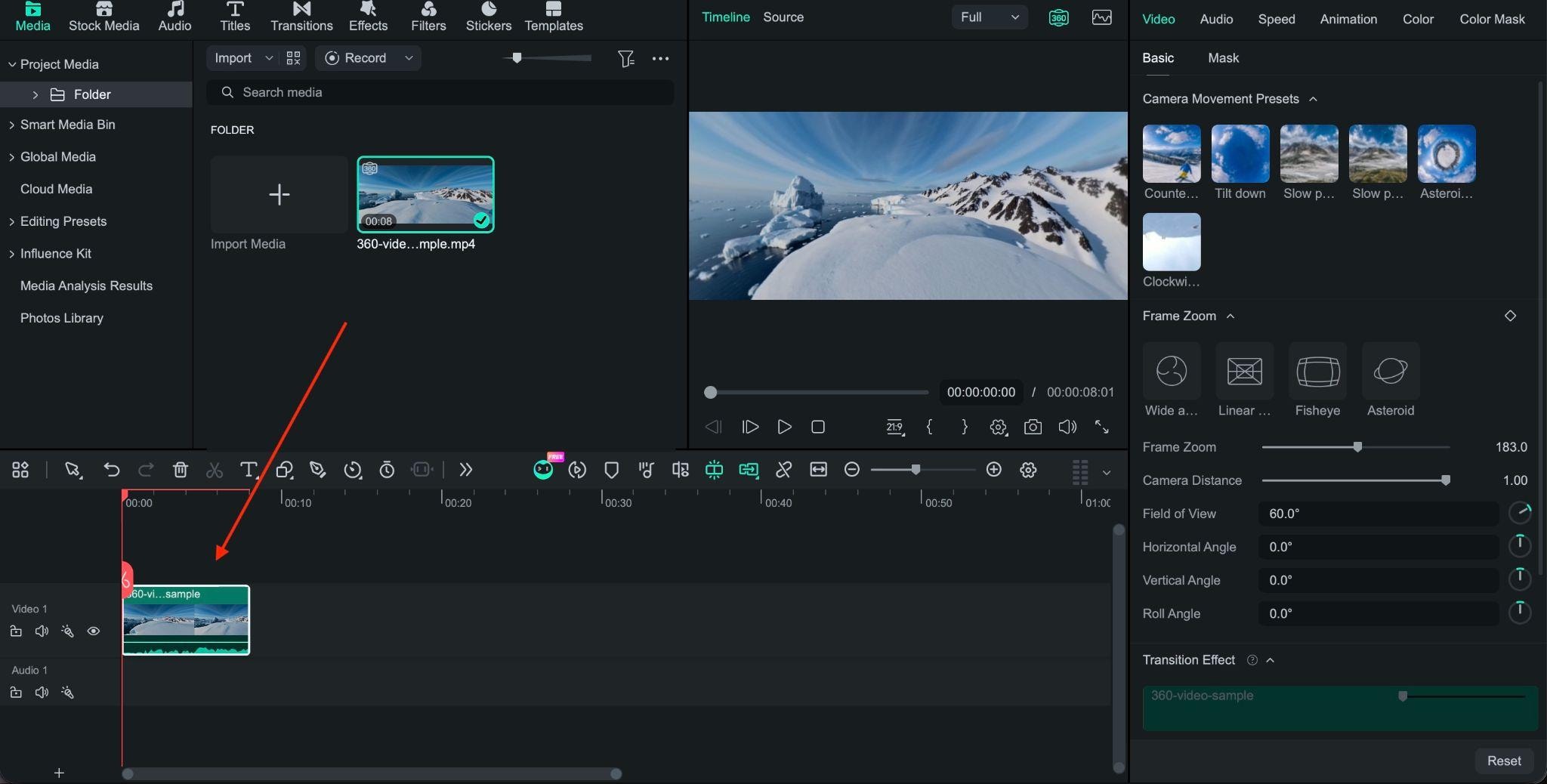
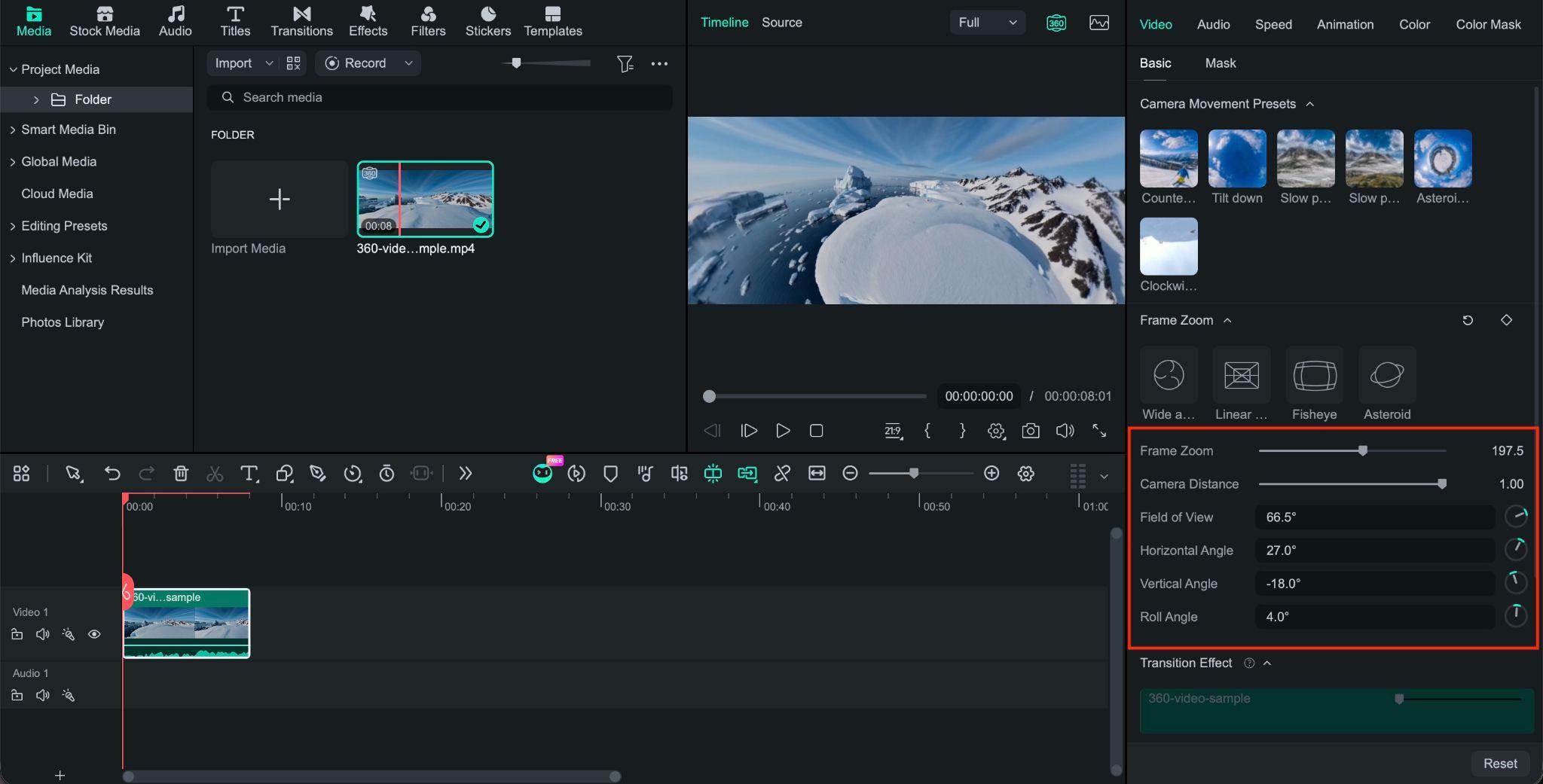
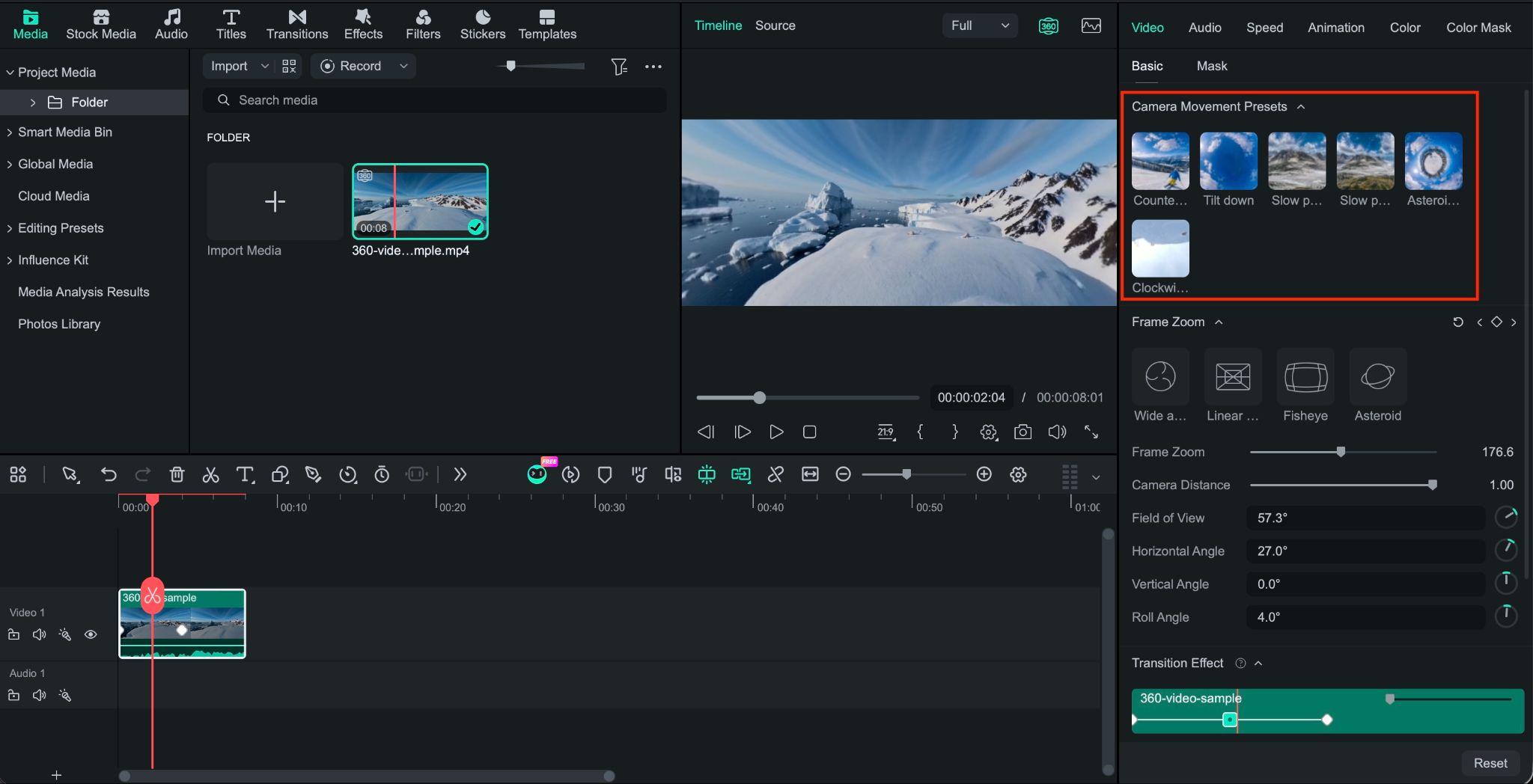
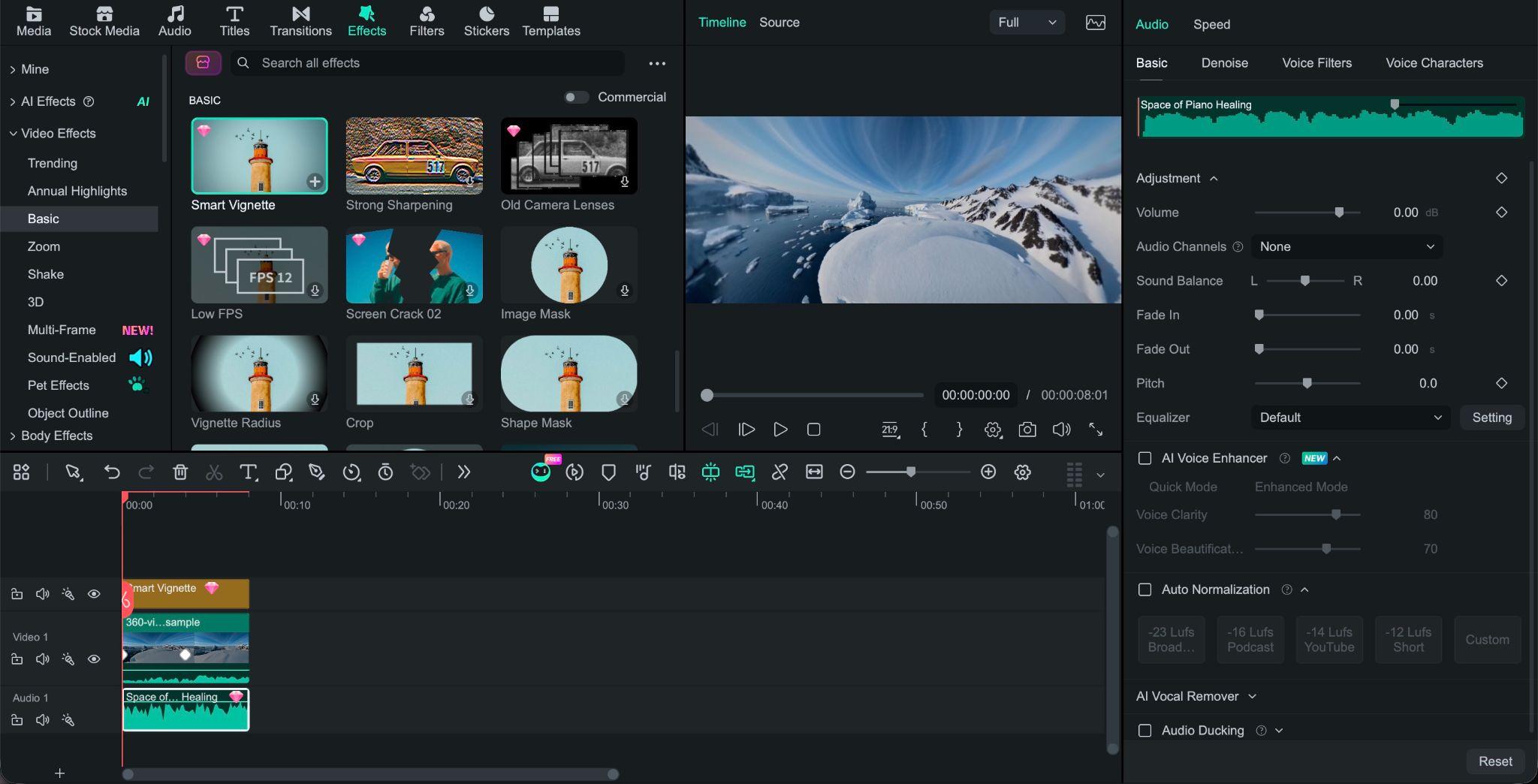
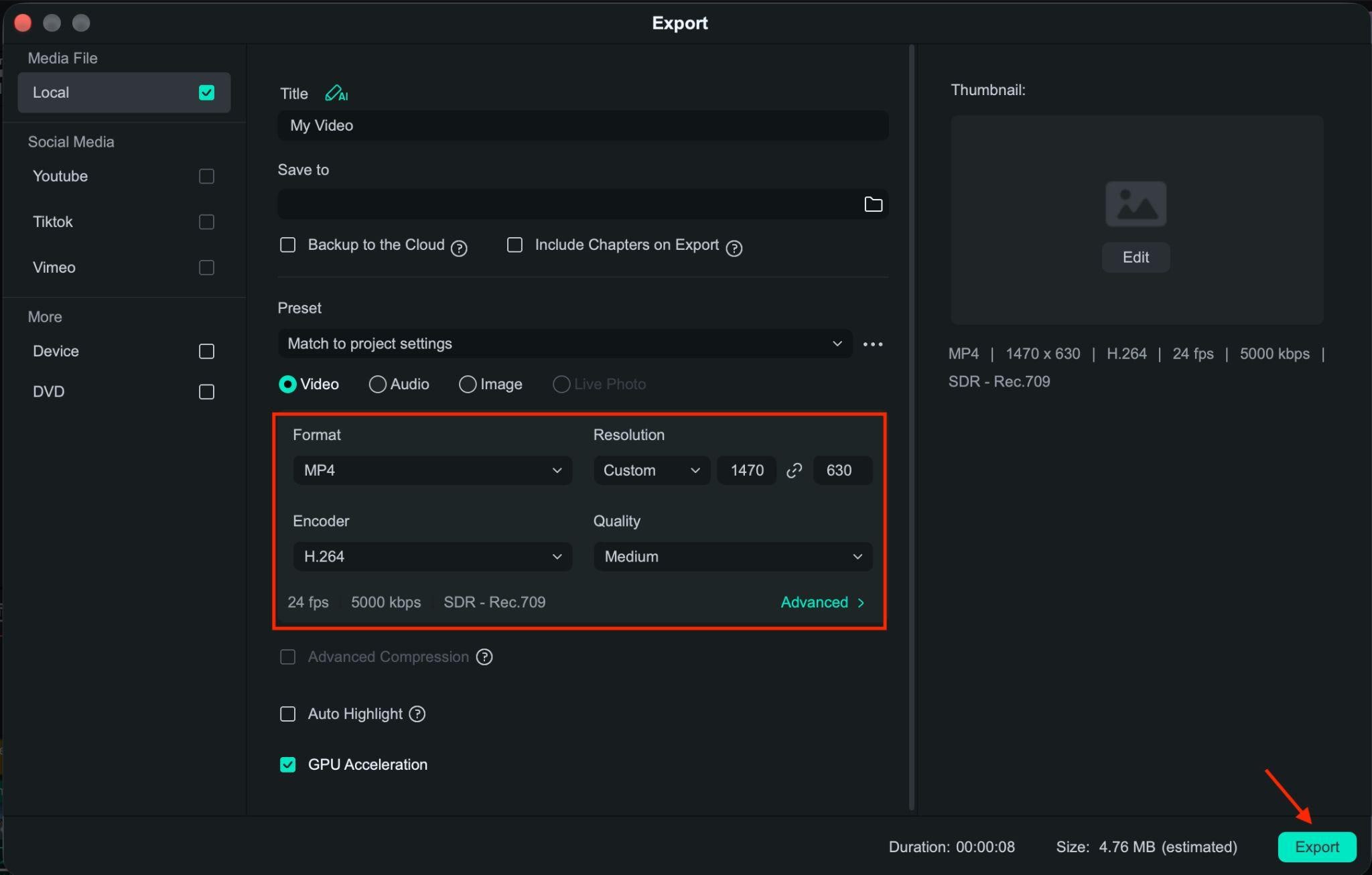
Part 5. How to Edit DJI Videos on PC or Mac with Filmora
Filmora works as a DJI video editor for PC and Mac, equipped with tools for both standard and compatible 360° footage. Here’s how to take your footage from import to export.
Note: For DJI .OSV files, convert them to MP4 using DJI’s official tools before importing them into Filmora.
 Secure Download
Conclusion
DJI footage can range from quick social media clips to high-resolution drone projects and 360° videos that need careful reframing. LightCut keeps mobile editing simple, while DJI Studio focuses on DJI’s panoramic workflow. On desktop, DaVinci Resolve, Premiere, Final Cut Pro, and PowerDirector offer different levels of control for editing, color, and effects.
Filmora stands out thanks to its combination of standard and 360° editing features. It lets you reframe compatible 360° footage, choose the viewing direction, add camera movement, and complete the project on the same timeline. For creators who want one DJI video editor for everyday footage and 360° projects, it’s a capable option without the complexity of a professional post-production workflow.
FAQs
-
1. Does DJI have a video editor for Android?
Yes. DJI LightCut is DJI’s mobile video editing app for Android and iOS. The app supports quick editing, AI One-Tap Editing, templates, music, and footage from supported DJI devices. It’s a good option for creating short videos directly on your phone.
-
2. What is the best free DJI video editing software?
For quick mobile edits, LightCut is one of the easiest free options. On desktop, DaVinci Resolve offers a free version with more advanced editing and color tools. DJI Studio is also free and is designed mainly for DJI panoramic and 360° footage.
-
3. Can I edit DJI videos on Mac?
Yes. You can edit DJI footage on Mac with Filmora, DaVinci Resolve, Premiere, Final Cut Pro, PowerDirector, or DJI Studio. The best DJI video editor for Mac depends on your workflow. Filmora is a good fit if you want standard video editing plus native 360° reframing.
