

 TL;DR:
Wondershare Filmora provides the highest level of creative control for custom glitter text animations through keyframing and masking, while free web generators offer faster, installation-free alternatives with varying degrees of customization.
● VEED.io and Online Image Editor are the most capable browser-based options for high-resolution exports and mixed media layering, though VEED.io requires a premium subscription to access certain advanced text effects.
● Picasion, BlogGIF, and Glitterfy deliver instant, registration-free glitter generation suitable for quick web edits, but these tools strictly limit users to classic animation styles, outdated font libraries, and lower image clarity.
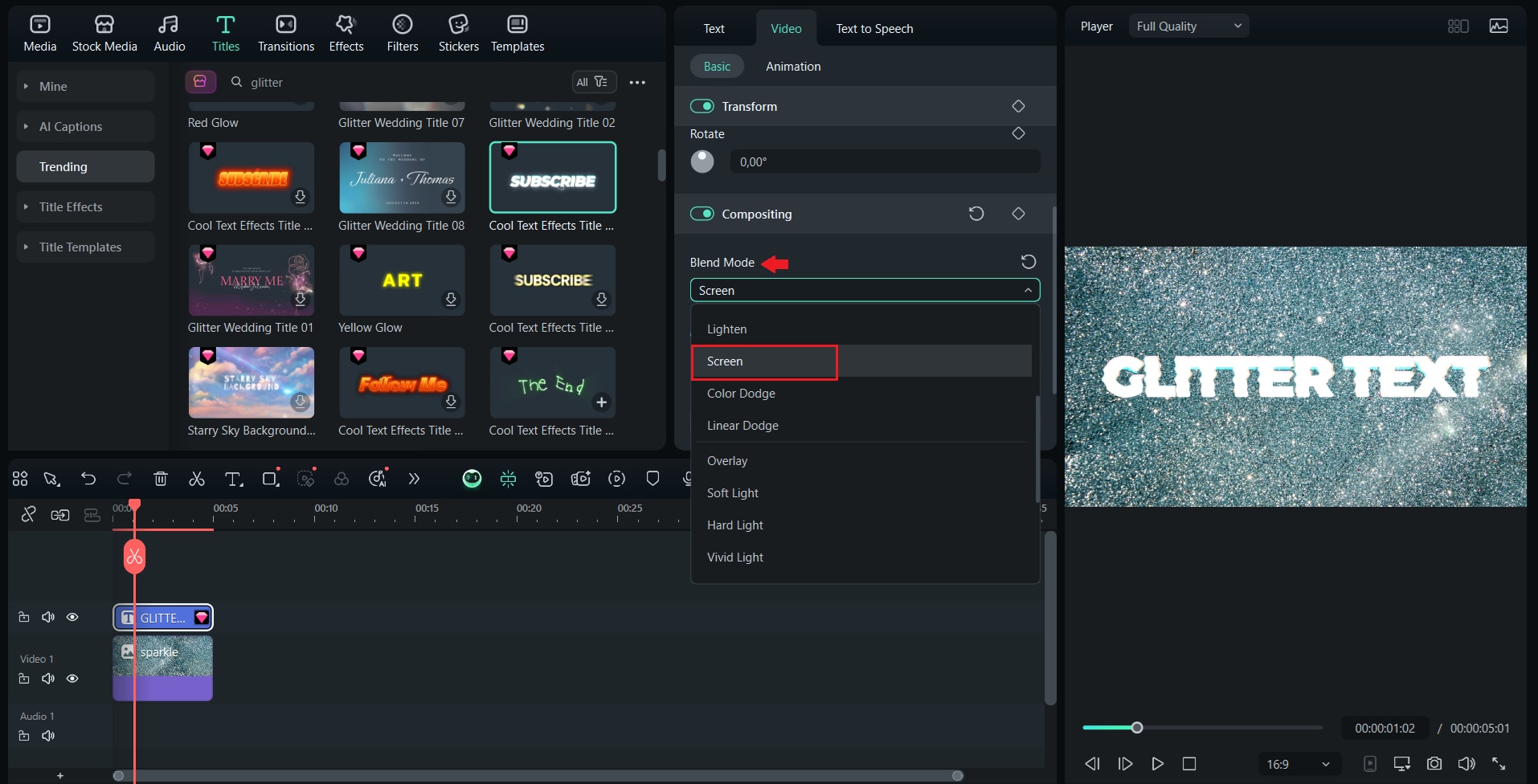
● Generating a custom glitter overlay in Filmora specifically requires placing your typography track directly above an animated glitter background and applying a Lighten or Screen Blend Mode to make the underlying sparkles visible.
Ask AI for a summary
 ChatGPT
 Perplexity
 Gemini
 Claude
 Grok
Grok
Sparkling, eye-catching, and undeniably captivating, we can't help but love glitter text GIFs, which have now become an essential element of online aesthetics.
These instantly noticeable glitter text GIFs are usable for fan edits, digital scrapbooks, or social media posts that need an extra touch of sparkle. They're popular among content creators, designers, and anyone looking to make their visuals more dazzling.
GIF glitter makers are tools that enable creators to design text with glitter effects and turn it into a looping GIF, ready to be shared anywhere. To help you get started, we’ve rounded up the best glitter GIF text generators that are easy to use, offer flexible text customization, provide a lot of glitter styles, and produce clean, high-quality output.
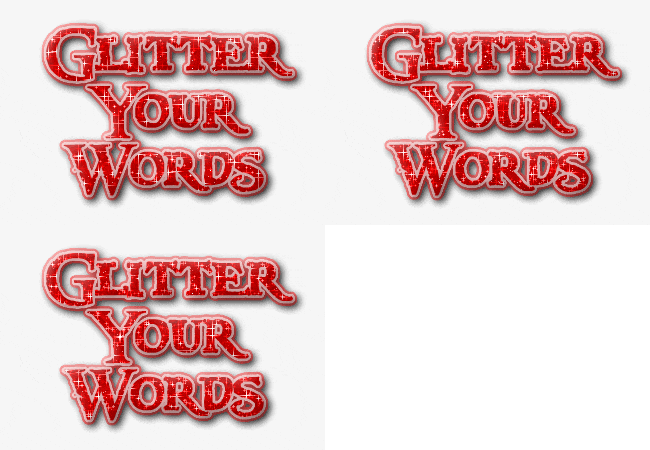
Part 1. Best Pro Alternative: Filmora for Advanced Glitter Text Animation
Before we discuss the top online glitter GIF makers in detail, we'll talk about one tool that's a great fit for those who want more than just basic glitter effects: Wondershare Filmora.
Filmora is not limited to only generating glitter text effects. It’s a beginner-friendly desktop video editor that offers creative control unmatched by online glitter generators. You can customize timing, layers, blending, and export high-quality GIFs or videos.
 Secure Download
With the glitter GIFs offered by Filmora, anyone can make content that sparkles and shines with style. You get to choose from multiple glitter overlays, mix them with animated text, and fine-tune every motion until it looks just right.
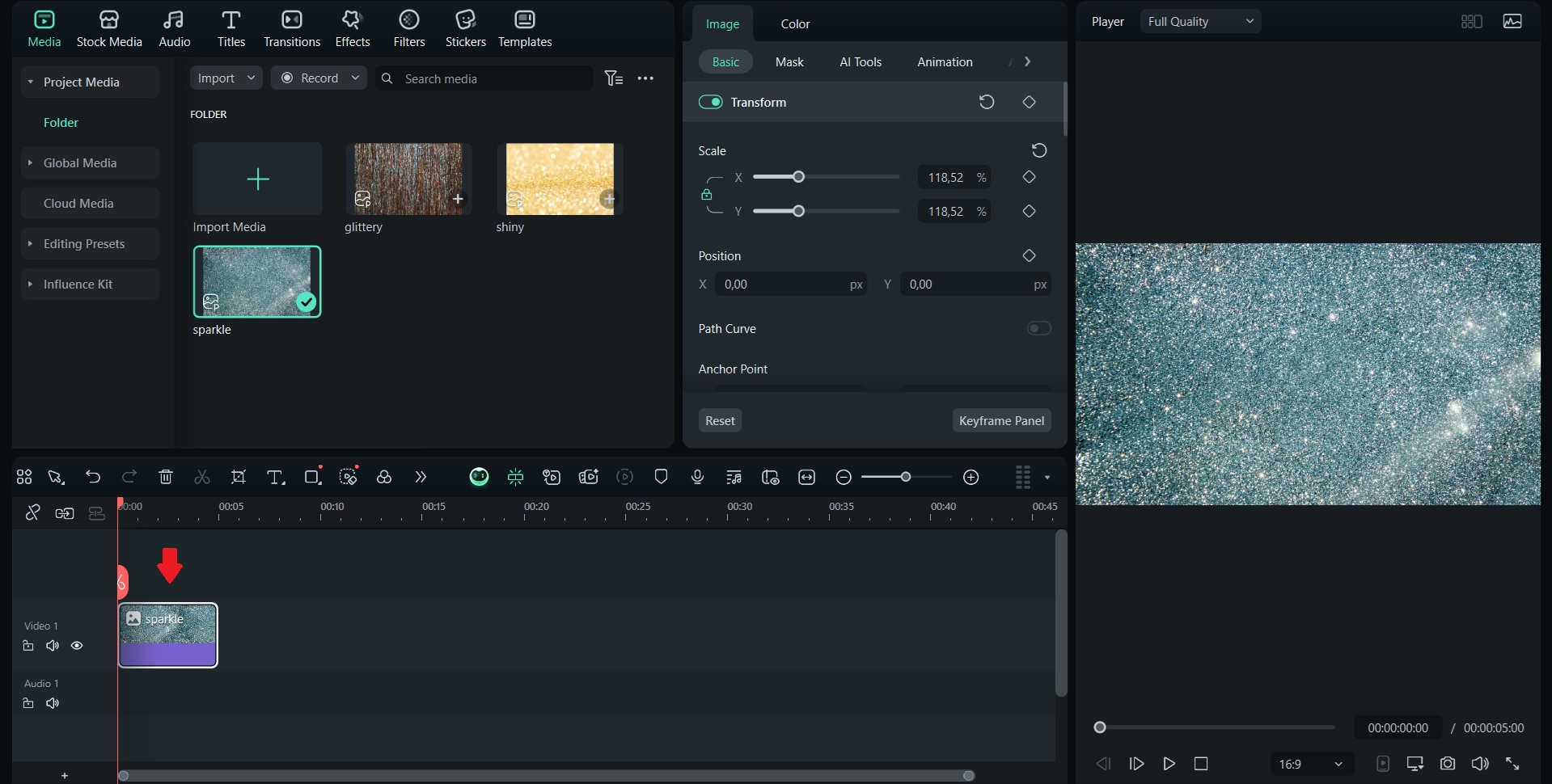
Step-by-Step: How to Create the Filmora Glitter Text
 Secure Download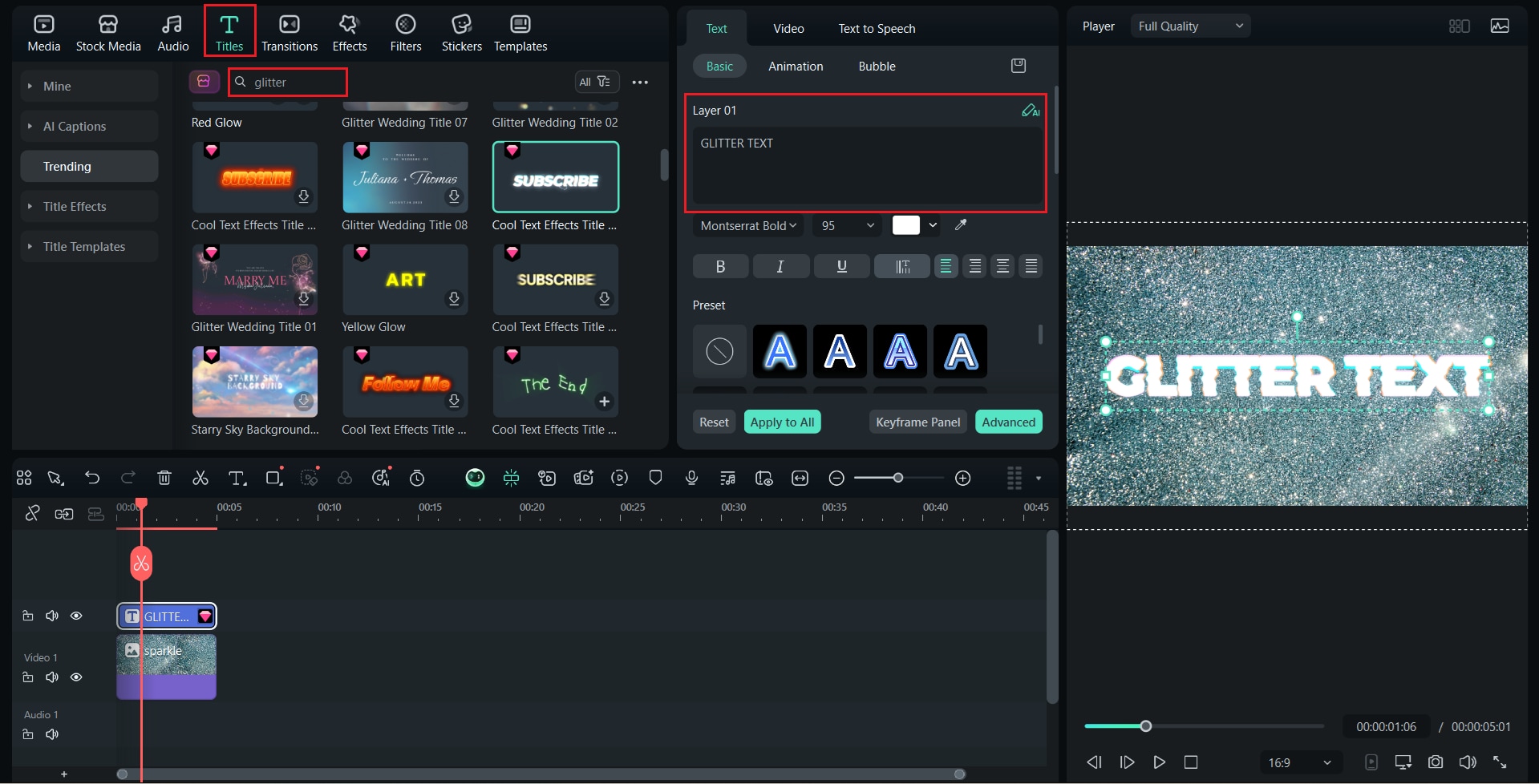
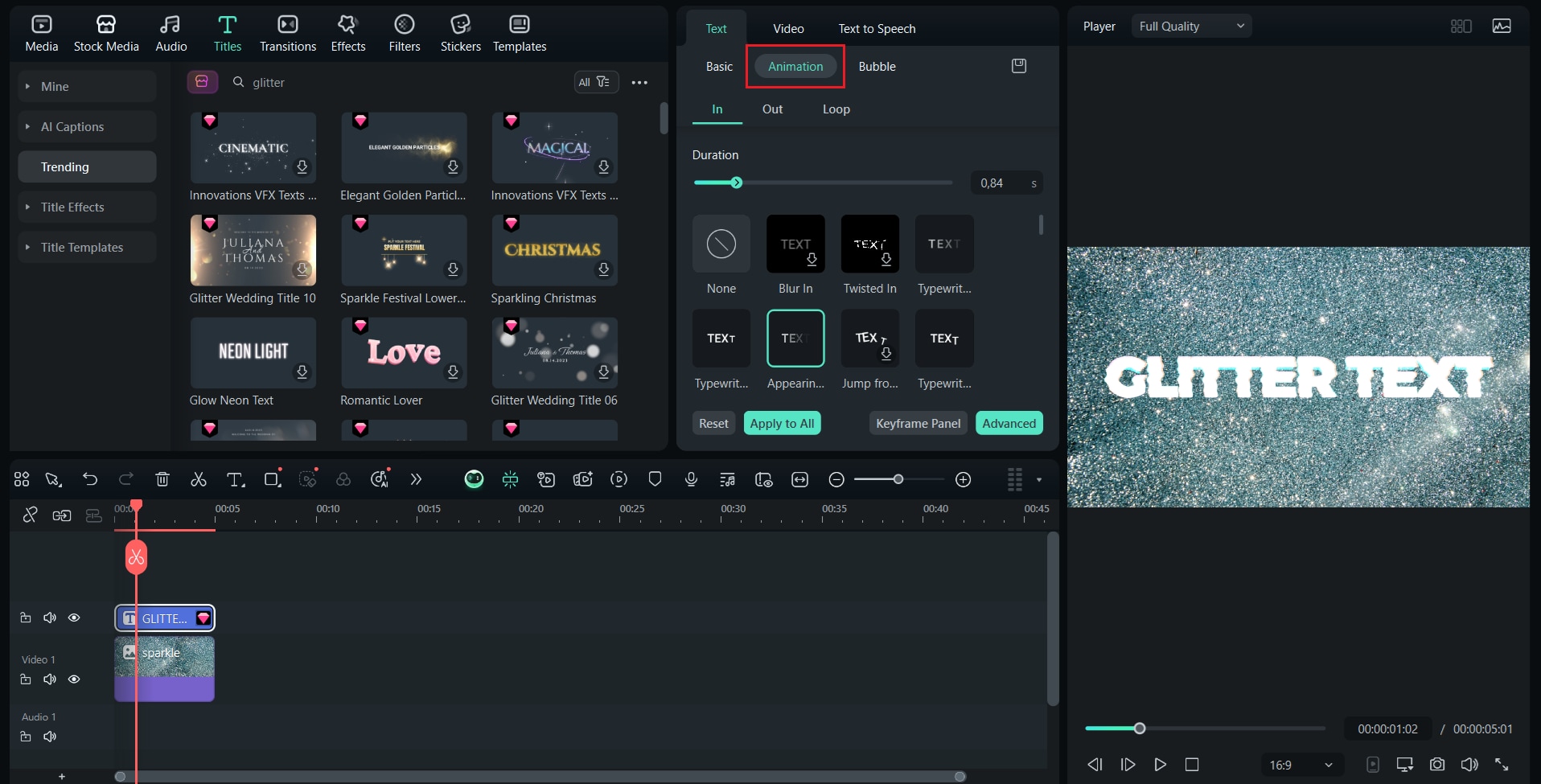
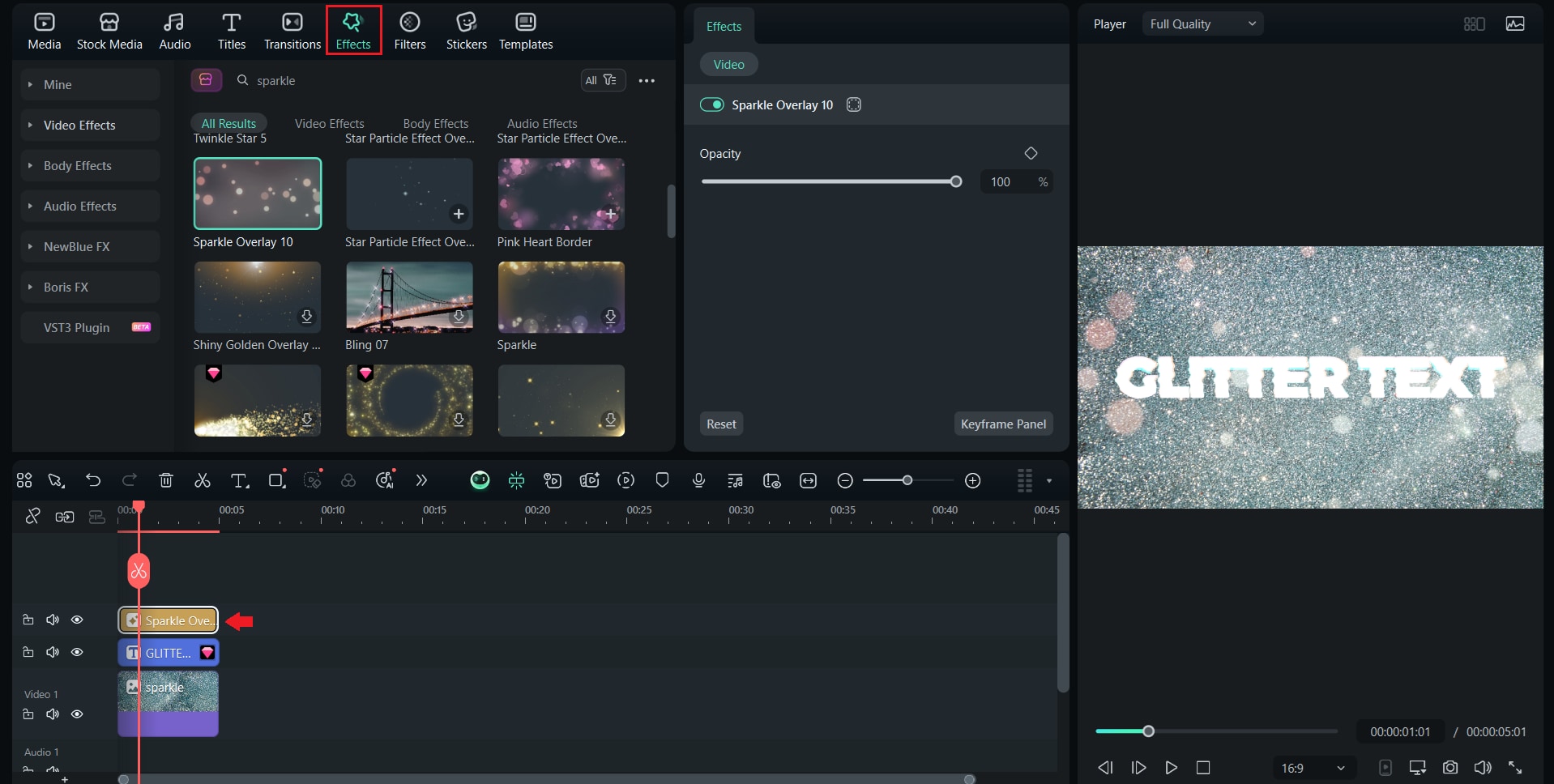
Tip: Experiment with different glitter textures and blending modes to create unique and eye-catching styles that match your content.
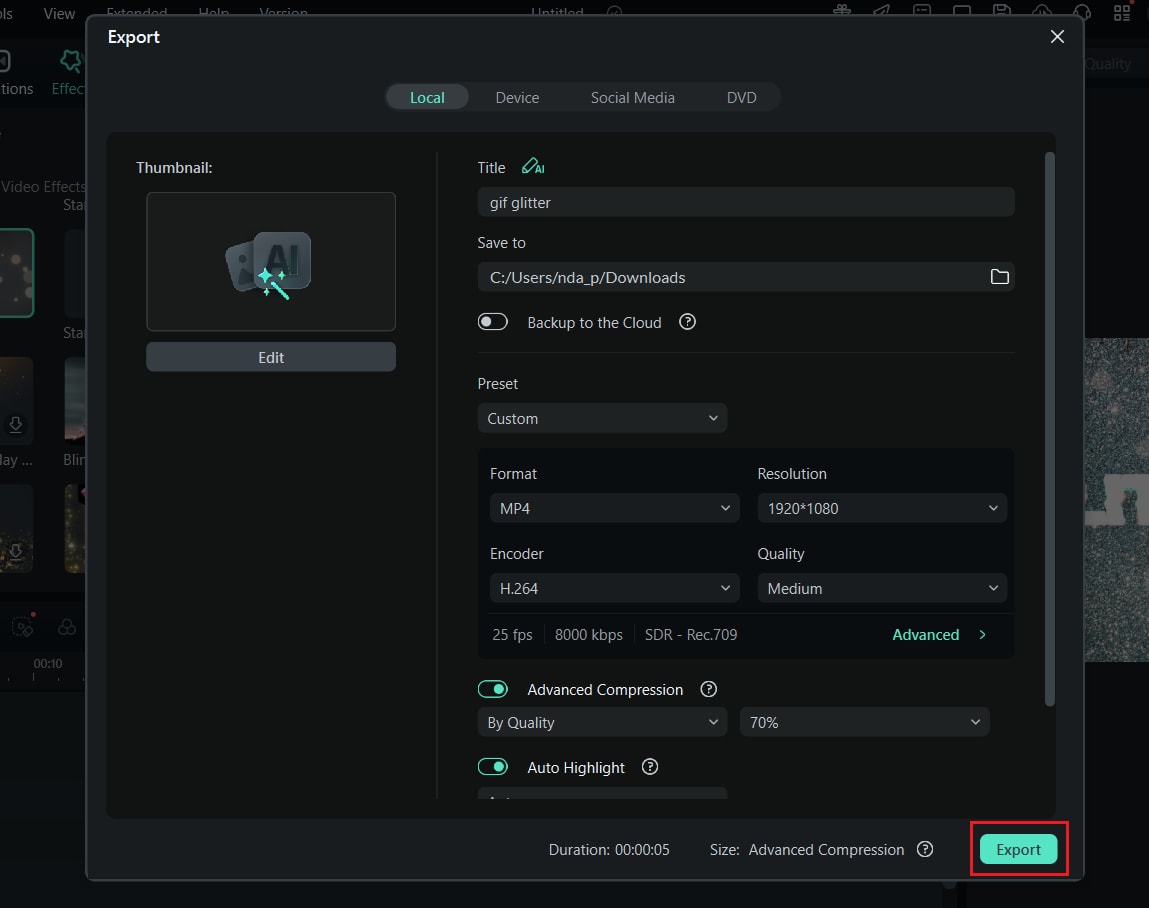
Part 2. Top 7 Best Glitter GIF Makers Online (Free Tools Compared)
Besides using software that gives you more control in creating glitter text GIFs, if you'd rather use a quick and simple way to add glitter effects without having to install software, online glitter GIF makers are the way to go. Although they offer fewer editing options than Filmora, they're just perfect for quick sparkle effects, decorative overlays, and animated glitter text that you can create right in your browser. Many of these tools are free and easy to use, so they're popular for casual content creators, fan editors, and small businesses.
Glitter GIF Maker Online Tools: Side-by-Side Comparison
Below is a side-by-side comparison of the top 7 glitter GIF makers to help you find the best option for your needs:
| Tool | Giltter style | Fonts | Export Quality | Watermark | Ease of Use | Price |
| Picasion | Simple glitter overlays | Basic font options | Medium | ❎ | Easy | Free |
| VEED.io | Modern sparkly animations | Wide font selection | High | Optional | Moderate | Free + Premium options |
| BlogGIF | Classic glitter effects | Limited fonts | Medium | ❎ | Easy | Free |
| GigaGlitters | Bold glitter text style | Predefined glitter fonts | Medium | ❎ | Easy | Free |
| Glitterfy | Retro glitter animations | Decorative fonts | Medium | ❎ | Easy | Free |
| CoolText | Glitter style that focuses on text | Wide decorative font range | High | ❎ | Easy | Free |
| Online Image Editor | Custom glitter overlays | Supported system fonts | High | ❎ | Moderate | Free |
1. Picasion – Best Overall for Beginners
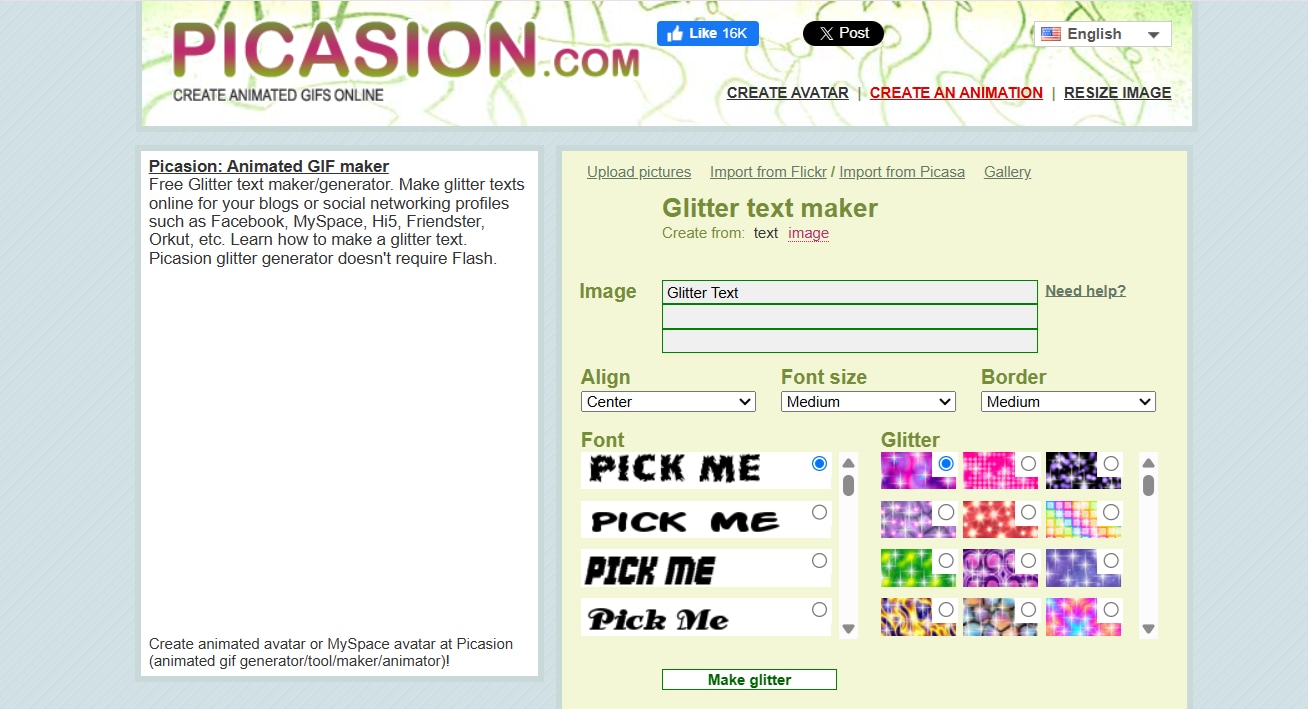
If you're looking for a simple glitter GIF maker, Picasion is one of the easiest tools you can try. This tool is widely used by beginners who want to add a touch of sparkle to their text without complicated editing steps.
- Extremely lightweight and loads quickly, even on low-spec devices
- No registration or learning required, a perfect fit for first-time users
- Instant preview provides quick creative feedback before downloading
- Limited creative power compared to advanced editors
- Font and glitter patterns feel outdated for more modern design styles
- Automatically generates glitter GIFs with smooth animations
- Simple text editor with color and glitter intensity settings
- Quick online rendering without requiring plugins or heavy software
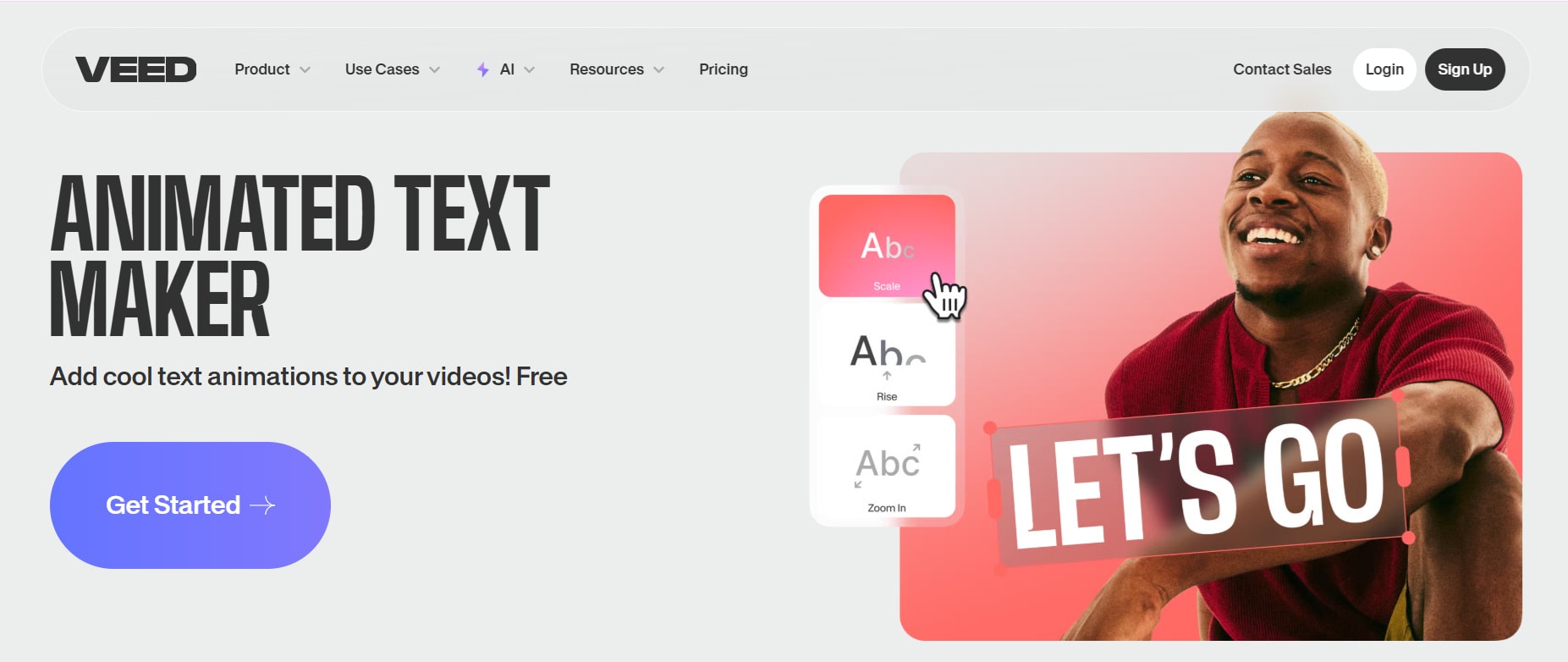
2. VEED.io – Best for Advanced Editing
When it comes to more dynamic and polished glitter text GIFs, VEED.io offers much greater control than basic online generators. The platform stands out for its smooth animations, advanced layers, and flexible export options.
- Flexible enough for aesthetic and branded content editing
- A clean UI makes advanced effects accessible even to non-designers
- Cloud-based editing allows easy collaboration and sharing
- Some glitter effects or advanced text require a premium version
- Rendering time is slightly longer for complex animations
- Professional-level control over keyframes, layers, and blending for glitter text
- A large library of text animations and effects with adjustable glitter speed and opacity
- Direct export to high-resolution GIF or MP4 without quality loss
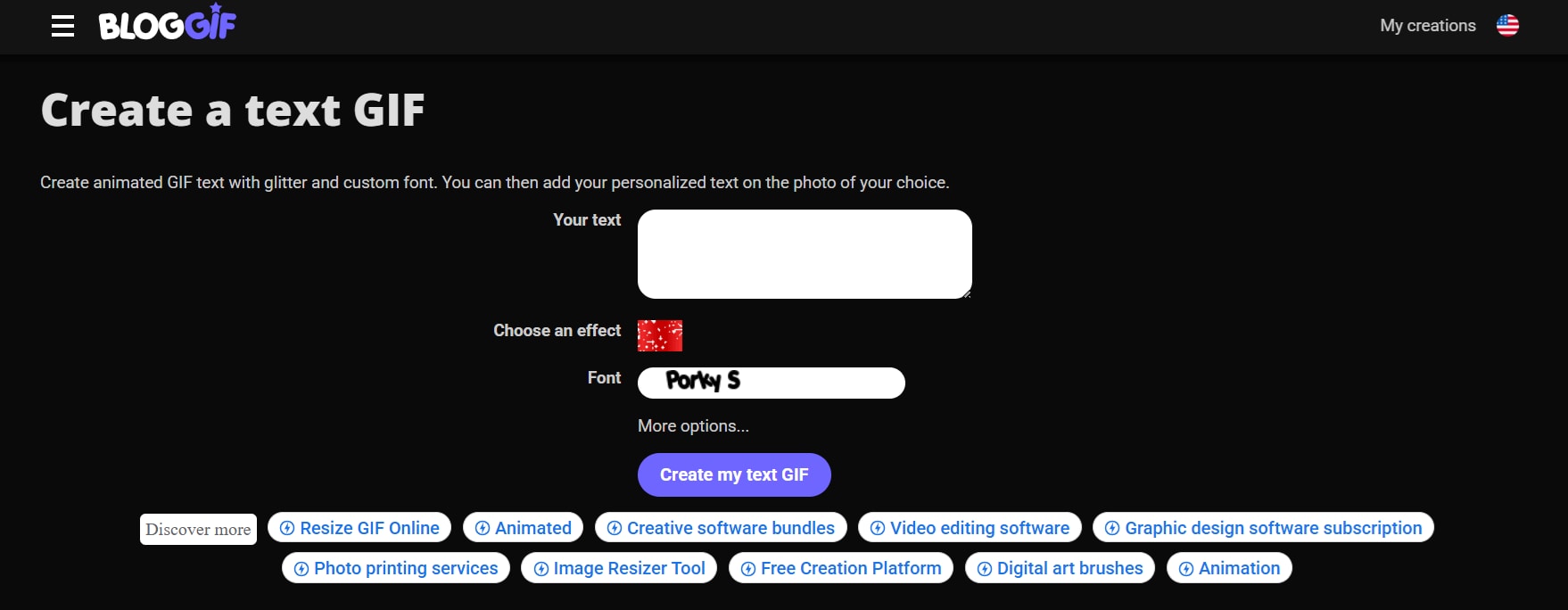
3. BlogGIF – Best for Instant Glitter Text
If speed is your top priority, BlogGIF is an excellent GIF glitter maker for quick results. Its ready-to-use glitter templates and quick rendering process make it suitable for users who simply want to type, add glitter, and share.
- Extremely fast for quick and instant glitter designs
- No registration or complicated setup required
- Simple interface makes it almost impossible to get stuck
- Design flexibility is quite limited
- Image clarity is lower at higher resolutions
- BlogGIF offers ready-to-use glitter templates with instant rendering
- Auto animation layering on any text input
- Exports lightweight GIFs ideal for social media
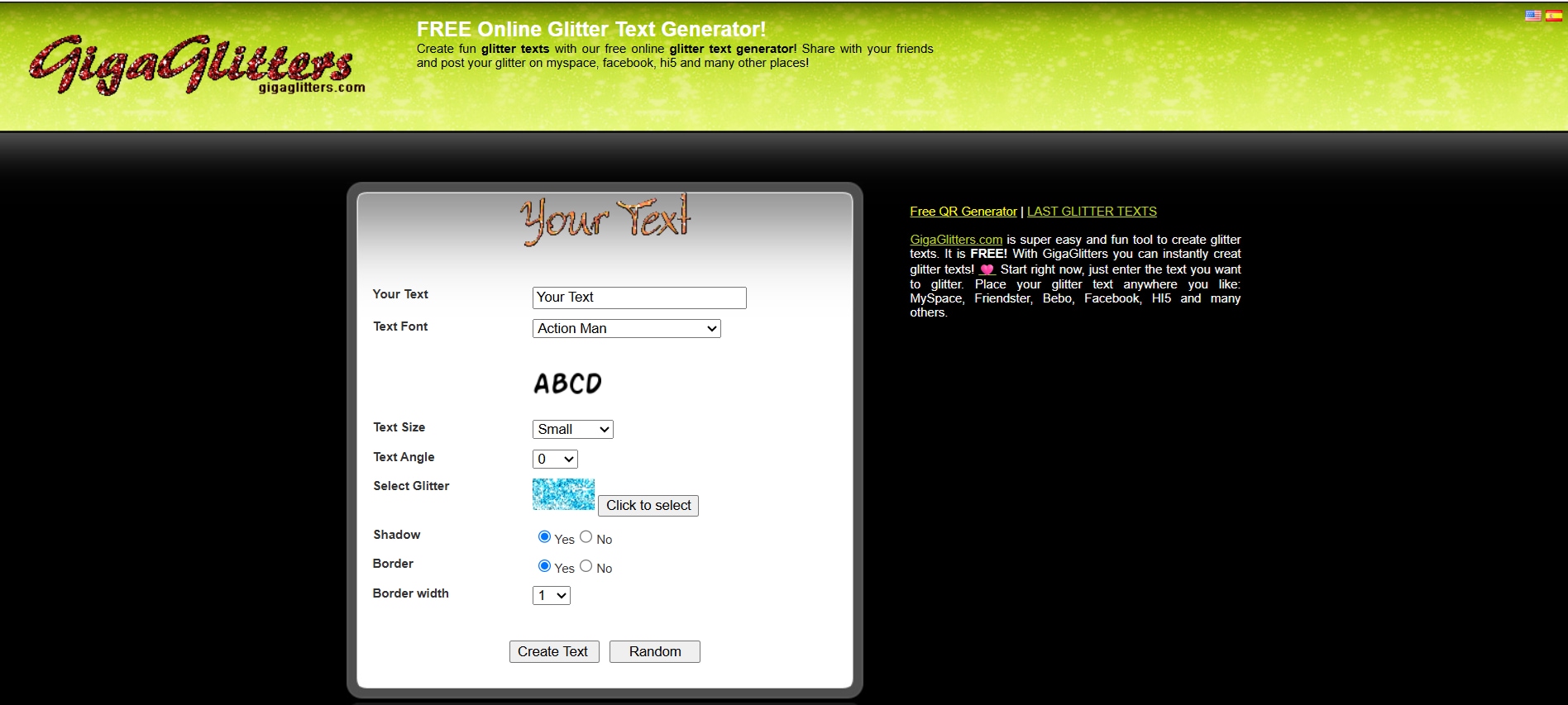
4. GigaGlitters.com – Best for Custom Glitter Styles
GigaGlitters is a fun and creative glitter GIF text maker, designed for those who love bold and playful typography. What makes it stand out is its library of unique glittery fonts and real-time previews.
- Unique and stunning glitter fonts are not available in other free tools
- GigaGlitters is ideal for users who want to add a personal touch to their designs
- Lightweight platform that runs smoothly on all browsers
- No advanced editing or layering tools
- The interface design may feel dated and less intuitive
- A wide range of vibrant glitter fonts with customizable sizes and effects
- Real-time preview allows users to adjust colors and sparkles before downloading
- A simple text-to-glitter conversion engine optimized for quick rendering
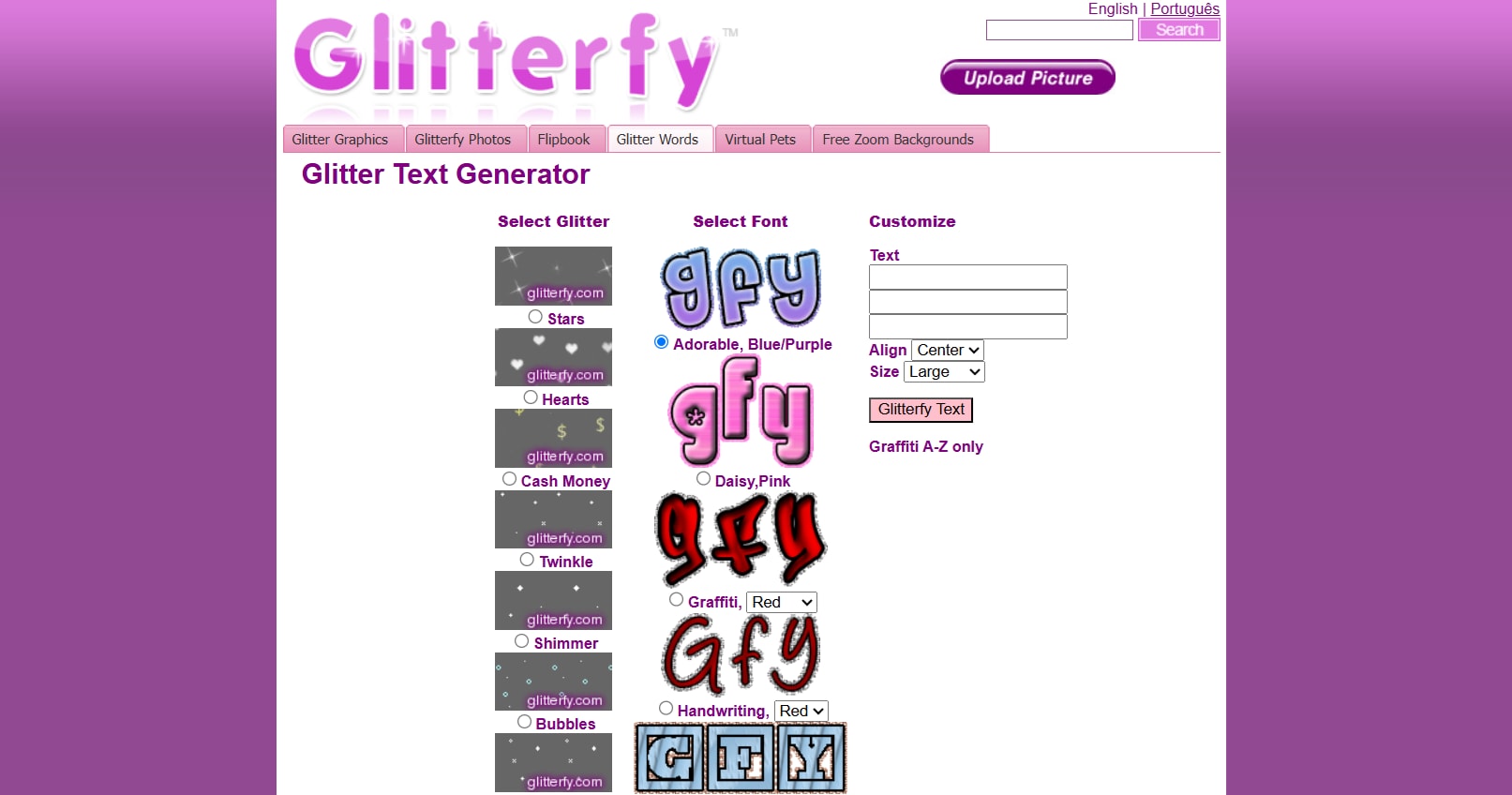
5. Glitterfy.com – Best for Quick Sparkles
Glitterfy has always been a nostalgic favorite among creators of glittery GIF text. This app is super fast and easy to use, and it offers classic glitter styles that are perfect for decorating profiles, fan pages, or personal edits.
- Super-fast processing for quick results
- No registration or technical steps required
- A perfect tool for personal editing, headers, or profile decoration
- Limited control over glitter details and font variations
- Effects may appear old-fashioned on modern platforms
- Classic glitter text generator with instant export
- Glitterfy supports transparent backgrounds for easy overlay use
- Multiple sparkle speeds for different glitter moods
6. CoolText – Best for Logo + Text Designs
CoolText is not just an ordinary glitter text GIF maker. It's a versatile design tool that combines logo creation with glitter effects, which gives users more room to experiment with typography, textures, and layouts.
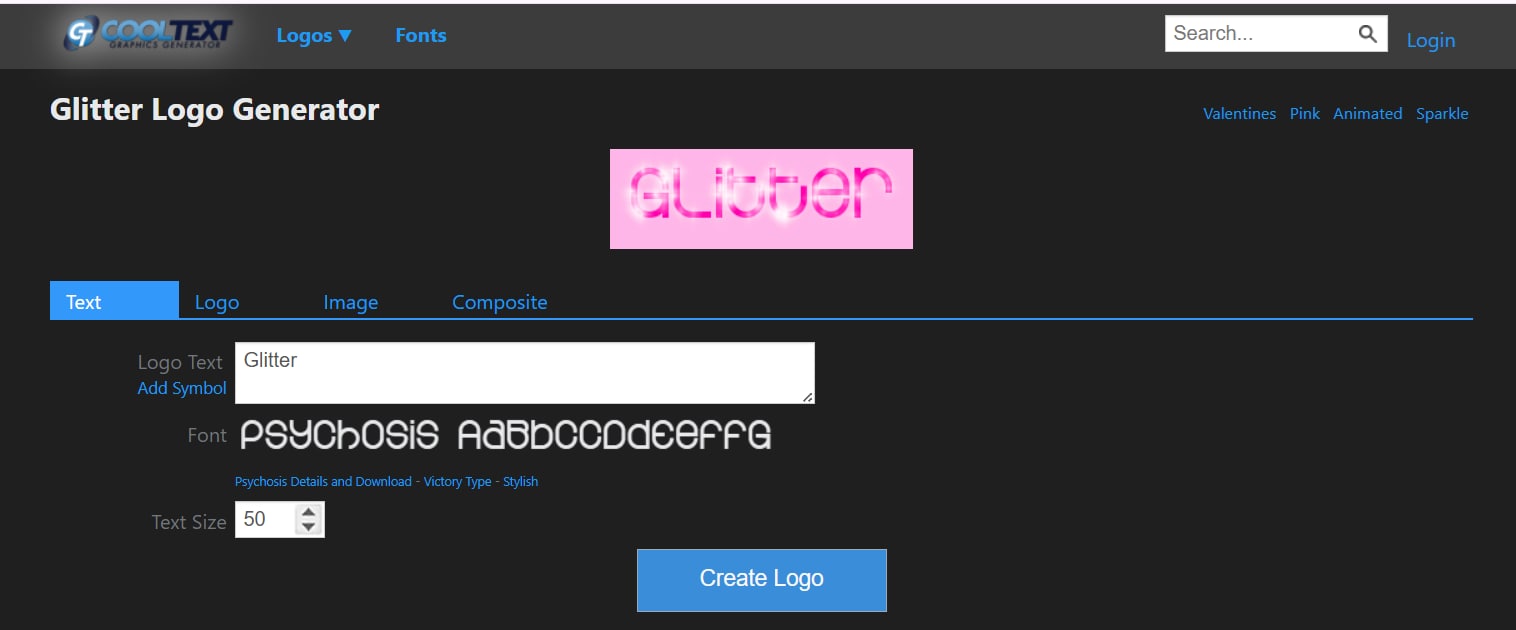
- CoolText is a seamless combination of ease of use and creative control
- It produces a cleaner, more modern glitter effect than many free tools
- It's ideal for creators who want more than just plain text
- Animation options are quite limited
- The interface focuses more on logos than on dynamic effects
- A strong font library with customizable glitter patterns
- Advanced text styling features, including shadows, gradients, and logo-style designs
- Transparent background export for flexible layering
7. Online Image Editor – Best for Overlay Effects
For creators who want a glitter GIF text maker with advanced animation effects that allow you to combine glitter effects with images and graphics, the Online Image Editor is an excellent solution. It's ideal for creating more complex sparkle layers and is loved by users who want flexibility without having to switch to full software.
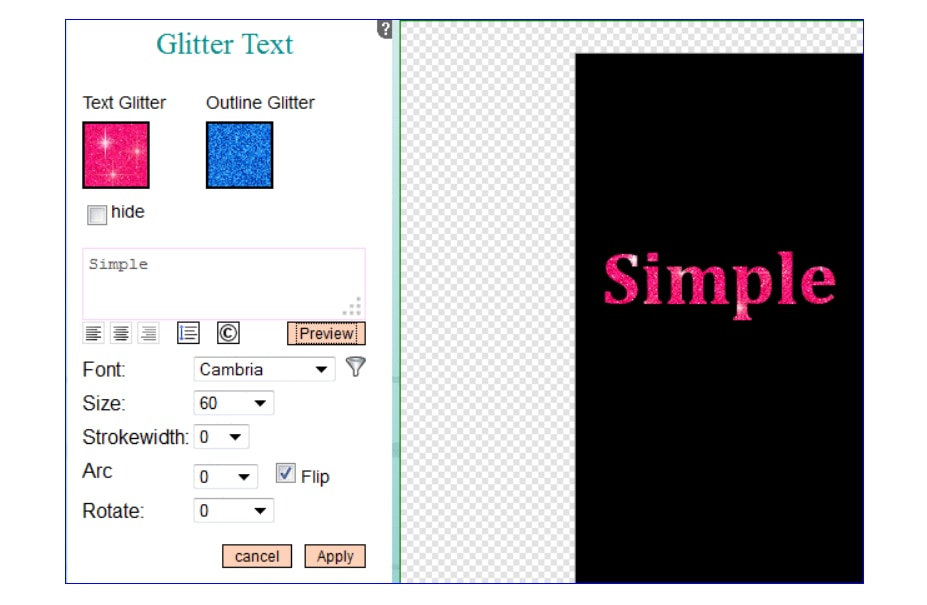
- High level of creative freedom compared to most free online tools
- Works great for creating layered glitter designs or mixed media
- Suitable for both quick edits and more detailed compositions
- The interface is less intuitive and takes some time to get used to.
- Rendering is slightly slower when combining multiple elements.
- Advanced glitter text generator with customizable animation speed and opacity
- It allows combining glitter with images, frames, or stickers
- Export in multiple formats, including GIF, PNG, and animated overlays
Conclusion
Glitter text GIFs add a sparkling touch to any design, such as social media posts or branding elements. Here we've covered everything from quick online generators like Picasion and Glitterfy to advanced tools like VEED.io or desktop editors like Wondershare Filmora. Online tools are ideally suited for instant results, while Filmora offers more control to make your glitter animations truly unique. The best choice depends on your goals, from speed, style, or precision. With the right tool, your text can shine, sparkle, and stand out in style.

Frequently Asked Questions
-
Which glitter GIF maker is most suitable for beginners?
Glitterfy and Picasion are great options if you're just getting started. With just a few clicks and a quick rendering time, both make it straightforward to generate glitter text GIFs without any design skills. -
Can I create GIFs with glitter text and custom fonts?
Yes, some tools let you use custom fonts and styles. VEED.io and Wondershare Filmora give you the flexibility to combine glitter effects with your preferred fonts, colors, and animations. -
Which format works best for sharing glitter GIFs on social media?
For most platforms, GIF is still the simplest format to upload while maintaining a smooth glitter animation. If you want higher quality or more control over playback, exporting as MP4 can also work well on platforms like Instagram or TikTok.
