

 TL;DR:
Creators outgrowing Vizard AI's limited editing depth and heavy-upload slowdowns can switch to Wondershare Filmora for full multi-track timeline control, Canva for template-driven design, or OpusClip for automated viral highlight extraction.
● Wondershare Filmora combines one-click short-clip generation with a complete video, audio, and text timeline editor across Windows, macOS, iOS, and Android, but requires a learning curve and uses a credit-based system for AI features.
● Pictory and Reap are optimal for speech-driven podcasts and webinars because they enable transcript-based editing and multilingual translation, though they lack precise visual pacing control and rely entirely on clear source audio.
● For users prioritizing publishing speed over visual customization, OpusClip assigns predictive engagement scores to prioritize clips, Flowjin automatically generates social media copy and hooks, and Vmaker AI features a built-in screen recorder for tutorials.
Ask AI for a summary
 ChatGPT
 Perplexity
 Gemini
 Claude
 Grok
Grok
How do you keep up with the demand to turn long videos into short clips for every platform? Many creators now rely on AI tools to repurpose content at scale. The Vizard AI Video Generator has become a popular choice for this job.
While Vizard AI handles clipping and captions well, many creators want more control over layouts, branding, formats, and editing depth. That gap pushes creators to search for a Vizard AI alternative that supports broader editing needs beyond short clips.
This article will start with a Vizard AI review. Then, it'll compare top alternatives that offer more than basic clipping and support wider video workflows. Let's get started!
Part 1. Vizard AI Video Generator Review
The Vizard AI Video Generator is a browser-based tool built to turn long videos into short clips. It uses AI to scan footage, identify usable moments, and prepare them for social platforms. The tool suits creators who want to repurpose existing content instead of editing each clip by hand.
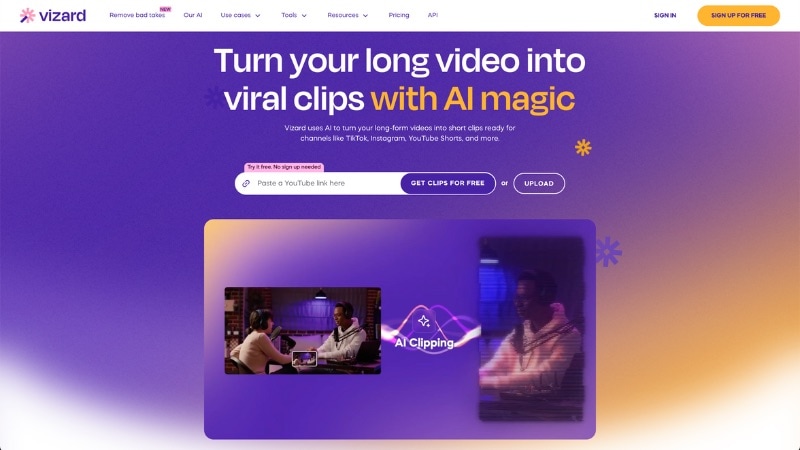
Vizard AI Video analyzes speech and scene changes to suggest short clips from longer videos. It also adds captions and formats clips for different social feeds within the same browser workspace. The goal is to reduce editing time while increasing the output of short-form videos.
Key Features of Vizard AI
- AI Clip Extraction from Long Videos: Vizard AI scans long-form videos and pulls out short segments based on speech, topic shifts, and on-screen activity. This feature helps creators turn one long recording into many clips for platforms like Shorts, Reels, and TikTok.
- Automatic Captions, Translation, and Text-Based Editing: The tool converts speech into text, supports multi-language transcription and translation, and lets users edit clips through the transcript. This feature works well for podcasts, interviews, and content aimed at global audiences.
- Auto Reframe with Speaker Tracking: Vizard AI Video Generator detects active speakers and adjusts the frame to keep them centered. This feature suits vertical and square formats used in talking-head videos.
- Social Format Presets and Exports: Users can choose preset aspect ratios and export settings for major social platforms. This feature removes the need for manual resizing when publishing across different channels.
- Cloud-Based Workspace with Team Access: Vizard AI uses cloud processing to support shared projects and team collaboration. Teams can review clips, manage versions, and handle feedback within the same workspace.
Pros and Cons

- Automates clipping, captions, and formatting, which cuts down editing time.
- Simple interface that works for users with limited editing experience.
- Supports transcription and translation for wider content reach.
- Allows teams to review and manage clips in a shared workspace.
- Performance can slow down during heavy uploads or long videos.
- AI results still need manual edits in some cases.
- Editing depth remains limited for complex projects.
- Requires a stable internet connection to work smoothly.
Who Vizard AI Is Best For
Vizard AI Video Generator works best for solo creators, marketers, and content teams who regularly repurpose long videos into short-form content. It suits podcasts, webinars, interviews, online courses, and talking-head videos where speed and volume matter more than detailed visual edits.
It may not suit professional editors, filmmakers, or projects that require advanced effects, layered timelines, or precise visual control. In those cases, a full video editing tool may offer a better fit.
Part 2. Best Vizard AI Alternatives with Reviews
Many creators start looking for a Vizard AI alternative once their needs grow beyond simple clipping. Common reasons include wanting more creative freedom, broader video editing tools, and a platform that handles both short clips and full videos.
Below are the best Vizard AI alternatives that offer broader video workflows while still supporting fast content repurposing.
1. Wondershare Filmora - Best All-in-One Video Editor with AI Tools
Filmora stands out as an alternative to Vizard AI for creators who want both short-form automation and full video editing in one place. Filmora lets you edit, enhance, and repurpose videos across many formats without jumping between apps.
 Secure Download
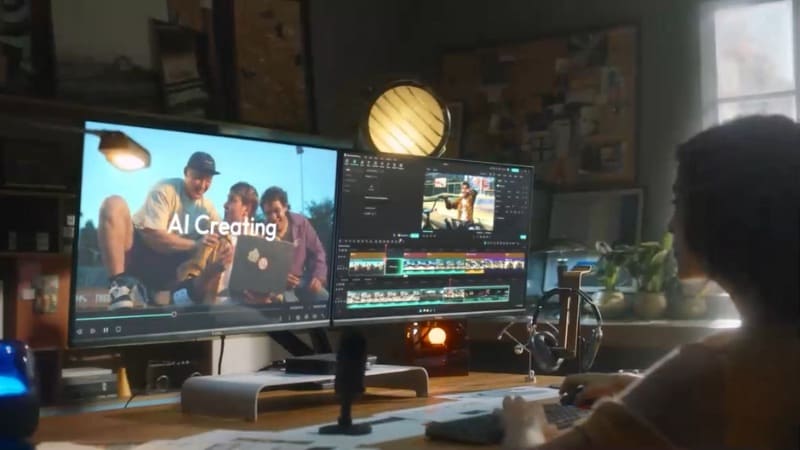
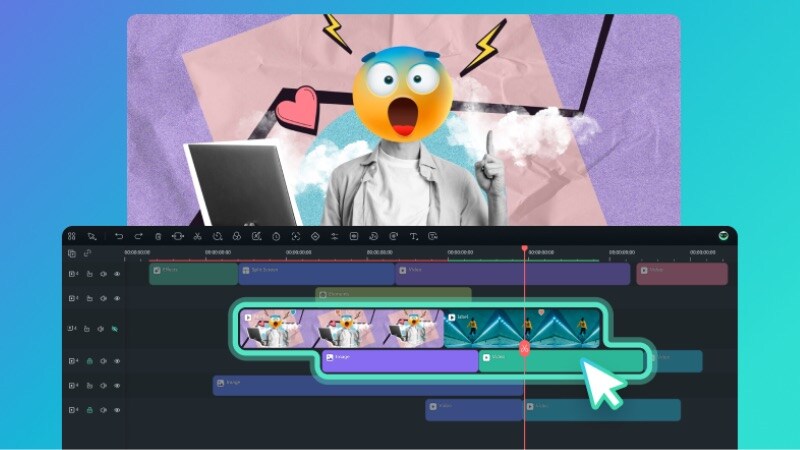
- Full Timeline Video Editor: Filmora offers a complete timeline editor with multi-track video, audio, and text layers. You can trim, sync, and layer elements with transitions, effects, and audio controls all within a unified workspace.
- Smart Short Clips: Turn long videos into short clips with a few clicks. It detects highlights and key moments, then extracts them into short clips. It also lets you refine those clips, add music or voiceovers, and adjust layouts for social media platforms.
- AI Video Generator: This tool lets you create videos from text prompts, images, or audio files. Enter a script or upload media, and the AI builds scenes with visuals, voiceovers, captions, and effects that match your prompt.
- AI Video Extender: It lets you extend a video's duration so scenes last longer and feel more complete. You can extend footage forward or backward by setting a duration and a prompt to generate matching frames.
- Creative Asset Library: Filmora includes built-in stock assets such as video clips, music tracks, transitions, and overlays. These ready-made elements help enhance videos without sourcing external files.
- It lets you handle clipping, editing, and add final polish in one project.
- Offers more control over visuals, layouts, and branding.
- Supports both short-form and long-form video projects.
- Built-in assets reduce the need for third-party stock sites or plugins.
- Compared with single-purpose auto-clipping tools, Filmora has a broader feature set that may require a short learning period for beginners.
- Users looking for pure one-click clipping with zero customization may find lighter tools more streamlined.
- AI features operate on a credit-based system, which can increase costs for heavy or frequent use.
2. Canva - Best Template-Driven Video Alternative
Canva is also a Vizard AI alternative if you're looking for an AI tool to convert long videos into short clips. Compared to Vizard AI, Canva leans more toward templates and branding. It suits users who prefer design presets over manual clip selection and detailed editing controls.
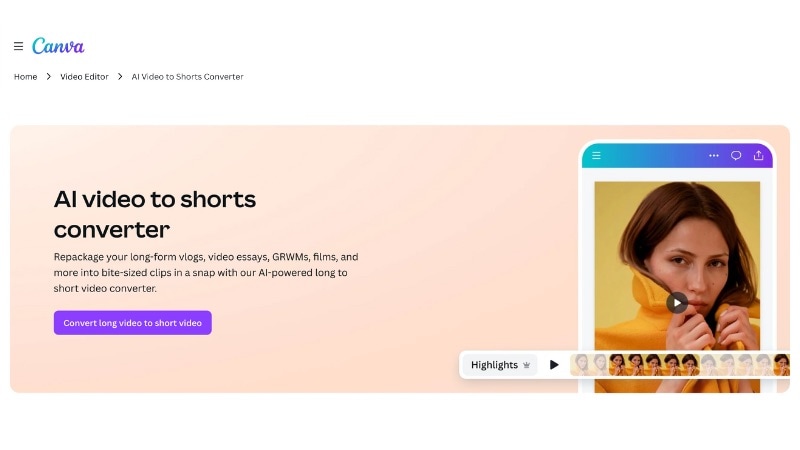
- Long Video to Short Video AI: Canva can convert long videos into short clips using AI suggestions. Then, it resizes them for social platforms, like TikTok, Reels, and Shorts.
- Template-Based Video Editing: Canva also offers ready-made layout designs for social clips, promos, ads, and announcements. Use these presets to speed up design work.
- Text, Captions, and Animations: It lets users add subtitles, animated text, and simple transitions with preset styles.
- Built-In Stock Library: Includes video clips, images, icons, and music, with projects saved online for easy access and sharing. Stock variety depends on free and paid plans.
- Cloud Editing and Sharing: Saves projects online and supports easy sharing for reviews or quick updates.
- Very easy to use with no editing background
- Templates and presets reduce manual design work.
- Built-in stock assets remove the need for extra libraries.
- Easy to share projects and make quick updates online.
- Not ideal for detailed edits or audio work.
- AI clipping feels basic compared to dedicated tools.
- Not suited for complex audio work or cinematic videos.
3. Pictory - Best Text-to-Video Vizard AI Alternative
Another AI tool you can use as a Vizard AI alternative is Pictory AI. After you upload a long video, the tool generates a transcript and analyzes the spoken content to identify key points. These text segments then guide how the video is split into shorter clips.
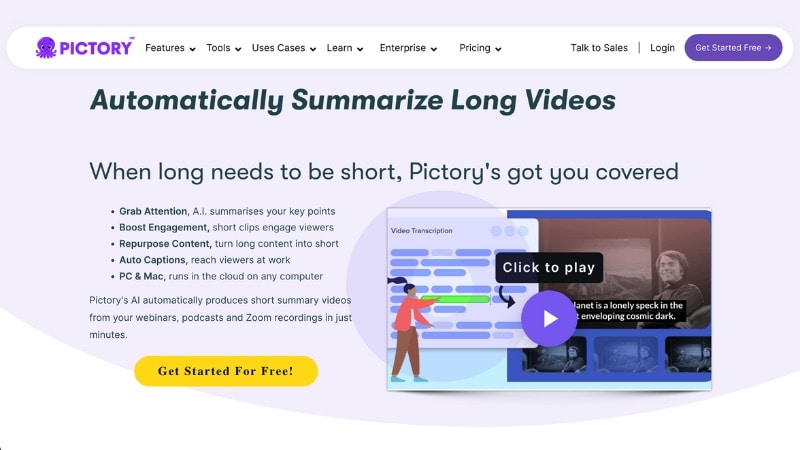
- Long Video Auto Summarization: Pictory converts uploaded videos into transcripts and uses the spoken content to guide clip selection. This feature helps identify key points to break long videos into shorter clips.
- Transcript-Guided Clip Editing: Clips are created and adjusted through the transcript. Users can trim or select sections by editing text, which speeds up repurposing for speech-based videos.
- Script-to-Video Creation: Pictory can also turn written scripts or articles into videos using stock visuals, captions, and background music.
- Automatic Captions: Generates subtitles from spoken audio, making videos easier to follow on social platforms.
- Built-In Stock Media: Includes access to stock video clips, images, and music that match the script or transcript.
Web browser
- Handles long videos well when speech drives the content.
- Auto summarization helps surface key moments from long talks.
- The script-to-video option works when no footage exists.
- Limited control over clip timing and visual pacing.
- Results depend on transcript quality and clarity of speech.
- Not suited for hands-on edits or custom layouts.
4. LiveLink - Fast AI Clip Generation With Smart Resizing
LiveLink is another Vizard AI alternative built for speed and simplicity. After you upload a video, LiveLink detects clip-worthy moments and generates multiple short clips. Then, it also resizes them for social platforms like TikTok, Reels, and Shorts in one flow.
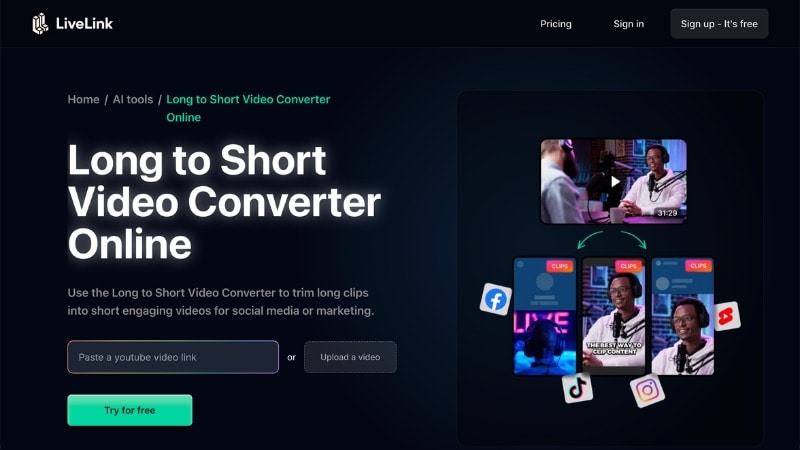
- Smart Clip Detection: Scans long videos and extracts multiple short clips based on speech patterns and scene changes.
- Facial Recognition and Smart Framing: The system detects faces and active speakers, then reframes clips for vertical or square formats. This helps convert horizontal videos into vertical layouts without manual cropping.
- Batch Clip Generation: The tool can generate many short clips from a single long video in one run. This feature works well for podcasts and long interviews where output volume matters.
- AI Captions with Style Presets: LiveLink creates captions from speech and applies them to each clip. Users can adjust text styles and save caption presets for consistent looks across multiple videos.
- Built-In Editor and Post Scheduling: Trim footage, tweak captions, and adjust the framing of the generated clips inside the editor. It also supports scheduling posts to social platforms.
Web browser
- It can generate many short clips from a long video in a single run.
- Auto captions and framing save setup time for social formats.
- Caption presets help keep branding consistent.
- Editing tools stay basic for visual customization.
- Works best with clear speech and talking-head content.
- Less suitable for creative or cinematic projects.
5. Reap - AI-Optimized Clips With Multilingual Subtitles
Compared to other tools on this Vizard AI alternatives list, Reap places more weight on subtitles and accessibility. Its main strength lies in turning long videos into short clips while handling subtitles and translations in the same workflow.
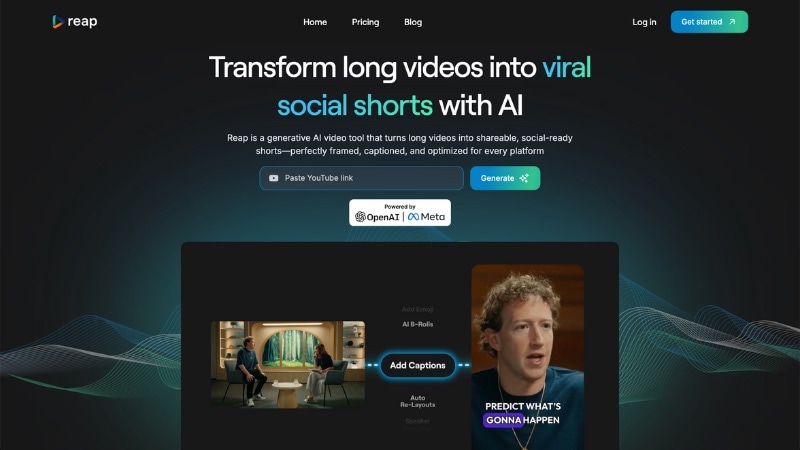
- Long Video to Short Clip AI: Reap analyzes long videos to find important moments based on speech and scene changes. It then cuts those segments into short clips sized for social platforms.
- Multilingual Subtitles & Translation: The tool generates captions from speech and can translate them into multiple languages. This feature helps you reach broader audiences.
- Auto Resizing for Social Formats: You can auto-resize clips into vertical, square, or horizontal layouts.
- Subtitle Styling Controls: You can adjust the style of captions, including font, size, color, and background. This tool helps you match brand identity or improve readability on various backgrounds.
- Audio Enhancements and Auto Cleanup: It can remove filler words and reduce background noise. It can also smooth audio transitions so that clips sound cleaner and more professional
Web browser
- Strong subtitle and translation support in one workflow.
- Removes filler words and cleans audio without extra tools.
- Caption styling helps videos stay readable on busy backgrounds.
- Auto-resizing reduces manual work when posting to multiple platforms.
- Limits clip and upload credits on lower plans.
- Locks team collaboration behind higher-tier plans.
- Costs more for creators with light usage.
6. Flowjin - Clip + Copy Generator for Social Publishing
Flowjin works as a Vizard AI alternative for creators who want short clips and ready-to-post text from one long video. Instead of stopping at clipping, Flowjin also generates captions, hooks, and post copy that fit social platforms. It is useful for creators who want a steady content pipeline without writing captions or summaries by hand.
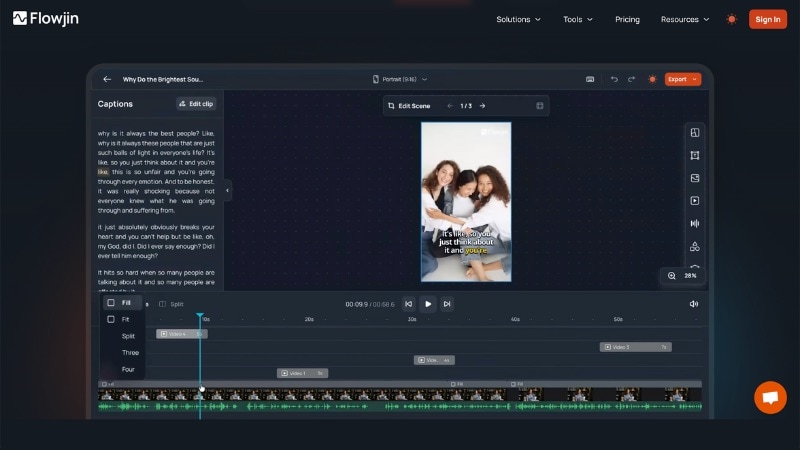
- Long Video to Short Clips: It scans long videos and splits them into short clips based on key moments in the speech.
- AI Caption and Post Copy Generation: Along with clips, the tool generates captions, hooks, and short descriptions.
- Content Batching for Social Publishing: One video can turn into several days of content ideas. It helps reduce planning and writing time.
- Auto Resizing for Social Formats: Clips export in vertical and square layouts for Shorts, Reels, and TikTok.
- Simple Web Editor: It also allows basic trimming and text adjustments before export, without a full timeline editor.
Web browser
- Generates short clips and ready-to-use captions from one video.
- Reduces time spent on writing hooks and post copy.
- Simple workflow that suits non-editors.
- Video editing options stay limited to basic trims.
- Caption and copy output often need brand-side tweaks.
- Not suitable for complex edits or visual storytelling.
7. Vmaker AI - Long-to-Short Tool for Screen Recordings and Tutorials
Vmaker AI is another alternative to Vizard AI that can turn long videos into short clips. Beyond AI clipping, it also includes a screen recorder and basic editing tools, which suit presentations, tutorials, and educational content.
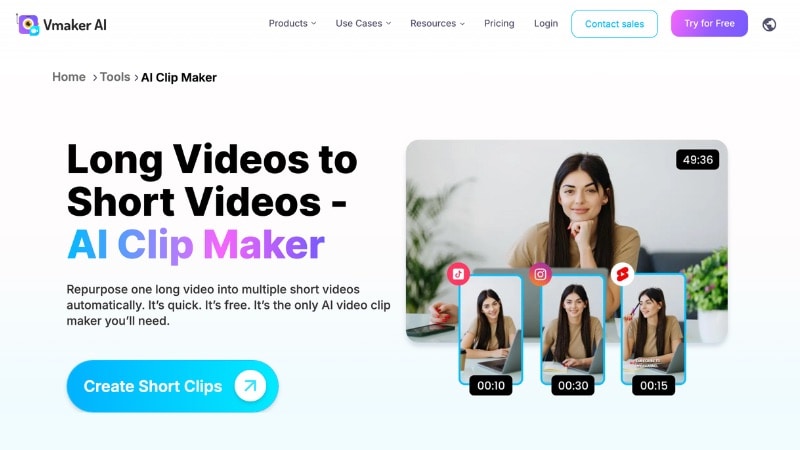
- Long Video to Short Clips: It scans long recordings and extracts short clips based on spoken sections and topic breaks. This helps turn full tutorials or presentations into smaller, shareable videos.
- Built-In Screen Recorder: Records screen, webcam, or both at the same time. This feature works well for software demos, walkthroughs, online lessons, and presentation-style content.
- Automatic Captions: Generates subtitles from speech. This feature helps clips stay clear on muted social feeds and instructional videos remain easy to follow.
- Basic Timeline Editing: It allows trimming clips, cutting sections, and adjusting captions without moving to another editor. This feature supports light cleanup before export.
- Social Format Exports: Exports clips in vertical and square formats for Shorts, Reels, and TikTok, which reduces manual resizing.
Web browser
- Combines screen recording and AI clipping in one tool.
- Works well for tutorials, demos, and educational videos.
- Easy to use for creators without editing experience.
- Limited control over visual customization.
- Clip detection suits instructional speech more than storytelling.
- Not designed for cinematic or highly polished videos.
8. OpusClip - AI Tool for Extracting Viral Moments from Long Videos
OpusClip is a Vizard AI alternative designed for creators who want AI to decide which moments matter most. Instead of offering deep editing tools, OpusClip helps detect viral-worthy moments and turn them into short clips. It then generates multiple clips and ranks them based on predicted performance.
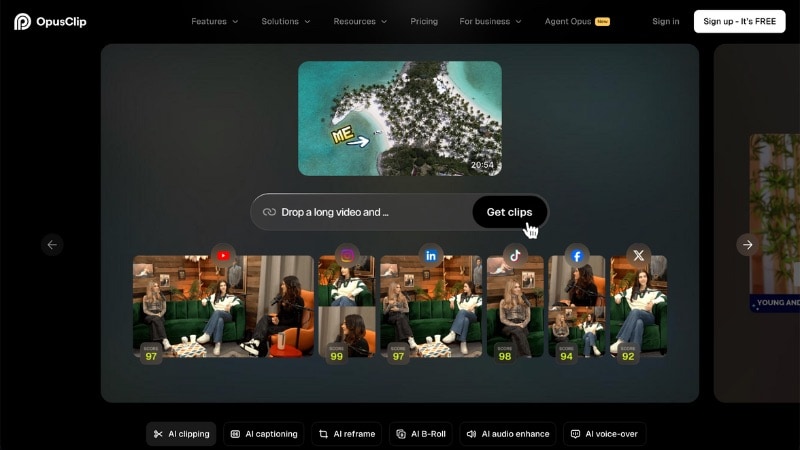
- AI Highlight Detection: It scans long videos to identify moments with strong hook potential. It looks at speech emphasis, pacing, and visual context to select clip-worthy segments.
- Clip Scoring and Ranking: Generated clips receive engagement scores, which help you prioritize what to post first.
- Auto Reframing for Social Formats: Adjusts framing to keep speakers or action centered in vertical and square layouts.
- Animated Auto-Captions: Generates subtitles that follow speech timing so content stays readable on muted social feeds.
Web browser
- Strong at finding high-impact moments without manual review.
- Engagement scoring helps prioritize clips.
- Fast workflow suited for high-volume posting.
- Limited control over clip structure and pacing.
- Less suited for detailed edits or storytelling.
- AI choices may not match every creator's style.
Part 3. Vizard AI vs Alternatives: Which One Should You Choose
The Vizard AI Video Generator and the alternatives on this list all help turn long videos into short clips. The real difference lies in what each platform offers beyond clipping and how that fits into a broader workflow. Some tools aim for speed and volume. Others give more control over editing, branding, or publishing.

The sections below break down common content workflows and identify the best-matching tools for each.
Fast social clipping at scale
When speed matters most, tools like Vizard AI, LiveLink, and OpusClip make sense. They scan long videos, pull highlight moments, add captions, and export clips ready for Shorts, Reels, or TikTok.
When projects need full editing flexibility
Some workflows do not stop at clipping. Projects may need layout changes, audio fixes, transitions, or last-minute adjustments before publishing. In these cases, Filmora fits better because it handles AI clipping and full timeline editing in one workspace.
Branding and layout consistency
For creators who care about visual identity, layout control matters. Canva offers quick brand alignment through templates, while Filmora provides more flexibility through manual layout edits, layered text, and asset control.
Speech-driven content workflows
For podcasts, webinars, and educational videos, tools like Pictory and Reap work well because transcripts guide clip selection. These tools help break down long recordings based on spoken content.

Conclusion
The Vizard AI Video Generator works well for fast clipping and captions, but it does not cover every content need. This guide reviews Vizard AI and lists its alternatives for more control over edits, layouts, audio, or publishing flow.
Each Vizard AI alternative in this list serves a different purpose. Some prioritize speed. Others support deeper edits or brand consistency. Filmora stands out when clipping needs to connect with full video editing in one place.
Try one to test the flow, and see which one fits your next project best.
FAQs
-
Q1. What types of videos work best with Vizard AI?
Vizard AI performs best with content that has clear spoken dialogue, such as podcasts, interviews, webinars, talking-head videos, and online courses. While it can process other video styles, results are strongest when speech helps guide clip selection.
-
Q2. How is Vizard AI different from full video editors like Filmora?
Vizard AI focuses on speed and automation, especially for short-form content. Full editors like Filmora offer timeline editing, visual effects, branding control, and long-form editing, making them better for creators who want more customization after clipping.
-
Q3. Can I edit Vizard AI clips further after generation?
Yes. Many creators export clips from Vizard AI and continue editing them in other video editors to refine layouts, add branding, adjust audio, or apply effects. This workflow balances fast clipping with creative control.
