


 TL;DR:
As of 2026, Microsoft has not released an official Clipchamp app for Android, meaning all third-party "Clipchamp APK" or mod downloads are fake, unsupported files that risk exposing your device to malware and data theft.
● Legitimate access to Clipchamp is strictly restricted to the official iOS app, Windows 10 and 11 desktop applications, or web access specifically through Microsoft Edge and Google Chrome browsers.
● For quick, cross-platform Android editing, Filmora Mobile offers the closest native experience with built-in AI tools, though the free version watermarks exports and requires credits for AI features.
● For watermark-free 4K editing at no cost, casual users should choose VN Video Editor, while professional creators requiring advanced multi-track control (up to 6 video and audio tracks) should choose LumaFusion for a $29.99 one-time purchase.
Ask AI for a summary
 ChatGPT
 Perplexity
 Gemini
 Claude
 Grok
Grok
Clipchamp started as Microsoft’s answer to replace Windows Movie Maker, but it quickly grew into something much bigger. Over time, it built a strong reputation and even reached a 4.8 rating on the Apple App Store, which says a lot about how much people enjoy using it.
Naturally, this leads many users to search for Clipchamp Android. But once you start digging, most results point to Clipchamp APK or Clipchamp mod APK downloads instead. That raises a real concern about safety and legitimacy. Is that Clipchamp mod APK actually safe, or are you just inviting a headache onto your phone? This guide breaks everything down clearly and shows you what actually works.
Part 1. Clipchamp Android: Does the App Even Exist?
Before you waste time trying to find info on Clipchamp download for Android, we have to give you an unfortunate truth. As of right now, there is no official Clipchamp app for Android.
While the Clipchamp mobile app has found a cozy home on iOS, Microsoft hasn't brought that same love to the Google Play Store yet. Even halfway through 2026, there is still no confirmed timeline. So, when you see searches like Clipchamp download Android, or Clipchamp mobile Android, those are not official releases. They’re either workarounds or unofficial files.
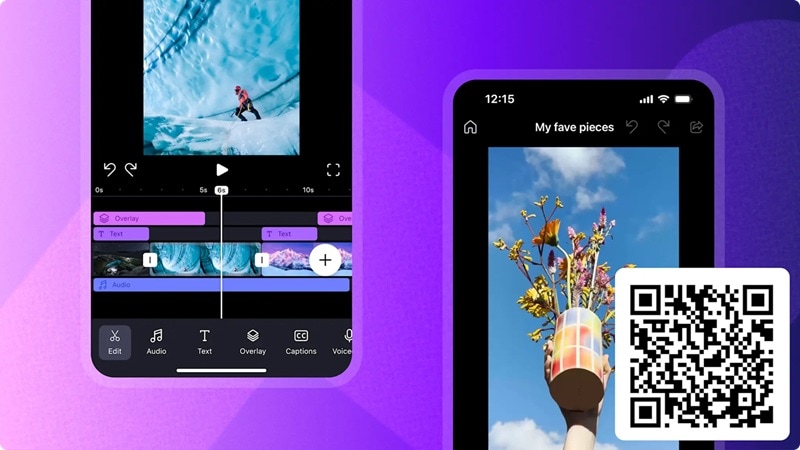
That said, Clipchamp isn't completely off-limits. Other than the Apple app store, you can also access Clipchamp on:
- Desktop (Windows 10 or Windows 11 device).
- Web browser (Microsoft Edge and Google Chrome).
Part 2. Clipchamp Mod APK: Why It’s Not Worth the Risk
Since there’s no official Clipchamp app Android, the internet has filled the vacuum with some pretty questionable stuff. You’ll find sites promising a Clipchamp APK download or a Clipchamp mod that unlocks "pro" features for free.
It sounds tempting, but here’s why you should steer clear of any Clipchamp APK mod download.
- They are NOT from Microsoft: The official Clipchamp team has never released an Android APK, period.
- Many are outdated or Fake builds: Some APK files floating around trace back to old 2023 uploads or unknown developers. Others are just repackaged apps pretending to be Clipchamp.
Real Risks of Using Clipchamp APK or Mod APK
When you download a Clipchamp APK mod from a random third-party site, you aren't getting a gift from Microsoft. You’re getting a file created by an unknown developer.
Still tempted? Here's exactly what you're signing up for when you install one of these files:
- 🦠 Malware Hidden Inside the App: Some APK files carry harmful code that runs silently in the background, draining your battery, stealing data, or worse.
- 🔓 Data & Account Security at Stake: Your stored files, email address, and Microsoft login details could be exposed to bad actors the moment the app installs.
- 🎭 It Won't Look or Work Like Real Clipchamp: Most Clipchamp video editor APK files are just cheap clones that don't actually have the AI voices or auto-captions you’re looking for. You're getting a cheap imitation at best.
- 💥 Crashes, Bugs, and Constant Instability: Clipchamp mobile APK is not maintained or optimized. Expect freezes, failed exports, and random app crashes mid-edit.
- 🙈 No Updates, No Support, No Accountability: When (not if) something breaks, you're completely on your own. No update, no help, no refund.
Part 3. How to Use Clipchamp Without Downloading APK
If you're absolutely set on using Clipchamp and don't want to risk your phone's health with a Clipchamp Android APK, you have two legitimate paths. Thankfully, neither involves a sketchy Clipchamp APK download for Android, so your data stays safe.
Option 1: Use Clipchamp Browser (Quick Access Option)
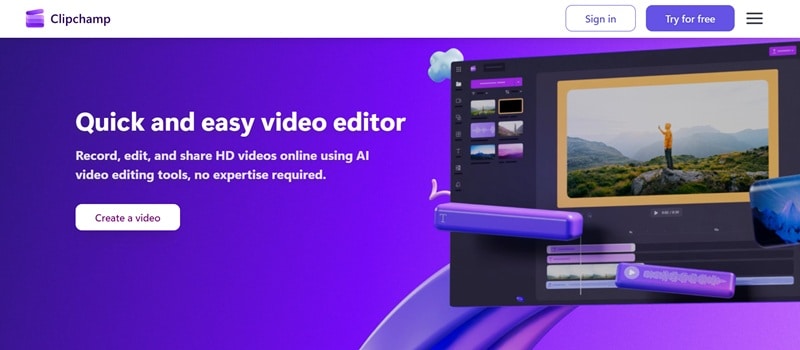
You can visit clipchamp.com directly from Chrome or Microsoft Edge on your PC. Sign in with your Microsoft account and you'll get access to the editor.
- Zero Installation: You can start editing instantly without installing anything.
- Easy Access Anywhere: You can just log in and continue your project from another device. Great for quick edits or switching between devices.
- Resource Competition: If you have 50 other tabs open, they’ll all be fighting for your RAM, which can make your video preview lag or buffer.
- Limited Browser Support: It only officially works on Chrome and Edge. If you’re a Firefox or Safari loyalist, you’re out of luck.
Option 2: Use It on PC (Best Experience Overall)
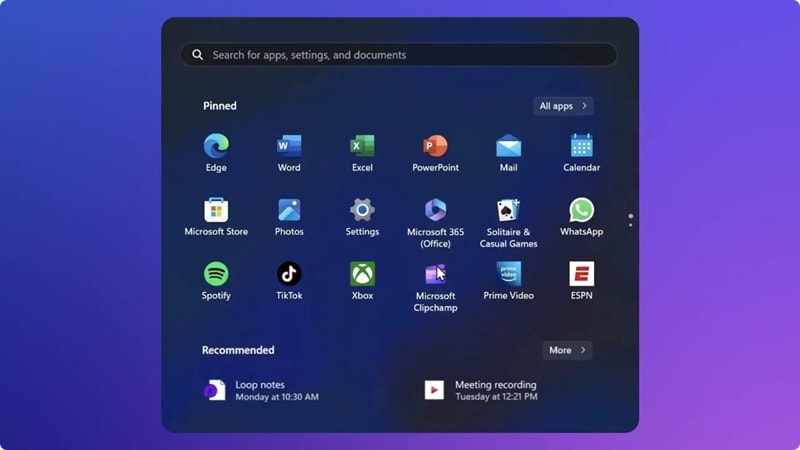
If you have a big project, start it on your PC. It’s faster, smoother, and you won’t have to deal with the limitations of a browser.
- Slightly Better Performance: The app can sometimes handle local file processing a bit more smoothly because it doesn't have the overhead of a full browser running in the background.
- System Integration: It feels more at home on Windows. Shortcuts work a bit more reliably, and it’s easier to find them in your Taskbar.
- Still Not "Native": Because it’s a web-wrapper, it still needs an internet connection to access stock libraries and certain AI features. It isn’t a "heavyweight" offline editor like Premiere Pro.
- Updates: Occasionally, you’ll have to wait for the Microsoft Store to update the app, whereas the browser version is always the latest "live" build.
Part 4. Better Clipchamp Alternatives for Android (No APK Needed)
Both options above are official access to Clipchamp, but they are meant to be open on a PC or laptop. But what about mobile access? Well, we've prepared that for you too, and you don’t need a risky Clipchamp APK download for Android.
There are incredible, native apps sitting right in the Google Play Store that blow "modded" APKs out of the water. Here are the top three worth your time.
1. Filmora Mobile (Best Overall Choice)
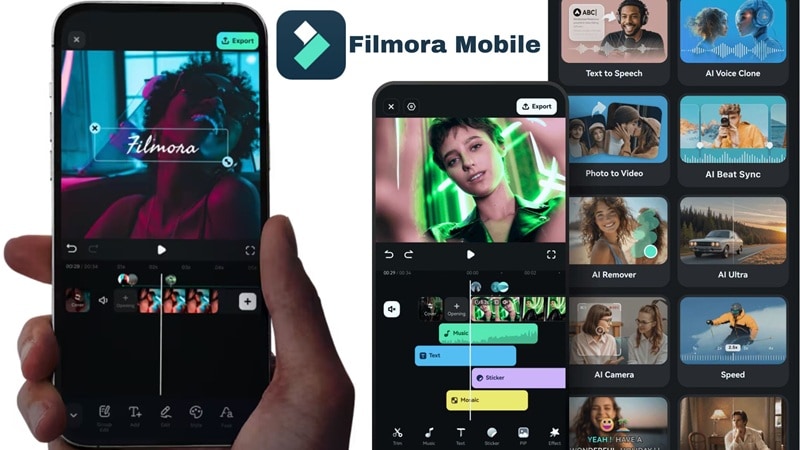
Wondershare Filmora is the closest thing to a "desktop-class editor on mobile" you'll find in the Android ecosystem. It's got a clean UI, powerful tools, and a feature set that punches well above its weight class, making it the top pick for most users who want a real Clipchamp alternative. Plus, the desktop version can also be an upgrade from Clipchamp online or PC too, since it offers a more varied set of AI features.
 Secure Download
- AI-powered tools: Smart cutout, motion tracking, AI denoise, auto captions, and more.
- Multi-track timeline editing for complex video compositions.
- Huge library of transitions, effects, and filters.
- Built-in stock media (music, SFX, footage), no need to hunt elsewhere.
- 100+ templates ready to go for quick, polished content.
Android + iOS (and Desktop version on Windows & macOS).
Free version available, with affordable upgrade plans listed on the Filmora pricing page.
Creators, students, social media editors, and anyone wanting a full feature set on mobile.
- Beginner-friendly UI with pro capabilities.
- Works across mobile and desktop.
- Strong AI tools built-in.
- Regular updates with new AI features.
- The free version adds a watermark to exports.
- Using AI features requires AI credits.
Secure Download2. VN Video Editor (Clean and Free)
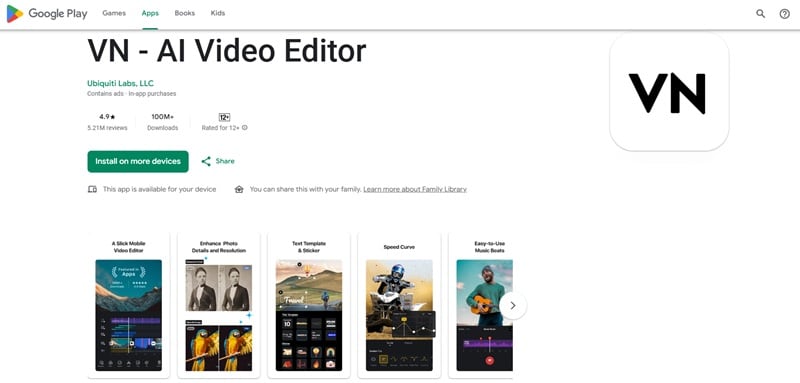
If you hate watermarks, VN is your best friend. It is one of those rare apps that gives you a genuinely capable editing experience completely free, and without slapping a watermark on everything. It's lightweight, intuitive, and perfect if you want clean results without spending a cent. It’s way better than any Clipchamp APK mod you'll find.
- Multi-track timeline with keyframe controls.
- Precise trimming, splitting, and speed adjustment tools.
- Transitions, filters, and text overlays.
- Music and voiceover support with audio mixing.
Android + iOS.
Free version available, Pro plans start at $7.99.
Casual creators, beginners, and anyone who wants straightforward editing with no cost.
- You can export up to 4K resolution with no watermark.
- Clean, minimal interface that's easy to navigate.
- Sometimes, the replay will show clips loading a half-second too soon or late.
- The folder organization is confusing for some users.
3. LumaFusion (The Pro's Choice)
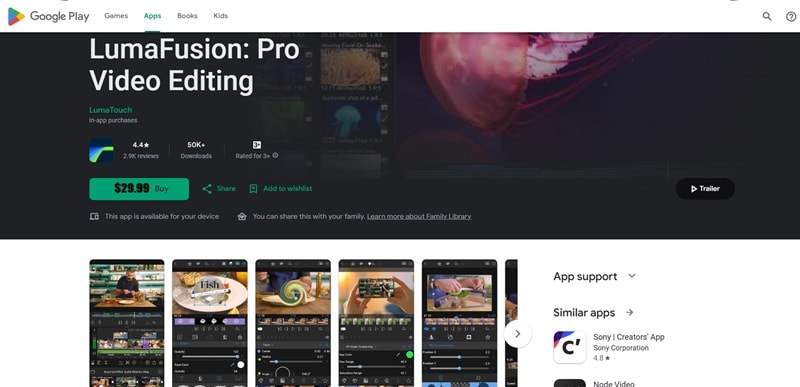
Instead of finding a Clipchamp app download APK file to get premium features, you can turn to LumaFusion. If you're serious about mobile editing, this is the gold standard. It's a bit of a beast to learn, but for anyone who wants deep control over their edits, it's genuinely impressive.
- Up to 6 video and 6 audio tracks, true multi-layer editing.
- Advanced color grading tools with LUT support.
- Magnetic timeline for fast, precise editing workflow.
- Mixed-frame-rate and mixed-resolution project support.
Android + iOS.
$29.99 one-time purchase.
Advanced editors, journalists, filmmakers, and power users who want deep timeline control.
- Excellent for filmmakers and content pros.
- Include a powerful audio mixer with EQ and effects.
- There is no free version, so you can't test it out first.
- May feel overkill for simple social media clips.
Part 5. Which Clipchamp Alternative Should You Pick?
At this point, anything here is already a better move than messing around with a random Clipchamp APK download file. Those just create more problems than they solve. So, which one should you actually use?
Honestly, it comes down to how you like to edit. Some people want something quick and simple. Others want full control with layers and fine-tuning. There is no one tool that fits everyone, but there is definitely one that will feel right for you.
Here’s a quick side-by-side so you can see it clearly:
| Feature | Filmora | VN | LumaFusion |
| Ease of Use | Very easy to start | Easy | Takes time to learn |
| Editing Style | Timeline + AI tools | Timeline editing | Advanced multi-track editing |
| Cross Platform | Yes | Limited (no Windows) | Mobile only |
| AI Features | Extensive set of AI features | Strong built-in AI tools | Limited |
| Best For | Most users | Simple editing | Advanced creators |
Secure DownloadBest Picks Based on Your Needs
At the end of the day, picking the right editor depends on your goals. So, ask yourself what you actually need to get done today. And remember, the key is about choosing what actually fits your workflow.
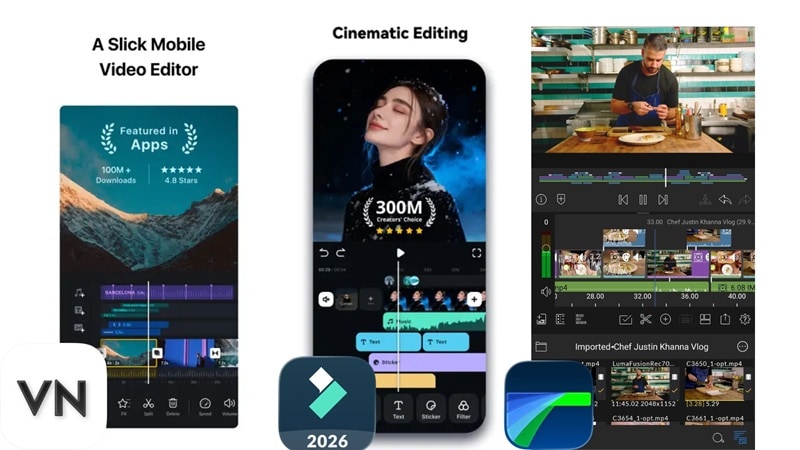
But if you just want a straight answer, here it is:
- For the Quick & Trendy: Go with Filmora. It strikes the perfect balance between easy-to-learn and seriously powerful. You get templates, AI tools, stock media, and a clean interface, all under one roof.
- For the Budget-Conscious: VN Video Editor is your best bet. No watermark, no stress. Great for quick cuts, social media clips, and anyone just getting started.
- For the Perfectionist: Invest in LumaFusion. It’s the closest you’ll get to having a Hollywood editing suite in your pocket. If you're serious about video and willing to invest time learning, it's worth every penny.
Secure DownloadConclusion
While we all want a native Clipchamp app for Android, the official version just isn't here for Android yet. Don't risk your phone's security on a Clipchamp mod APK download from a shady site. Between potential malware, fake interfaces, and zero support, the cost of being wrong is just too high.
Instead of risking your device with unknown Clipchamp APK downloads, it makes more sense to use a proper Android video editor. Tools like Filmora, VN, and LumaFusion offer better performance, more control, and a smoother experience. In the end, you save time, avoid risks, and actually get the results you want.
FAQs About Clipchamp Android and APK
-
Why is Clipchamp available on iOS but not Android?
Microsoft chose to prioritize iOS development first, likely due to integration with Apple's ecosystem and the creative user base on iOS. As of 2026, the Clipchamp app for Android hasn't been announced. It may come eventually, but there's no confirmed timeline. -
Can I log into my Microsoft account on these alternative apps?
The alternative apps listed here: Filmora, VN, and LumaFusion, are independent platforms with their own accounts. They don't connect to your Microsoft account. However, your saved projects in Clipchamp remain accessible on PC or iOS anytime. -
Will Clipchamp release an Android app in the future?
Given Clipchamp's growth and Android's massive global market share, an official app wouldn't be surprising. However, until Microsoft announces it officially, don't trust any Clipchamp video editor download APK claiming to be a "beta" or "early release" version.
