


 TL;DR:
Creatify AI is a browser-based video generator best suited for solo e-commerce sellers and marketers who need to rapidly produce multiple short-form ad variations directly from product URLs for high-volume testing.
● The platform operates on a strict usage-based model starting at 33 dollars per month for 100 credits, where generating a 30-second video consumes 5 credits, meaning frequent regenerations or minor edits will quickly exhaust your monthly allowance.
● While the built-in AI avatars and voiceovers easily simulate user-generated content without actors, facial movements and lip-syncing can appear unnatural in detailed videos, and rendering glitches may still deduct from your credit balance upon failure.
● Choose Creatify AI for instantly automating template-based ad variations at scale, but use Wondershare Filmora if you require full manual timeline control, auto-reframing for multi-platform optimization, and the ability to refine AI-generated drafts without spending credits per revision.
Ask AI for a summary
 ChatGPT
 Perplexity
 Gemini
 Claude
 Grok
Grok
Hiring a video editor used to be the only way to create product ads that didn’t feel cheap. Now, tools like Creatify AI let even a solo Shopify seller paste a product URL and generate multiple ready-to-post video ads in minutes.
In this Creatify AI review, we break down Creatify AI’s core features, pricing, pros and cons, and real user feedback, including insights beyond polished testimonials. You’ll also see how it compares to alternative tools, so you can decide whether it’s the right fit or just another automation tool with limitations.
Part 1. What Is Creatify AI?
Creatify AI is a browser-based platform that generates short marketing videos. You can paste a product link, upload assets, or write a script, and the system assembles a video using visuals, voiceovers, and prebuilt structures. The process is designed to minimize manual editing.
According to its official site (creatify.ai), the platform focuses heavily on ad creation workflows, especially for e-commerce. Rather than creating videos from scratch, users generate multiple variations quickly.

The platform is built for scaling content production. It supports:
- Reusable templates
- Ad cloning features in higher-tier plans
- API access for automated workflows
Who Is Creatify AI For?
Creatify AI is most accessible for users without a strong editing background.
- Beginners and solo creators — The interface is simple, and most steps are guided. You can generate usable videos without learning timelines or keyframes.
- eCommerce sellers and marketers — Product-based businesses benefit the most, especially when testing multiple ad creatives at scale.
- Teams and developers — For more advanced workflows, Creatify AI API allows automation, such as generating videos in bulk from product catalogs.
The platform has grown into a widely adopted tool, with over a million marketers and more than 10,000 teams on board, including brands like Alibaba.com, Comcast, Binance, NewsBreak, Tecdo, and Zumper. By 2025, Creatify had crossed $9 million in annual recurring revenue within just 18 months of launching and secured $15.5 million in Series A funding.
Main Use Cases
Creatify AI is built around high-volume, short-form content:
- Product ads: Paste a product URL and generate multiple ad variations quickly. This is one of the most common use cases behind Creatify AI video searches.
- Short-form content: Videos are formatted for TikTok, Instagram Reels, and YouTube Shorts, aligning with demand for Creatify AI shorts.
- UGC-style videos: Their AI avatars feature can simulate user-generated content, which is widely used in paid ads. This connects to interest around Creatify AI avatar features.
The platform uses generative AI models and integrated workflow tools to handle the full video ad lifecycle.
Platform Type and Access
Creatify AI runs entirely online as a SaaS tool. There’s no need to install software, and most users access it through the Creatify AI login page on its official website. There isn’t a standalone mobile app, so searches like app Creatify AI typically lead back to the browser version.
Part 2. Creatify AI Key Features
Creatify AI focuses on turning ideas, product pages, or scripts into short marketing videos with minimal setup. Most of its features are designed to prioritize speed and repeatability, which is why it’s commonly used for ad testing and high-volume content.
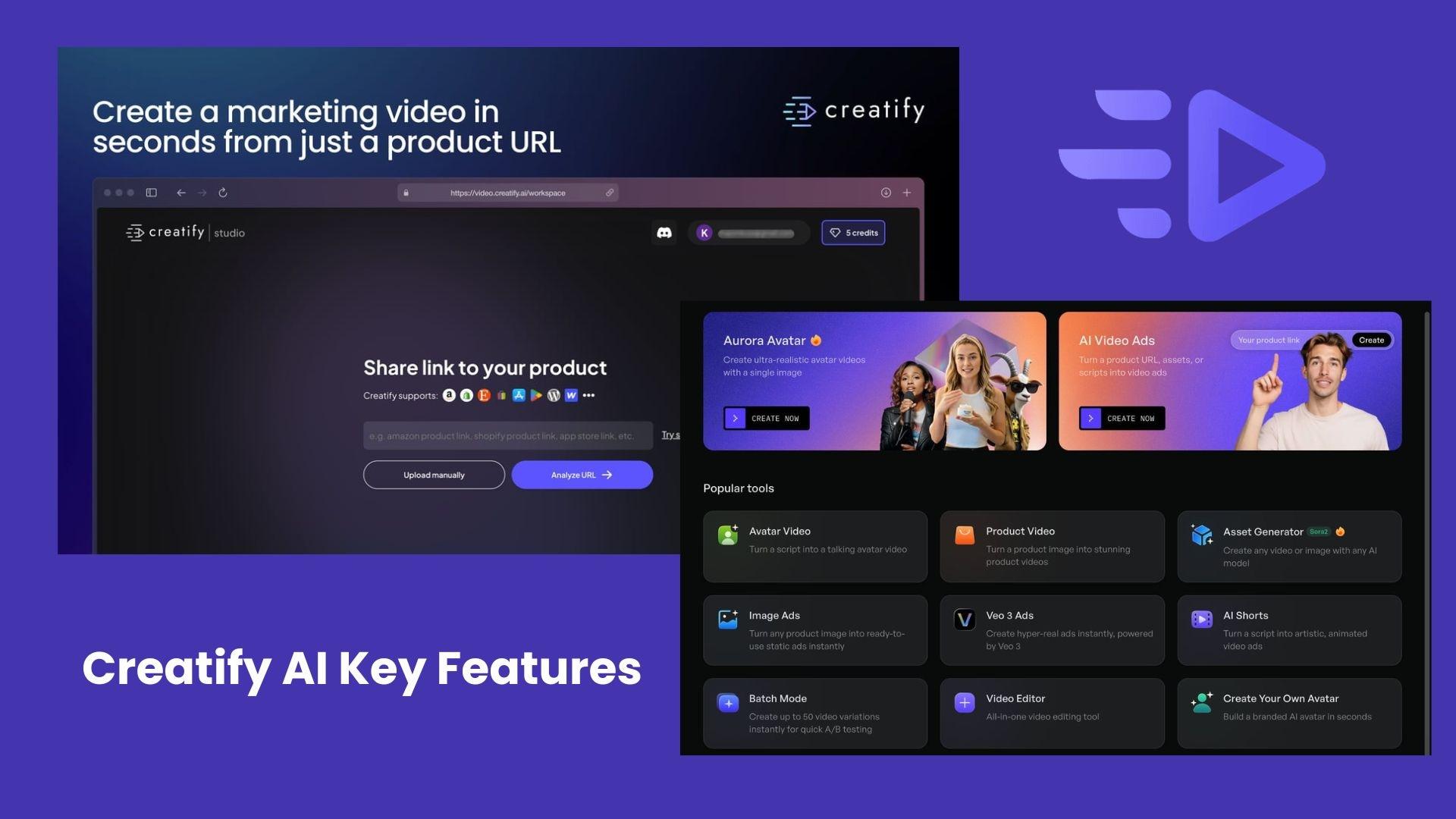
The platform combines URL-based generation, AI avatars, voiceovers, and a credit-based system into one workflow. Each feature below reflects how users typically create and scale videos inside the tool.
2.1 AI Video Generator (URL to Video)
You paste a product link (Shopify, Amazon, etc.), and the system will extract product images and descriptions, generate a script, and assemble a full video ad with visuals, captions, and voiceover.
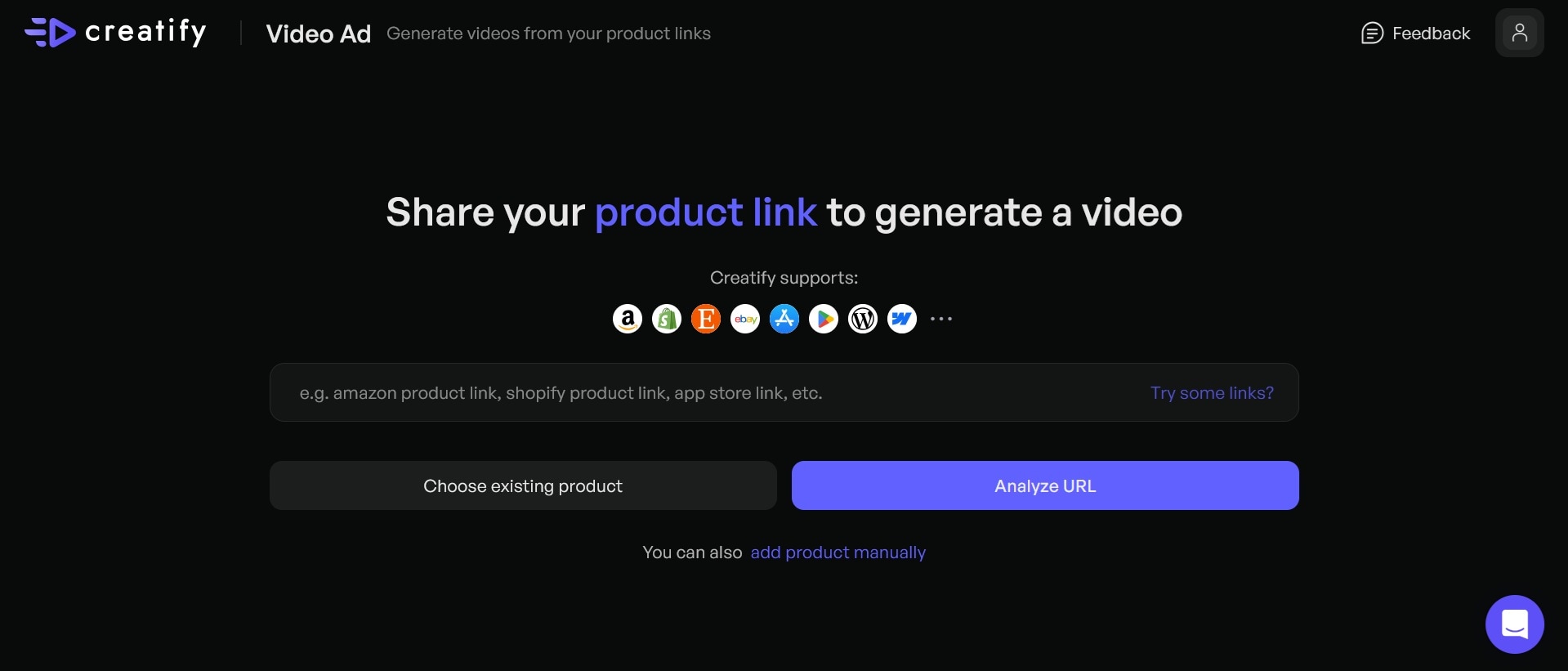
This process is designed to shorten production time, especially for product-based ads:
- Works best with clean product pages
- Output quality depends heavily on input assets
- Often used to generate multiple variations for testing ads
2.2 AI Avatars & Voiceovers
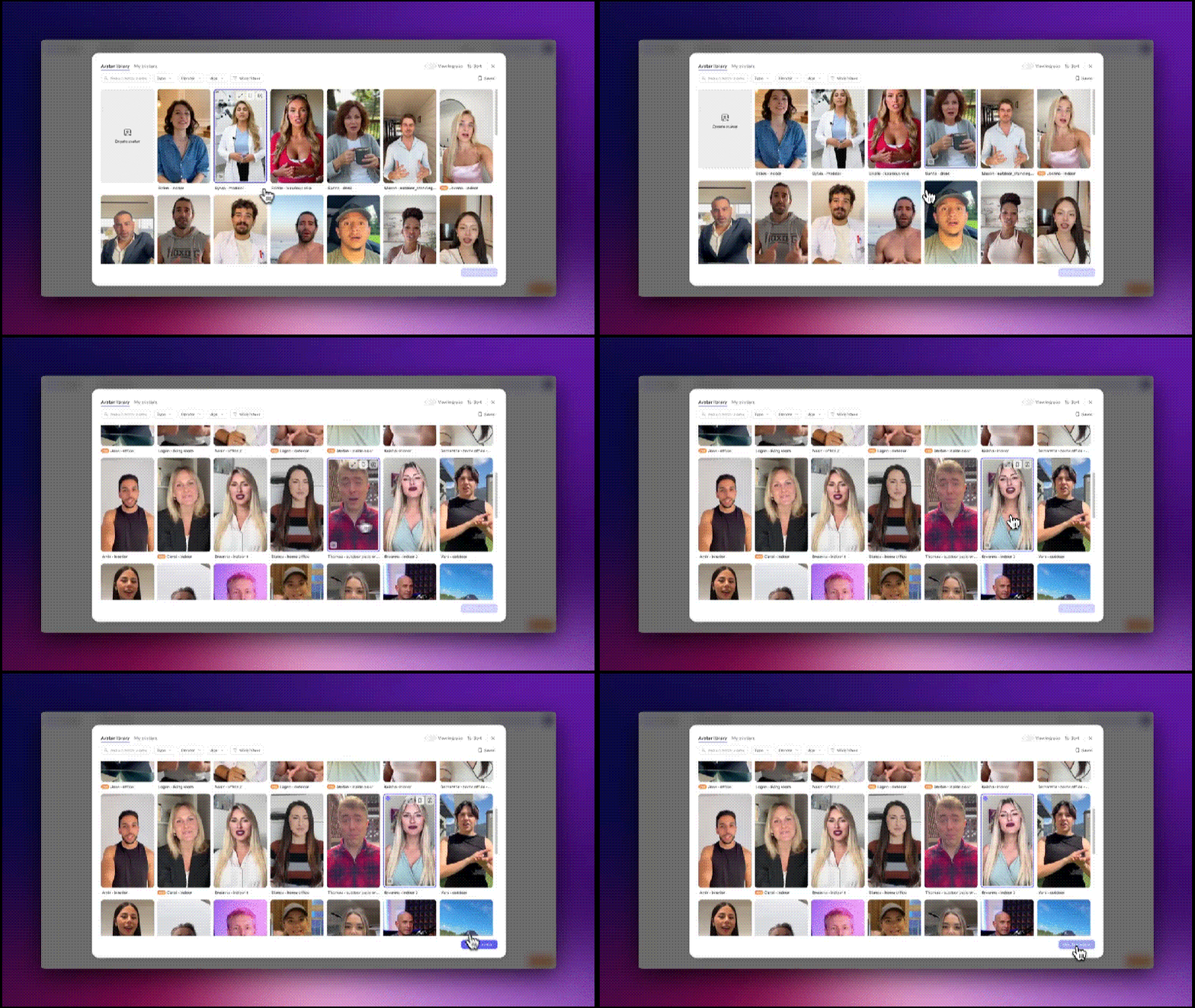
Creatify includes an extensive library of AI avatars and a built-in voiceover generation. You can adjust tone, language, and delivery to match different content styles. These avatars are often used for UGC-style ads, where a virtual presenter introduces the product.
- Avatar videos typically use around 5 credits per 30 seconds
- Longer videos or higher-quality outputs increase credit usage
AI Avatar is where many users start to notice how quickly credits can run out during testing.
2.3 Text-to-Video Generation
You can also create videos by entering a script or prompt. The platform handles scene creation, visuals, subtitles, and voiceover automatically. It includes:
- AI-powered script generation (usually around 1 credit per request, based on official docs)
- Automatic subtitle syncing
- Voiceover integration
This feature works well for short ads, hooks, and simple promotional content, but offers limited control for more complex storytelling.
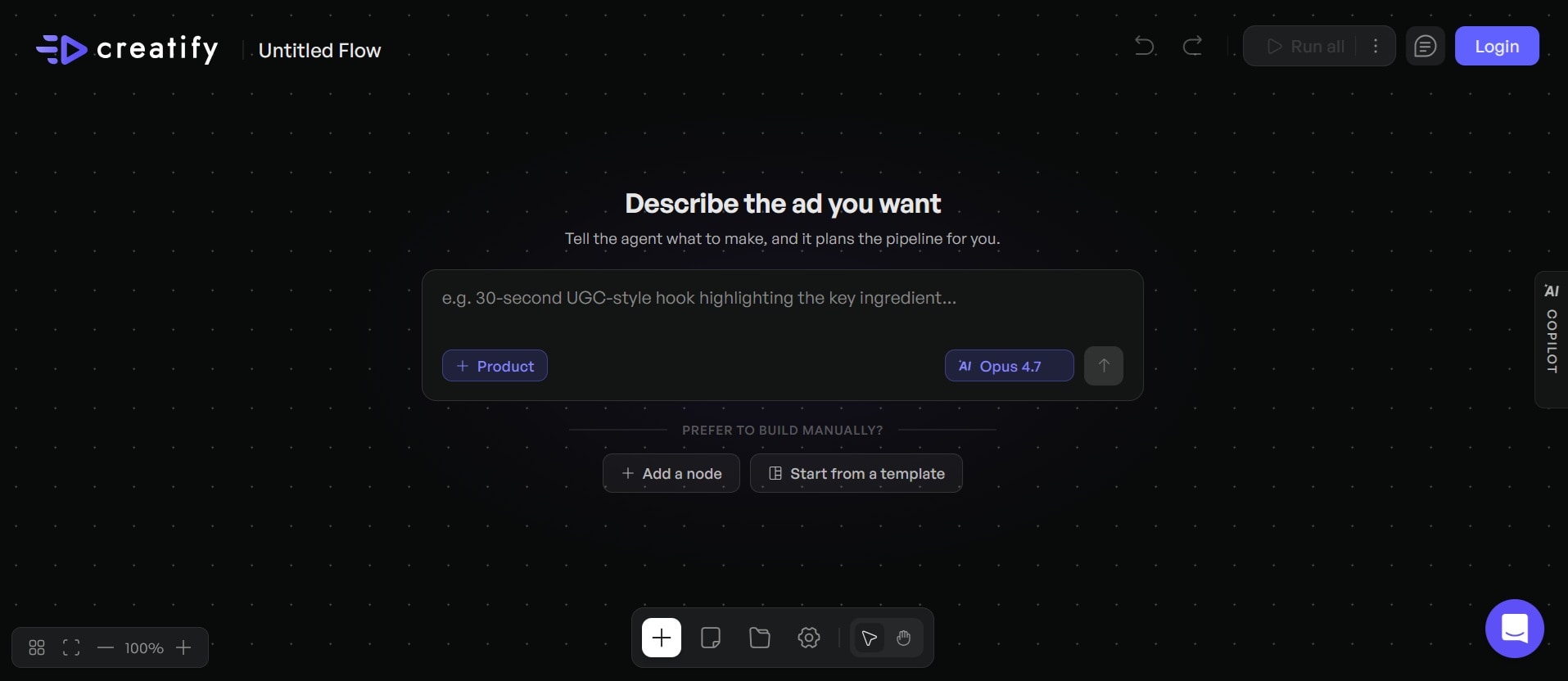
2.4 Short-Form Content Optimization
Creatify AI is structured around short-form platforms like TikTok, Instagram Reels, and YouTube Shorts. From its official site:
- Supports vertical (9:16), square, and landscape formats
- Uses templates designed for quick engagement
- Focuses on strong opening hooks
Video generation in this format typically costs around 5 credits per 30 seconds, which aligns with how users create multiple variations for performance testing.
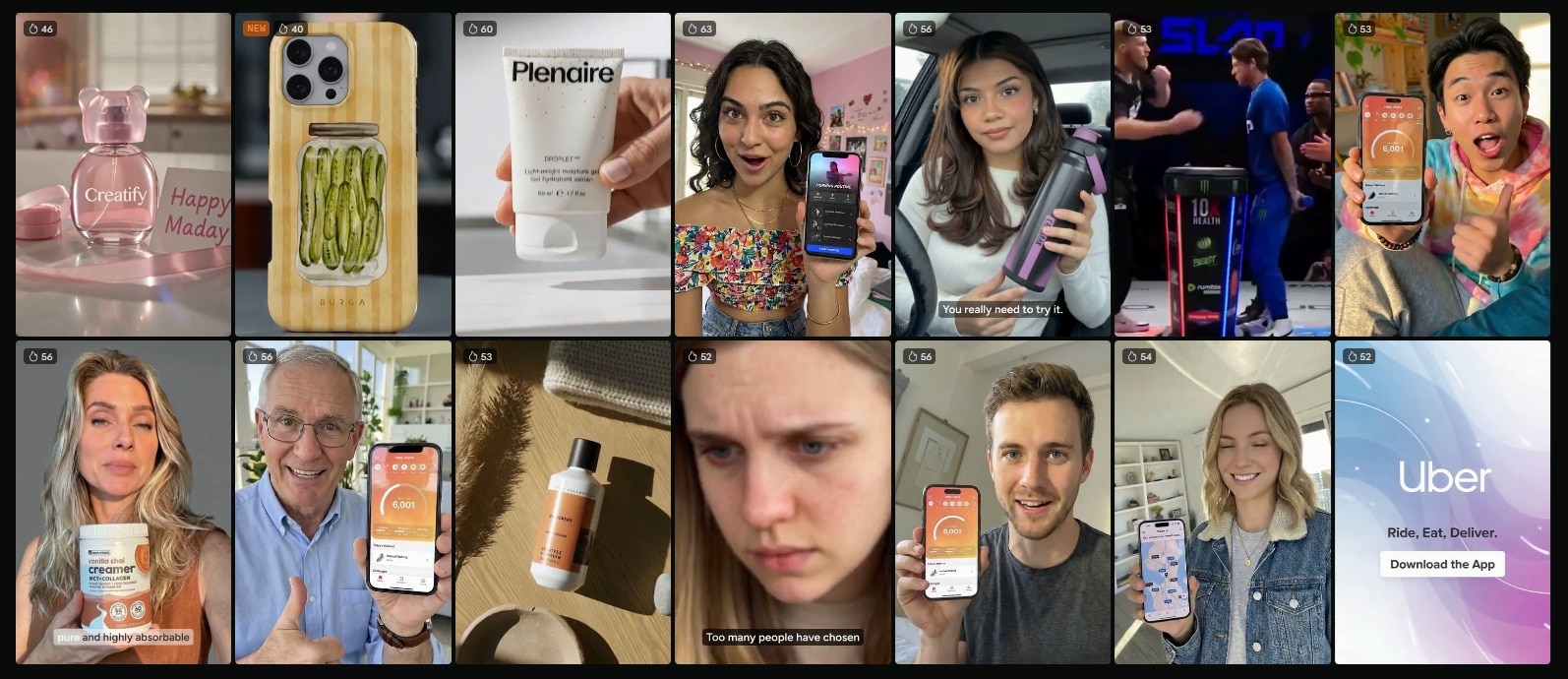
This setup is efficient for producing content in bulk, but frequent revisions can quickly increase usage, especially when testing multiple versions of the same ad.
Part 3. Creatify AI Pricing — How Much Does It Cost?
Creatify AI’s pricing system uses a subscription and credit system, which means you’re not just paying for access, but also for the number of videos you create. Each plan gives a fixed number of monthly credits, and those credits are consumed every time you create or regenerate content.
From the official page, here’s how the current plans are structured.
Creatify AI Pricing Plans (2026)
| Plan | Price | Credits / Month | Video Output | Key Features | Best For |
| Free | $0 | 10 credits | ~2 videos/month | Basic tools, watermark, and limited avatars | Testing only |
| Starter | $33/month | 100 credits | ~20 short videos/month | No watermark, more avatars, templates | Solo creators |
| Pro | $49/month | 200 credits | ~40 short videos/month | Full features, custom avatars, ad tools | Marketers & teams |
How the credit system works:
- video generation: 5 credits per 30 seconds
- script generation: 1 credit
- Regenerating or editing can use additional credits
Free Plan
- Enough to test the workflow
- Watermark makes it unusable for real campaigns
- Credits expire after a short period
Starter Plan ($33/month)
- Good entry point for testing ads consistently
- Works if you’re producing a small number of variations
- Credit limits start to feel restrictive if you iterate frequently
Pro Plan ($49/month)
- Designed for scaling
- Includes more avatars, templates, and advanced tools like ad cloning and tracking
- Still limited by credits if you generate aggressively
Part 4. Creatify AI Pros and Cons
After reviewing product details and user feedback, Creatify AI shows a clear pattern. It performs well for fast content production and ad testing, but some limitations become more noticeable with consistent use.
- Fast video production. One of its main strengths is speed. You can turn a product link or script into a finished video in minutes, significantly cutting down production time.
- Beginner-friendly workflow. The interface is simple and guided. Users without editing experience can create usable videos without learning complex tools or timelines.
- Efficient for ad testing and scaling. Batch generation and reusable templates make it easier to produce multiple variations. This is especially useful for testing different hooks, formats, or messaging.
- Built-in avatars and voiceovers. The platform includes AI avatars and multilingual voiceovers, which help create UGC-style ads without the need for real creators or recording setups.
- Lower cost compared to traditional production. For bulk content, the cost per video is relatively low compared to hiring editors, actors, or production teams.
- The credit system can limit experimentation. Credits are used for each generation and regeneration. Testing multiple versions or making small changes can quickly reduce your available credits.
- Inconsistent avatar realism. Avatar quality can vary. Lip-sync and facial movements are sometimes less natural, especially in longer or more detailed videos.
- Limited editing control. The platform prioritizes automation, so fine control over timing, transitions, and visual details is restricted compared to traditional editing software.
- Occasional performance issues. Some users experience slow rendering, failed generations, or glitches, which can interrupt workflow and still consume credits.
- Billing and support concerns. There are reports about credit expiration, billing confusion, and slower customer support response in some cases.
Part 5. Creatify AI Reviews & Real User Feedback
To understand Creatify AI’s performance in real-world use, we need to look at two sides: verified review platforms and open community discussions. Both provide useful insights, but they often highlight different aspects of the experience.
Verified Reviews (Platforms)
On platforms like G2, Creatify AI maintains a high rating of 4.8/5 from over 1,300 reviews. Common themes from these verified reviews:
- Ease of use is frequently praised
- Fast video generation is a major advantage
- Useful for creating ad content quickly
- Works well for marketers and teams scaling campaigns
At the same time, even positive summaries mention a limitation, that is, customization options can feel restricted for more specific branding needs.
On Trustpilot, feedback is more mixed. Some users highlight how easy the tool is to use and how quickly they can create content, while others raise concerns about billing and reliability. For example, one user noted, “easy and effective tool for engaging content creation.”
- Credit expiration policies
- Unexpected charges
- Bugs or failed renders consuming credits
Reddit & Community Feedback
Discussions within the community tend to be less polished and more detailed about real usage. Across multiple Reddit threads:
- Speed is the main advantage. Users often mention being able to test multiple ad ideas quickly without waiting for creators or agencies.
- Output quality varies. Some users consider avatars usable for ads, while others point out lip-sync issues and unnatural movement.
- Credits run out faster than expected. A common concern is that generating and re-generating videos can quickly consume credits, especially when testing variations.
- Billing and reliability concerns. Discussions often include complaints about credits being used even when videos fail or about unclear billing behavior.
These discussions tend to focus less on features and more on practical usage over time, especially when running campaigns at scale.
Part 6. Creatify AI Alternatives to Create Ads in Minutes
Creatify AI works well when you need speed, but it’s not always the best fit. Some users start looking for Creatify AI alternatives when:
- You want to adjust timing, transitions, or storytelling in detail
- Generated videos feel too similar or template-based
- You need more flexibility for branding and creative direction
- You’re combining AI generation with manual editing
In those cases, using a tool that still supports fast creation but gives you more control can make a difference.
A More Flexible Option: Wondershare Filmora
Unlike Creatify, Filmora is built around a full timeline editor, so you have complete control over how your video is cut and structured. On top of that, it includes a solid set of AI tools for script writing, auto-captions, background removal, and more.
 Secure Download
You get fast AI-assisted creation when you need it, and full manual control when you don't. That combination makes it a practical option if you've been running into the limitations above.
Filmora’s Features for Creating Ads Quickly
- AI Text-to-Video and AI Copywriting: You can generate video drafts from prompts or scripts, then refine them manually. Filmora also includes AI copywriting to help generate captions, hooks, and ad messaging.
- Smart Short Clips for Social Content: This feature automatically turns longer footage into multiple short videos, optimized for platforms like TikTok and Reels.
- Auto Caption & Text-to-Speech: Add automatic subtitles and AI-generated voiceovers in seconds without recording. Both are essential for ad-style content where clarity and viewer retention matter most.
- Auto Reframe for Multi-Platform Ads: Filmora can automatically resize videos to vertical, square, or landscape formats, so one video can be adapted across platforms quickly.
- AI Video Enhancer & Visual Tools: Improve video quality, fine-tune colors and lighting, and apply effects and transitions within one interface. Keeps your ads looking polished without needing a separate editing suite.
Why Some Users Prefer Wondershare Filmora
| Aspect | What Filmora Offers | Why It Matters for Ads |
| Editing Control | Full timeline editing | Adjust parts of the video easily |
| AI + Manual Workflow | AI tools + manual editing | Generate fast, then refine |
| Visual Quality | Effects and color tools | More polished-looking ads |
| Content Flexibility | Edit or create from scratch | More freedom for ideas |
| Optimization for Platforms | Auto resize, captions | Easy for TikTok, Reels, etc. |
| Iteration Efficiency | Edit without re-generating | Saves time and effort |
How It Compares in Real Use:
- Creatify AI is faster for instantly generating many ad variations
- Filmora is better for refining, customizing, and improving quality
Secure DownloadConclusion
Creatify AI makes it easy to turn product ideas into ready-to-publish videos in minutes, which is why it’s gaining popularity among marketers and e-commerce sellers. It’s most effective when speed and volume are key factors, especially for testing different ad variations.
On the other hand, the credit system, limited editing controls, and occasional quality issues can impact long-term use. If you need more flexibility or want to refine your visuals, tools like Wondershare Filmora offer a more balanced workflow. The right choice depends on how you create and scale your content.
FAQs
-
Is Creatify AI free to use?
Yes. A free plan is available with 10 credits per month (enough for about 2 short videos) and a watermark. This plan is mainly intended for testing. -
Does Creatify AI have a mobile app?
Creatify has no dedicated mobile app. It runs in your browser, and most workflows are easier on a desktop. -
Is Creatify AI good for video ads?
Yes. The platform is excellent for quick product ads and short-form content, especially when you need multiple versions fast. -
Can Creatify AI replace video editing software?
Not really. It’s built for speed. For detailed edits and more control, tools like Wondershare Filmora are more flexible.
