Wyzowl’s State of Video Marketing 2026 found that 91% of businesses use it as a marketing tool, yet finding a capable video editor without committing to another expensive subscription can be rare. That’s why a free, open-source, pro-style timeline editor called FilmCraft is getting attention: it ships with its own codecs, has no FFmpeg inside, and is built in pure Rust.
But is FilmCraft safe to download, and can the app handle a real edit? In our FilmCraft review, we'll look inside the editor, explain how to use FilmCraft, examine its strengths and weaknesses, and compare it with more established options.
Part 1. What Is FilmCraft?
The best way to understand FilmCraft is to see how it’s built. Unlike traditional video editors built on decades-old C++ codebases or wrapped around external command-line libraries like FFmpeg, FilmCraft is written in pure Rust.
So what does “pure Rust” mean? Rust is a programming language known for speed and memory safety, and “pure” means the whole stack is written in it, video and audio codecs and file containers included. The team wrote the decoders and encoders from the public specifications, then checked them frame by frame against FFmpeg, which it only uses as an outside referee.
Take a look at these technical decisions to better understand the FilmCraft software:
- GPU Compositor: FilmCraft uses a GPU-based compositor built with wgpu. It processes visual elements in linear light, which is useful for accurate image compositing and color processing. A CPU rendering path is also available.
- Exact Integer Time: Instead of relying on floating-point guesswork, every edit lands on a whole-number tick: 254,016,000,000 of them per second. That number divides evenly by every common frame rate and sample rate, so nothing drifts.
- Its Own Codecs: H.264, HEVC, ProRes, VP9, AAC, Opus, and more, with decoders that the team says are bit-exact on the conformance streams it tests against.
ArtCraft Family
The FilmCraft app also isn’t a lone project. It’s one of the Crafting Apps, a growing family of free, open-source creative tools from the ArtCraft team, each written from scratch in Rust and each able to stand on its own (the site counts 17 so far).
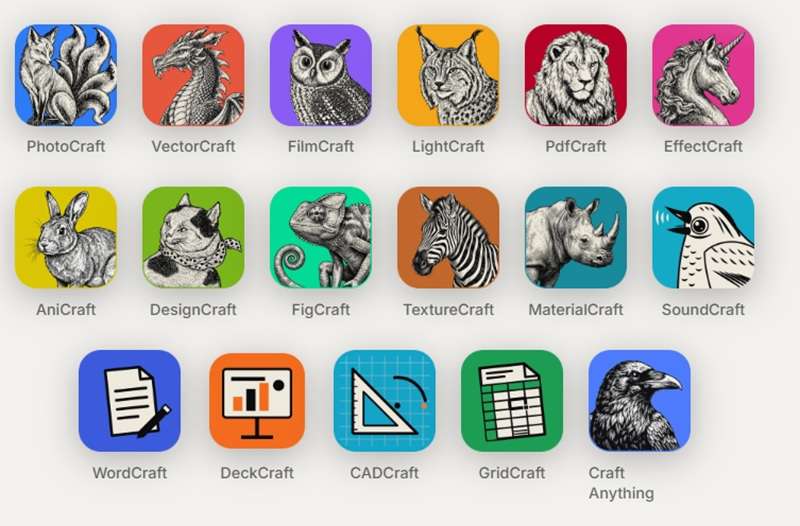
Other than ArtCraft Filmcraft, here are the ones you’re most likely to bump into:
| App | What It’s For |
| PhotoCraft | Image editing with layers, masks, type, and real PSD files |
| VectorCraft | Vector illustration |
| FilmCraft | Video editing, color, and sound |
| LightCraft | Photo library and RAW development |
| PdfCraft | PDF reading and editing |
| EffectCraft | Motion graphics and visual effects |
| SoundCraft | Audio recording and mixing |
| DesignCraft | Page layout and publishing |
|
Show More
Show Less
|
|
Part 2. What Does FilmCraft Offer?
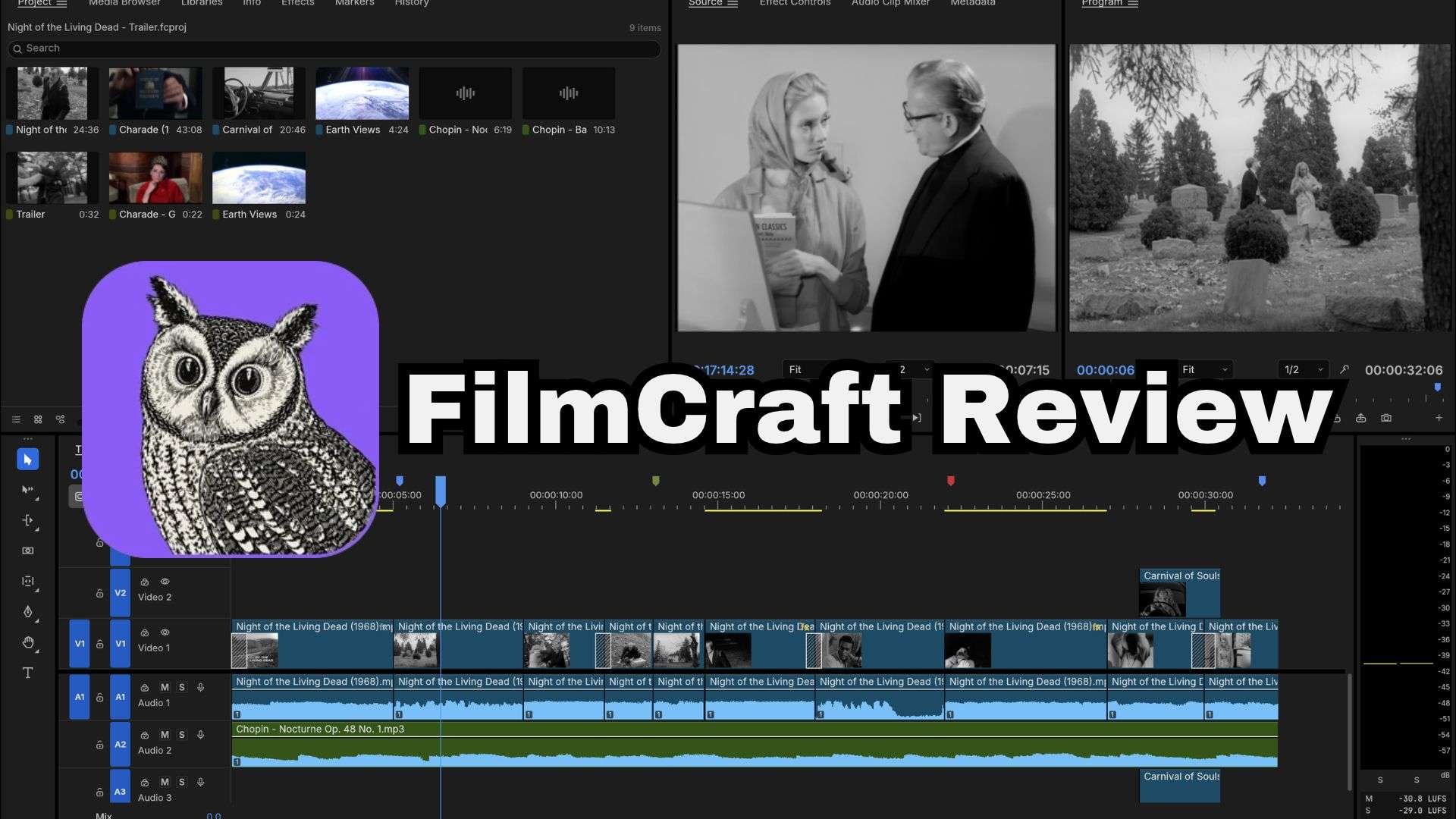
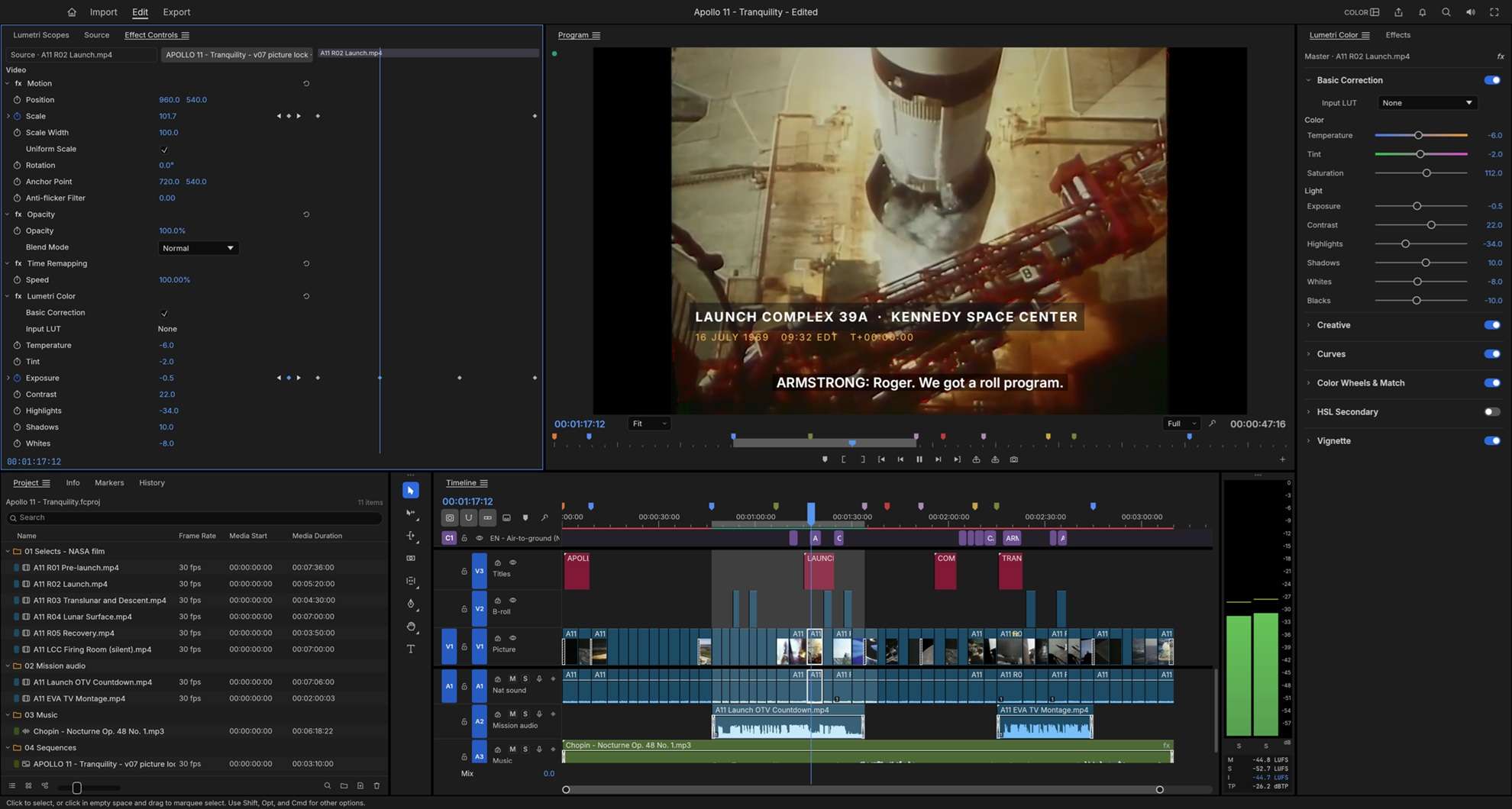
Stepping into FilmCraft feels immediately familiar if you have ever touched a traditional desktop non-linear editor (NLE). After all, it aims to recreate the kind of editing environment familiar to Premiere Pro users, with dedicated workspaces and controls for different stages of production, except that FilmCraft is open-source. Let’s break it down:
Timeline Editing Interface
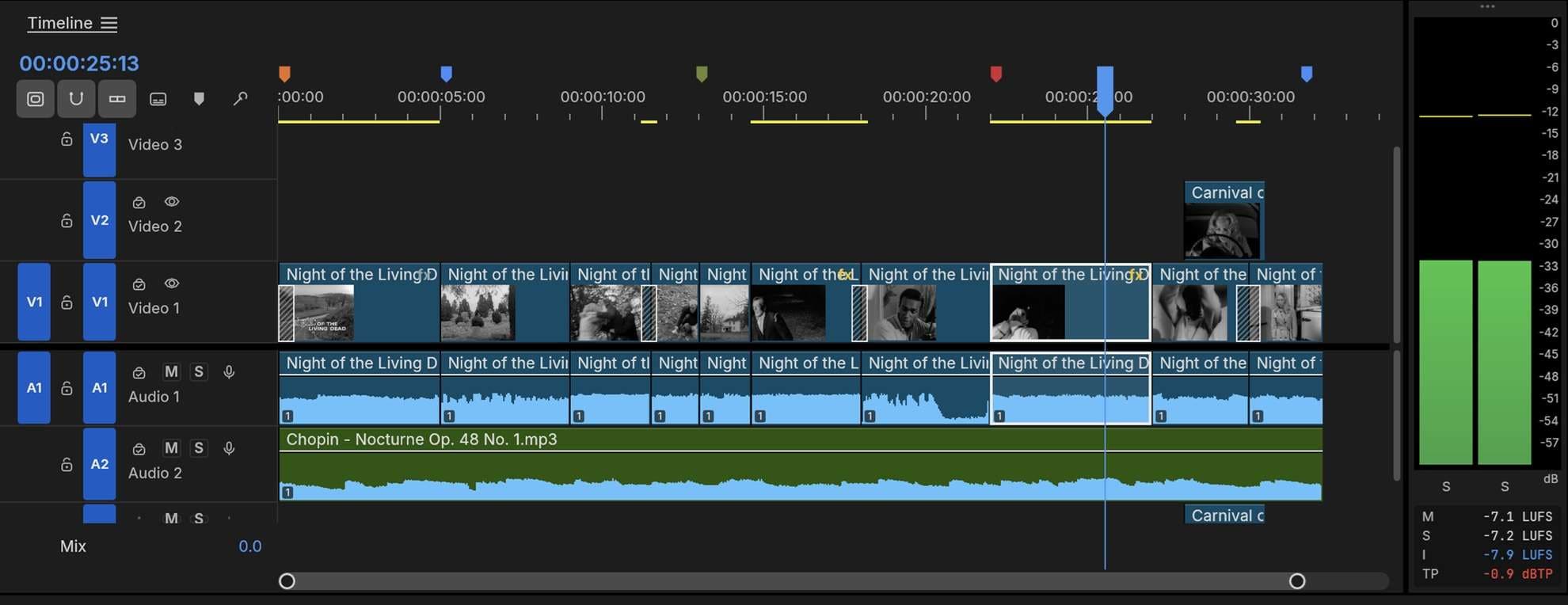
The workspace splits cleanly into dedicated panels for Assembly, Editing, Color, Effects, and Audio, complete with standard keyboard shortcuts (like J-K-L playback and C for razor).
Color Grading and Correction Tools
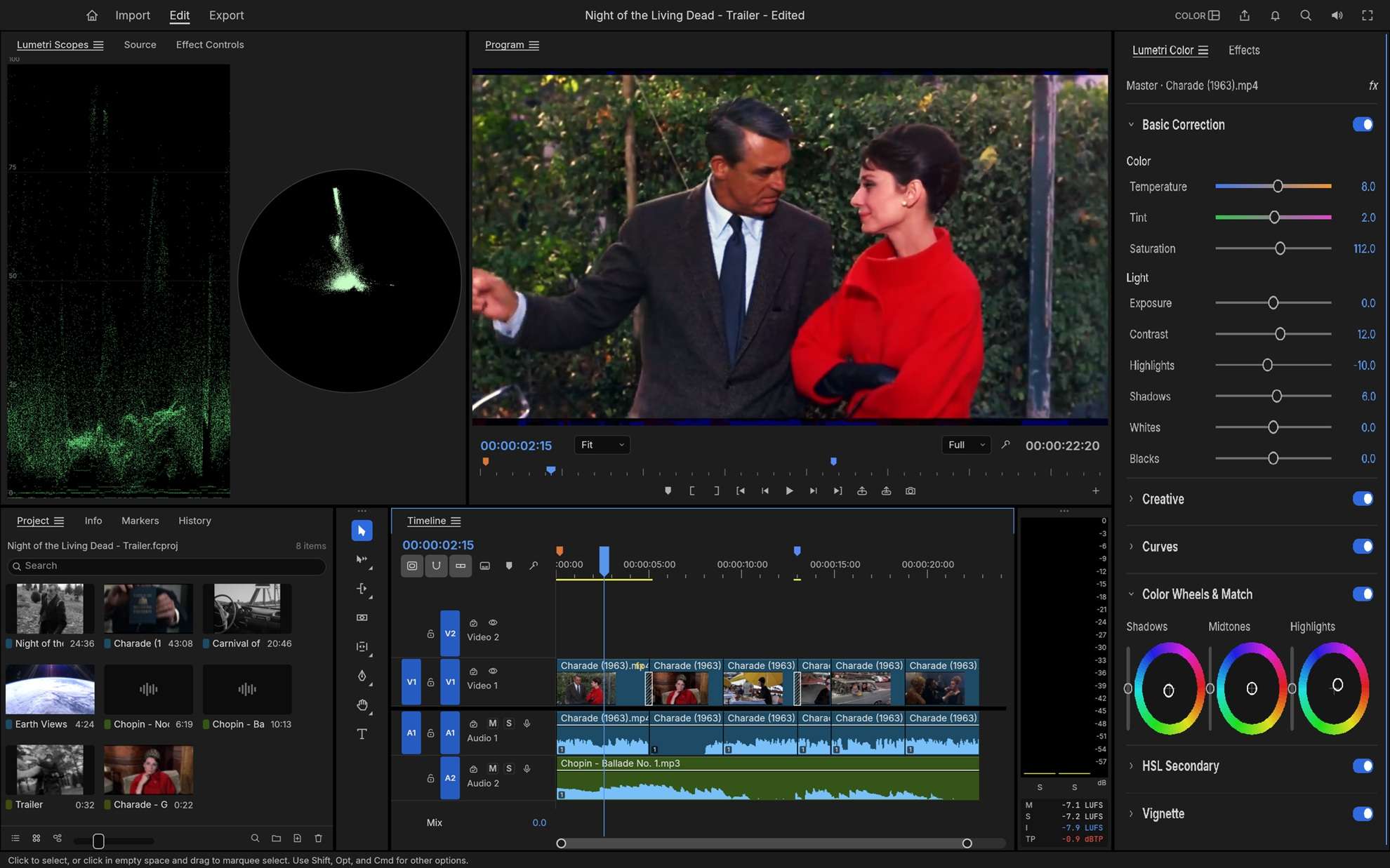
This space is laid out in the order a colorist actually works, and live scopes (waveform and vectorscope) sit next to the Program monitor. All grading happens in linear light at a 32-bit float.
Effects, Transitions, and Keyframes
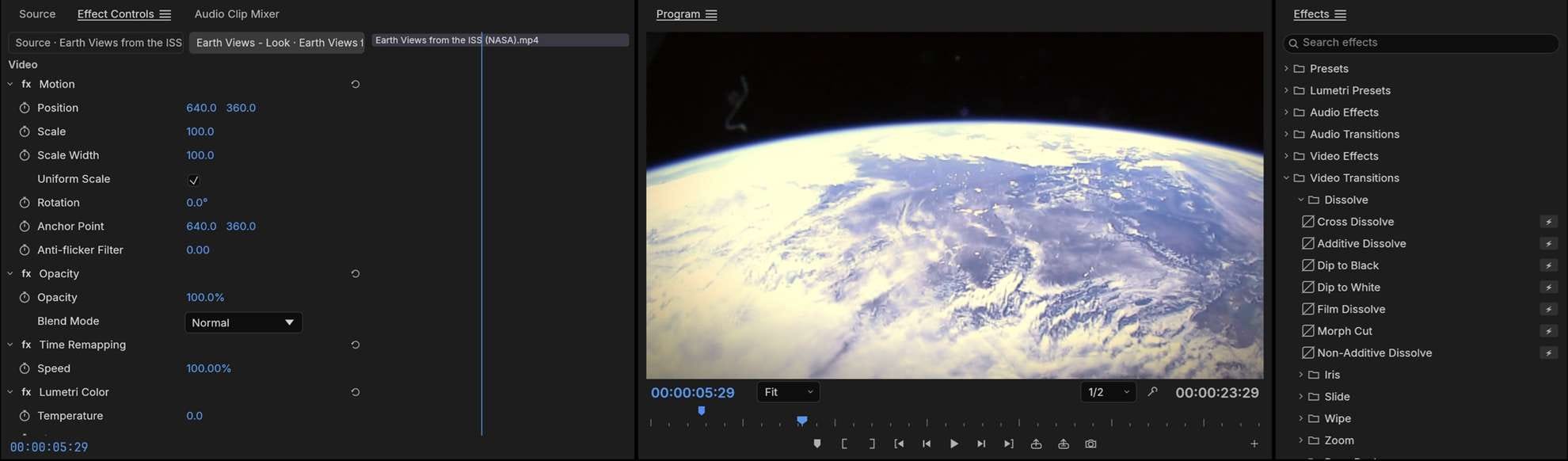
The official site claims to have roughly 55 video effects and 30 transitions, while the FilmCraft GitHub README counts over 90 effects across 16 categories (plus legacy effects) and around 30 transitions. Either way, you get blurs, keys, distortions, glows, VR effects, and the usual dissolves, wipes, and pushes.
Audio Editing and Mixing
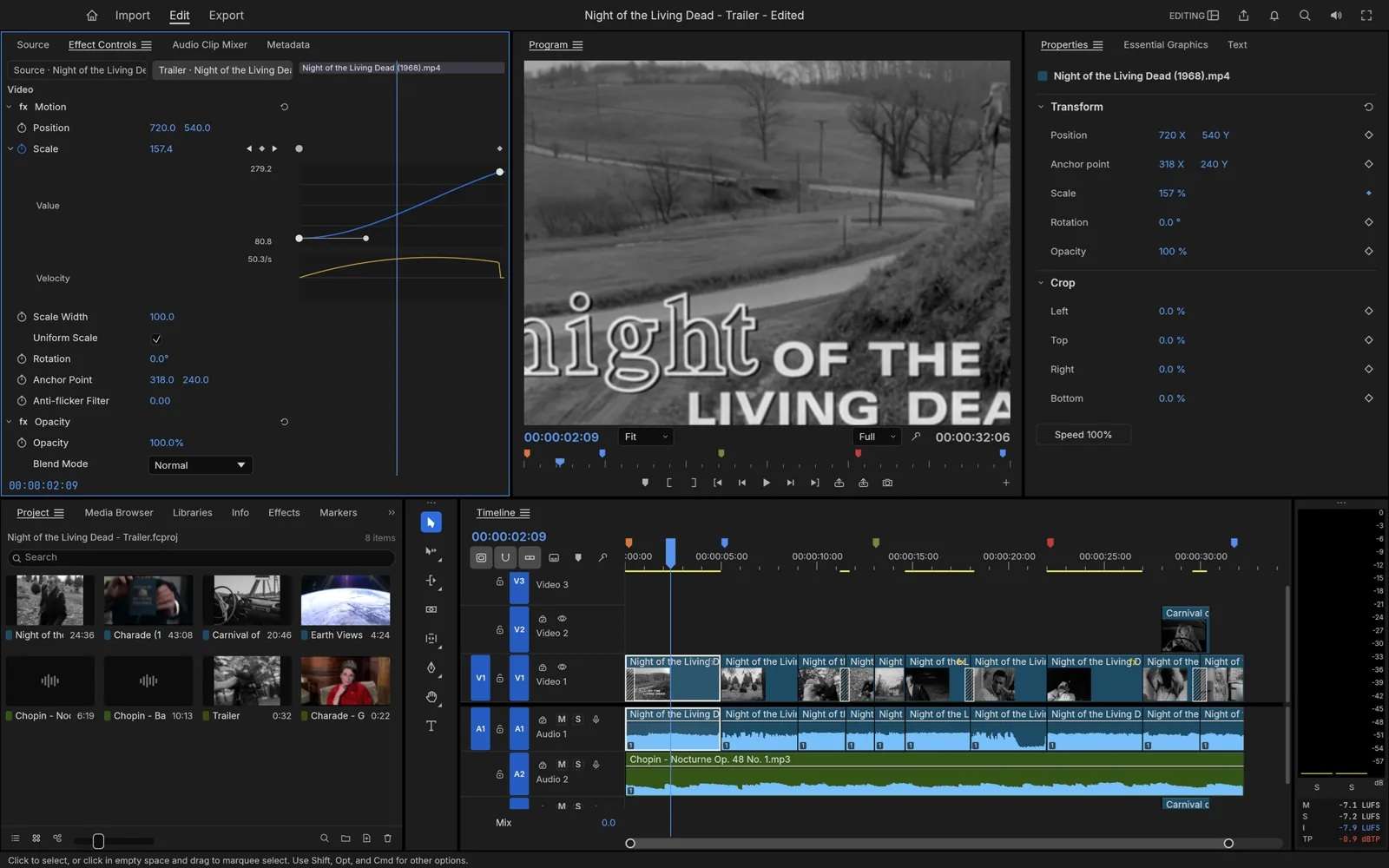
It includes dedicated audio track headers, pan controls, decibel meters, and keyframeable volume envelopes. You can drop in standard EQ, compression, and fade filters directly on individual clips or entire track buses to balance voiceovers against background music.
Built-in Codecs and Format Support
As previously explained, the developers specifically emphasize that FilmCraft doesn't have FFmpeg built into its media pipeline. Here's a quick look at its format support:
| Format | Import | Export |
| H.264 / AVC | Yes (CRF, CBR, VBR, 2-pass) | |
| HEVC / H.265 | Yes (Main, Main 10) | Hardware encoders only |
| Apple ProRes | Yes (422 Proxy to 4444 XQ) | Yes (422 HQ) |
| AAC-LC | ||
| VP8, VP9, AV1, Opus | Not yet | |
| DNxHD / DNxHR | Yes (DNxHR in MOV) | |
| MJPEG, PCM | ||
|
Show More
Show Less
|
||
Part 3. How to Install FilmCraft on Your Computer
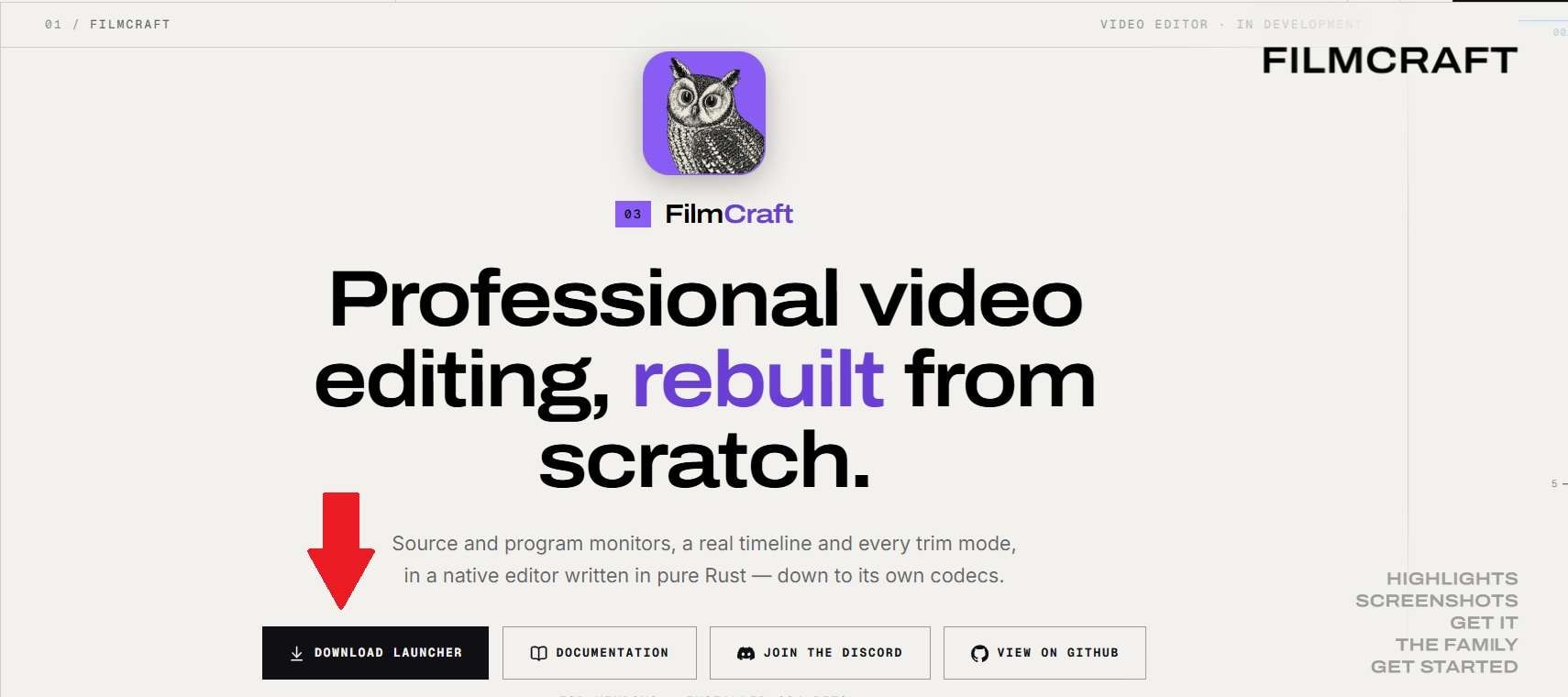
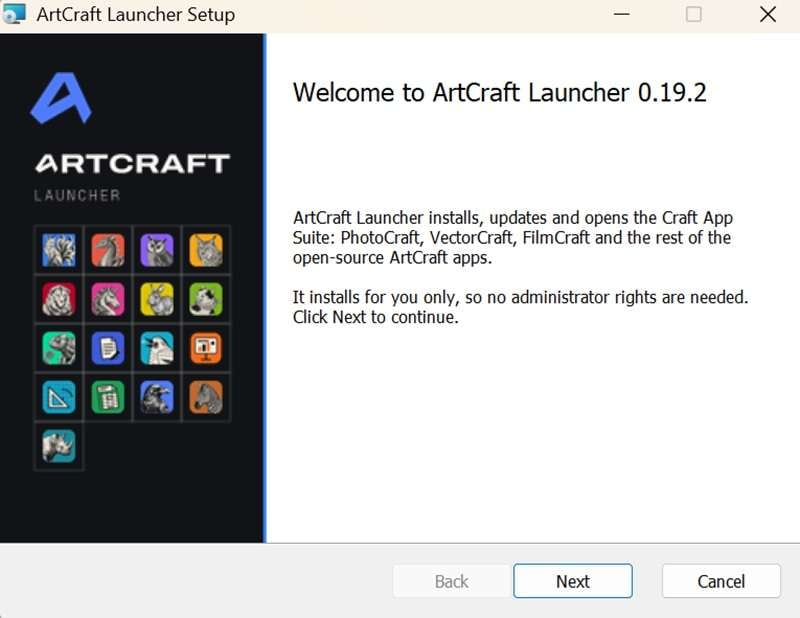
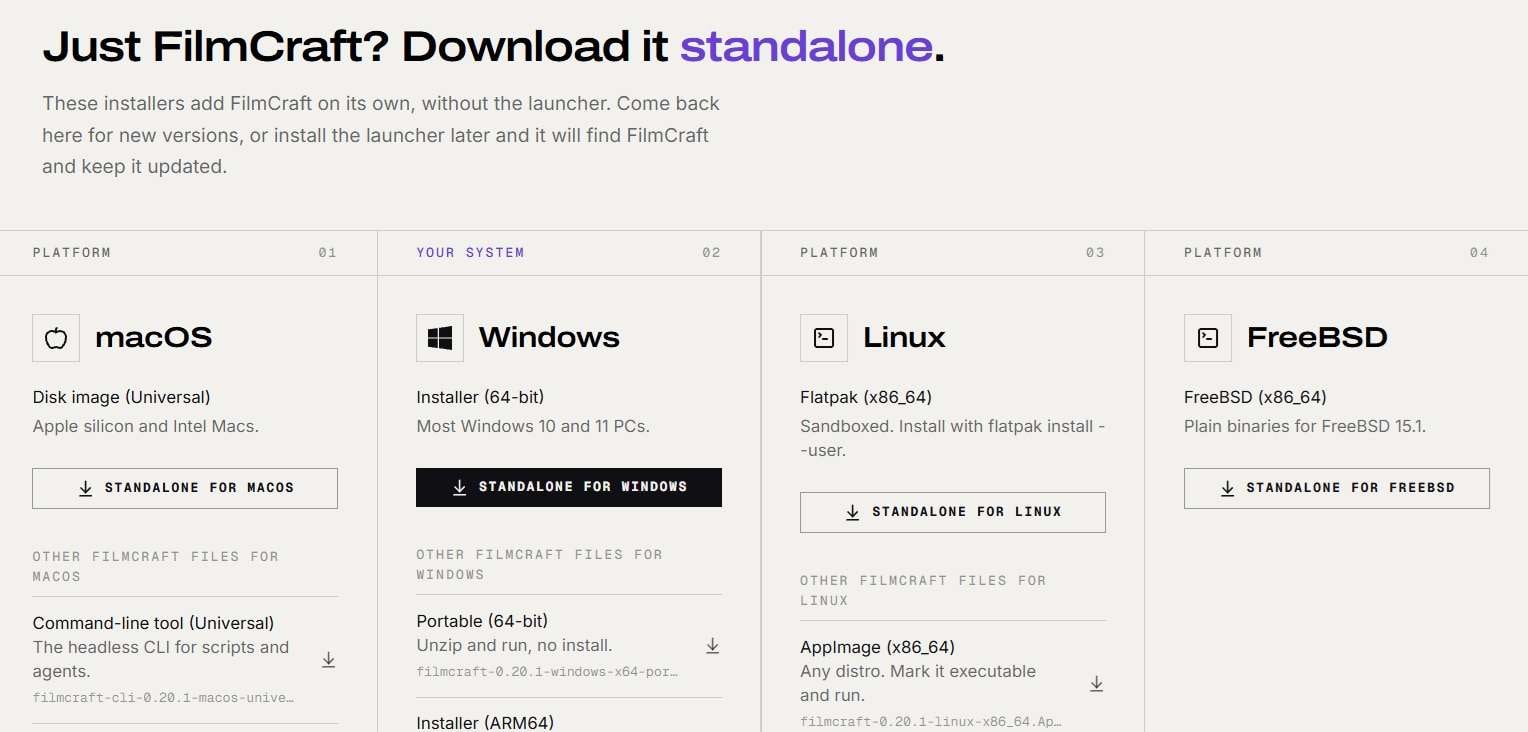
Because the project is still in active alpha development, you will not find it sitting in standard app stores just yet, so knowing how to install FilmCraft properly is very crucial. Below, we’ll show you Filmcraft tutorial on how to install the program using two different methods:
Method 1. Install Through ArtCraft Launcher
Method 2. Download Filmcraft Directly
Is FilmCraft Free?
Since FilmCraft is open-source, the software is free to download and use. You don't need a paid license, monthly subscription, or AI credits to access its core editing tools.
If you go to their pricing page, the paid plans belong to ArtCraft Studio, the team’s AI image and video generator. They’re optional; you buy generation credits, and you don’t need them to use FilmCraft.
Part 4. FilmCraft Review and User Feedback
Before you try to sit in FilmCraft's director’s chair, you need to know all the good and bad about the software. So, to get a real read on FilmCraft, let’s check what the numbers on GitHub say and what people who’ve actually used it report.
The GitHub Snapshot
| Signal | Recorded Activity |
| Stars | 18,400+ |
| Forks | 7,500+ |
| Commits | 2,470 on the main branch |
| Open issues | 1,300+ |
| Pull requests | 900+ |
|
Show More
Show Less
|
|
What does that tell you? Mainly that FilmCraft exploded onto the scene and is being built at a sprint. However, stars and forks aren't proof that the application is stable or ready for professional production. The early release pages mostly point to a full changelog comparison rather than written-out release notes, so you’ll be reading commit history to see what changed.
Bug Reports and Known Gaps
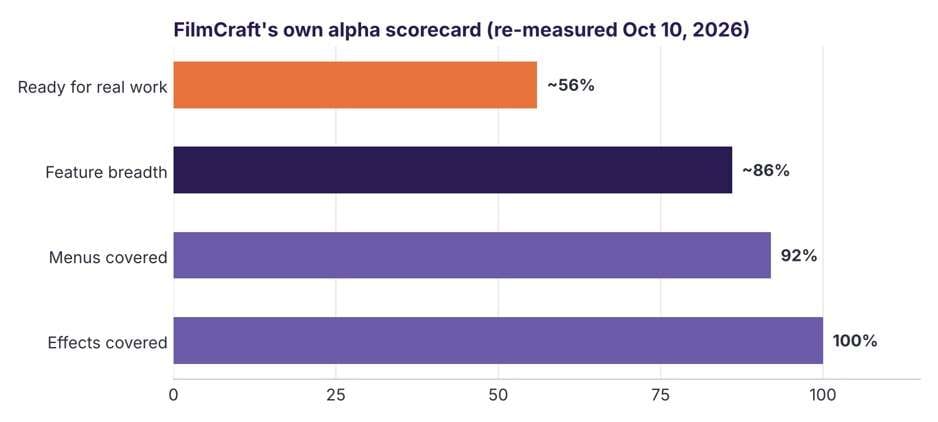
The Filmcraft team is refreshingly upfront here. Their own assessment puts feature breadth at approximately 86%, but readiness for real production work at around 56%. These are self-reported development estimates, not independent performance scores. The team also acknowledges that real-world camera and phone footage needs more testing, particularly on Windows and Linux.
Reddit Discussions on FilmCraft
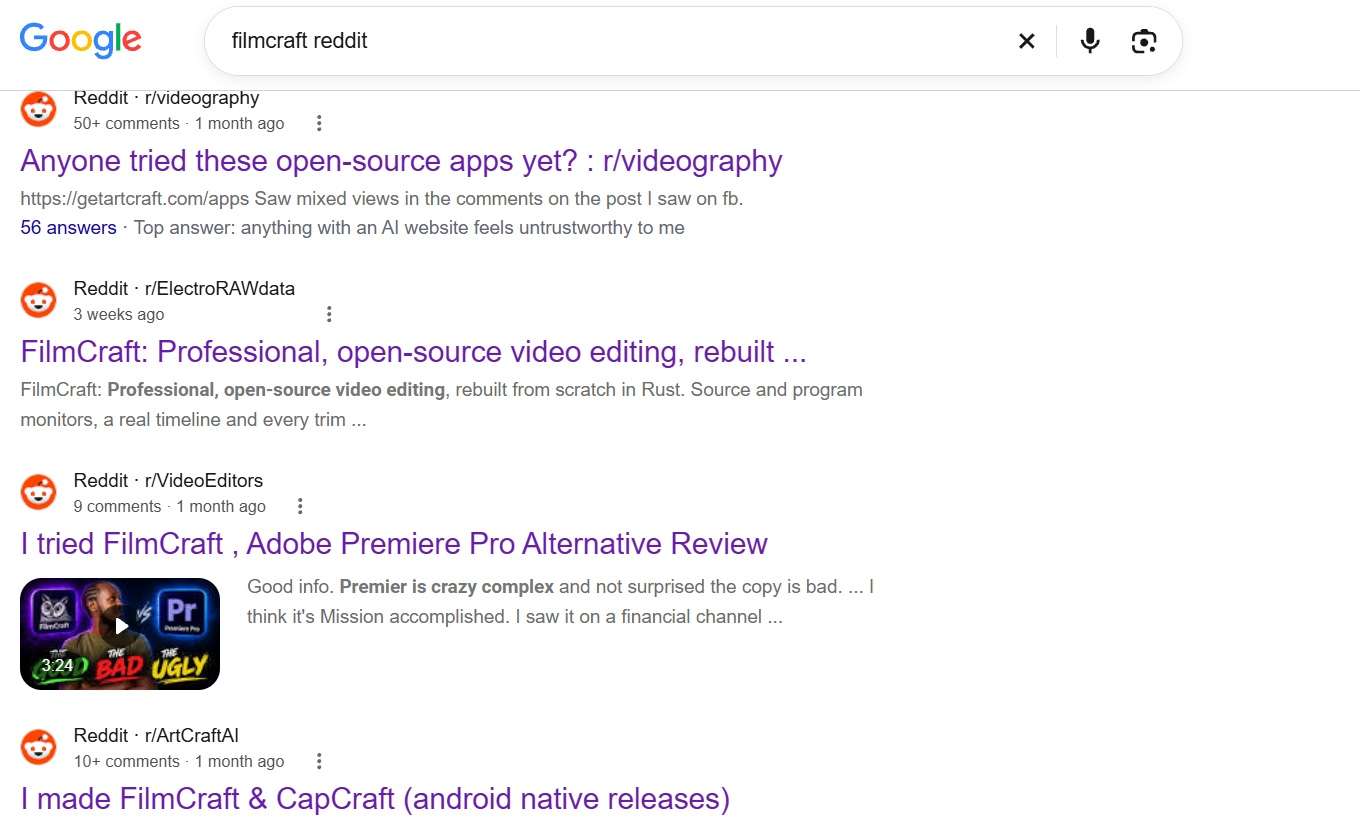
If you go into FilmCraft Reddit discussions, you'll get a more personal look at how FilmCraft behaves outside the development team's own demonstrations. The feedback is mixed, which isn't surprising for an editor still in alpha. Some users appreciate its familiar interface and editing layout, while others have reported more frustrating experiences, including:
- Video previews freezing or failing to display.
- Audio playback behaving inconsistently.
- Export taking an unusually long time.
- Codec compatibility problems with certain camera footage.
- Performance issues on older or less powerful hardware.
FilmCraft Pros & Cons
After looking at its technical capabilities, development progress, and community feedback, here's how we'd sum up the pros and cons of FilmCraft.
- You can use the editor without paying for a subscription or purchasing an editing license.
- Its native Rust-based media implementations make the project technically interesting and reduce its reliance on external media frameworks.
- Curves, color wheels, HSL adjustments, LUTs, and video scopes offer more than basic correction tools.
- MCP and CLI support open up possibilities for automating repetitive editing operations.
- The team puts it at about 56% ready for real work, so expect bugs and don’t bet a deadline on it.
- Color grading, keys, and export rendering still run on the CPU, which hurts on heavy projects.
- No VST3, Audio Units, or OpenFX, and Premiere project files can’t be opened directly.
- Few AI features, no template or stock library, and no mobile app.
Part 5. FilmCraft vs. Other Video Editing Software
FilmCraft has an interesting set of editing tools, especially for a free, open-source application. However, it's still in alpha, so how does it compare to more established video editors? Let's put it side-by-side with professional editors like Filmora and Premiere Pro.
For Easier Editing: FilmCraft vs Filmora
The FilmCraft vs Filmora debate centers around convenience. If you’re new to editing, or you just want to make good videos without a learning curve, Wondershare Filmora is the smoother place to begin.
It’s a mature desktop and mobile editor with AI help, templates, and a huge asset library, where FilmCraft expects you to already know your way around a pro timeline. See the comparison below to see how Filmora wins hands-down for speed, stability, and beginner-friendly polish.
| Category | FilmCraft | Filmora |
| Target Audience | Developers, Linux users, and budget-conscious creators | Beginners, YouTubers, social media creators, and everyday editors |
| Learning Curve | Moderate to steep (traditional manual NLE workflow) | Very easy (intuitive drag-and-drop with guided tools) |
| Stability & Maturity | Alpha stage (active development, occasional bugs) | Mature, commercial-grade stability with regular updates |
| Built-in Assets | Openly licensed built-ins; no big stock library | 2.9M+ creative assets: effects, titles, transitions, templates, music, and more |
| AI Features | Separate web AI tools | Text-based editing, AI Media Analysis, captions, object remover, video enhancer, and AI generation |
| Platform Support | Windows, macOS, Linux, FreeBSD, Web | Windows, macOS, iOS, Android, iPad |
| Pricing | 100% Free & Open Source | Free trial (with watermark); affordable paid subscriptions or perpetual license |
|
Show More
Show Less
|
||
 Secure Download
For Professional Editing: FilmCraft vs Premiere Pro
FilmCraft is clearly inspired by the pro-NLE workflow associated with Adobe, so the FilmCraft vs Premiere Pro comparison is natural. However, while FilmCraft nails the core cutting mechanics and lightweight speed, Premiere Pro remains in another league for full-scale commercial workflows. Here’s where each one stands today:
| Category | FilmCraft | Premiere Pro |
| Pricing | 100% Free & Open Source | $22.99/month on the annual plan billed monthly; 7-day free trial |
| Platform Support | Windows, macOS, Linux, FreeBSD, Web | Windows, macOS |
| Plugins | None yet (no VST3, Audio Units, or OpenFX) | Third-party plugin support |
| Color & Audio Depth | Basic linear-light color wheels, scopes, and track mixing | Advanced Lumetri Color suite, multi-cam audio sync, and Essential Sound AI |
| Ecosystem | The Crafting Apps, including PhotoCraft and EffectCraft | Creative Cloud, with Photoshop and After Effects in the Creative Cloud Pro plan |
|
Show More
Show Less
|
||
Conclusion
FilmCraft is a genuinely impressive free editor, and it’s worth bookmarking while it matures, since it’s improving at a wild pace. For now, though, it’s an alpha: great for tinkering, learning, and rough cuts, not for a deadline you can’t miss.
If you need something that works today, Filmora is the easier place to start. You can download Filmora for free and try it before paying (exports carry a watermark until you upgrade), and you get AI captions, templates, and a huge asset library without a learning curve. For now, you can keep an eye on FilmCraft production, but let Filmora finish your next video.
FAQs
-
Can you install FilmCraft on Android?
No, there is currently no native FilmCraft Android app available. FilmCraft is designed specifically for desktop operating systems (Windows, macOS, Linux, and FreeBSD) along with experimental WebAssembly browser builds. If you need to edit videos directly on an Android phone or tablet, mobile-friendly editors like Filmora Mobile are much better options. -
Is FilmCraft an AI Video Generator?
Not directly. While you might see searches for FilmCraft AI, the desktop editor itself is a traditional timeline-based video editing tool rather than a text-to-video generator. The team’s AI image and video generator is a separate product, ArtCraft Studio. -
Can FilmCraft replace Adobe Premiere Pro?
Not yet. The team itself rates FilmCraft at about 56% ready for real work. It can’t open .prproj files, has no plugin support, and offers limited export codecs, so it’s a poor fit for client deadlines. It’s a great choice for learning, tinkering, and rough cuts, and a project worth watching as it grows.