


AI Music videos really sell on the internet these days. And because of it, one tool that’s getting popular is Freebeat AI. In fact, GlobeNewswire reported that users have generated more than 1 billion seconds of beat-synced content using the platform's proprietary technology.
So as a creator, this is your chance to get your hands on it! In our review, we’ll dissect the key features of it, how to use Freebeat AI, and see if the tool is really worth it.
Part 1. What Exactly Is Freebeat AI?
Essentially, Freebeat AI is a music-video-first creation platform built by a Stanford-founded team. Instead of treating music as background noise for a generic video template, Freebeat AI flips the process around, where your song becomes the director.
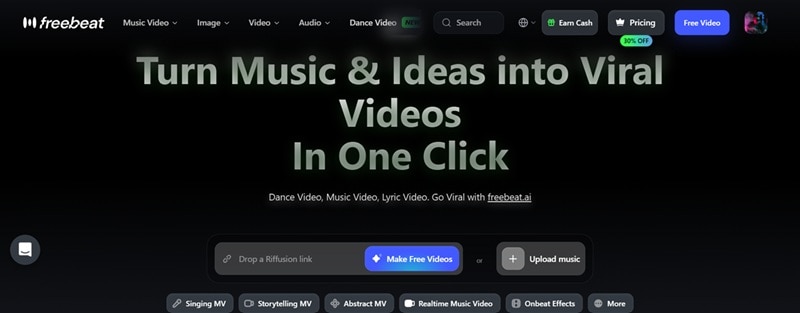
The platform reads your track first, then builds the visuals around it. Once you upload your music, its underlying AI engine gets to work mapping out your track's rhythm, tempo, lyrics, and emotional vibe to generate visuals that jump right on the beat.
Who Is Freebeat AI Best For?
With its capabilities, Freebeat isn't just for one type of creator. It's built with a pretty wide net in mind, including:
- Musicians and independent artists releasing singles or demos.
- AI music creators using Suno, Udio, or similar tools who now need visuals.
- YouTubers who want polished uploads without hiring an editor.
- TikTok and Reels creators chasing that scroll-stopping first three seconds.
- Marketers building campaign clips fast, without a production budget.
- Indie artists who want their release to feel like an actual visual moment.
- Social media managers juggling content calendars across five platforms at once.
Freebeat AI is fully online at https://freebeat.ai/. In order to use it, you need to visit the site first and access the Freebeat AI login once you register your account.
Part 2. Freebeat AI Pricing: Is It Worth Paying For?
Since pricing is usually the deciding factor for most people, one of the most common questions when exploring this platform is: is Freebeat AI free?
Freebeat runs on a credit system, but the good news is you get 500 free credits once you create an account. When you are ready to level up, there are four main paid tiers available on the Freebeat AI pricing page:
| Plan | Price | Included Credits | Best For |
| Free | $0 | 500 credits one time | First-time users |
| Basic | $4.99/week | 1,990 credits/week | Casual creators |
| Pro | $26.99/month | 10,000 credits/month | Active creators |
| Ultimate | $39.99/month | 19,000 credits/month | Professionals |
| Creator | $199/month | 95,000 credits/month | Businesses & studios |
Part 3. Freebeat AI Features: What Makes It Stand Out?
Like most AI creative platforms these days, Freebeat also comes bundled with general AI image and video generation, plus editing tools for both. But what actually sets it apart is its lineup of dedicated Freebeat AI music video modes. Let's go through them one by one.
1. Singing MV

This mode is built for performance-style videos where a character (your own avatar or a generated one) actually lip-syncs the track. It's the closest thing to a traditional music video where an artist appears to be performing the song live on camera.
2. Dance MV
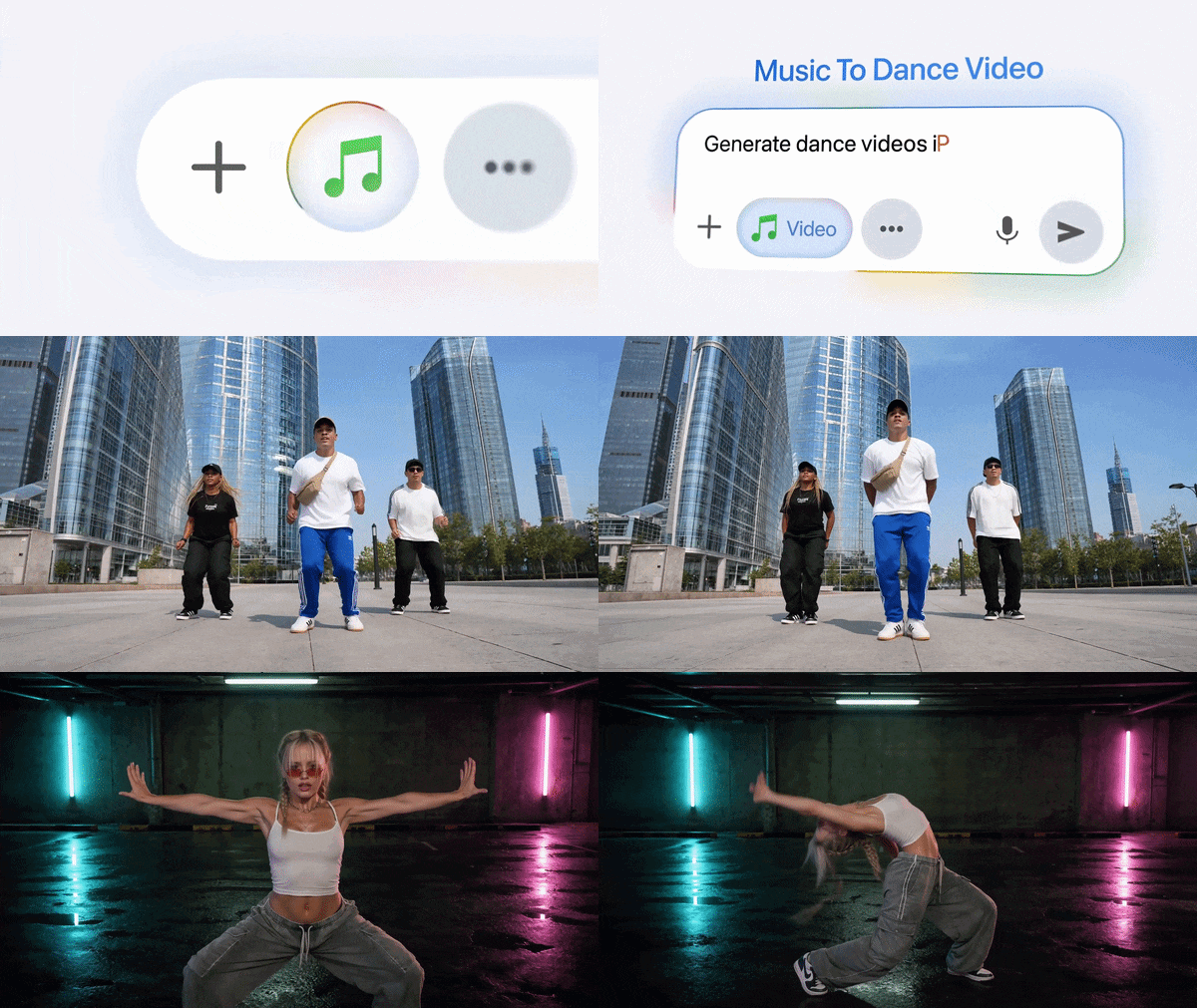
Powered by engines like Seedance 2.0, Dance MV turns your song into a rhythm-matched choreography video. You can upload custom character artwork or pick pre-made avatars and choose dance genres like Hip-Hop, K-Pop, Jazz, or Urban, then the AI automatically aligns every dance move and physical transition to the beat and tempo changes.
3. Real-Time Music Video

Among the coolest Freebeat AI music video generator capabilities is the real-time music video feature. With it, you can preview and generate visuals live while your song plays, giving you instant gratification as audio feeds into the engine. If you enjoy tweaking prompts and testing multiple ideas, this can significantly speed up the creative process.
Part 4. How to Use Freebeat AI to Create Your First Music Video
To find out if Freebeat AI is legit, there's no better way than trying it out yourself. Follow the guide below to learn how:
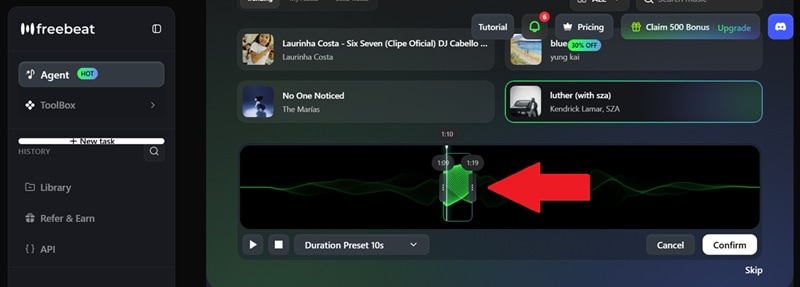
Visit the Freebeat AI website and log in to your account. On that page, click “Add Music”. Choose music from Freebeat AI’s gallery, upload your own music, or paste a link from Suno AI.
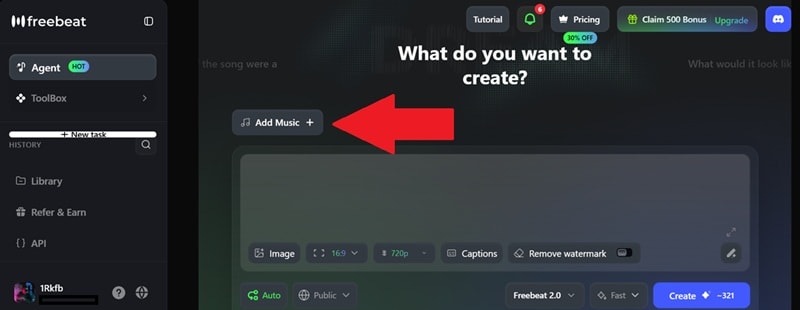
From the music you choose, select the part you want to use in your music video. Select “Confirm” when you’re done. Next, feel free to choose an aspect ratio, video resolution, or add captions. You can also add images as references for the music video. Then, click “Create”.
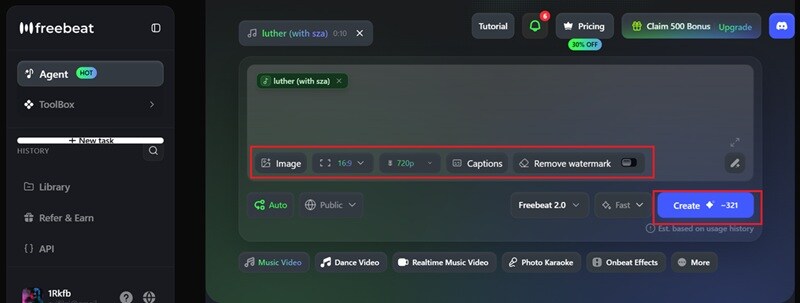
Freebeat AI will take some time to generate your clip. Once it’s done, you can click play and see how it turns out. You can make further edits if you want (but it requires credits), and select “Render & Download” to save it to your device.
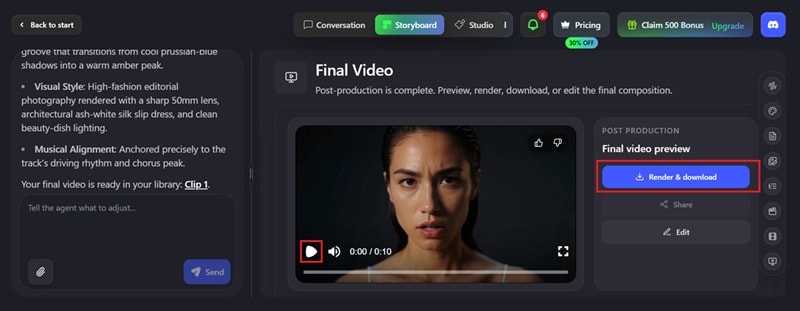
See how your creation turns out below! The physics of Freebeat AI music videos can be improved, but overall, it’s not too bad for something that’s created just based on music alone.
Part 5. Freebeat AI Review: What Real Users Love (and What They Don't)
After trying the platform ourselves, Freebeat AI packs a ton of impressive features, but no tool is without its flaws. To get an authentic picture, we turned to real community discussions on Freebeat AI Reddit threads (specifically across creator hubs like r/SunoAI).
- Barely any learning curve; you can pick it up without prior editing chops.
- Plays really nicely with AI-generated songs, especially tracks pulled from Suno.
- Solid launchpad for social clips and quick demo reels.
- Synced lyric presets look surprisingly slick.
- Customer support has a reputation for going quiet when something breaks.
- The MV generation takes a lot of time.
- Output quality can swing from project to project.
- Fine-tuning individual scenes is trickier than in a real editor.
Part 6. Create AI Music Videos Another Way: Wondershare Filmora
Freebeat AI is fantastic if your goal is to turn a song into a music video with as little effort as possible. But some creators want more say over the final product, more control over specific scenes, more room to mix AI footage with their own real-life clips, that sort of thing. If that sounds like you, Wondershare Filmora is worth a look.
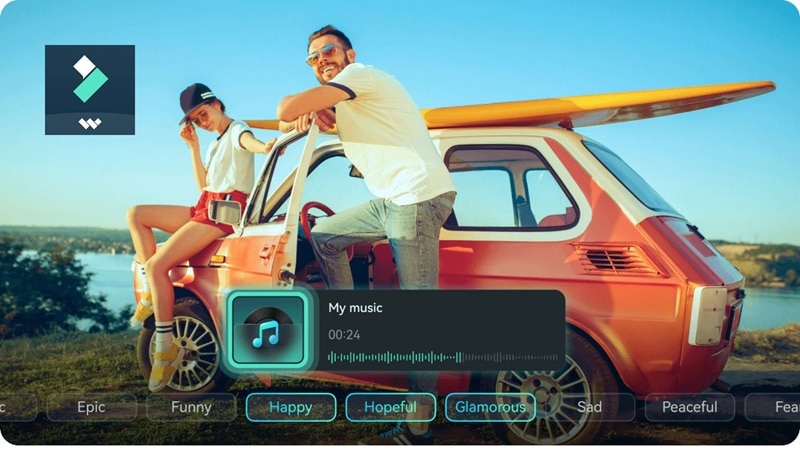
Filmora isn't a dedicated AI music video generator the way Freebeat is. Instead, it's a full-featured video editor with AI creation tools built right into its timeline, which means you get automation when you want speed, and manual control when you want precision.
 Secure Download
Key Features in Filmora for Music Video Creation
- Auto Beat Sync: Drop in your song, and Filmora will automatically mark beat points and trim your video clips to match the tempo perfectly.
- AI Image-to-Video & Text-to-Video: Generate custom visual assets, animated backgrounds, and video scenes directly inside the editor using simple prompts.
- Built-in AI Music Generator: Need background beats or royalty-free audio tracks? Generate custom soundtrack genres inside Filmora in seconds.
- Cinematic Effects & Transitions: Access tens of thousands of video filters, light leaks, glitch effects, and motion overlays to give your music videos a polished, studio-grade aesthetic.
- Multi-Track Timeline: Easily blend AI-generated video clips with live footage, custom text, or vocal tracks with total precision.
- Direct Social Export: Render and publish directly to YouTube, TikTok, or Instagram in any aspect ratio you choose.
Why Filmora Is a Great Alternative
With all those capabilities, Filmora gives you the best of both worlds. If Freebeat AI music video generator leaves you wishing for more precision, Filmora allows you to import AI-generated clips (including ones exported from Freebeat!), splice them together, apply professional color grading, sync clips to the beat automatically, and more.
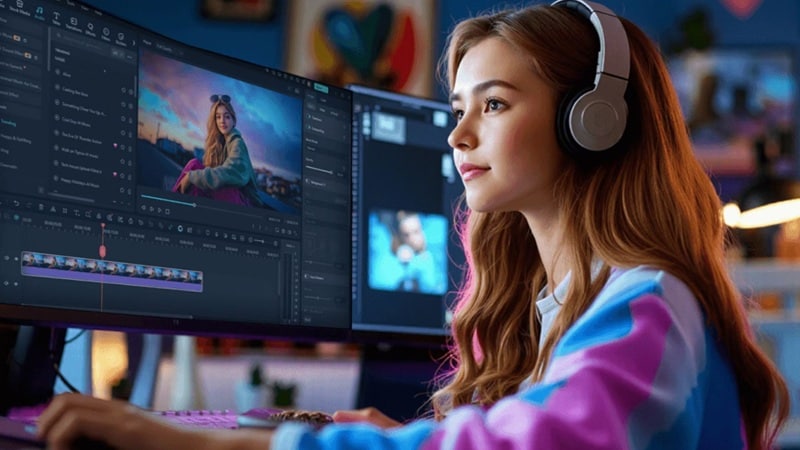
It's especially worth considering if you want to:
- Edit AI-generated videos after they're created.
- Combine AI visuals with real-world footage.
- Add cinematic transitions and visual effects.
- Fine-tune every scene instead of relying entirely on AI.
- Create content for multiple platforms from a single project.
- Keep everything in one editing workspace.
Secure DownloadConclusion
Freebeat AI is easily one of the most convenient platforms on the market today. It bridges the gap between music creation and video production better than almost any basic prompt generator.
If you enjoy the speed of AI but want more creative control, you can bring it to Filmora. Its AI-powered tools, multi-track timeline, and rich editing features let you refine every detail instead of settling for the AI's first draft. Let Freebeat handle the heavy lifting on the first draft, then finish things off in Filmora's timeline for that extra bit of polish.
FAQs About Freebeat AI
-
Is Freebeat AI good for musicians?
Yes! Freebeat AI is tailored specifically for musicians, DJs, and indie artists who need rapid, visually engaging music videos. -
How do I cancel a Freebeat AI subscription?
To cancel your subscription, log into your account, go to Freebeat AI support, and select Cancel / stop renewal. Your Freebeat AI cancel subscription will be applied immediately. However, your subscription benefits typically remain active until the current billing period ends. -
Does Freebeat AI have an app?
Freebeat runs as a cloud-based platform in your browser, so there's no separate desktop or mobile Freebeat AI app to install. Everything happens online, which also means you can jump between devices without losing your project. -
Where can I find Freebeat AI support?
You can find Freebeat AI Support by clicking the message icon once you log in to your account. This is the best place to find troubleshooting guides, billing assistance, and answers to common account-related questions.
