


 TL;DR:
Glorify AI is a strictly paid, web-based creative platform that consolidates image generation, face swapping with motion control, and 3 to 10-second video creation using models like Kling and Sora, though it entirely lacks a timeline editor for multi-clip sequencing.
● The service offers no free trial or daily credits, requiring a minimum $9/month subscription to access its browser-only interface, and users are strictly warned against downloading unofficial APK files since no mobile app exists.
● Video and image outputs support up to 1080p resolution across models like Veo 3, Wan 2.6, Flux, and Hailuo 2.3, but the video generation workflow typically requires an uploaded reference image rather than generating scenes purely from text prompts.
● Wondershare Filmora serves as the recommended alternative for users requiring frame-by-frame timeline control, direct text-to-video generation, clip extension, and offline editing capabilities natively installed on Windows, macOS, Android, or iOS.
Ask AI for a summary
 ChatGPT
 Perplexity
 Gemini
 Claude
 Grok
Grok
Creating content today can feel scattered. You often need multiple tools just to finish one video, switching between apps for generation, editing, enhancement, and more. This shift is exactly why AI tools are growing fast. According to MarketsandMarkets, the AI video market is projected to jump from $71.36 billion in 2025 to $890.59 billion by 2032, driven by demand for faster, simpler workflows.
Because of that, Glorify AI tries to simplify that process by putting everything in one place. It brings together image creation, editing, and enhancement, with features people search for like Glorify AI video generator and Glorify AI face swap. The idea sounds convenient, but how well does it actually work in practice? Let’s take a closer look.

Table Overview: Glorify AI at a Glance
If you're in a rush, you can check out this fast-track reference for everything Glorify AI has on offer:
| Feature | Details |
| Editing Features | Inpaint (add/remove/change parts of an image), and Upscale (photo/video enhancer up to HD/4K) |
| Platform | Web-based (Online); no download, runs in any browser |
| AI Capabilities | Image-to-video, text-to-image, AI face swap, AI motion control |
| Supported Models | Veo, Sora, Kling, Seedream Nano Banana, Flux, Wan, Topaz, Hailuo, Glorify styles |
| Value for Money | Strong; multi-tool value packed in one subscription |
Part 1. What is Glorify AI? The All-in-One AI Creative Hub for Creators
To start our review, we need to understand what Glorify is trying to be… and what it isn’t. This platform is available via glorify.dev, and it is a web-based AI creative platform launched in 2025. Unlike specialized tools that do just one thing extremely well, Glorify AI takes the 'all-in-one' route, bundling a lot of tools into a single browser-based workspace. That includes;
- Text-to-image generation
- Image-to-video generation
- AI face swap
- Photo enhancement
- Video upscaling
- AI inpainting
- Moodboarding
This model makes it particularly appealing for solo creators, social media managers, and small brand teams who can't afford to pay for five different subscriptions.
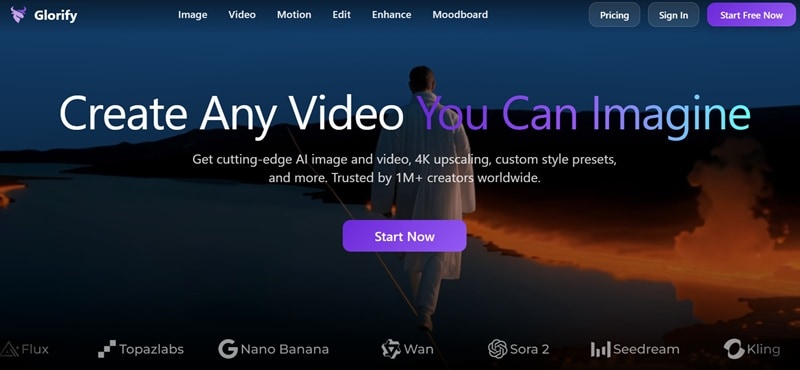
Key Info of Glorify AI
There’s a lot going on behind the scenes to make your Glorify AI video look that good. Here is the lowdown on the technical side of things:
| Feature | Details |
| Video Resolution | Up to 720p to 1080p depending on the model and plan |
| Video Duration | Around 3 to 10 seconds per generation, varies by model |
| Image Output | High resolution images with multiple aspect ratios |
| Face Swap | Supports both images and videos with motion control in some cases |
| Upscaling | AI upscaler can push footage closer to HD or even 4K quality |
⚠️ Important: As of now, there isn't a Glorigy app AI for your phone just yet. You have to use the official site to get things done. Please stay far away from any Glorify AI APK you find floating around the web because those are super sketchy and definitely not safe.
Part 2. Glorify AI Pricing Plans: Free Tier and Paid Options
Now let’s talk about cost, because this is where expectations need to be realistic. Unfortunately, there is no 'free version' of Glorify AI. Even if you register and sign in to your account, you won't get free daily or monthly credits. So, you can't really test the waters before pulling out your card.
The platform runs on a credit-based system, where each generation (image, video, enhance, etc.) costs credits. Paid plans top up those credits and unlock higher-quality model options. Here is the breakdown of what each tier offers so you can find the best fit for your workflow.
| Category | Basic | Pro | Ultimate | Creator |
| Monthly Price | $9 | $29 | $49 | $250 |
| Monthly Credits | 150 credits | 600 credits | 1200 credits | 5000 credits |
| Model Access | Selected Models Only | All models unlocked | All models unlocked | All models unlocked |
| Generation Speed | Standard | Fast | Fast | Fast |
| Image Models | Standard | Fast Gen (Flux, Grok, etc.) | Fast Gen (Flux, Grok, etc.) | Fast Gen (Flux, Grok, etc.) |
| Cost Per Credit | Standard | Lower | Lower | Lowest |
| Best For | Beginners testing Glorify AI | Regular creators | Heavy users | Teams and large scale work |
Part 3. Key Features & Capabilities of Glorify AI
Now, it's time to get to the core of why you're here: the AI. Glorify positions itself as an all-in-one creative tool, and you will use Glorify AI prompt inputs directly to either create or edit your project. Here's a breakdown of everything on the menu:
AI Video Generation
This is the flagship feature of the Glorify AI video generator. It supports two distinct modes, giving you flexibility depending on what you're starting with:
1. Create Mode
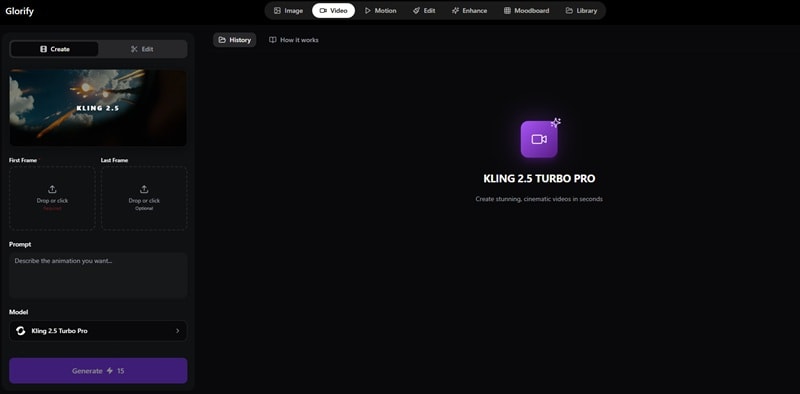
Generate a video from scratch using a text prompt and a photo. You can describe the scene, mood, subject, and motion. In a few seconds, Glorify's AI models render it into a short video clip.
Supported AI Models:
- Kling (Kling 3.0 Pro, Kling 3.0 Standard, Kling 2.6, Kling 2.5 Turbo, Kling 2.5 Standard)
- OpenAI Sora (Sora 2 Pro, Sora 2 Standard)
- Google Veo (Veo 3, Veo 3 Fast, Veo 3.1, Veo 3.1 Fast)
- Wan (Wan 2.6, Wan 2.5)
- Minimax Hailuo (Hailuo 2.3 Fast, Hailuo 2.3)
- Seedance (Seedance 1.0 Pro, Seedance 1.0 Fast)
- Grok Imagine
2. Edit Mode
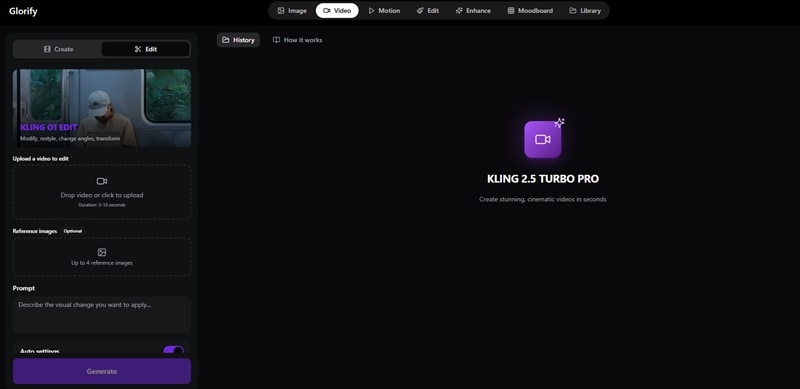
Start with an existing image and let the AI transform it. You can modify the style, or extend existing footage. Perfect for bringing product shots or photos to life.
Supported AI Models: Kling 01 Edit
AI Image Generation
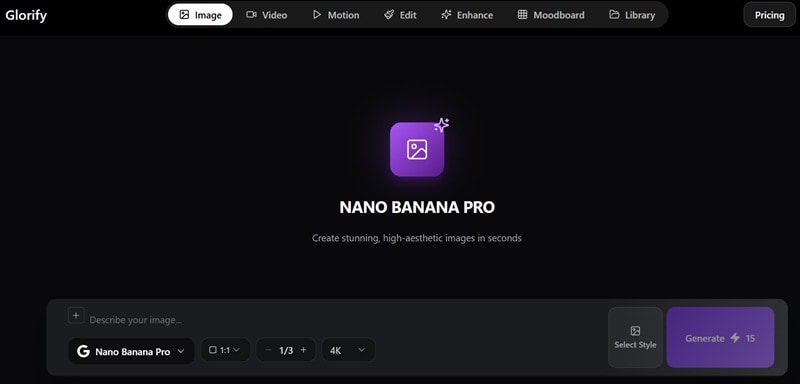
This feature allows you to turn your text prompt into a high-quality visual in seconds. There are plenty of styles available, from Sci-fi 3D render even to Dark Vintage Anime. It even supports image quality up to 4K!
Supported AI Models:
- Seedream (Seedream 4.0, Seedream 4.5, Seedream 5.0 Lite)
- Nano Banana (Nano Banana Pro, Nano Banana 2)
- Flux (Flux.2 Flex, Flux.2 Pro)
- GPT Image 1.5
AI Face Swap (Motion Control)
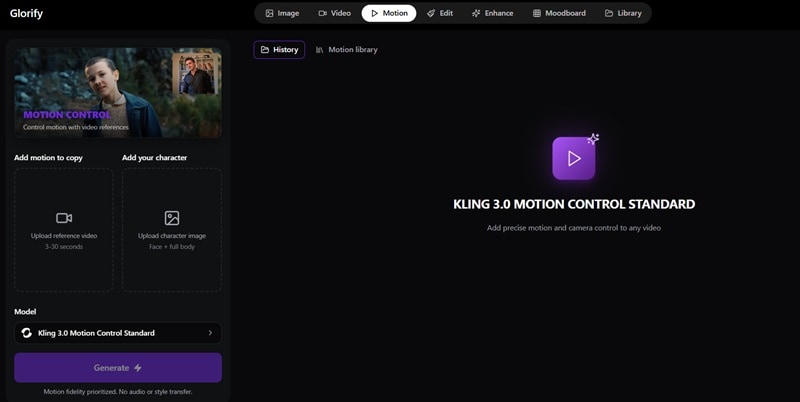
Glorify's AI face swap feature is one of the most talked-about capabilities in this platform. So, the AI detects the face in your source material and replaces it with a target face while preserving natural motion and expression via Motion Control.
Supported AI Models:
- Kling 3.0 Motion Control Pro
- Kling 3.0 Motion Control Standard
- Kling 2.6 Motion Control Pro
- Kling 2.6 Motion Control Standard
AI Edit (Inpaint)

The inpainting tool gives you brush-based control over your generated or uploaded images. Simply paint over the area you want to change, describe what you want there instead, and the AI fills it in seamlessly. With this capability, you can remove unwanted objects, add new elements, fix awkward backgrounds, or swap out specific parts of a scene.
Enhance
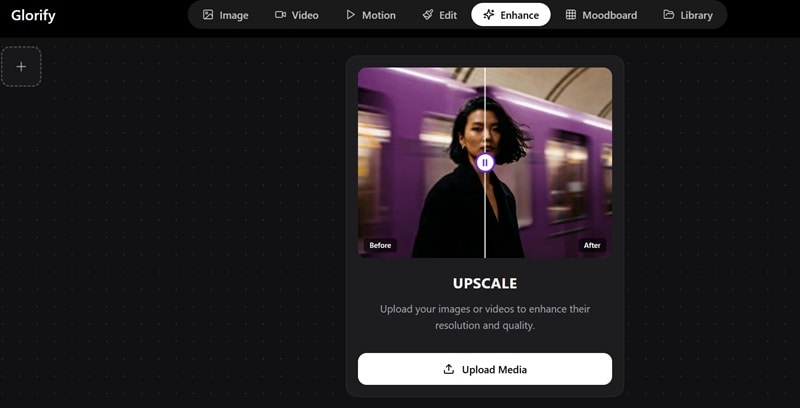
This is pretty much two tools in one: an AI Photo Enhancer that sharpens details, corrects noise, and improves lighting, and an AI Video Upscaler that bumps clips up to HD or 4K-level quality.
Moodboard
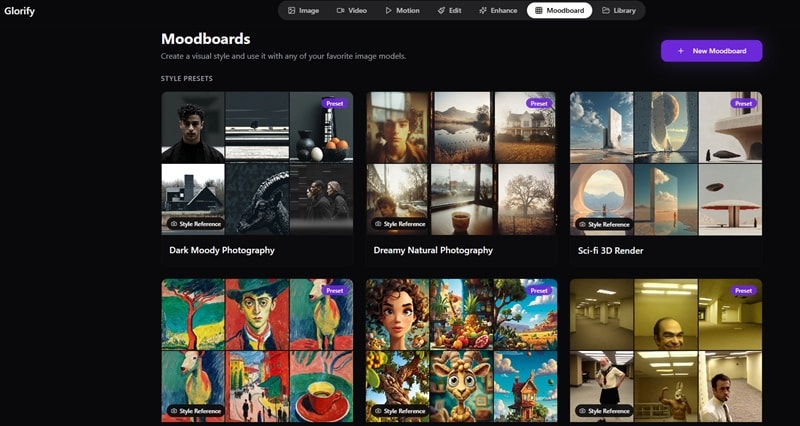
If you're not familiar with the term, you can think of it as a visual workspace where you organize reference images, color palettes, generated outputs, and inspiration material into one curated board. It definitely helps you build a consistent visual language for your brand before generating.
Part 4. Glorify AI Review: How It Handles Image & Video Generations
So far, Glorify AI video generator features look great on paper. But how does Glorify AI actually hold up when you start generating? Well, we put Glorify AI through its paces across its core tools.
Here's what we found across four key assessment areas:
| Area | What It Feels Like | Rating |
| Video Quality | Using Kling or Wan AI for a Glorify AI video is impressive. Motion looks natural, especially on close-ups. | ⭐⭐⭐⭐✨ |
| Prompt Accuracy | Be specific with your Glorify AI prompt. Simple prompts give average results, detailed ones look much better. | ⭐⭐⭐⭐ |
| Workflow | Easy to get around. Tools are grouped clearly and switching between Create and Edit feels smooth. | ⭐⭐⭐⭐✨ |
| Speed & Stability | Can slow down sometimes, especially during busy hours. Since it runs on the web, you’ll need a stable connection. | ⭐⭐⭐ |
| Export Time | Photos take about 10 seconds. For video, expect to wait 30 seconds to a few minutes to finish rendering. | ⭐⭐⭐✨ |
Pros and Cons of Glorify AI
- Everything in One Spot: You can handle images, simple video outputs, enhance, and even organize ideas with the moodboard without jumping between tools.
- Multiple AI Models to Choose From: You get options like Kling, Wan AI, Flux and more, so you can decide if you want better quality or faster results.
- Moodboard Keeps Everything Organized: It actually helps when you’re working on a project with a clear style or direction, especially for product visuals.
- Great Bonus Features: Most competitors charge extra for things like video upscaling or specialized face swapping, but here they’re just part of the package.
- No Free Ride: Unlike some other apps, there isn’t really a "forever free" version to play around with, so you’re pretty much committing from day one.
- You Need a Starting Point: The Glorify AI video generator usually needs an image to start with, so you can't just type in a sentence and get a full cinematic video from thin air.
- No Timeline Control: There’s no built-in timeline editor, meaning you can't do that detailed frame-by-frame editing you might be used to in pro software.
- Fully Dependent on Internet: There’s no official Glorify app AI or offline access. Meaning, you need a stable connection to have fast generation.
Part 5. AI Tool Like Glorify With Built-In Timeline Editing
Look, the all-in-one convenience of Glorify AI video generator is genuinely great. But the moment you want to actually edit your footage, Glorify AI just taps out. There's no timeline. No track system. No way to arrange multiple clips into one sequence. What you generate is essentially what you get, and that's a pretty hard ceiling if you're making anything beyond a standalone short clip.
If you want more control without losing that all-in-one feel, Wondershare Filmora is a much better fit. Filmora is also an all-in-one creative hub, so it's not like you're trading convenience for capability here. It has AI image generation, AI video generation powered by multiple models, and more.
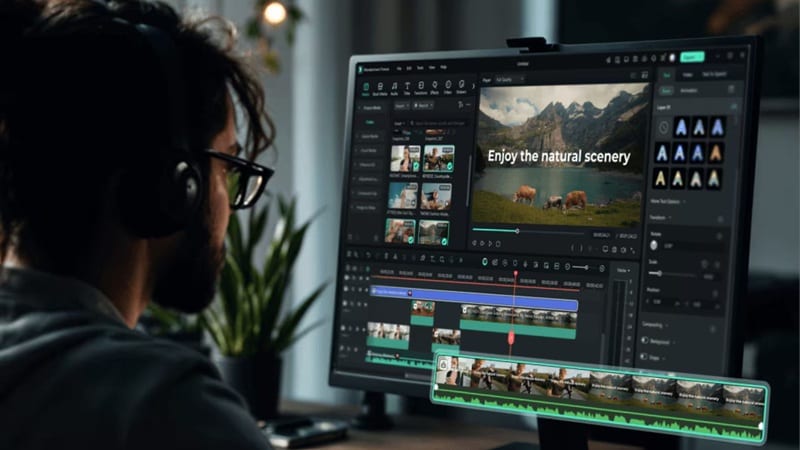
The difference is that Filmora wraps all of that inside a full professional timeline editor, so you have complete control over every frame, layer, audio track, and transition.
 Secure Download
Why Filmora is a Game-Changer for Creators
1. Create Right Away From a Prompt
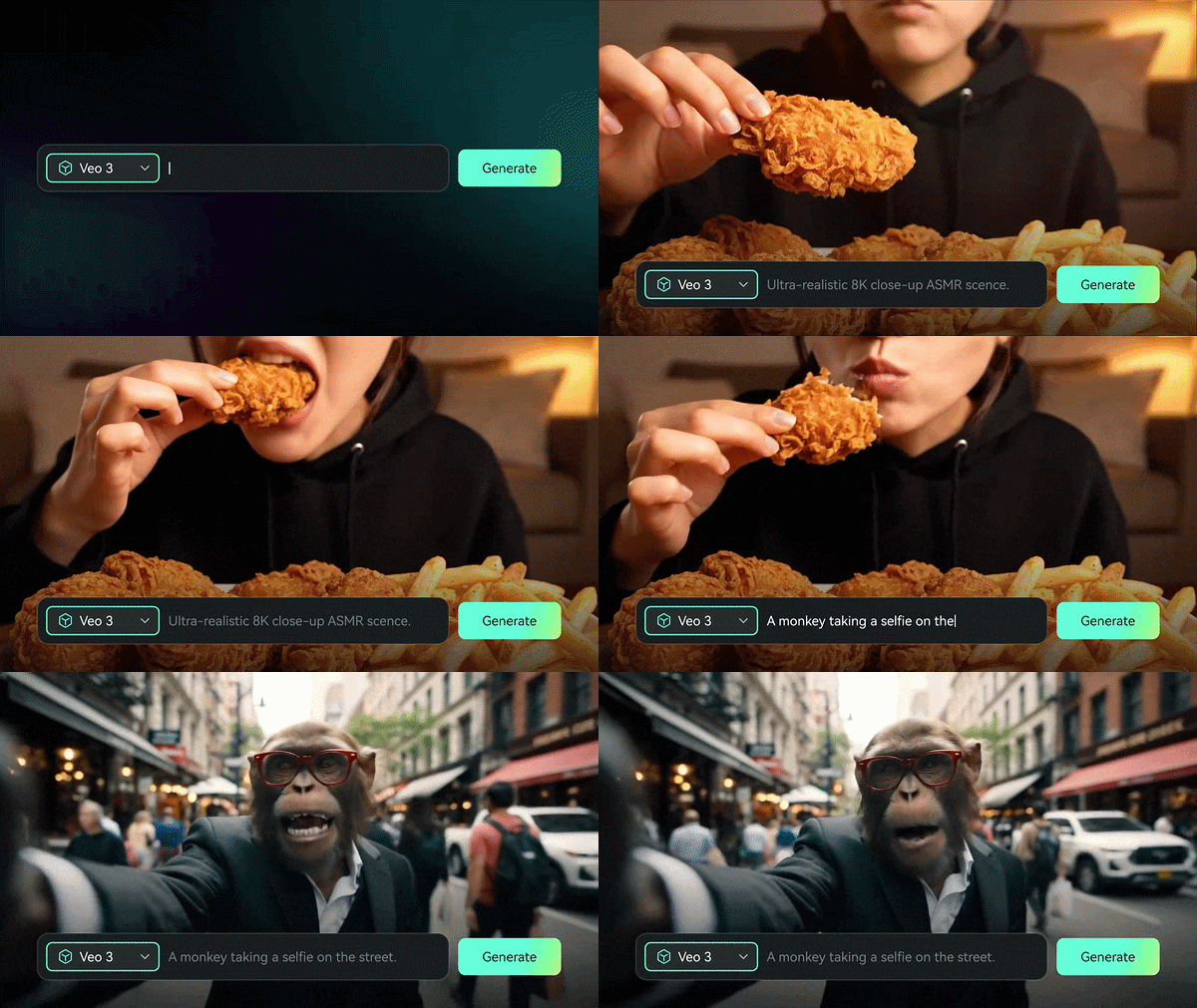
Unlike Glorify AI which usually needs an image to get started, Filmora lets you jump straight into AI Text-to-Video. You can even use AI Idea-to-Video to turn a random thought into a full scene script and storyboard without needing a single file on your hard drive.
2. Turn a Recording Into a Full AI Video

If you’re a podcaster or a gamer, you’ll love this. Filmora has an AI Audio-to-Video feature that can take your voice recording and automatically segment it into meaningful scenes with matching visuals. It’s basically a shortcut to turning your audio into a viral-ready clip.
3. Extend Your Clips Instead of Starting Over

Glorify AI videos are pretty short by nature, usually capping out around 5 to 10 seconds per generation. Filmora solves this with its AI Video Extender. You pick a clip, tell it how much longer you need it to run, and the AI continues the footage naturally. No jarring cuts, no mismatched motion. You just get more of what you already had.
4. A Ton of AI Features That Actually Make Editing Faster
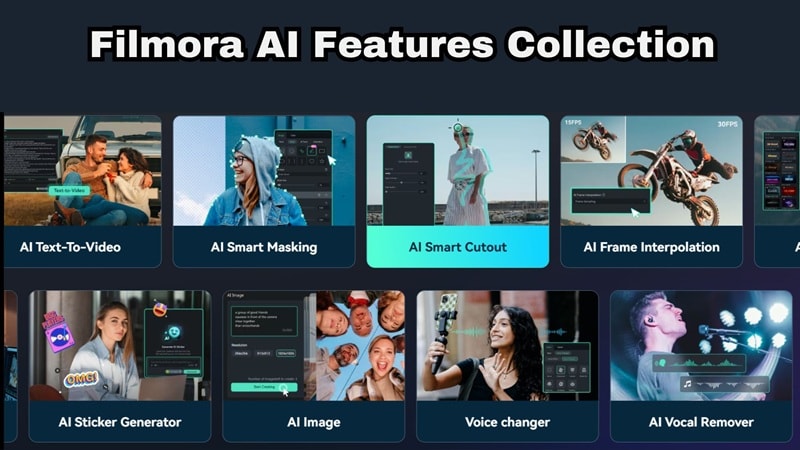
Filmora packs in a lot of AI features, but they feel more useful because you can apply them directly on the timeline. Here are a few of them;
- AI Smart Cutout for removing backgrounds in one click.
- AI Noise Removal to clean up audio without touching an equalizer.
- Auto Reframe to resize your video for any platform without manual cropping.
- AI Copilot that gives you editing suggestions as you work.
- Dynamic Auto Captions that sync your subtitles to speech automatically.
5. Works Everywhere, Even Without Wi-Fi
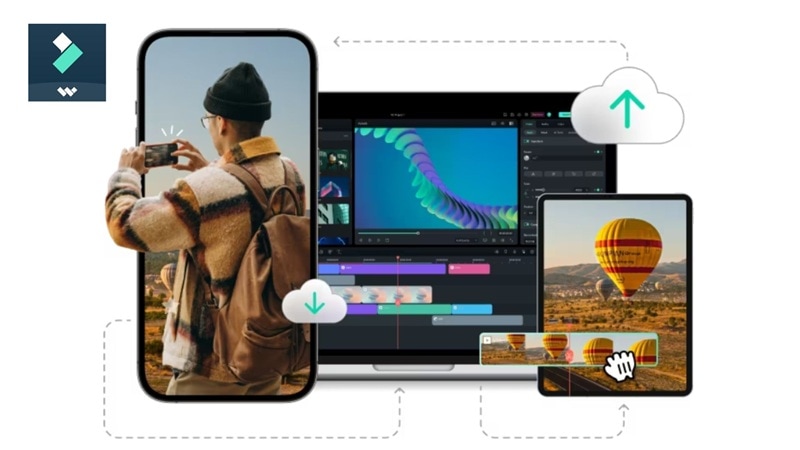
This is a big one. Glorify AI is entirely web-based, which means if your internet goes out or gets slow, your whole workflow stops. Filmora is available on Windows, macOS, Android, and iOS as a properly installed application. That means you can edit on a plane, at a café with spotty Wi-Fi, or anywhere else without worrying about a connection dropping mid-render. Your projects live on your device and your tools are always ready.
Secure DownloadConclusion
Glorify AI is one of the more ambitious all-in-one creative platforms right now. It brings together text-to-image tools, Glorify AI video generator, Glorify AI face swap, photo enhancement, and moodboarding in a single place. At the same time, the lack of a proper timeline can really hold you back once you want more control over your edits.
If that matters to you, Filmora is a better option since it gives you full timeline editing, along with AI image and video tools you can actually refine step by step. You can even combine both, using Glorify AI for quick ideas and visuals, then finishing everything in Filmora with its extra AI features and large media library to polish your final result.
FAQ
-
Can I use Glorify AI outputs commercially?
Yes, most Glorify AI video outputs can be used commercially, but you should always check their latest licensing terms to be sure. -
Is Glorify AI face swap free?
Unfortunately, no. There’s no clear standalone face swap feature included in the free plan. To use it regularly or at higher volumes, you'll need to upgrade to a paid plan where credit limits are significantly higher. -
Does Glorify AI face swap work on videos or only images?
Both! The Glorify AI face swap feature supports face swapping on both still images and video clips. The motion-control component ensures the swapped face tracks and moves naturally with the subject, which is a notable advantage over many tools that only offer static image face swapping.
