


 TL;DR:
MemeGen AI, also operating as PopVid AI, is a strictly web-based generator ideal for creating casual 5-second meme clips, but creators requiring post-generation timeline editing and high-quality outputs should choose Wondershare Filmora.
● MemeGen AI provides 100 free daily credits for prompt-based generation and features a unique interactive Roleplay Mode, but it lacks official mobile apps—meaning online APKs are a security risk—and restricts users to 78 uneditable templates.
● Wondershare Filmora overcomes these limitations by integrating Veo 3.1 and Sora 2 models for more realistic motion, offering AI Text-to-Video and Audio-to-Video capabilities, and supporting cross-platform access on Windows, macOS, Android, and iOS.
● Choose MemeGen AI for zero-skill, template-driven social content where editing speed matters more than customization, and use Filmora if you produce unlimited-length, professional projects requiring manual cuts, multi-scene management, and precise creative control.
Ask AI for a summary
 ChatGPT
 Perplexity
 Gemini
 Claude
 Grok
Grok
Open TikTok, Reels, or Shorts for just a few minutes and you’ll quickly notice how common AI-generated clips have become. According to Vivideo, vertical (9:16) videos make up 59% of AI-generated content, compared to just 31% in 2024. That jump isn’t random. With AI image to video tools getting better and easier to use, turning a simple photo into a scroll-stopping vertical clip takes almost no effort anymore.
One name joining this growing wave is Memegen AI. Marketed as a creative tool that blends memes, AI visuals, and interactive storytelling, it promises quick results without complicated editing. But is the MemeGen AI video generator actually worth your time, or just another tool riding the AI hype?
Let’s take a closer look and see what you really get.
Part 1. Meet MemeGen AI: What It Is and How to Access It
AI tools come and go fast, that's why before you invest time (or money) into any of them, it helps to understand exactly what you're working with. MemeGen AI is basically a browser-based tool made for quick AI video creation. Instead of editing clips the traditional way, you type prompts, upload images, or pick templates and the system generates the video for you automatically.
If you Google "MemeGen AI" right now, most results lead you to PopVid AI instead. You might wonder if you clicked the wrong link, but you didn't. They're literally the same product.
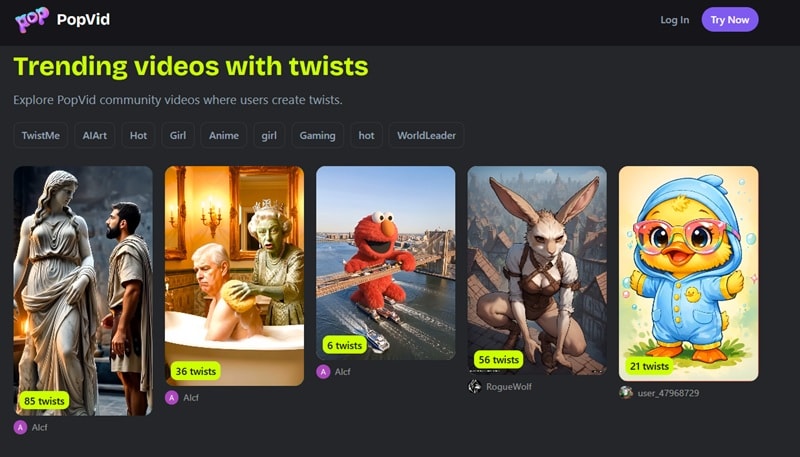
The platform started out as Meme-Gen.ai, then rebranded to PopVid AI at popvid.ai. Both names still float around the internet, which is why people get confused. For this review, we're using both names interchangeably because honestly, the internet already does.
Important note:
As of 2026, there is no dedicated MemeGen AI app on Android or iOS. There’s also no official MemeGen AI APK download. The platform is web-based only, meaning you access it through your browser. If you see a MemeGen AI Mod APK online, be careful, it’s likely a scam or a security risk.
Part 2. Pricing & Credits: Can You Use Memegen AI for Free?
One of the first questions people ask is: Can you actually use MemeGen AI for free? The short answer is yes, but there are a few limits. The platform runs on a credit system, which means every image or video generation uses a certain number of credits.
When you sign up, you get 100 bonus credits just for creating an account. On top of that, you get 100 free credits every single day, automatically refreshed. For light, casual use, that's honestly plenty to test the platform and get a real feel for it before spending anything.
When you do decide to go paid, there are three tiers to pick from. Here's the full breakdown:
| Plan | Price | Credits | Key Benefits |
| Free Plan | $0 | 100 daily credits + 100 starter credits | Free for daily use, good enough to test everything |
| Pro Plan | $4.99 / month | +1200 monthly credits | Premium model access, watermark-free downloads |
| Ultra Plan | $14.99 / month | +4000 monthly credits | Best value, premium model, watermark-free downloads |
| Max Plan | $44.99 / month | +13000 monthly credits | For heavy users, premium model, watermark-free downloads |
If you are not into the whole monthly subscription vibe, you can also just buy credits whenever you need them. You can grab 2000 credits for $9.99 or 7000 credits for $29.99, and the cool thing is these extra credits only get used after your daily ones run out.
Promo Code Tips: Avoid Fake Deals
You might see websites claiming to offer a MemeGen AI promo code, but many of those are just affiliate pages or coupon spam sites. Legitimate discounts usually come from:
Here's how to find legitimate discounts without falling for sketchy coupon sites:
- Check the official PopVid AI: Their social channels (TikTok @popvidai) occasionally drop limited-time codes for followers.
- Look for creator partnerships: Influencers who use the platform sometimes share exclusive discount links.
- Watch the platform itself: Seasonal promotions are sometimes displayed directly on the pricing page during sign-up.
Part 3. MemeGen AI Core Features Explained
Now, let’s get into the fun part. MemeGen AI isn't just a meme maker with a flashy name. There are three distinct tools built into the platform, each aimed at a different kind of content. Let's break it down one-by-one:
1. AI Image Generation
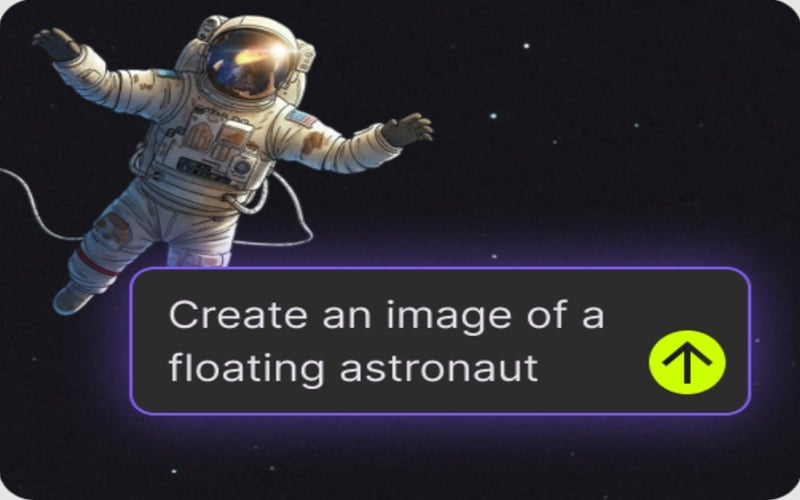
The simplest feature in MemeGen AI is AI image generation. Basically, you type a prompt like "Create an image of a floating astronaut,” and the system then generates an AI image based on that description.
Best for:
- Meme-style visuals.
- Reaction images.
- Character concepts.
2. AI Image to Video (78 Built-In Templates)
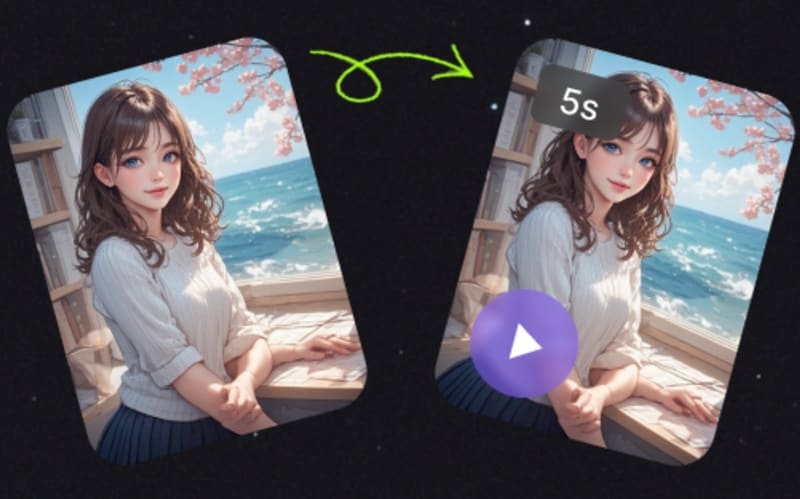
This is the main feature most users are interested in. With MemeGen AI image to video, you can:
- Upload an image.
- Write a prompt describing movement or action.
- Let the AI animate the scene.
On top of that, the platform also includes 78 templates covering various viral trends. It’s beginner-friendly, but if you use this approach, you’re mostly locked into the template's specific style.
3. Roleplay Mode (The Unique Twist)
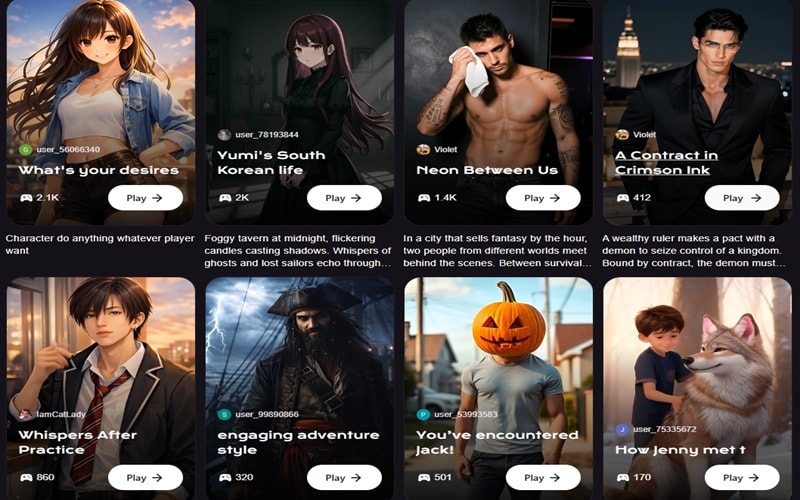
This is where MemeGen AI genuinely stands apart from typical meme tools. The Roleplay feature lets users interact with AI characters through scenario-based conversations.
Examples include:
- Doctor scenarios.
- Influencer conversations.
- Fictional storytelling situations.
- And more.
In short, it feels like a mix of AI chatbots and cinematic scenes, making it more of an entertainment tool than a video editor. It's genuinely unique, and it's the reason a lot of users keep coming back beyond the basic video tool.
Part 4. The Honest Truth: Memegen AI Pros & Cons
Look, every tool has a sweet spot and a drop-off point, and MemeGen AI is no exception. There are real things to love about it and real things that'll frustrate you depending on what you're trying to do. And if you are trying to decide if it is worth your time in 2026, you need to look at both sides thoroughly.
So, before you commit to anything, here's the unfiltered version of MemeGen AI video generator:
- Zero Skill Required: There's no learning curve at all. The layout is clean, nothing is buried in menus, and you go from having an idea to having a video faster than you'd expect.
- Daily Freebies: Getting 100 free credits every single day makes it one of the most accessible ways to play with MemeGen AI free without commitment.
- Interesting Roleplay Feature: Seriously, go find another meme tool that lets you build interactive AI story scenarios with cinematic outputs. You won't.
- Template Traps: Once you pick a template, you're working within whatever behavior it's set to. If the output isn't quite what you wanted, your only real option is to tweak the prompt and generate again, which burns more credits.
- No Manual Control: If you want a specific character to move an inch to the left or change a background detail, you are mostly out of luck because you can't edit the timeline.
- Still Building Reputation: The platform hasn't been around long enough to build up a solid track record. Reviews are sparse, and there's not much community knowledge yet.
Part 5. How to Create an AI Video with MemeGen AI (Step-by-Step)
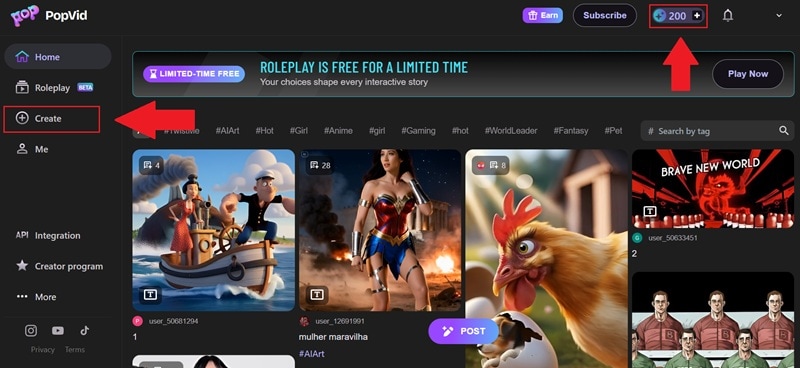
It is one thing to read about the pros and cons, but at some point, you just need to see how the thing actually works in practice. The good news is that the MemeGen AI video generator is genuinely easy to pick up.
Just follow these steps, and you will have your first MemeGen AI image to video clip ready in a few minutes.
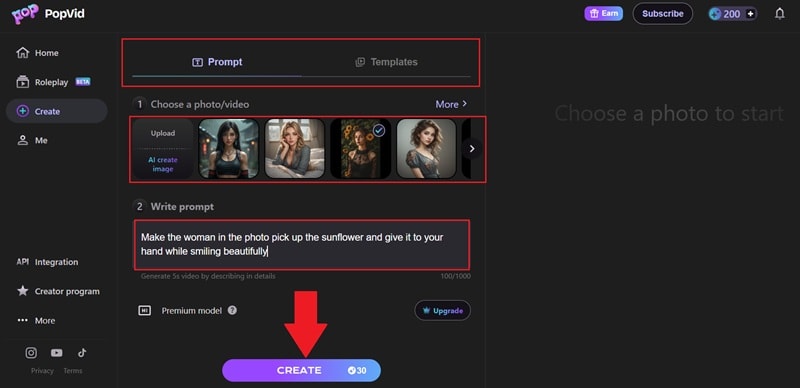
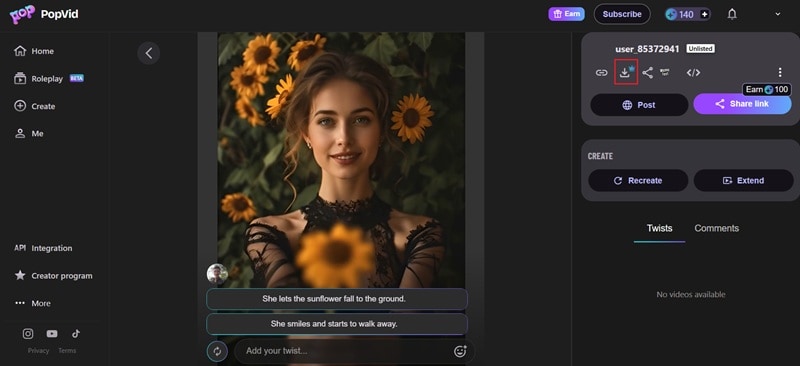
And that’s all it takes! That is basically the whole workflow. Now, take a look at the short clip you just made with the MemeGen AI video generator.

Part 6. Want More Creative Control? Here’s Where Filmora Steps In
Considering all the factors so far, does MemeGen AI live up to the hype? Well, not entirely. Honestly, while we were testing out the MemeGen AI image to video, the workflow was easy enough, but the speed was kind of a letdown. We actually had to refresh the page twice just to get the tool to work right, which is definitely not ideal if you are in a rush.
Not to mention, the MemeGen AI still has many limitations, including limited template customization, no timeline editing after generation, and fixed-output structure. So, if you want higher video quality and the freedom to shape the final result yourself, Wondershare Filmora becomes a much stronger option.
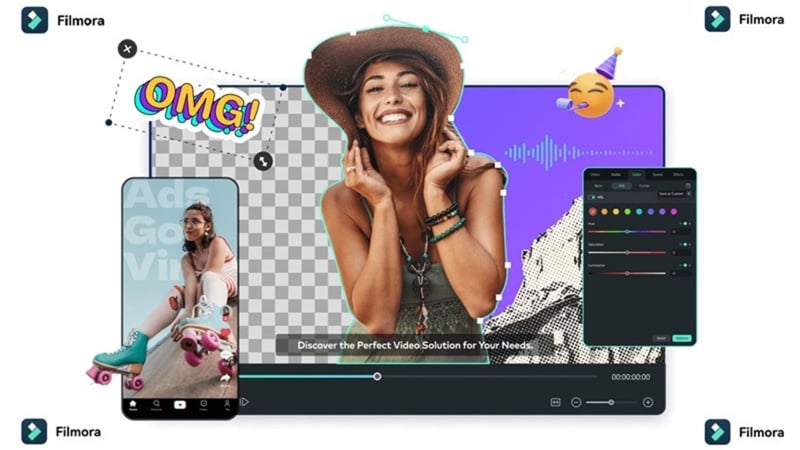
This all-in-one video editor is not only the perfect MemeGen AI alternative, but the upgrade that you need for a more complete project. Below, we’ll break it down one by one!
 Secure Download
Why Filmora Feels More Complete
1. Better Image to Video Quality

Filmora’s AI image-to-video feature runs on Veo 3.1 and Sora 2, which are genuinely some of the strongest AI video models available right now. The motion looks more realistic, the frames hold together better, and the overall output feels cinematic rather than template-generated. If you put a MemeGen AI clip next to a Filmora one, you'd notice the difference pretty quickly.
2. Way More Templates

While you only get 78 templates on the other site, Filmora gives you massive collections for every niche you can think of. The bigger deal though, is that these templates are actually editable. You're not locked into whatever animation behavior they shipped with, you can adjust timing, motion, and design elements to make them yours.
3. Create from Text and Audio
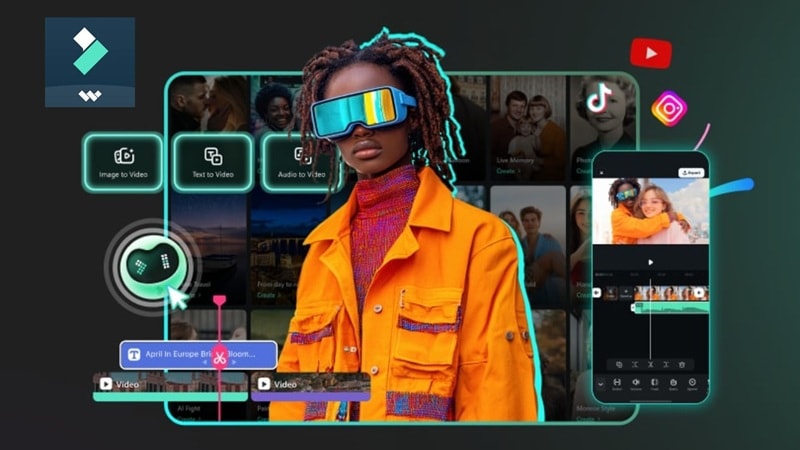
MemeGen AI is pretty much image-first. Filmora gives you more ways in. There's AI Text to Video if you want to turn a script into scenes, and AI Audio to Video if you're starting from a voiceover. More starting points means more types of projects you can actually build with it.
4. Edit After Generation (Huge Advantage)
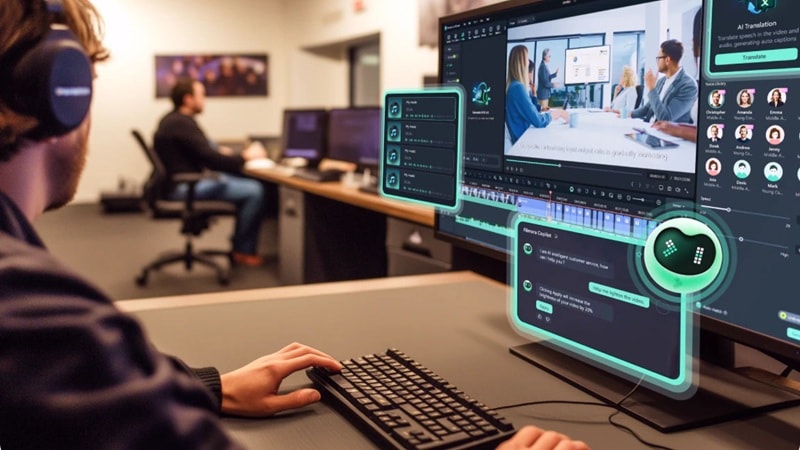
This is probably the biggest gap between the two. With MemeGen AI, whatever comes out is what you get. With Filmora, generation is just the starting point. You can go in and trim cuts, add transitions, fix the color, drop in music, and layer on more AI tools after the fact. That level of control is what actually makes the difference between something that looks okay and something that looks finished.
5. Flexible Compatibility
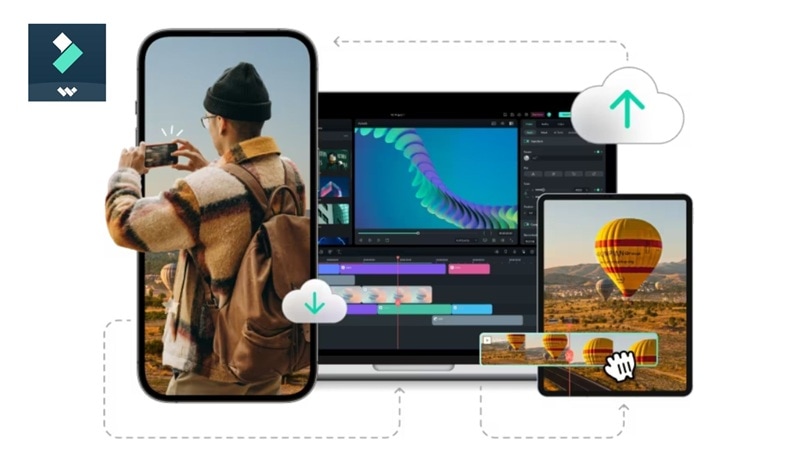
MemeGen AI is browser-only, which is fine for casual use, but it's a real limitation once your workflow gets more serious. Meanwhile, Filmora runs on Windows, macOS, Android, and iOS. So, you can start something on your laptop, pick it back up on your phone, and export it wherever you need it.
Secure DownloadPart 7. Side-by-Side: MemeGen AI vs. Filmora
Those are just a few reasons why Filmora might be the perfect MemeGen AI alternative for you. At the end of the day, it really comes down to what you are trying to build. You need to see them side-by-side to figure out which one fits your vibe better, so let’s lay it all out on the table and see how they actually stack up against each other.
| Feature | Memegen AI | Wondershare Filmora |
| Primary Use | Quick meme and social video creation | Professional content creation and editing |
| Video Length | 5 seconds | Unlimited / Full projects |
| Editing Control | Using prompt only | Full timeline editing with advanced tools |
| AI Video Generation | AI image to video | AI Text to Video, AI Image to Video, AI Audio to Video |
| Platform | Online | Windows, Mac, iOS, Android |
| Best For | Casual creators, meme social content | Serious creators, pro-grade output |
Verdict: Which One Should You Choose?
| Choose Memegen AI If | Choose Filmora If |
| You mainly create short meme style content | You want more control over your videos |
| You're posting casually and output quality isn't your biggest priority | You need better quality AI video generation |
| You want to try AI video for free before spending anything | You want to edit and refine the results inside a timeline |
| You like simple prompt-based generation | You plan to create longer or more polished content regularly |
| The roleplay and interactive story feature sounds fun to you | You've already hit the ceiling on MemeGen AI and need more room |
Secure DownloadConclusion
MemeGen AI (PopVid AI) is a legitimate, fun tool for casual content creators who want quick AI-generated videos without learning complicated editing. It's especially compelling if you're drawn to the roleplay storytelling feature, which genuinely sets it apart in a crowded field. Still, it is not meant to replace a full video editor since customization is limited and you cannot really adjust the video after it is generated.
If you want stronger creative control, Filmora is the better choice. It gives you higher quality AI image-to-video generation powered by advanced models, plus a full editing timeline where you can refine scenes, add effects, and shape the final result exactly the way you want. On top of that, Filmora works across multiple devices and includes a full library of creative tools, which makes it a much more complete solution for serious content creation.
FAQs About MemeGen AI
-
Can You Use MemeGen AI for Commercial Projects?
This depends on your subscription tier. Free plan outputs typically come with watermarks and usage restrictions. However, paid plans generally allow commercial use, but it’s always best to check the platform’s terms of service to confirm usage rights. -
Is There a MemeGen AI Promo Code Available?
Sometimes PopVid AI offers limited promotions, but many third-party coupon sites are unreliable. The safest places to find a legitimate MemeGen AI promo code are the official PopVid AI TikTok account (@popvidai) and promotional banners on the sign-up page itself. -
Is MemeGen AI Suitable for Long YouTube Videos?
Not really. MemeGen AI doesn't offer the timeline editing, voiceover integration, multi-scene management, or extended clip control that long-form YouTube videos require. For that kind of project, a full video editor like Wondershare Filmora is a much better fit.
