


 TL;DR:
Downloading a Node Video Mod APK to bypass the Pro paywall exposes your device to critical malware and data harvesting risks, making the official app or a secure alternative like Filmora Mobile the only viable options.
● The official Node Video app by Shallway Studio already provides 90% of its editing tools for free on Android and iOS, while the legitimate Pro upgrade costs $19.99/year to unlock 3D extraction, AI voice separation, and premium VFX.
● Installing unofficial cracked files directly violates copyright laws and leaves your device permanently vulnerable to keystroke logging, background data theft, corrupted project files, and potential Google or Apple ID platform bans.
● Users struggling with Node Video's steep learning curve should switch to Filmora Mobile by Wondershare, which offers a safer, beginner-friendly interface across mobile and desktop (Windows/macOS) utilizing time-saving tools like AI Auto Captions, AI Cutout, and AI Beats Sync.
Ask AI for a summary
 ChatGPT
 Perplexity
 Gemini
 Claude
 Grok
Grok
When you’re trying to download an app online, you’ll probably run into the term mod APK sooner or later. It usually pops up when people want premium features for free, and it’s no different with Node Video.
A quick search often leads to pages offering things like Node Video mod APK downloads that claim to unlock everything. You might even see promises of Node Video pro APK or a Node Video mod APK no watermark version that supposedly gives you premium tools without paying.
But before you click that sketchy download button, there are a few things you really need to know. To be safe, it's worth understanding what these modded apps actually are, why they can cause serious trouble, and what safer options you can use instead.
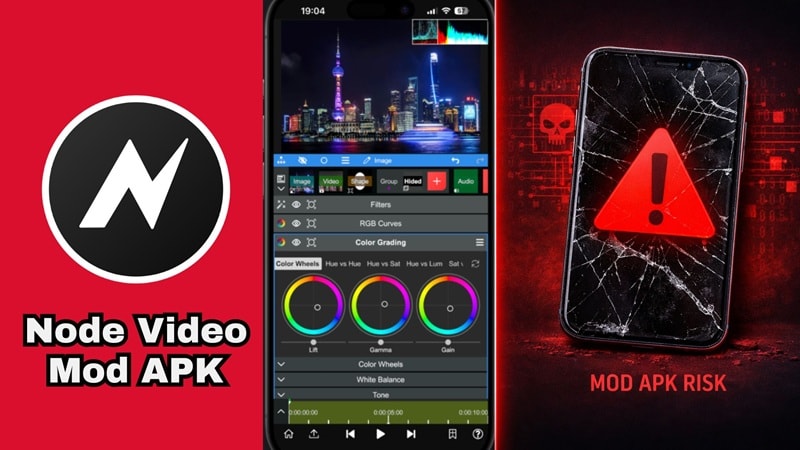
Part 1. What Is Node Video and Why Editors Love It
If you've ever wished for desktop-level editing power on your phone, Node Video is that dream made real. Built by Shallway Studio and available officially on Android (Google Play) and iOS (App Store), it's packed with tools most mobile editors can't touch.
Why Node Video Became Popular Among Mobile Editors
Many people are looking for Node Video APK because of its capabilities. Instead of simple filters and quick cuts, it focuses on advanced effects, layered editing, and motion animation.
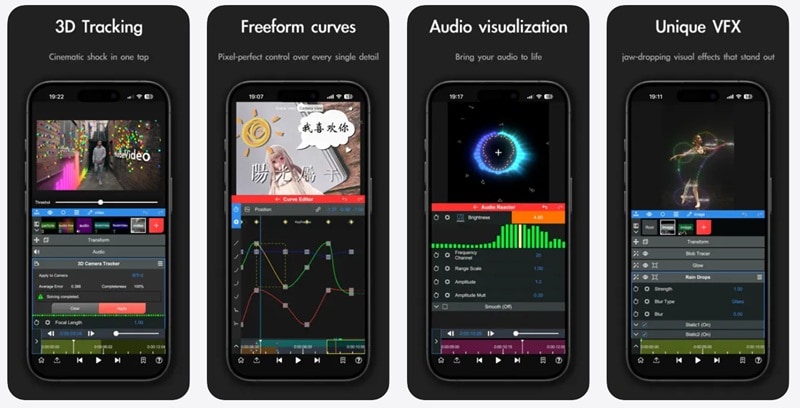
Below, we’ll break down the key features that attract creators:
- Infinite Layers and Groups: You can stack as many videos, images, and effects as your phone can handle without things getting messy.
- Keyframes and Curve Editors: This is where the magic happens. You get total control over how an effect moves or fades, making your transitions look incredibly smooth.
- 3D Rendering and Optical Flow: It can actually map images onto 3D shapes, and the optical flow feature gives you that buttery smooth slow motion that everyone is looking for.
- Pro Tools: You have access to a pen tool, motion tracking, masking, and even chroma key for green screen work. It’s a full-on production studio.
What's Behind the Node Video Pro Paywall?
Here's the part that surprises most people: Node Video gives away 90% of its features completely free. No catch, no trial period, no "free for 7 days." Just free. But there IS a Pro tier, and it unlocks a powerful set of extras:
- Full access to all Pro VFX effects and asset store content.
- Real-time AI human voice separation from background noise.
- 3D element extraction directly from still images.
- Exclusive S-level VFX packs with regular additions.
- Priority access to new AI and effects features.
Here's exactly how the pricing plans break down:
| Plan | Price | Best For |
| Monthly | $3.49/month | Testing the waters |
| Yearly | $19.99/year | Regular creators (saves 52%) |
| Lifetime | $59.99 one-time | If you're in it for the long haul |
Looking at the table above, it is wild that people are out here hunting for a Node Video APK premium or Node Video Pro download from random websites instead of just... grabbing the real thing. After all, $19.99 for a whole year works out to less than $1.70 a month. That's cheaper than literally any streaming service.
Part 2: The "Free Upgrade" Trap: What Node Video Mod APK Really Is
Now, what exactly are these modded APK versions? Well, a Node Video mod APK is an unofficial modified version of the app that has been altered by third parties.
Modders basically "crack" the app so that it thinks you’ve already paid for the Pro version. While it sounds like a win, it’s important to remember that these are not the same as the official Node Video APK. Because they are unofficial, you won’t find them on the Google Play Store or Apple App Store.
Why So Many People Search for Node Video Mod APK
There are a few reasons mod APK downloads get so much traffic.
Many people simply want:
- Free Premium Features: The premium features genuinely look impressive, which is why many are searching for Node Video APK mod to get pro tools without subscription cost.
- No Watermark: Clean exports are critical for professional content. This is the reason why Node Video editor mod APK without watermark is one of the highest search terms.
- Up to Date: Many still believe the official Node Video is outdated, which explains why Node Video editor mod APK latest version is also often trending.
Is Downloading Node Video Pro APK Even Legal?
Short answer: No. Modifying and redistributing commercial software without authorization constitutes copyright infringement in most countries, and directly violates Shallway Studio's Terms of Service.
It's also worth remembering that Node Video is made by a small indie team. Every subscription directly funds future updates, new AI features, and the app's survival. Using a Node mod APK cuts off that revenue entirely, and it will affect real people who built something incredible.
Part 3. The Real Risks of Downloading Node Video Mod APK
On the surface, Node Video modded APK downloads look like a simple shortcut to premium features. And honestly, it’s easy to think you’re getting a deal, but "free" modded apps are rarely actually free.
In reality, you might not be paying with money. Instead, you could be paying with your personal data, your device's security, and your digital identity.
Take a look at the explanations below:
| Risk Type | Severity | What It Means For You |
| Malware & Viruses | CRITICAL | Hidden malicious code can steal passwords, log keystrokes, or access your camera and mic silently. |
| Data Harvesting | HIGH | Excessive permissions harvest contacts, location, and files for ad networks or identity theft rings. |
| No Security Patches | HIGH | Mod APKs never update. Every known exploit stays open forever while the official app gets patched. |
| Account Bans | MEDIUM | Google and Apple security can detect modified apps and ban your Google or Apple ID. |
| Device Damage | MEDIUM | Poorly built APKs can cause bootloops, corrupt project files, or brick your device entirely. |
| Legal Exposure | REAL | Copyright infringement laws apply in most countries. ToS violations can result in platform-wide bans. |
After looking at the explanations above, downloading Node Video Pro mod APK shouldn't be in your consideration anymore. After all, you usually end up paying with your data or your phone’s health.
And remember, even after uninstalling a malicious Node Pro APK, the data it already collected is gone. The damage happens the moment it runs, not later. Totally not worth it.
Part 4. Safer Ways to Use Node Video Without Mod APK
Thankfully, you don’t need risky downloads to start using Node Video. Instead of relying on Node Video Pro mod APK, there are much safer options that still give you access to their powerful editing tools. Let's get through them one by one!
1. Download the Official Node Video App
The safest place to download the app is through trusted platforms:
- Official Website: https://www.nodevideo.com/
- Google Play (Android): Search "Node Video" by Shallway Studio.
- Apple App Store (iOS): Search "Node Video," it's free to download
These sources ensure the app is secure and verified. No hidden code. No surprise malware. No mystery. You’ll also receive regular updates and bug fixes!
2. Use the Free Version First
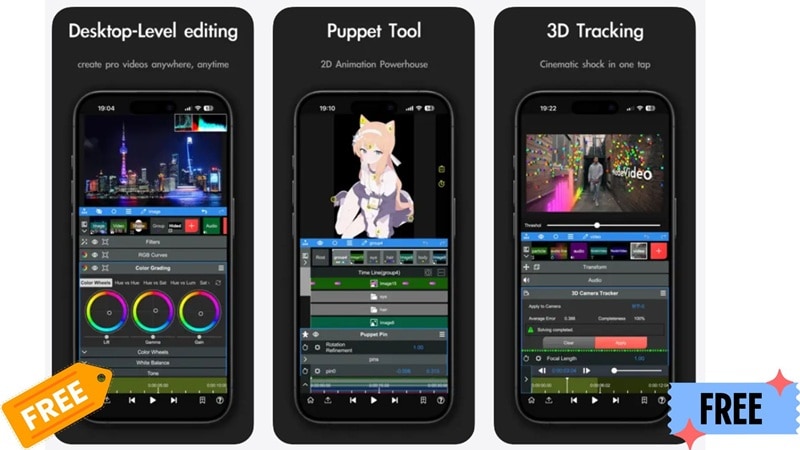
Before you pay (or go looking for a Node Video APK Pro), spend real time with the free version. With 90% of features included at no cost, free-tier users can comfortably create:
- Social media content for TikTok, Instagram Reels, and YouTube Shorts.
- Visual effects projects using masking, chroma key, and motion tracking.
- Keyframe-animated motion graphics and title sequences.
3. Upgrade When You Actually Need Premium
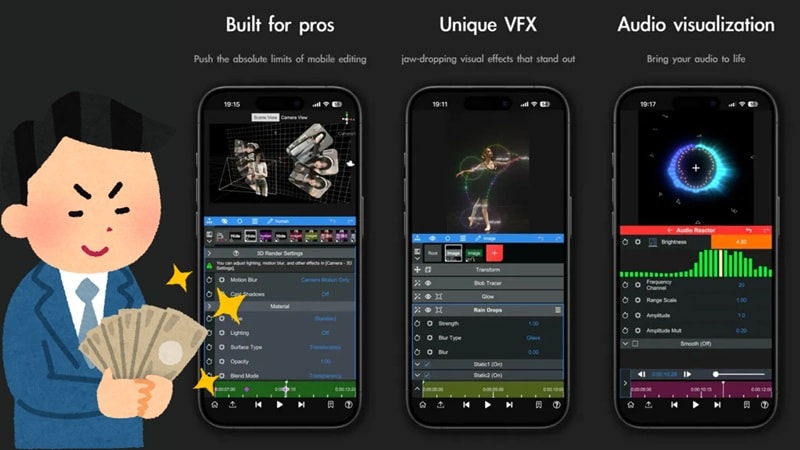
If you keep bumping into Pro-only features and your editing has grown serious, just subscribe officially. The official subscription is actually quite affordable, at $3.49/month or $19.99/year.
Paying for the legitimate version provides:
- Full feature access.
- Stable ongoing updates.
- Zero security risk.
Supporting the developers also helps ensure the app continues to improve over time.
Part 5. A Much Safer Alternative: Filmora Mobile
If you find Node Video’s learning curve a bit too steep or you're tired of the risks associated with Node Video Pro video editor mod APK sites, there is a much safer, professional option: Filmora Mobile.
It's a professional yet beginner-friendly video editor by Wondershare, available on Android and iOS. It packs serious editing power, a rich library of built-in assets, and a constantly growing AI toolkit. Not to mention, Filmora is regularly updated, completely safe, and backed by real customer support!
 Secure Download
Why Filmora Mobile Is a Better Choice Than Mod APKs
1. Powerful Editing Tools Built In
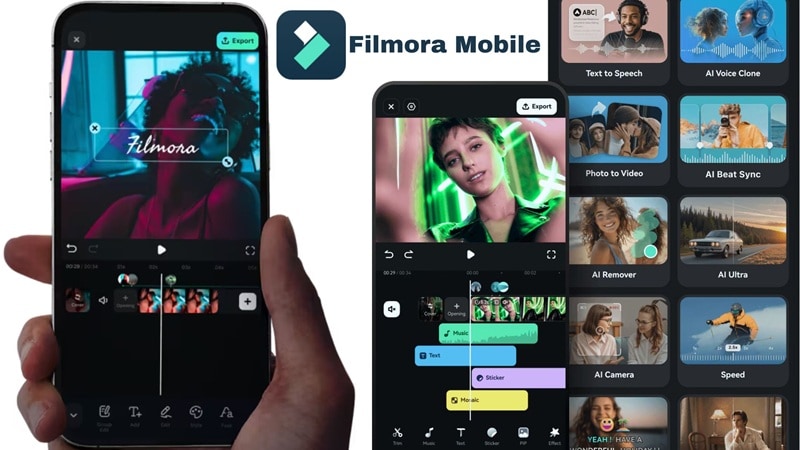
Filmora includes essential editing tools such as:
- Multi-Layer Timeline: Full non-linear editing with video, audio, text, and effects stacked cleanly.
- Effects & Stickers: Thousands of transitions, filters, stickers, and animated titles built in.
- Social Media Templates: Huge library of trending formats for TikTok, Reels, and Shorts.
Everything is designed to be easy to use while still offering advanced controls.
2. AI Tools That Save Tons of Time
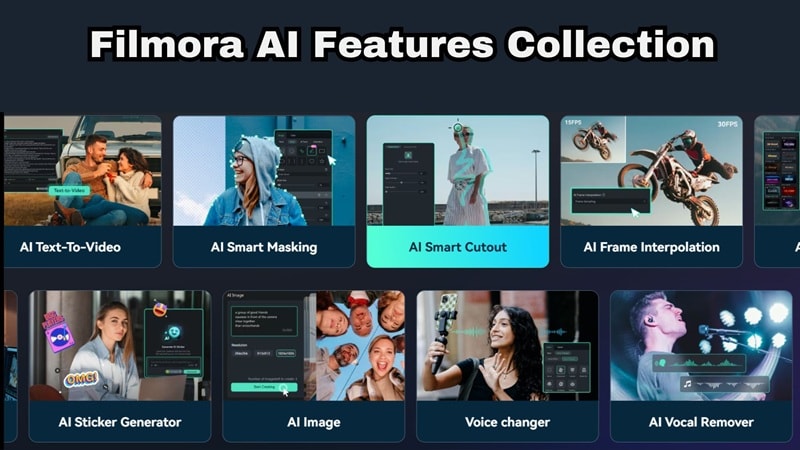
Filmora is filled with modern AI tools that help creators edit faster. Examples include:
- AI Auto Captions: Word-by-word dynamic subtitles generated automatically from your voiceover.
- AI Cutout & Remover: Instantly remove backgrounds or unwanted objects from any clip with one tap.
- AI Beats Sync: Auto-sync your cuts to music rhythm for polished, professional pacing.
These features reduce editing time and make complex tasks much easier.
4. Affordable and Transparent Pricing

Instead of risky Node Video editor mod APK downloads, Filmora offers clear pricing with a free version and optional upgrades. You can either subscribe (monthly or yearly) or do a one-time purchase. You can check that out on the Filmora pricing page and see which one fits you. There are no hidden downloads or security risks!
5. Available on Desktop Too
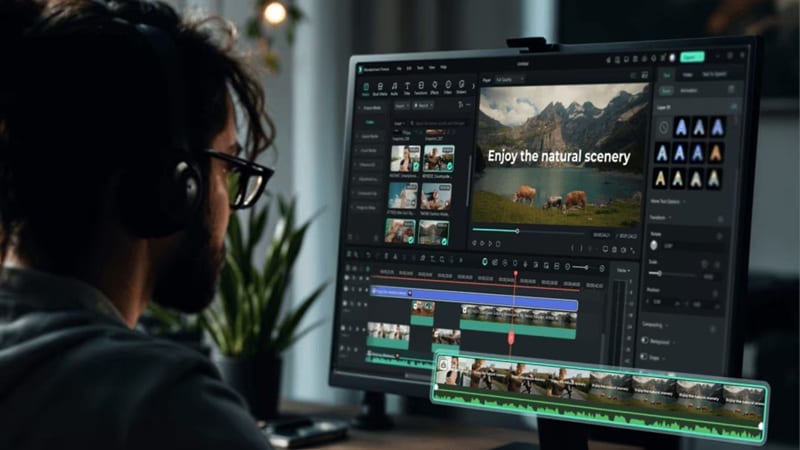
Here's a major bonus: Filmora also runs on Windows and macOS, and it takes everything the mobile version does and supercharges it. The desktop app includes a deeper AI feature library, more advanced color grading and compositing tools, a much richer asset collection, and the comfort of a large screen for serious editing sessions.
You can learn more about using Node Video style editing on PC here: Node Video Alternatives for PC: Better Tools for Bigger Screens.
Secure DownloadConclusion
At the end of the day, a Node Video mod APK might look like a shortcut, but it’s usually a dead end filled with crashes and security risks. Malware, data theft, unstable apps, and missing updates are common problems. These Node Video premium APK versions also violate the developer’s terms and can lead to banned accounts or corrupted projects.
Instead of risking your device, it’s much safer to use the official app or try reliable editors like Filmora Mobile. You’ll get powerful editing tools, regular updates, and peace of mind while creating your videos.
FAQs About Node Video Mod APK
-
Can Node Video run on a PC?
Node Video is primarily designed for mobile devices. However, some users run it on a computer using Android emulators. A better solution for desktop editing is to use a full editor like Filmora on Windows or macOS. -
Is the Node Video APK on APK sites safe?
In almost all cases: no. Any Node Video APK available on APK sites, APK hosting blogs, or unofficial stores, especially files labeled Node Video premium unlocked, or Node Video editor mod APK Pro unlocked, carries serious risk. -
What happens if Shallway Studio detects I'm using a modded version?
Google and Apple platform security can flag accounts linked to modified apps. Projects saved in a modded version may not survive an official app authentication change, leaving you with a broken editor and potentially unrecoverable files.
