


 TL;DR:
Because Node Video lacks a native desktop release and running it via emulators like BlueStacks frequently causes lag and crashes, users should adopt native PC alternatives tailored to their specific operating systems and editing skill levels.
● Wondershare Filmora (Windows, macOS) is best for content creators wanting built-in AI tools, VEGAS Pro (Windows only) serves professionals needing advanced keyframes and multi-camera editing, and Kdenlive provides a free, open-source workflow for budget users.
● When transitioning from Node Video to a desktop editor, you can only transfer raw video clips and project assets, because full project files with intact layers and effects cannot be migrated across platforms.
● Free tiers on these desktop alternatives include specific limitations, such as Wondershare Filmora applying a watermark to all exported videos and Lightworks capping its export resolution at 720p.
Ask AI for a summary
 ChatGPT
 Perplexity
 Gemini
 Claude
 Grok
Grok
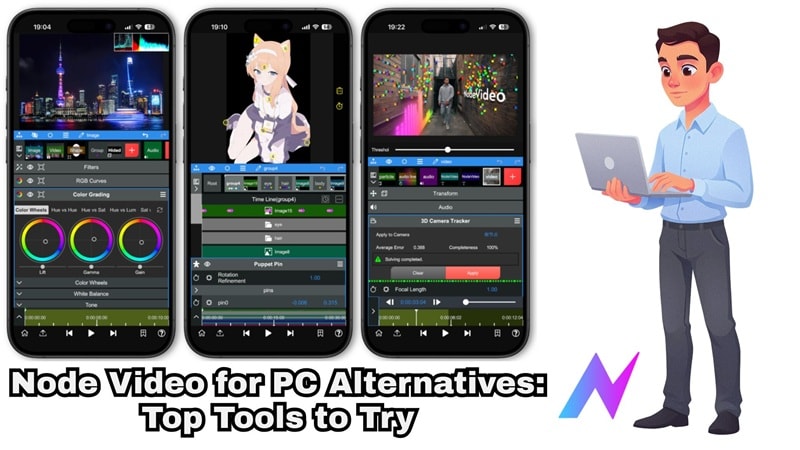
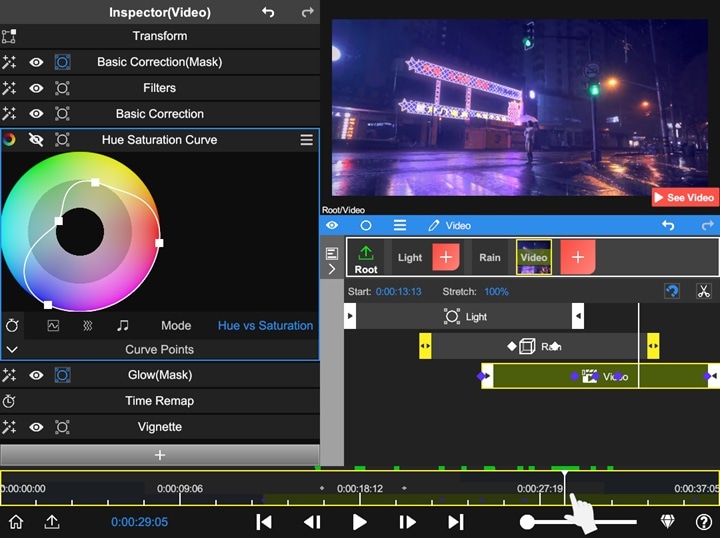
Node Video has built a strong name for itself as a powerful mobile video editor, especially for users who love layers, effects, and precise control. That said, it’s still mainly designed for mobile, and while you can get Node Video for Mac, PC users are often left feeling stuck.
If you’re searching for a Node Video alternative for PC, chances are you want more screen space, better performance, and desktop-level control. Luckily, there are plenty of PC video editors like Node Video that not only match its flexibility but go far beyond it. So below, we break down the best Node Video alternatives for PCs that actually make sense to use.
Can you get Node Video on PC?
Let’s start with this question: Is Node Video available on PC? Well, officially, Node Video offers no fully native desktop version right now.
Still, some users try to 'trick' the system and run Node Video for PC using Android emulators, which lets you access the mobile app on a bigger screen. Here’s how it usually works and what to expect.
How to Use Node Video on PC?
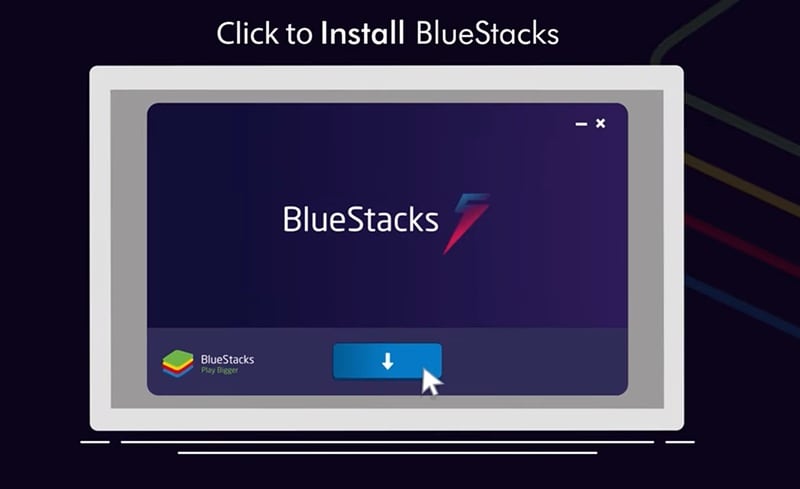
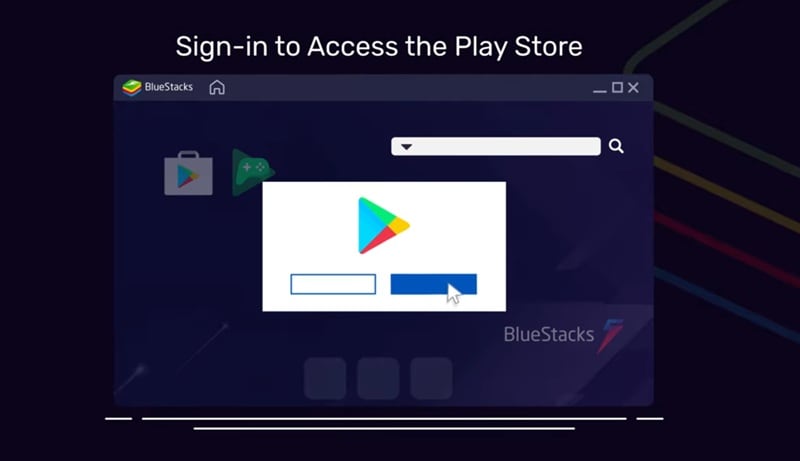
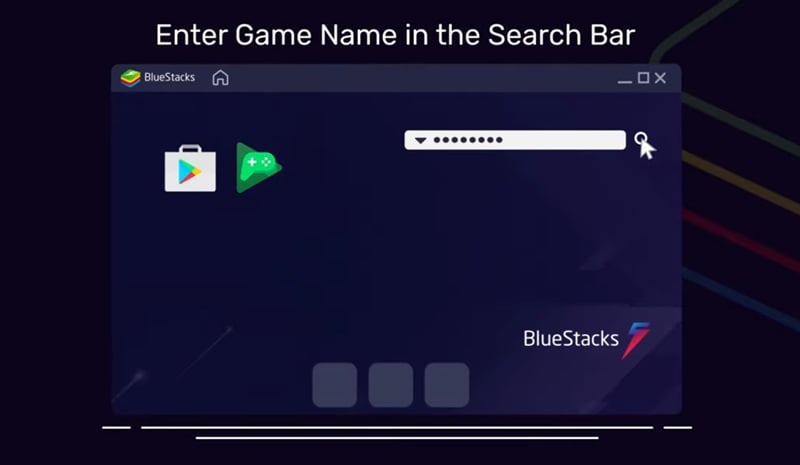
Android emulators that people often use to download Node Video for PC are BlueStacks or LDPlayer. The setup is simple, but the experience may not feel exactly like a real desktop editor. As an example, let’s try using BlueStacks. Follow the guide below to see how it works.
Why Using Emulators Can Feel Limiting
The thing is, running Node Video PC through an emulator might work, but it does not always feel smooth.

Before you try using it, here are some limitations you should know.
- Slow Performance: Emulators use a lot of system power, so you might notice lag, freezing, or slow playback, especially when editing larger projects.
- Often Crashes: Since the app is not built for desktop, random crashes or glitches can show up during editing or exporting.
- Uncomfortable Controls: Node Video is designed for touch screens, so using a mouse and keyboard can feel awkward when making precise edits.
- Limited Workflow: Even on a bigger screen, the interface still feels like a mobile app, so you do not get the full experience of a real desktop video editor.
Because of these limits, many creators eventually move to a proper Node Video PC alternative. After all, desktop video editors give you better performance, more control, and a smoother workflow overall, which makes editing faster and much more comfortable in the long run.
To keep things practical, we did not just throw random popular editors into this list and call them a Node Video alternative. Instead, we looked at what Node Video users actually enjoy, then checked which desktop editors offer a similar experience but work better on PC.
Our evaluation criteria include:
- Timeline & Layer Control: Can it handle complex layers, effects stacking, and keyframes like Node Video?
- Ease of Use: Is it approachable for creators moving from mobile to PC?
- Creative Flexibility: We checked how much freedom each editor gives you, including effects, motion tools, color controls, and animation features.
- Pricing & Value: We compared free and paid options and looked at whether the features are worth the price.
- Scalability: Can you grow into it as your projects become more advanced?
Our Top 3 Node Video Alternatives for PC
Out of all the editors we tested, these three stood out the most. If you just want quick recommendations for a solid Node Video alternative for PC, these are the ones worth checking first.



Node Video Alternatives Comparison Chart (Quick Overview)
Our list consists of some of the best alternatives if you're looking for a Node Video editor for PC. But before we go deeper into each tool, let's take a quick overview that shows the main tools we’ll cover and what each one offers, so you can easily compare them at a glance.
| Editor | Platforms | Free / Paid | Skill Level | Best Use Case |
| Filmora | Windows, macOS, Android, macOS | Free & Paid | Beginners to professionals | YouTube videos, social content, effects heavy editing |
| Magix Video Pro | Windows | Free & Paid | Intermediate | Professional video production and precise timeline editing |
| Premiere Pro | Windows, macOS, iOS | Free & Paid | Professionals | Professional editing, commercial projects, filmmaking |
| Kdenlive | Linux, Windows, macOS, BSD | Free | Beginners to intermediate | Free multi-track editing and open-source workflow |
| Clipchamp | Online, Windows, iOS | Free & Paid | Beginners | Quick edits, presentations, social media videos |
| VEGAS Pro | Windows | Free & Paid | Professionals | Advanced effects, motion graphics, multi camera editing |
| Avid Media Composer | Windows, macOS | Paid | Professionals | Film production, broadcast editing, large scale projects |
| Lightworks | Windows, macOS, Linux | Free & Paid | Beginners to professionals | Long-term editing growth and cinematic video work |
| Shotcut | Windows, macOS, Linux | Paid | Beginners to intermediate | Budget editing and flexible format support |
| Pikimov | Online | Free | Beginners to intermediate | Browser-based editing, motion design, social media content |
|
Show More
Show Less
|
||||
 Secure Download
Best Node Video Alternatives for PC (Detailed Breakdown)
Now, it’s time to take a closer look at each Node Video alternative for PC. Each editor is explained using the same structure to help you quickly see what it offers and which one fits your needs best.
1. Wondershare Filmora
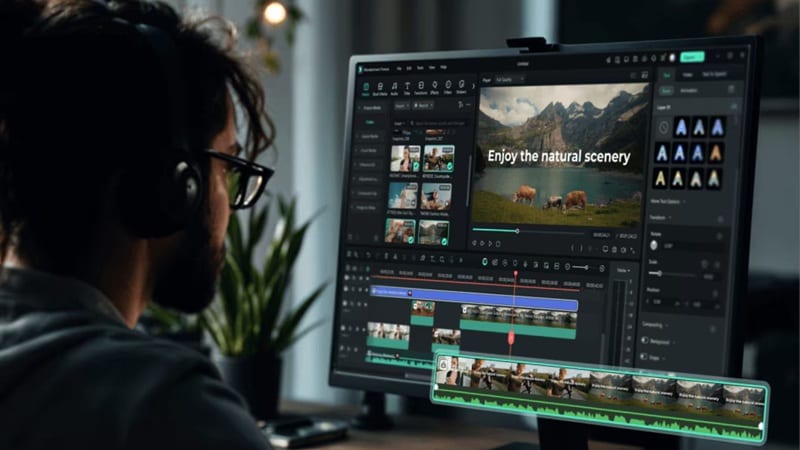
When it comes to a Node Video alternative for PC, Wondershare Filmora is easily one of the strongest choices. It offers many of the same editing features you get in Node Video, but expands them with more AI tools and a huge creative library. At the same time, the interface stays simple and beginner-friendly, so even first time editors can jump in without feeling lost.
 Secure Download
- Create AI videos instantly using AI Text-to-Video, AI Image-to-Video, and AI Audio-to-Video.
- Generate custom background music and sound effects with AI Music Generator and AI Sound Effect Generator.
- Turn long videos into short clips automatically with AI Smart Short Clips and AI Smart Scene Cut.
- Large built-in media library with stickers, filters, effects, transitions, and royalty-free music.
- Advanced timeline editing with multiple layers, keyframes, motion tracking, and precise control.
Windows, macOS, Android, iOS.
Free version available, with affordable upgrade plans listed on the Filmora pricing page.
Content creators, YouTubers, and social media editors who want an easy desktop editor with strong AI tools, fast workflow, and full control for effects-heavy videos.
- The AI features are extensive and make editing much easier for beginners.
- Cloud-sync works across desktop and mobile, so you can continue projects anywhere.
- The timeline workflow feels smooth and easy to manage even for complex edits.
- The free version adds a watermark when exporting.
- You need AI credits for using Filmora AI tools
Secure Download2. Magix Video Pro X17
If you are looking for a reliable Node Video editor for PC Windows 10 and above, Magix Video Pro is a strong option to consider. The latest X17 version comes packed with professional tools while still keeping the workflow practical for everyday editing. You'll have the full feature set from Video Deluxe, so you get powerful tools for color correction, audio editing, motion work, and more, all in one place.
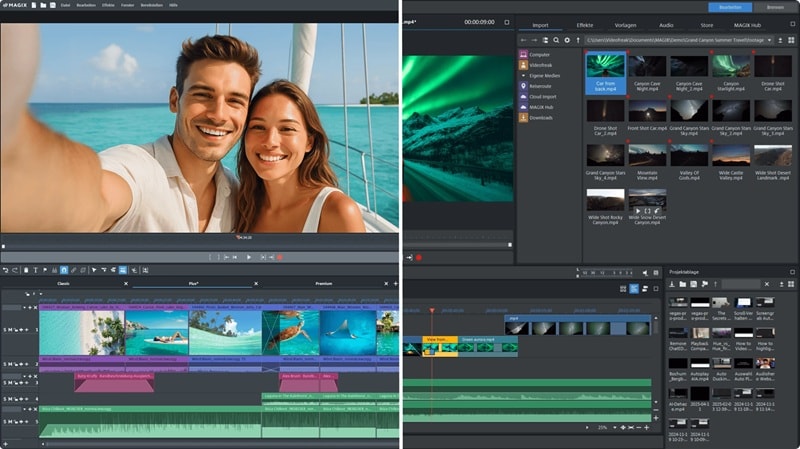
- AI Subtitles that highlight each word as it is spoken.
- AI Text-to-Speech with over 100 languages and voice styles.
- Full control of your editing process with 3-point and 4-point video editing.
Windows.
Free trial available, with paid plans starting at $6.99 per month (billed yearly).
Windows creators, content producers, and advanced editors who want precise timeline control and high-quality video production.
- Automatic media sorting and tagging using AI.
- Supports high-resolution exports up to 8K.
- The interface can feel overwhelming if you are new to video editing.
- Needs a fairly powerful PC to run smoothly.
3. Adobe Premiere Pro
We also recommend Adobe Premiere Pro if you want something similar to the Node Video Mac version. It’s one of the most popular video editors out there, and for good reason. The editor gives you deep control over your projects, from simple cuts to complex effects, which makes it a strong choice for serious video work.
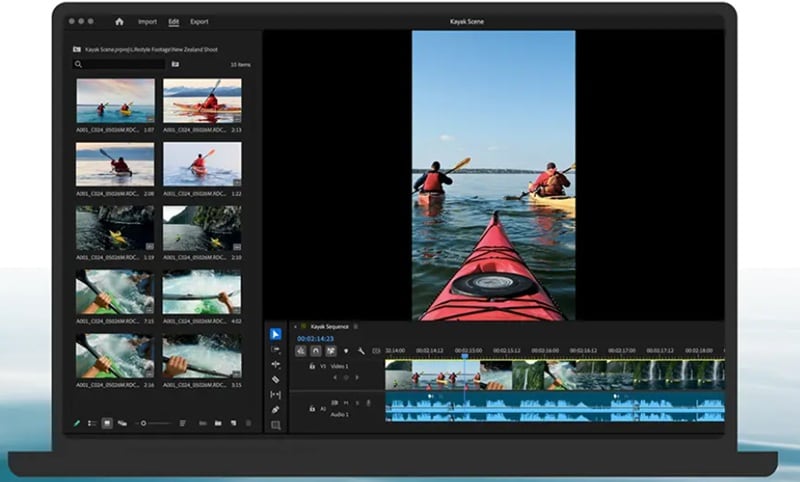
- Edit, trim, add effects, mix audio, and animate titles directly inside its timeline.
- Text-Based-Editing lets you refine, reorder, and trim clips like editing a text document.
- Professional audio tools help reduce noise, enhance dialogue, and support advanced sound design.
Windows, macOS, iOS.
Free trial available, with paid plans starting at $22.99 per month (billed yearly).
Professional editors, filmmakers, and content creators who need advanced editing control and seamless workflow across multiple Adobe tools.
- Strong integration with other Adobe apps like After Effects and Photoshop for a smoother workflow.
- Supports many third-party plugins and extensions for advanced editing features.
- Subscription-based pricing can feel expensive over time.
- Heavy software that can use a lot of system resources.
4. Kdenlive
If you want a free Node Video Editor PC option, Kdenlive is definitely worth checking out. It’s an open-source video editor, so you can use it without paying anything. But even though it’s free, the features are surprisingly powerful. It is especially popular among Linux users because it offers strong editing tools and plenty of customization for different editing styles.
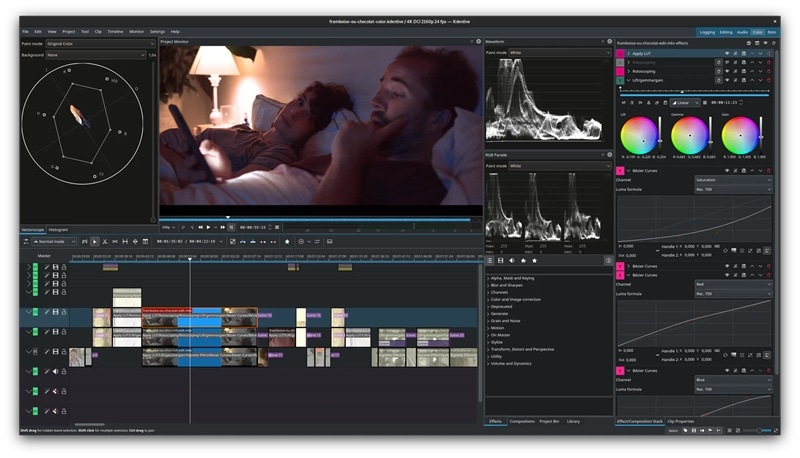
- Built-in 2D Title Editor for creating simple text, captions, or scrolling credits.
- Direct access to the KDE Store for user made effects, templates, and layouts.
- Wide range of effects including color correction, blur, sharpen, and audio adjustments.
Linux, Windows, macOS, BSD.
Free to use with optional donations.
Budget conscious creators, Linux users, and hobby editors who want a free desktop editor with strong timeline control.
- Supports 3-point editing workflow.
- You can preview multiple camera angles or footage at the same time in the project monitor.
- The interface can feel outdated and confusing for first-time users.
- Performance can be unstable with very large or complex projects.
5. Clipchamp
There’s also Clipchamp, which is a solid choice if you want something close to Node Video for Windows. It actually started as Microsoft’s plan to replace Movie Maker, but now it has grown into its own editor with plenty of useful features. You can use it directly in your browser, so it also works well as a Node Video PC online option when you do not want to install heavy software.
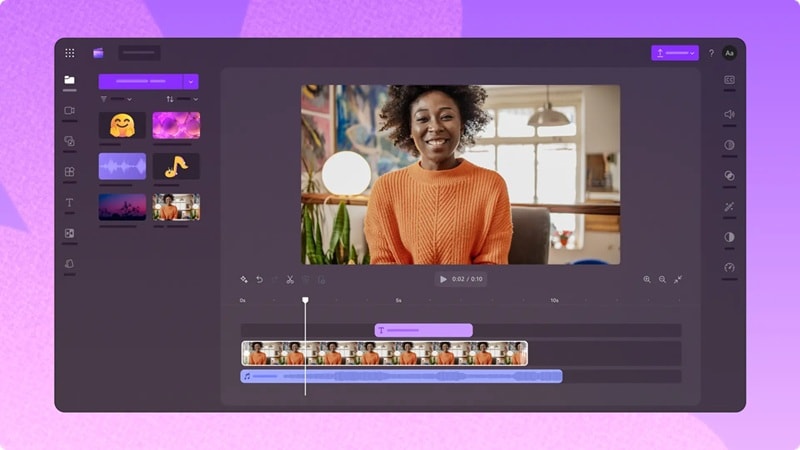
- Generates accurate AI captions in more than 80 languages.
- Removes background noise, awkward pauses, and filler words automatically.
- Large stock library with videos, images, music, stickers, GIFs, and sound effects.
Online, Windows, iOS.
Free version available, with paid plans through Microsoft 365 starting at $9.99 per month.
Beginners, students, and social media creators who want a simple editor for quick videos.
- Very flexible since you can use it online, on desktop, or even on mobile.
- The interface is simple and easy to understand for beginners.
- Many stock media and advanced features are locked behind the premium plan.
- You need a Microsoft 365 subscription to unlock full features.
6. VEGAS Pro
If you want a more professional Node Video editor for PC Windows 11, VEGAS Pro is definitely a highlight. This editor goes beyond basic editing and gives you strong control over every part of your project. The tools are advanced, but the workflow stays focused on timeline editing, with a clean workspace and smart interface that helps you stay focused while working.
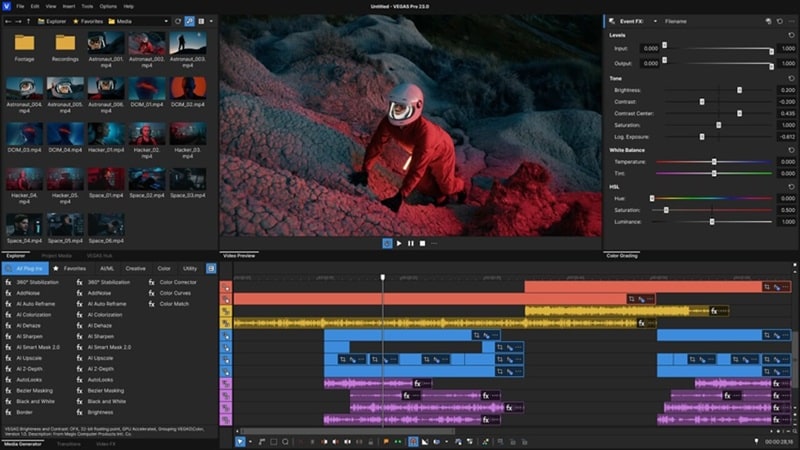
- Add keyframes and animate VFX settings directly inside the timeline.
- Access thousands of royalty-free video and audio files for your projects.
- Text-based editing creates an accurate transcript of dialogue and lets you edit footage like a text document.
Windows.
Free trial available, with paid plans starting at $19.99 per month.
Professional editors, video producers, and Windows users working on complex projects and high-quality video production.
- Full support for third-party plugins and professional hardware.
- Supports multi-camera editing with up to 32 camera angles for real-time preview and switching.
- Too complex for complete beginners.
- Only available on Windows.
7. Avid Media Composer
Avid Media Composer is another strong pick if you want a professional alternative if you want to download Node Video on PC. The tools are very advanced and built for serious editing work. In fact, many major Hollywood productions use it, so you can expect powerful features and precise control for complex projects.
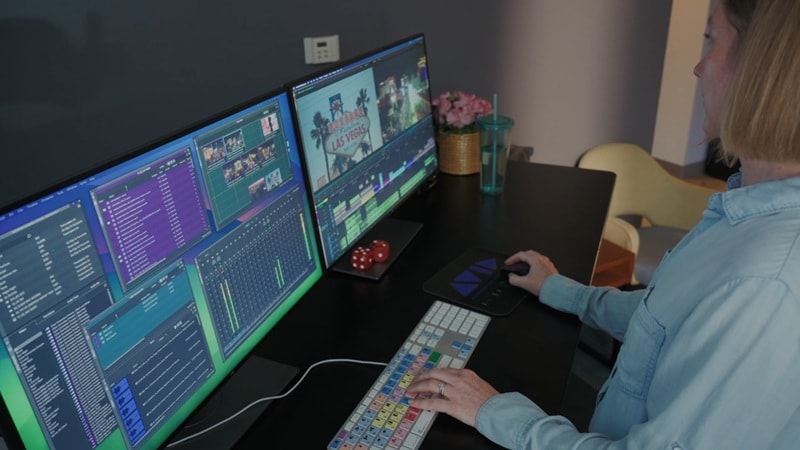
- Task-focused workspaces for Edit, Color, Audio, and Effects to keep your workflow organized.
- Automatically sync up to 64 camera angles even with different formats and frame rates.
- Advanced tools for motion effects, transitions, graphics, animation, and compositing.
Windows, macOS.
Subscription plans start from $39.99 per month.
Film editors, broadcast professionals, and production teams working on large-scale projects that require advanced editing control.
- Supports up to 99 video tracks and 99 audio tracks for complex projects.
- Handles high resolution exports up to 8K.
- More expensive compared to many other editors on this list.
- Requires a powerful system to run smoothly with large projects.
8. Lightworks
Another Hollywood-level editor you can try as a Node Video alternative for PC is Lightworks. This editor offers different versions for beginners, intermediate users, and professionals, so you can start simple and move to more advanced tools later. This makes it suitable for all kinds of creators who want to improve their workflow step by step.
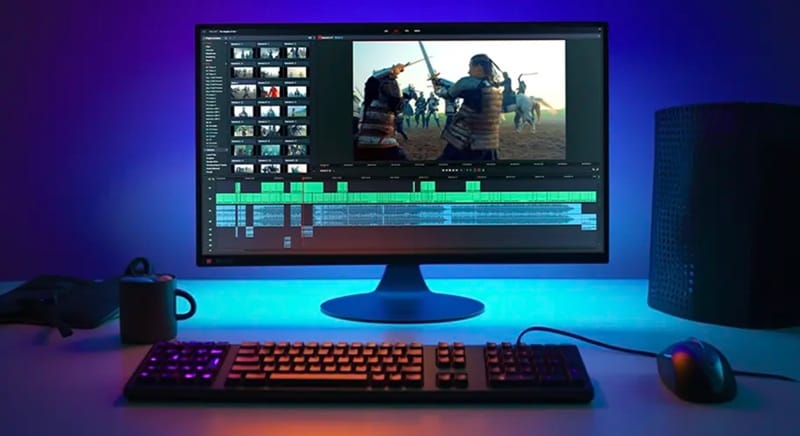
- 700+ customizable titles and motion graphics for more dynamic videos.
- Built-in audio effects like reverb, chorus, and distortion for more creative sound control.
- Integration with Dropbox, Google Drive, and other cloud services for easy storage and collaboration.
Windows, macOS, Linux.
Free version available, with paid plans starting at $13.99 per month.
Long-term creators and filmmakers learning professional workflows.
- Uses proxy files to help you edit smoothly even with large video projects.
- Deep audio control for better sound editing and mixing.
- The free version only supports exports up to 720p resolution.
- Many advanced features are locked behind paid plans.
9. Shotcut
For budget users who want an alternative instead of trying to download Node Video editor on PC, Shotcut cannot be missed. It’s a free open-source editor, but it still offers plenty of powerful tools. The interface is clean and easy to navigate, and it supports a huge range of video and audio formats thanks to FFmpeg, so you can work with almost any media file without worrying about compatibility.
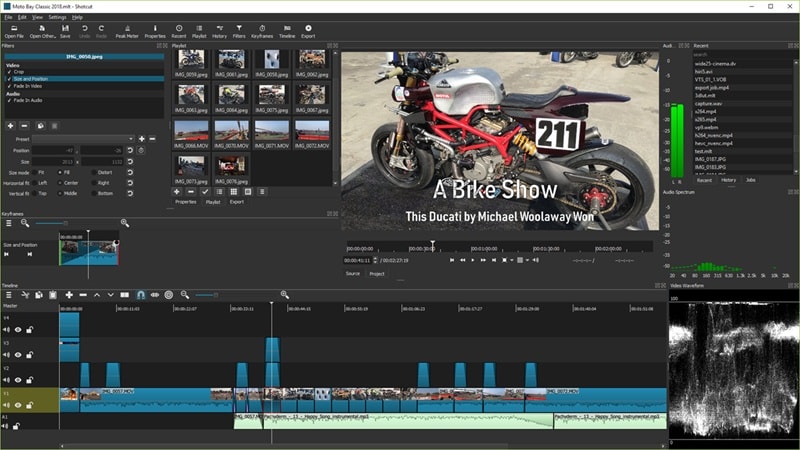
- Three-way color wheels for adjusting shadows, midtones, and highlights.
- Keyframe control for filters to fine-tune effects over time.
- Wide collection of video filters and visual effects for creative editing.
Windows, macOS, Linux.
Free.
Budget users, hobby editors, and beginners who want a free desktop editor for basic video projects.
- Supports 4K and 8K video editing without cost.
- Active community with many tutorials and helpful guides.
- Some features are harder to find because of the simple layout.
- Fewer built-in templates and presets for quick editing.
10. Pikimov
Pikimov is our last recommendation if you are looking for Node Video PC alternatives. The editor was inspired by Photopea’s success as a browser-based tool, but it has grown into its own platform with powerful editing features. Even though it’s still relatively new, Pikimov already offers advanced tools that work great for creating social media content and motion-based videos.
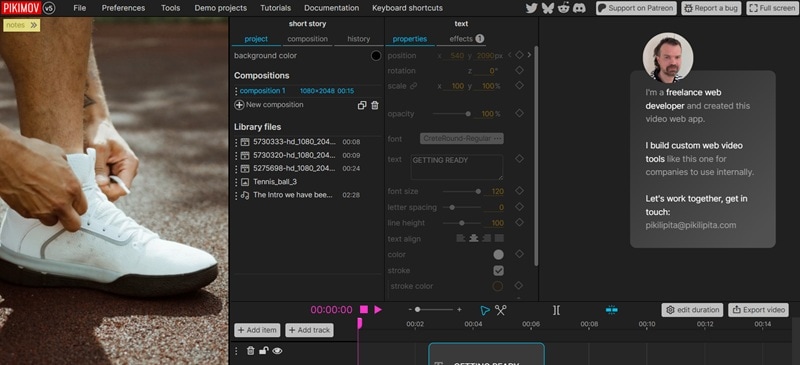
- Combines three editing modes, including a classic editor, 2D motion design editor, and 3D motion design editor.
- Supports importing images, videos, audio files, and 3D models in GLB format.
- Keyframe animation system that lets you animate almost any property in your project.
Online.
Free to use with optional donations through Patreon.
Social media creators and motion design beginners who want a browser based editor with animation tools and visual effects.
- Includes advanced tools like background remover, motion tracking, and subtitle generator.
- Your files stay on your computer instead of being uploaded to external servers.
- Loading large projects can take time depending on your system.
- Tutorials and learning resources are still limited.
How to Choose the Right Node Video Alternative for PC
Alright, now you have plenty of better options instead of going through the hassle of downloading Node Video on PC through APK. But with so many choices, it can still feel confusing to decide which one fits you best.
The truth is, choosing the right tool really depends on what you want to do and how you like to edit. To make things easier, here’s a simple breakdown based on your needs.
| Your Needs | Recommended Editors | Why It Fits |
| Professional editing and color work | Filmora, Avid Media Composer, Premiere Pro | Advanced control, precise editing tools, and professional workflows for serious projects |
| Beginner and social content creation | Filmora, Clipchamp | Easy to use, fast workflow, great for YouTube and short videos |
| Free and open-source editing | Kdenlive, Shotcut | Flexible editing tools without paying for software |
| Windows-optimized performance | Filmora, VEGAS Pro, Magix Video Pro | Runs smoothly on Windows PCs with strong desktop performance |
Secure DownloadConclusion
Trying to download Node Video on PC usually means relying on emulators, and that setup is not always stable or safe for long term use. That is why we shared some of the best Node Video for PC alternatives, with options for professionals like Avid Media Composer, beginner-friendly tools like Clipchamp, and budget editors like Kdenlive.
All these Node Video alternatives are solid choices, but one editor really stands out, and that is Wondershare Filmora. This AI editor combines advanced editing features with a simple interface that is easy to learn. It also comes with powerful AI tools, a huge effects library, and a smooth desktop workflow that makes video editing faster and more enjoyable for creators at any level.
FAQs About Node Video Alternatives for PC
-
Can Node Video projects be transferred from mobile to PC editors?
Yes, but it depends on the format of your files. You can export your video clips or project assets from Node Video and import them into a desktop editor, but you usually cannot transfer the full project with layers and effects exactly the same. -
Do node video alternatives for PC support motion graphics like the mobile app?
Yes, most Node Video alternatives for PC tools support motion graphics and often provide more advanced controls. Editors like Filmora, VEGAS Pro, and Premiere Pro let you work with keyframes, animations, and layered effects in much more detail. -
Are there Node Video alternatives for PCs that work offline?
Yes, most desktop video editors work fully offline once installed. Editors like Kdenlive, Filmora, and VEGAS Pro do not need a constant internet connection, which makes them more stable and reliable for long editing sessions. -
Is there a safe way to get node video download for PC without using mod APKs?
Using a Node Video download for PC through MOD APK files is risky and can expose your system to security issues. A safer option is using official desktop editors or trusted node video pc alternative tools that provide full features and stable performance.
