

 TL;DR:
OpenArt AI serves as a supplementary asset generator that utilizes models like FLUX dev and Veo to create storyboard images, short B-roll clips, and synced audio, but it strictly requires a primary editing software like Wondershare Filmora to assemble, fine-tune, and finalize the actual video projects.
● All subscription tiers operate on a strict monthly quota system where unused generation credits expire at the billing reset and do not roll over to the following month.
● Achieving character consistency across multiple scenes requires users to manually train custom models, which involves a learning curve and trial-and-error to manage the AI's inherent output unpredictability.
● Although the platform generates short motion clips using engines like Kling and Minimax OpenTools.ai, the resulting video motion consistency is still evolving and may lack the precision of specialized animation software.
Ask AI for a summary
 ChatGPT
 Perplexity
 Gemini
 Claude
 Grok
Grok
In 2026, creating high-quality videos no longer requires hours of manual planning. With the rise of AI video generators, tools like OpenArt AI are transforming the workflow for content creators. Whether you need a storyboard or dynamic B-roll, this OpenArt AI review explores its features, the OpenArt AI free plan, and how it integrates with Wondershare Filmora to supercharge your creative process.
Designed for modern creators, OpenArt AI transforms simple text ideas into high-quality visuals for storyboards, social media videos, and creative projects. It streamlines the production process, helping video editors transition from concept to content faster than ever. But is it truly the ultimate creative companion for video editors? Let's find out in this article.
Part 1. What is OpenArt AI? An All-in-One AI Video and Image Generator
OpenArt AI is a creative AI platform that turns ideas into visuals in just a few clicks. Founded in 2022 by Coco Mao and John Qiao (both former Google engineers), what started primarily as an AI image generator has now evolved into a broader ecosystem that supports everything from artwork creation to short-form video generation.
The company raised $5 million in seed funding in 2023 and has since captured significant market attention, reaching $20M ARR as of June 2025, up from $10.5M at the end of 2024.
Essentially, OpenArt AI allows users to create high-quality images from text prompts, apply artistic styles, and refine outputs using a library of over 109 models, including FLUX dev, GPT Image, and popular community models like Juggernaut XL.
Beyond static visuals, you can also transform images or prompts into videos through its AI-powered video generation, which is powered by leading models like Veo, Kling, and Minimax OpenTools.ai.
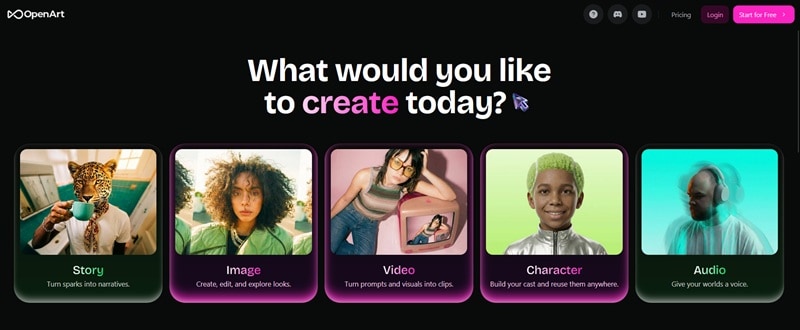
This seamless workflow, from concept art to animated clips, makes it interesting for video editors who need quick visual assets without complex production setups.
Part 2. Key Features for Creators: Why It Matters for Video Projects
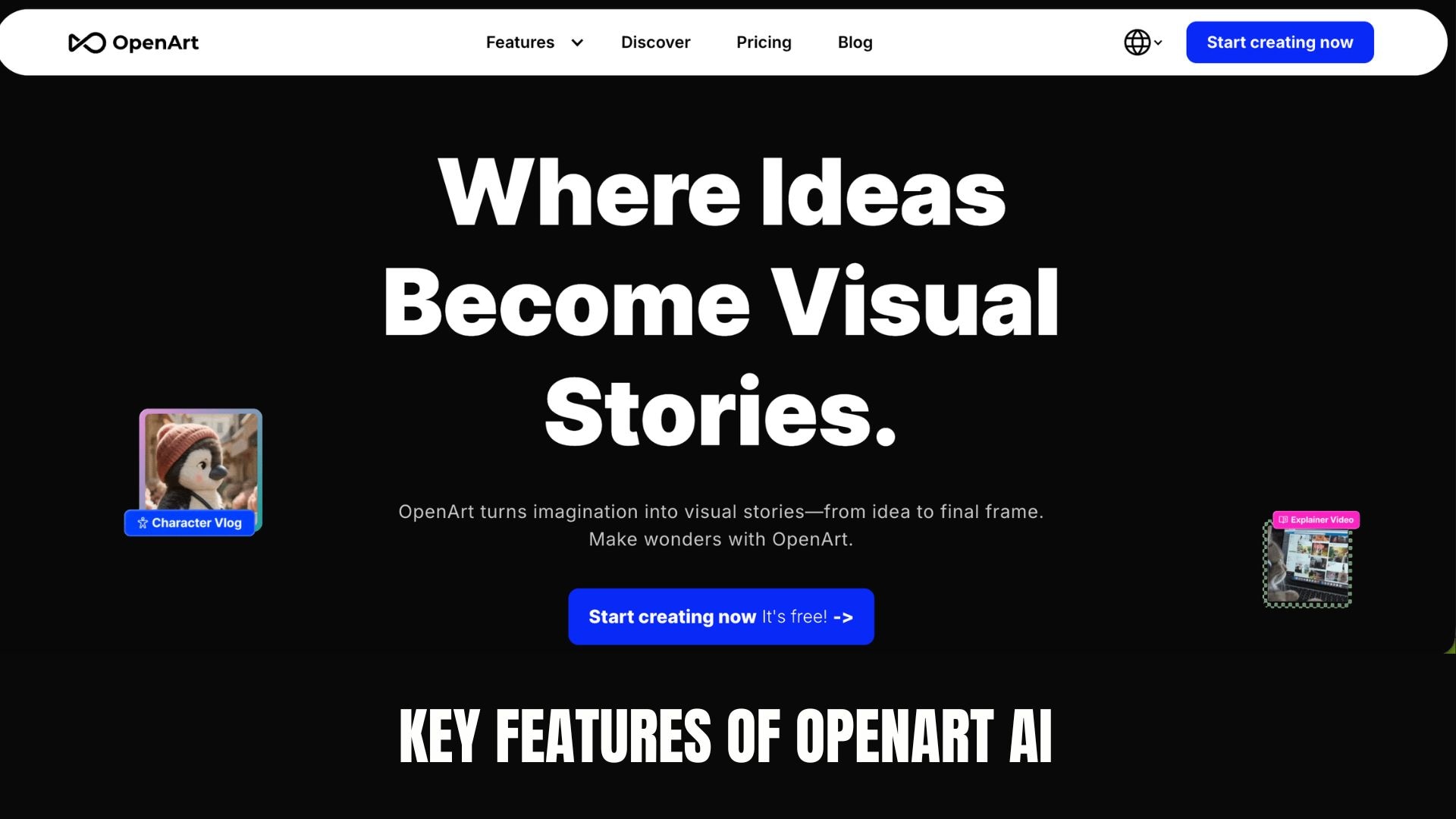
For video editors, the real value of OpenArt AI lies in how smoothly it fits into the creative workflow. The platform combines image generation, editing tools, model training, video creation, and voice features in a single platform, so you can go from idea to visual output without switching between multiple apps.
1. Advanced AI Image Generation and Editing
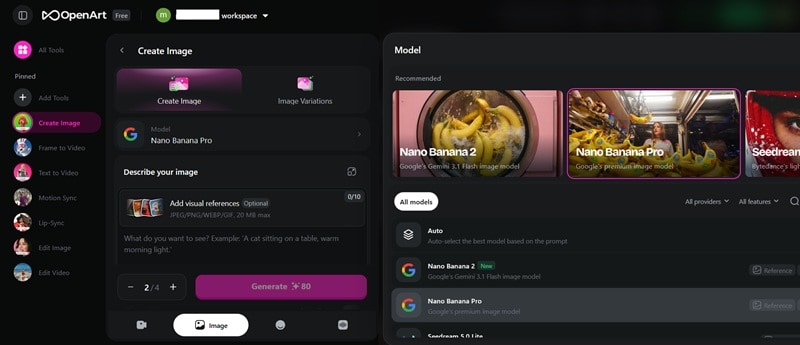
OpenArt AI supports high-quality text-to-image generation across multiple visual styles, from realistic cinematic scenes to stylized illustrations. It also includes built-in tools like inpainting, outpainting, background removal, and upscaling, simplifying the editing of thumbnails, title cards, storyboards, or custom graphics that match your video's branding and tone.
2. OpenArt AI Video Generator for Dynamic B Roll
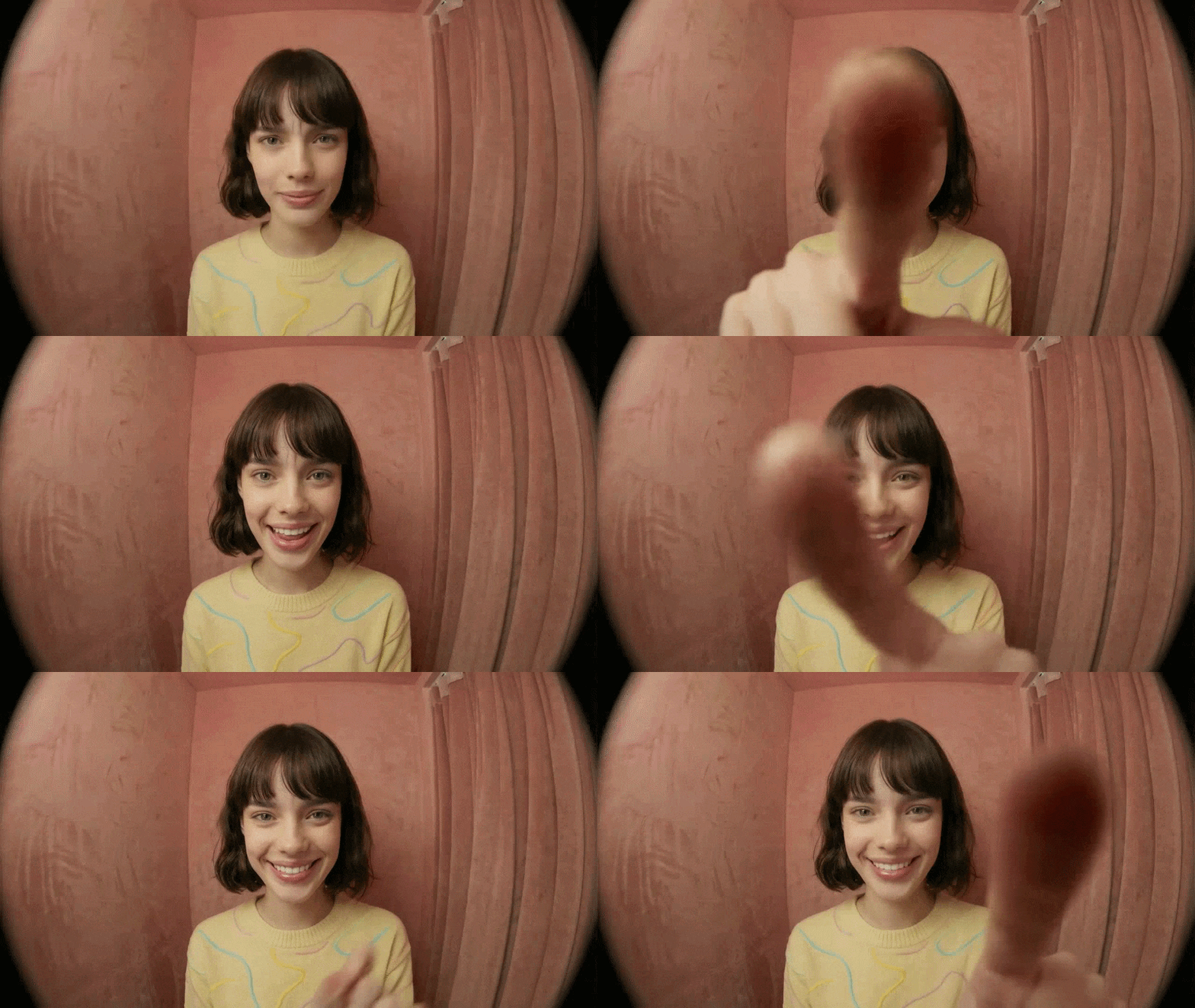
With text-to-video and image-to-video capabilities, OpenArt AI allows users to animate static visuals or generate short motion clips directly from prompts. This feature is useful for creating atmospheric B-roll, abstract transitions, intros, or creative cutaways without the need for additional filming or complex animation software.
3. Character Consistency Tools for Stronger Storytelling
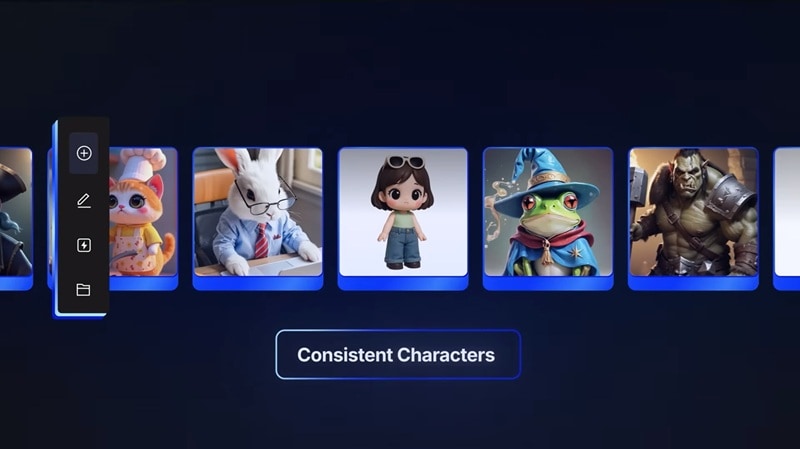
Through custom model training and reference-based generation, OpenArt AI helps maintain consistent character appearance across multiple scenes. This is crucial for narrative-driven videos, animated explainers, or recurring branded personas, as visual consistency strengthens storytelling and keeps audiences immersed.
4. Integrated Voice and Lip Sync Capabilities
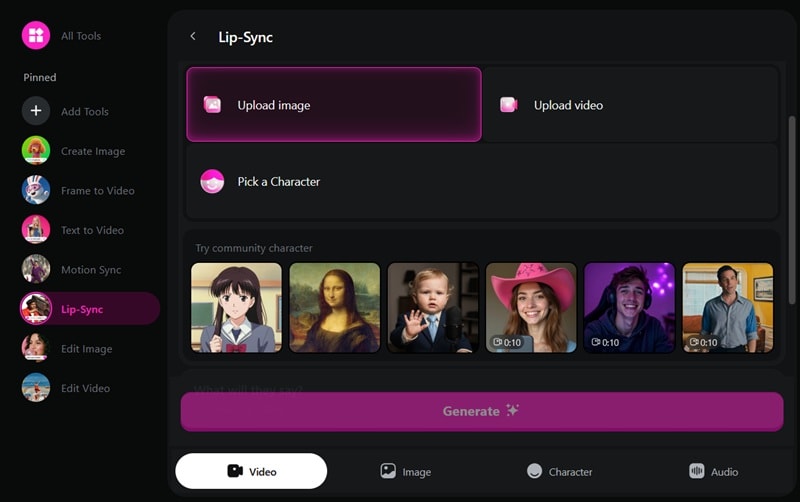
OpenArt AI integrates voice generation and lip-sync features that allow AI characters to speak with synchronized mouth movements. For creators producing explainer videos, short stories, or AI-driven content formats, this combination of visuals, motion, and audio in a single platform significantly streamlines production.
Part 3. How to Use OpenArt AI to Enhance Your Filmora Workflows
Wondershare Filmora is a user-friendly yet powerful video editing software designed for creators at every level. Its intuitive timeline, built-in effects, color tools, and audio features make it a natural companion for AI-generated content, including those generated with OpenArt.
 Secure Download
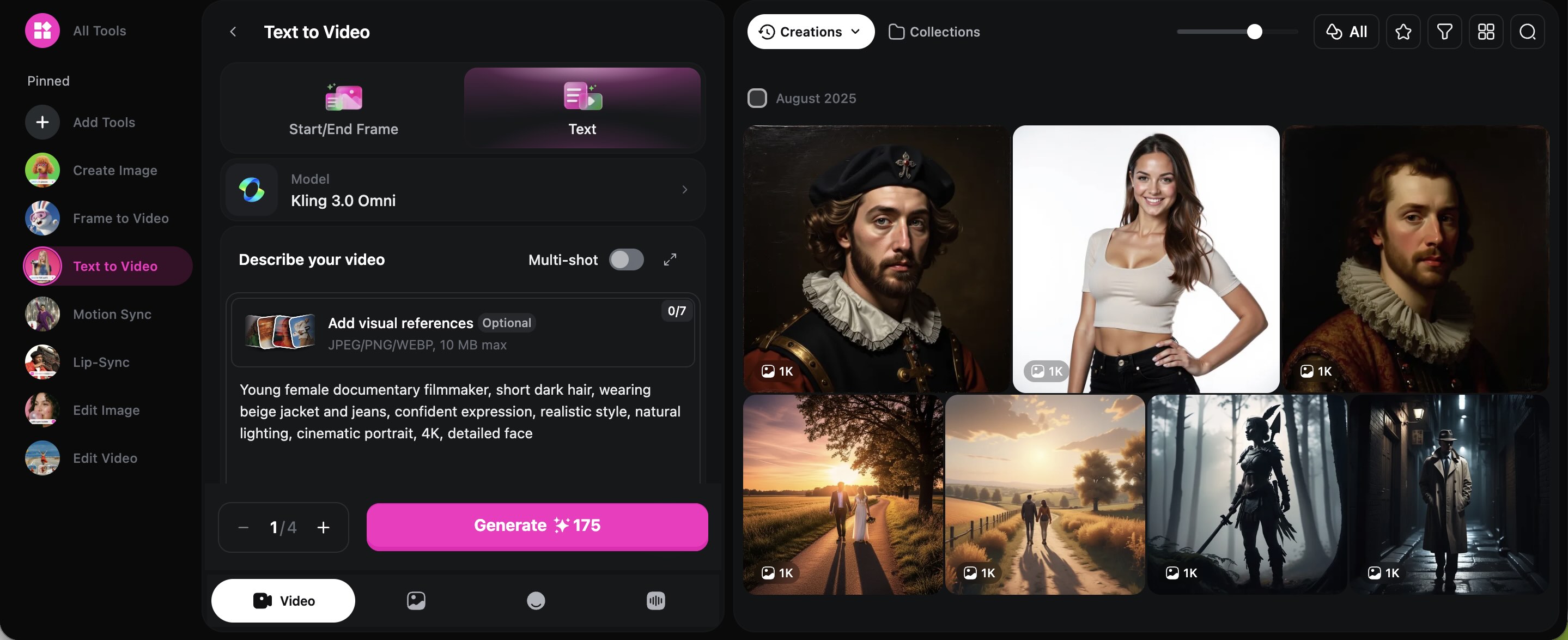
Visit the OpenArt AI website and choose text-to-image or text-to- video. Type a clear prompt that matches your project idea.
Once you are satisfied with the result, download the image or video in high resolution. Ensure the quality is good enough for editing and exporting later.
Open your project in Filmora and import the downloaded file into the media library. Drag it onto the timeline just like normal footage.
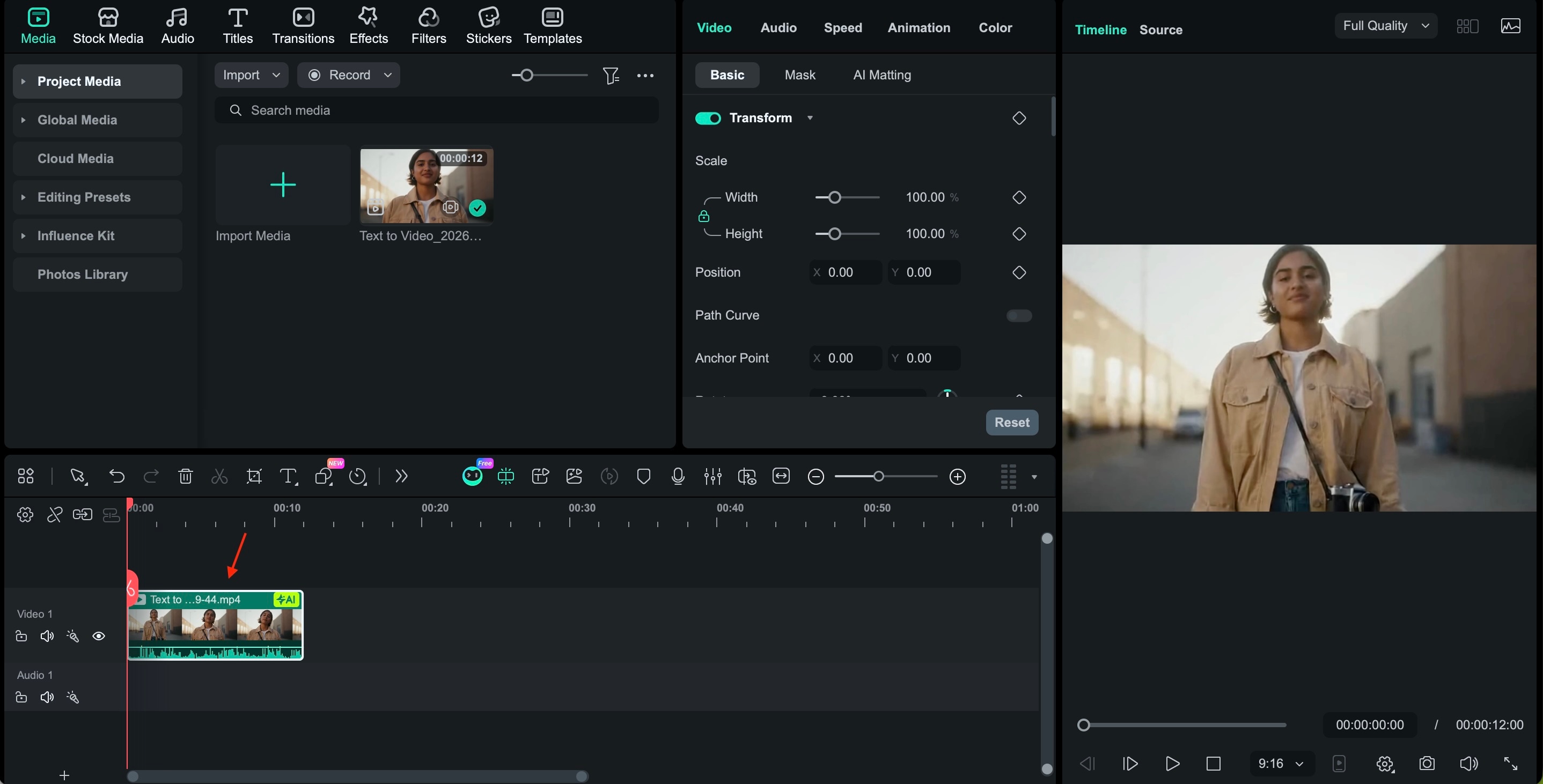
Use Filmora's tools to adjust colors, trim clips, add transitions, and sync music or voiceovers. Filmora offers a full suite of editing features that complement AI-generated content particularly well, including:
- Color Grading & LUTs — Fine-tune the look of your AI visuals with color correction tools and over 100 built-in 3D LUTs to match tone and style across your entire video.
- AI Video Enhancer — Sharpen and upscale footage with GPU-powered AI upscaling to ensure AI-generated clips hold up at full resolution.
- AI Vocal Remover — Separate vocals and background music from any audio track, giving you cleaner, more flexible sound editing.
- Dynamic Captions — Automatically generate accurate captions and translate them into multiple languages for wider reach.
- Motion Tracking & Keyframing — Add professional-grade motion tracking and precise keyframe animations to bring static AI assets to life.
- Background Removal — Remove backgrounds or isolate subjects automatically with frame-accurate precision with or without green screen.
- Titles and Effects — Layer text, stickers, transitions, and visual effects from a library of 2.9M+ creative assets to reinforce branding and storytelling.
- Audio Sync & Denoiser — Automatically match audio to video and remove background noise for a polished, professional sound mix.
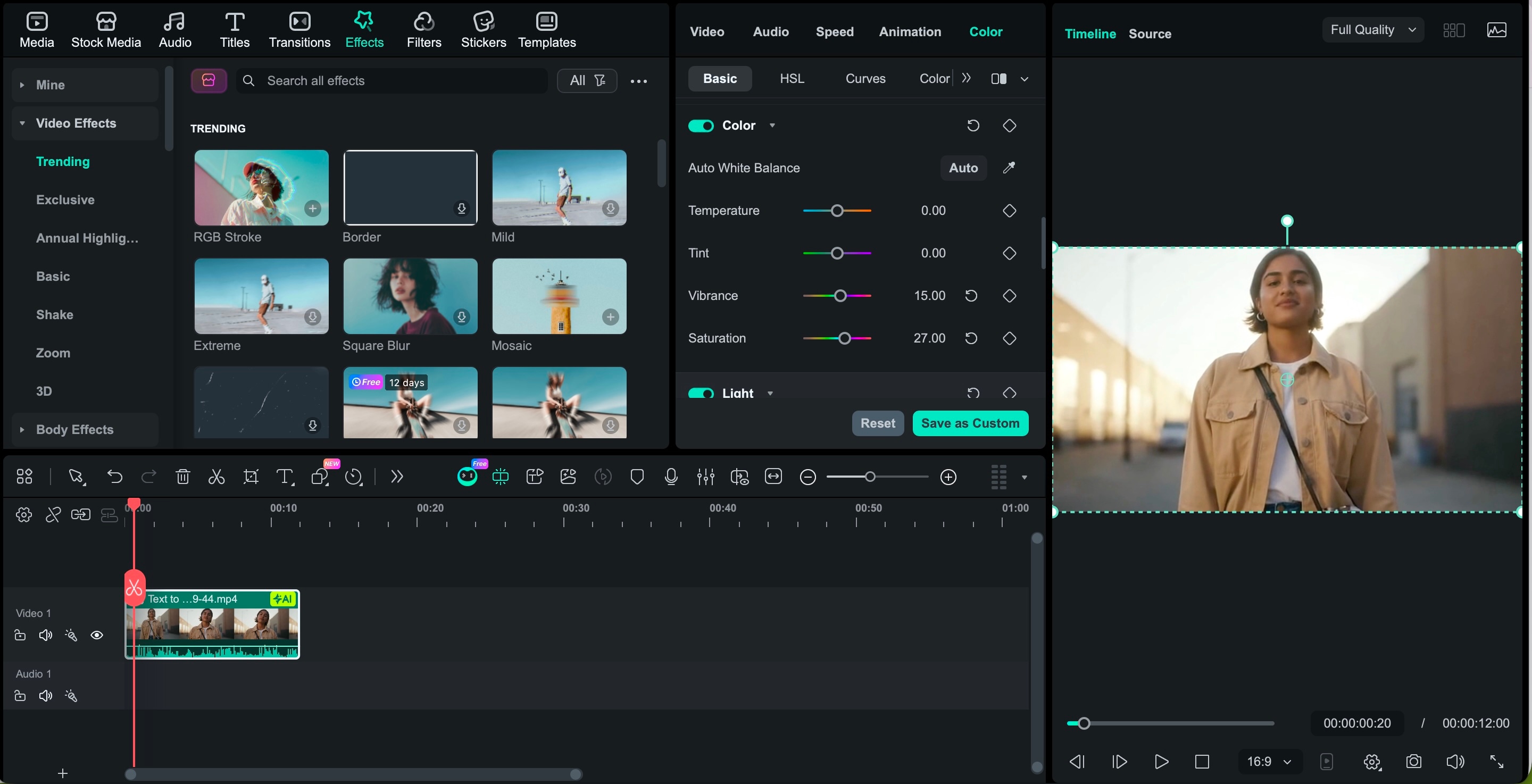
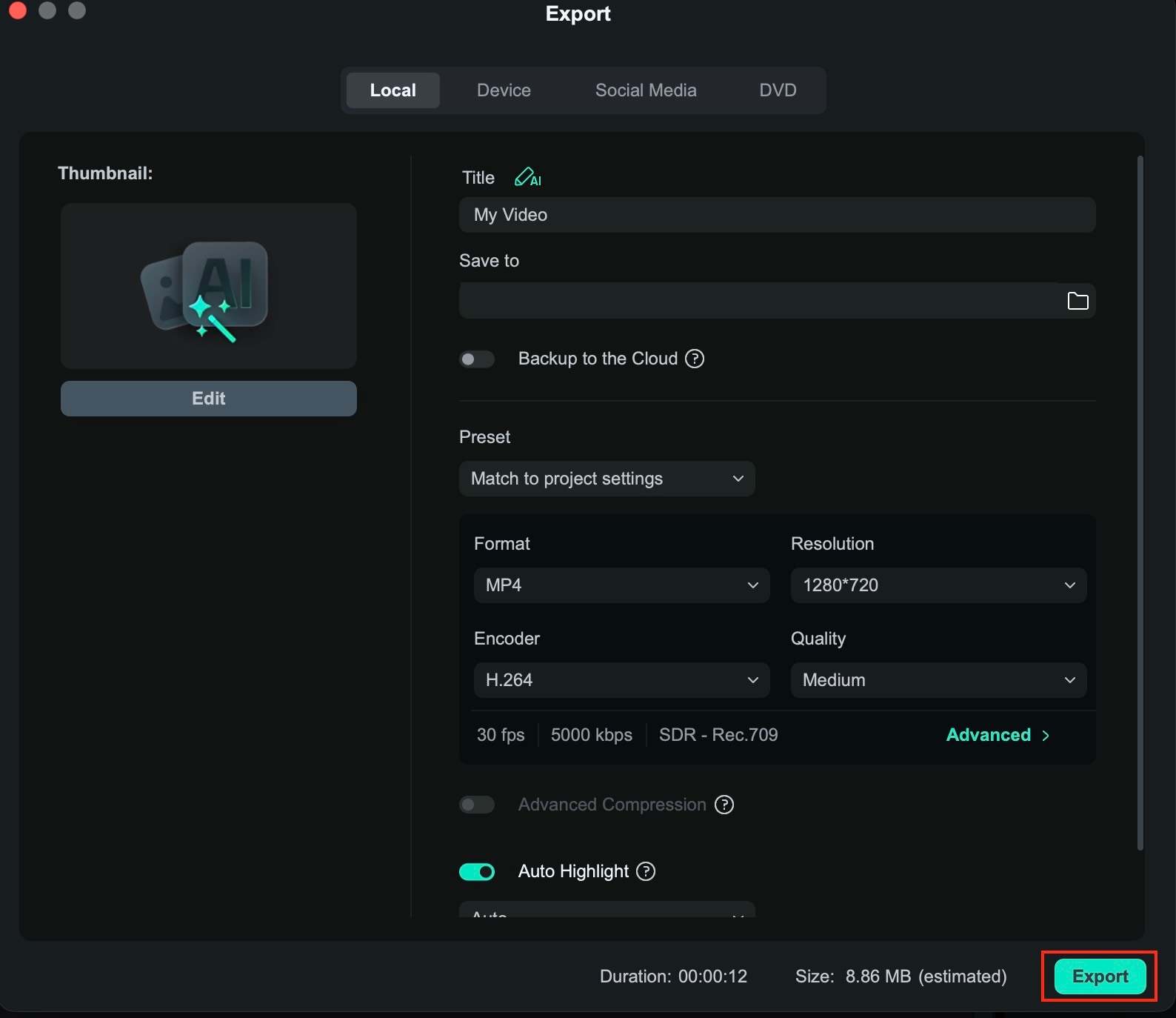
Once everything looks smooth and balanced, export your video in your preferred format and resolution.
Integrating visuals from OpenArt AI with Filmora can significantly expand your creative options. You can create an efficient workflow that saves time while still giving you full creative control.
Part 4. OpenArt AI Pricing: Comparing the Free Plan vs. Paid Subscriptions
Understanding the OpenArt AI credit system is essential for budget-conscious editors. While the OpenArt AI free plan offers trial credits, professional creators may prefer the Essential or Advanced tiers. Note: unused credits do not roll over, so plan your AI video generation projects accordingly.
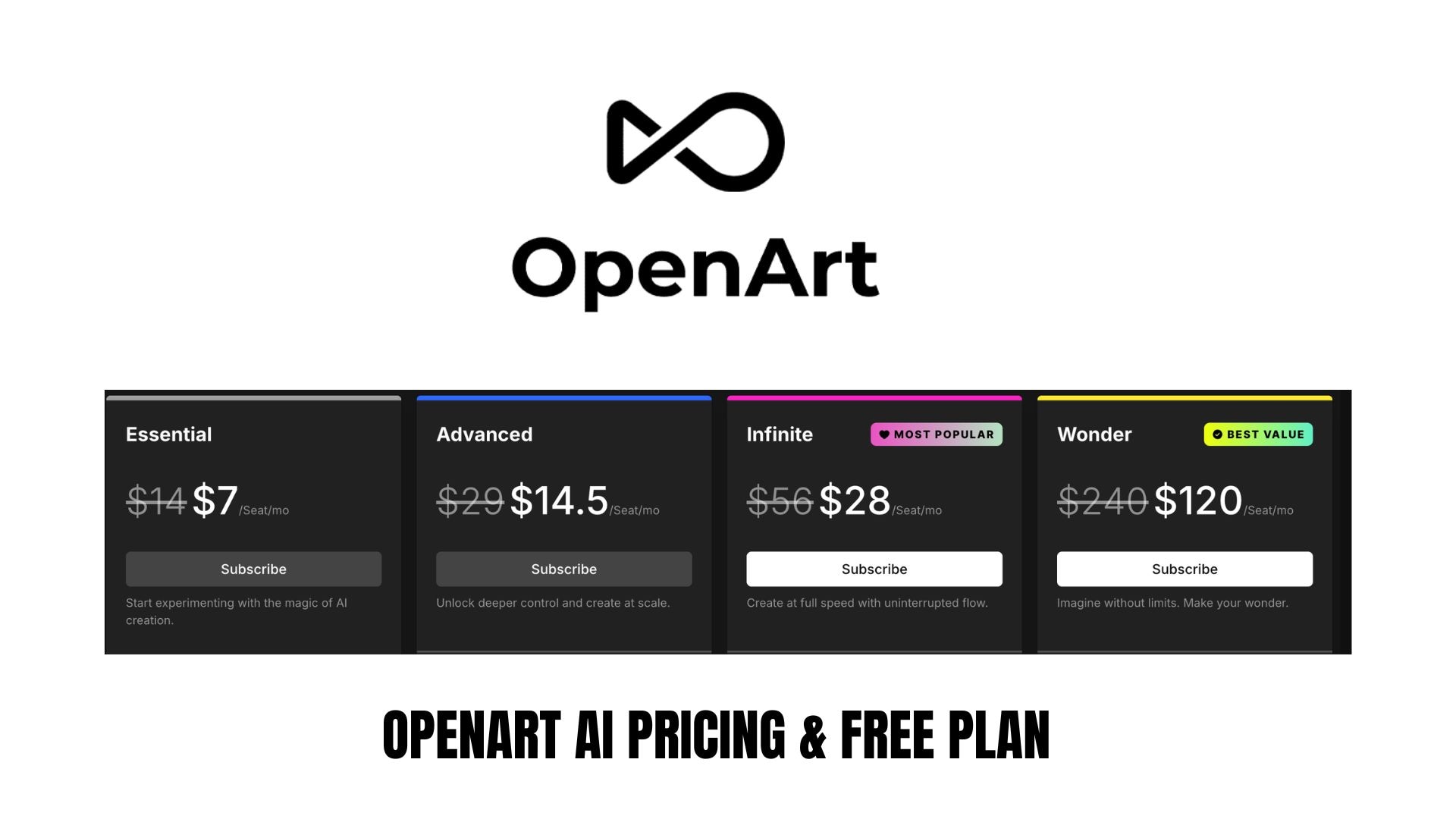
You get a monthly credit quota that is spent whenever you create images or videos. However, credits cannot be carried over to the next month, so unused credits are lost at reset.
OpenArt AI Free vs Paid Plans
Plan |
Price |
Credits |
Key Features |
Best For |
|
Free Plan |
$0 |
Limited trial credits |
Access to basic models, limited generations, standard speed |
Beginners who want to test the platform |
|
Essential |
Lower-tier paid plan |
Monthly credit allocation |
More generations, faster processing, access to more models |
Casual creators and social media users |
|
Advanced |
Mid-tier paid plan |
Higher monthly credits |
Better model access, more parallel generations, improved limits |
Consistent content creators |
|
Infinite / Higher Tiers |
Premium pricing |
Large or high-volume credits |
Maximum generation limits, priority processing, and expanded tools |
Heavy users, professionals, teams |
Is the Credit System Cost-Effective?
The platform charges credits per generation, so cost effectiveness depends on how often you create content.
- If you only generate a few images or short clips each month, a lower-tier plan may be enough.
- If you produce content regularly or experiment frequently with prompts, higher-tier plans usually offer better value per credit.
One important factor to consider is that credits reset monthly, so unused credits typically do not roll over. For video editors who consistently generate assets, paid plans can be worth it. For occasional users, the free plan is a good starting point before committing to a subscription.
Part 5. Pros and Cons (The Honest Truth)
Based on what we have covered so far, we can summarize the strengths and limitations of OpenArt AI based on features, user experience, and real creative workflows.
- Versatile creative outputs. OpenArt AI can generate high-quality images and short video clips from text prompts, giving creators more visual assets without shooting or designing from scratch.
- All-in-one creative ecosystem. You can generate art, refine visuals, animate clips, and integrate voice features without switching between multiple tools, which simplifies the content creation process.
- Custom character consistency. Training custom character models helps maintain visual continuity across scenes, improving narrative and storytelling workflows.
- Easy to use. The interface is intuitive and accessible for beginners, with guided settings and prompt examples to help you start quickly.
- Scalable plans. Flexible paid subscription tiers let users pick a plan that fits their level of usage, from occasional creators to professionals.
- Credit-based limits. Since this platform uses monthly credits that expire, active users may need to switch to a higher subscription plan to avoid running out of credits.
- Video generation is still evolving. While capable of creating short clips and animated sequences, video quality and motion consistency may not be as strong as specialized AI tools for animation or video.
- Output unpredictability. Like many AI models, results can vary with prompt wording, and achieving perfectly controlled outputs may take trial and error.
- Learning curve for advanced features. Features like model training and character workflows require patience and experimentation before they deliver consistent results.
- Not fully autonomous editing. OpenArt AI generates assets but does not replace full video editing. You still need software like Filmora to assemble, fine-tune, and finalize your project.
Final Verdict
OpenArt AI is a strong creative companion for modern video editors. The app excels at generating custom visuals, concept art, thumbnails, and short AI-powered clips that can enhance your storytelling and speed up production. Its character consistency tools are useful for narrative projects that require visual continuity.
The credit-based system means you need to plan usage carefully, but the free tier makes it easy to test before committing. While it doesn't replace full editing software, it works very well alongside tools like Wondershare Filmora. For creators seeking a faster workflow and greater visual flexibility, OpenArt AI is worth exploring.

FAQ
-
Is OpenArt AI Safe and Reliable?
OpenArt AI is generally safe to use. The application runs in your browser and is used by many creators. As with any online tool, avoid uploading sensitive personal images and always check the platform's privacy policy.
-
Is OpenArt AI Free to Use?
Yes, there is a free plan with limited credits. You can try creating images and video generation before paying. If you create content often, you will likely need a paid plan.
-
Is OpenArt AI Good for Video Projects?
Yes, this tool is useful for creating thumbnails, backgrounds, short clips, and consistent characters. For full editing and final touches, it works best together with software such as Wondershare Filmora.
