While Pixlr is best known as an online photo editor, it has expanded into AI video creation with tools that turn text prompts and images into video clips. Of course, the arrival of Pixlr AI video generator inside the already feature-packed photo app sounds cool, but it also got us to wonder, “Can a photo editor make a decent AI video?”
Today, we have put together a full review while focusing on the Pixlr AI video generator. We’ll look at its key features, pricing, video quality, and limitations to see how well it works and share our thoughts about the tool.
Part 1. Overview of Pixlr AI Video Generator
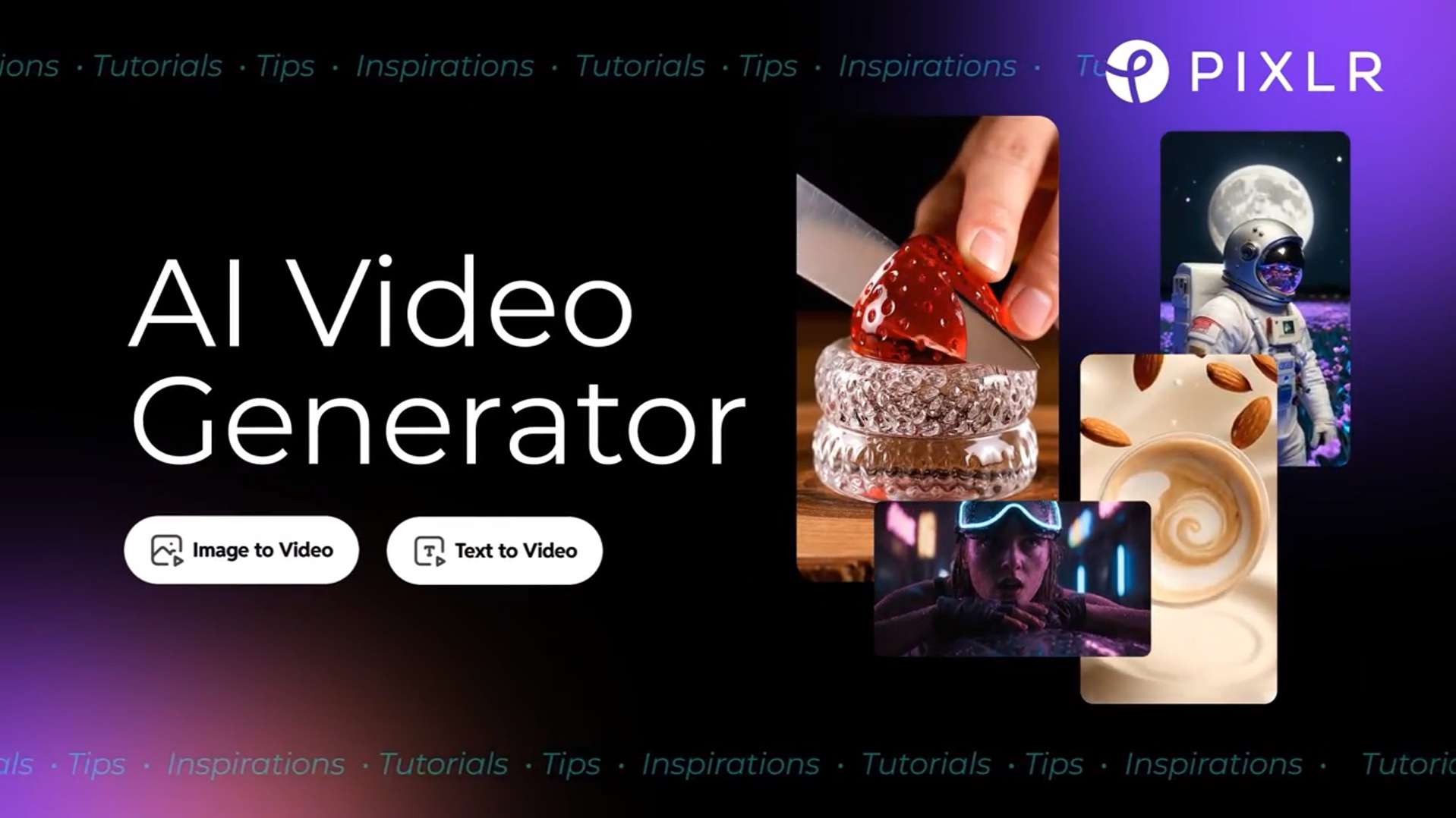
Pixlr has already made a name for itself as a photo editor. But with many people now making AI videos, the Pixlr AI video generator arrives as a handy add-on for anyone who already uses the platform. It’s one of the AI tools inside Pixlr’s wider online photo and design platform.
The video tool runs in the browser, so there’s no need to install anything. However, Pixlr also has a mobile app version for both iOS and Android. Beyond the AI video generator, you can also find an AI image generator, face swap, generative fill, background removal, and an audio generator.
Pixlr video generator works best for:
- Making social media clips (Reels, TikTok, YouTube Shorts, etc.)
- Testing different visual styles, camera movements, and AI-generated scenes.
- Adding motion to portraits to create animated images
- Creating short promotional videos
It’s not a timeline editor, so you get individual clips instead of a finished multi-scene video.
Part 2. Key Features of Pixlr AI Video Generator
Pixlr AI Video Generator lets you use text prompts, images, or audio as inputs with supported models. The available generation settings and output quality vary depending on the model you select. Let’s take a closer look at its main features.
1. Generate Videos From Text Prompts
Pixlr Text-to-Video generator converts written prompts into AI-generated video clips. You can write your own prompt of up to 2,000 characters or choose a ready-made template to get started faster. The prompt remains editable. You can adjust the description before generating your video.
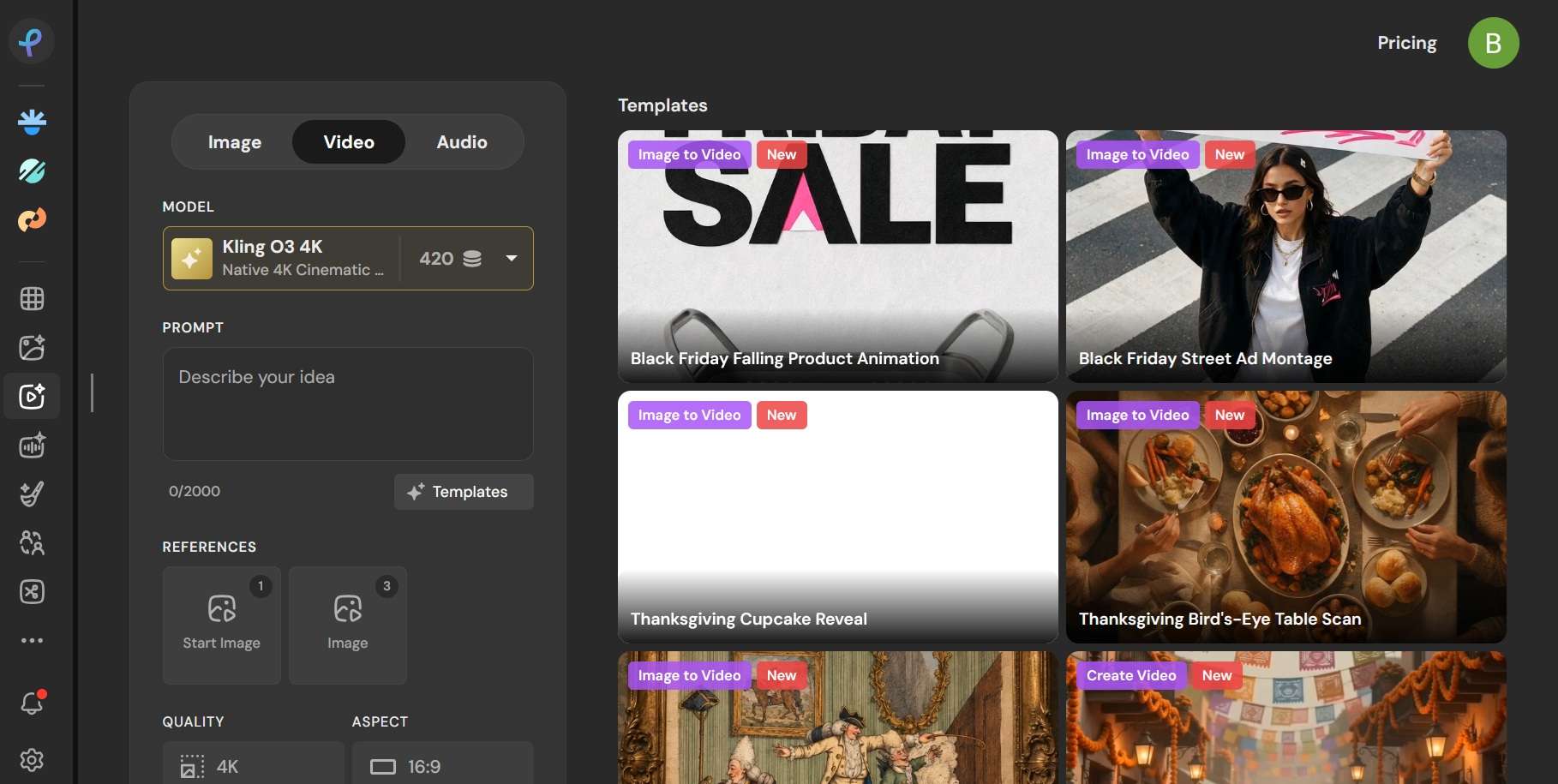
Depending on the model, you can also customize several settings:
- Resolution: Supports output quality of up to 1080p or 4K with selected models, such as Kling Video 3.0 4K and Kling O3 4K.
- Aspect ratio: Choose from multiple formats to suit different platforms and screen sizes.
- Video duration: Generate clips of up to 15–20 seconds, depending on the selected model.
- Audio: Turn audio generation on or off. Some models can generate synchronized dialogue, sound effects, or background audio.
2. Animate Still Images With AI
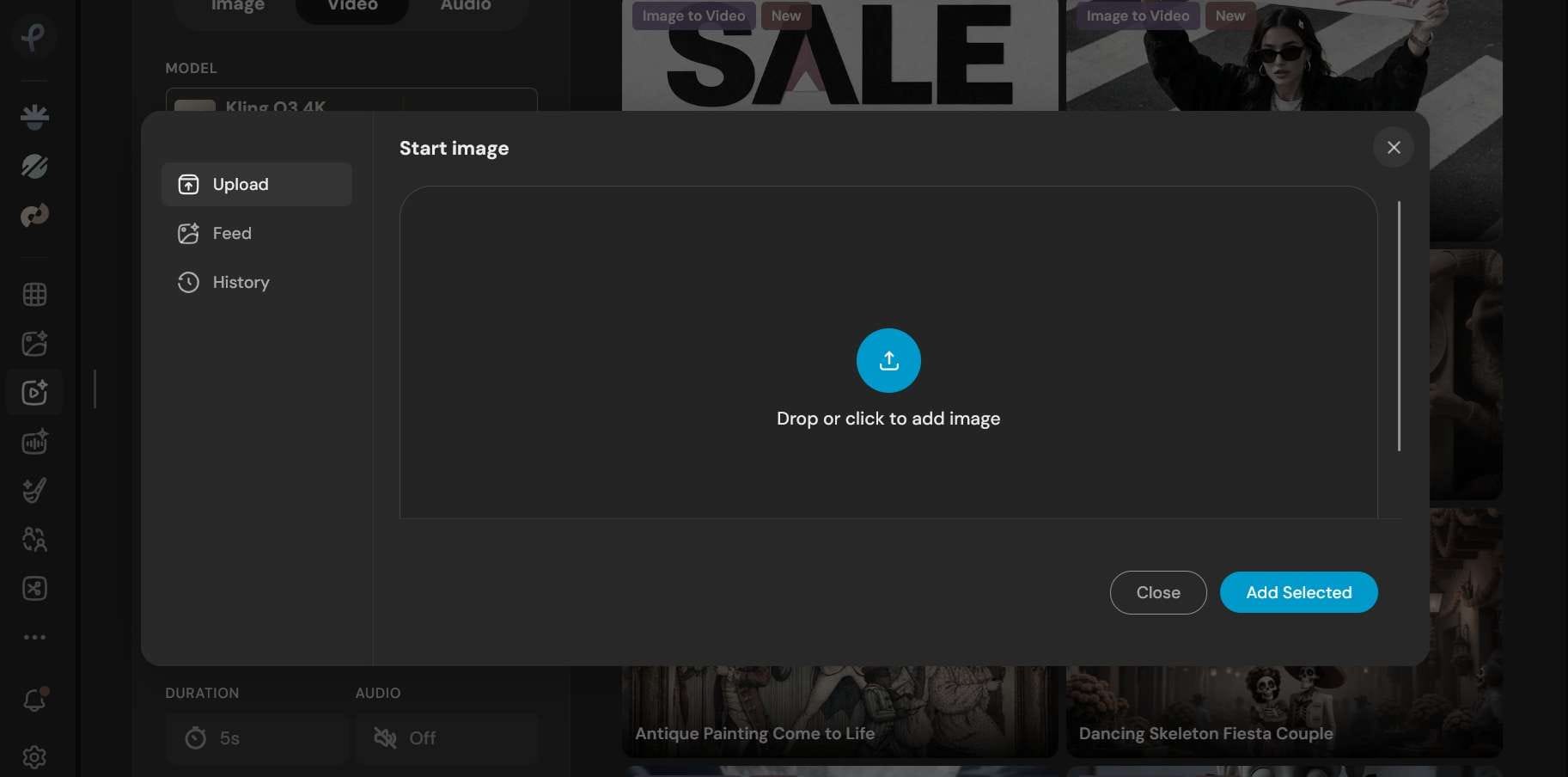
Inside the same workspace, you can also work with Pixlr Image-to-Video generator by uploading reference image(s). It doesn't have a separate tab from Text-to-Video, so the settings remain the same. The number of reference images you can upload depends on the selected model.
3. Choose From Multiple AI Video Models
Pixlr video maker brings together a wide range of third-party models in one place. It currently features up to 24 AI video models that come with different capabilities, output options, and generation settings:
| AI Provider | Available Models |
| FLUX | FLUX 3 Max |
| Seedance | Seedance 2.0, Seedance 2.0 Fast, Seedance 2.0 Mini, Seedance 2.5 |
| Kling | Kling Video 3.0, Kling Video 3.0 Pro, Kling Video 3.0 4K, Kling O3 Standard, Kling O3 4K |
| Pixverse | Pixverse V6 |
| Grok | Grok Imagine Video |
| HappyHorse | HappyHorse 1.0, HappyHorse 1.1 |
| MiniMax | MiniMax H3 Video |
| Wan | Wan 2.6 Flash, Wan 2.7, Wan 3.0 |
| LTX | LTX-2.3 Fast, LTX-2.3 |
| Vidu | Vidu Q3 |
| Pruna AI | P-Video |
|
Show More
Show Less
|
|
Part 3. Can You Use Pixlr AI Video Generator for Free?
No, you can’t use Pixlr AI Video Generator for free. Every generation requires AI credits, and you don’t receive a free credit allowance upon registering an account. To create videos, you need to subscribe to a paid plan or purchase additional credit packs.
Pixlr AI Pricing (2026)
| Plus | Premium | Ultra | |
| Price | $2.49/mo or $1.99/mo (billed yearly) | $9.99/mo or $7.99/mo (billed yearly) | $24.99/mo or $19.99/mo (billed yearly) |
| Monthly AI Credits* | 80 | 1,000 | Up to 10,000 |
| Concurrent AI Generation | 1 | 4 | 8 |
| Private Mode | |||
| Estimated Monthly Usage | ~4 AI videos (fast) | ~50 AI videos (fast) | ~500 AI videos (fast) |
|
Show More
Show Less
|
|||
*) Credits valid for one month.
AI Credits Pack
| Credits | Price |
| 200 | $3.99 |
| 500 | $6.99 |
| 1,000 | $9.99 |
| 2,000 | $16.99 |
| 5,000 | $30.99 |
|
Show More
Show Less
|
|
The number of credits consumed per generation depends on the selected model, resolution, and other settings. Generally, lower-resolution and faster generation options cost fewer credits, while higher-quality outputs require more.
Some of the cheapest options include P-Video at 20 credits and Wan 3.0 at 24 credits per generation. On the other end, Kling O3 4K and Kling Video 3.0 4K cost 420 credits.
Part 4. Pixlr AI Video Generator Review and User Feedback
So, how good are the videos Pixlr produces? The answer depends largely on the model you choose. Since Pixlr video generator AI provides access to different third-party models, you shouldn't expect every generation to have the same quality or movement.
Meanwhile, the advanced models cost a bit more credits per clip. That drains your balance fast, and you may find similar clips for less elsewhere. Based on the Pixlr AI video generator reviews and user feedback we checked, the tool gets credit for being easy to start with, while the biggest complaints are about credits.
Pixlr AI video using Seedance 2.0 Fast
Pixlr AI video using Kling 3.0 Pro
Pros and Cons
- Runs in the browser with no download.
- Text-to-Video and Image-to-Video in one tool.
- Low entry price, with Plus starting at $2.49 per month.
- Most clips finish in under a minute.
- Output is single clips, with no timeline or scene-by-scene editing.
- Requires a Premium or Ultra plan to keep your generated videos private.
- The lowest tier (Plus) only provides enough credits for a few videos with lower-cost AI models.
- Higher-end models and 4K video generation can consume a lot of credits.
- Unused monthly AI credits don't roll over.
Bonus: A Better Way to Create and Edit Your AI Videos – Filmora
One limitation of Pixlr AI Video Generator is that it only provides the generated clips. If you want to make more changes or turn those clips into a complete video, Wondershare Filmora has the solution to handle both steps, since it combines AI video generation with a full timeline editor. You can create, refine, and polish your content in one place.
AI Video Generator Inside an Editor
Filmora has its own AI video generation built in, with AI Text to Video, AI Image to Video, AI Audio to Video, and Idea-to-Video. It supports models such as Seedance 2.0, HappyHorse 1.1, and ToMoviee for text-to-video and image-to-video. You can choose a model based on the motion style and visual quality you want, much like with Pixlr AI Video Generator.
The practical difference is what you can do after generation. A generated clip lands on the same timeline where you trim it, add captions, and drop in effects. If a clip runs short, the AI Video Extend can generate a few seconds of footage from the clip’s first or end frames.
Edit Professionally with an Intuitive Interface
Despite the many features packed into the editor, Filmora is easy to get started with. The timeline, media panel, and preview window follow the layout most editors use, so you can find your way around without a long tutorial.
Once your AI clips are in, you can trim, split, reorder, and layer them on a multi-track timeline. Then, work on color grading, chroma keying, stabilization, and audio.
Ready-Made Templates for Faster Editing
If you’d rather not build every video from scratch, Filmora has a large library of AI templates or effects for different occasions. Pick a template, add your reference image(s), and Filmora will apply the preset style and effects to create a video you can further customize. It cuts a lot of work for short social videos.
Enhance Videos with AI-Powered Tools
Filmora also has AI tools that work on the clips and the audio around them:
- AI Music Generator and AI Sound Effects: Create background music and ambient sound from text prompts.
- Text-to-Speech: Add a voiceover to clips that come out silent.
- AI Video Enhancer: Filmora has a few specialized enhancement models, including AI Night View and integrated Topaz technology.
- AI Audio Enhancer: The AI Voice Enhancer makes speech clearer with simple sliders, and AI Audio Denoise removes background noise, with options such as wind, hum, hiss, and reverb removal.
- AI Mate: Chat with an AI assistant for editing help.
If you’re coming from Pixlr, you can just download your clips as MP4, import them into Filmora, and start editing there. Then, export in the format your platform needs. You can also skip the download step and generate clips directly in Filmora.
 Secure Download
Conclusion
So, can a photo editor like Pixlr AI video generator make a decent AI video? We’d say, yes, mainly because it lets you choose from up to 24 models. The quality is good and varies by the model you pick, although the higher-end ones use up your credits fast.
If paying for credits is not a problem for you, Pixlr is a pretty good platform to make short clips for social media with your choice of model. Just keep in mind it only gives you single clips, so you’ll need an editor like Filmora to put them together.
FAQs
-
1. Is Pixlr free?
While you can’t use Pixlr AI Video Generator online for free, Pixlr itself offers a free tier with basic photo editing features on both its web platform and mobile apps. -
2. How do I use Pixlr AI Video Generator?
Head to Pixlr’s website (pixlr.com) and select AI Video Generator. You can then start entering the prompt, select a model, and upload the image if you want to animate one. Adjust the resolution, aspect ratio, duration, and audio settings. Make sure you have enough AI credits, and hit generate to start making a clip. -
3. Does Pixlr AI Video Generator generate audio with videos?
Yes, if the model you pick supports it. You can turn audio generation on or off before you generate. -
4. Can I use Pixlr AI Video Generator on my phone?
Yes. Pixlr has mobile apps for both Android and iOS, which you can download from Google Play or the App Store. You can also use it in your phone’s browser. -
5. How long does Pixlr take to generate a video?
Most clips finish in under a minute, though the time depends on the model, resolution, and duration you choose. Higher-end models and 4K outputs may take longer.