
A good song already has a story to tell, and a music video lets people see that story through scenes that match the lyrics, mood, and rhythm. With Sondo AI, you can turn an existing track into a music video without planning and producing every scene yourself. It also includes a music generator, so you can make an original song and turn it into a video using the same tool.
So, let’s take a closer look at how Sondo AI works. This review covers what you can create, how much control you have over the final video, and whether the results justify the price.
Part 1. Sondo AI Explained
What if you could make a music video without having to shoot footage or put together scenes yourself? Sondo AI is a music and music video creation platform developed by TUNESPHERE SG PTE. LTD. It lets you upload an existing track, add photos or describe the visuals you have in mind, and create a Sondo AI music video with a generated storyline and scenes.
If you don't have a finished track, you can also use Sondo AI music generation to make an original song for your video.
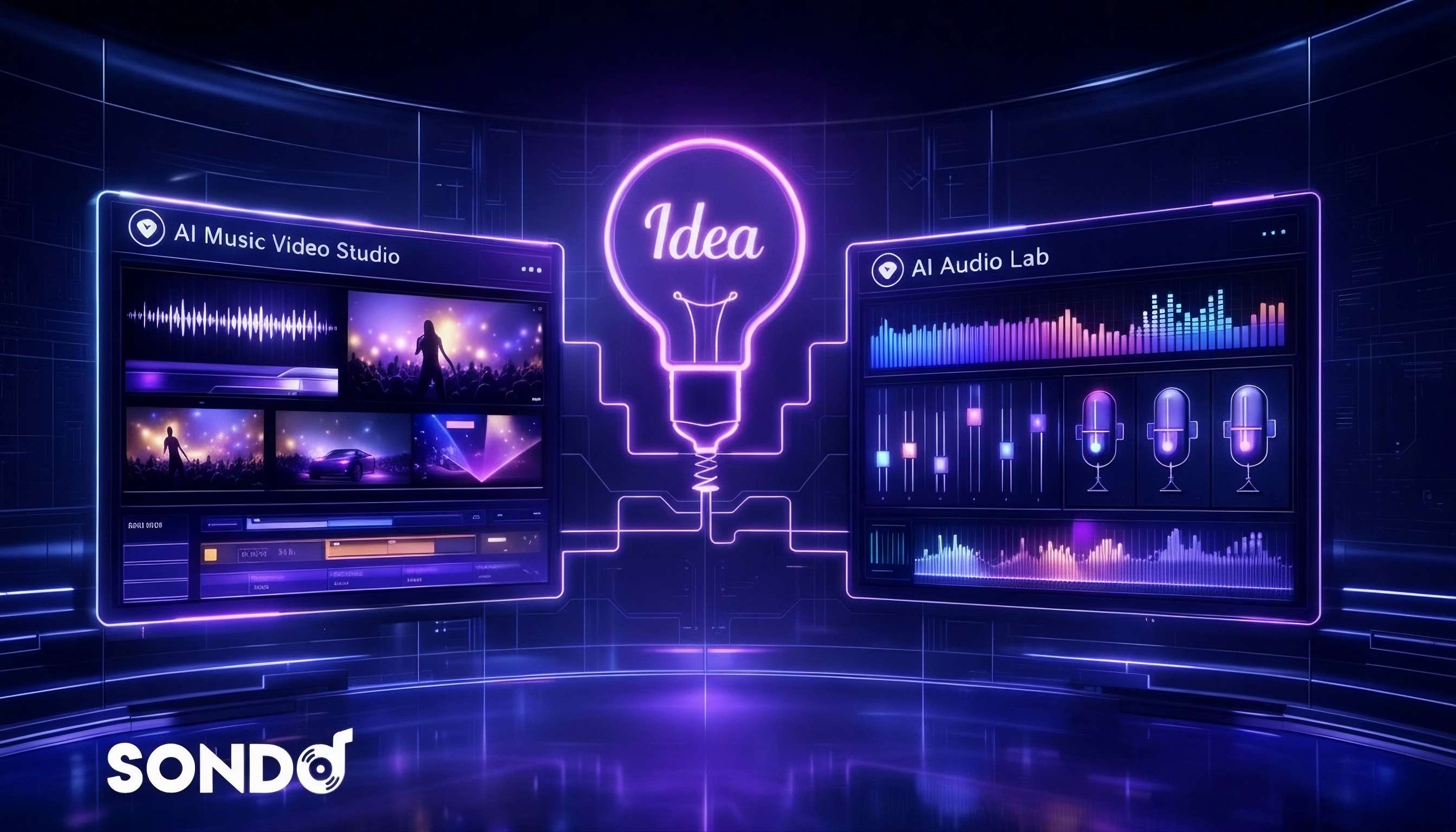
Sondo AI offers two main creative features:
- AI Music Video Generation: Upload a song and let Sondo analyze its lyrics, rhythm, style, and mood before developing a storyline and generating video scenes. You can also provide character reference photos to guide the appearance of people in your Sondo AI video.
- AI Music Generation: Enter text prompts, stories, or lyrics to create original songs. You can generate vocal or instrumental tracks in different music styles and use the results for your music video.
These features are useful for independent musicians creating music videos, creators exploring visual storytelling, and social media producers making music-based content. You can access Sondo through its website at www.sondo.ai or download the app for Android and iOS.
Part 2. What Can You Create With Sondo AI?
Sondo AI offers several ways to work with music, whether you already have a finished track or want to make one from scratch. You can generate a song, turn it into a music video, adjust the scenes, and then download the final result.
Turn Songs Into AI Music Videos
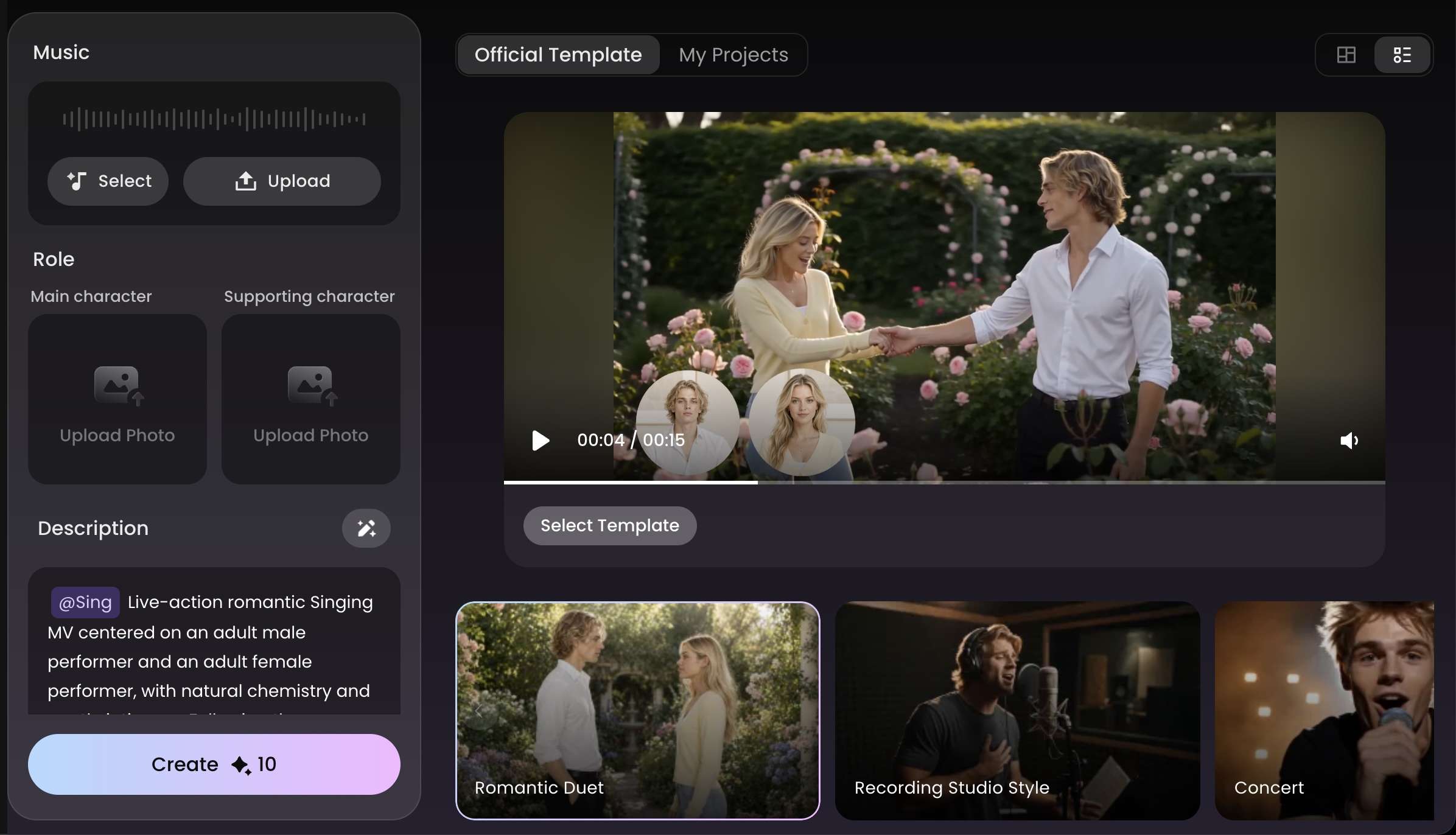
One of Sondo AI's key features is to turn existing songs into music videos. Upload your song, describe the visuals, and the platform will use the music to create the video. The process involves several steps:
- Music analysis: Analyzing the song’s lyrics, style, rhythm, and mood.
- Storyline creation: Develops a visual story based on the track and your description.
- Scene generation: Breaks the storyline into individual scenes and generates the corresponding video clips.
- Character references: Lets you upload reference images to guide the appearance of characters in the video
Generate Original Music With AI
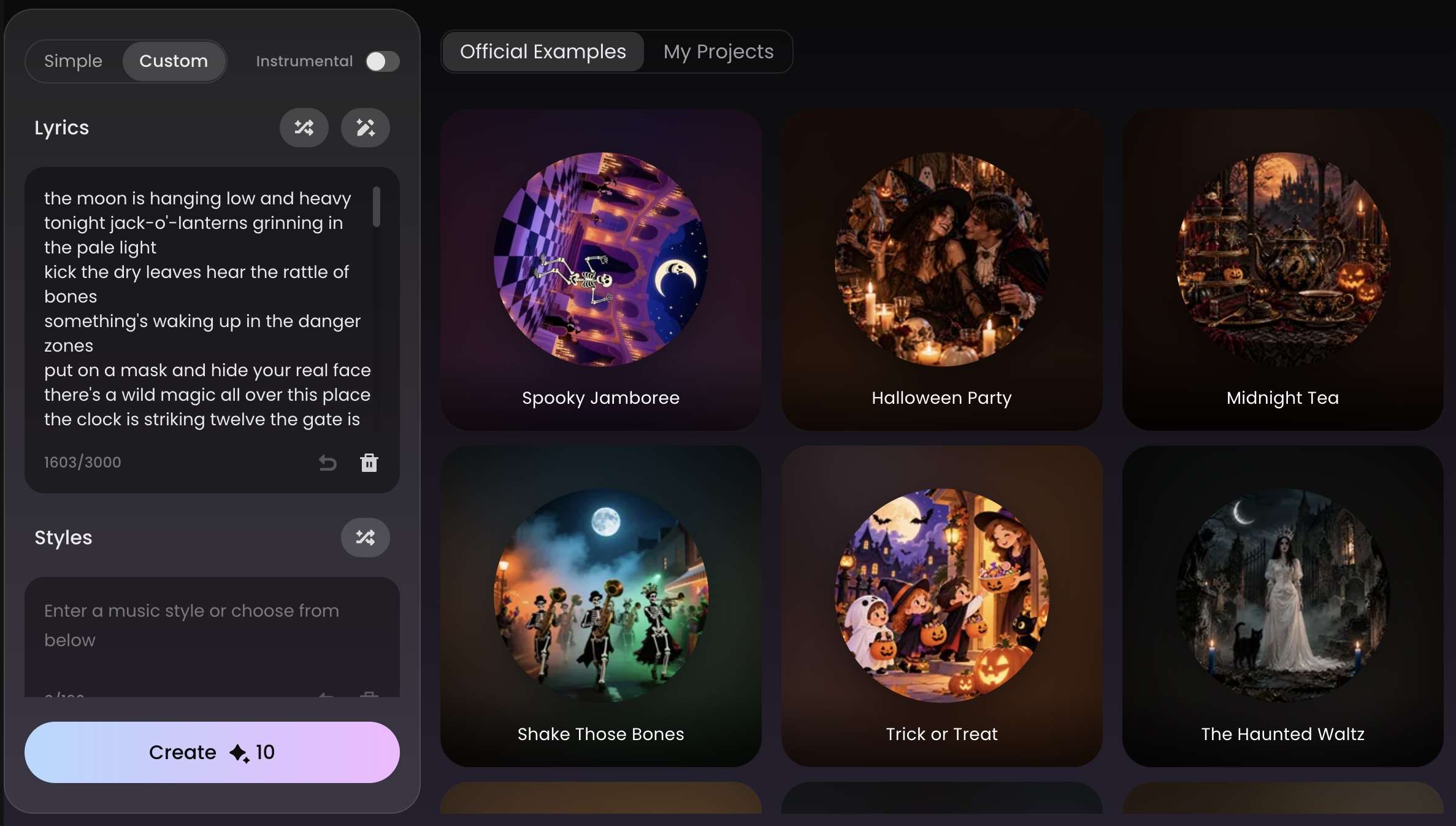
You can also make music directly in Sondo AI instead of uploading a pre-made track. Its music generator uses text prompts and lyrics to create original songs in different styles. Some of the available options include:
- Text prompts and lyrics: Describe the song's theme, genre, or style, or provide lyrics for the generation process.
- Vocal and instrumental tracks: Create songs with vocals or generate instrumental music.
- Music video creation: Use your generated track as the soundtrack for a new music video.
Customize the Storyline and Video Scenes
After Sondo AI creates the storyline, you can review it and make adjustments before generating the video. The platform also lets you edit each scene individually, so you don’t have to accept every result exactly as it is.
| Editing option | What you can do |
| Storyline | Review and adjust the generated story before video creation. |
| Scene prompts | Edit individual descriptions to guide the visuals. |
| Character references | Update images to guide character appearance. |
| Clip regeneration | Generate a new version of a selected scene. |
| Clip arrangement | Rearrange scenes to change their order. |
| Titles and subtitles | Edit displayed text, including song titles and lyrics. |
|
Show More
Show Less
|
|
These options are convenient when a scene doesn't quite match the song or a character looks different from your reference. You can focus on the parts that need work without regenerating the entire video.
Preview and Export the Final Video
Once the scenes are ready, preview the complete music video to check its pacing, scene order, and overall consistency. Sondo AI also provides a few settings to consider before generating the final result:
- Generation modes: Choose Standard or Quality mode. Quality mode uses twice as many credits as Standard.
- Aspect ratios: Select 16:9 for landscape videos or 9:16 for vertical content.
- Final review: Check whether the scenes follow the music and the characters remain consistent.
- Export: Download the completed video for sharing on your preferred platforms.
Keep in mind that Quality mode consumes more credits, so consider your preferred output and available balance before choosing it.
Part 3. Sondo AI Pricing and Credits Explained
Before creating music videos with Sondo AI, check its subscription and credit system. Each plan includes a different number of credits, which determine how much music and video content you can generate. Sondo AI offers weekly and yearly subscriptions to suit different usage needs.
| Plan | Price | Credits |
| Pro Weekly | $9.99/week | 800/week |
| Super Weekly | $29.99/week | 4,000/week |
| Pro Yearly | $59.99/year | 8,000/year |
How Sondo AI Credits Work
Your credits determine how much content you can generate, and the amount used depends on the selected settings:
- Standard mode: Uses fewer credits for video generation.
- Quality mode: Costs twice as many credits as Standard mode.
- Additional credits: You can purchase more if your subscription allowance runs out.
Please note that generating multiple versions or choosing higher-quality settings can use credits quickly. The number of videos you can create isn't fixed, as it also depends on video length and how often you regenerate scenes.
Part 4. Sondo AI Reviews, User Feedback, and Pros and Cons
Creating a music video from a song with Sondo AI sounds simple, but the results don't always meet expectations. The visuals may not match the lyrics, characters may look different between scenes, and getting a clip right may take more than one attempt. User reviews give us a clearer overview of what to expect before spending credits on this platform.
Sondo AI Ratings on Google Play and the App Store
| Platform | Rating | Number of ratings/reviews |
| Google Play | 4.7/5 | 22.3K reviews |
| App Store (US) | 4.1/5 | 1.8K ratings |
|
Show More
Show Less
|
||
Sondo AI has a higher rating on the App Store than on Google Play. However, the scores come from different user groups and may reflect different experiences with the app.
Note: Ratings and review counts may change over time. App Store ratings may also vary by country.
What Do Users Like and Dislike About Sondo AI?
Many users appreciate being able to turn their own songs into music videos without creating each scene themselves. Still, some feel the generated visuals need several adjustments, which raises concerns about credit usage.
- You can start with a pre-existing song and turn it into a music video without producing new music for the project.
- AI music and video generation are available on a single platform, so you can switch from creating a track to visualizing it.
- You can edit the storyline and regenerate individual scenes instead of recreating the entire video.
- The scenes may not match what you imagine for your song or capture the meaning behind its lyrics.
- Characters and lip-syncing may look inconsistent between scenes.
- Regenerating clips to get a better result can quickly use up your credits.
- Some users report problems with payments, subscription cancellations, and customer support.
Overall, Sondo AI is a good fit for creators who want to experiment with AI music videos without making everything from scratch. However, the results may not always match your ideas, and generating scenes multiple times can quickly use up your credits.
Part 5. Polishing Sondo AI Music Videos With Filmora
Sondo AI can generate the scenes for your music video, but you may still need to adjust the final sequence. For example, a scene might not match the lyrics, a shot may stay on screen longer than necessary, or the visual style may change between clips. You can use Wondershare Filmora to refine these details and have more control over the final edit.
How Filmora Helps You Create Music Videos
- Trim and rearrange scenes to remove shots that don't fit the song and place clips in a more suitable order.
- Add transitions to make changes between AI-generated scenes feel less abrupt.
- Create animated titles and lyric captions to display the song title, artist name, or selected lyrics.
- Apply filters and effects to blend clips with noticeably different colors or visual tones.
- Adjust the audio by balancing volume with Audio Ducking, adding sound effects, or layering another audio track.
- Export videos for social platforms with settings optimized for YouTube, TikTok, and Instagram.
Sondo AI already provides basic editing options, so you don't need Filmora just to make simple changes. Filmora is more useful when you want to work with clips on a timeline, refine the rhythm, or add extra effects and text before publishing.
 Secure Download
Conclusion
Sondo AI can save you time when making a music video, especially if you don't want to create every scene yourself. You can upload an existing track or generate a new one, then adjust the storyline and visuals to match your song. The finished video may not always look exactly as you imagined, so some clips may need another round of editing or generation.
Before subscribing, consider how often you plan to use the platform and how much flexibility you'll need for revisions. If that fits your workflow, Sondo AI is worth a try for your next music video.
FAQs
-
What is Sondo AI used for?
Sondo AI is an AI-powered platform for creating music and music videos. You can generate songs from text prompts or lyrics, then turn them into videos with AI-generated scenes. It also lets you customize storylines and edit individual clips. -
Can Sondo AI turn songs into music videos?
Yes. You can upload an existing song or use a track generated with Sondo AI. The platform analyzes the music and creates a storyline and video scenes to go with it. You can then adjust the prompts, regenerate scenes, and rearrange clips. -
Is Sondo AI free to use?
Sondo AI gives new users 10 free credits to try its tools, but that's not enough to generate a complete music video. You'll need a paid plan or additional credits to create more content. -
Can you use Sondo AI videos commercially?
Yes. Sondo AI's paid plans include commercial usage rights, allowing you to use eligible generated music and videos for commercial projects. Check its current terms of service for any additional restrictions before publishing or monetizing your content. -
Is Sondo AI available on mobile and desktop?
Yes. You can access Sondo AI on its website on desktop or use its mobile apps for Android and iOS. This lets you create music and videos from different devices.