


AI is changing how visual content is created. Most people now use AI generators to create visuals by simply describing what they want. In fact, Adobe reported that 86% of creators were already using generative AI in their creative work.
As these tools continue to grow, you can now find AI image and video generators across many content creation platforms. Upsampler AI is one example. It offers a range of tools for creating, editing, and enhancing images and videos. This review takes a closer look at what the platform offers, how much it costs, and where it falls short.
Part 1. Get to Know Upsampler AI
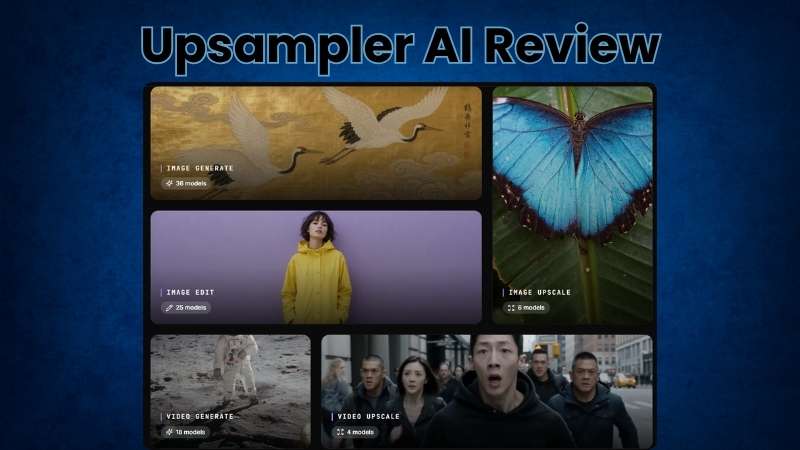
Upsampler AI brings different AI visual tools together on one online platform. You can create new images and videos from prompts or build on visuals you already have. It also provides tools to edit and improve the results. This makes Upsampler AI useful for different stages of creating visual content.
| Category | Overview |
| Platform Type | AI platform for image and video creation |
| Primary Focus | Generate, edit, and enhance images and videos |
| Creation Tools | Image generator, video generator, and depth map generator |
| Enhancement Tools | Upscale images and videos up to 4K |
| Editing Tools | Edit specific areas, restyle images, remove backgrounds or objects, and blur backgrounds |
| Input | Text, Images, and Videos |
| Platform | Online |
| Ease of Use | Clean and straightforward interface |
| Best For | Digital artists and content creators |
|
Show More
Show Less
|
|
Where to Access Upsampler AI?
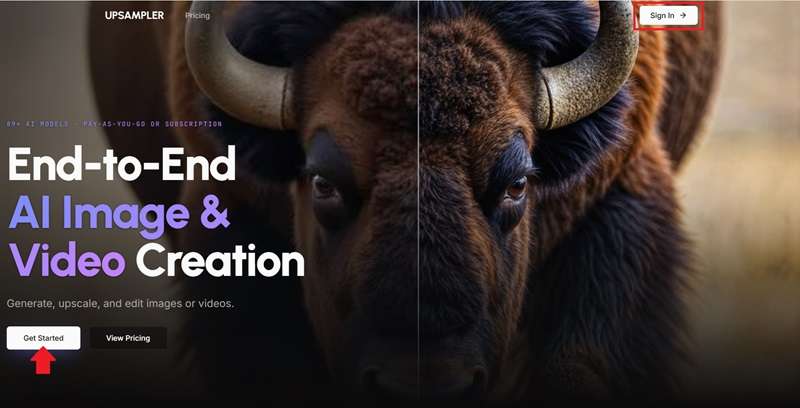
Getting started with Upsampler AI is simple. You can access the platform from any device with an internet connection. Simply visit https://upsampler.com/ and click Get Started to sign up. If you already have one, select Sign In in the top-right corner.
How Does Upsampler AI No Sign Up Work?
Sometimes you just want to try a new AI tool before going through the sign-up process. Upsampler AI makes that possible with its Free Tools section, where you can use selected tools without an account.
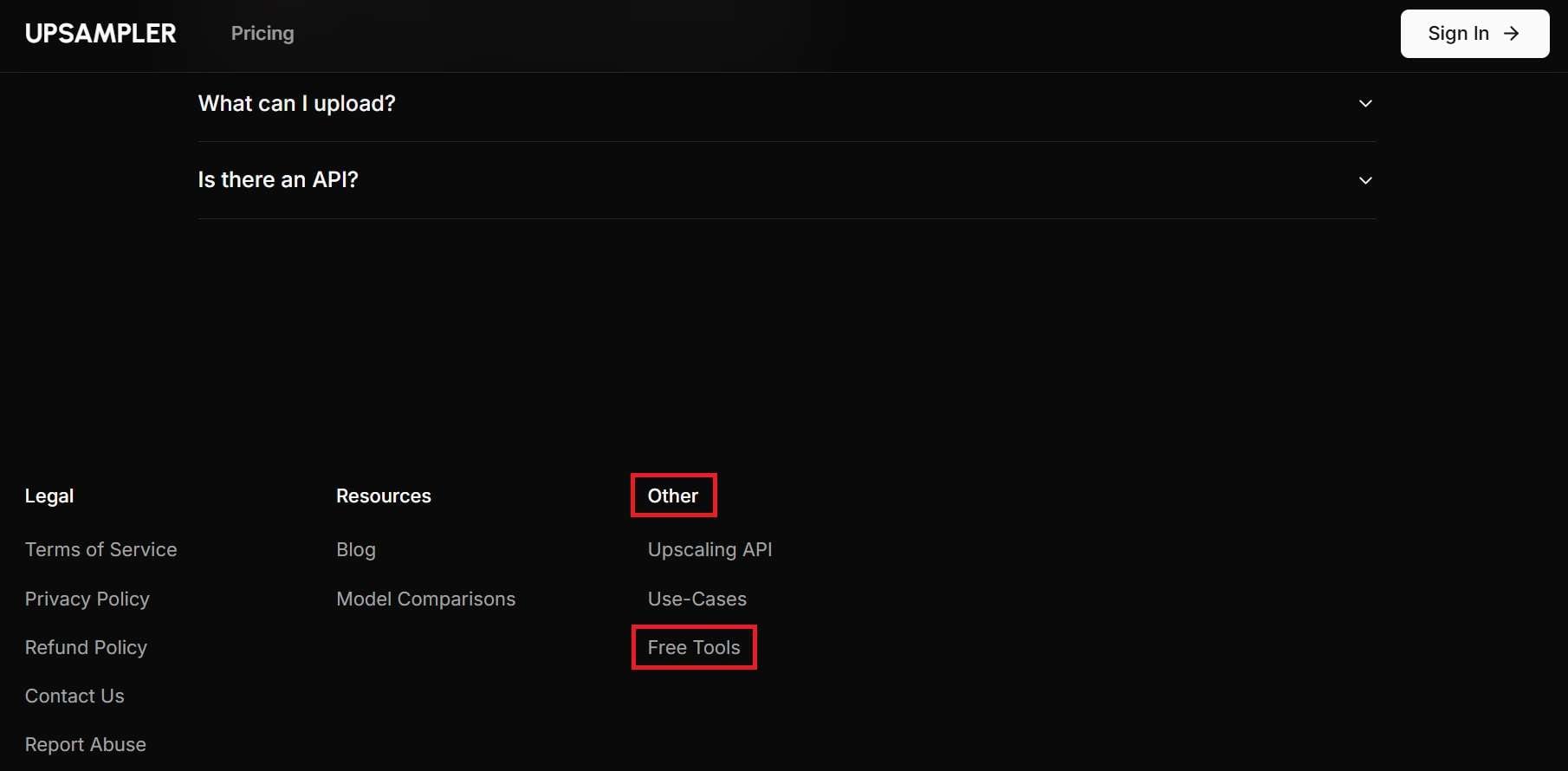
It’s a little tricky to find, though. On the homepage, scroll to the bottom and look under Other for Free Tools. Alternatively, head directly to the Free Tools page.
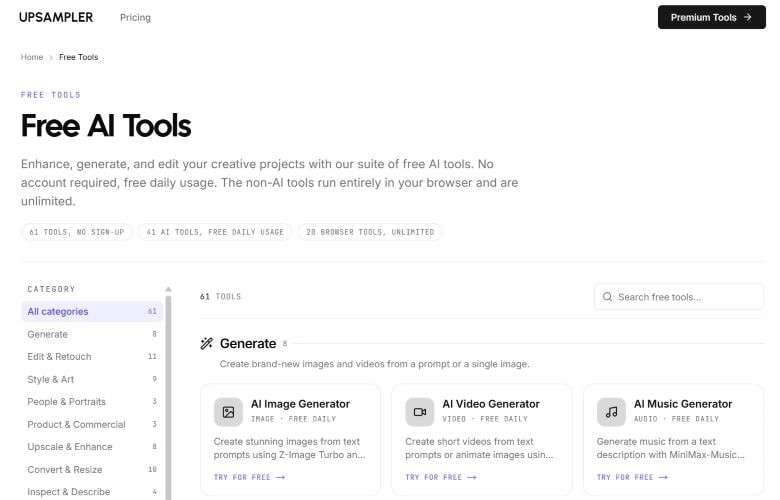
There, you'll find 61 Upsampler AI no-sign-up tools for different creative tasks. For example, you can choose an image or video generator, enter your prompt, select an available AI model, and start generating right away.
Part 2. Is Upsampler AI Free? A Look at Its Pricing
As mentioned earlier, Upsampler AI lets you try its tools without creating an account. These Upsampler AI free online tools are completely free to use, with no watermark on generated outputs. However, this free access comes with a few limitations:
- Only a limited number of AI models are available.
- Images and videos are limited to 1:1, 9:16, and 16:9 aspect ratios.
- Video generation is limited to 5 seconds.
- There are no output quality options.
If you want to use more of Upsampler AI's features, you can sign up for an account. Once you register, you'll be on the Starter plan. Unlike the free online tools, image and video generation on the Starter plan requires credits. Here's what each pricing plan includes:
| Category | Pro | Premium | Business |
| Price | $15 / month | $30 / month | $95 / month |
| Credits | 1,400 / month | 3,000 / month | 10,000 / month |
| Cost per Extra Credit | 3 cents | 2 cents | 1 cent |
| Concurrent Jobs | 4 | 6 | 15 |
| Queue Limit | 50 jobs | 75 jobs | 100 jobs |
| Job & Queue Customization | |||
| Credits Expire | |||
|
Show More
Show Less
|
|||
Part 3. Upsampler AI Features: What Can You Do with It?
So far, we’ve looked at what Upsampler AI is and how its pricing works. Now it’s time to see what you can actually create with it. We'll explore Upsampler’s free AI video tools along with the other features available for creating and editing visuals.
Upsampler AI Video Tools
1. Upsampler AI Video Generator
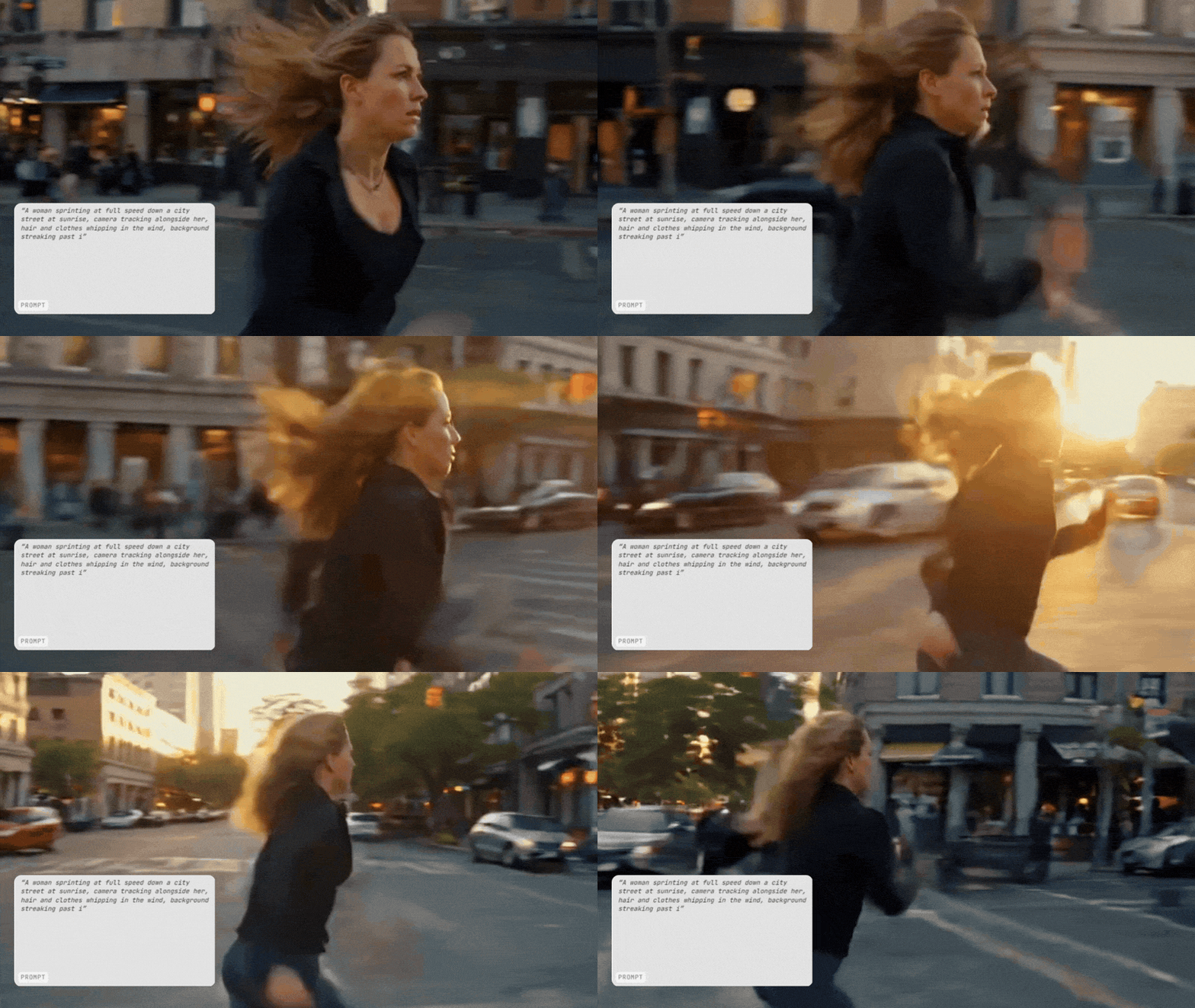
You can create videos based on the idea you have in mind without putting in much effort. The tool is powered by 18 AI models, so you can choose one based on the type of result you want. If you want to try it before using credits, the Upsampler free AI video generator gives you access to four models at no cost. From there, you can create videos in two main ways:
- Upsampler AI text to video: Create a video from a detailed text prompt describing the scene, style, movement, and other details you want.
- Upsampler AI image to video: Turn an existing image into a video or use an image as a visual reference for the generated clip. The Upsampler’s free AI Image-to-Video generator lets you create clips up to 5 seconds.
2. Upsampler AI Video Upscaler
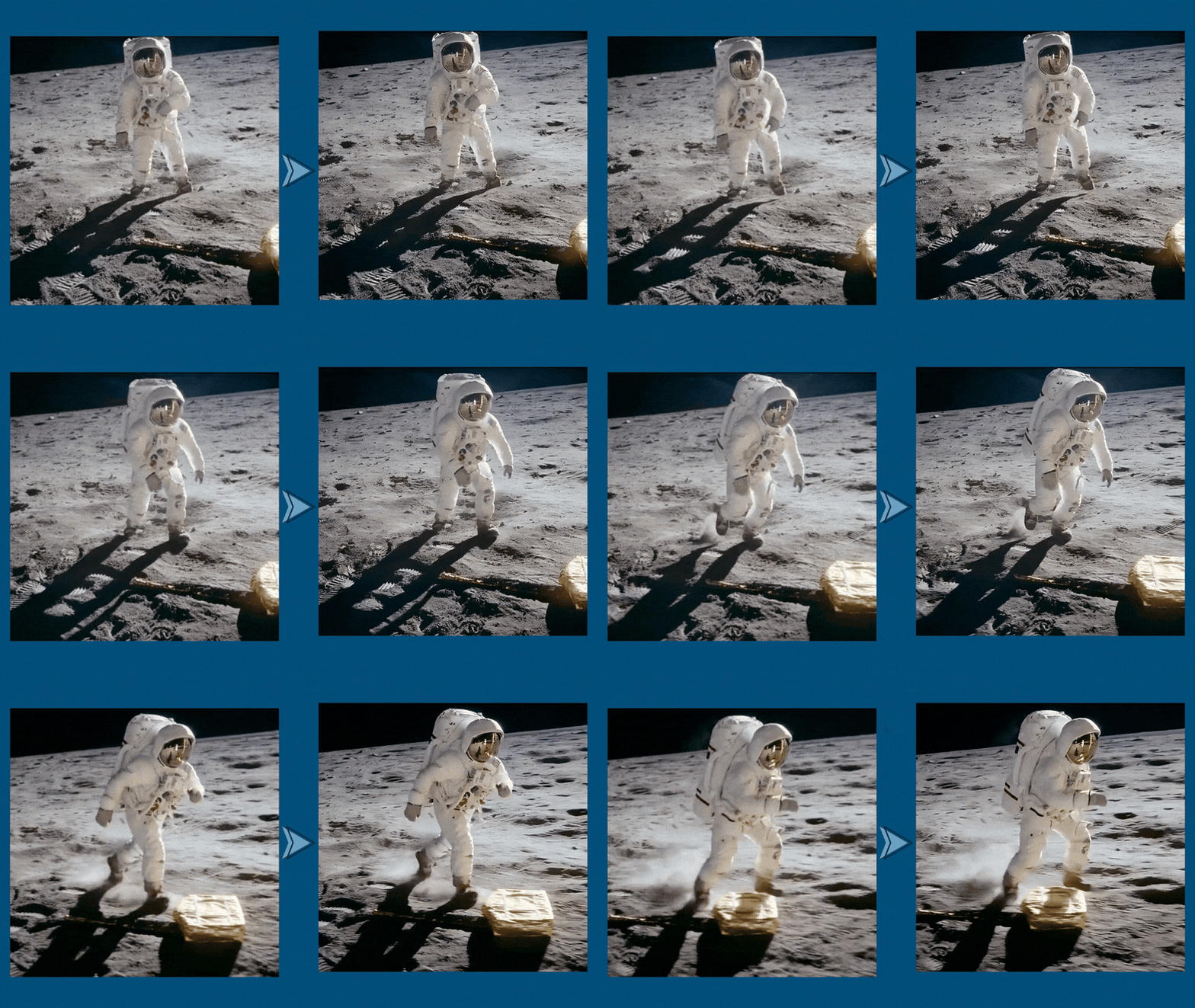
Upsampler AI also works with your existing video files. You can use its upscaling tool to increase the resolution and make the footage look clearer and sharper. It supports MP4, WebM, and MOV videos up to 180 seconds. For a quick test with a short clip, the Upsampler’s free AI video upscaler supports videos up to 10 seconds.
Upsampler AI Image Tools
1. Upsampler AI Image Generator
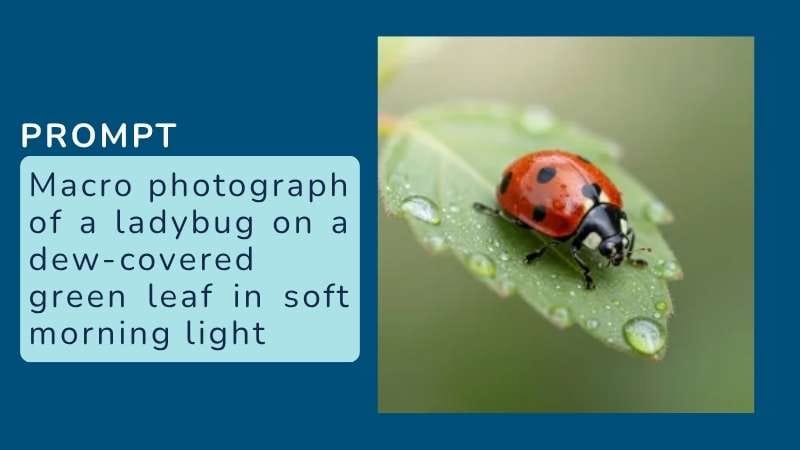
If you have an idea for an image, you can turn it into a visual with a text prompt using the Image Generator. It supports 36 AI models, so you can choose between different options based on the result you’re looking for. A free image generator is available as well, with two models and no watermark on the output.
2. Upsampler AI Image Editor
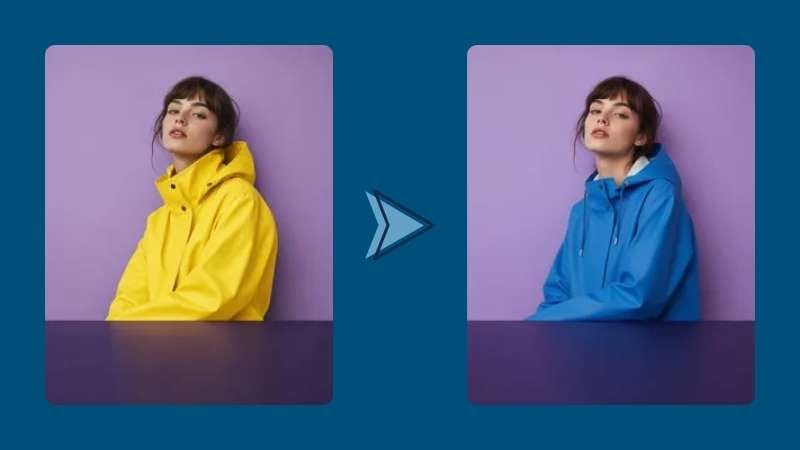
For quick edits, Upsampler’s free AI Image Editor lets you change the colors, style, or content of an existing image. When you need more control, the regular Image Editor goes further with more AI models and tools for making targeted edits. That includes selective editing, image expansion, background removal, and colorization.
3. Upsampler AI Image Upscaler
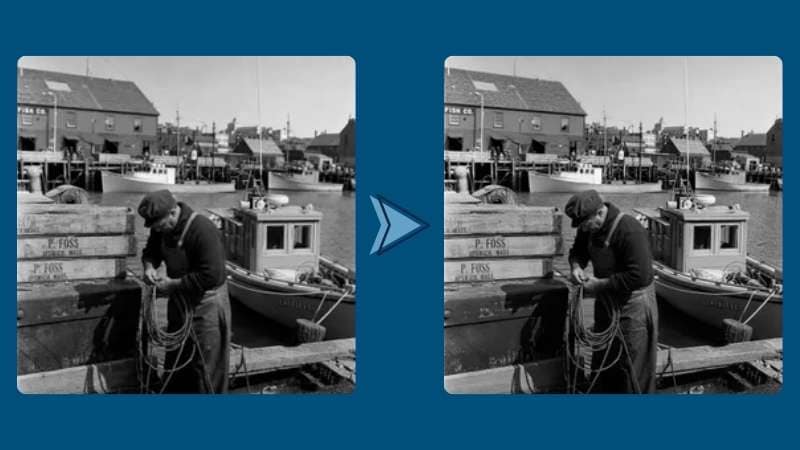
If you have an image that looks blurry or lacks detail, the Image Upscaler can increase its resolution to up to 4K. The tool supports six AI models and can also improve facial details in your images. You can test the feature with Upsampler’s free AI image upscaler before using the paid version.
4. Upsampler AI Depth Map Generator
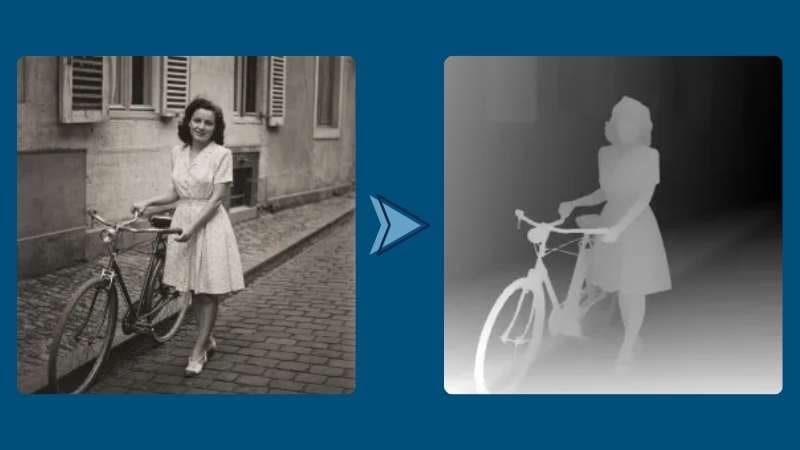
The Depth Map Generator creates a map that shows the relative depth of different areas in an image. This can help when you want to create 3D effects or work with depth-based visuals. It supports PNG, JPG, and WEBP files. You can also test it with the Upsampler’s free AI depth map generator.
Part 4. Upsampler AI: What's Good and What Could Be Better
Now that we’ve explored Upsampler AI’s main features, we have a better idea of what the platform has to offer. Let’s take a closer look at what the platform does well and some of the limitations you may come across.
- Try It Before You Pay: Upsampler AI gives you a chance to see how the platform works and check the output quality before paying for credits.
- Plenty of AI Models to Explore: You can pick different AI models depending on the style, quality, speed, or type of result you need.
- Strong Video Quality: Upsampler AI video outputs deliver good visual quality.
- Can Take Trial and Error: It can take a few attempts to find settings that work well for your image.
- AI Can Invent Details: When the original image is too blurry, the AI may add details that weren't there in the first place.
- Needs Extra Tools for Final Touches: Upsampler AI handles the creation, but you may need another tool to finish the project.
Part 5. Complete Your Video with Wondershare Filmora
Upsampler AI works well for creating visuals quickly, but it may not give you enough control when you want to make detailed edits manually. Since much of the process depends on prompts, you may also need a separate editor to arrange individual clips into a finished video.
Once your Upsampler AI free video generator results are ready, you can move them into Wondershare Filmora for the next stage. Filmora includes a built-in video editor, so you can arrange and edit them as one project. The result is a complete video that’s ready to export and post on social media. Now, take a closer look at what Filmora has to offer.
Generate More with Filmora
Beyond its video editor, Filmora also gives you several ways to generate content with AI. You can generate something new from a simple prompt or use existing media to guide the result. Some of the available generation tools include:
- AI Images: Create new images from text prompts or reference images.
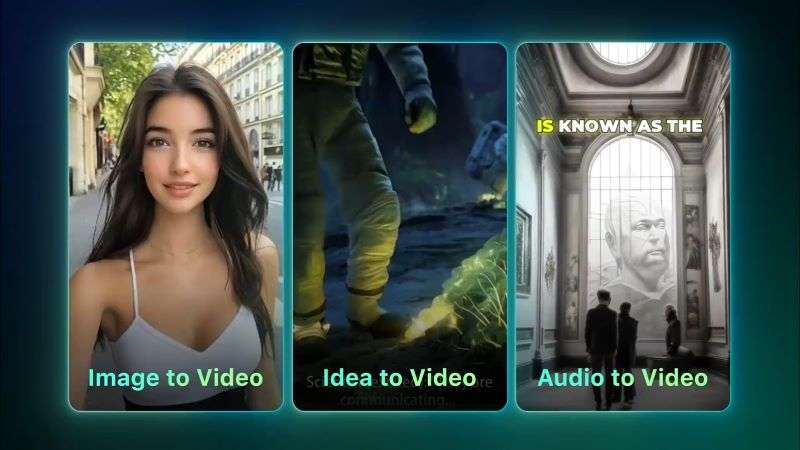
- AI Videos: Generate videos from prompts, images, audio, or ideas.
- AI Audio: Create background music and sound effects using Filmora’s AI Music Generator and AI Sound Effect Generator.
A Clean Workspace with Essential Tools
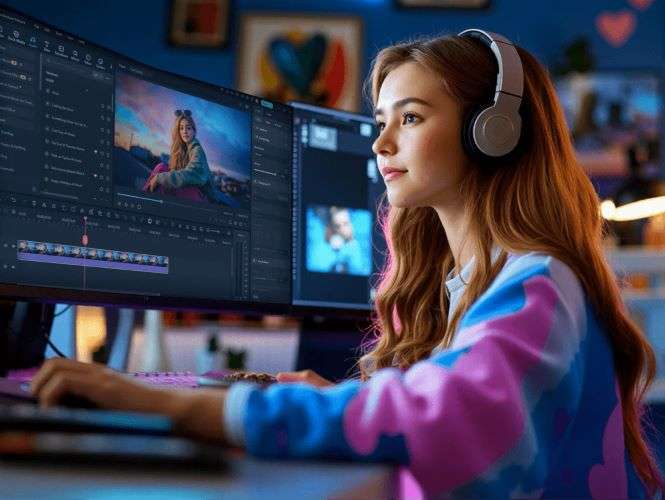
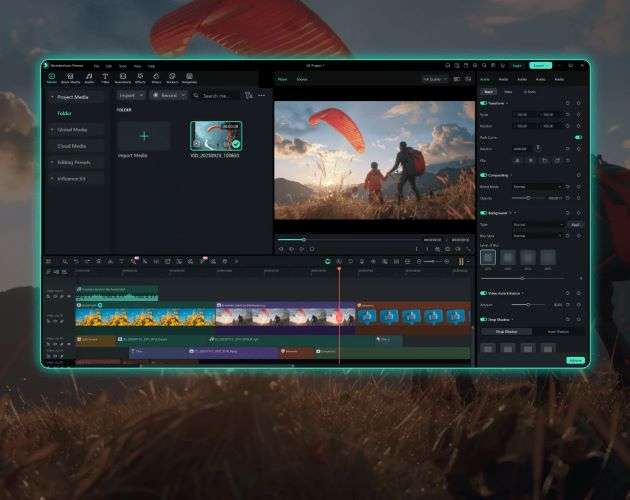
Filmora has a clean and organized editing workspace, with the main tools arranged around the editor for easy access. You can arrange your clips on the timeline and preview your edits as you go. It also covers the essential editing tools, including trimming, splitting, cropping, speed adjustments, transitions, and effects.
A Wide Range of Creative Assets
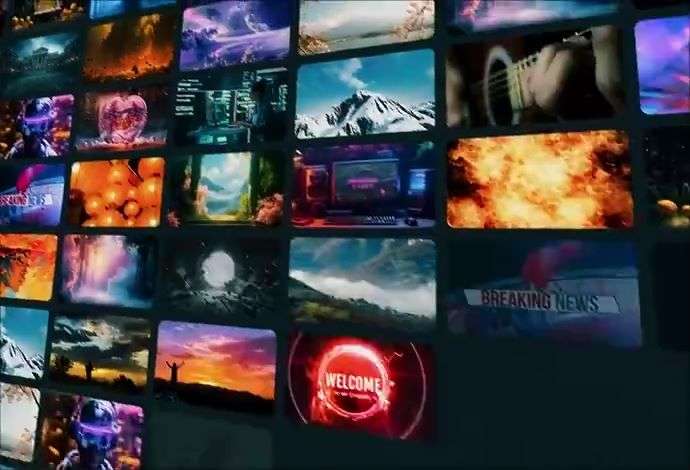
Filmora gives you access to different assets directly from its editing workspace. You can use stock media, visual effects, stickers, transitions, and other elements to build your video.
A Flexible Editing Setup
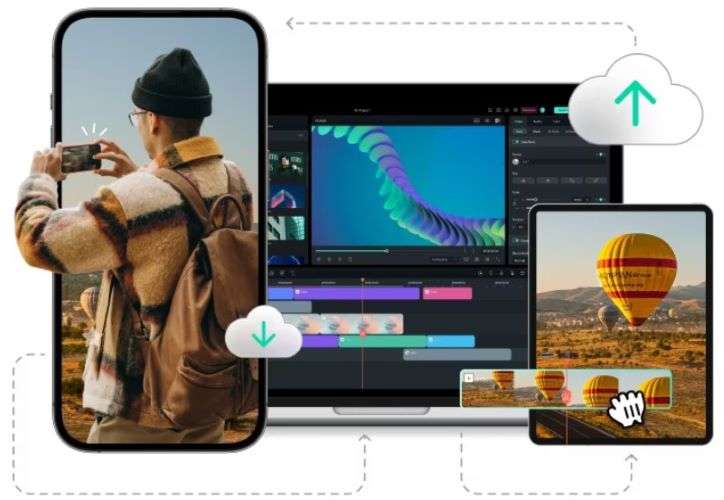
Filmora is available on iOS, Android, Windows, and macOS. You can switch between devices and continue working without having to start your project over.
 Secure Download
Conclusion
Upsampler AI makes it easy to create images and short videos with AI. It also offers tools for editing and enhancing existing visuals. You can try several tools for free. Still, you may have limited control over the results and need an extra editor to combine clips into a complete video.
In that case, Filmora covers both sides of the process. You can create images, videos, and audio with its AI tools. Then, arrange the results on the video editor timeline and make further edits. This lets you shape the final video more freely.
FAQs
-
1. What’s the best Upsampler AI alternative?
Filmora is one of the best Upsampler AI alternatives. It offers powerful AI generators, along with other AI tools and editing features to help finish your videos. -
2. Can I use Upsampler AI without signing up?
Yes. Several Upsampler AI tools are available for free without an account. However, the free tools have some limitations, such as fewer AI models and shorter video limits. -
3. Is Upsampler AI easy to use?
Yes. The website has a clean layout and keeps its tools well organized, making it easy to find what you need and get started.
