

 TL;DR:
Wondershare Filmora stands out as the most comprehensive AI news reporter generator for producing complete bulletins, allowing creators to generate text-to-speech voiceovers, synthesize B-roll via the Veo 3.1 model, and edit everything on a single timeline without switching platforms.
● Choose Murf AI or Podcastle for purely audio-driven narration, whereas AI Studios and Vidnoz are best suited for generating template-based, on-screen AI avatar presenters without complex timeline editing.
● Filmora's Veo 3.1 text-to-video model generates visual clips exclusively; to build a complete broadcast, you must independently generate the news reporter AI voice using the built-in Text-to-Speech panel and manually sync the audio with the Veo 3.1 footage.
● YouTube permits monetization for AI-generated news videos only if the content adds clear original value through unique scripting, commentary, or analysis, strictly avoiding word-for-word article reuploads.
Ask AI for a summary
 ChatGPT
 Perplexity
 Gemini
 Claude
 Grok
Grok
A news reporter AI voice is a text-to-speech voice that reads your script like a TV or radio anchor. Creators, educators, and small news channels use it because it saves time, keeps delivery consistent, and makes updates faster.
This workflow usually has two paths. First, voice only, you generate a clean voiceover using a news reporter ai voice. Second, voice plus video, you use a news reporter generator to add an AI avatar or AI B-roll for a full bulletin.
In this guide, you will see top tools, including options for a news reporter voice generator free, plus a complete workflow for voice and video.
Part 1. Top 7 AI News Reporter Generators Compared: From TTS to AI Avatars
| Tool | Best For | Voice Types | Video Support | Pricing | Platforms |
| Wondershare Filmora | Creating a complete bulletin, voiceover + AI clips, then editing on one timeline | Built-in TTS voices and languages, plus timing and mixing inside the editor | Yes, edit your voice and visuals together, plus AI video generation inside Filmora | Free plan available with subscription plan start from $9.99/month | Windows, macOS |
| Murf AI blog | Clean, studio-style news reporter AI voice for voiceovers | Large library of AI voices, emphasis on realistic TTS | Limited, mainly voiceover creation, not full avatar video | Free option, paid plans start around $19/mo | Web |
| Narakeet | Fast news reporter voice generator free testing and affordable voiceovers at scale | 800+ voices, 100+ languages, good for narrated videos | Yes, creates narrated videos from scripts and presentations | Credit-based, example $6 for 30 minutes credits | Web |
| AI Studios | AI anchor style videos with avatars and TTS | AI voices paired with avatar presenters | Yes, text-to-video with avatars | Plans from $29/mo | Web |
| Typecast | Expressive news reporter ai narration, plus talking avatar style clips | 600+ voices, emotion controls, voice actors style | Yes, video editor and talking avatar features | Has free plan, paid plans start from $8.99/mo | Web |
| Podcastle | Creator-friendly voice generation plus recording and editing tools | AI voices and TTS tools aimed at creators | Supports video recording and editing features (not primarily avatar video) | Paid plans shown from about $11 (trial available) | Web |
| Vidnoz | Quick avatar videos and templates, strong "done-for-you" feel | Claims 2000+ AI voices, TTS options | Yes, text-to-video and talking avatar tools | Free plan available, paid plans from $14.99/mo | Web |
|
Show More
Show Less
|
|||||
1. Wondershare Filmora
 Secure Download
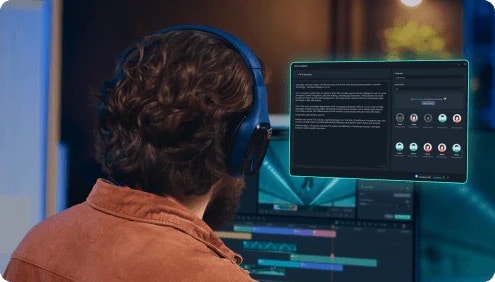
Wondershare Filmora is a strong choice if you want one workspace for your entire AI news production. You can create a news reporter AI voice using built-in text-to-speech, generate AI video clips, and edit everything in one continuous timeline. This setup works well for news updates, explainer segments, and recap videos where timing and clarity matter.
- Built-in Text-to-Speech (TTS): Turn scripts into natural-sounding news reporter voiceovers, with support for multiple languages and accents. This makes it suitable for local and international news content.
- Timeline-first editing workflow: Voiceovers, B-roll, AI-generated clips, titles, and lower thirds stay aligned on one timeline, which helps keep your bulletin clean and easy to follow.
- AI video generation support: Use Filmora's AI features to generate video clips and visuals, then refine them with standard editing tools.
- TTS service and add-on options: Filmora offers flexible TTS usage through built-in services or add-ons, depending on your plan and production needs.
- An all-in-one solution for news reporter voice generator workflows that combine voice, video, and final editing
- Simple control over pacing, volume, subtitles, and on-screen text without exporting between tools
- Ideal for creators who want consistent output and fast turnaround for news-style content
- Desktop-based software, not a browser editor
- Some AI and TTS features may rely on credits or specific add-ons, depending on usage level
2. Murf AI
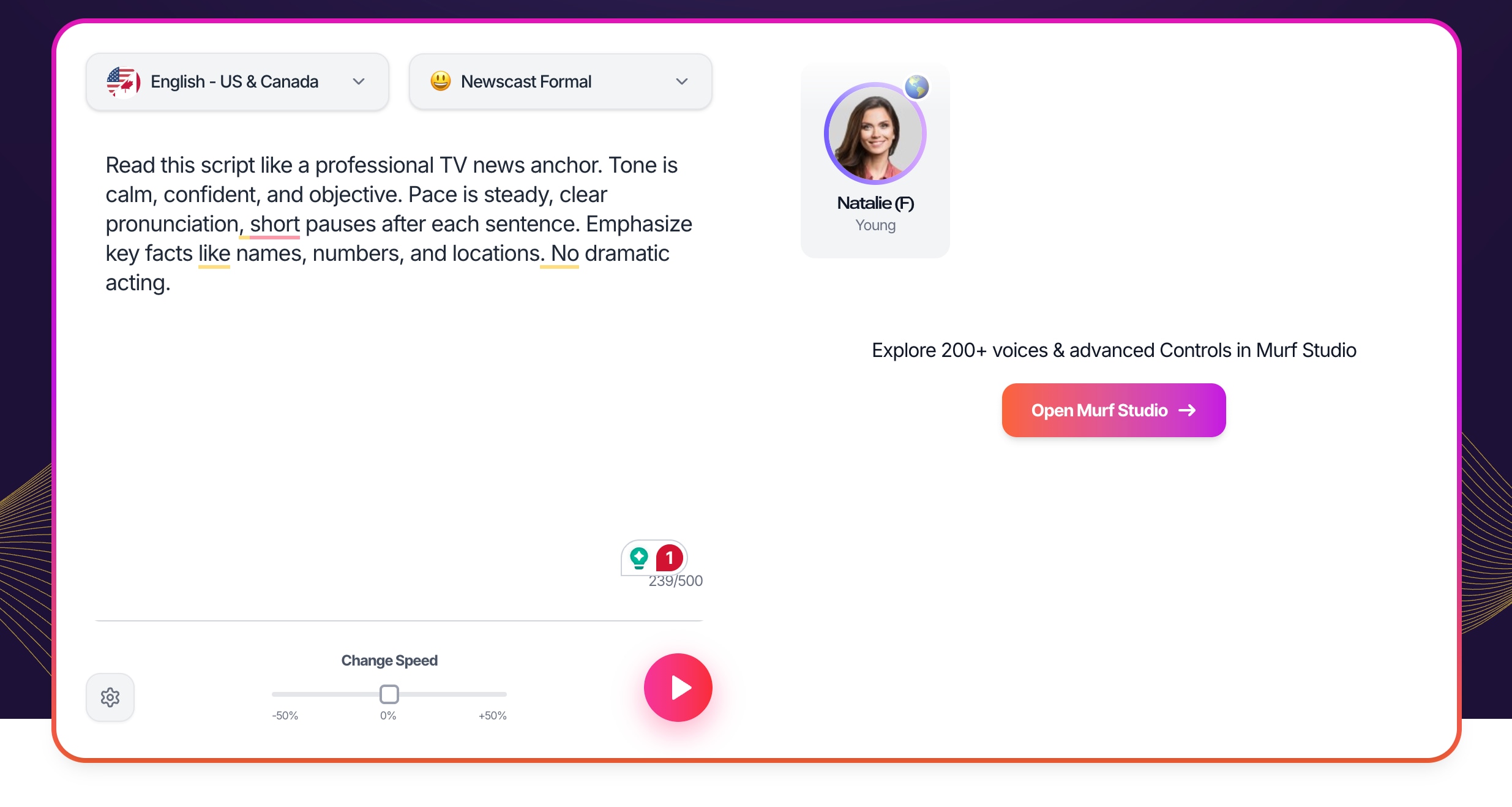
Murf AI is designed mainly for voice production. It works well if you need a clean and professional news reporter AI voice for narration, and plan to assemble the video in a separate editor. Many creators use Murf as a reliable news reporter voice generator for explainers, news recaps, and audio-first content.
- News-style AI voices: Generate clear and natural news reporter voiceovers suited for formal narration.
- Script-based voice editing: Adjust pacing, pronunciation, and emphasis directly from text.
- Export-ready audio: Download high-quality audio files for use in video editors and podcasts.
- High-quality output for a news reporter voice generator workflow
- Quick script-to-voice process for frequent posting
- Good fit for voice-only news content and narration
- Voice-focused tool, no AI avatar or full video generation
- Full access and higher usage typically require a paid plan
3. Narakeet
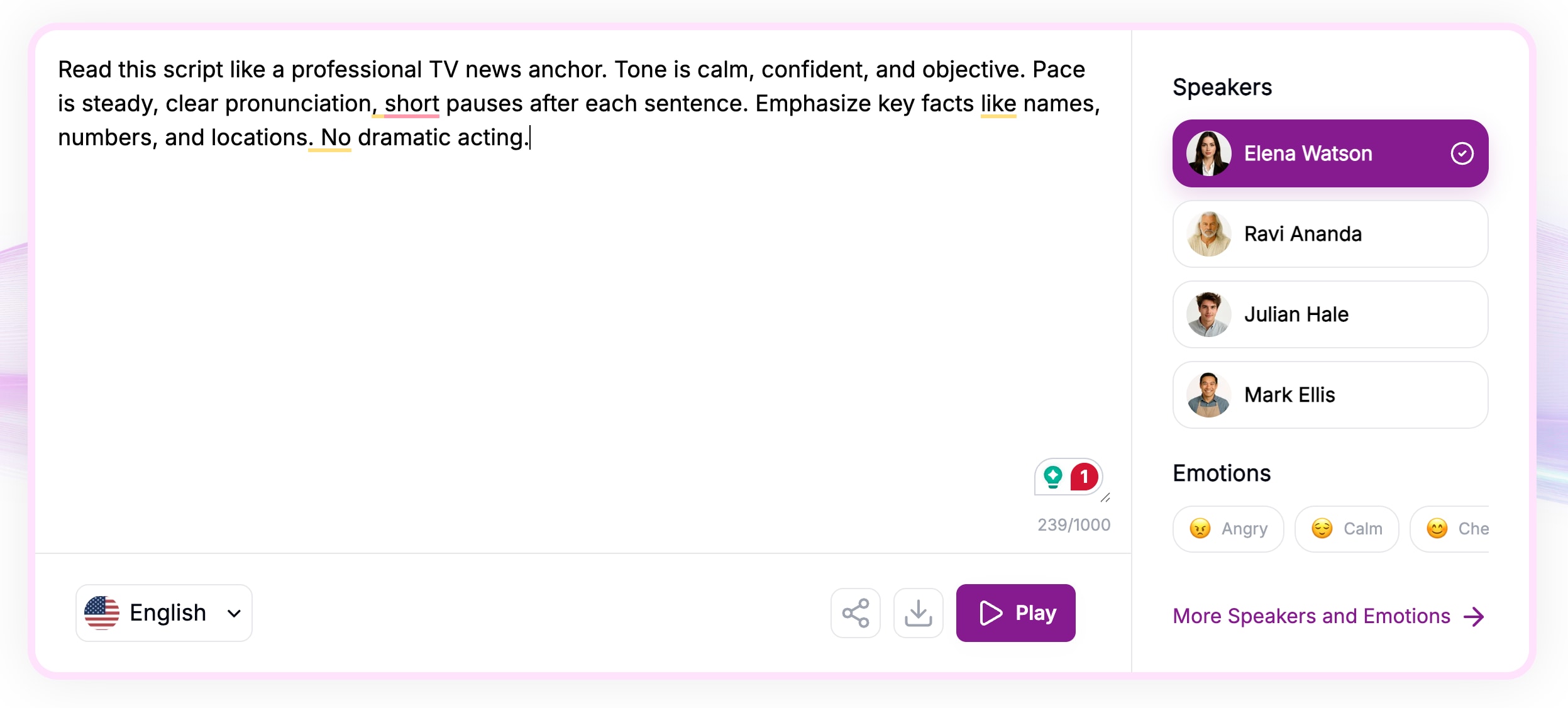
Narakeet is a practical tool for fast voiceovers and basic narrated videos. It is often used as a news reporter voice generator free option for testing, and it is also useful for multilingual content. This makes it a good fit for creators who publish short news updates across different languages.
- Multilingual voice library: Create news reporter AI narration in many languages and accents.
- Script-to-video output: Turn scripts or slide-style content into narrated videos quickly.
- Flexible usage model: Credit-based workflow that can suit occasional publishing needs.
- Suitable for multilingual news content
- Affordable and flexible pricing
- Quick turnaround for frequent updates
- Limited visual customization
- Not built for advanced video editing
4. AI Studios
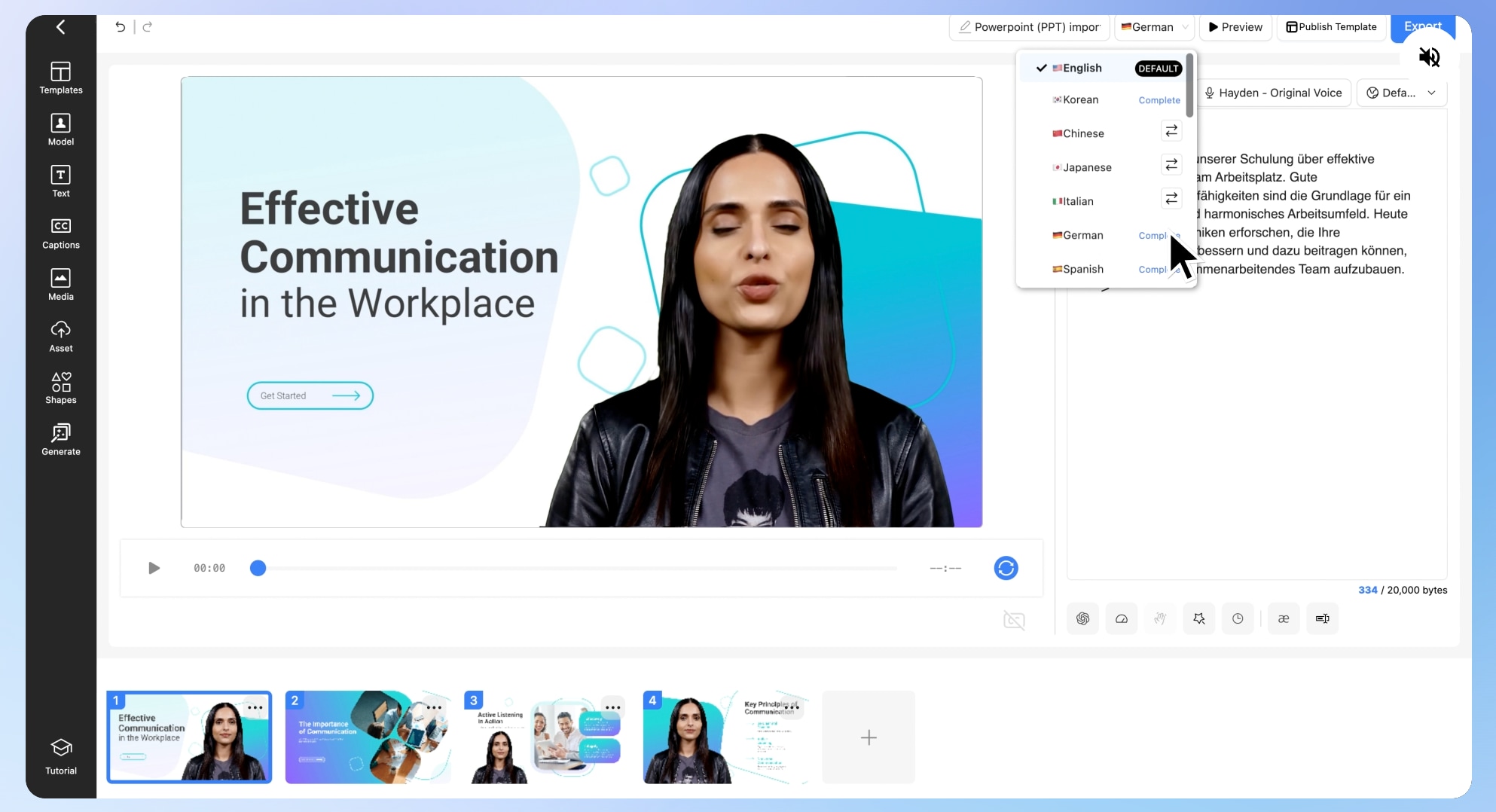
AI Studios is built for presenter-led news videos. If you want an on-screen anchor delivering your script, this news reporter generator style workflow can help you produce a full bulletin with less manual work. It suits business updates, internal announcements, and talking-head style news segments.
- AI presenter videos: Generate avatar-led videos that read your scripts like a reporter.
- Script-based editing: Update your script and regenerate without rebuilding the entire project.
- Voice and lip-sync support: Pair the narration with an on-screen presenter for a broadcast feel.
- Great for AI anchor and newsroom-style presenter videos
- Fast production with easy script revisions
- Useful for consistent, repeatable news formats
- Less flexibility for detailed editing and complex timelines
- Subscription pricing may not fit casual creators
5. Typecast
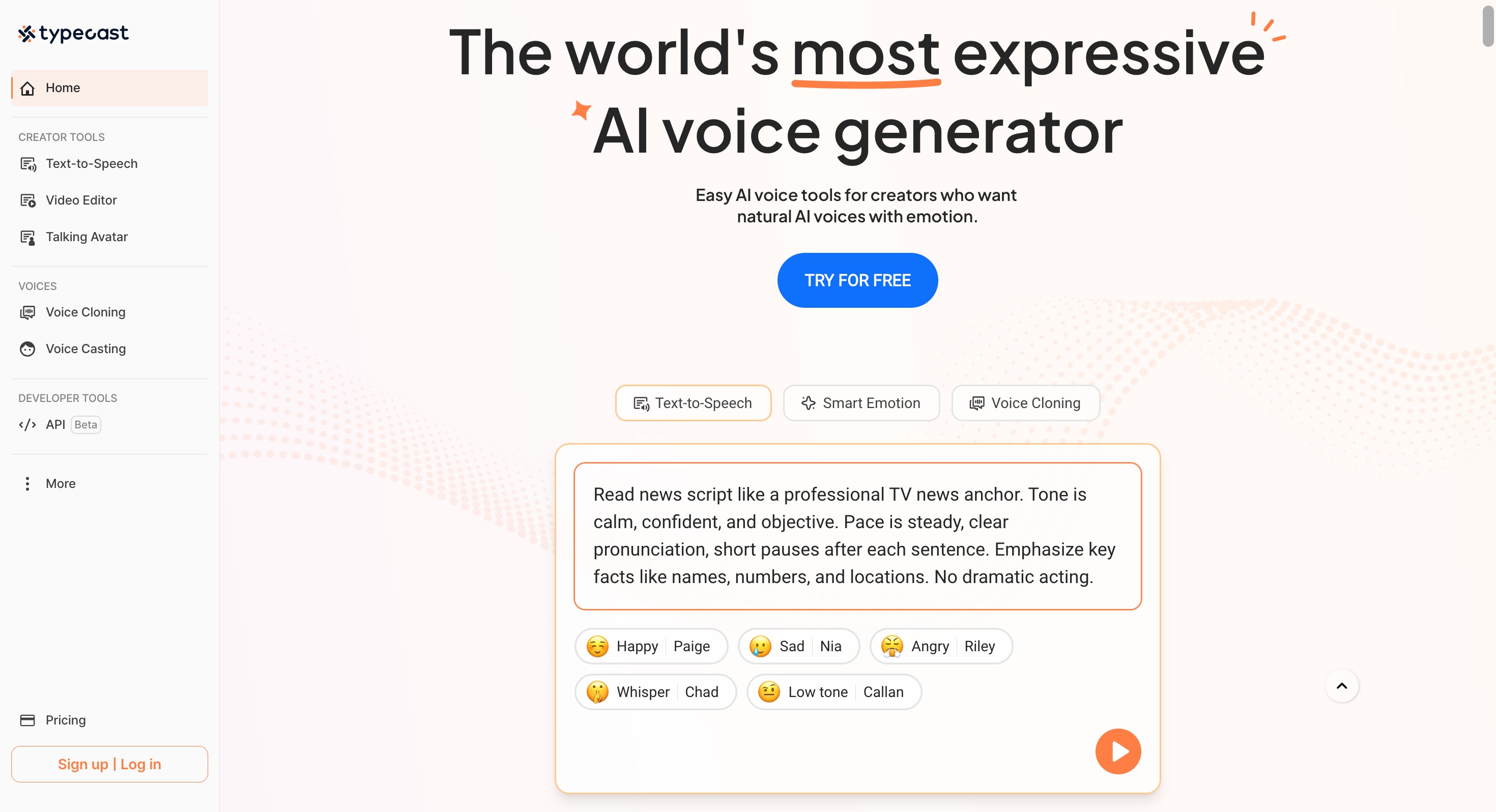
Typecast is a flexible option if you want more control over voice style and delivery. It helps you create a news reporter AI voice that can sound more neutral, energetic, or expressive depending on your content. It also includes basic video tools that work well for short segments and social clips.
- Voice style control: Adjust tone and delivery for different news formats and audiences.
- Talking-style visuals: Create simple presenter visuals for short video segments.
- Web-based workflow: Generate voice and basic video without installing software.
- Good choice for short news clips, intros, and headline-style voice-overs
- Helpful flexibility for voice style and pacing
- Easy to iterate quickly on scripts
- Video tools are lighter than a full editor
- Output limits depend on the plan you use
6. Podcastle
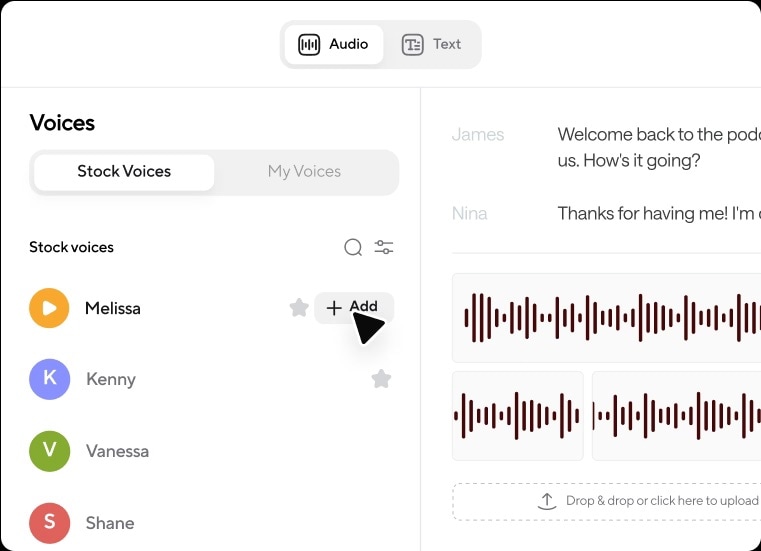
Podcastle works best for audio-first production. It suits creators making recap videos, daily briefings, and voice-led news content where the narration is the main element. You can generate voice, record, and do basic edits, then export for video finishing if needed.
- AI voice generation: Create voiceovers for news scripts and commentary content.
- Recording and editing tools: Record and polish audio in the same platform.
- Export workflow: Download audio for use in any editor for final video packaging.
- Convenient setup for voice-driven news content
- Useful for creators who publish regularly
- Simple workflow for narration-based formats
- Not designed for AI avatar news presenter videos
- Limited tools for advanced visuals and newsroom branding
7. Vidnoz
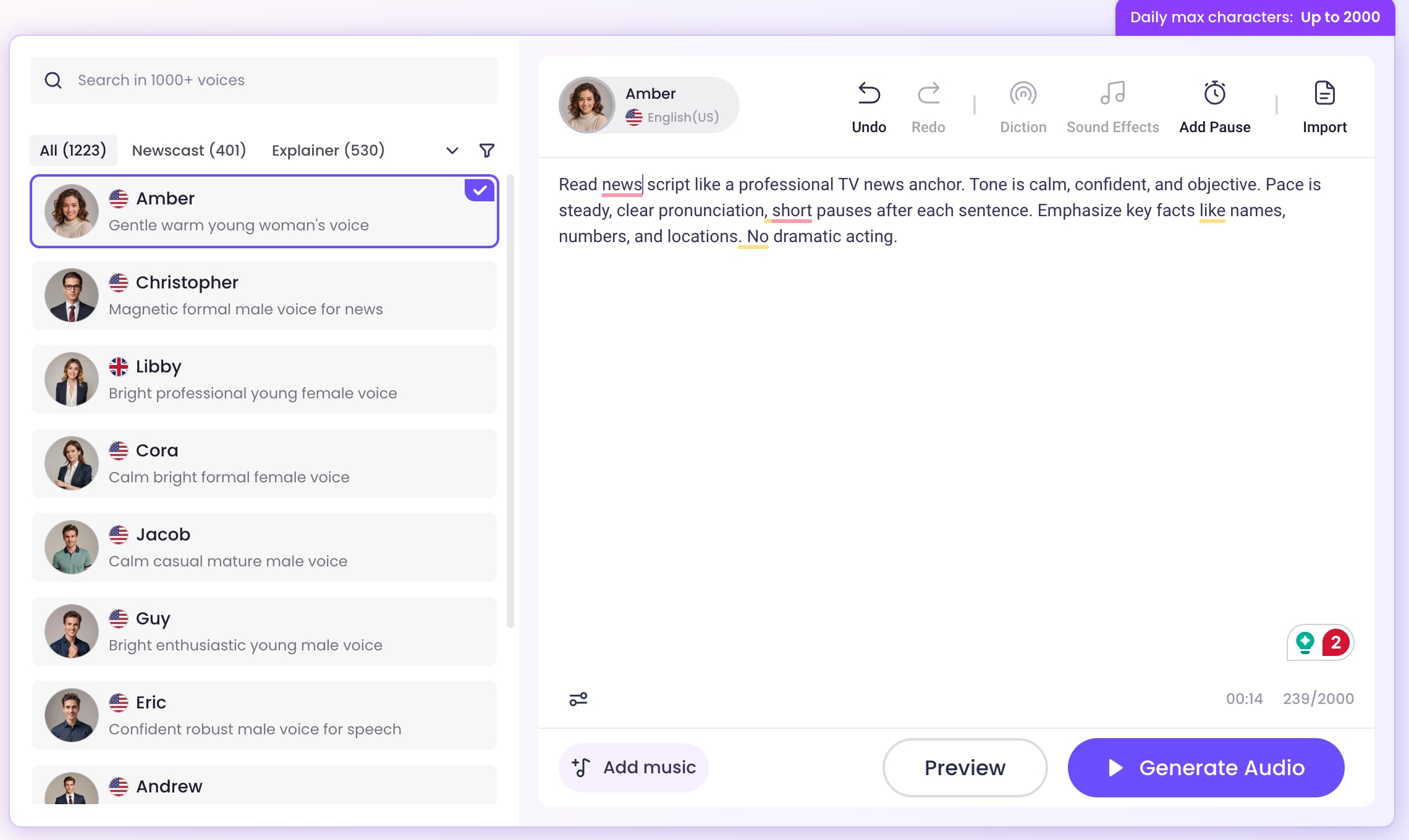
Vidnoz is a template-based news reporter generator made for speed. It is useful if you want quick presenter videos, and it can also serve as a news reporter voice generator free option for testing basic outputs. This fits creators who want simple bulletin-style videos without heavy editing.
- AI avatars and templates: Create presenter videos quickly using ready-made formats.
- Text-to-video workflow: Turn scripts into short videos with minimal setup.
- AI voice options: Add narration and sync it with the template-based presenter format.
- Fast for short bulletin updates and social content
- Beginner-friendly workflow with simple setup
- Useful for repeatable news formats
- Template-driven results may look generic without customization
- Less control over pacing, branding, and detailed editing
Part 2. Step-by-Step: How to Create a Professional AI News Bullet in in Filmora
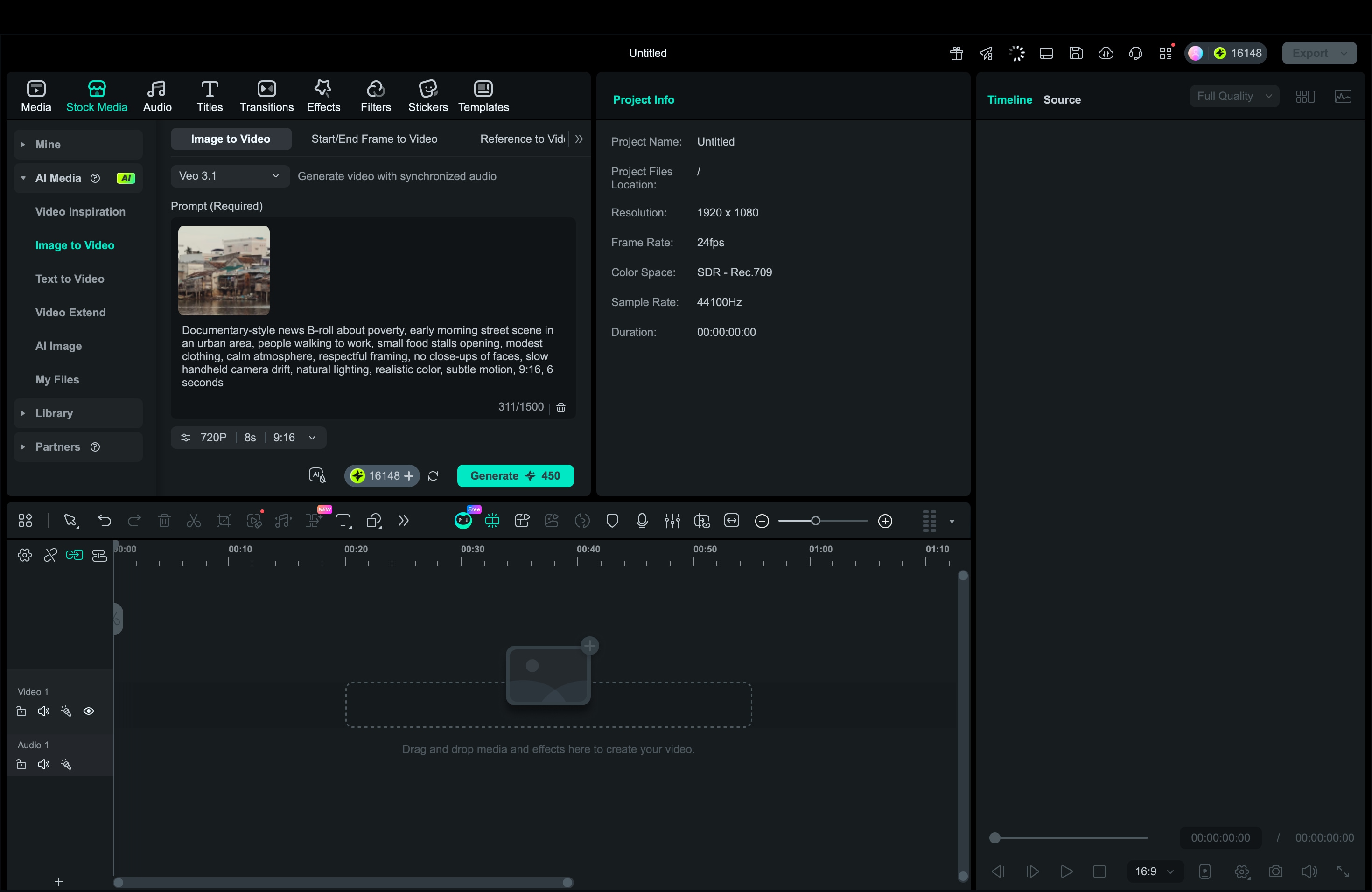
From all the options, we recommend Filmora the most as it helps you produce an AI news segment from start to finish in one place. You can generate a news reporter AI voice with Text-to-Speech, create AI clips with Veo 3.1 text-to-video, add animated B-roll with Image to Video, then edit everything on a single timeline.
In practice, Filmora works like a news reporter voice generator and a lightweight news reporter generator at the same time, so your script, visuals, and pacing stay consistent.
1. Generate Realistic News Voiceovers with Filmora Text-to-Speech (TTS)
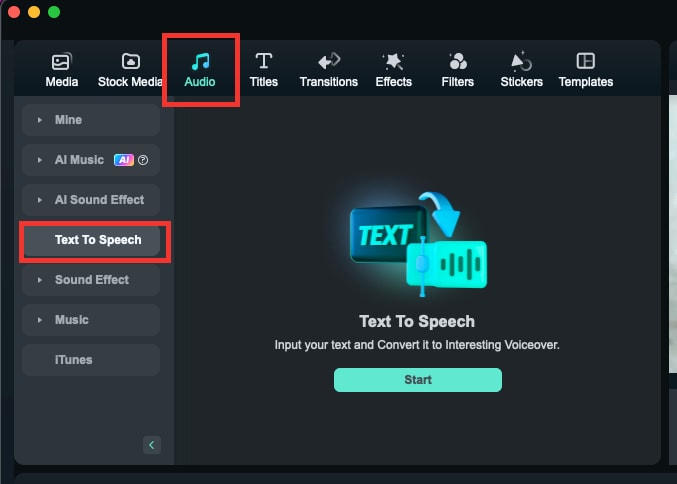
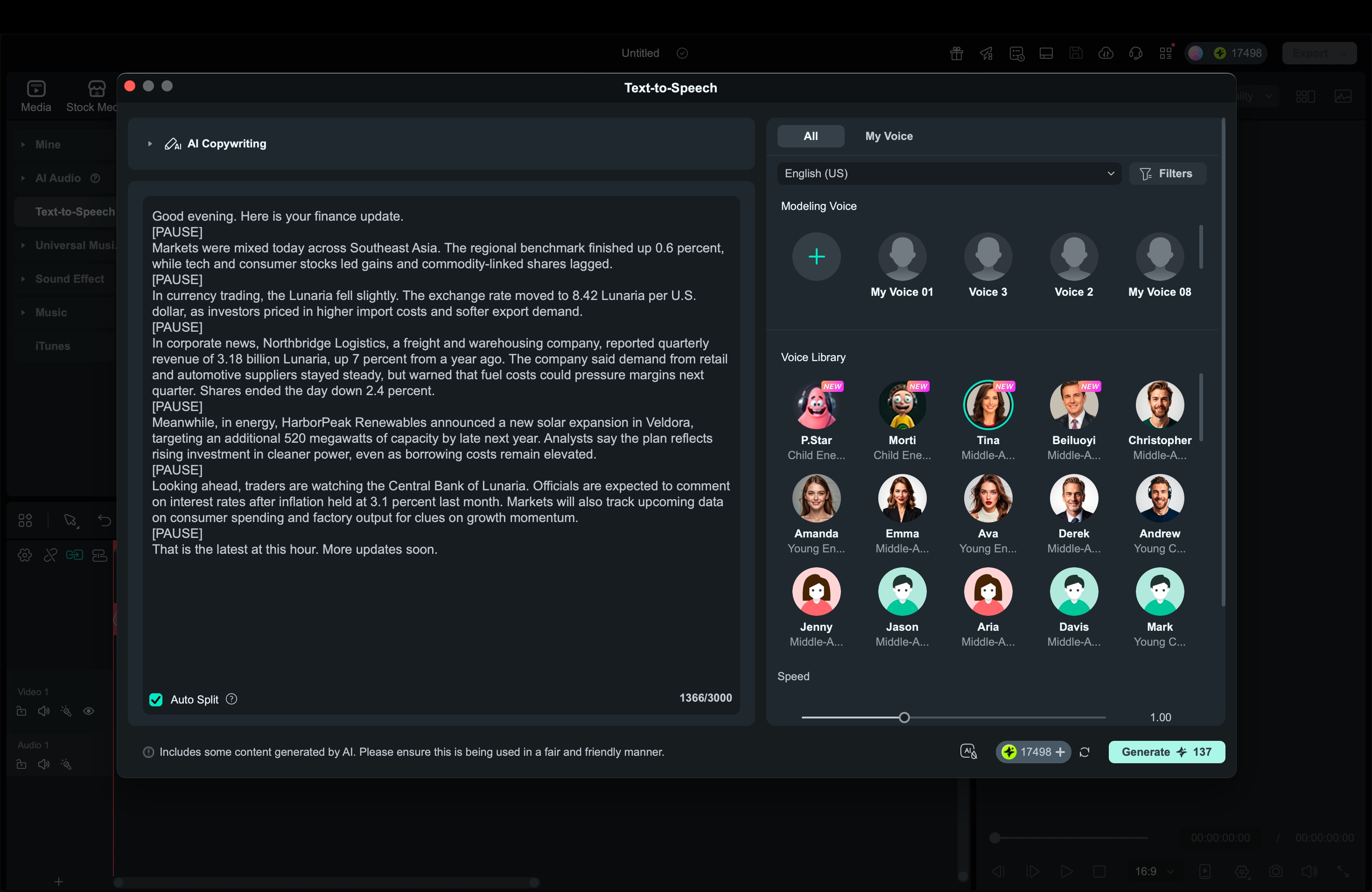
2. Produce AI-Generated News Clips using Filmora's Veo 3.1 Text-to-Video
Secure Download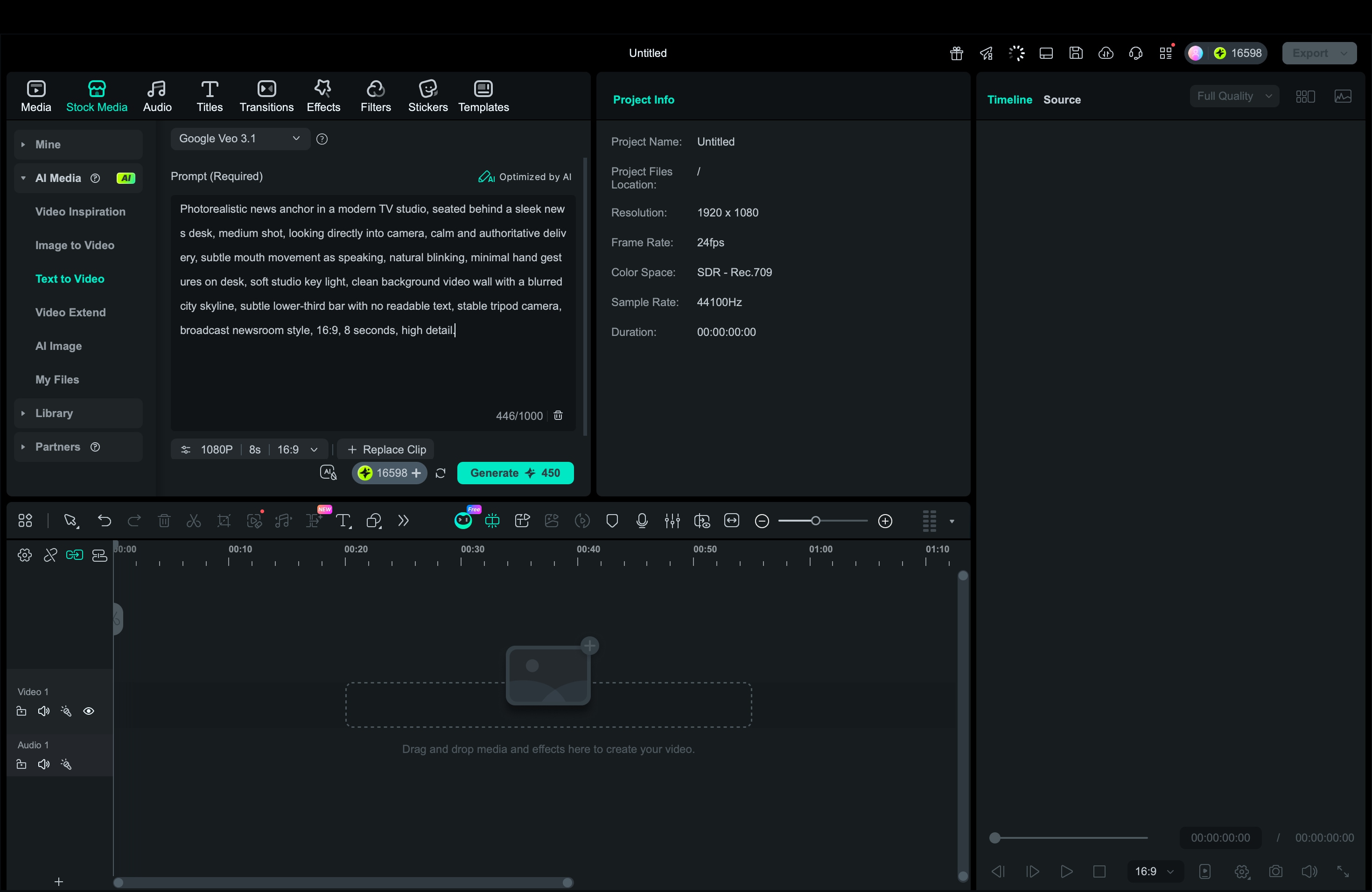
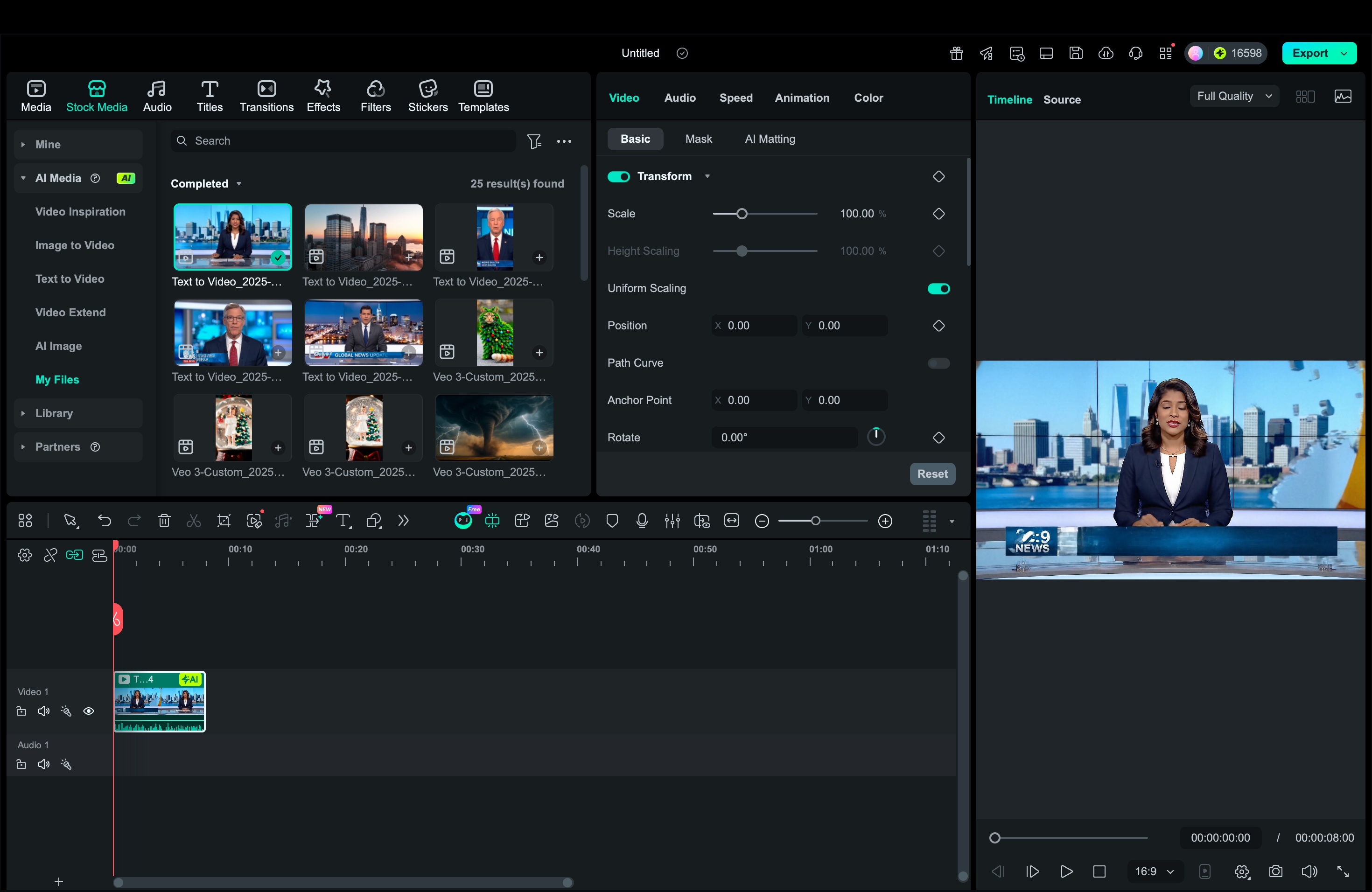
3. Enhance Your Broadcast with AI Animated B-Roll (Image-to-Video)
 Secure Download
4. Combine Everything into a Finished AI News Segment
Build around the voice track. Use simple cuts, and add short crossfades only when they help the flow. In Filmora, you can:
- Add lower thirds, logos, and on-screen titles
- Add background music and subtle sound effects
Listen on speakers and earbuds. Make sure your news reporter AI voice stays clear, and reduce music during key lines.
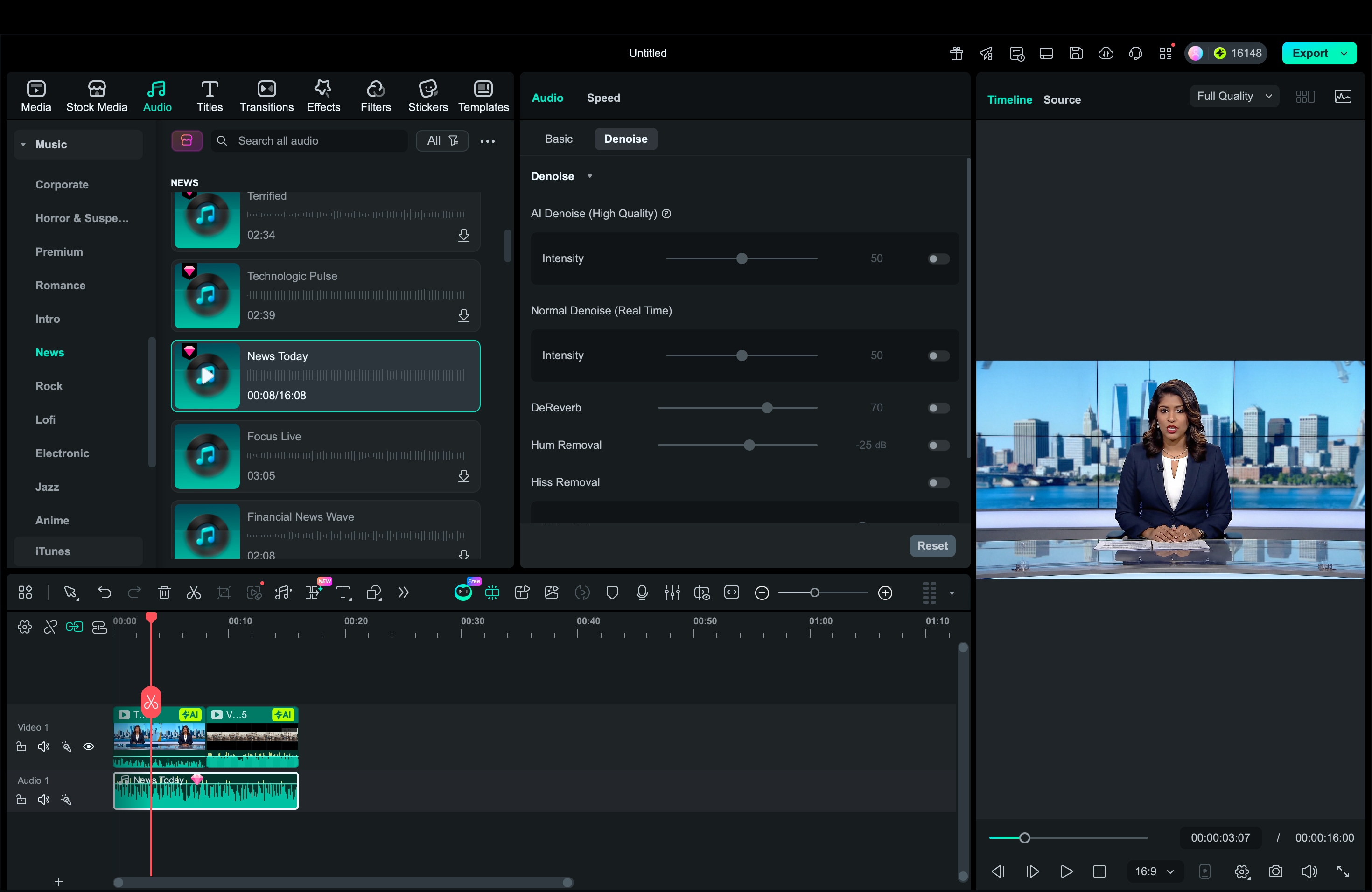
Export 16:9 for YouTube, 9:16 for Shorts, Reels, or TikTok. Use a high bitrate for clean text and sharp lower thirds.
Conclusion
AI tools make it much easier to produce news-style content, even with a small team or limited time. A solid news reporter AI voice can turn scripts into clear narration fast, while video tools add anchor visuals or B-roll to complete the bulletin. If you only need narration, a news reporter voice generator is enough.
If you want a full segment, a news reporter generator that supports voice and video can speed up production. Filmora fits both sides of the workflow; you can create voiceovers, generate clips, edit on one timeline, and export for YouTube or social platforms.

FAQs
-
Can Filmora's Veo 3.1 generate both news video and audio voiceover simultaneously?
Veo 3.1 in Filmora is mainly for generating video clips from text prompts. For a complete workflow, create the news reporter AI voice using Filmora Text-to-Speech, then sync it with the Veo 3.1 clips on the timeline.
-
Is using an AI news reporter voice allowed for YouTube monetization?
In many cases, yes, but it depends on your content quality and compliance. Make sure your videos add clear value, like original scripting, commentary, analysis, or reporting, and avoid reupload-style content.
-
What are the best practices to avoid copyright issues with AI news voice & video?
Use original scripts, avoid copying articles word-for-word, and do not reuse copyrighted footage without permission. If you generate visuals, keep them generic or based on public-domain style concepts, and add your own branding, subtitles, and narration for originality.
