

 100% Security Verified | No Subscription Required | No Malware


 ChatGPT
 Perplexity
 Gemini
 Claude
 Grok
Grok
Google’s own blog (via its DeepMind blog) confirms Nano Banana Pro, built on Gemini 3 Pro Image, was introduced on November 20, 2025. While Nano Banana 1 (Gemini 2.5 Flash) is the previous version in use, the Nano Banana Pro or Nano Banana 2 is the next-generation AI model.
However, it might be wrong to conclude that since Nano Banana Pro is an upgrade to Nano Banana 1, it is the best for all tasks; hence, making you abandon the former. The truth is, each of these models has areas where they can be the best, and you can only find out after comparing Nano Banana Pro vs. Nano Banana 1.
So, in this post, we see how Nano Banana Pro compares to Nano Banana 1 in architecture, performance, image quality, speed, and reasoning. You will see what was fixed, what improved, and whether upgrading makes sense for your needs.
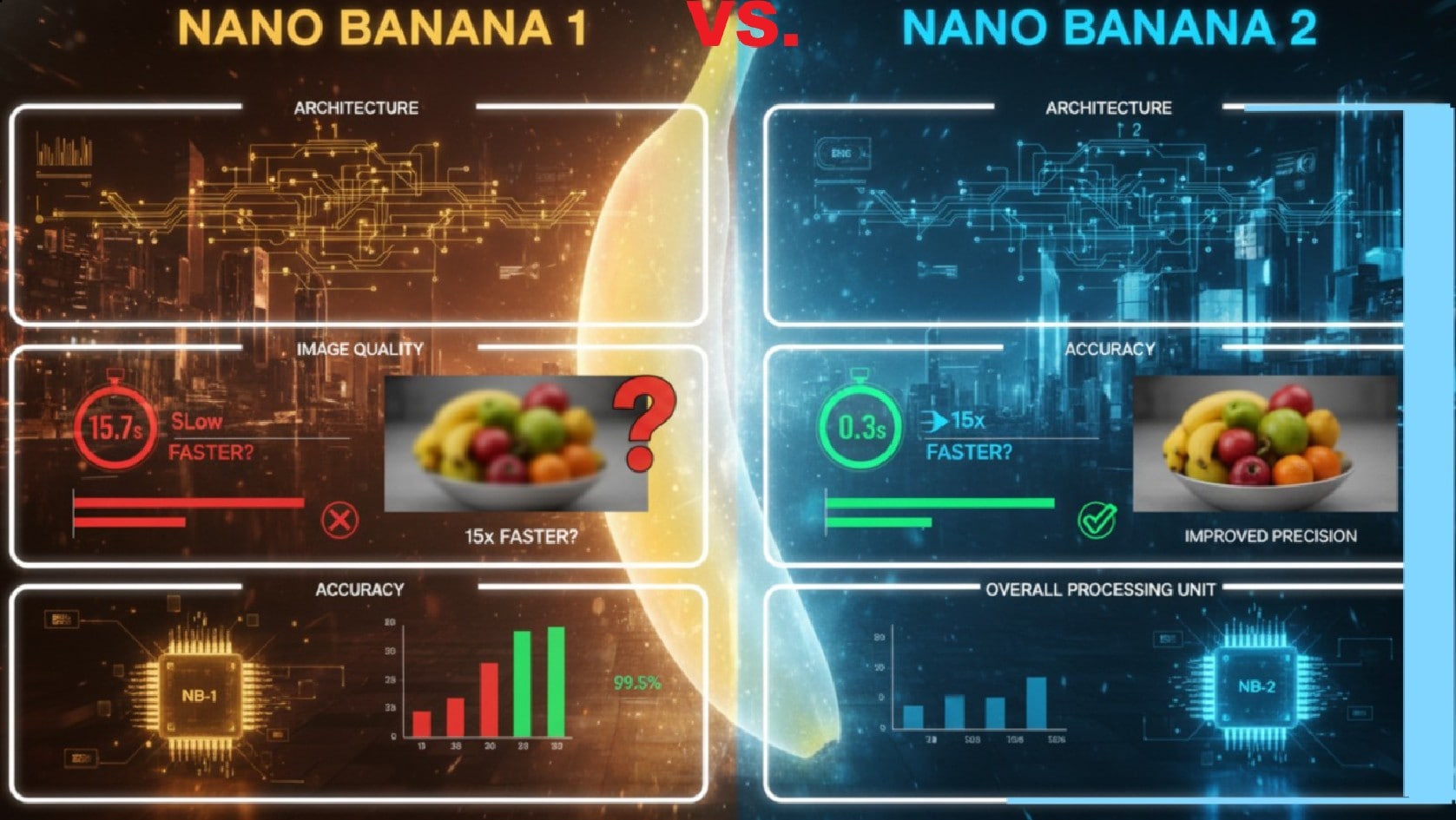
Part 1: Nano Banana Pro vs Nano banana 1: Core Architecture Differences
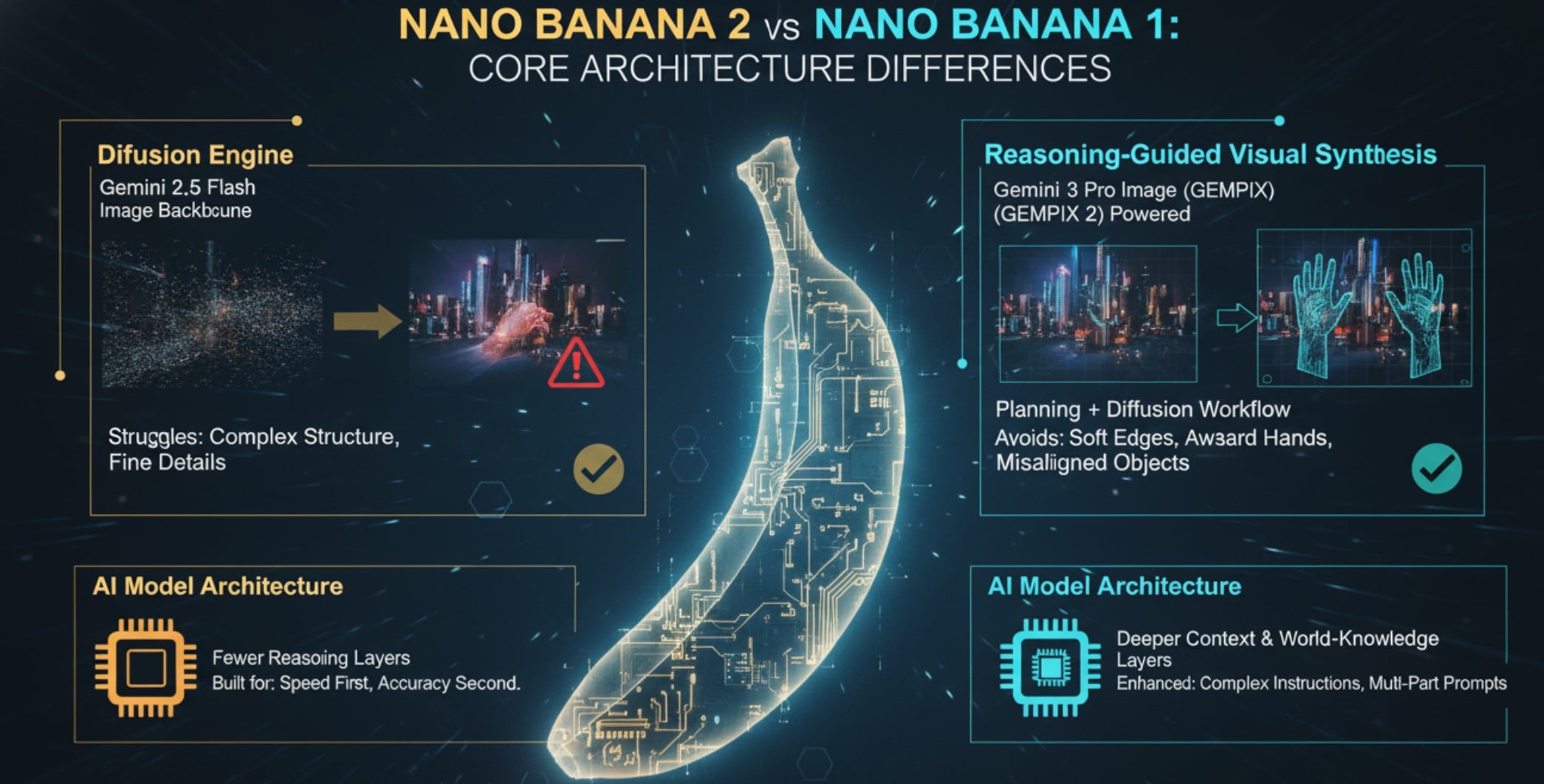
While Nano Banana 1 vs. Nano Banana Pro are AI image generation models, their underlying architectures differ significantly, affecting speed, fidelity, and overall capabilities. Let's see the differences in their architecture hierarchy.
Diffusion Engine vs. Reasoning-Guided Visual Synthesis
Nano Banana 1 relies on a traditional diffusion engine. It utilizes the Gemini 2.5 Flash Image as its backbone, which means it begins with pure noise and gradually refines the picture through multiple sampling steps.
Nano Banana Pro takes a very different path. Its architecture blends reasoning-driven planning with diffusion. It maps out the structure, understands context, and then generates with that plan in mind.
AI Model Architecture Upgrades
Nano Banana 1 keeps things simple under the hood. It uses fewer reasoning layers, which makes it fast and good at basic prompt-following. It was built for speed first, accuracy second.
Nano Banana Pro expands that foundation with deeper context and world-knowledge layers. This gives it far better control when handling complex or multi-part instructions.
Part 2: Nano Banana Pro vs 1: Image Quality Enhancements
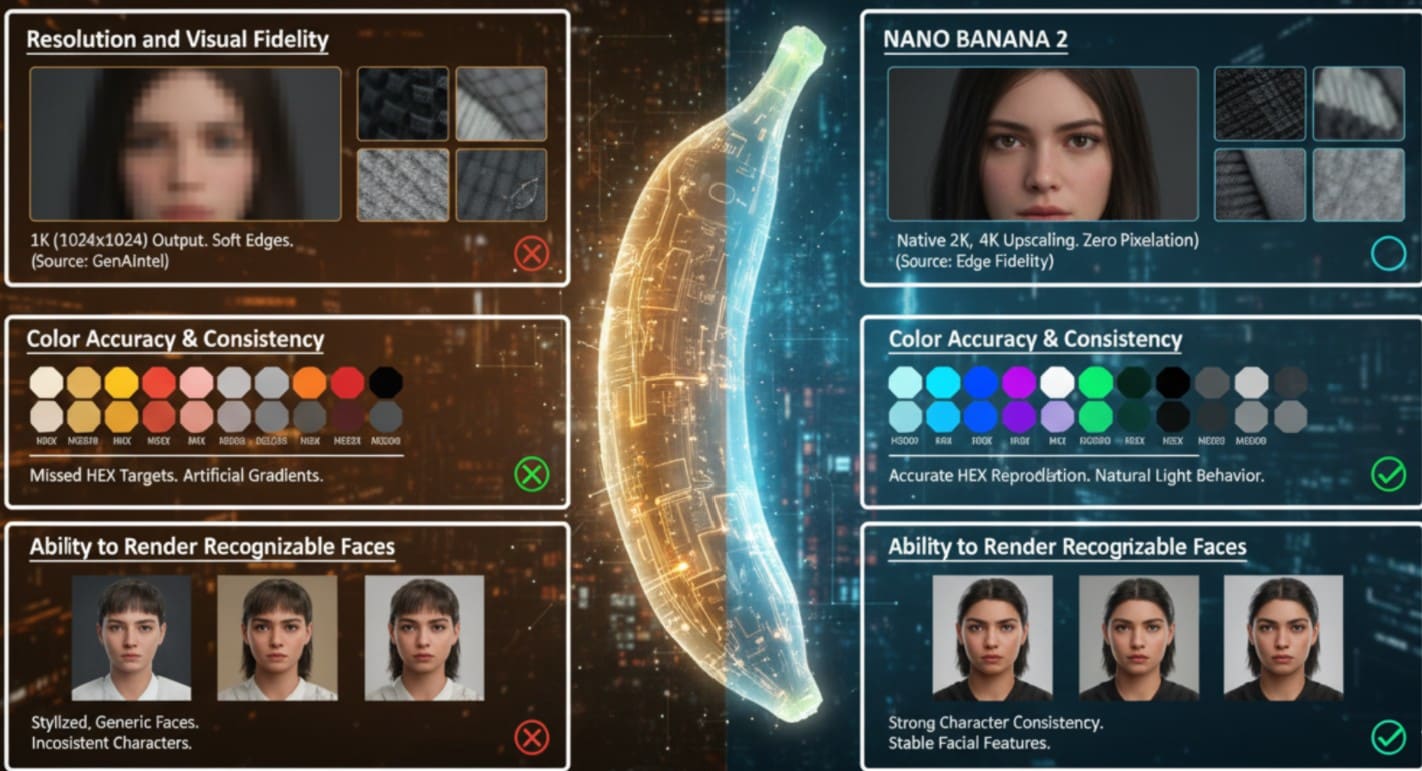
Image quality is where the differences between Nano Banana Pro vs. 1 become most noticeable. In this section, we examine how Nano Banana Pro enhances resolution, color accuracy, visual fidelity, and facial consistency compared to its predecessor.
Resolution and Visual Fidelity
Nano Banana 1 typically outputs images at around 1K (1024×1024), which is sufficient for quick concepts and lightweight projects. (GenAIntel).
Nano Banana Pro supports up to 4K upscaling for high-quality visuals. Testers at Skywork reported zero pixelation even at 4K zoom, and the edge fidelity is noticeably sharper. Fine textures, such as hair, fabric, and metal reflections, render with greater clarity, making Nano Banana Pro ideal for projects that demand detailed visuals.
Color Accuracy & Consistency
Nano Banana 1 sometimes missed precise color targets, especially when prompts required exact HEX values. Its engine could drift slightly from the requested palette.
Nano Banana Pro makes a major leap in this area. It reproduces color values far more accurately and hits target HEX codes with much higher reliability. Its improved reasoning engine also helps it understand light behavior, so gradients look more natural and less artificial.
Ability to Render Recognizable Faces
Nano Banana 1 tended to generate faces that looked stylized or generic, making it hard to maintain a recognizable character across different images.
Nano Banana Pro fixes this gap with much stronger character consistency. Facial features, expressions, and proportions stay stable even across multiple generations or scene variations.
Part 3: Nano Banana Pro vs. Nano Banana 1: Intelligence & Reasoning Upgrades
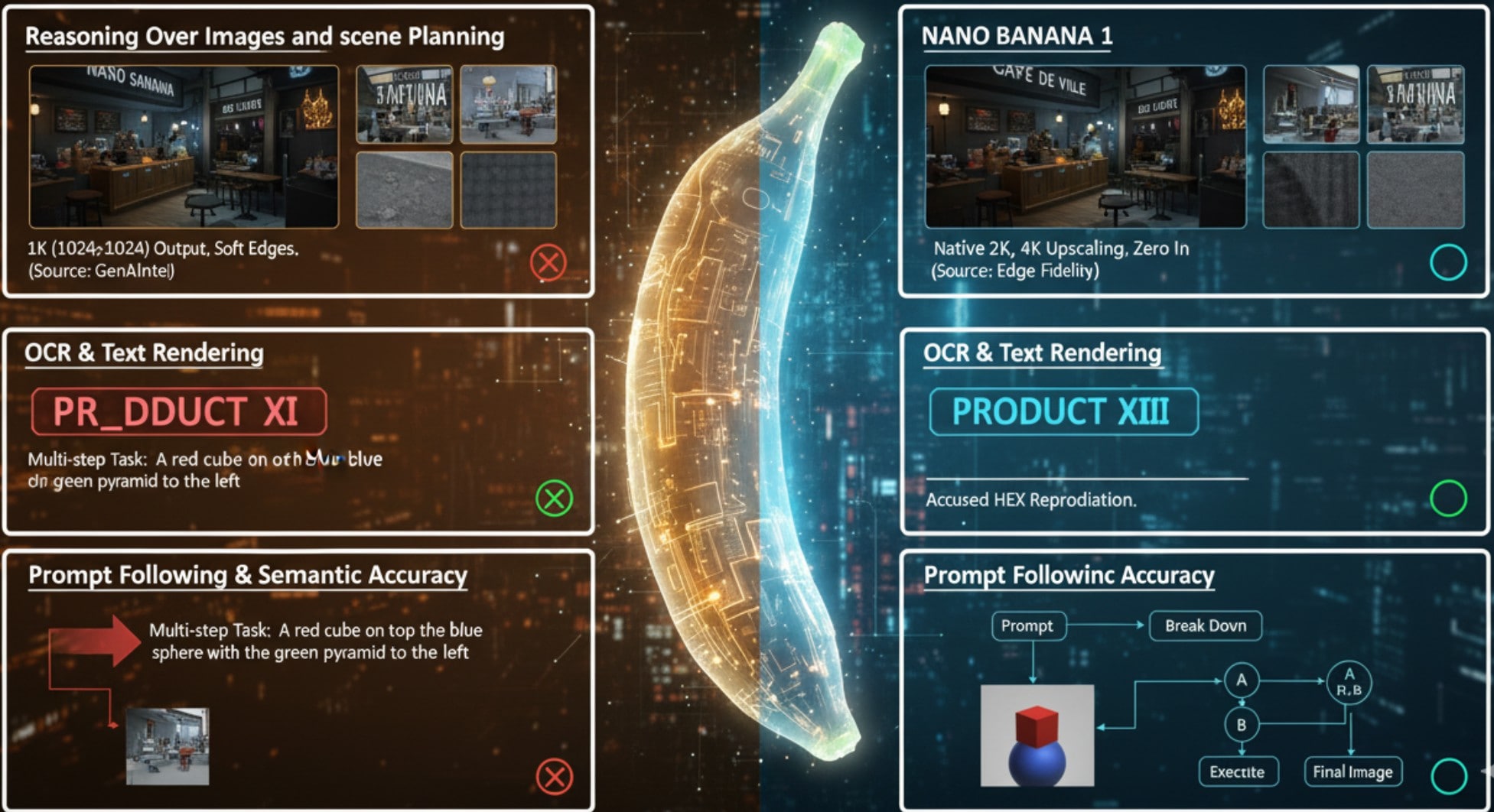
In terms of reasoning, Nano Banana Pro introduces a significant leap in how the model thinks before it generates. While Nano Banana 1 relies on straightforward pattern matching. Let's see how they compare.
Reasoning Over Images and Scene Planning
Nano Banana 1 doesn’t perform deep planning before it generates an image. It relies mostly on pattern matching, which means it doesn’t think through structure or relationships first. As a result, it can misplace objects, distort reflections, or break basic spatial logic in complex scenes.
Nano Banana Pro takes a more deliberate approach. Powered by Gemini 3 Pro Image, it follows a “plan → evaluate → refine” workflow. It reasons about context, structure, and layout before committing to the final render.
OCR & Text Rendering
Nano Banana 1 often outputs broken spelling or unevenly spaced letters, making it unreliable for tasks that involve readable words. Nano Banana Pro delivers a major upgrade. It produces clean, accurate text on signs, UI screens, labels, and diagrams.
Its reasoning backbone checks each character as it generates, which reduces hallucinations and maintains stable typography. Because of this improvement, Nano Banana Pro works well for posters, product mockups, and any visual that needs embedded, readable text.
Prompt Following & Semantic Accuracy
Nano Banana 1 performs best when it comes to simple or direct prompts for simple or intermediate tasks. It often struggles when faced with multi-step tasks or nested instructions, producing outputs that miss key details or relationships.
Nano Banana Pro handles complexity much more intelligently. It breaks a prompt into smaller parts, reasons over each segment, and then executes them in sequence. This stepwise approach gives you far more control over details, context, and object relationships.
Part 4: Nano Banana Pro vs 1: Performance and Speed Improvements
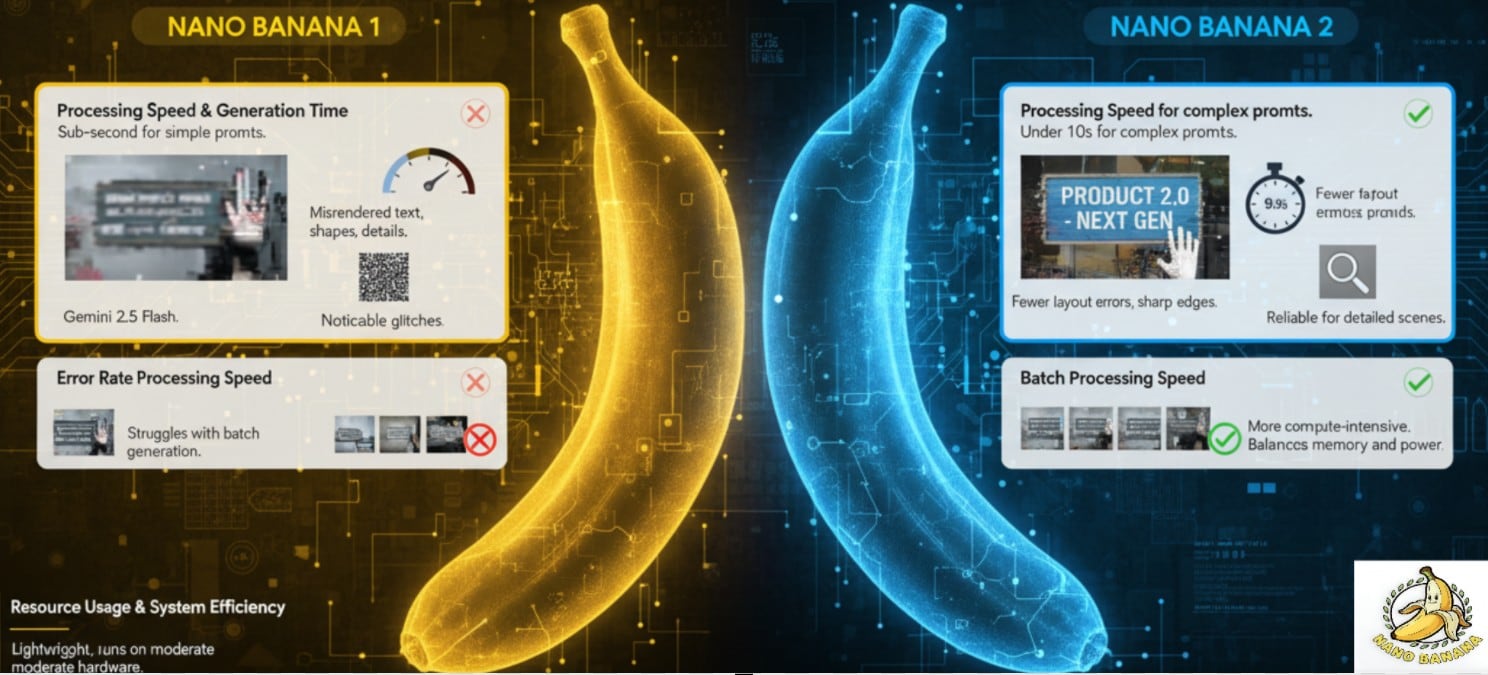
When comparing the execution speed of Nano Banana Pro vs. Nano Banana 1, the recent model surpasses the raw execution speed of Nano Banana 1 by pairing planning with smarter sampling. Let's compare factors that determine the speed and generation time.
Processing Speed & Generation Time
Nano Banana 1, powered by Gemini 2.5 Flash, excels at simple prompts. Some reports even cite sub-second generation for basic image tasks, making it extremely fast for lightweight work.
Nano Banana Pro is designed for more complex prompts, typically generating images in under ten seconds. Benchmarks show it achieves this speed by planning the composition first, allowing it to skip redundant diffusion steps without sacrificing quality.
Error Rate Reduction
Nano Banana 1 can misrender text, shapes, or small object details, leading to noticeable glitches in images. Nano Banana Pro addresses these issues with reasoning-driven refinement. Users report far fewer layout errors, blurry edges, or distorted elements.
Resource Usage & System Efficiency
Nano Banana 1 is a lightweight and highly efficient application that runs even on moderate hardware.
Nano Banana Pro, with its Gemini 3 Pro architecture, is more compute-intensive, but the performance gains justify the extra cost. Its reasoning-decoder pipeline balances memory usage with processing power, making it possible to generate complex images without sacrificing speed.
Batch Processing Speed
Nano Banana 1 struggles with batch generation, often producing inconsistent quality when multiple images are rendered at once.
Nano Banana Pro greatly improves batch throughput. Real-world tests show faster processing and more consistent fidelity across all images in a batch. This makes NB2 far more practical for design teams, agencies, or any workflow requiring high-volume, reliable image production.
Nano Banana Pro vs. Nano banana 1 Comparison Table
| Factor | Nano Banana | Nano Banana Pro |
| Architecture and Model Type | Gemini 2.5 Flash Image. | Gemini 3 Pro / GEMPIX 2 with reasoning and diffusion. |
| Color Accuracy & Consistency | Good for basic tasks, but some drift occurs. | More stable color fidelity across prompts and better light gradients. |
| Resolution and Visual Fidelity | 1K native resolution | Supports up to 2K and optional 4K upscale |
| Prompt Following & Semantic Accuracy | Works for simple prompts but may misinterpret complex context. | Better multi-step understanding and plans before rendering. |
| Render Recognizable Faces | Faces can be stylized or generic. | Much stronger character consistency across iterations. |
| OCR & Text Rendering | Text is often garbled or hard to read in images. | Very clean and infographic, good for infographics and signage. |
| Resource Usage | Lower overhead; optimized for fast generation. | More compute-intensive, but optimized via a reasoning pipeline. |
| Processing Speed & Generation Time | Very fast for simple prompts. | Slightly slower for complex tasks, but efficient (<10s in many tests). |
| Evaluation Metrics / Quality Metrics | Decent without built-in self-critique. | Uses iterative planning and self-evaluation to improve output. |
| Error Rate Reduction Scalability | More frequent artifacts, prompt drift, or text issues. | Fewer artifacts, more consistent outputs across batches. |
| Reasoning Over Images (Math, Diagrams, OCR) | Limited; struggles with logical layout or diagrams. | Better at understanding spatial relations, charts, and image logic. |
| Sustainability/Efficiency | Light, fast generation for casual use. | More efficient use of resources over multi-step reasoning, despite heavier computing |
| Use-Case Fit | Quick ideation, casual image generation, simple prompts | Production-level work, design, infographics, and consistent character scenes |
Nano Banana 1 vs. Nano Banana Pro: Example of Images created with both Models
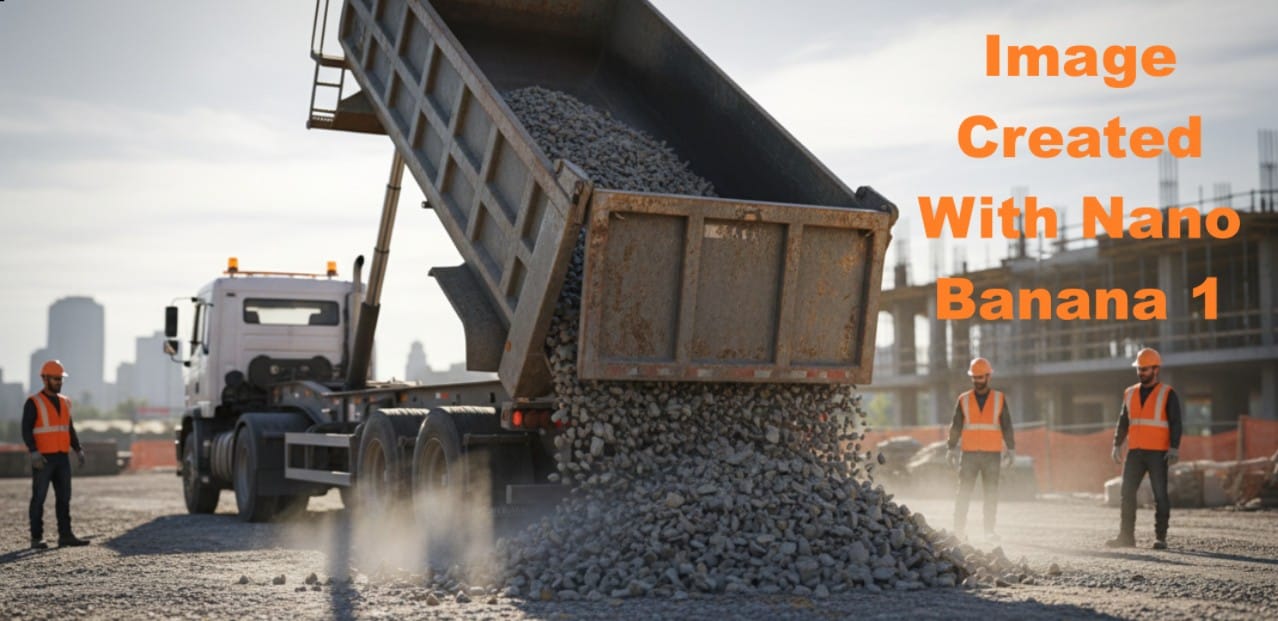
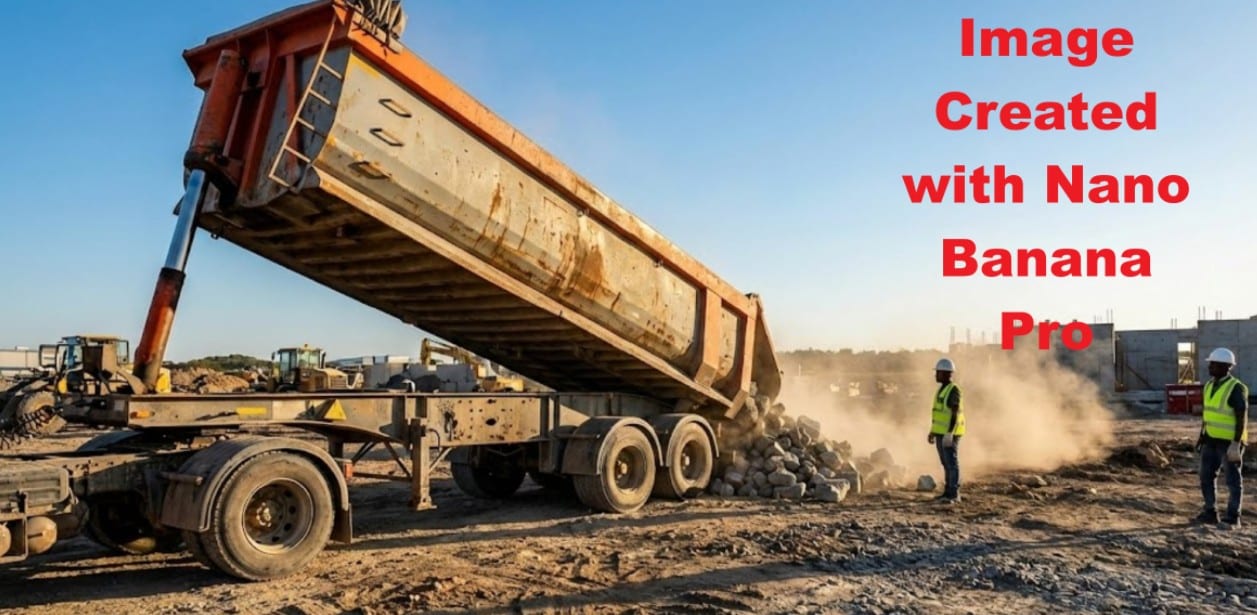
Let's try a similar prompt on the two models and see how they perform the task. Below is the prompt that we will use to compare the image output of Nano Banana Pro vs. Nano Banana 1.
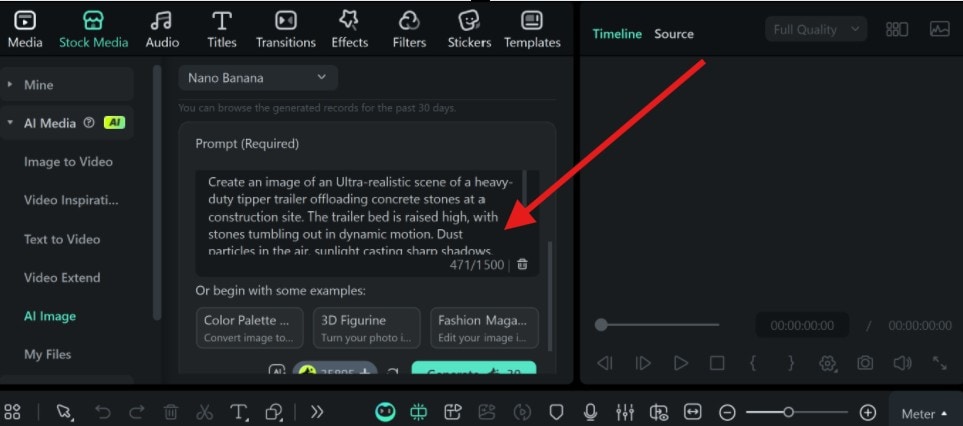
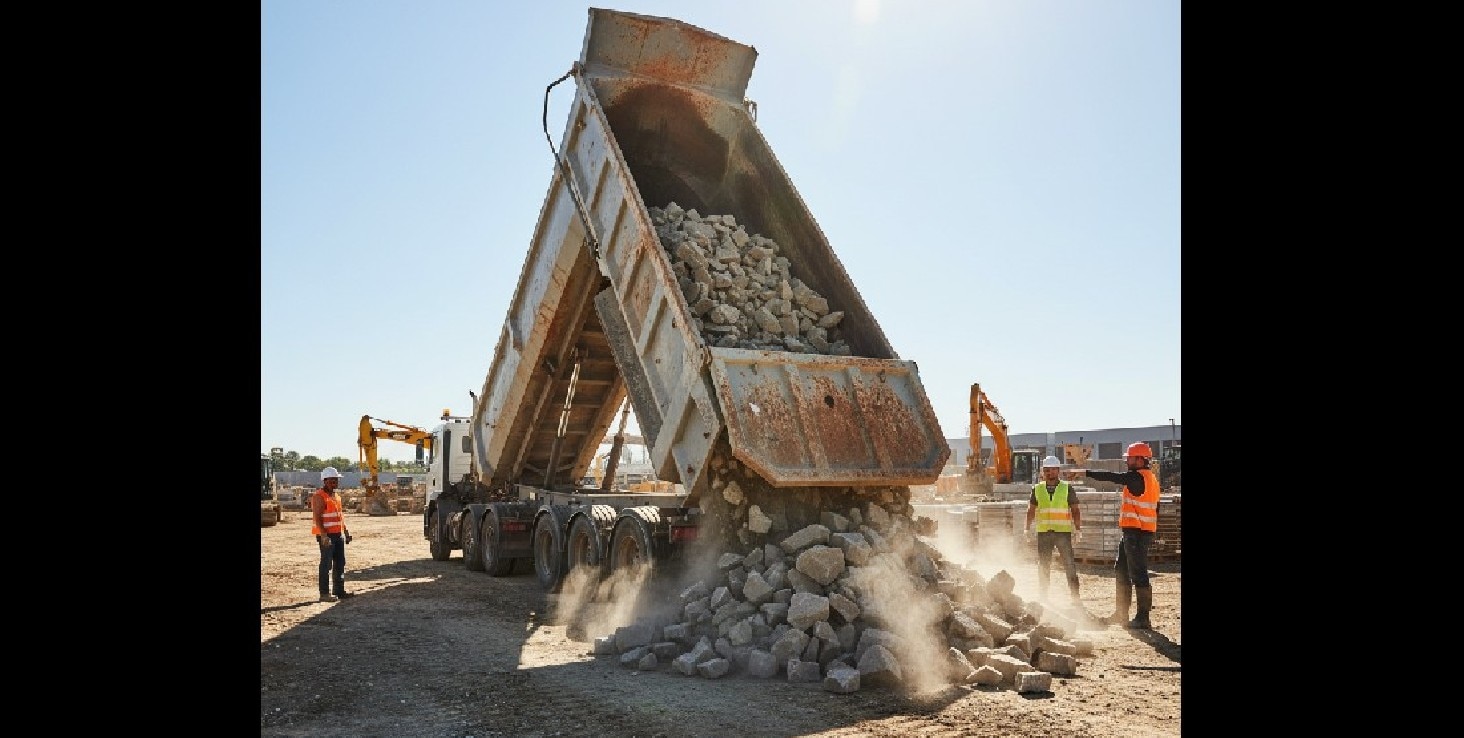
- Sample Prompt: Create an image of an Ultra-realistic scene of a heavy-duty tipper trailer offloading concrete stones at a construction site. The trailer bed is raised high, with rocks tumbling out in dynamic motion. Dust particles in the air, sunlight casting sharp shadows, rugged ground texture, high-resolution metal details, realistic wear and rust on the trailer, workers in safety gear nearby, wide-angle perspective, crisp depth of field, natural colors, and cinematic contrast.
Part 5: Nano Banana Pro vs. Nano banana 1: Real-World Use Cases

Let's take the Nano Banana Pro vs. Nano Banana 1 comparison to the real-world use cases. Learning how each performs handles real life from quick ideation to detailed concept art. The table below contains the best real-life projects for each of the models.
| Example Projects for Nano Banana 1 (Gemini 2.5 Flash Image) |
|
| Example Projects for Nano Banana Pro (Gemini 3 Pro / GEMPIX‑style) |
|
Best Scenarios to Use Nano Banana 1 vs. Nano Banana Pro
| Best Scenarios for Nano Banana 1 |
|
| Best Scenarios for Nano Banana Pro |
|
Note: According to Google, you can try Nano Banana Pro (Gemini 3 Pro Image) in the Gemini app. Free-tier users are given a limited quota for Pro before being switched back to the original Nano Banana model. On the other hand, Google’s API / AI Studio Pro is not free: each image incurs a cost. On the standalone Nano Banana.ai pricing page, you also see paid plans: e.g., $9.99/month for a “Basic” tier you need.
Furthermore, if you are a content creator and wish to use the Nano Banana for your projects, consider using Wondershare Filmora. This top-tier video editor integrates the Nano Banana. With Filmora, you can create an image, edit, animate, and upload to your social media platform.

 secure download

Steps on How to Use Nano Banana on Filmora
Follow the steps below to use the Nano Banana model on Filmora.
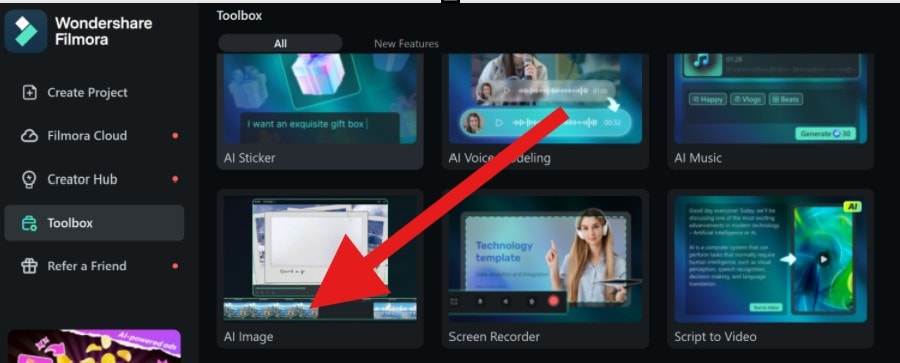
Step 1: Open Filmora and go to the AI Image tool in the toolbox.
 secure download
 Step 2: Choose the Nano Banana model and upload the image you want to edit (or start from scratch with a detailed prompt). Click Generate; once the image is generated, you can continue editing using Filmora’s tools, add filters, adjust brightness, or overlay other effects. We will be using the prompt from earlier.
Step 3: Preview and Export the final result.
How to Use Nano Banana Pro in Filmora Mobile
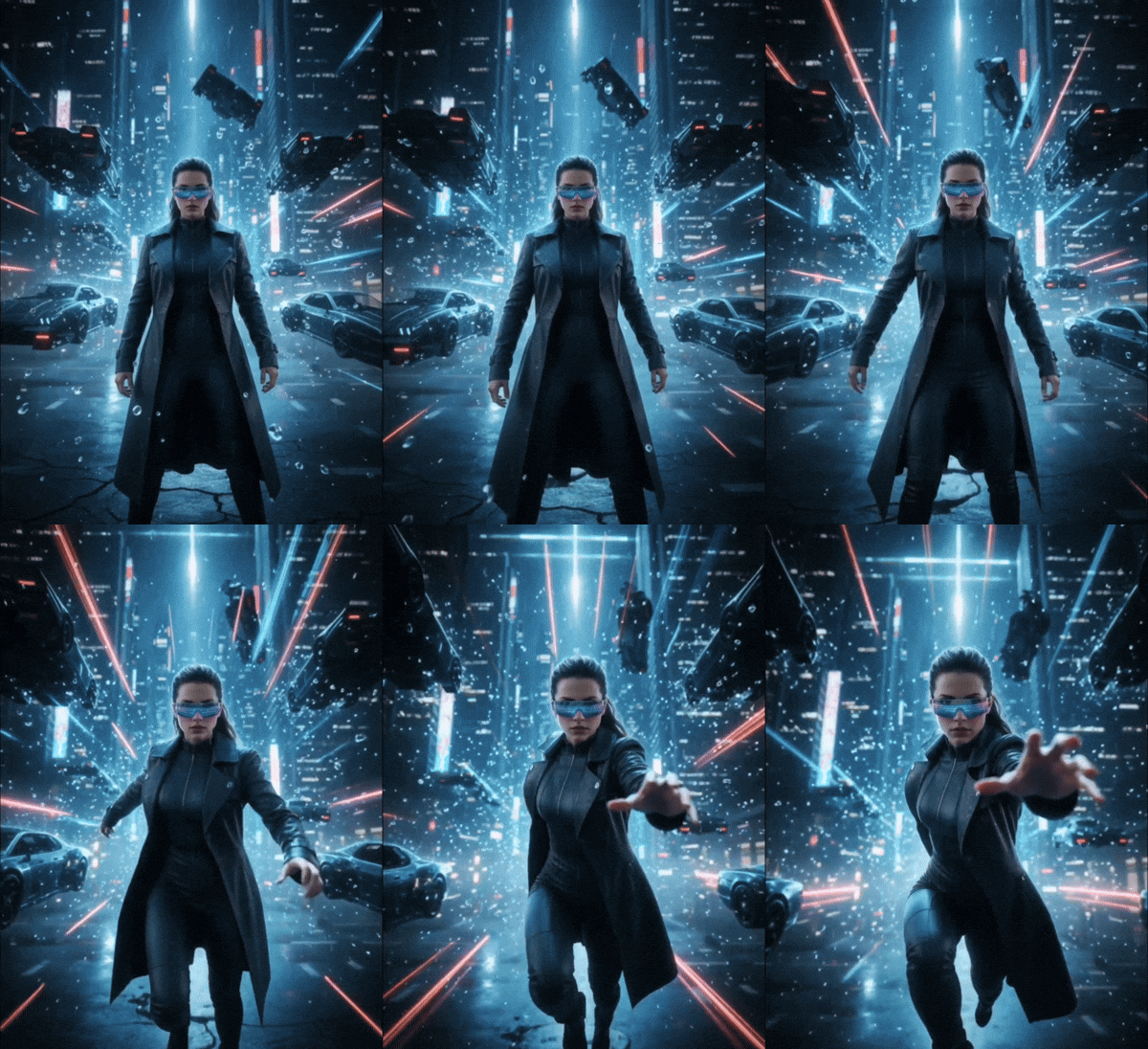
Filmora Mobile now features a dedicated Nano Banana Pro template category designed for creators who want to build AI-powered videos on their phones. These templates utilize Filmora’s Nano Banana Pro modeling system to animate images, add stylized effects, and create short cinematic and social-ready videos in seconds. Below are the steps to follow to get this done.
Step 1: Open the Filmora app on your mobile device. At the bottom of the home screen, tap the Templates button.
secure download Step 2: Scroll through the Nano Banana Pro templates and select the one that fits your project. Tap Use to begin.
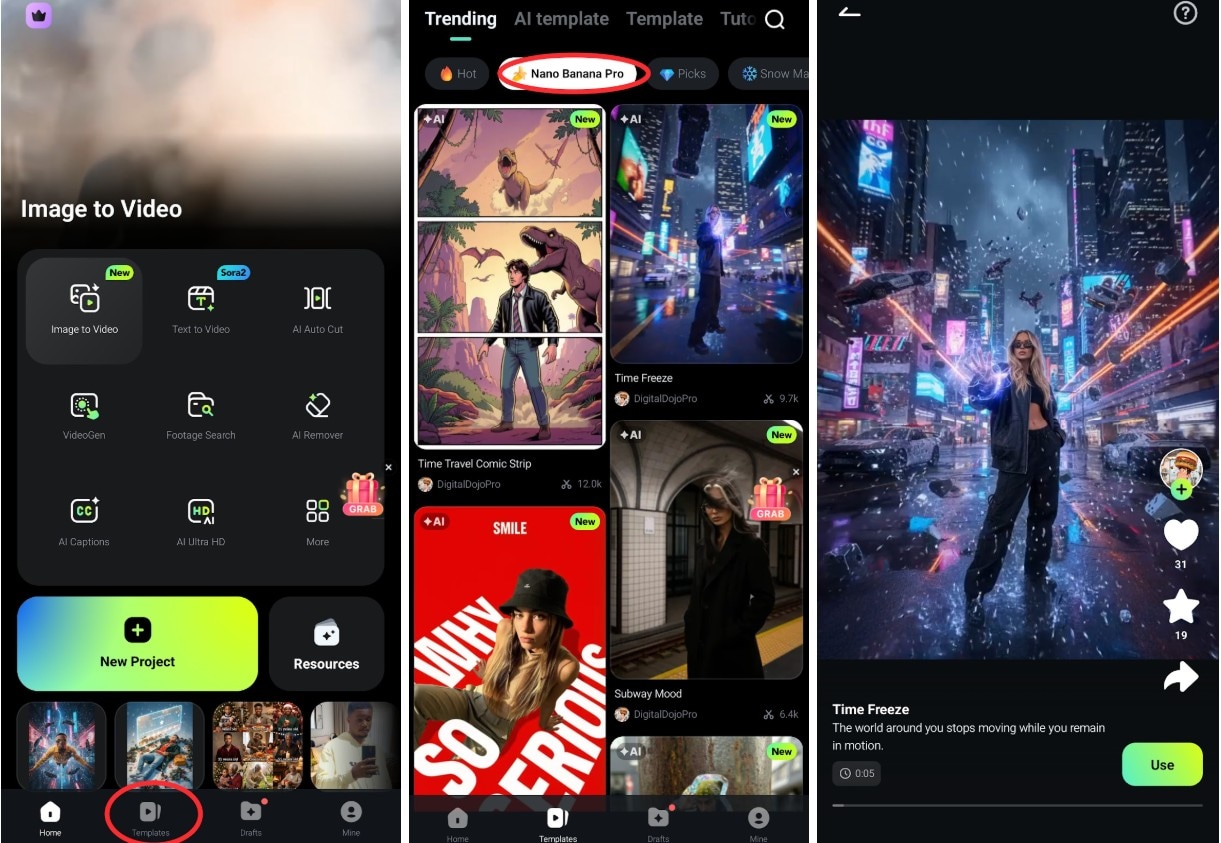
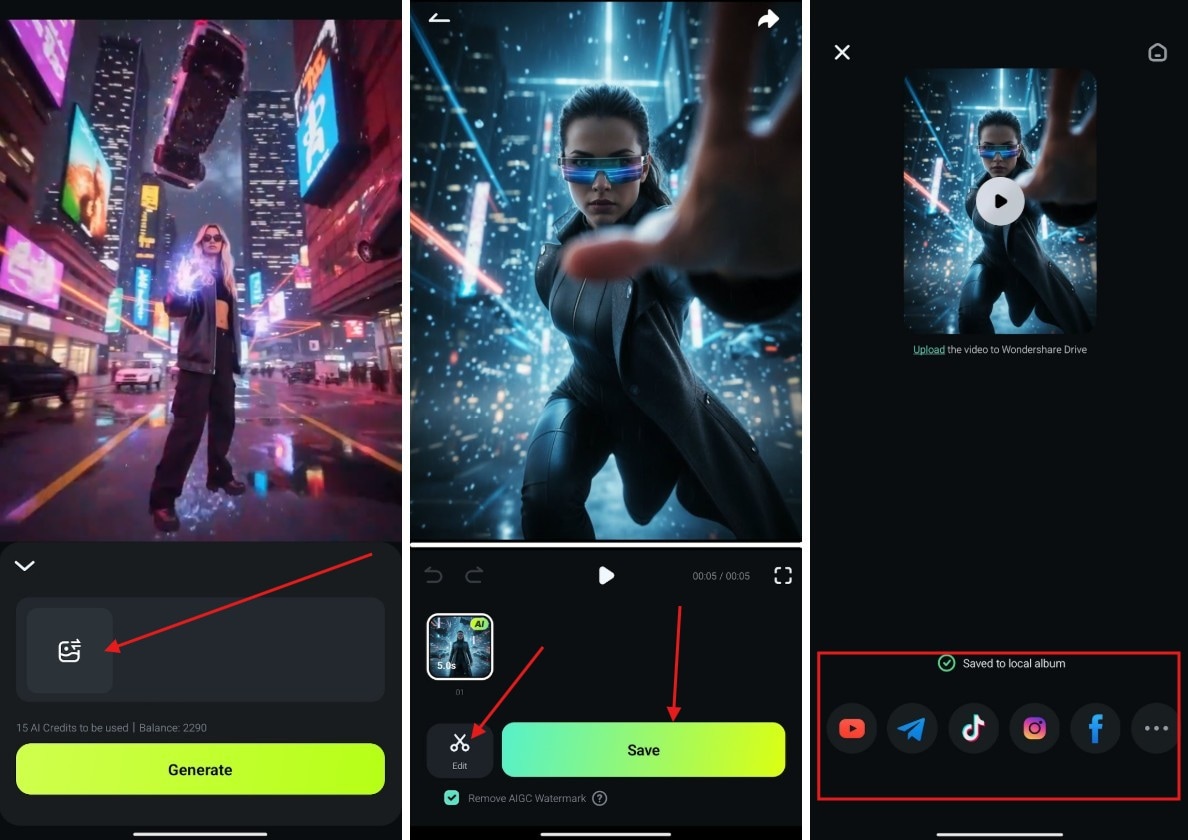
Step 3: On the next screen, tap the image icon to upload your preferred image. After selecting it, tap Generate.
Step 4: Once the process is complete, you will see options to Save or Edit the result. Choose your preferred choice, then export or save your image. After that, you can share it on your social platforms.
Output Preview
Conclusion
Choosing between Nano Banana Pro vs. Nano Banana 1 ultimately depends on your workflow and project needs. Nano Banana 1 remains ideal for quick sketches, experimental ideas, and lightweight devices. In contrast, Nano Banana Pro excels in delivering high-detail, consistent, and professional-quality outputs, making it the better choice for serious creators and commercial projects.
