


Ever watched a video where text seems to stick perfectly to a moving sign, or a vlogger stays dead-center in frame no matter how much they move around? That's camera tracking at work, and it's a lot more common in everyday editing than most beginners realize. But the thing is, most explanations jump straight into terms like 3D camera tracker or AI camera tracking without actually explaining what's happening or why it matters.
This guide fixes that. We'll break down what camera tracking actually is, the different types you'll run into, where it shows up in real projects, and which video editors, from Filmora to Blender, actually support it well.
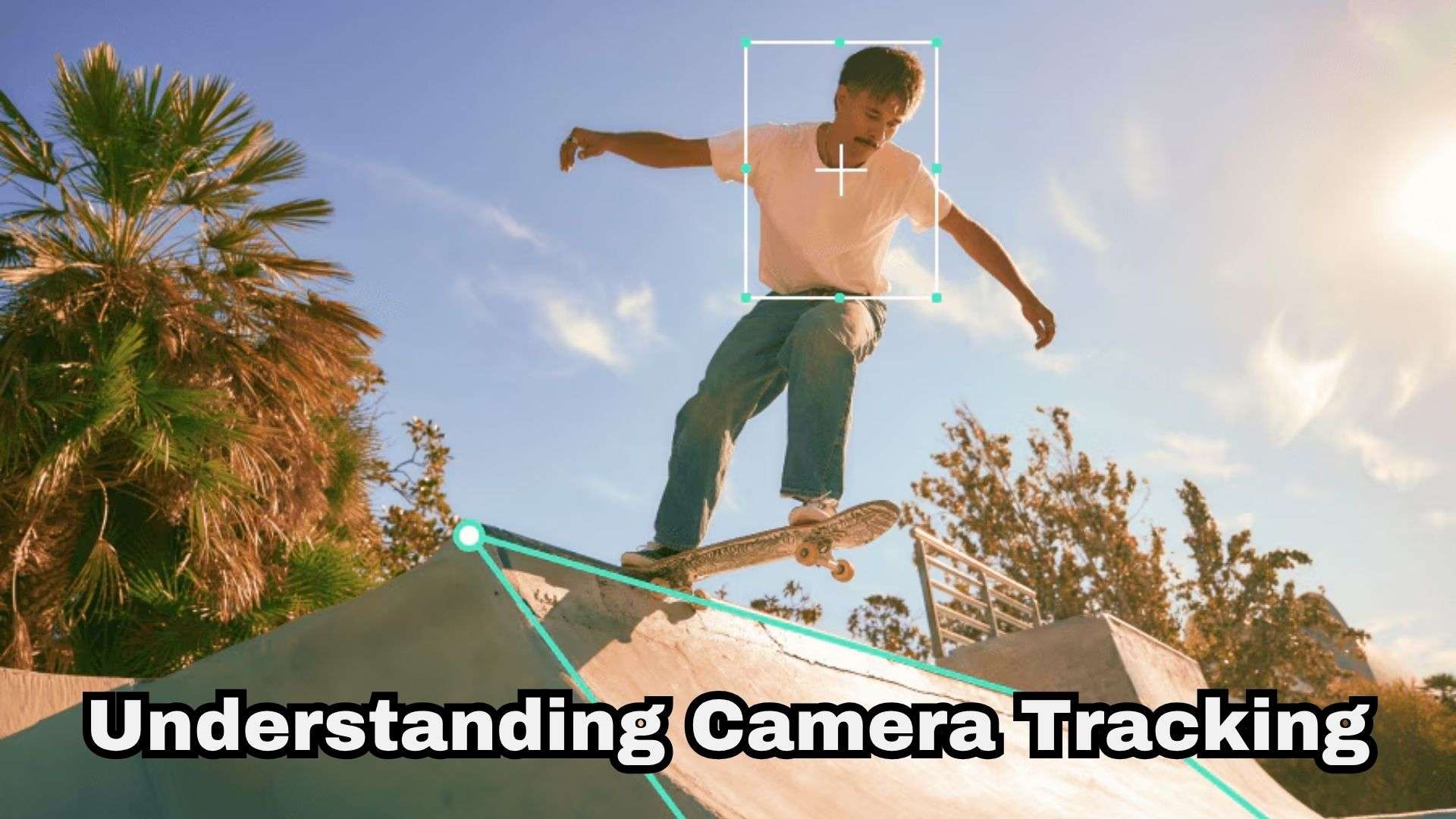
Part 1. What is Camera Tracking?
Basically, camera tracking is the process of analyzing movement in video footage to determine how the camera moves through a scene. The software studies your footage, works out where the camera was pointing and how it moved frame by frame, and then uses that information so anything you add later (text, effects, or 3D objects) moves exactly the way the real camera did.
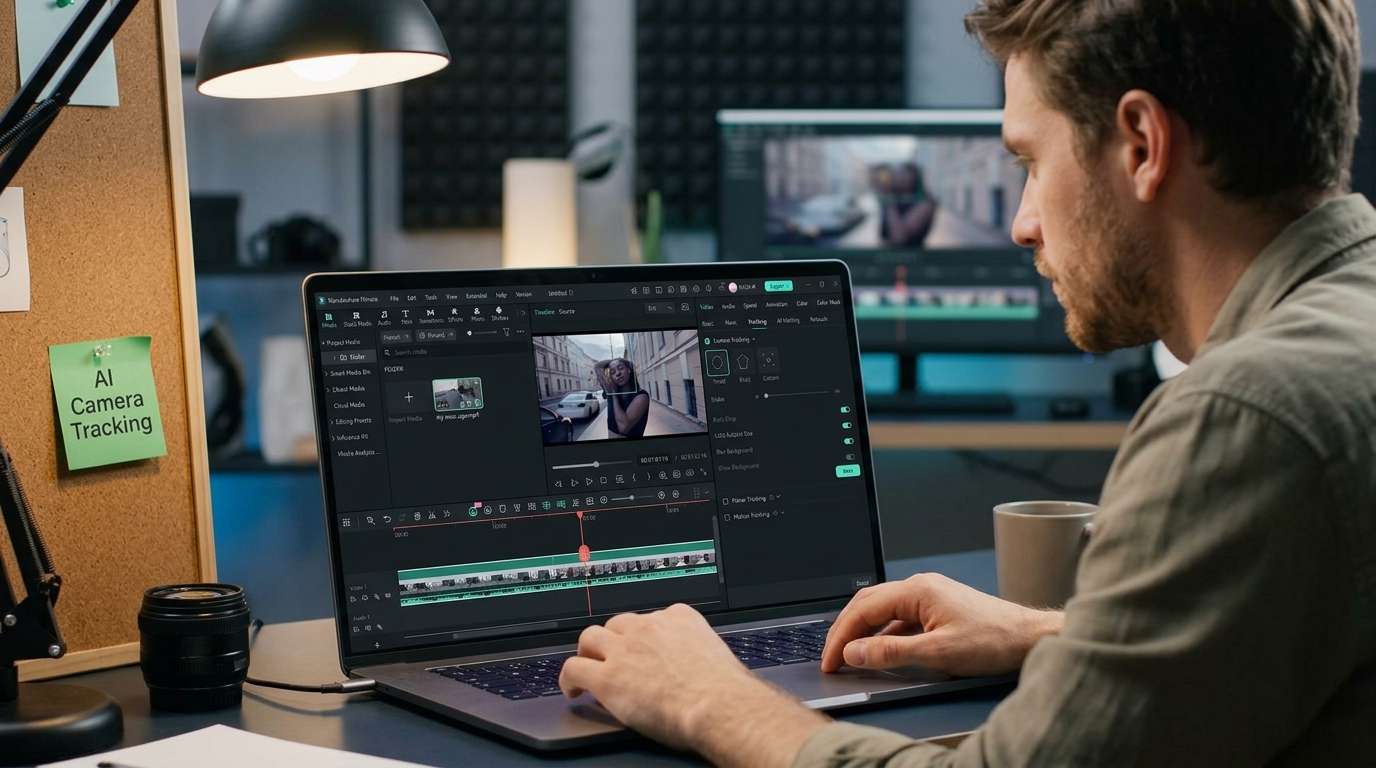
Types of Camera Tracking
Camera track can sound complicated because editors use the same word for several different techniques. So, knowing the difference actually matters once you start picking a tool. Here's how the main types break down.
| Tracking Type | Tracking Dimensions | User Setup Effort | Common Uses | Best For |
| 2D Camera Tracking | 2D Plane (X and Y axes, scale, rotation) | Low: Set a single point, 2 points, or a 4-point corner pin | Simple title stickers, flat logos, speech bubbles, basic screen replacement | Simple VFX and motion graphics |
| 3D Camera Tracking | Full 3D Space (X, Y, Z axes + camera depth & focal length) | High: Analyze point clouds, ground planes, and solve camera angles | Dropping 3D models into real scenes, realistic wall text, CGI VFX | VFX and 3D compositing |
| Object / Subject Tracking | Specific moving target within the frame (2D or 3D path) | Medium: Draw a bounding box or select a specific feature point | Pinning floating labels to runners, glowing suit effects, license plate blurs | Social videos, sports, and product videos |
| AI Camera Tracking | Dynamic real-time auto-detection & reframing | Minimal: Tap a preset mode (Head/Body) and let AI solve it | TikTok lock-on dance trends, auto-centering vloggers, sports tracking | Beginners, vloggers, and short-form creators |
|
Show More
Show Less
|
||||
Camera Tracking vs. Motion Tracking
These two terms get used interchangeably all the time, but they're solving slightly different problems. Camera tracking is about understanding how the camera itself moved through a scene. Motion tracking is about following one specific object or point as it moves, regardless of what the camera is doing. Check out a clearer side-by-side comparison below.
| Camera Tracking | Motion Tracking | |
| What It Follows | Movement of the camera through the scene | Movement of an object, person, face, or selected area |
| Goal | Match digital elements to the camera movement | Keep an effect or element attached to a moving target |
| Common Use | Adding 3D text, CGI, or virtual objects to live footage | Following people, faces, cars, screens, or other objects |
| Example Tools | After Effects 3D Camera Tracker, DaVinci Resolve Fusion, Blender, Filmora's new Camera Tracking | Premiere Pro's mask tracker, CapCut's Tracking tool, After Effects' point tracker |
|
Show More
Show Less
|
||
Part 2. What is Camera Tracking Used for? Common Examples
So far, we only talked about the theory. But once you see the camera tracker is actually analyzing, the creative possibilities become much easier to understand.
1. Add Text That Stays in the Scene
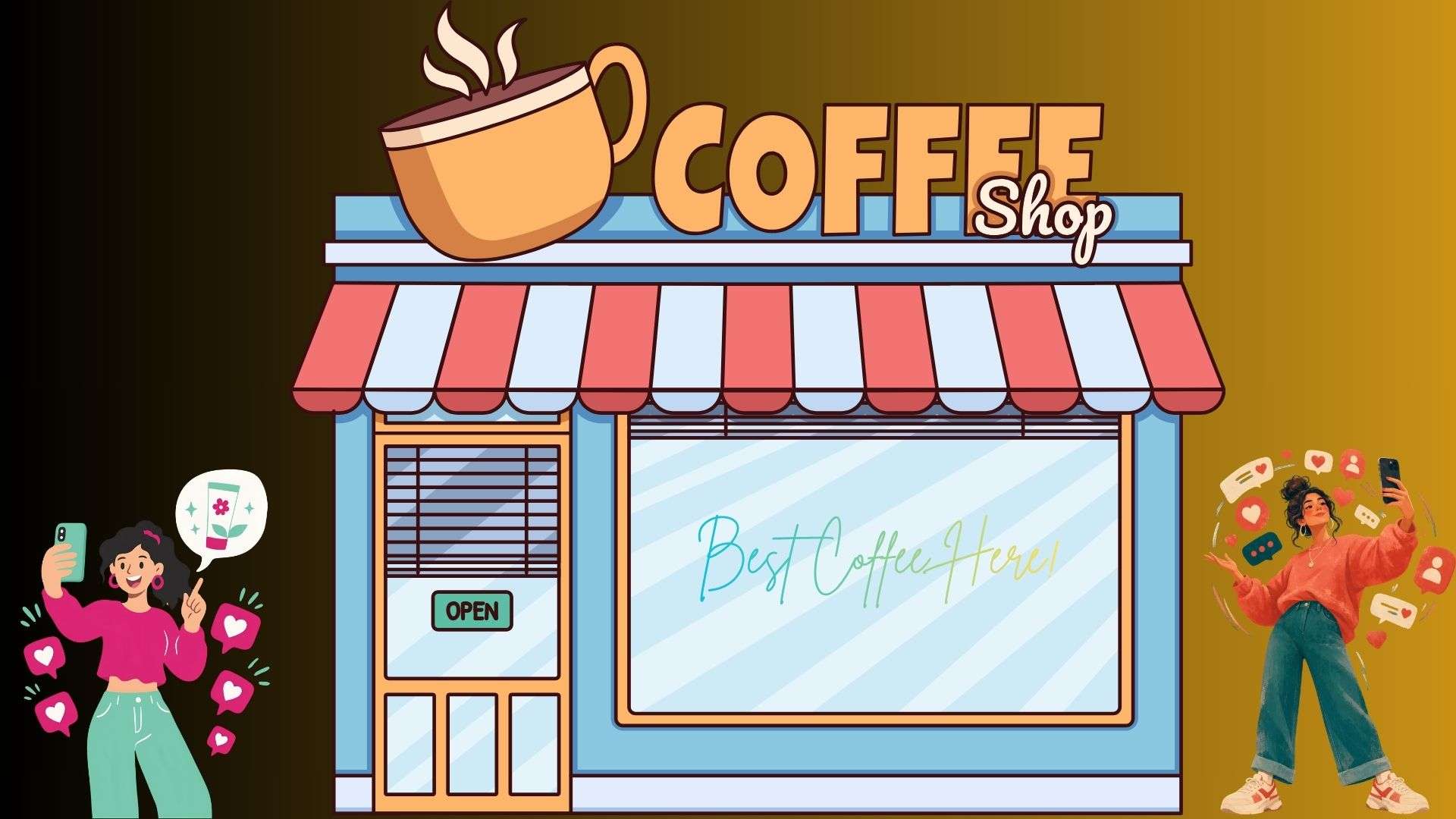
One of the easiest camera-tracking video effects to recognize is text that appears to belong to the physical environment. Imagine filming yourself walking through a café. You could place the words "Best Coffee Here" on a window. As the camera moves, the text stays aligned with the window instead of floating across the screen.
2. Add Special Effects to Moving Footage
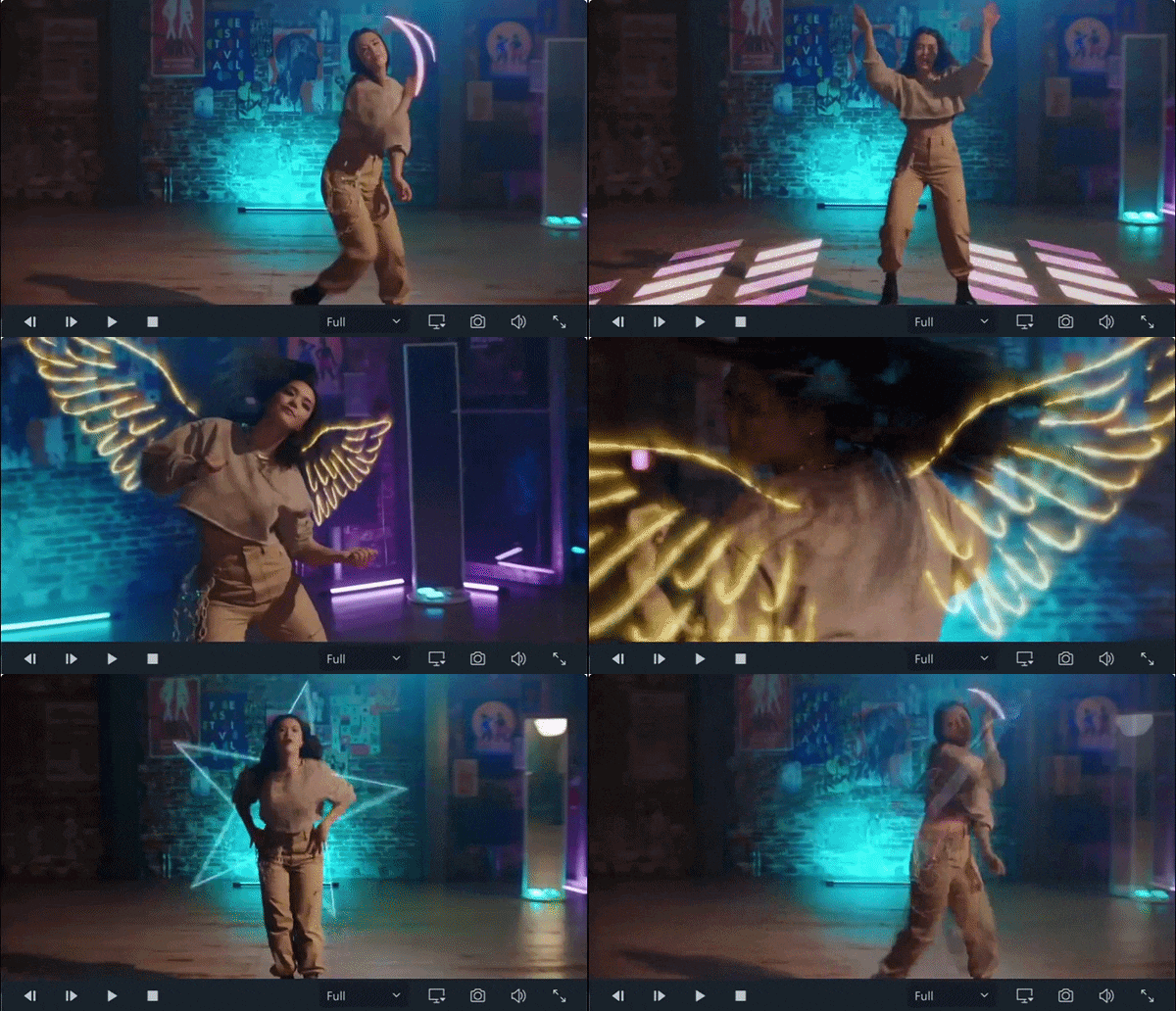
Sparks, glows, or outlines can be matched frame by frame to something moving in the shot, rather than just sitting in a fixed spot. It's very useful for action videos, dance clips, car footage, gaming-style edits, and short-form content.
3. Place 3D Objects Into Real Footage
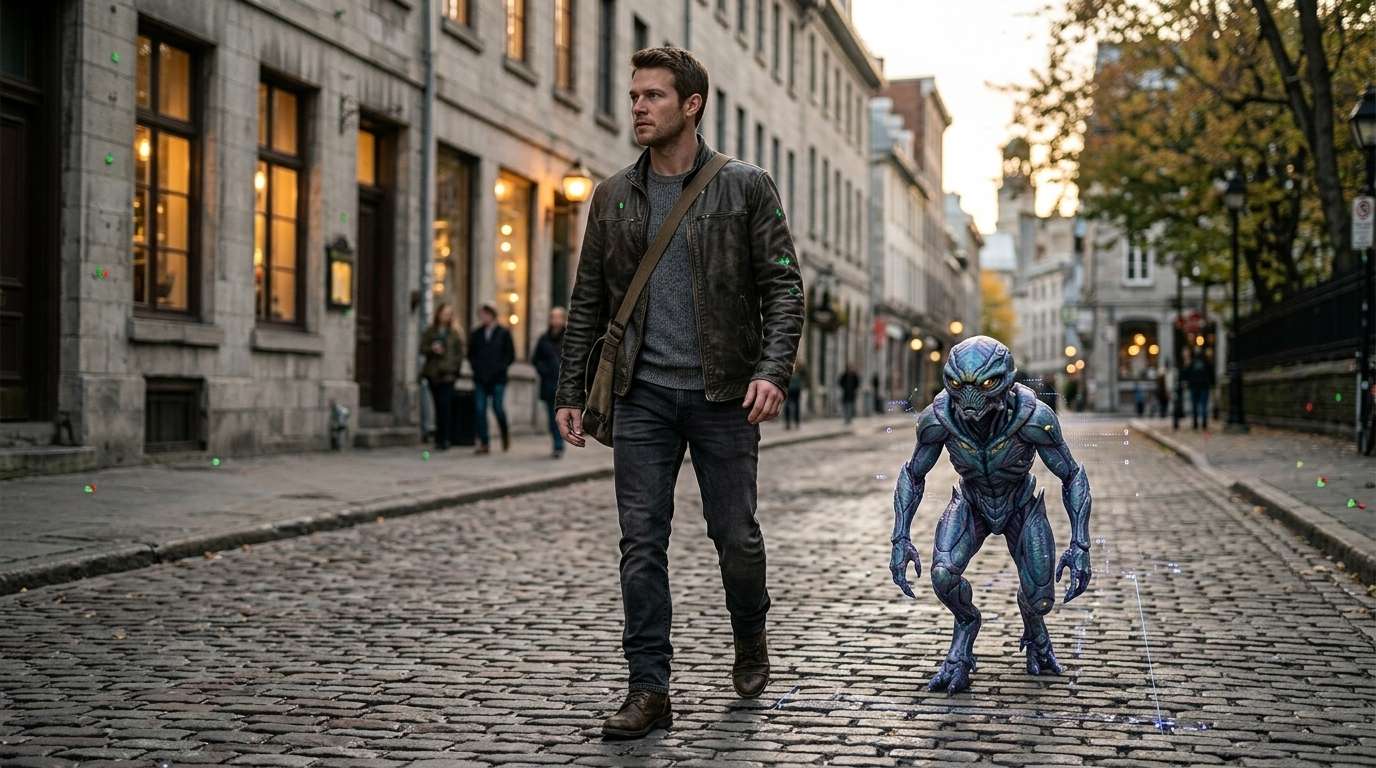
If you are into 3D design, you can make use of 3D camera tracking by dropping custom models into live-action footage. For instance, you can insert a CG creature walking alongside an actor, using After Effects' 3D Camera Tracker or Blender's camera solver so the creature's position matches the camera's pans and tilts perfectly.
4. Track a Person or Subject for Effects
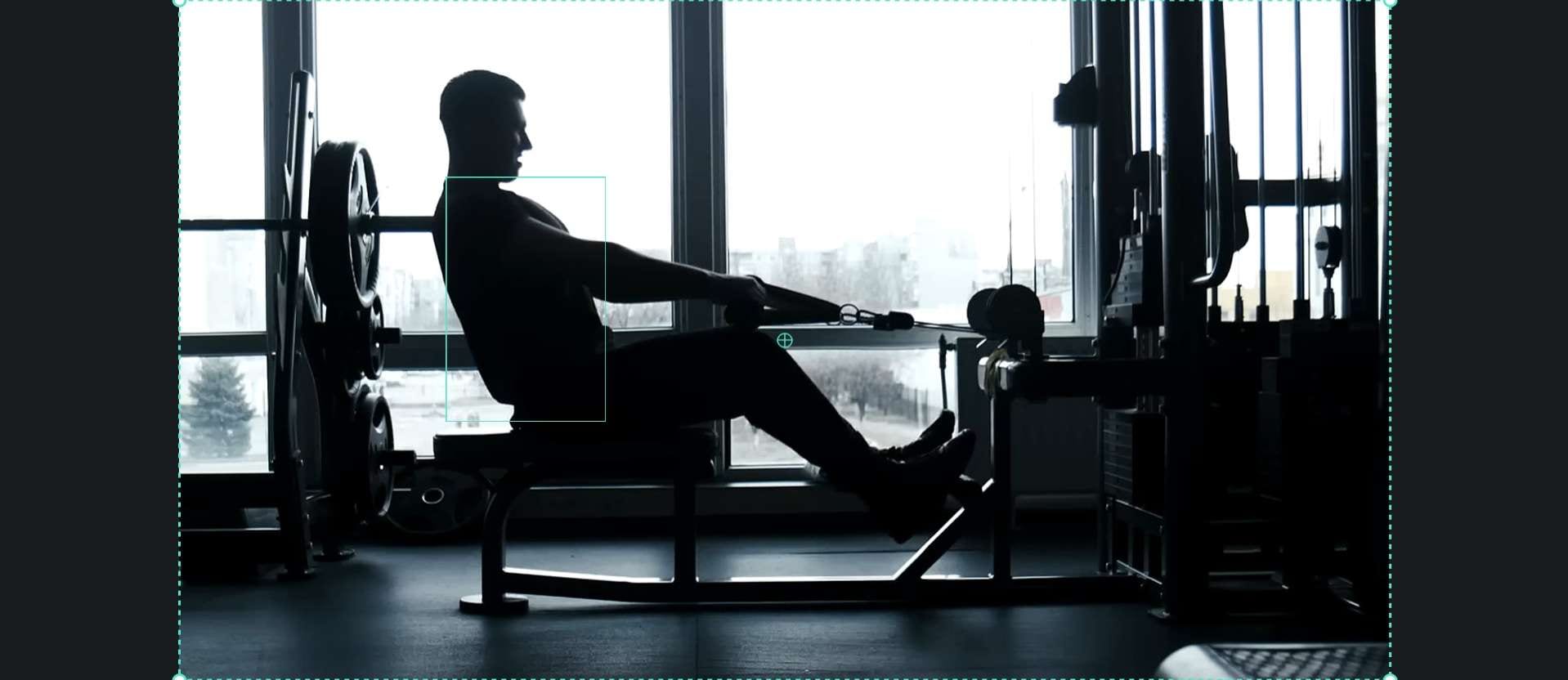
You can also use camera tracking to keep an effect attached to a person. For example, if you are a fitness creator filming a workout with the camera on a tripod off to the side, you can keep them centered in frame throughout the whole routine without any manual panning.
5. Recreate a Real Camera in a 3D Scene
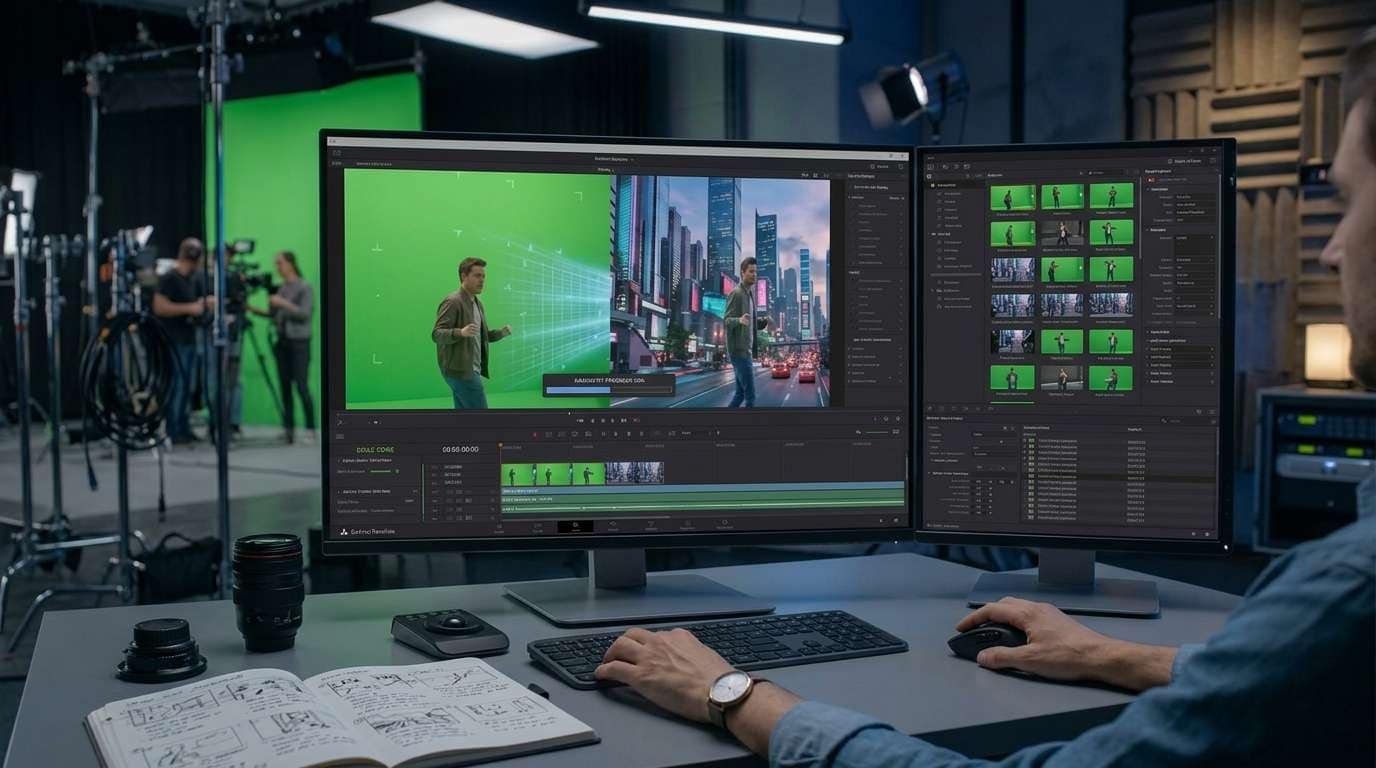
In VFX and 3D software, the goal can be to reconstruct the movement of the physical camera that recorded the original footage. Blender, for example, can track markers in footage and solve the camera motion. Its Camera Solver can then make a Blender camera imitate the movement of the real-world camera.
Part 3. Popular Video Editors That Support Camera Tracking
As you can probably tell by now, camera tracking is a genuinely useful tool to have in your back pocket. Fortunately, several top-tier video editing applications provide built-in tools for the job. Let’s explore six standout choices!
1. Wondershare Filmora
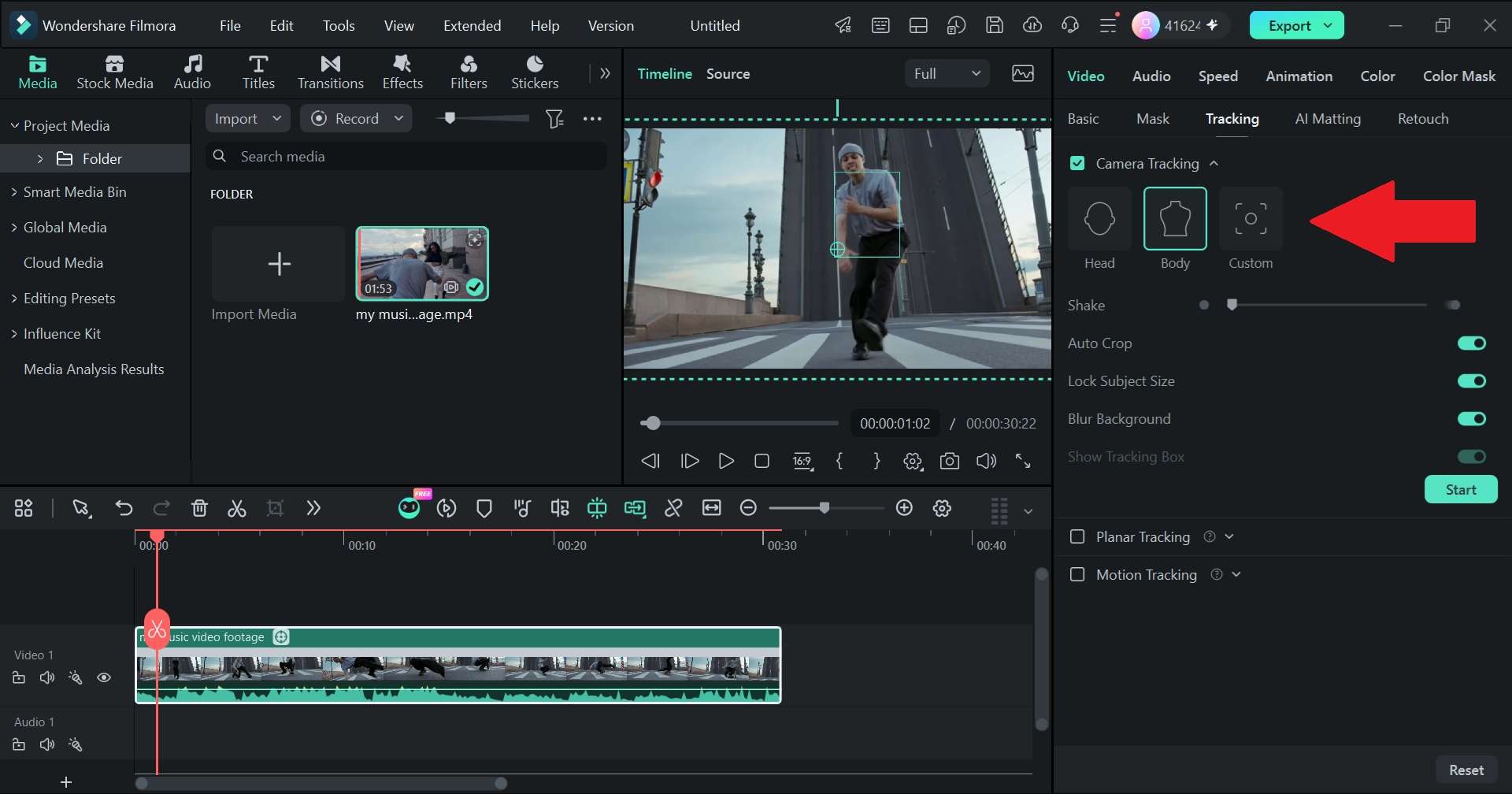
Filmora is taking a genuinely different approach to camera tracking with its upcoming Camera Tracking feature, landing in Filmora 16. It dynamically locks the camera view onto a subject, whether that's a person's head, their full body, or a custom area you draw yourself, and keeps them centered and framed the whole way through. Basically, it's more about giving everyday creators a 'camera follow me' effect without touching a single keyframe.
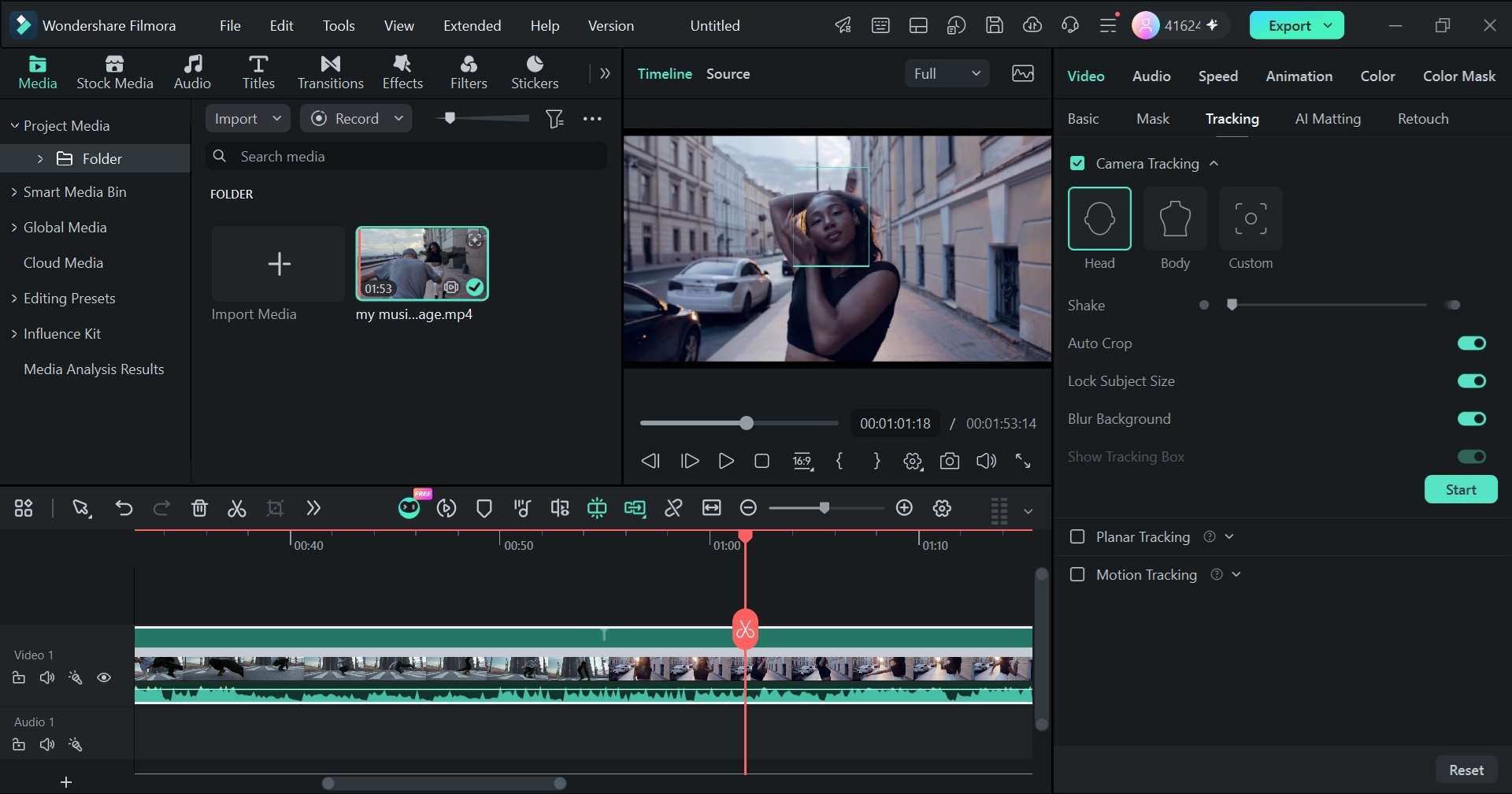
- AI Target Modes: Easily select Head Mode for talking heads/trends, Body Mode for sports and dance, or Custom Area for pets and products.
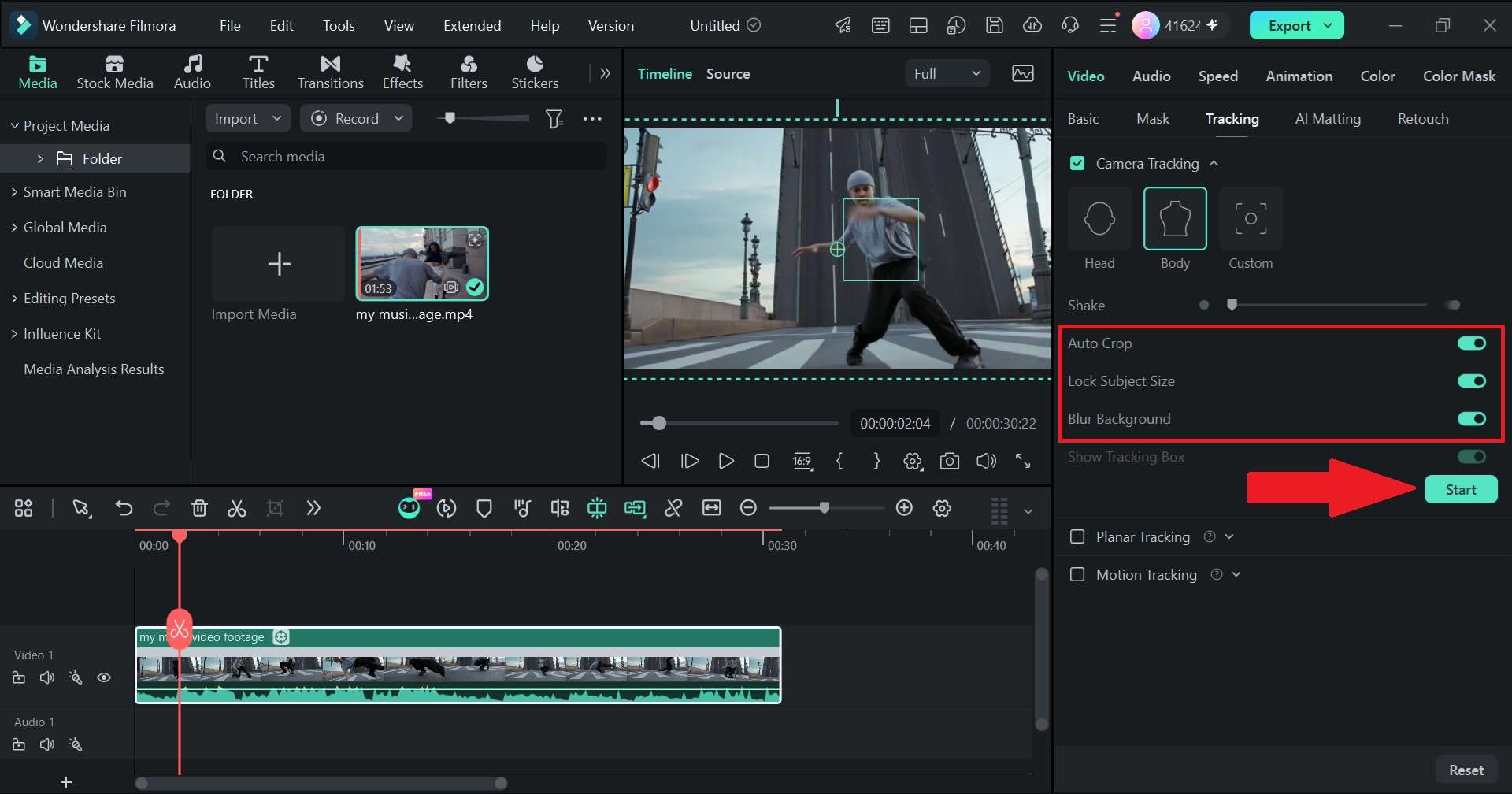
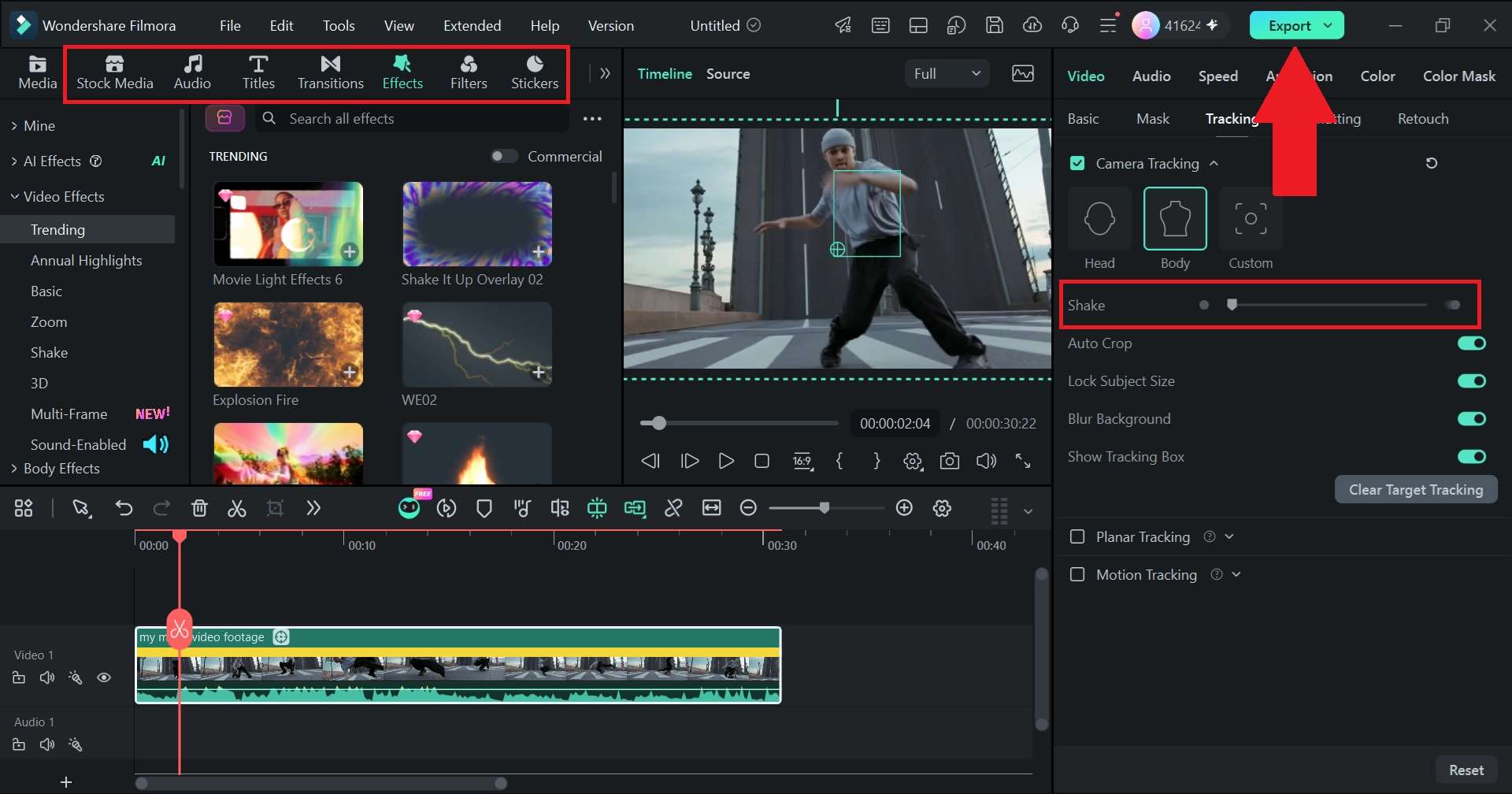
- Camera Shake Control: Smooth out post-tracking camera jitter for cleaner playback.
- Crop Compensation & Size Lock: Keeps your target size uniform across dynamic zooms.
- Background Blur Fill: Automatically pads empty cropped edges with soft Gaussian blur so black borders never break your scene.
- Timeline Safety: Cuts, splits, and trims don't ruin your tracking data. It re-adapts automatically across your clip edits.
- Multi-Task Queue: Process multiple clips in the background seamlessly.
Windows, macOS.
- Vloggers.
- TikTok/Reels creators.
- Sports and action editors.
- Educators.
- Product creators.
- Beginners who want automatic subject-following effects.
 Secure Download
2. Premiere Pro
If you are searching for a Premiere Pro tracker, there is an important distinction to make. They don’t have a full 3D camera tracker the way After Effects does, but it's still a solid pick for the more everyday side of tracking. Its planar/mask tracking lets you pin a flat graphic to a surface (like a logo on a wall) or follow a moving object to blur a face or license plate.
- AI Object Mask: Selects people or objects and tracks them through footage.
- Warp Stabilizer Integration: Smooths out bumpy handheld footage by analyzing frame motion.
- Auto Reframe AI: Re-centers key action points for square or vertical social media ratios.
Windows, macOS.
- Professional filmmakers.
- Editors who already work in the Adobe ecosystem.
- Anyone who needs everyday 2D tracking and stabilization.
3. DaVinci Resolve
If your goal is to work on high-end Hollywood visual effects or professional color grading, we’d recommend DaVinci Resolve. Packing a studio-grade engine, the DaVinci Resolve camera tracker inside the Fusion page lets you solve complex 3D environments with high precision. There are also simpler point and planar trackers on the Color and Edit pages for quick 2D jobs that don't need the full 3D treatment.
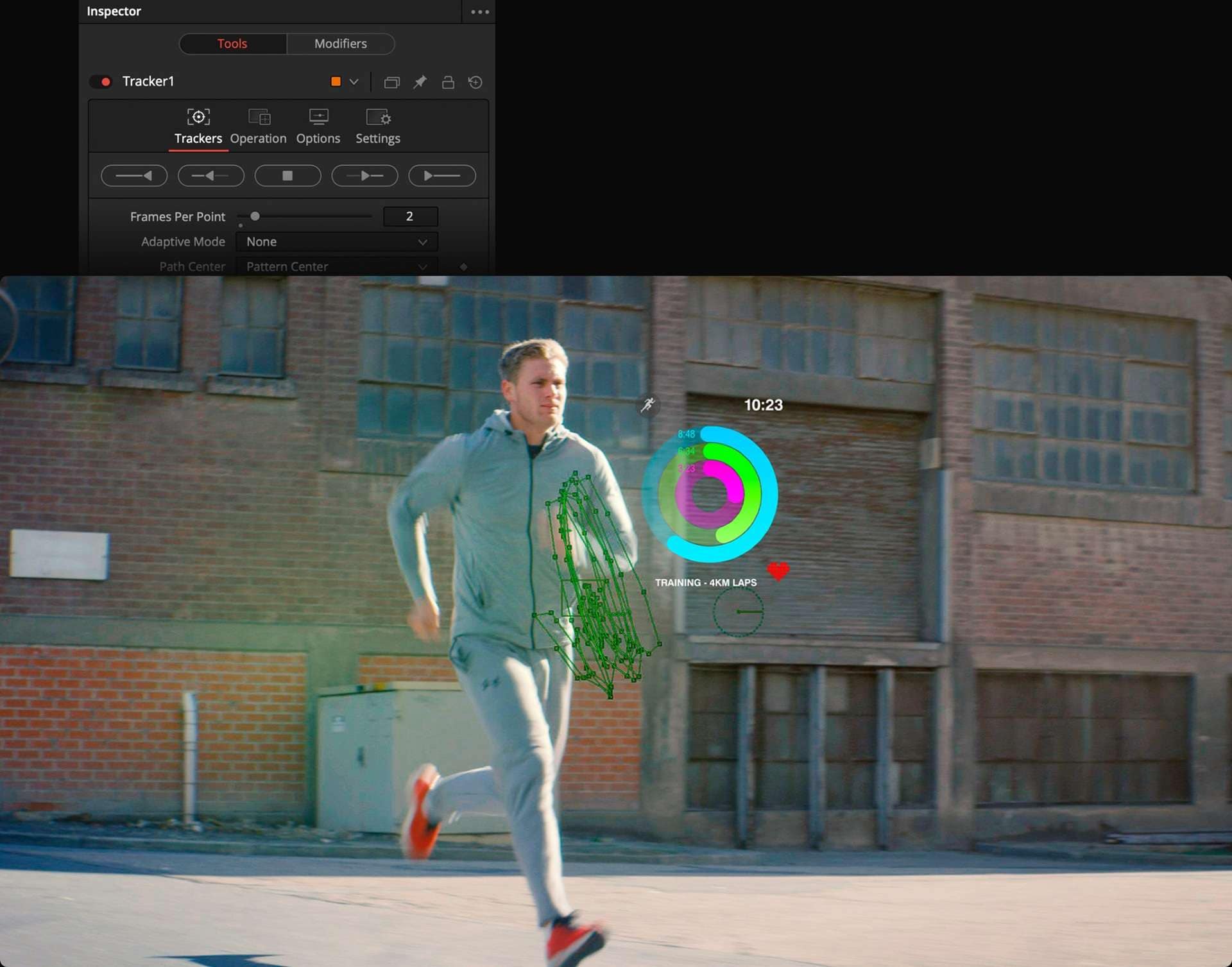
- Fusion Camera Tracker: Reconstructs camera movement for 3D compositing.
- Planar & Point Tracking: Track flat surfaces like phone screens, walls, or billboards with ease.
- Node-based Compositing: Connect tracking data directly to lighting, particles, and 3D models.
Windows, macOS, Linux.
- Editors moving into VFX.
- Compositing.
- Color grading.
- Advanced tracking work.
4. CapCut
For short-form creators, CapCut camera tracking is a much more familiar kind of experience. The camera tracking in CapCut is designed around following subjects in video, with options such as Face, Body, and Hand tracking in the camera-tracking interface. It's not aiming for VFX-grade 3D compositing; it's aiming for speed, which is exactly what a lot of Reels and TikTok workflows actually need.
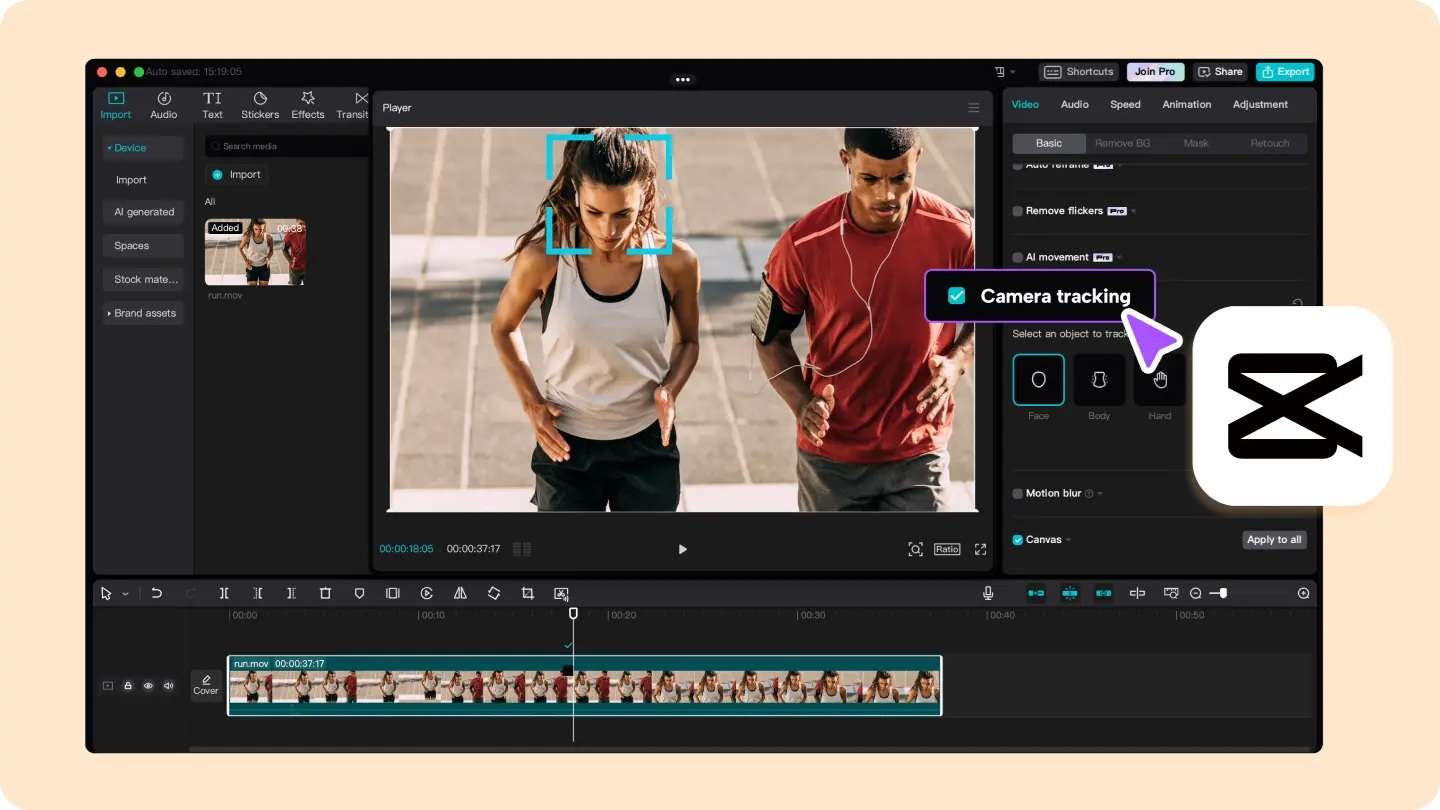
- One-Tap Camera Tracking: Quick head, face, and body lock-on modes for short-form clips.
- Auto Reframe: Helps adjust framing for different aspect ratios.
- Social-Friendly Editing: Combines tracking with captions, effects, transitions, and other short-form tools.
Windows, macOS, Android, iOS.
- TikTok, Reels.
- YouTube Shorts.
- Social-media creators.
- Quick effect-heavy edits.
5. Blender
For a completely free option, Blender 3d camera tracking is genuinely hard to beat. Blender's dedicated 3D Motion Tracking workspace includes a full camera solver that reconstructs the physical camera's 3D movement from your footage, on par with tools that usually cost real money. Its workflow is more technical, you're manually placing and refining tracking markers, but the payoff is professional VFX-grade tracking without spending a cent.
- 3D Camera Solver: Reconstructs the camera's real-world position, rotation, and movement inside the Movie Clip Editor.
- Object Motion Tracking: Perform a Blender camera-tracking object routine to follow individual moving elements in 3D space.
- Scene Orientation Tools: Set floor, wall, scale, and origin so your inserted 3D elements sit correctly.
Windows, macOS, Linux.
- 3D artists.
- VFX creators.
- Animators.
- Indie filmmakers.
- Students who want professional 3D camera tracking without buying software.
6. After Effects
Lastly, when people search for how to track cameras in After Effects, it's usually because someone told them this is the industry-standard answer, and they're right. Using the 3D camera tracker in After Effects, you can analyze complex background motion and generate a virtual camera with attached text and light layers in minutes. It's the tool behind a huge chunk of the compositing work you see in ads, music videos, and indie VFX shorts.
- 3D Camera Tracker: Automatically analyzes scene points to build virtual cameras and ground planes.
- Trackable Null Objects: Attach any layer, light, or 3D element to the solved camera data.
- Compositing Tools: Combines tracking with masks, effects, animation, and keyframes.
Windows, macOS.
- Visual effects artists.
- Motion designers.
- Filmmakers.
- Compositors needing precise depth and 3D spatial alignment.
Which Camera Tracking Tool Is Right for You?
Six solid options is a lot to weigh at once, and there is no single camera tracking tool that fits every project.
So, here's a side-by-side to help you land on the right one faster:
| Pricing | 3D Camera Tracking | Main Use | Difficulty | |
| Filmora | Freemium / Subscription | No (subject-locked tracking, not full 3D reconstruction) | Vlogs, social content, product videos | Easy |
| Premiere Pro | Subscription (from $22.99/month) | Not available | General editing, basic 2D tracking & stabilization | Moderate |
| DaVinci Resolve | Free / $295 Studio | Yes (Fusion Camera Tracker) | Color grading, editing, VFX compositing | Moderate to Advanced |
| CapCut | Free / Pro Plan | Not available | Mobile-first social video editing | Easy |
| Blender | Free Open-Source | Yes (Motion Tracking workspace) | 3D animation, VFX, indie filmmaking | Advanced |
| After Effects | Subscription (from $22.99/month) | Yes (3D Camera Tracker) | Motion graphics & VFX compositing | Advanced |
|
Show More
Show Less
|
||||
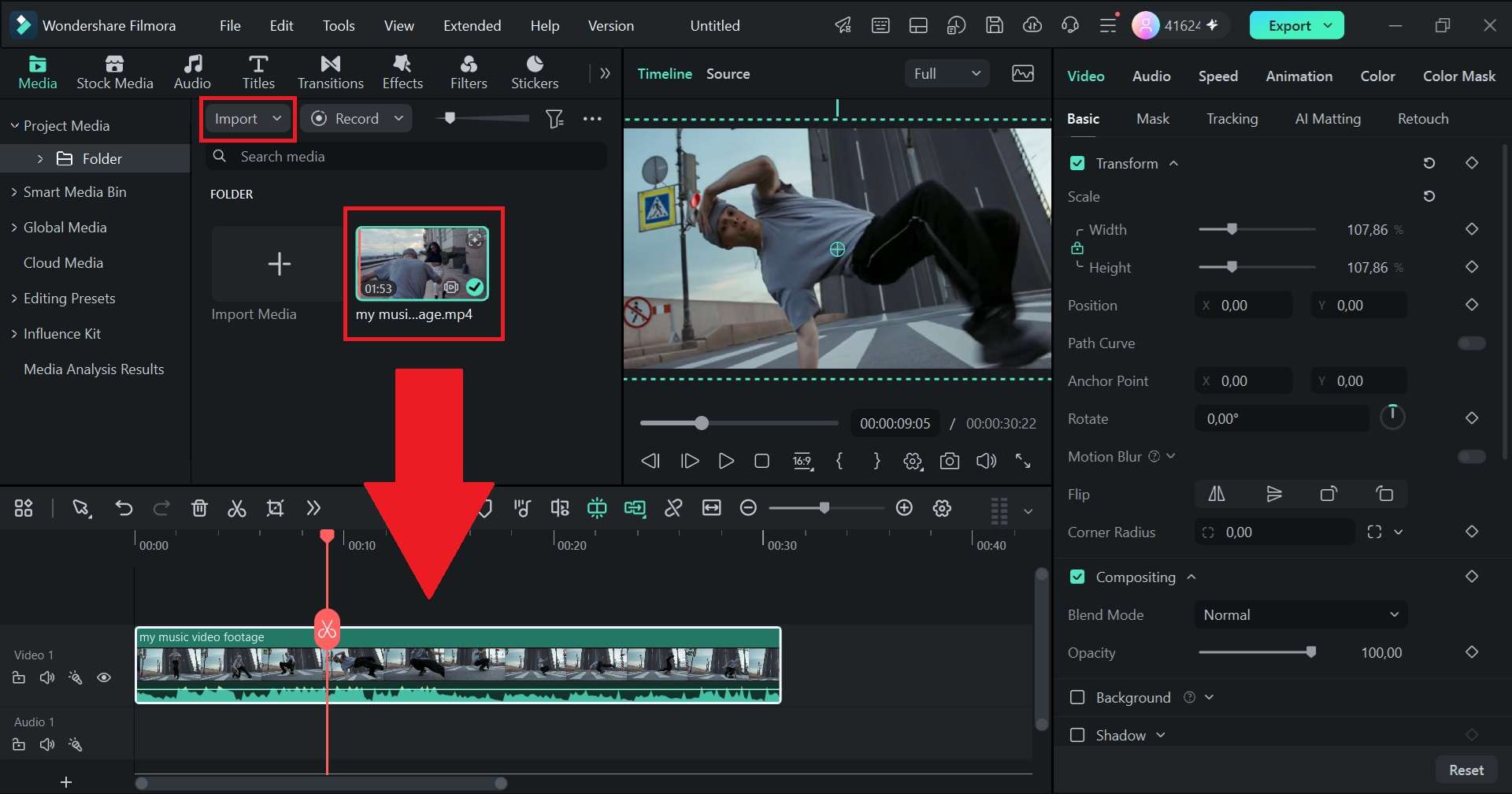
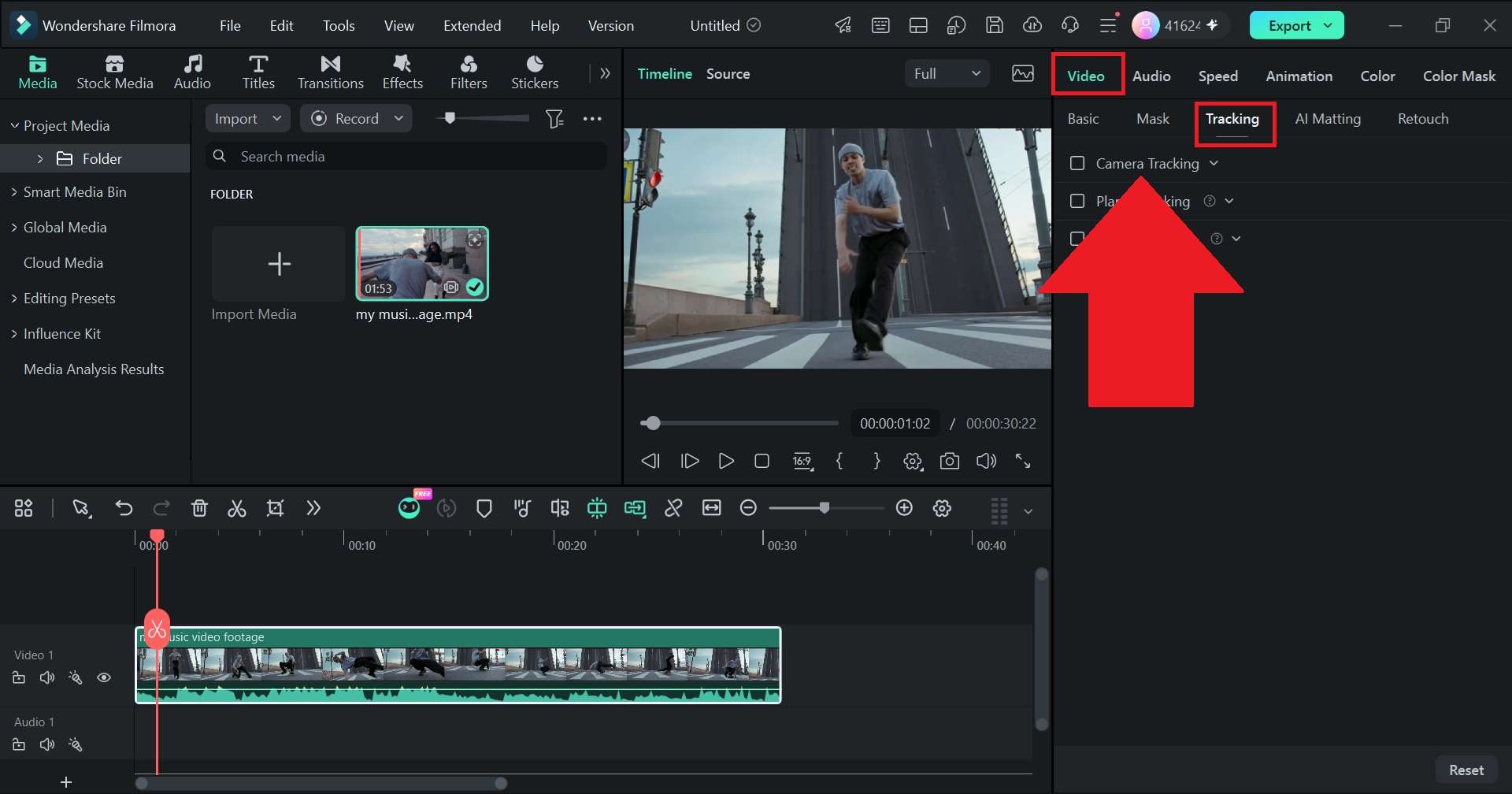
Part 4. How to Use Camera Tracking in Filmora
Since Filmora's upcoming Camera Tracking feature is built specifically to be approachable, actually using it doesn't require any prior VFX experience. Rather than creating a detailed 3D reconstruction of the scene like the traditional Adobe After Effects 3D camera tracking, it focuses on a much more common creator problem, "How do I keep this subject in the right place in the frame?" Here's how the workflow comes together.
 Secure Download
Conclusion
If you're making anything beyond the most basic static-camera content, camera tracking is genuinely worth learning, even just the beginner-friendly version. Depending on the tool, that might mean following a person, recreating camera movement, attaching text to a surface, or placing a 3D object into live footage.
For creators who mainly want a subject to stay nicely framed, Wondershare Filmora is the perfect place to start. The new Camera Tracking feature can follow a head, body, or custom area, while controls for shake, cropping, subject size, and blurred edge filling give you room to refine the result. You can get a camera-follow effect without building a full 3D tracking setup.
FAQs
-
Does camera tracking require a special camera?
No, camera tracking is done entirely in software after you've already filmed, so any camera works, including your phone. What actually matters more is footage quality: well-lit shots with enough visual detail (edges, textures, distinct features) give tracking software more to work with than flat, low-contrast, or extremely dark footage. -
How does 3D camera tracking work?
The feature analyzes hundreds of reference points across consecutive frames in your clip. By measuring how fast near objects move compared to distant objects (parallax), the software calculates the original camera’s focal length, position, and angle in a virtual 3D space. -
Does camera tracking work in real time?
Mostly no, standard camera tracking is processed after filming, since analyzing footage frame by frame takes real computing time, especially for full 3D solves in tools like After Effects or Blender. Some simpler, AI-driven tracking (like locking onto a face for a live filter) can run closer to real time, but full scene reconstruction is still typically a post-production step.
