

 100% Security Verified | No Subscription Required | No Malware


 ChatGPT
 Perplexity
 Gemini
 Claude
 Grok
Grok
In a certain way, golden hour is something truly magical. It has a special power that stirs emotions and touches the heart. If that is the kind of effect you want to achieve, then you should try to use the golden hour filter. Yes. In just a snap, you can directly apply the majestic glow of the sunrise and sunset to your video content. No complex procedure is required on your end. Simply browse the library, choose one from the available options, and add it to your video content. Don’t worry. Wondershare Filmora has tons of beautiful golden hour filters you can take into consideration. For sure, you will not run out of choices.
For this guide, we will suggest some of the best golden hour filters on Wondershare Filmora. We will also provide a short guide on how to apply one to your content. Lastly, we will list some tips that can help you take your outputs to another level. Continue reading below to learn more.
In this article
Top 10 Golden Hour Filters For Your Video Content
As mentioned earlier, the golden hour filter catches the heart of many video editors out there. It is among the most favorite visual effects being added very frequently. That’s why you should consider exploring it as well. Find the perfect golden hour filter and apply it to your projects once in a while. Don’t worry. In this regard, Wondershare Filmora has a lot to offer. Here are some of the best golden hour filters you can access from the Wondershare Filmora library.
 secure download

Golden Hour
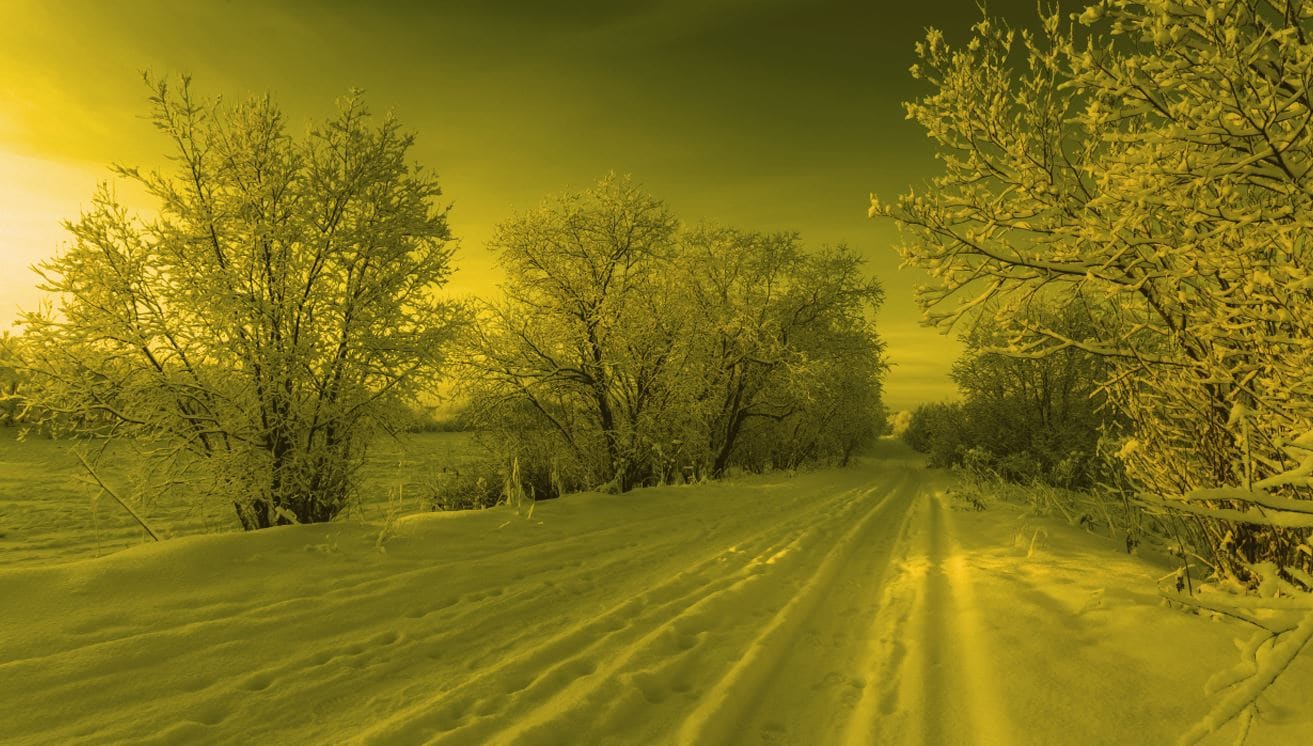
Do you want to apply the intense ray of golden hour filter to your content? If that is so, this preset is for you. It has a deep yellow-toned tint that mimics the warmth and vibrance of a fading sunset. It is best for videos meant to tell a story, show romantic visuals, or feature some outdoor shots.
CineWarm

If your preferred style shows a velvet amber glow and rich sunlit tones, CineWarm is the best pick for you. Muted shadows and low contrast evoke a cinematic vibe—great for travel vlogs featuring natural scenery.
Sunny Glow

Deep shadows paired with high temperature settings create mystery and suspense. Sunny Glow features mildly dark exposure, elevated contrast, and a soft glow—perfect for dramatic, emotional content.
Sunlit Hues
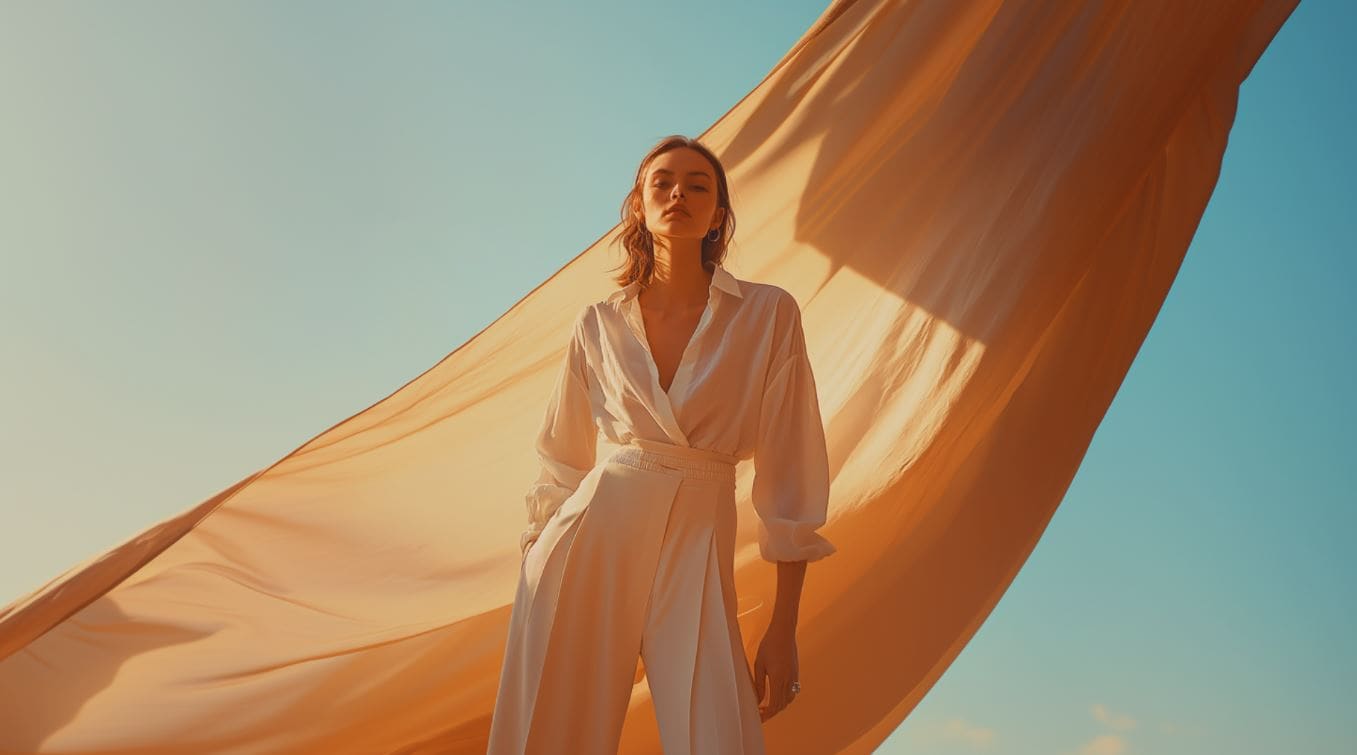
Boosts warm tones with balanced contrast. An amber-orange overlay softens lighting and mimics low-angle sunrays, while deepened shadows prevent harsh highlights.
Black Gold Style

A high-contrast take on golden hour. Over-saturated yellows and oranges, deeper shadows, and higher highlights deliver a bold, intense look.
Golden Glade
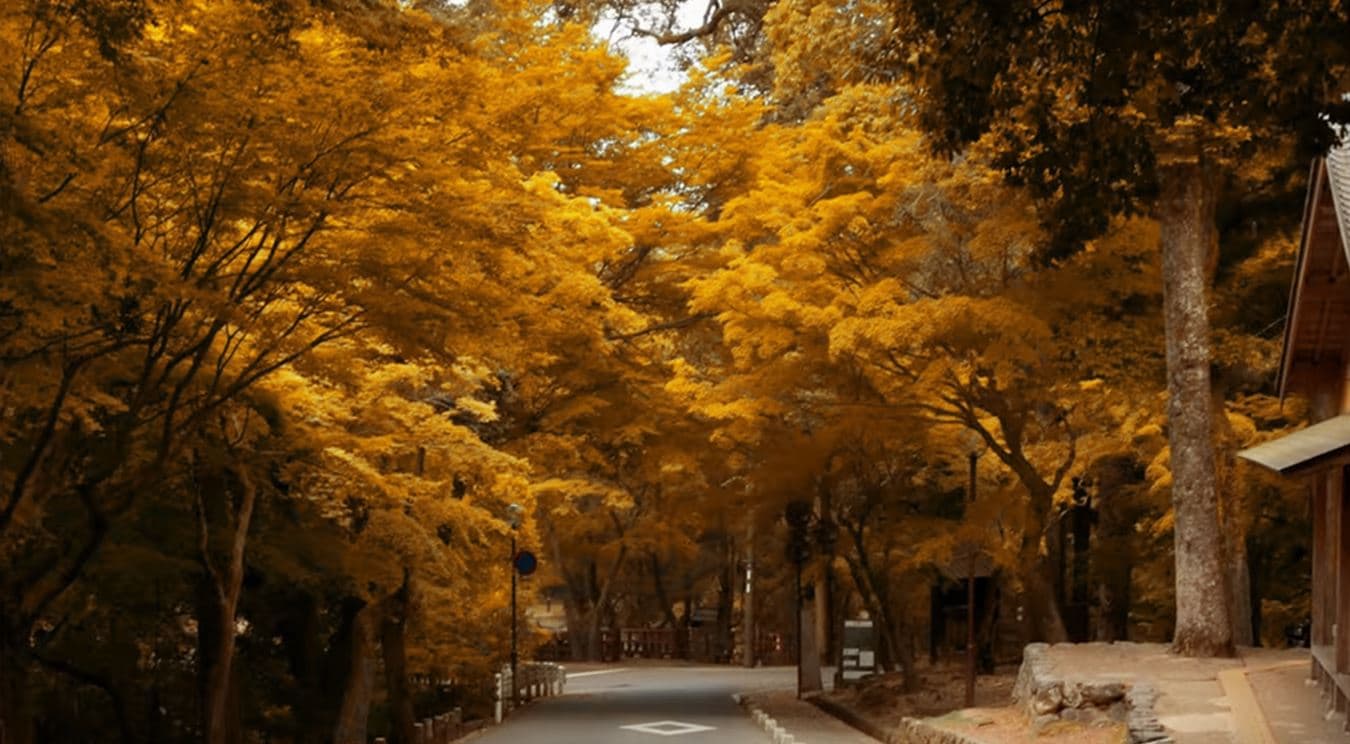
A toned-down golden vibe. Desaturated greens with boosted orange/yellow deep tones make footage feel like late-afternoon sunset or gloomy autumn.
Golden Toast
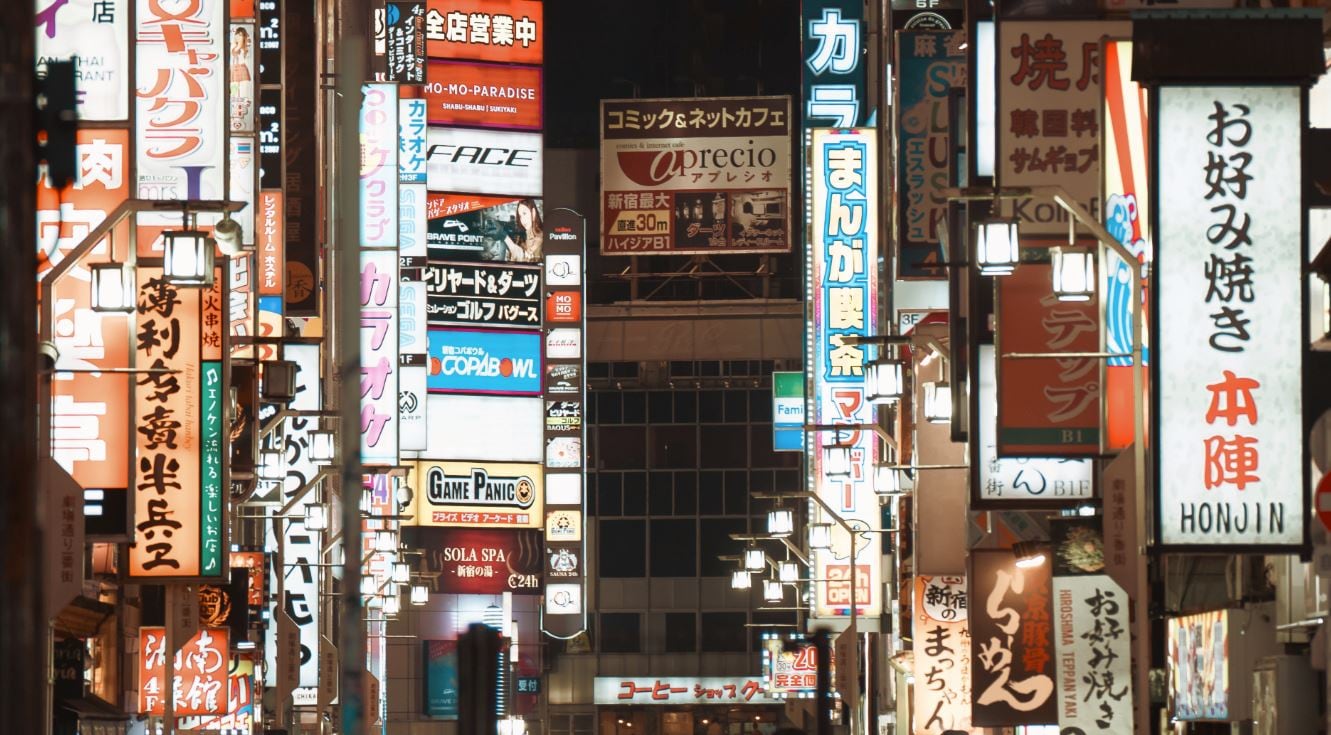
Great for urban nightlife. Moderate highlights, elevated shadows, and tuned mid-tones add a subtle golden hour glow in darker settings.
Cinematic Autumn
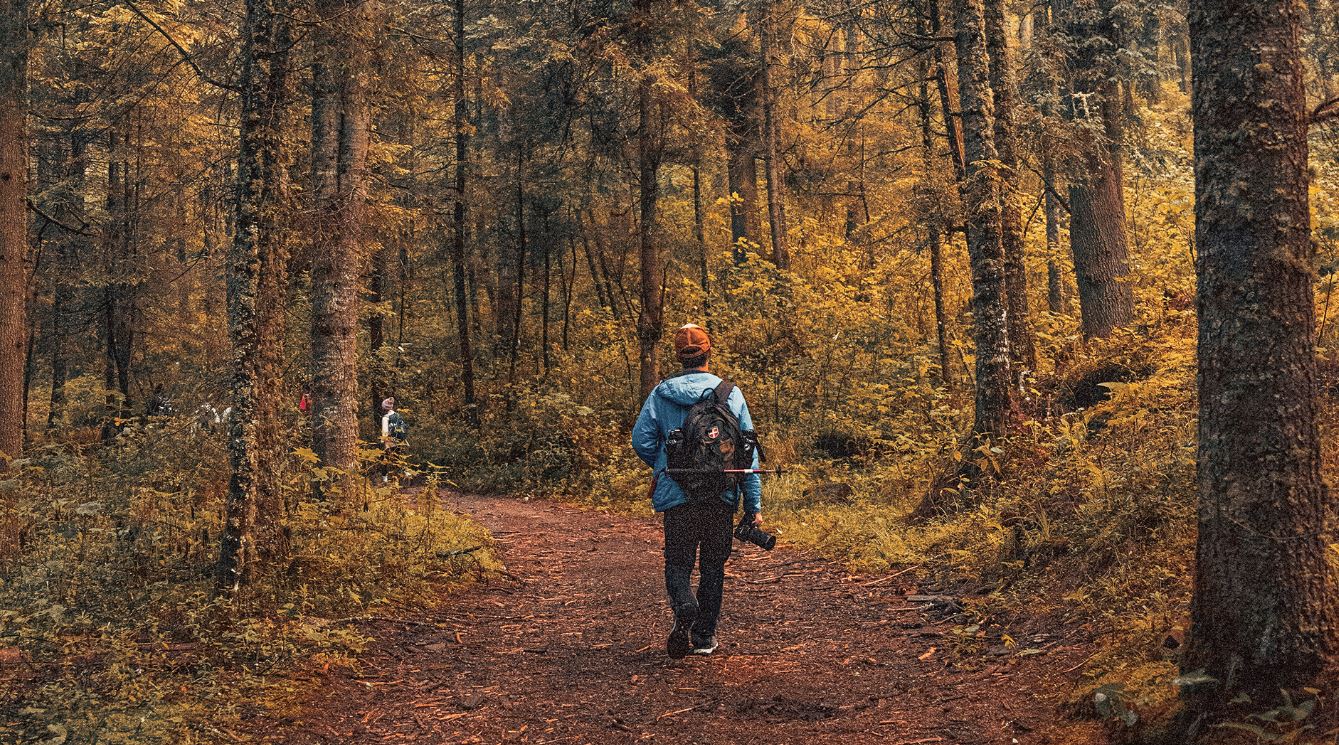
Warm tones and glowing highlights with washed greens turned golden-brown—delivering a majestic golden hour glow with autumn’s cinematic texture.
Retro Lime
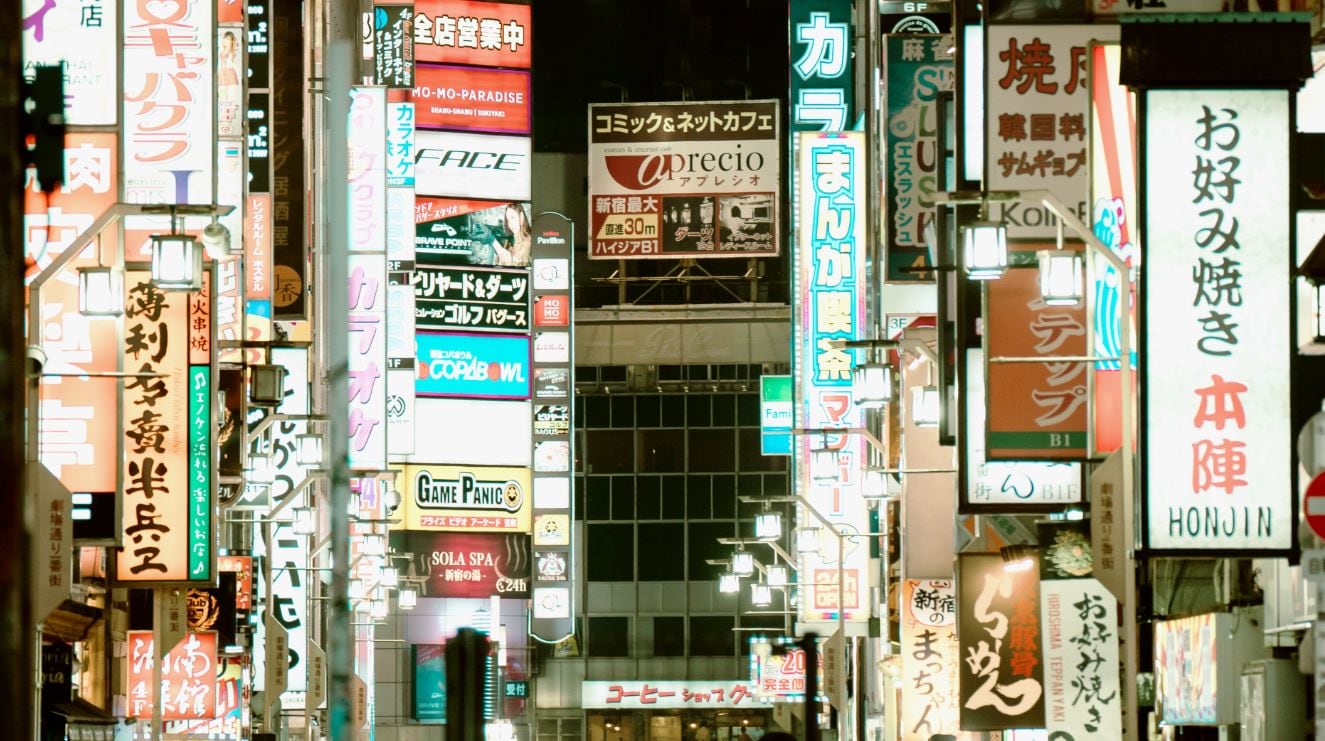
A variant suited for low-light scenes. Higher brightness for whites and muted other colors create a dreamy, cinematic feel with slightly intensified greens.
Summer Sun

Drenches footage in warm yellow with low contrast—ideal for retro or painting-like vibes.
Quick Steps to Add a Golden Hour Filter to Your Videos
Applying golden hour filters in Wondershare Filmora takes just a few clicks. Follow the steps below:
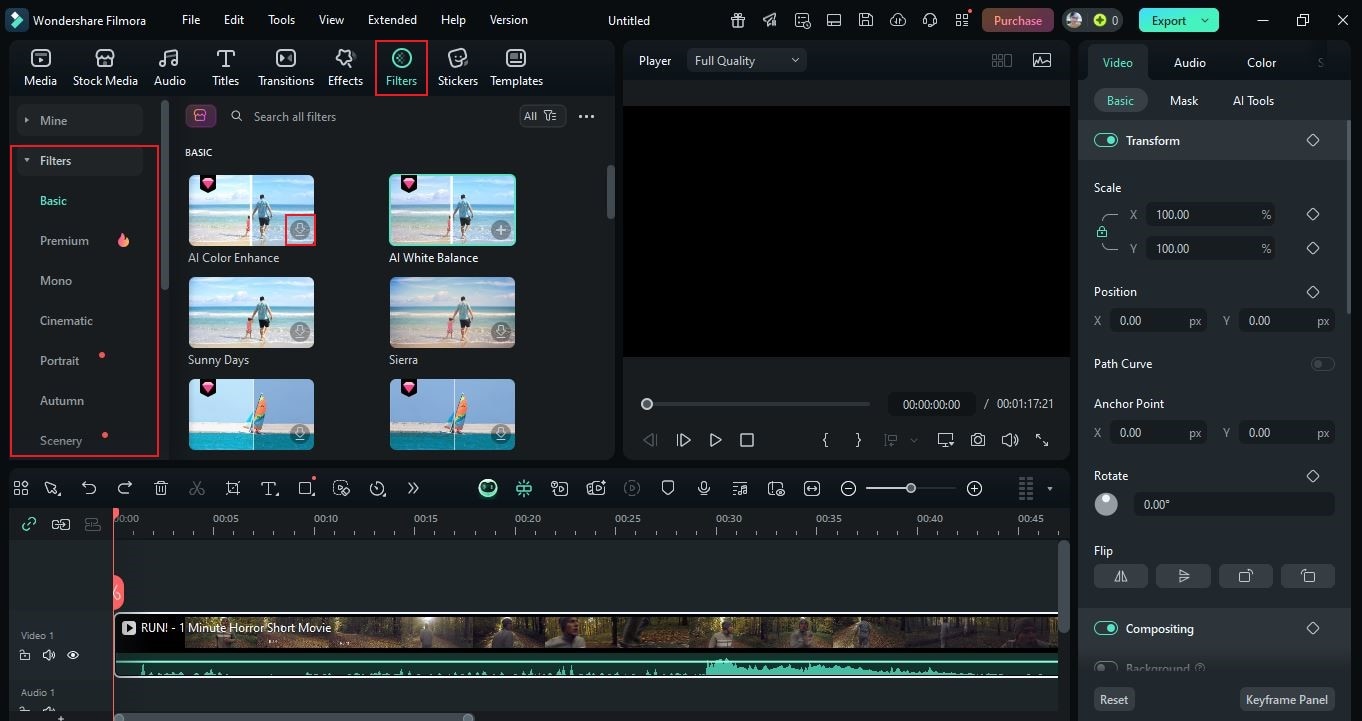
- Access the main workspace of Wondershare Filmora. Go to the Elements Panel and click Filter.
- Navigate to the left-hand corner and choose the category that contains your preferred golden hour filter. You may also search by name or theme.
- Browse the options and select a filter. Tap the Download button, then drag it to the Editor Timeline for customization.
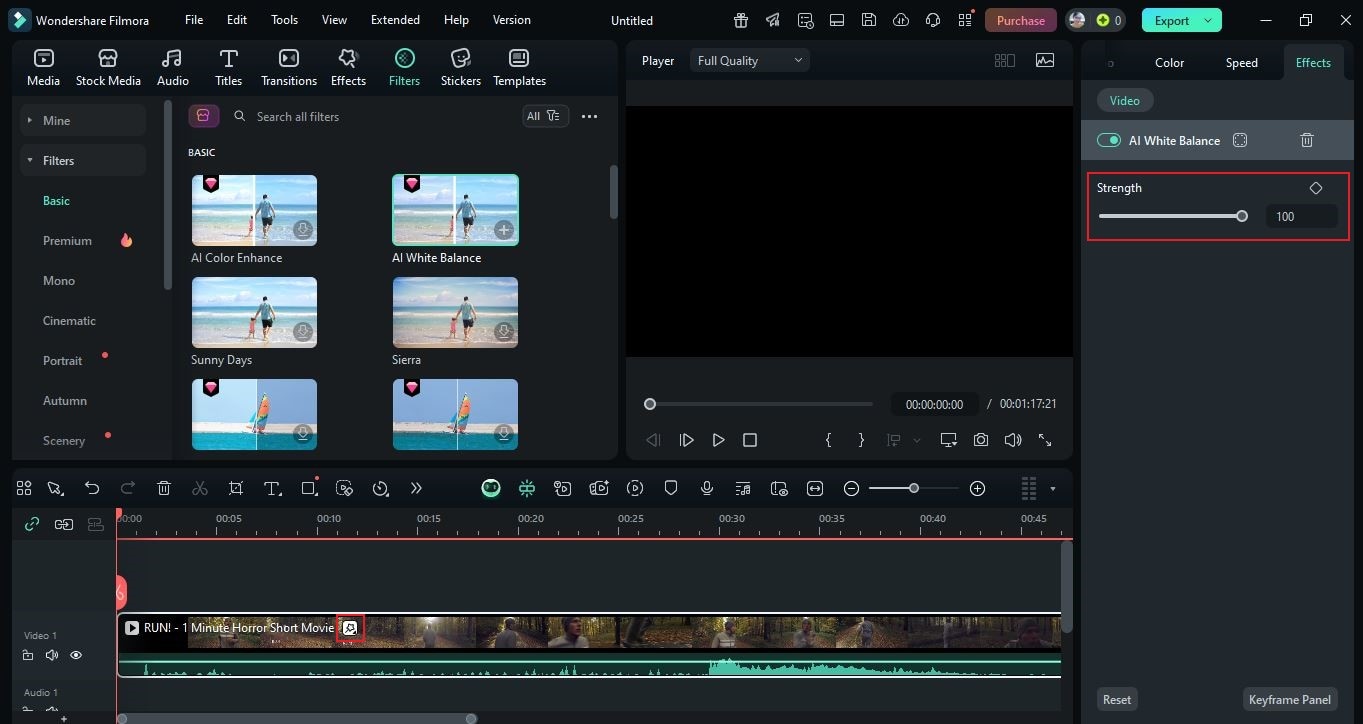
- Drop it onto a specific clip or place it above the video track for wider coverage. To calibrate intensity, tap the Filter icon on the footage and adjust Strength in the right-hand panel (slider or numeric input).
- Play and review. If satisfied, click Export. Configure Resolution, Aspect Ratio, and related settings for optimal online viewing.
Tips For Choosing the Best Golden Hour Filter
Certainly, Filmora’s golden hour filters carry both aesthetic and functional value. Each is crafted for specific styles and purposes. Use the tips below to pick the best match:

- Choose a filter that aligns with your intended mood and message.
- Watch skin tones as you grade—keep them natural while adjusting warmth and contrast.
- Recalibrate defaults as needed: tweak warmth, brightness, and contrast for your scene.
- Ensure the filter blends with the natural scenery; adjust settings if necessary.
- Test multiple golden hour filters and compare before finalizing your choice.
Conclusion
The golden hour filter can transform regular footage into breathtaking content with a soft cinematic glow in warm tones. Wondershare Filmora offers a wide library of options tailored to different concepts and styles. Choose the option that best fits your needs, apply it, and elevate your visuals instantly. Ready to upgrade your content? Download Wondershare Filmora and bring the magic of golden hour to your videos.
secure download 