

 100% Security Verified | No Subscription Required | No Malware


 ChatGPT
 Perplexity
 Gemini
 Claude
 Grok
Grok
We've moved beyond the days when language learning meant memorizing vocabulary lists and working through grammar books. Language learning with Netflix, for example, can make practice feel more natural by exposing you to real conversations, everyday expressions, and different accents.
A meta-analysis of 18 studies found that captions can have a strong positive effect on second-language learners' listening comprehension and vocabulary learning. The trick is to make watching more active. Turn useful dialogue into study material with tools like Wondershare Filmora, and then replay, review, and practice the lines at your own pace. Keep reading to learn how to make language learning with Netflix more effective.
In this article
Part 1. Can You Learn a Language With Netflix?
The best way to learn a language is to immerse yourself in it, and Netflix is one of the easiest tools for that if you don't have the time or money to move abroad. Where else can you hear native speakers use real, everyday phrases instead of the stiff dialogue found in textbooks?
So, yeah. You can use Netflix for language learning. By turning the captions on in your target language, you can match what you're hearing to what you're reading, which helps you catch words and phrases you'd otherwise miss.
One thing to note, though, learning with Netflix won't replace structured study. You still need grammar practice and active speaking to actually get fluent. But as a low-effort way to build listening comprehension and pick up natural phrasing, it works well, especially if you rewatch a show you already know in your target language.
Part 2. How to Choose a Netflix Show for Language Learning
Netflix has a huge selection of shows and movies, but not all of them are suitable for language learning. When using Netflix for language learning, start with shows where you can follow the conversations without too much effort, and choose content that matches your current language level.
| Level | What to look for | Show types to try | Examples |
| Beginner | Simple conversations, familiar topics, plenty of dialogue, slower pacing | Kids' shows, sitcoms with everyday settings, cooking or lifestyle shows | Alexa & Katie, Nailed It!, Terrace House |
| Intermediate | Natural pacing, varied expressions, some idioms | Sitcoms, dramas, reality shows | Friends, Money Heist (La Casa de Papel), Dark |
| Advanced | Slang, regional accents, industry-specific vocabulary | Crime thrillers, stand-up comedy, documentaries, workplace dramas | Narcos, Peaky Blinders, Suits |
But what's more important is to pick a show or movie you genuinely enjoy watching. A show that fits your level on paper won't help much if you find it boring, since you're less likely to stick with it long enough to see any progress. Once you've found something you like, we are going to share a few tricks that make learning through Netflix far more efficient.
Part 3. How to Learn a Language With Netflix
Everyone can learn a new language while watching Netflix, but simply watching the shows isn't enough if you want to make steady progress. With a few simple habits, your regular Netflix time can become a useful part of your language-learning routine.
01of 06Watch the scene once without pausing
Focus on the conversation and see how much you understand from context. It will tell you your actual starting point, not what you think it is.
02of 06Turn on subtitles in your target language, not your native language
Even if you find the dialogue difficult to follow, using Netflix to learn a language works better when you connect what you hear with how the words are written. It helps you pick up new vocabulary, recognize common phrases, and get used to the way native speakers actually speak.
03of 06Rewatch the same episode two or three times
The first watch is for the plot. The second is for catching words and phrases you missed. By the third, you'll notice yourself predicting lines before the character says them, which means the sentence patterns are sticking.
04of 06Write down phrases you could actually use
A complete expression is often more useful than a single vocabulary word. "I'm not buying it" teaches you more about how people actually talk than memorizing "buy" as an isolated verb.
05of 06Play one line, pause, and say it aloud
Try to copy the speaker's pronunciation, rhythm, and pace. This technique, known as "shadowing," is one of the few habits that can help you improve both your listening and speaking skills at the same time.
06of 06Return to the same scene a few days later
See how much you can understand before checking the subtitles, then repeat the lines that still feel difficult. If it clicks faster than it did the first time, congratulations! That's a sign the material is actually sticking.
More Tips to Study a Language with Netflix
- Rewatch shows you've already seen in your native language. Since you already know the plot, your brain has spare capacity to focus on how things are being said instead of what's happening.
- Don't skip the boring parts! Small talk, complaints, or even arguments about chores use language you'll actually use day to day. Prestige dialogue and dramatic monologues sound great but rarely reflect how people talk in real life.
Part 4. How to Create Language-Learning Clips With Filmora
Watching Netflix can help you get used to real conversations, but some lines are worth studying more closely. When you find a useful phrase or a scene that you want to practice again, you can turn it into a short learning clip with Wondershare Filmora.
Filmora is a video editing tool built for people who don't want to spend hours learning software just to trim, caption, and export a clip as study material for language learning with Netflix. You can add subtitles, translations, notes, and other visual cues to make each clip easier to study and review.
Step 1. Add the Clips to Filmora
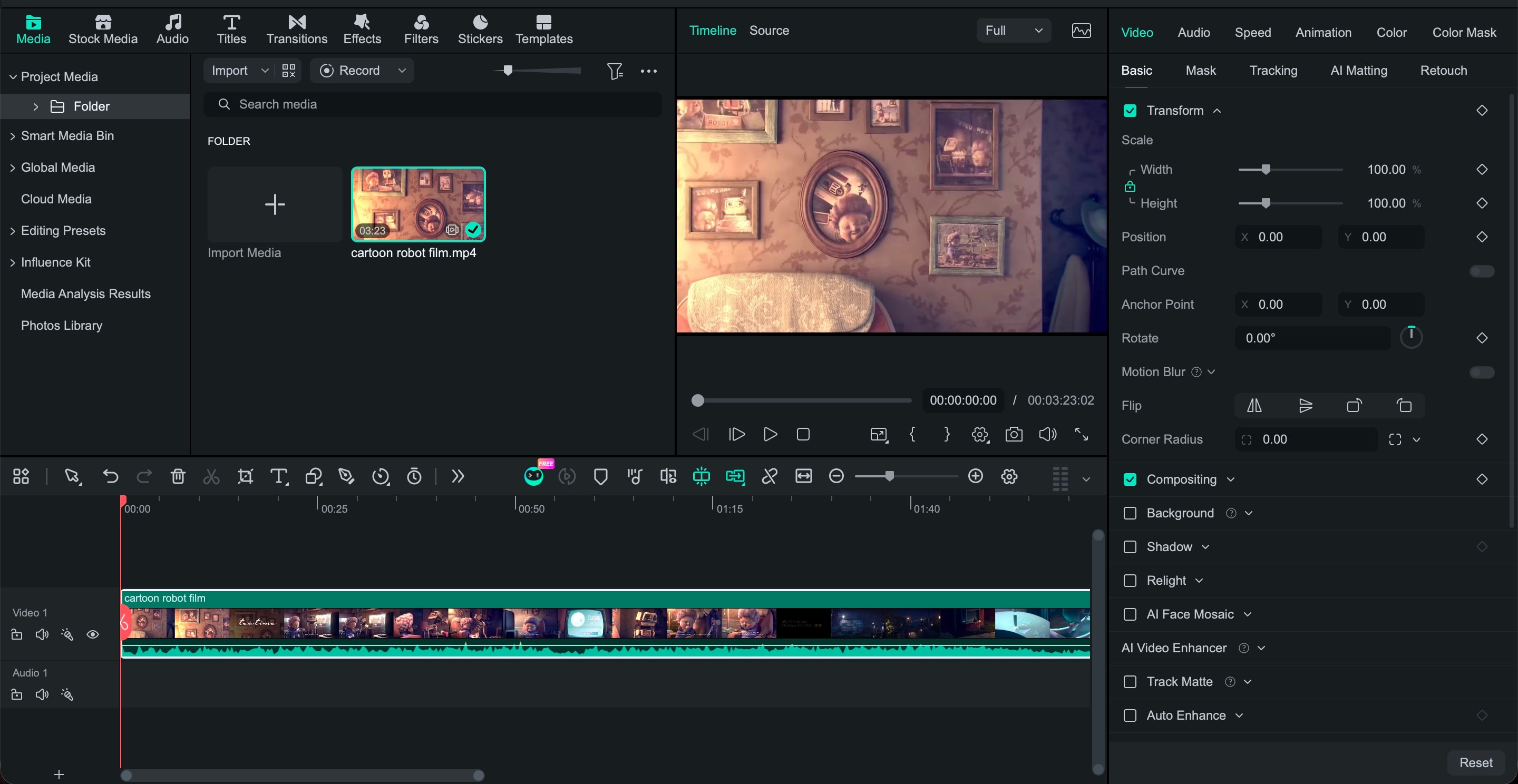
Open Filmora to create a new project. Then, import your video and place it on the timeline.
Step 2. Cut Out Useful Dialogue
Trim the footage into short conversations or individual lines worth practicing. Focus each clip on one useful topic, phrase, or expression so you can replay and study it without too much extra footage.
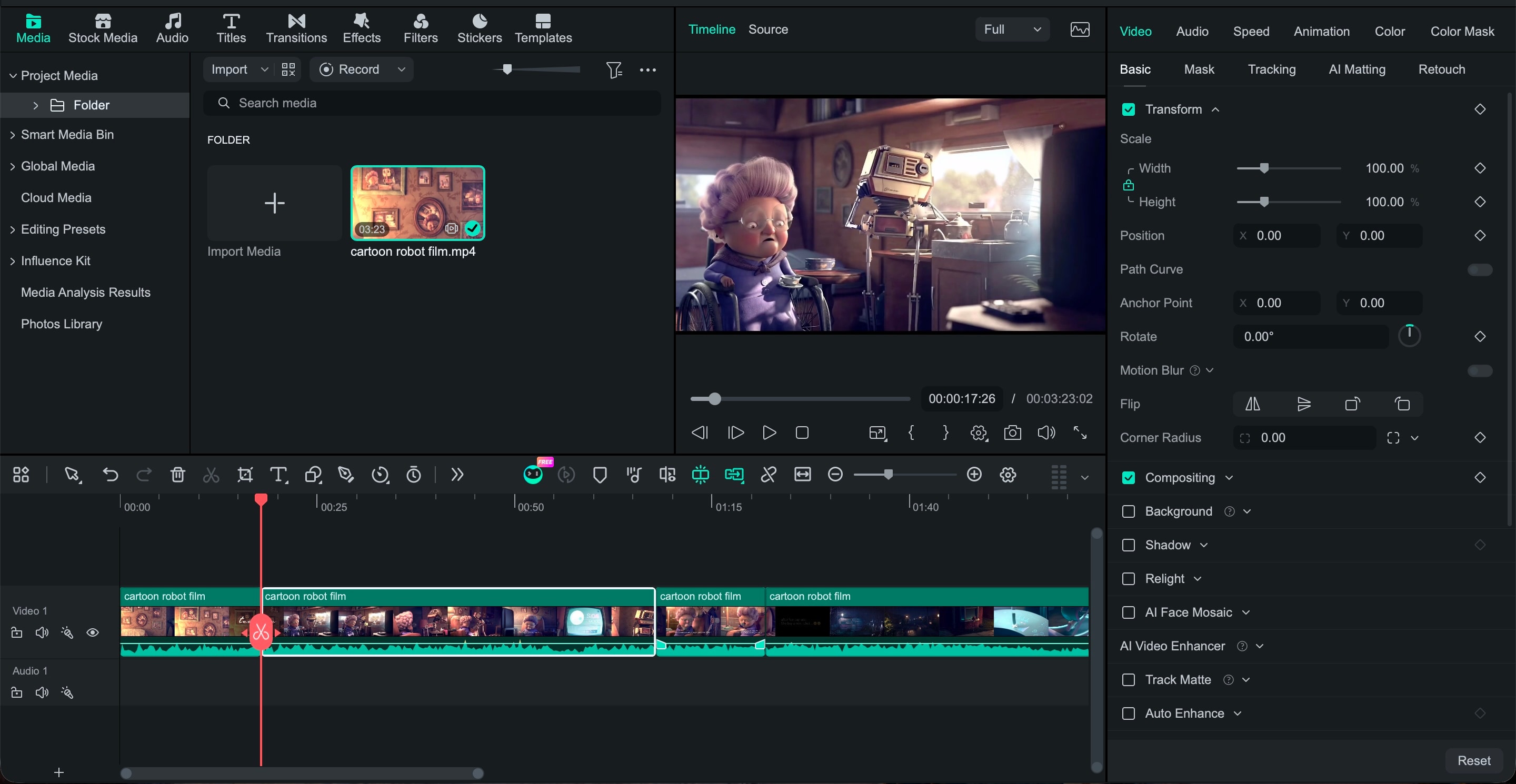
Step 3. Generate Subtitles with Speech-to-Text
Use Filmora's Speech-to-Text feature to transcribe the dialogue into editable subtitles. If there are parts of the dialogue you don't understand, you can also use AI Translation on the same panel to translate the subtitles into your preferred language.
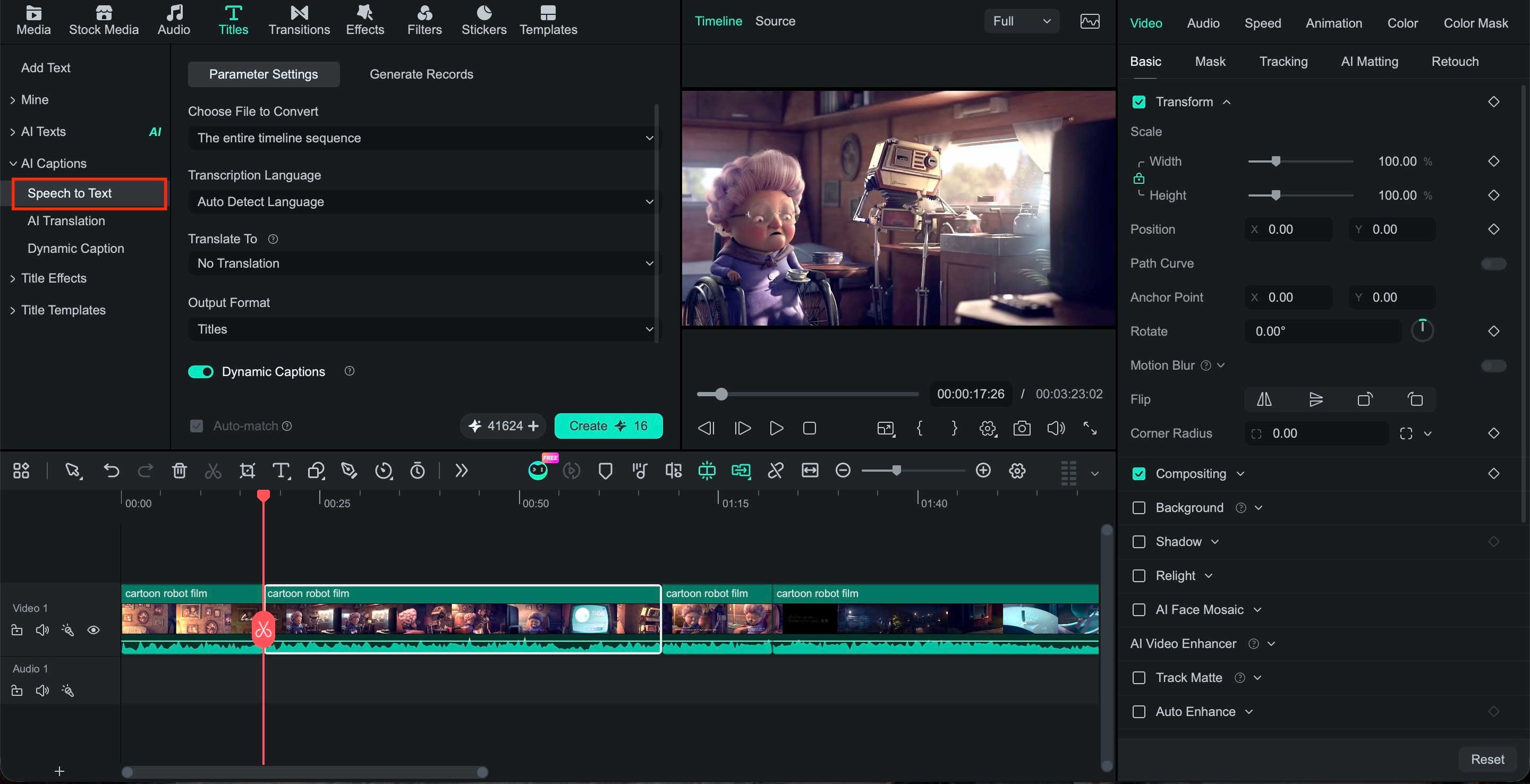
Step 4. Add Explanations
Aside from generating captions, you can also manually add short explanations for unfamiliar words, phrases, or sentence patterns using the text feature.
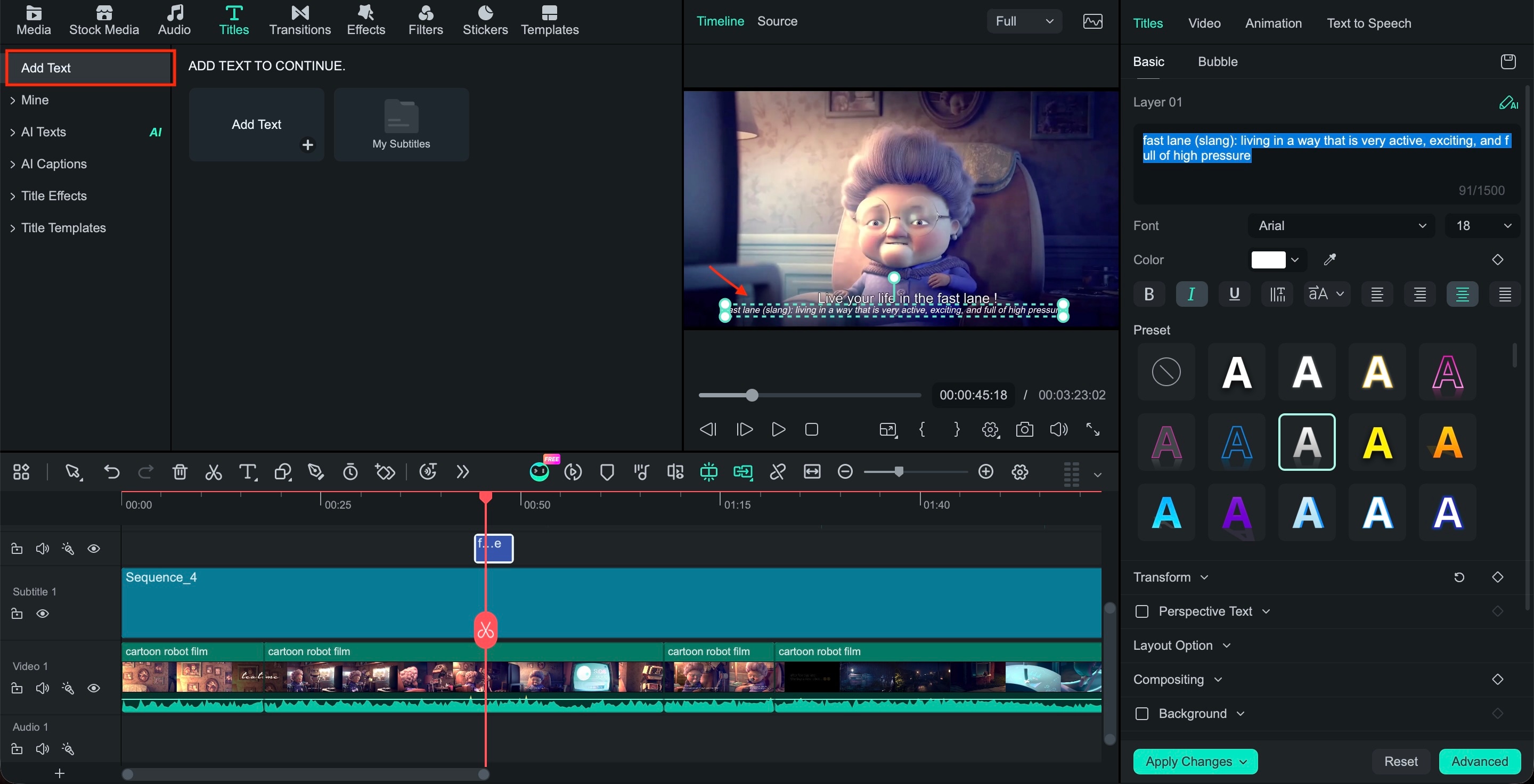
Step 5. Highlight key phrases
After adding your captions, use text formatting to draw attention to the expression you want to remember, such as a common phrase or sentence pattern. You can also make use of Dynamic Caption to automatically highlight key words as they are spoken.
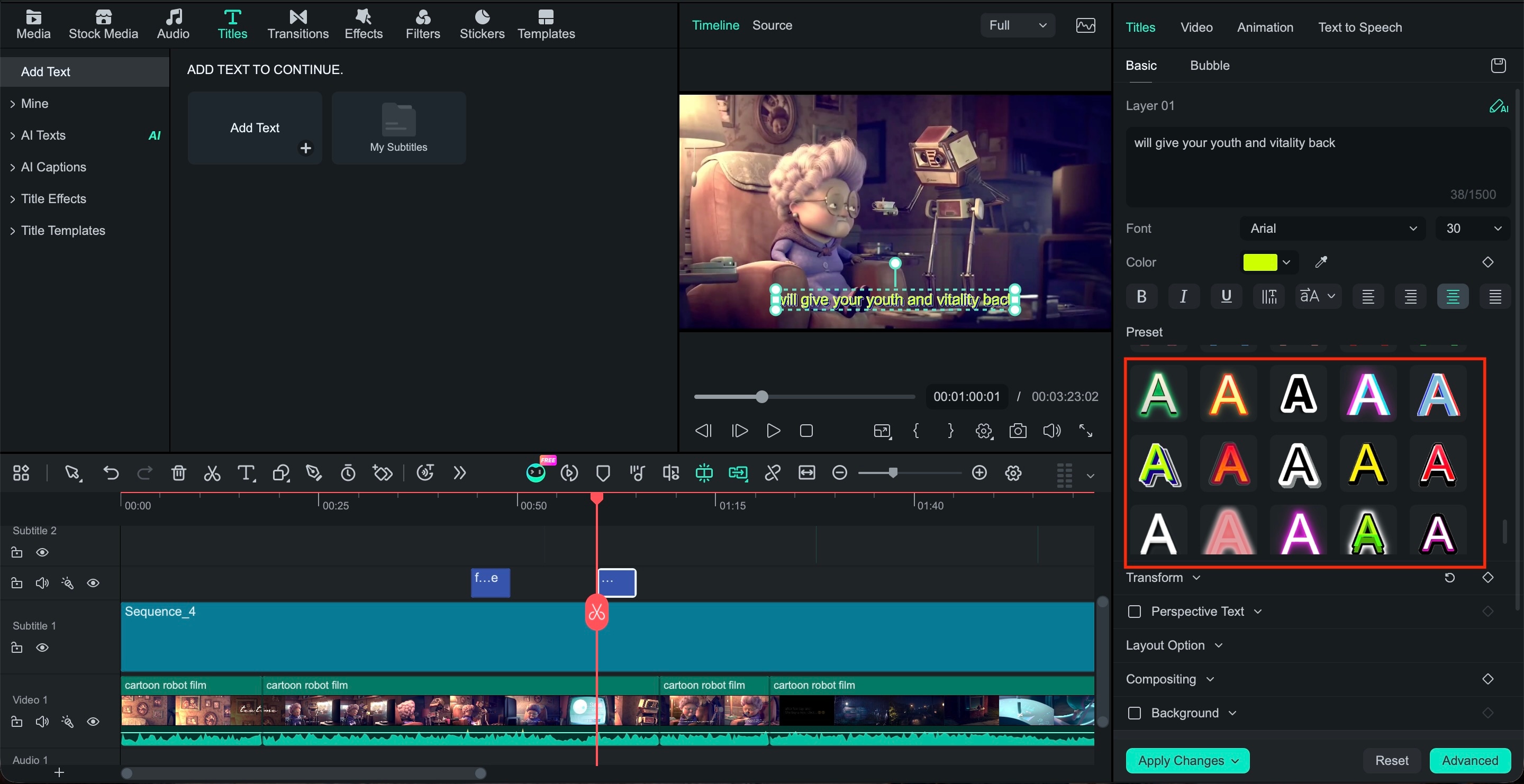
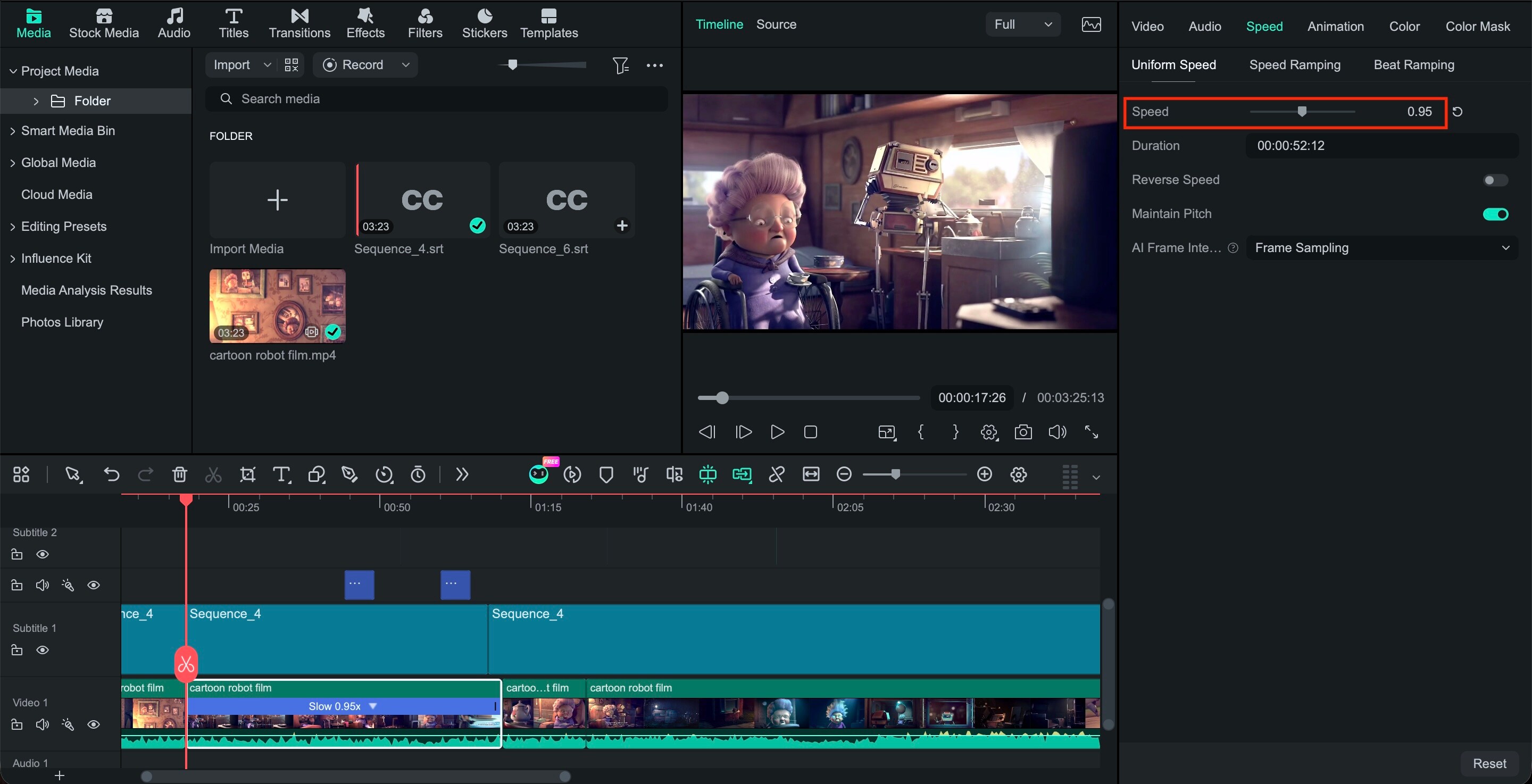
Step 6. Slow Down Difficult Lines
Slow down specific sections when pronunciation or fast speech makes a line difficult to understand. Give yourself time to listen closely before trying it aloud.
Step 7. Add Repetition
Repeat important lines within the clip so you can listen and practice several times. A simple listen, pause, speak, and replay routine can turn a short clip into a focused speaking exercise.
 secure download

Part 5. Language Learning With Netflix Chrome Extensions vs. Filmora
Found a useful phrase but can't remember where it appeared? Going back through an entire episode to find it can be frustrating. In that case, you can make use of a Netflix language-learning Chrome extension to make it easier to look up words, view translations, and learn while you watch.
Compared to Filmora, language-learning with a Netflix Chrome extension is more convenient for studying directly on the platform. Language Reactor, for example, adds features such as dual subtitles, instant translations, and a pop-up dictionary to help you understand new words and phrases without leaving the video. Filmora, on the other hand, is useful when you want to save specific scenes and turn them into reusable practice clips.
| Feature | Netflix learning extension | Filmora |
| Learn while browsing Netflix | ✔️ | ❌ |
| Dual subtitles | On Netflix | Added to edited clips |
| Word translations | ✔️ | ❌ |
| Save vocabulary | ✔️ | ❌ |
| Cut dialogue into clips | ❌ | ✔️ |
| Generate subtitles | ❌ | ✔️ |
| Add translations or notes | ✔️ | ✔️ |
| Highlight phrases | ❌ | ✔️ |
| Create study videos | ❌ | ✔️ |
| Repeat selected dialogue | Playback controls | Edited clips |
Conclusion
Language learning with Netflix offers many examples of real language to work with, but watching alone won't make every new phrase stick. Choose shows that match your level, focus on short scenes, and spend time listening, repeating, and using expressions you want to remember.
When you come across a useful conversation, you can also turn it into a study resource with Filmora. Using video material you're legally allowed to edit, you can create short clips with subtitles, translations, notes, and repeated dialogue. This gives you focused material to review instead of searching through the same episode again every time you want to practice.
secure download FAQ
-
Can I learn a language with Netflix?
Netflix can help you improve your pronunciation, everyday expressions, and vocabulary through the context of each scene. You'll get more by replaying short conversations and saying the lines yourself than by simply watching with subtitles turned on. -
How do I learn a language with Netflix?
Choose a show you can mostly follow, then work with one short scene at a time. Watch it once for context, switch to target-language subtitles, note a few useful phrases, and replay the lines until you can understand and say them without relying on the subtitles. -
Is Netflix good for language learning
Netflix is useful for listening practice as you hear language at a natural pace and in different situations. It can help you get used to pronunciation, accents, slang, and conversational phrases, but you'll still need separate practice for areas like grammar, writing, and speaking. -
Can Filmora automatically generate subtitles for language-learning videos?
Yes. Filmora's Speech-to-Text tool can automatically transcribe spoken dialogue into subtitles. You can then correct the text, adjust the timing, and add translations or notes to create a more useful study clip.
