Filmora
Filmora - AI Video Editor
Edit Faster, Smarter and Easier!
OPEN

Action and Trailer Music for Video: Universal Music for Creators

Build Momentum and Impact in Filmora

  • Explore Universal Music for Creators tracks directly in Filmora's Audio Library.
  • Preview music for sports highlights, suspenseful trailers, and powerful reveals.
  • Refine music, dialogue, and impact sounds in one streamlined Filmora workspace.
Universal Music for Creators | Filmora Audio Library | Action and trailer soundtracks

An action edit needs more than a loud opening. A short pause before a reveal, a faster run of cuts, and a decisive ending each ask the soundtrack to do a different job. Use the selections below to test where your video needs momentum, tension, or a final lift.

Universal Music for Creators tracks can be previewed inside Filmora's Audio Library. Listen against the cut itself: a title card, dialogue beat, or sound effect may change which track works best once the edit is assembled.
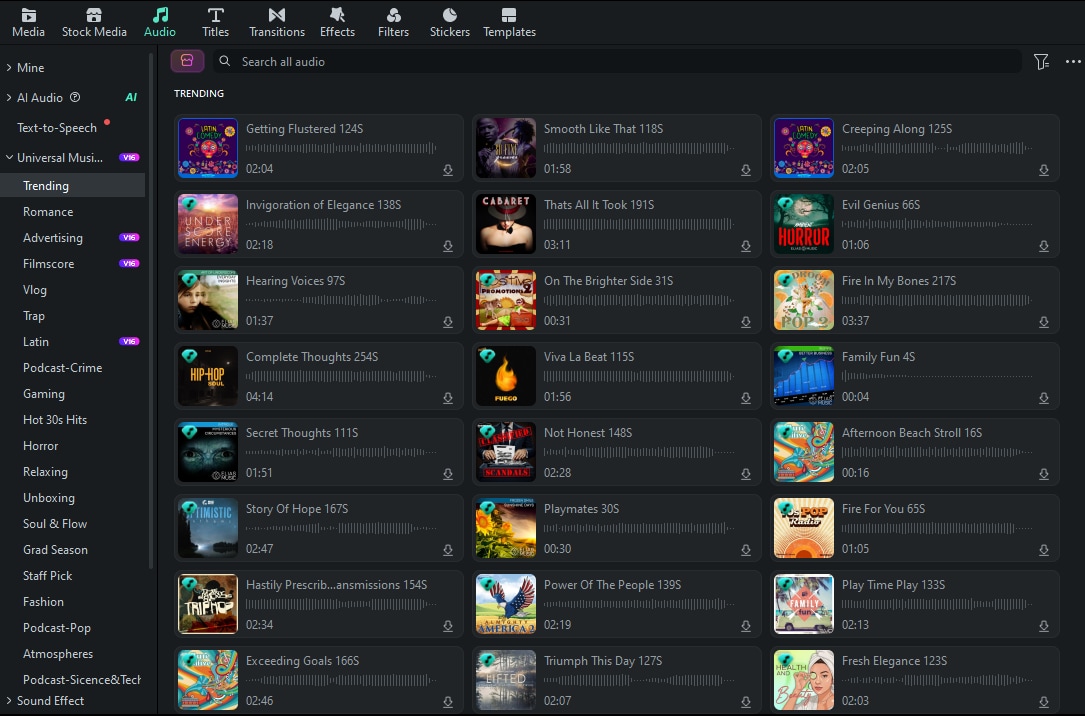
Filmora Audio Library
Map the edit before choosing a track: where should pressure build, where should the viewer catch a breath, and which shot deserves the strongest finish?

Momentum for Sports and Hero Highlights

Try these candidates over training sequences, competition recaps, or a protagonist's entrance. Compare where each track changes as the visuals move from setup to action.

Enter the Arena cover
Enter the Arena
02:51
audio progress
played audio progress
play audio pause audio
Ascension cover
Ascension
01:53
audio progress
played audio progress
play audio pause audio
Sheer Will cover
Sheer Will
02:05
audio progress
played audio progress
play audio pause audio
A Hero Will Come cover
A Hero Will Come
02:31
audio progress
played audio progress
play audio pause audio
Chasing Down The Sky cover
Chasing Down The Sky
02:11
audio progress
played audio progress
play audio pause audio
Heroes United cover
Heroes United
02:18
audio progress
played audio progress
play audio pause audio
Guardians of Justice cover
Guardians of Justice
02:20
audio progress
played audio progress
play audio pause audio

Suspense Before the Reveal

For pursuit scenes, mystery teasers, and dramatic title cards, audition music that gives your edit room to withhold information. Leave a gap for dialogue or a key effect when the reveal lands.
Off The Rails cover
Off The Rails
02:10
audio progress
played audio progress
play audio pause audio
Hunted Down cover
Hunted Down
02:40
audio progress
played audio progress
play audio pause audio
Electrical Storm cover
Electrical Storm
02:12
audio progress
played audio progress
play audio pause audio
Thunder Strike cover
Thunder Strike
02:58
audio progress
played audio progress
play audio pause audio
Plans Unfolding cover
Plans Unfolding
01:53
audio progress
played audio progress
play audio pause audio
International Intrigue cover
International Intrigue
02:00
audio progress
played audio progress
play audio pause audio
Breakout Blowback cover
Breakout Blowback
02:07
audio progress
played audio progress
play audio pause audio

Big Finishes and Victory Cuts

A final shot needs a clear landing point. Test these selections with the last few cuts of a trailer, product launch, or sports montage, and choose the one whose ending suits your runtime.
Ultimate Accolade cover
Ultimate Accolade
02:03
audio progress
played audio progress
play audio pause audio
Grand Display cover
Grand Display
02:08
audio progress
played audio progress
play audio pause audio
Path to Victory cover
Path to Victory
02:21
audio progress
played audio progress
play audio pause audio
Champion's Gold cover
Champion's Gold
02:03
audio progress
played audio progress
play audio pause audio
Unstoppable cover
Unstoppable
02:46
audio progress
played audio progress
play audio pause audio
Drop The Hammer cover
Drop The Hammer
02:31
audio progress
played audio progress
play audio pause audio
Pump It Up cover
Pump It Up
01:44
audio progress
played audio progress
play audio pause audio

Create Powerful Action Edits with Filmora

In Wondershare Filmora, you can test the soundtrack against quick cuts, generate a new musical direction when the library is not quite right, and clean location audio before balancing it with effects and dialogue.
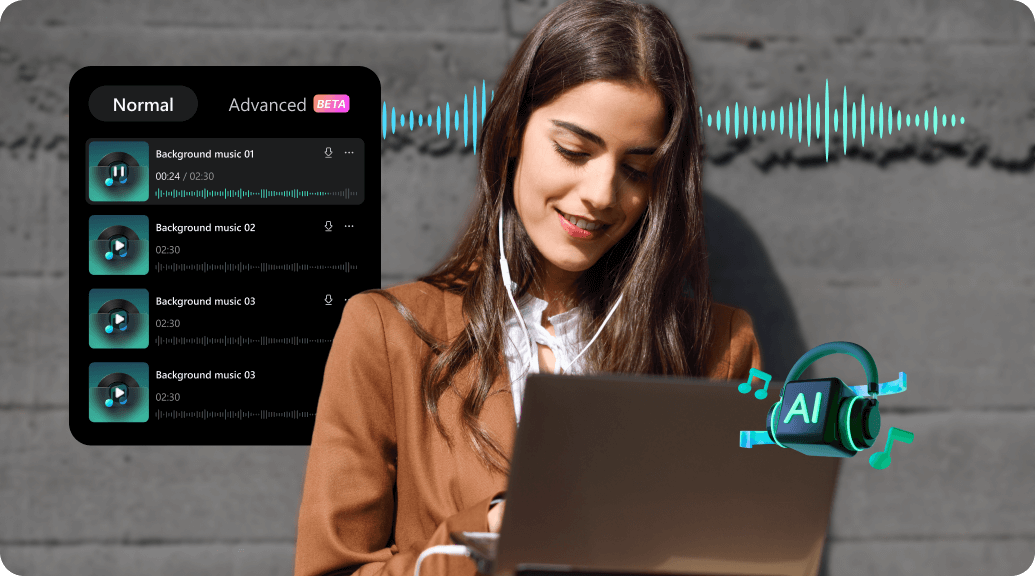
Generate a Custom Track with AI Music Generator

Generate a Custom Track with AI Music Generator

Choose a mood, theme, genre, and video direction to generate a soundtrack that fits the tone of your edit. AI Music Generator can help create a starting point for action sequences, gaming videos, trailers, and dramatic brand content.

Fit the Soundtrack to the Edit with Smart BGM Generation

When an action montage changes length during editing, Smart BGM Generation can help create background music that follows the video's timing. This is useful for short trailers, highlight reels, and reveal sequences with a precise ending.
Clean Dialogue and Impact Audio with AI Audio Denoise

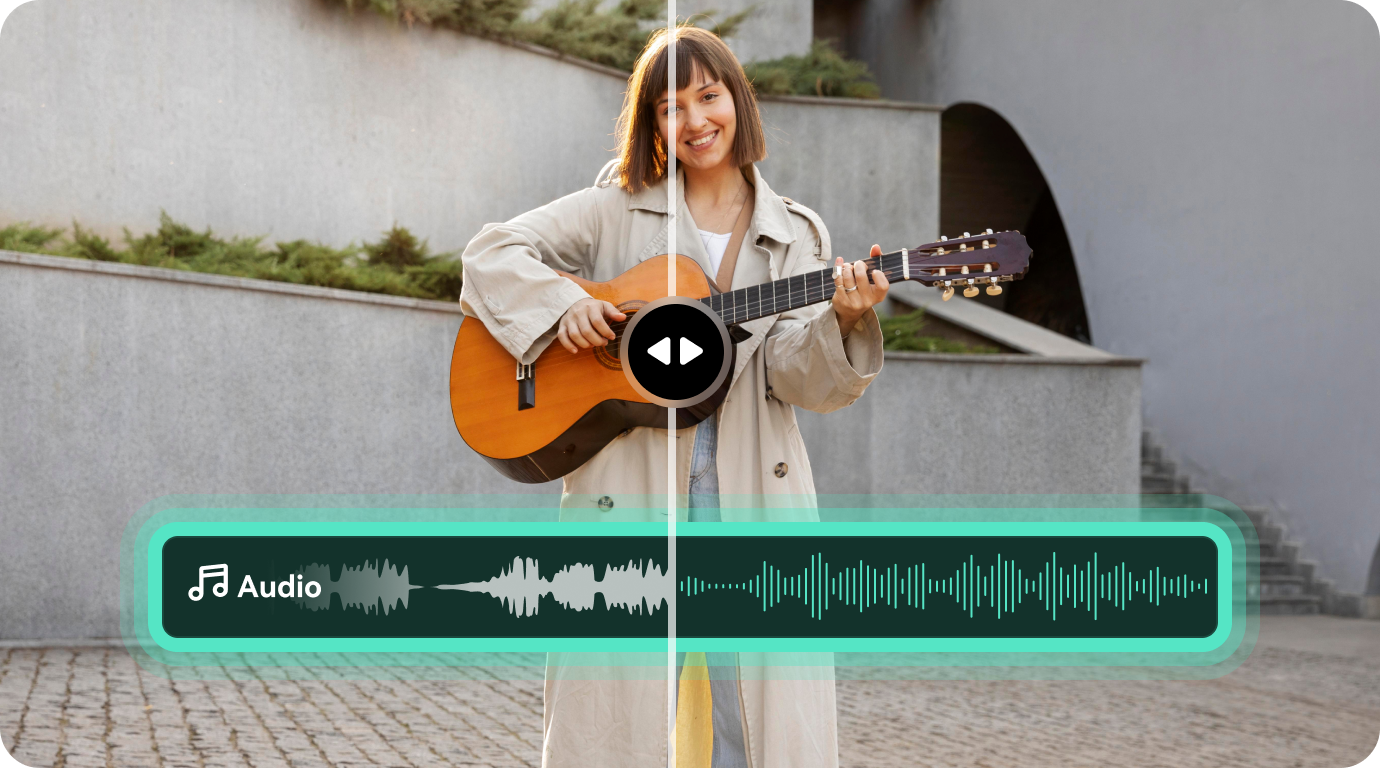
Clean Dialogue and Impact Audio with AI Audio Denoise

Reduce unwanted wind, hum, hiss, room noise, and distracting reverb from recorded dialogue or location audio. Cleaner audio gives music, sound effects, and spoken moments more space in a high-energy edit.

Filmora
AI Video Editing App & Software
Try It Free Try It Free
qrcode-img
Scan to get the Filmora App
Shape the Impact with Filmora
Build your action edit around music, dialogue, and well-placed sound effects.
secure-icon Secure Download

FAQs

  • What is AI-generated music for action videos?
    AI-generated music is created by algorithms based on selected creative directions such as mood, genre, theme, and video type. It can give action edits and trailers a custom starting soundtrack without requiring a long search through unrelated tracks.
  • Can I customize an AI music track for my video?
    You can guide the result by selecting a different mood, genre, theme, or video direction, then previewing a new variation. For more precise control, continue refining the track on the Filmora timeline with volume, timing, and fade adjustments.
  • Is AI music suitable for trailers and gaming videos?
    AI music can be useful for trailers, gaming videos, sports highlights, and other edits that need a defined mood or energetic pulse. Choose the direction based on the role of the music, such as building suspense, supporting a reveal, or driving fast cuts.
  • Can Smart BGM match the length of an action montage?
    Smart BGM Generation is intended to help create background music that fits the duration of the video. It can be helpful when a montage is shortened, extended, or rearranged during editing and the soundtrack needs to follow the new timing.
  • How can I keep dialogue clear in a high-energy video?
    Keep dialogue, music, and effects on separate tracks. Use Audio Ducking to lower music during speech, adjust individual clip levels, and use AI Audio Denoise when the original recording contains distracting background noise.

You May Also Like

Download and Apply TV Static Sound Effects All in One Platform

Download, edit, and generate royalty-free TV static sound effects to use in your projects. Everything you need is in one easy platform.

Posted byJames Hogan|2026-10-12 16:30:32
What Is Foley Sound and How to Create It

Foley sound is a key part of film and video production that makes every scene more realistic. Learn how it’s made and modern AI tools that make the process easier.

Posted byJames Hogan|2026-10-12 16:30:15
Sci-Fi Sound Effects for Creators & Storytellers in 2026: Free & Pro Options

Unlock the best futuristic sound effects for your creative workflow. From free sci-fi sound effects to pro audio packs, this guide has it all.

Posted byJames Hogan|2026-10-12 16:29:57
Using Trailer Sound Effects: How To Make The Perfect Impact

Sound is an important element of a video that complements the visuals. This article covers the formation of a video using trailer sound effects.

Posted byJames Hogan|2026-10-12 16:24:16
Top 7 Libraries for Podcast Sound Effects

Adding sound effects adds interest to straightforward, speech-oriented podcast content. Make sure to add laugh tracks or other sound effects.

Posted byJames Hogan|2026-10-12 15:55:48
How to Add Echo Effect to Video

Want to make your video audio more impactful? Learn how to add an echo effect to your videos effortlessly using the best online, Windows, and Mac video editors. Enhance your sound with simple steps and built-in effects!

Posted bySumia Rafique|2026-10-12 15:55:28
Adobe Voice Enhancer AI: What You Need To Know

Make your audio recordings better with Adobe voice enhancer AI. Learn how to remove noise, and fix speech issues easily in Adobe Podcast and Premiere Pro.

Posted byAndrew Murray|2026-10-12 16:33:49