
AI Kiss Video Examples & Guides
Explore popular AI kiss video applications and romantic how-to guides
Loading more AI kiss video examples...
 Category:
 Duration:
 Aspect Ratio:
Everything You Need to Generate an AI Kiss Video
A captivating AI kiss video can turn a simple photo pair into an unforgettable romantic animation. Filmora gives you a full suite of AI tools, including advanced AI Image to Video capabilities that breathe life into your portraits—no complex prompt engineering needed.
Whether you're celebrating an anniversary, creating a viral couple edit, or building a cinematic love story, Filmora's cutting-edge AI models give you the control to craft the perfect mood. Pick your photos, let the AI generate the motion, and publish directly to your feed.
Powerful AI Models for Realistic Romantic Animations
Powerful AI Models for Realistic Romantic Animations
Stop struggling with external web tools. Filmora's integrated AI ecosystem lets you generate a breathtaking AI kiss video directly on your timeline.
- Instant Image Animation - Convert dual portraits into a fluid kiss using advanced AI interpolation.
- Multiple AI Models - Choose Nano Banana Pro for hyper-realistic textures or stylistic variations.
- Timeline Integration - Generate and drop your clip seamlessly into your existing project.
Cinematic Color, Sound, and Visual Enhancements
Cinematic Color, Sound, and Visual Enhancements
Generating the clip is just the beginning. Once your AI kiss video is on the timeline, every property is editable.
- AI Audio Creation - Set the perfect romantic tone with custom-generated background music.
- Advanced Masking - Effortlessly isolate your subjects for stunning background replacements.
- Color Grading - Apply cinematic LUTs and filters to enhance the warmth and intimacy.
Polishing Your Edit with Pro-Level Transitions

Polishing Your Edit with Pro-Level Transitions
Elevate your romantic edit by adding dynamic camera movements and text. To stitch multiple AI generations together, apply seamless video transitions.
- Smart Tracking - Attach AI Stickers and text to moving subjects flawlessly.
- Smooth Cuts - Blend multiple generated clips with cinematic crossfades and light leaks.
- Voice Integration - Use Text to Speech to narrate your romantic montage effortlessly.
Frequently Asked Questions About AI Kiss Videos
How to Create an AI Kiss Video in Filmora
Transform two photos into a fluid, romantic animation using the ultimate AI Video Generator, place it on your timeline, and export your masterpiece.
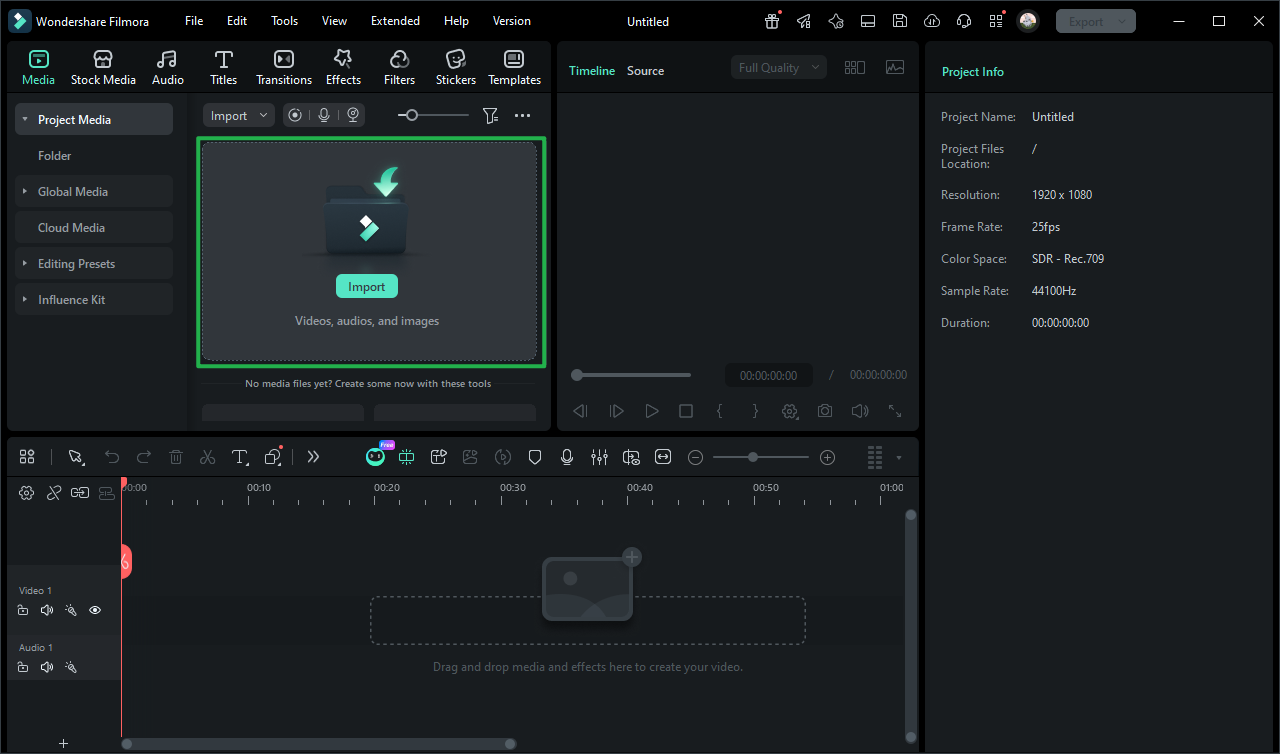
Step 1 Import Photos and Open AI Tools
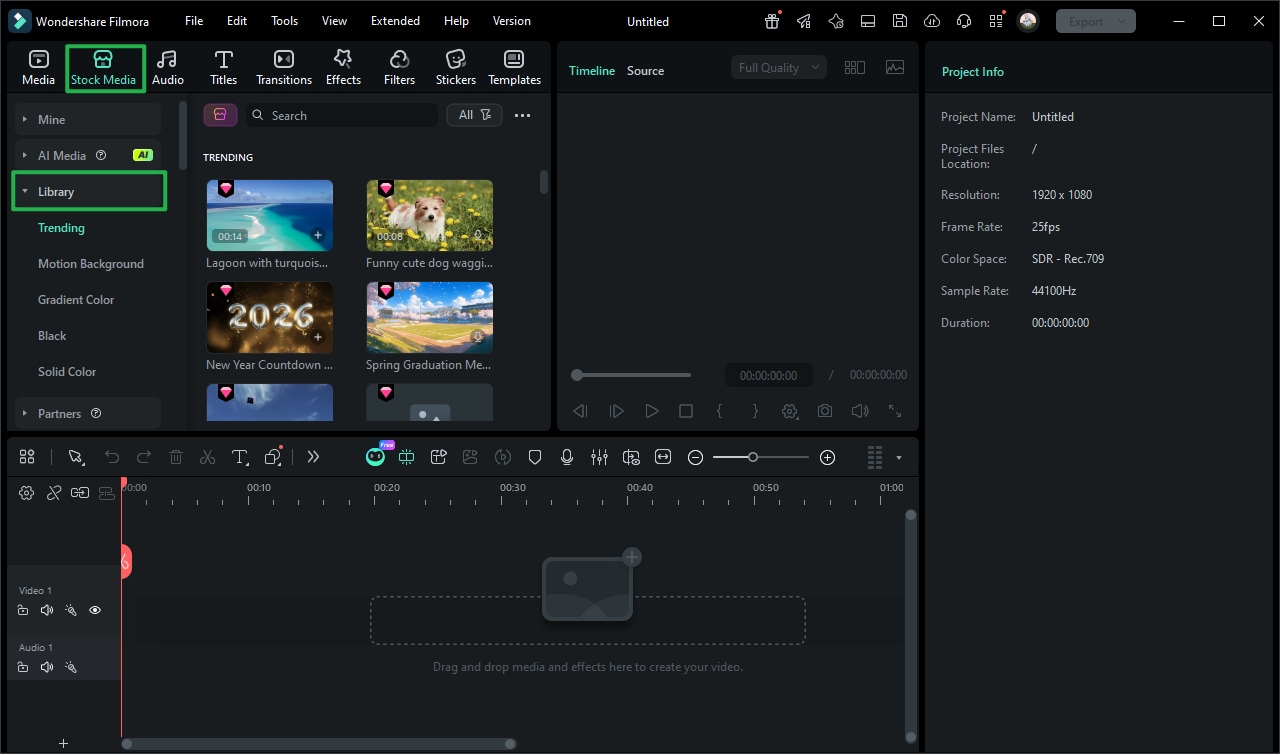
Step 2 Generate the AI Kiss Animation
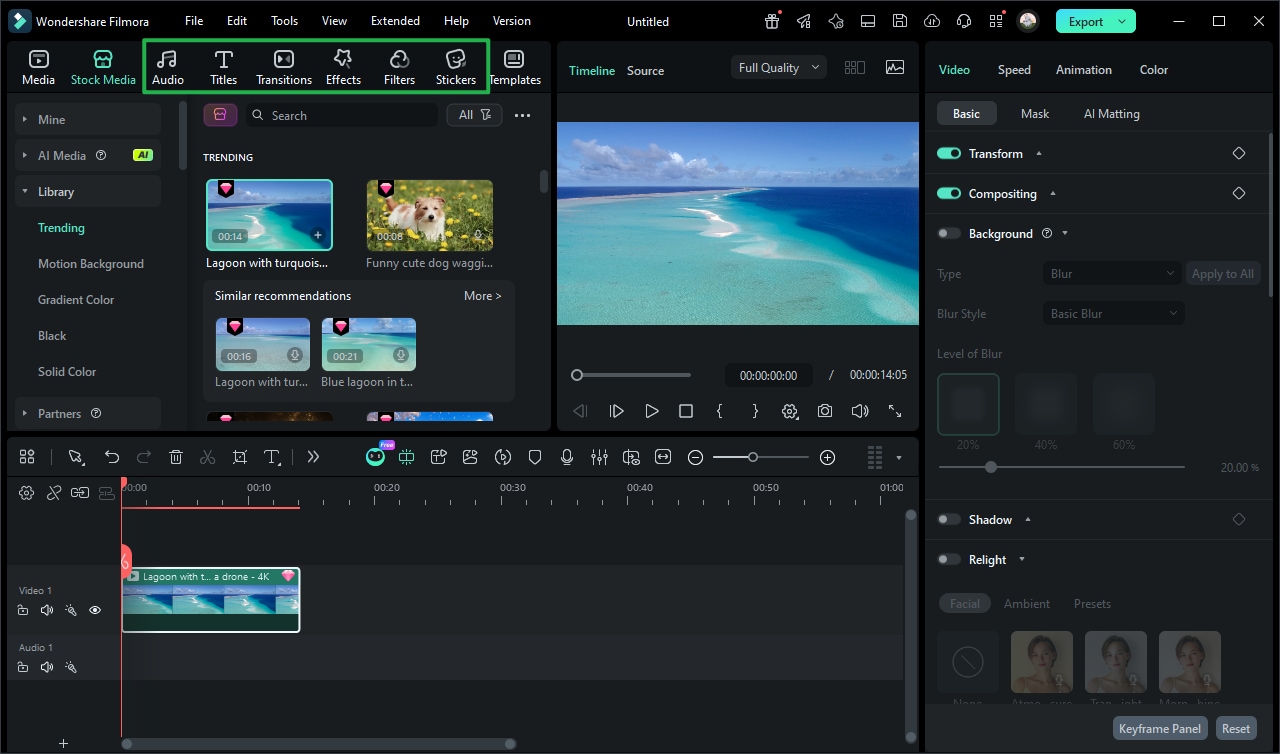
Step 3 Polish and Export Your Masterpiece
-
1: Import Photos and Open AI Tools
Launch the Filmora Video Editor and import your couple's photos. Navigate to the AI tools section and select the AI Image to Video function to begin setting up your romantic generation. -
2: Generate the AI Kiss Animation
Choose your preferred AI model, input your prompt, and let Filmora weave the images together into a stunning AI kiss video. Drag the generated clip directly onto your timeline. -
3: Polish and Export Your Masterpiece
Enhance your edit with beautiful creative assets, soft lighting effects, and a romantic soundtrack. Export in high resolution to share your mesmerizing love story.
Elevate Your Editing with Professional AI Tools
Filmora goes beyond simple video generation. You can layer atmospheric overlays to add visual depth to your romantic scenes, browse a massive library of video templates to frame your AI kiss video perfectly, and apply cinematic effects that pull focus toward your subjects. Create immersive love stories by fine-tuning luminance curves to set a warm, dreamy mood, using color channel mixing to shift your highlights toward soft pinks or golden hour hues, and adding dramatic slow-motion effects that amplify the cinematic weight of your footage. Whether you're building a wedding montage, a couple's vlog, or a viral social media post — everything you need to craft your complete romantic visual identity is available in one streamlined AI workspace.








