86+ Energy Effects & Packs:
Electrify Every Scene in Your Video
Give your footage the high-voltage treatment it deserves. Explore our curated selection of energy effects and overlay assets, featuring everything from crackling electricity and plasma orbs to shockwave bursts and neon energy trails. Simply pick your favorite energy effect style, drag it into your timeline, and transform ordinary clips into electrifying, action-packed content. Perfect for gaming creators, action editors, and anyone who wants their videos to hit harder.
Loading more effects...
 Category:
 Duration:
 Aspect Ratio:
Make Every Scene Hit Harder with
Professional Energy Effects
The difference between a flat clip and a jaw-dropping one is often a single well-placed effect. With Filmora's library of energy effects, you can add electric intensity to any footage in minutes. From crackling lightning overlays and glowing plasma bursts to shockwave rings and particle trails, our drag-and-drop tools make professional-grade energy effects for video accessible to every creator — no compositing skills required.
Multi-Style Energy Effects for Every Scene

Multi-Style Energy Effects for Every Scene
Browse a curated library of energy effects spanning every intensity level. From subtle electric aura glows and pulsing plasma rings to explosive shockwave bursts and high-voltage lightning strikes, every effect is designed to amplify the power and momentum of your footage without complex manual compositing. Mix and match styles to build the exact energy look your video needs.
- 86+ Effect Styles — Electric, plasma, aura, particle, shockwave, and neon energy overlay effects for every edit mood.
- Free & Premium Mix — Access a range of energy effects free to use instantly, with premium packs unlocking exclusive high-resolution styles.
- Multi-Platform Ready — Crisp results in 9:16 TikTok, 1:1 Instagram, and 16:9 YouTube formats.
Energy Overlay Effects with Flexible Blend Modes
Energy Overlay Effects with Flexible Blend Modes
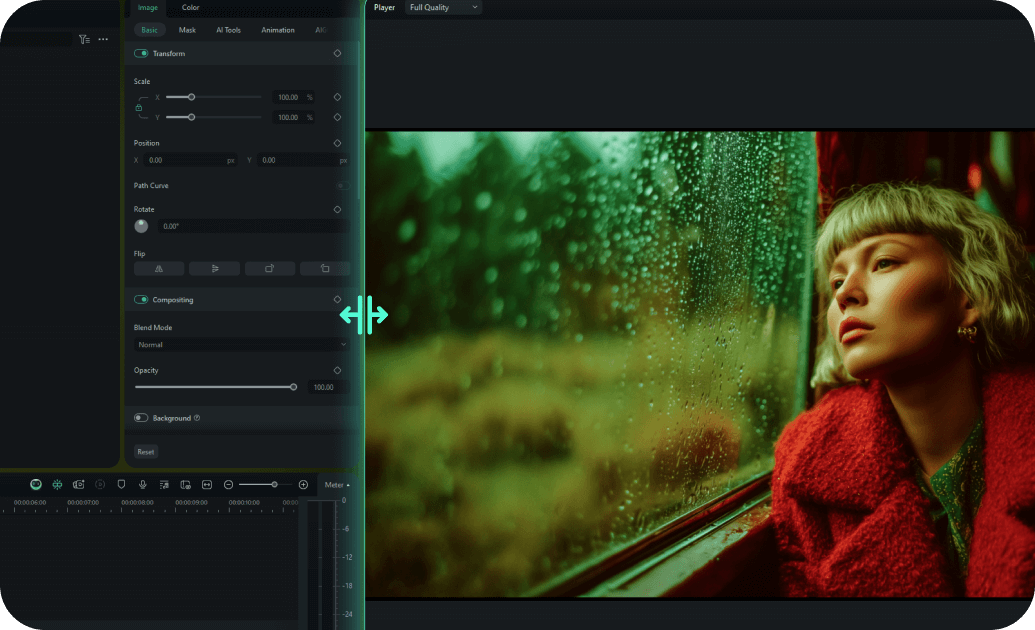
The key to realistic energy overlay effects is seamless blending. Filmora's blend mode controls let you layer electric glows, particle trails, and plasma bursts directly over your footage using Screen, Add, or Overlay modes — so your energy effects integrate naturally with the scene rather than sitting on top of it. Adjust opacity and timing per clip for full creative control.
- Screen & Add Blend Modes — Layer energy overlay effects over any footage for a natural, composited look without green screen.
- Opacity & Timing Control — Fine-tune every energy effect's intensity and duration directly on the timeline.
- Stackable Layers — Combine multiple energy effects on a single clip to build complex, cinematic VFX looks.
Built-In Energy Effects Library — No Downloads Needed

Built-In Energy Effects Library — No Downloads Needed
Filmora's energy effects live directly inside the editor — no third-party plugins, no manual file imports, no compatibility headaches. Open the Effects tab, search "energy," and every available electric, plasma, and aura effect is ready to preview and drag onto your timeline instantly. The library updates regularly so you always have access to fresh energy effects free and premium styles without leaving the app.
- Instant In-App Access — All energy effects for video are searchable and previewable inside Filmora with one click.
- Regular Library Updates — New electric and energy overlay styles added continuously to keep your content on trend.
- One-Click Apply — Drag any energy effect directly onto your clip — no exporting, re-importing, or plugin setup required.
FAQs About Energy Effects
How To Add Effects to Videos
Whether you're a beginner or experienced creator, adding effects to your videos with our video effect editor is intuitive and fast.
Follow these simple steps to improve your videos with Filmora's extensive effect collection.
Step 1 Open Filmora and Import Your Video

Step 2 Choose and Apply Video Effects

Step 3 Export or Continue Editing

-
Step 1: Open Filmora and Import Your Video
Launch Filmora on your computer and import the video file you want to edit into the media library. Then, drag it to the timeline to start editing. -
Step 2: Choose and Apply Video Effects
Click the Effects tab in the top toolbar. Under Video Effects, you’ll find multiple effect categories. Select an effect you like and drag and drop it onto your video clip in the timeline to apply it. -
Step 3: Export or Continue Editing
Once you’re satisfied with the effect, export your video or continue editing by adding more effects, text, or music.
Step 1 Open Filmora and Import Your Video
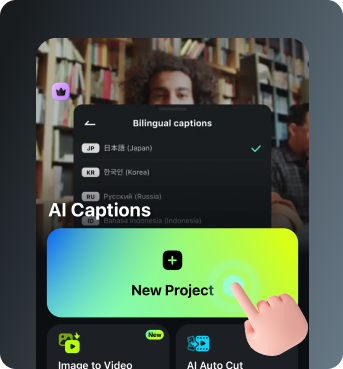
Step 2 Access and Select Your Video Effects
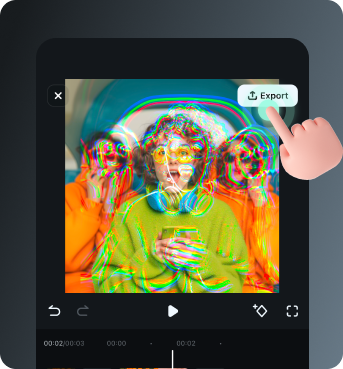
Step 3 Export or Keep Editing
-
Step 1: Open Filmora and Import Your Video
Open the Filmora app on your phone and import the video you want to edit. The clip will be added to your editing timeline automatically. -
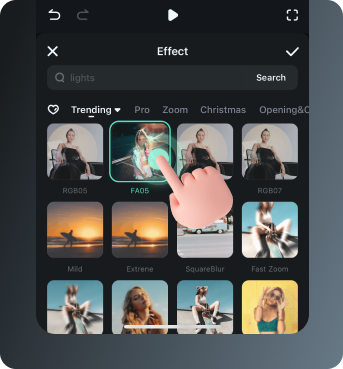
Step 2: Access and Select Your Effect
Tap Animation to browse preset video effects and animations. Choose a style you like and apply it to enhance your video instantly. -
Step 3: Export or Keep Editing
After applying the effects, export your video or continue editing with additional animations, stickers, or adjustments.
Explore More Video Templates
From romantic Valentine's Day clips to festive birthday videos — explore our free, ready-to-use templates for every moment that matters.