
Trending 70+ Retro Video Effects and Vintage Overlays
Bring your videos to life with our handpicked Retro Video Effects and Vintage Video Overlays. From grainy VHS glitches and classic film scratches to warm sepia tones and retro color grading, these effects instantly give your clips a nostalgic, cinematic look. Perfect for TikTok challenges, Instagram Reels, YouTube Shorts, vlogs, product showcases, and creative storytelling. Explore endless combinations of overlays, light leaks, and animated textures to make every video uniquely vintage.
Loading more Retro Video Effects...
 Category:
 Duration:
 Aspect Ratio:
Why Choose Filmora for Retro Video Effects?
Create eye-catching vintage videos in seconds with Filmora's Retro Video Effects. From classic VHS glitches and cinematic film grain to warm sepia tones and animated overlays, our easy-to-use tools let you craft trending, nostalgic looks for TikTok, Instagram Reels, YouTube Shorts, or any social media content—no advanced editing skills required.
Massive Library of Retro and Vintage Effects
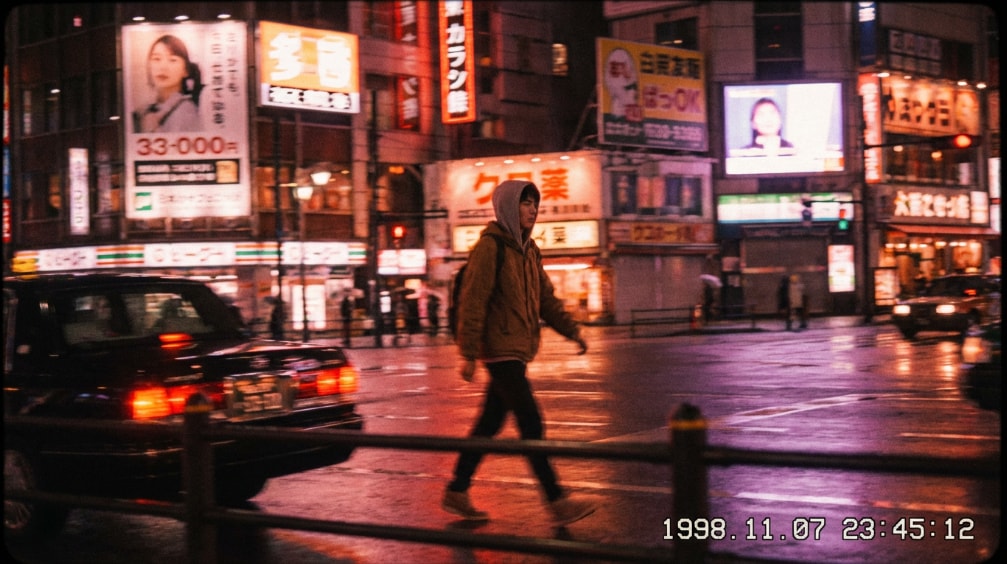
Massive Library of Retro and Vintage Effects
Access over 70 ready-to-use Retro Video Effects and vintage overlays spanning styles from the 60s to the 90s. From VHS-style glitches and film scratches to warm sepia tones and cinematic grain, Filmora gives you endless combinations to achieve the perfect nostalgic look.
- Classic VHS glitches, film grain, and scratch overlays
- Vintage color grading presets to match different eras
- Animated textures and light leaks to enrich your storytelling
Creative Customization for Unique Vintage Videos
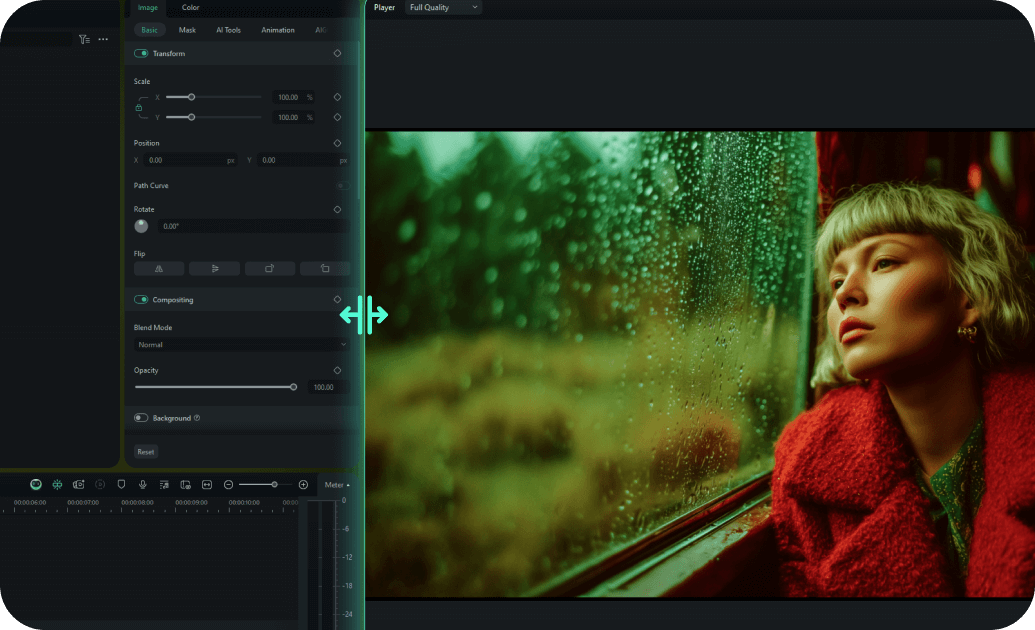
Creative Customization for Unique Vintage Videos
Filmora lets you fully personalize every Retro Video Effect. Combine overlays, adjust color tones, tweak film grain, and animate light leaks to make your videos stand out. Perfect for social media creators seeking a truly unique vintage style.
- Mix multiple retro overlays for VHS, cinematic, or sepia effects
- Customizable speed, intensity, and direction of effects
- Supports vertical, square, and horizontal videos for TikTok, Instagram, YouTube
AI Tools & Assets to Elevate Vintage Production

AI Tools & Assets to Elevate Vintage Production
Enhance your retro videos with Filmora's AI-powered tools and built-in resources. Remove unwanted objects, generate smart background music, or denoise videos while keeping your vintage aesthetic intact. Add stickers, retro fonts, and music tracks to instantly polish your content.
- AI-powered tools: object remover, smart BGM generation, video denoise, AI enhancer
- Wide stock of retro stickers, fonts, and music for social media-ready videos
- Quickly export professional vintage videos optimized for TikTok, Instagram, and YouTube Shorts
Frequently Asked Questions about Retro Video Effects
How to Apply Retro Video Effects in Filmora
Create professional vintage looks in just a few simple steps, no advanced technical skills required.
Step 1 Browse & Select

Step 2 Download Retro Effect

Step 3 Apply in Filmora

-
1:Browse & Select
Browse our Retro Video Effects collection and click on any effect to preview it. Use filters to find effects by category, style, or trending popularity. -
2:Download Retro Effect
Click the download button to get the effect file. It will be saved to your downloads folder and ready to import into Filmora. -
3:Apply in Filmora
Open Filmora and import the effect file. Drag it to your timeline and start customizing the intensity, colors, and blend modes to match your vision for Retro Video Effects.
More Than Just Retro Video Effects
Filmora does more than apply the Retro Video Effect. You can also add viral filters, create trending AI videos from images or prompts, and use advanced editing features all in one place.







