
Featured Particle Video Effects & Overlays
for Professional Video Editing
Explore our curated collection of particle effects and overlays designed for modern video creators. From glowing particles and dust overlays to animated sparkle effects, each particle video effect is ready to download and optimized for social media, YouTube, and cinematic projects. Add magic to your videos with our free and premium particle overlays.
Loading more templates...
 Category:
 Duration:
 Aspect Ratio:
Trending Particle Video Effect
for Viral Edits & Content
Create stunning particle animation effect that captivate your audience with our comprehensive particle overlay collection. From glowing particles and bokeh effects to cinematic dust overlays and animated sparkle transitions, our particle effect library gives you everything needed to produce professional content. Perfect for YouTube creators, TikTok influencers, and video editors who want Hollywood-quality particle effects without complex After Effects workflows.
90+ Ready-to-Use Particle Overlays

90+ Ready-to-Use Particle Overlays
Access an extensive library of particle video effects crafted by professional VFX artists. Our collection features high-quality particle overlays, animated visuals, and cinematic elements designed to enhance any video project—perfect for creators, editors, and storytellers at any skill level.
- Glowing particle overlays with alpha channel transparency
- High-resolution dust overlay effects available in 4K
- Animated sparkle and bokeh particle effects
- Cinematic smoke and fire particle effects for dramatic scenes
- Magic particle animations for fantasy, wedding, and event videos
- Nature-inspired particle animations including snow, rain, and atmospheric effects
- Multiple formats supported (MP4, MOV, PNG sequences) with transparent backgrounds for seamless compositing
Free & Premium Particle Effects Download
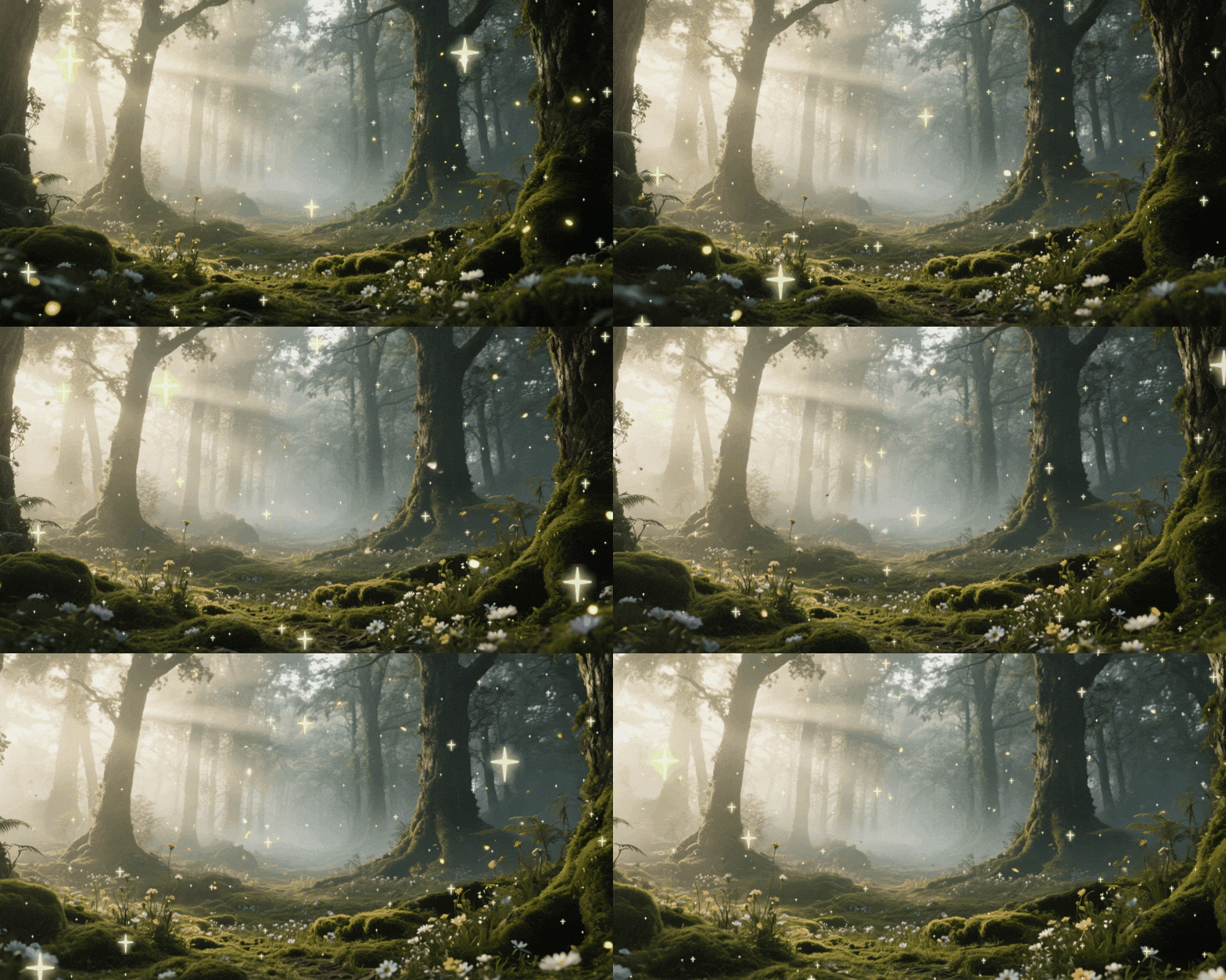
Free & Premium Particle Effects Download
Get instant access to our particle effect library with flexible free and premium options. Whether you're just starting out or producing high-end content, our particle overlay packs are designed for fast downloads, easy use, and professional results across all major platforms.
- Free particle overlay video packs ideal for beginners and quick edits
- Premium 4K particle video effects with extended commercial licenses
- Weekly updates featuring new particle animation styles
- One-click download with no signup required for free particle effects
- Lifetime access to all purchased particle overlay packs
- Secure cloud backup for your downloaded particle effects
- All particle video effects are royalty-free for YouTube, TikTok, Instagram Reels, and commercial projects
Easy Particle Effect Integration

Easy Particle Effect Integration
Instantly enhance your videos with particle effects using Filmora's powerful and intuitive drag-and-drop system. Designed specifically for video creators, every overlay is ready to elevate your scene without complicated setup.
- One-click application: Add particle overlays for edits directly onto your clips in the timeline, no green screen or masking required
- Pre-keyed transparency: All particles come with alpha channels, letting you layer effects seamlessly over your footage
- Dynamic control panel: Adjust speed, color, opacity, and size of particles in real time to match your creative vision
- Built-in blend modes: Instantly integrate sparks, dust, smoke, or magic effects with your video's lighting and tone
- real-time preview: See changes immediately on the video timeline for fast iteration and perfect timing
- Step-by-step guides: Learn exactly how to add particle effect to any project, even if you're new to video editing
With Filmora, adding professional particle video effects becomes a creative tool, not a technical hurdle—turn ordinary footage into cinematic scenes in minutes.
Multiple Formats for Every Platform

Multiple Formats for Every Platform
Every particle video effect in Filmora is designed to automatically adapt to your project, so your visuals look perfect on any screen or platform.
- 16:9 widescreen overlays for YouTube, cinematic, and landscape videos
- 9:16 vertical particle effects optimized for TikTok and Instagram Reels
- 1:1 square format for social media posts and story content
- Multiple resolutions available: 4K, 1080p, and 720p to match any project needs
- PNG sequences for frame-by-frame editing and precise compositing
- MP4/MOV with alpha channel for instant drag-and-drop use without additional setup
Filmora's particle overlays maintain full visual quality across all aspect ratios and devices, making it easy to create professional, shareable videos every time.
FAQs for Particle Video Effect
- Open Filmora and start a new project.
- Import your video clips into the timeline.
- Select "Effects" and search for "Particle" in the effect library.
- Drag a particle effect onto your clip, adjust as needed, and preview your video.
- Export and share directly to TikTok, Instagram, or YouTube!
How to Add the Particle Video Effect in Filmora
Want to make your videos pop with trending effects? The particle video effect lets you easily add falling sparkles, light flares, or floating dust to any clip. This beginner-friendly guide shows how to apply the particle video effect to your videos in Filmora—even if you've never tried video effects before. Boost your TikTok, Instagram, or YouTube content in just a minute.
Step 1 Open Filmora and Start Your Project

Step 2 Search for the Particle Video Effect

Step 3 Preview and Export Your Particle Video

-
1: Open Filmora and Start Your Project
Launch Filmora, create a new project, and import your video to get started with the particle video effect. -
2: Find and Add the Particle Video Effect
Click on "Effects", search "Particle", choose your favorite particle style, and drag it onto your footage in the timeline. -
3: Adjust, Export, and Share Your Particle Video
Adjust effect settings for the look you want. Preview, then export your finished particle video for TikTok, YouTube, or Instagram fast.
More Than Particle Video Effects
Filmora offers more than just the particle video effect. Easily create viral trend effects for TikTok, design animated overlays, make AI-powered edits, or add transitions and filters to boost views on all your social channels—everything in one simple editor.








