
Discover Popular Winter Filter Templates & Styles
Browse through our curated selection of presets to find the perfect winter filters for video projects.
Loading more winter filters...
 Category:
 Duration:
 Aspect Ratio:
Unlock the Magic of the Season with Professional Winter Filters
Transform your ordinary footage into a winter wonderland with Filmora's extensive collection of winter filters. Whether you want to add a soft frost to a vlog or a dramatic snowstorm to a cinematic project, our winter video filters provide the perfect aesthetic with zero hassle. Combine these with advanced color grading to make your seasonal content truly shine.
Cinematic Snow Overlays & Frosty Tones

Cinematic Snow Overlays & Frosty Tones
Easily apply winter filter templates to give your footage a frosty, high-end feel. Our library features various winter video filters that enhance whites and blues for that perfect icy aesthetic, making every shot look like a professional production.
- Icy Visual Enhancement - Automatically balance exposure and saturation to favor cool, wintery tones.
- Customizable Intensity - Use the slider to find the exact level of frost for your specific scene.
- Instant Atmosphere - Turn a sunny day into a chilly morning using our winter filters for video.
Professional Color Grading for Chilly Environments

Professional Color Grading for Chilly Environments
Control every aspect of your winter filters. From adjusting intensity to using precision tools to fine-tune the shadows, your winter filter effects will look naturally stunning. Pair them with bokeh backgrounds for a warm, cozy contrast that highlights your subject.
- ❄️ Temperature Control - Adjust the "coolness" of your clip to match the desired winter vibe.
- 🌬️ Vignette Effects - Add dark or frosty borders to focus attention on the center of your winter scenes.
- ✨ Glow & Bloom - Make snow and lights pop with specialized winter filter presets that emphasize brightness.
- 🎨 Creative Freedom - Layer multiple filters for a unique winter filter pack look tailored to your brand.
Dynamic Weather Effects & Particle Integration

Dynamic Weather Effects & Particle Integration
Our winter filter presets include advanced Sound Effects and overlays. Transform a simple clip into a blizzard scene with ease using Filmora's professional toolset. These dynamic effects go beyond simple color changes, adding life and motion to your seasonal edits.
- Active Snow Particles - Choose from light flurries to heavy snowstorms within your winter filter pack.
- Animated Frost - Watch as ice creeps across the screen edges for a stylized transitions.
- Environment Matching - Automatically sync your winter filters for video with existing lighting for a realistic look.
- Optimized Export - Save your winter masterpieces at the highest quality for social media or professional use.
Frequently Asked Questions About Winter Filters
How to Apply Winter Filters for video in Filmora
Transform your clips into frosty masterpieces in seconds. Follow these steps to import your footage, apply cinematic winter filters, and export your professional seasonal video.
Step 1 Import Your Seasonal Footage
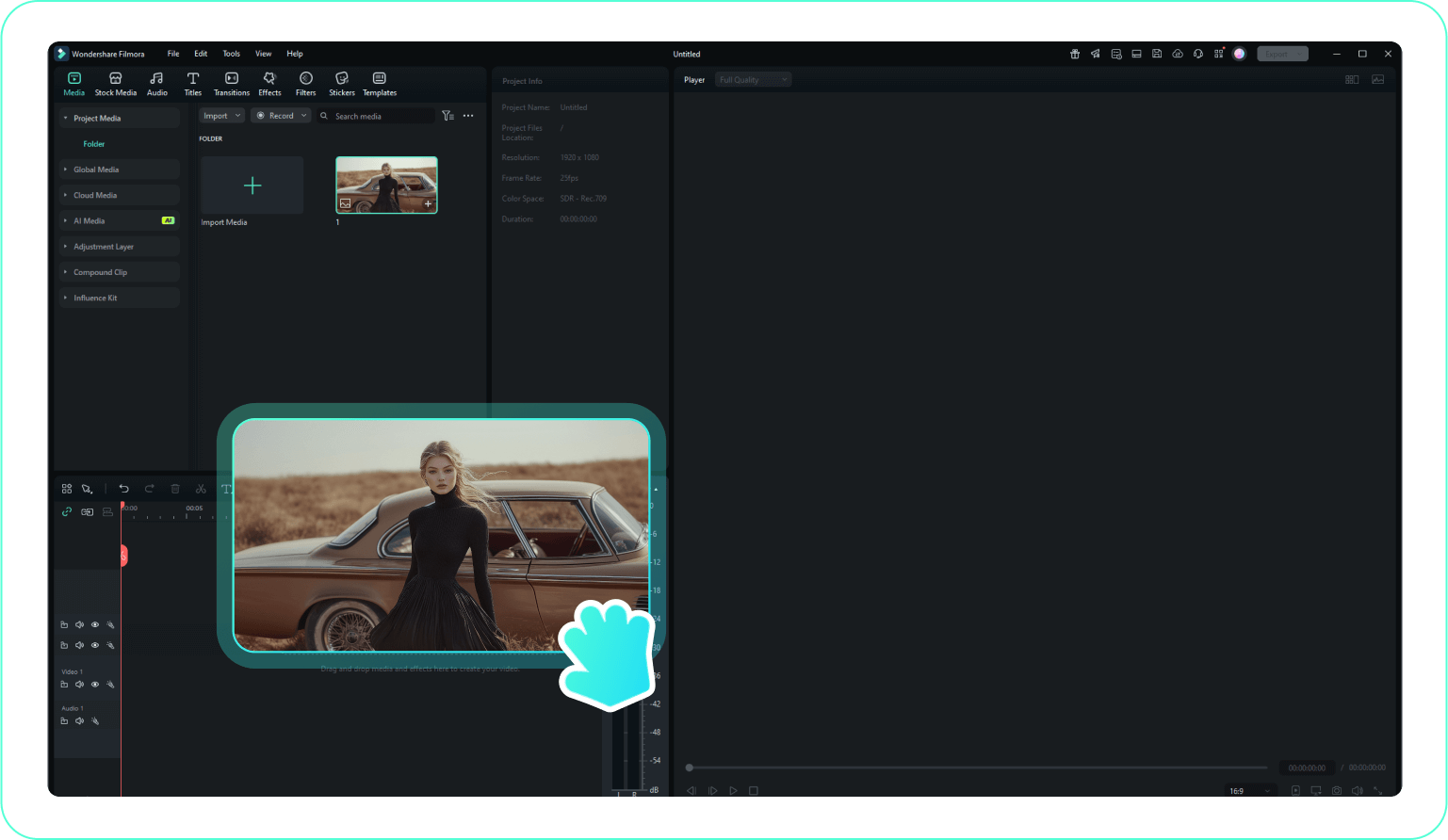
Step 2 Choose Winter Filter templates
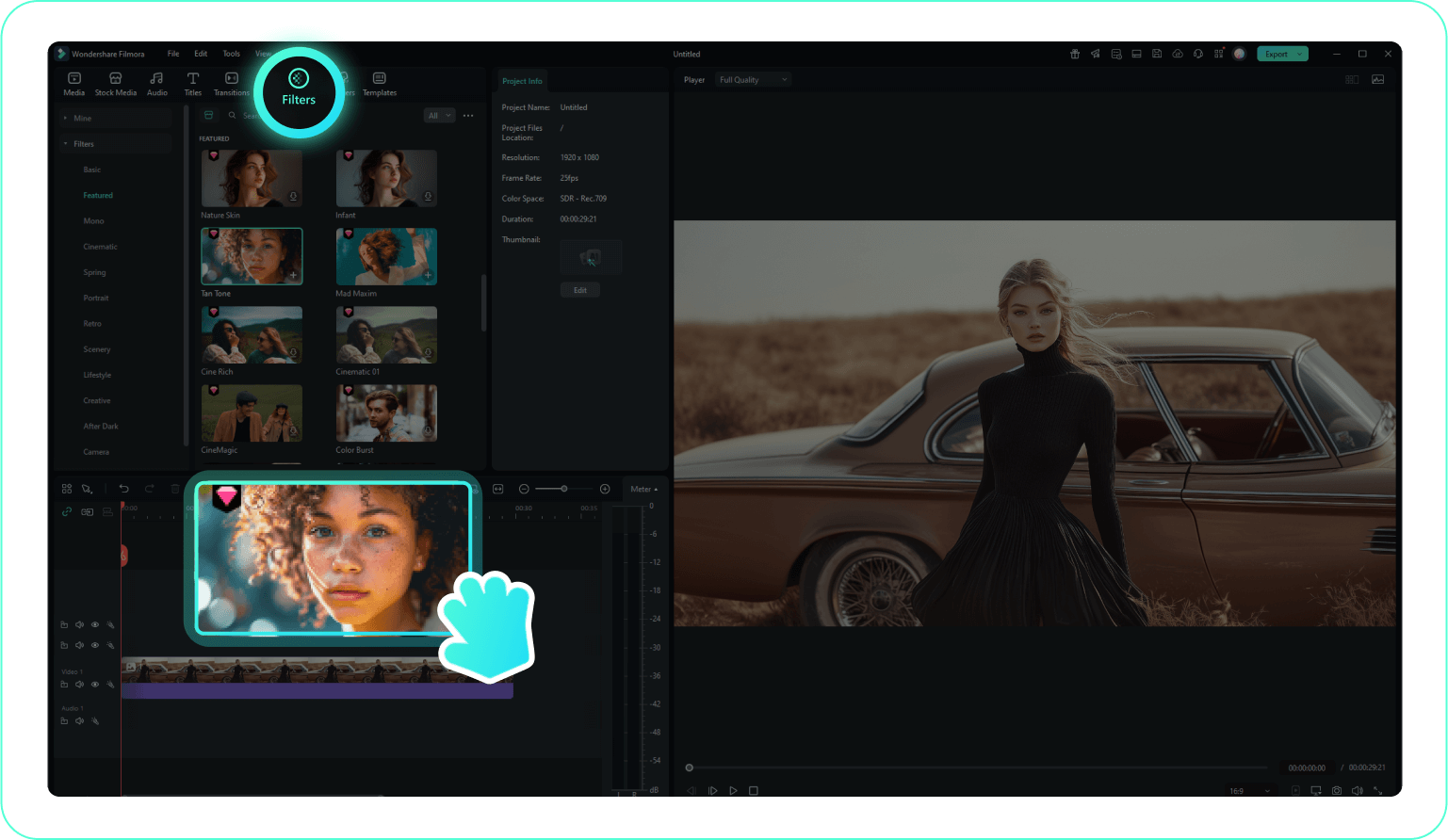
Step 3 Customize the Winter Effect & Export
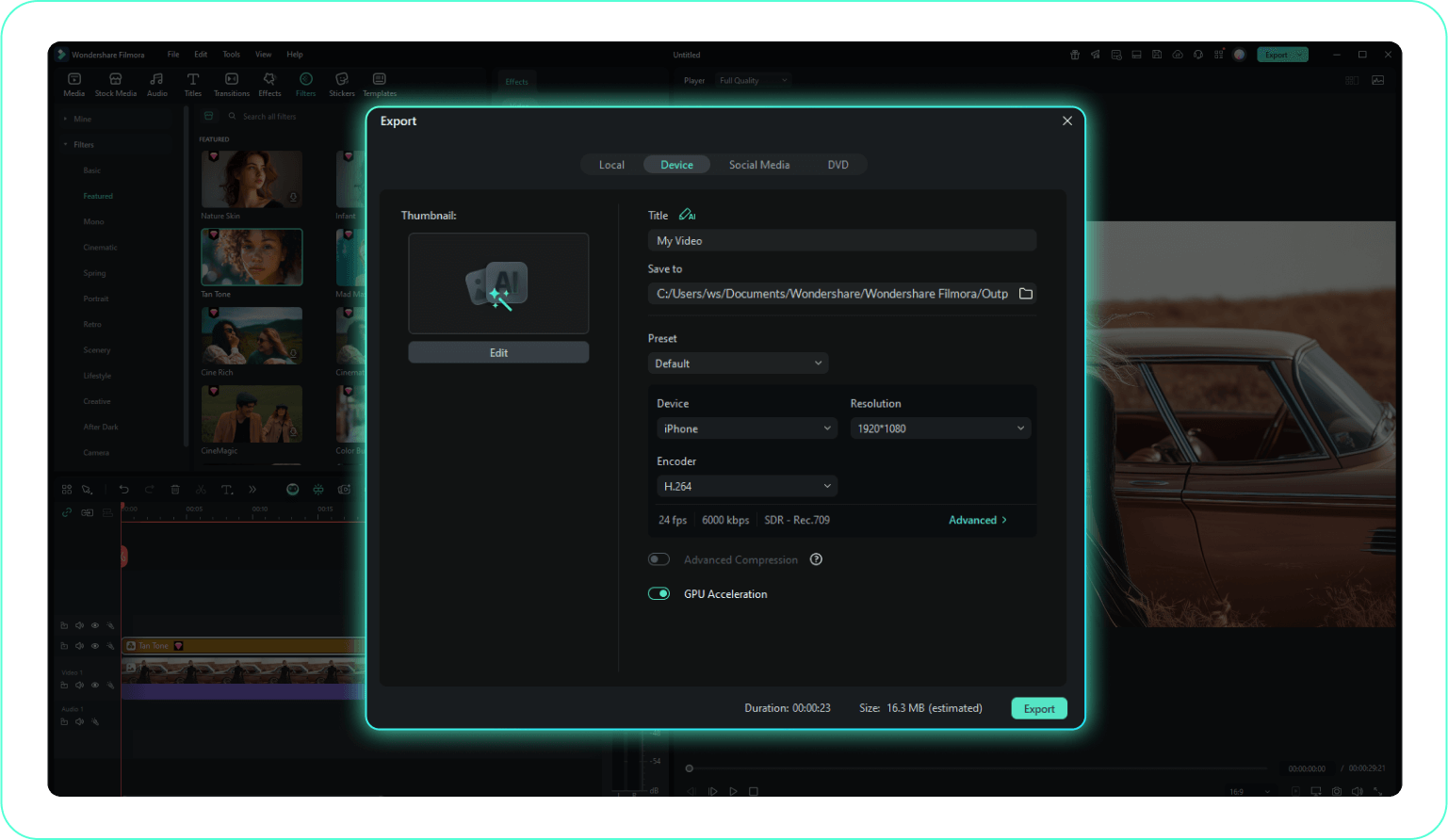
-
1:Import Your Seasonal Footage
Launch Filmora and click "Import Media" to upload your clips. Drag them onto the timeline to begin applying your winter filters for video. -
2:Choose Winter Filter templates
Navigate to the "Effects" tab and search for winter styles. Preview the winter filter templates and drag your favorite one directly onto your video clip. -
3:Customize the Winter Effect & Export
Adjust the Opacity to control how strong the winter filter effects appear. When you're happy with the frosty look, click Export to save your final winter video.
Explore More Seasonal Video Templates
Find the perfect visual style for every time of year and creative niche.




