
Autumn Filter for Warm Fall Tones
Create Stunning Fall Aesthetics with the Viral Autumn Filter
Discover how to apply the trending Autumn Filter to your photos and videos for rich golden tones, vibrant fall colors, and a cozy seasonal mood. Perfect for elevating your content on TikTok, Instagram, and YouTube with a warm, cinematic touch in just a few clicks.
2.9M+
100M+
30M+
Explore the Most Popular Autumn Filter Effects & Presets
Browse a curated collection of trending autumn filters designed to add warm tones, golden highlights, and rich seasonal colors to your photos and videos.
Loading more Autumn Filters...
Popular Autumn Filter Effect
{{ selectedTemplate.title }}
 Category:
{{cat}}
Category:
{{cat}}
 Duration:
{{ selectedTemplate.duration }}
Duration:
{{ selectedTemplate.duration }}
 Aspect Ratio:
{{ getRatioText(selectedTemplate.ratio) }}
Aspect Ratio:
{{ getRatioText(selectedTemplate.ratio) }}
Similar Autumn Filters
Why Choose Filmora for your Autumn Filter?
Create the perfect fall aesthetic with powerful, easy-to-use tools designed for both photos and videos. Whether you're going for a soft golden glow or rich amber tones, Filmora helps you apply an autumn filter or fall filter effect that looks natural, cinematic, and platform-ready.
Professional Autumn Filter Quality

Professional Autumn Filter Quality
Get that authentic fall vibe with professional-grade color grading and effects. Each Autumn Filter is crafted to enhance your visuals, making them stand out on TikTok, Instagram, and YouTube.
- Warm, rich tones that evoke the autumn season
- High-definition filter application for crisp visuals
- Seamless integration with your existing content
Easy Autumn Filter Customization

Easy Autumn Filter Customization
Apply and adjust your Autumn Filter in minutes with our intuitive tools. No advanced editing skills needed to get that perfect fall mood for your photos and videos.
- One-click application of the Autumn Filter
- Adjust intensity and fine-tune colors with simple sliders
- Real-time preview to see your changes instantly
- Quick export for social media platforms
Autumn Filter for Multiple Formats

Autumn Filter for Multiple Formats
Apply the Autumn Filter to content in 16:9, 9:16, and 1:1 aspect ratios, perfect for YouTube, Instagram Reels, and TikTok. Your fall content will look great everywhere.
- Optimized for horizontal, vertical, and square videos
- Platform-specific export settings for social media
- Consistent Autumn Filter look across all your channels
- Cross-platform compatibility guaranteed
Instant Autumn Filter Access

Instant Autumn Filter Access
Get immediate access to the Autumn Filter and start creating warm, cozy content right away. No waiting, just instant creative power for your fall projects.
- Immediate download and installation
- Access to all Autumn Filter variations and updates
- No recurring fees or subscription requirements
- Start creating viral fall content today
Frequently Asked Questions about Autumn Filter
How to Apply the Autumn Filter in Filmora
Create beautiful fall-themed content in just a few simple steps, no advanced technical skills required.
Step 1 Browse & Select Autumn Filter
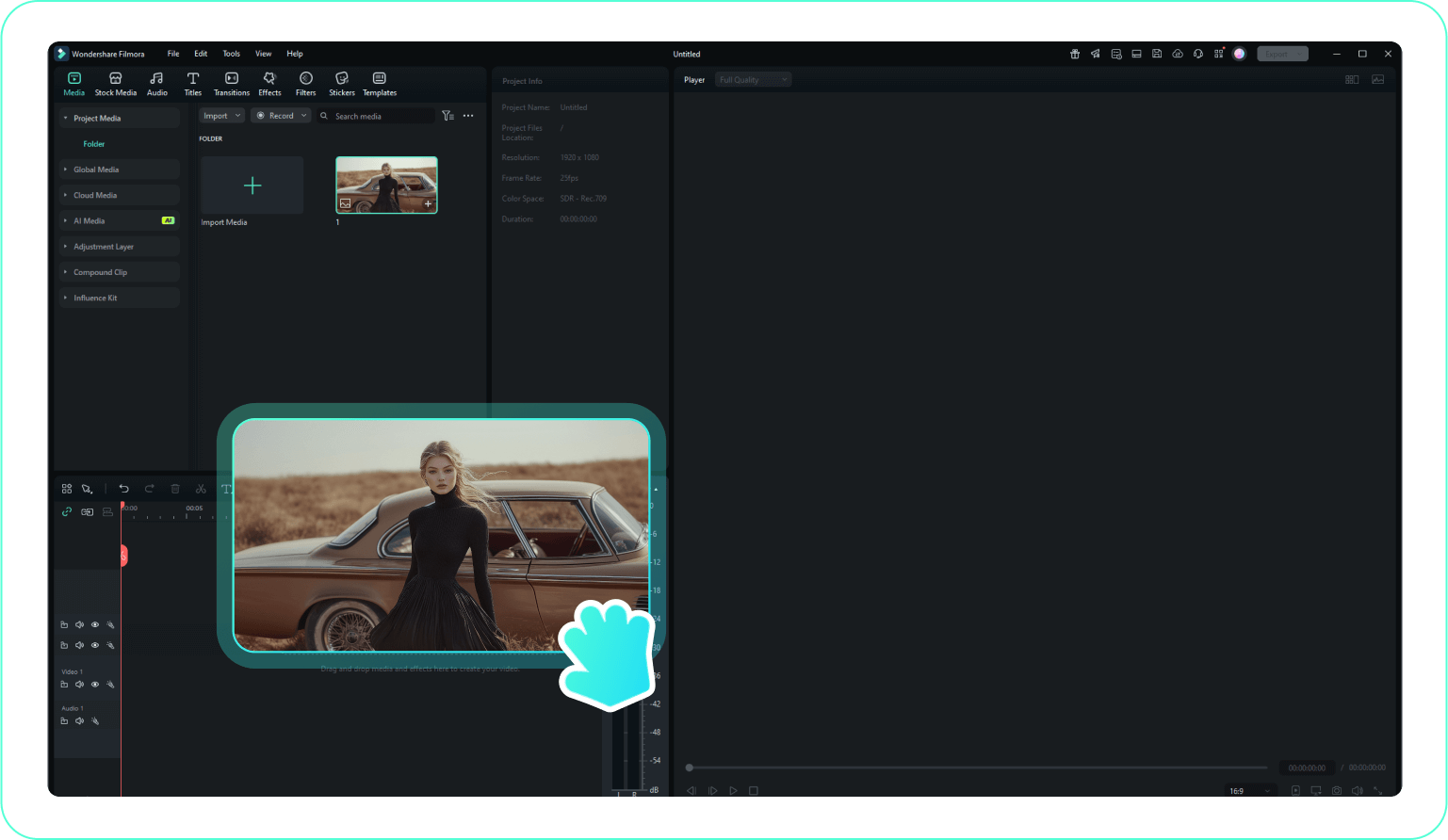
Step 2 Apply Autumn Filter
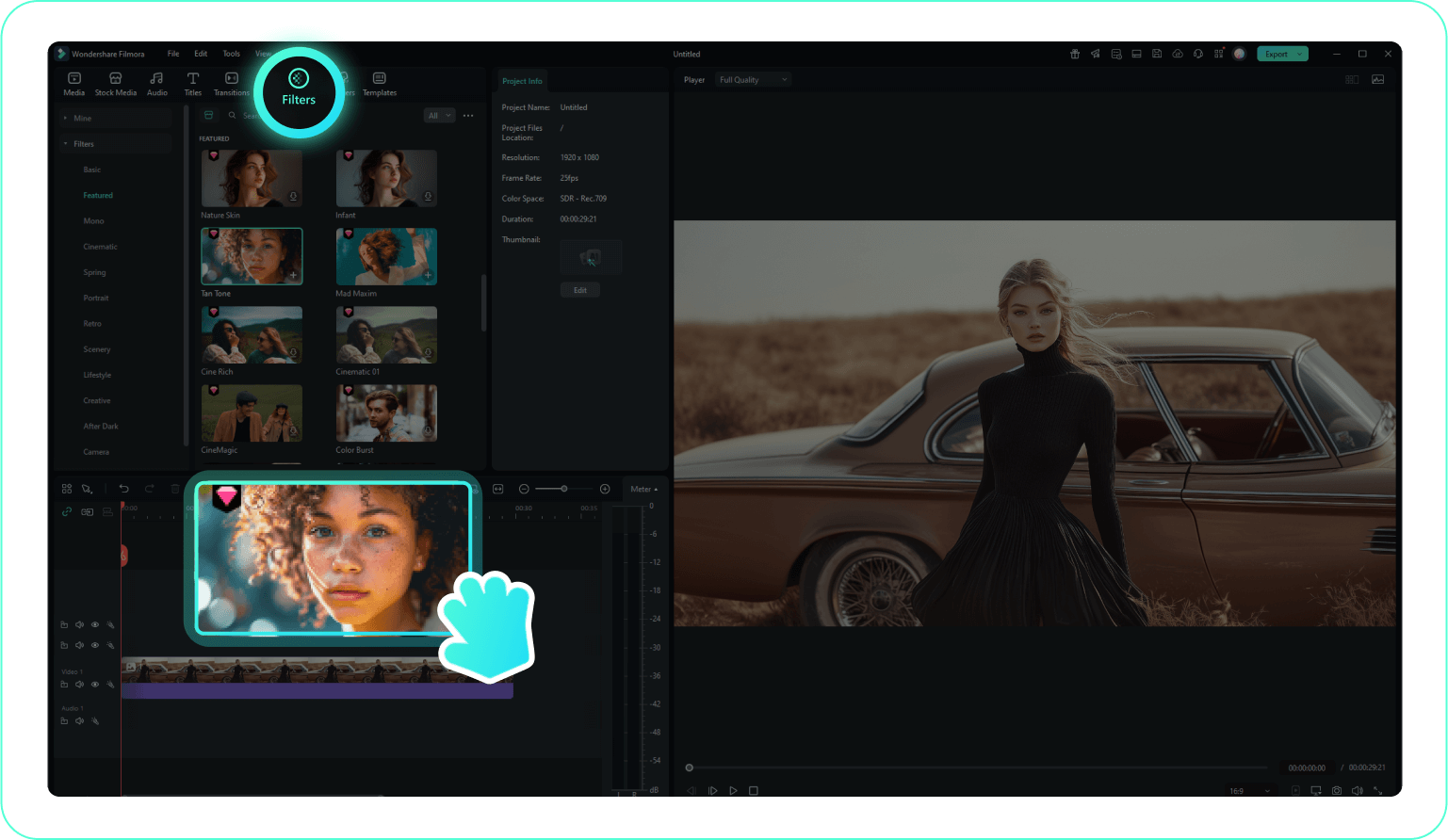
Step 3 Customize & Export
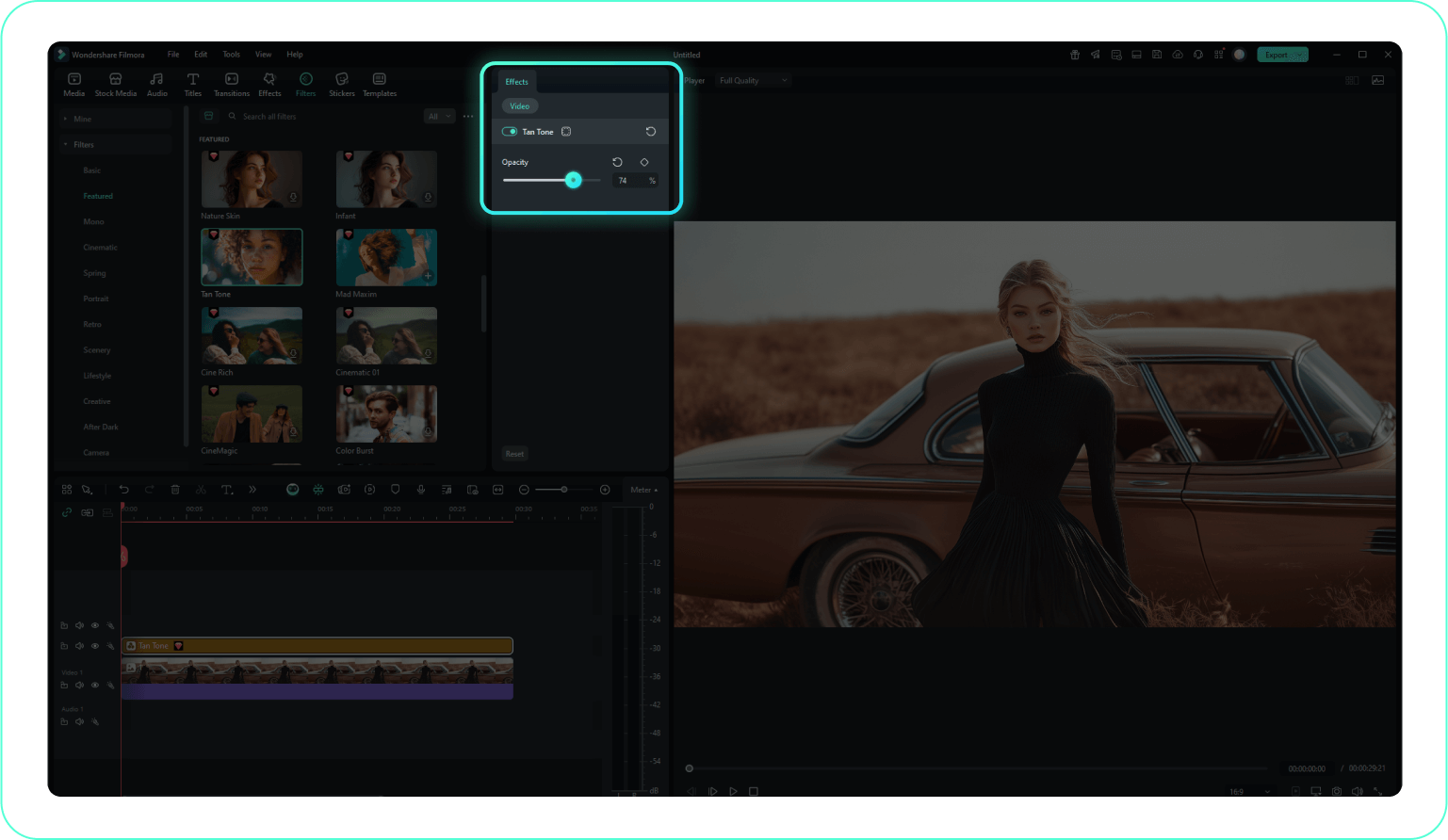
-
1:Browse & Select Autumn Filter
Browse our Autumn Filter collection and click on any filter to preview it. Use filters to find the perfect fall aesthetic for your content. -
2:Apply Autumn Filter
Click the download button or drag and drop the Autumn Filter directly onto your video or image in Filmora. It will be immediately applied. -
3:Customize & Export
Adjust the filter intensity and other settings to perfect your look. Then, export your video with the stunning Autumn Filter for sharing on social media.
More Than Just Autumn Video Filters
Filmora goes beyond simply applying an autumn filter. You can enhance your fall visuals with warm cinematic transitions, add subtle light leaks that mimic golden sunset glow, and refine autumn color grading for richer orange and amber tones. Create immersive fall aesthetic videos by adjusting seasonal LUTs, enhancing foliage colors, and even replacing dull skies with dramatic autumn sunsets. Everything you need to perfect your autumn or fall filter look is available in one streamlined editing workspace.







