

 TL;DR:
Web-based tools like SnapTik, SSSTikTok, and TTDownloader save watermark-free TikTok videos directly via URL on any browser, while Wondershare Filmora serves as a dedicated CapCut alternative for editing these exported clips with vertical templates and AI captions.
● iOS users downloading through SSSTikTok must first install the Documents by Readdle app to process and save the copied video links via its built-in browser.
● The TikTok Downloader Chrome plugin exclusively requires a PC desktop environment and enables batch downloading, allowing users to save all videos from a creator's profile simultaneously.
● ExpertsPHP extends media extraction capabilities beyond TikTok, functioning as a multi-platform downloader for stories and videos from Facebook, Instagram, Twitter, and Vimeo.
Ask AI for a summary
 ChatGPT
 Perplexity
 Gemini
 Claude
 Grok
Grok
With TikTok's unban in the U.S. and the ongoing CapCut ban discussions, creators are starting to worry about what's next. Will these popular platforms face more restrictions? And how can you continue downloading TikTok videos without the annoying watermarks?
Good news! There are several free TikTok downloader tools that let you download TikTok videos in high quality, watermark-free. Today, we'll share 8 of the best options—especially useful for those looking for a CapCut alternative in light of the current situation. Whether you're editing for fun or sharing with friends, these tools have you covered.
8 Free Online TikTok Video Downloaders
In this guide, you will find the best app to download TikTok without watermark and learn how to download TikTok videos for free on any device.
1. SnapTik App
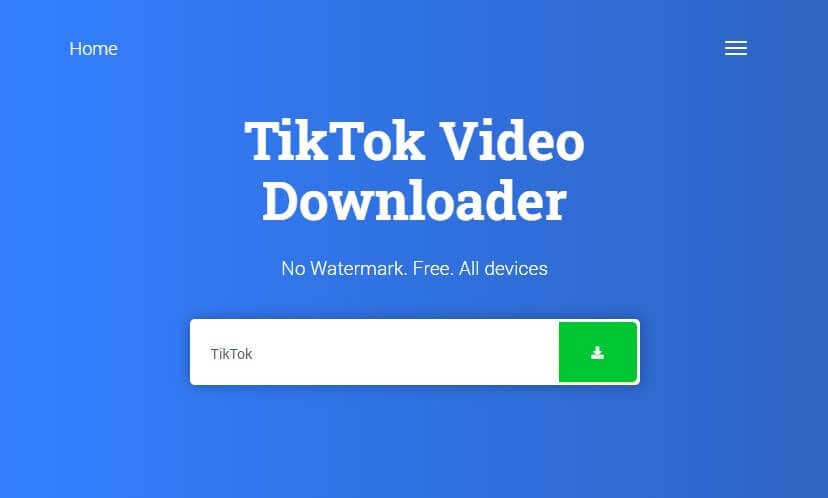
SnapTik app is claimed to be the best TikTok video downloading app without a watermark. The best part about this app is the interface that doesn't ask you to download any app or put some money in the app to download TikTok videos. All it takes is a browser and the video link that you want to download. Put the video link on the search box and let the app show you the magic with a video without a watermark.
2. MusiclyDown
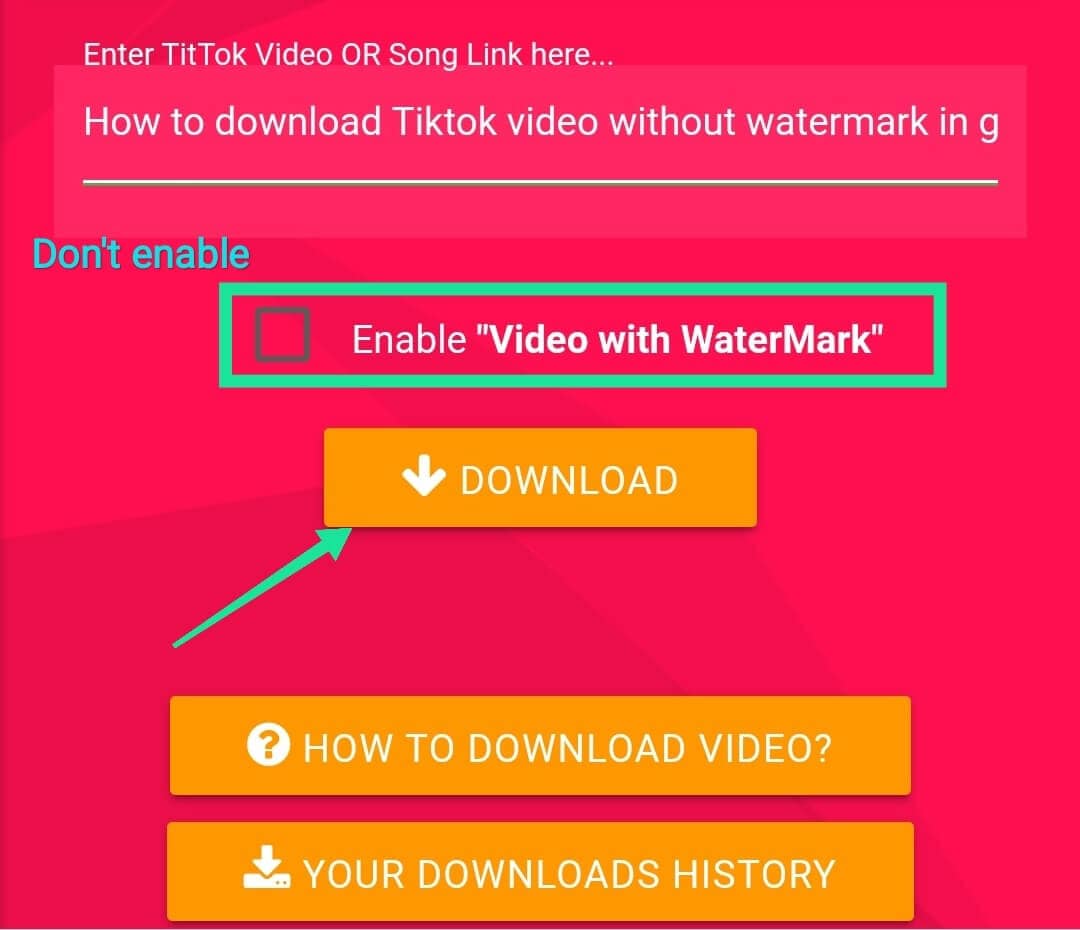
Musically Down is a free TikTok video downloading app that would download any video on TikTok within seconds? Be it the music or the video it can download everything from TikTok without any watermark. Like the other best apps, it also works on the web app and requires no installation, just browse the website and enter the video link that you want to download, rest the tool will do.
3. SSSTikTok
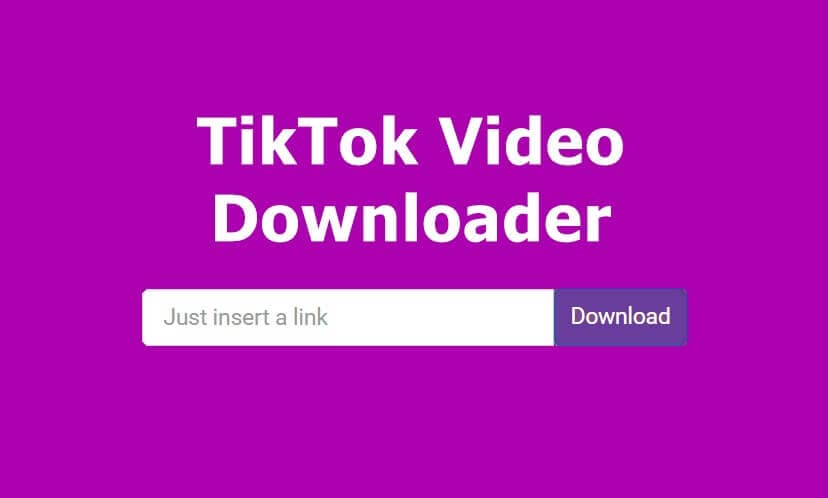
SSSTikTok is a great app as it's available on all platforms like browser, Android, and iOS. You can download any TikTok song or video in HD format without any watermark. There is only a task that you might have to do if you are an iOS user, you need to download the Documents by Readle app from the app store and then copy-paste the video link directly from the TikTok app and launch the Readle app. After that, you will see a browser icon in the bottom, click it and it will redirect you to the ssstiktok.io website and here you can paste the link and your video will be downloaded in no time.
4. ExpertsPHP
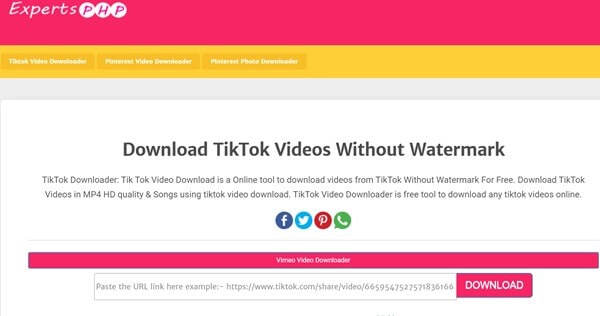
ExpertsPHP is an online TikTok video downloader that is compatible with all the browsers and social media platforms. One can not only download TikTok songs and videos but stories and other videos from Facebook, Instagram, Twitter, Vimeo, and like an app. You don't require to download any app for it, just simply browse the website and paste the video link to get started with your favorite videos.
5. TTDownloader
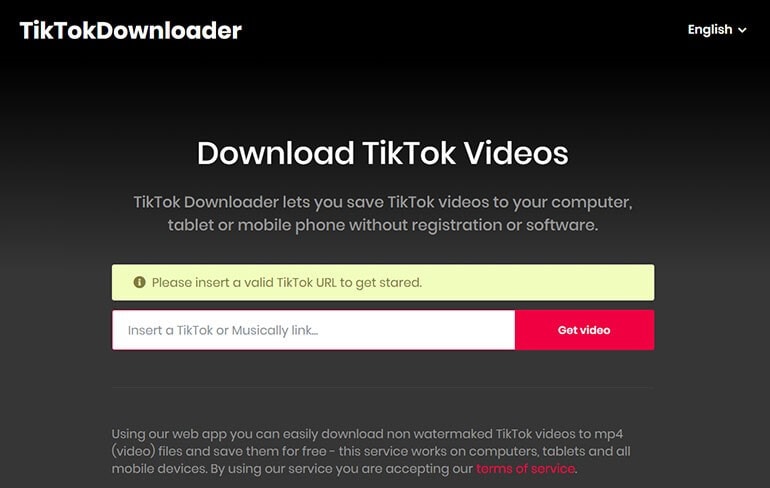
TTdownloader is another web app that can download any TikTok video with just a simple link. You can download TikTok videos without a watermark by only pasting the link on the website and the rest of the website will take care of your videos. The best part about this web app is that it's simple as making coffee, you just need the correct URL to browse the site, and the rest of everything will be done by the tool itself.
6. Downloaderi
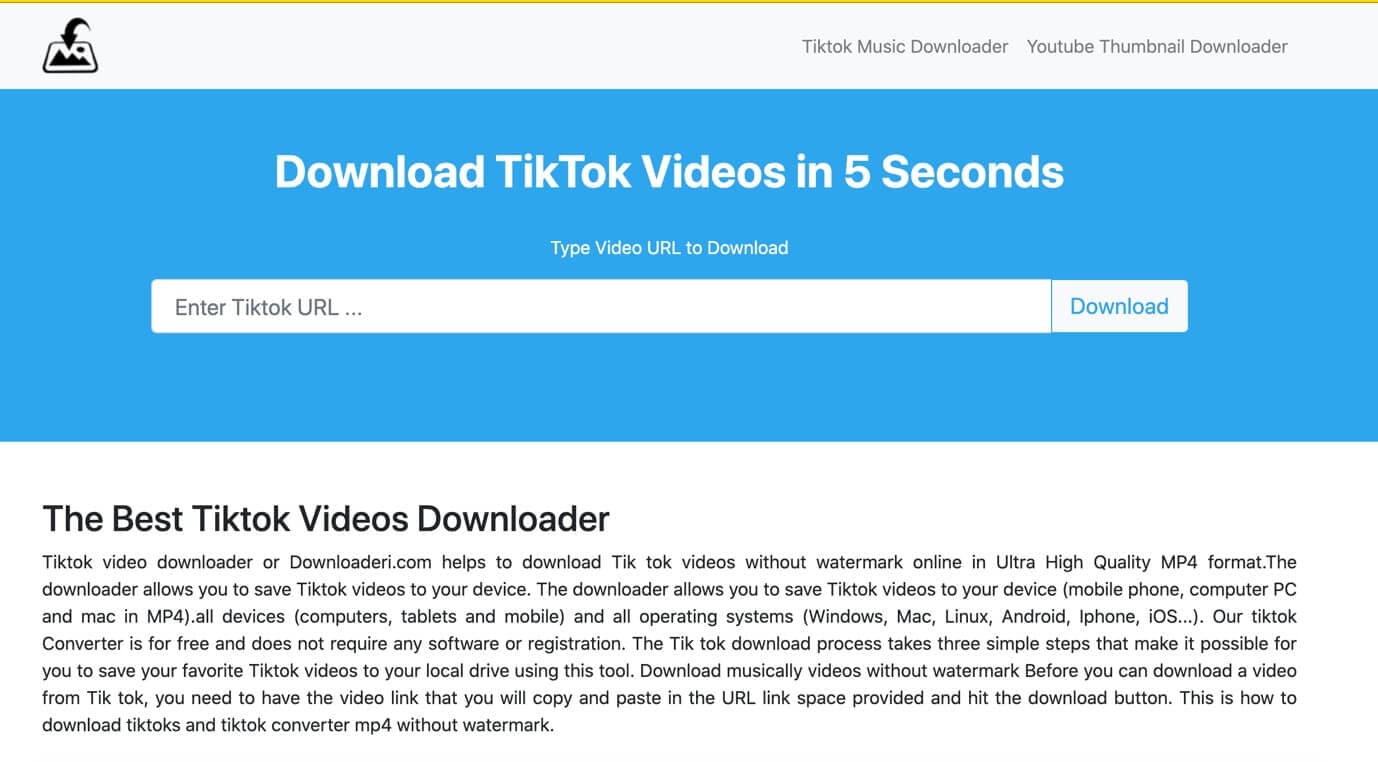
Downloaderi is a great app to download TikTok videos in a high-quality format without a watermark. It doesn't matter which OS you are using, be it Linux or iOS you just need to have a browser on your device and you can download any TikTok video with just a simple link. The process is the same as the other web apps, simply copy and paste the link on the browser window and let the app do the wonders for you.
7. SnapTik
SnapTik is a popular TikTok downloader that allows you to easily download high-quality TikTok videos without watermarks. With its simple interface, it offers a fast and efficient way to save your favorite content, whether for reposting, editing, or offline viewing. SnapTik ensures a clean, watermark-free experience, making it the go-to tool for anyone looking to download TikTok videos hassle-free.

8. TikTok Downloader (Chrome Plugin)
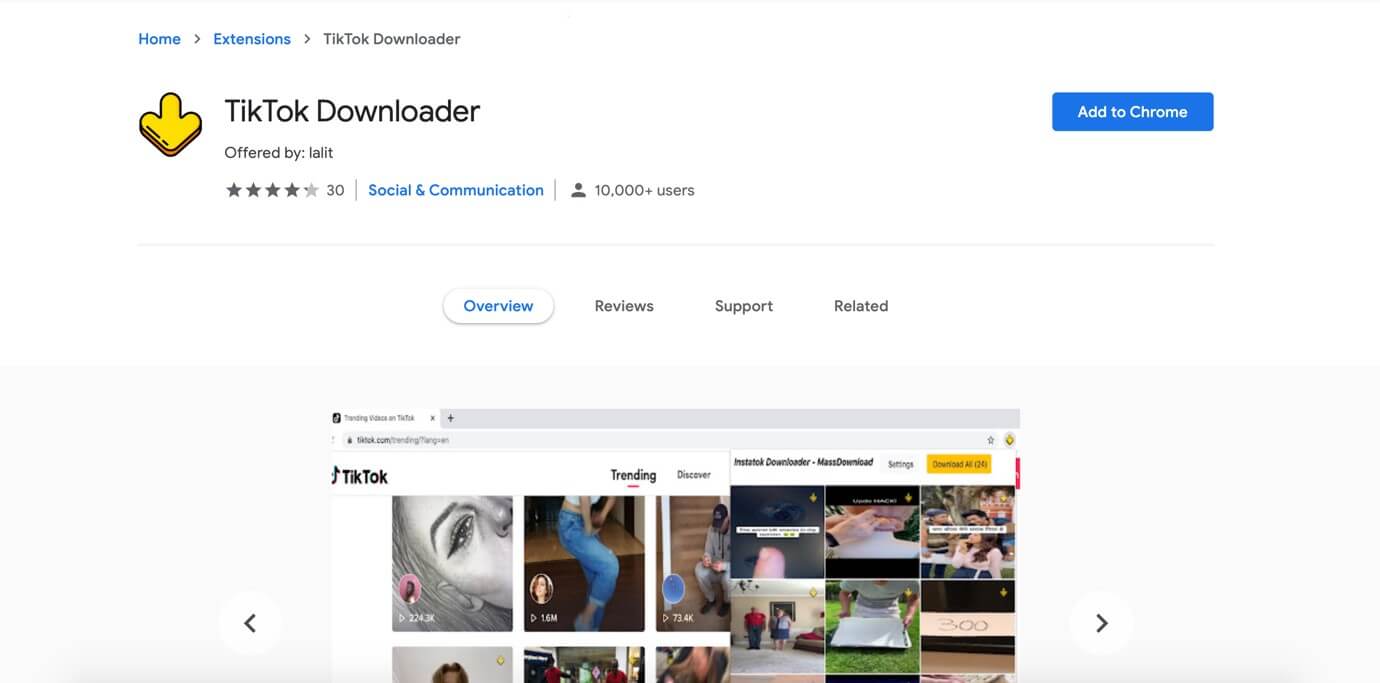
TikTok Downloader is the same as the other video downloaders but it has something different as it's a chrome extension that would only work if you have chrome installed on your PC. The best part of this extension is that it would show you the option of downloading all the videos at once if you are browsing the TikTok dashboard or profile of any video makers on TikTok. Though there are certain limitations on this tool if you are using a PC to watch and download TikTok videos then this extension is your best friend, in no time you can tons of tik videos if you have high-speed internet.
CapCut Alternative: Why Filmora is a Top Choice for Editing TikTok Videos
TikTok and CapCut have returned to the US, but the question of whether they will be banned again remains. As a result, many TikTok creators are seeking alternative apps like CapCut for editing their videos. Filmora is one of the best TikTok video maker, offering a powerful blend of creative assets, AI tools, and an easy-to-use interface to enhance your TikTok content.
Why Choose Filmora?
- 2.9M+ Creative Assets: Filmora is packed with over 2.9 million creative assets, including templates, transitions, music, and special effects. This extensive library allows you to effortlessly add trendy elements to your videos, ensuring your TikTok content always stands out.
- AI Video Translation: One of Filmora's most innovative features is its AI translation, which automatically translates your TikTok videos into multiple languages. This helps you reach a global audience without the need for manual translation, giving your content an international appeal.
- TikTok-Specific Templates: Filmora offers TikTok-specific templates optimized for the platform's vertical video format. These templates help you create professional-quality videos quickly, allowing you to focus more on creativity and less on formatting.
- Beginner-Friendly & Cross-Platform Support: Whether you're just starting or are an experienced creator, Filmora's beginner-friendly interface makes editing simple. It's also cross-platform supported, meaning you can easily switch between your desktop and mobile device without losing progress.
- No Watermark: Unlike many free editing tools, Filmora lets you export your videos without a watermark, giving your content a polished, professional finish.
Filmora is a powerful CapCut alternative that offers everything you need to continue creating high-quality TikTok videos. With its AI tools, extensive asset library, and TikTok-optimized templates, Filmora ensures you can stay on top of your editing game, no matter where you're creating.
Bonus Tip – Watch TikTok Videos in Reverse Using Wondershare Filmora
Ever felt that the TikTok videos you exported using the best TikTok downloader also need a few touch-ups? Yes, because influencers keep their videos simple instead of glamorising them. However, to use them on your fan pages, you can further edit downloaded TikTok videos through Wondershare Filmora. This Filmora overview will show you how to edit TikTok videos on desktop and mobile applications.
Editing a Downloaded TikTok Video Through the Filmora App
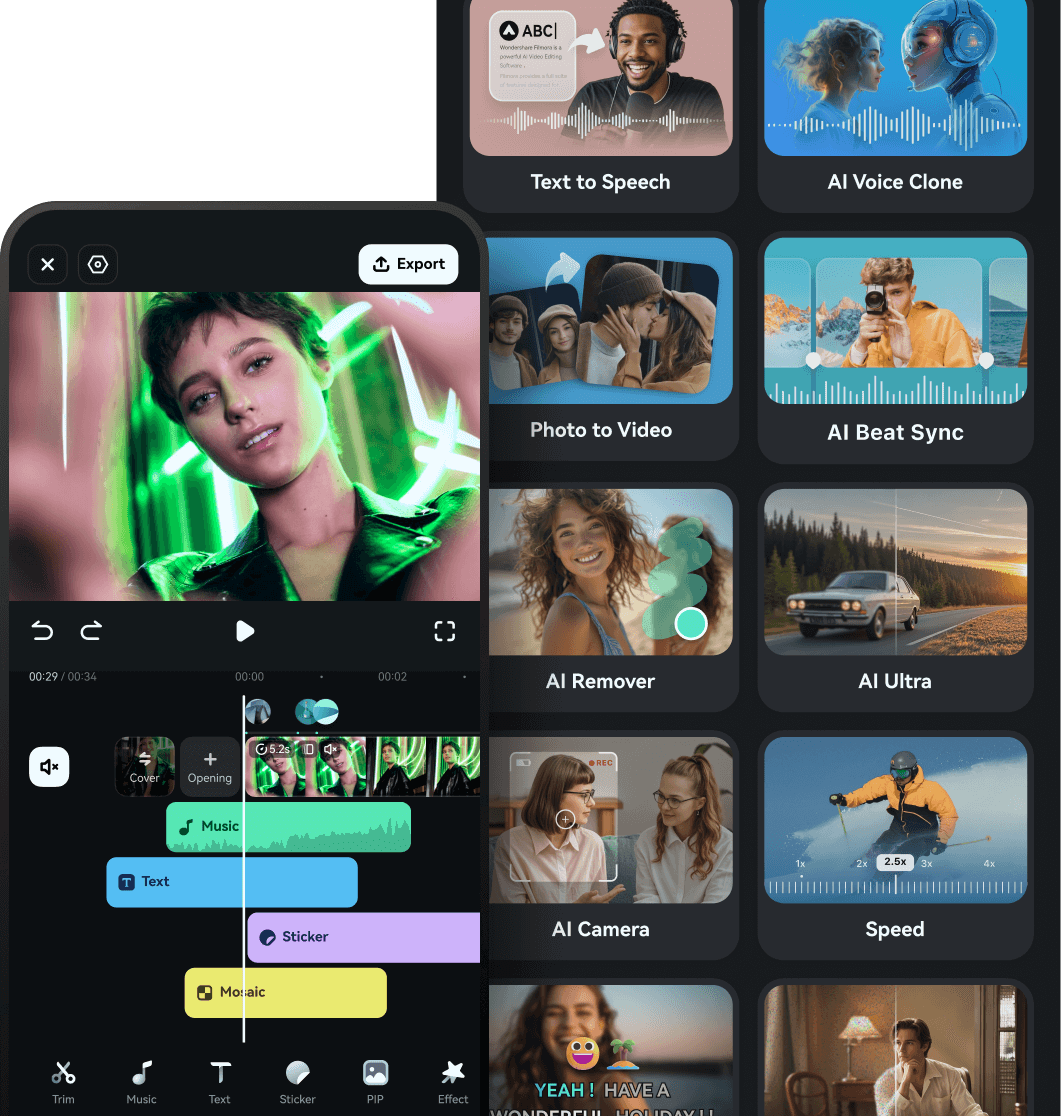
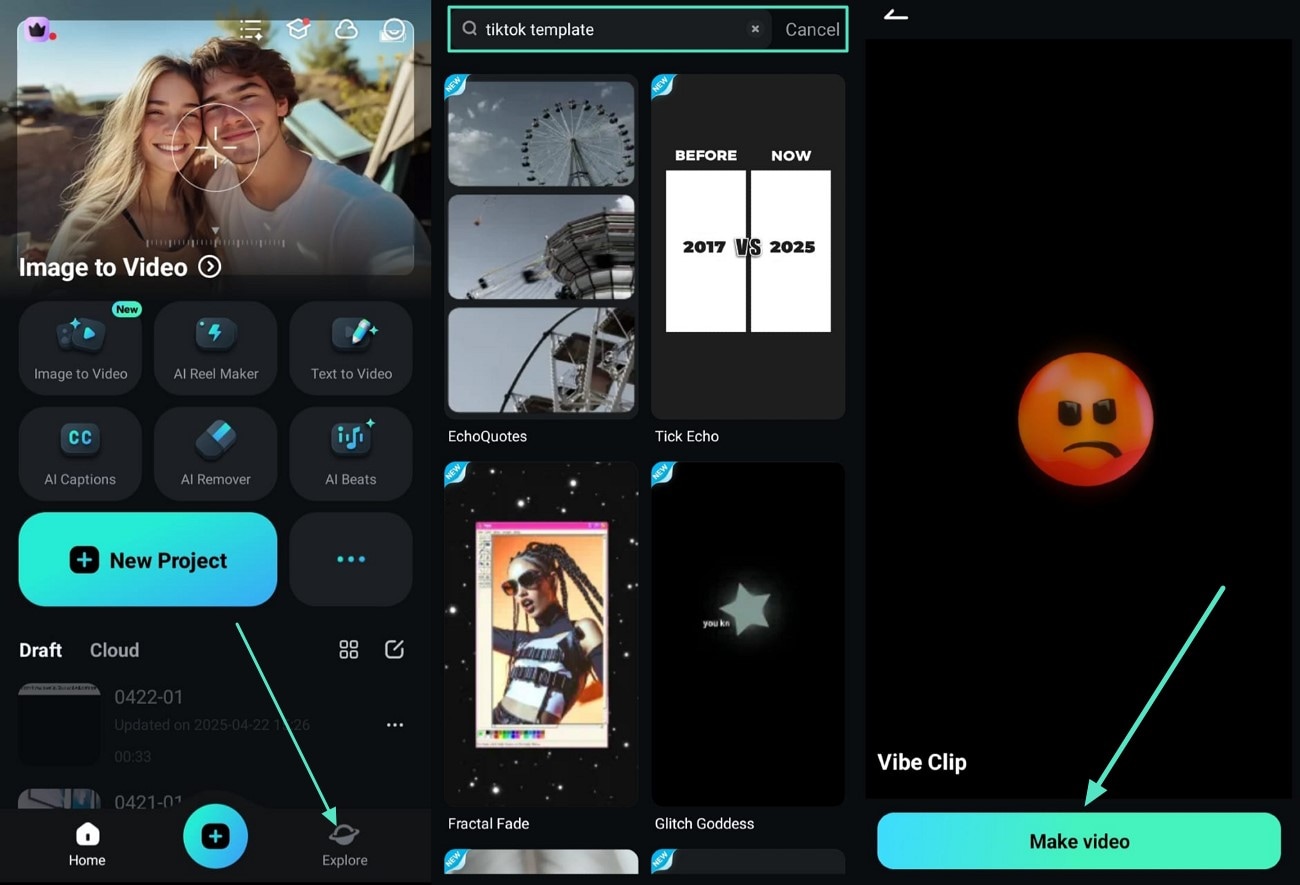
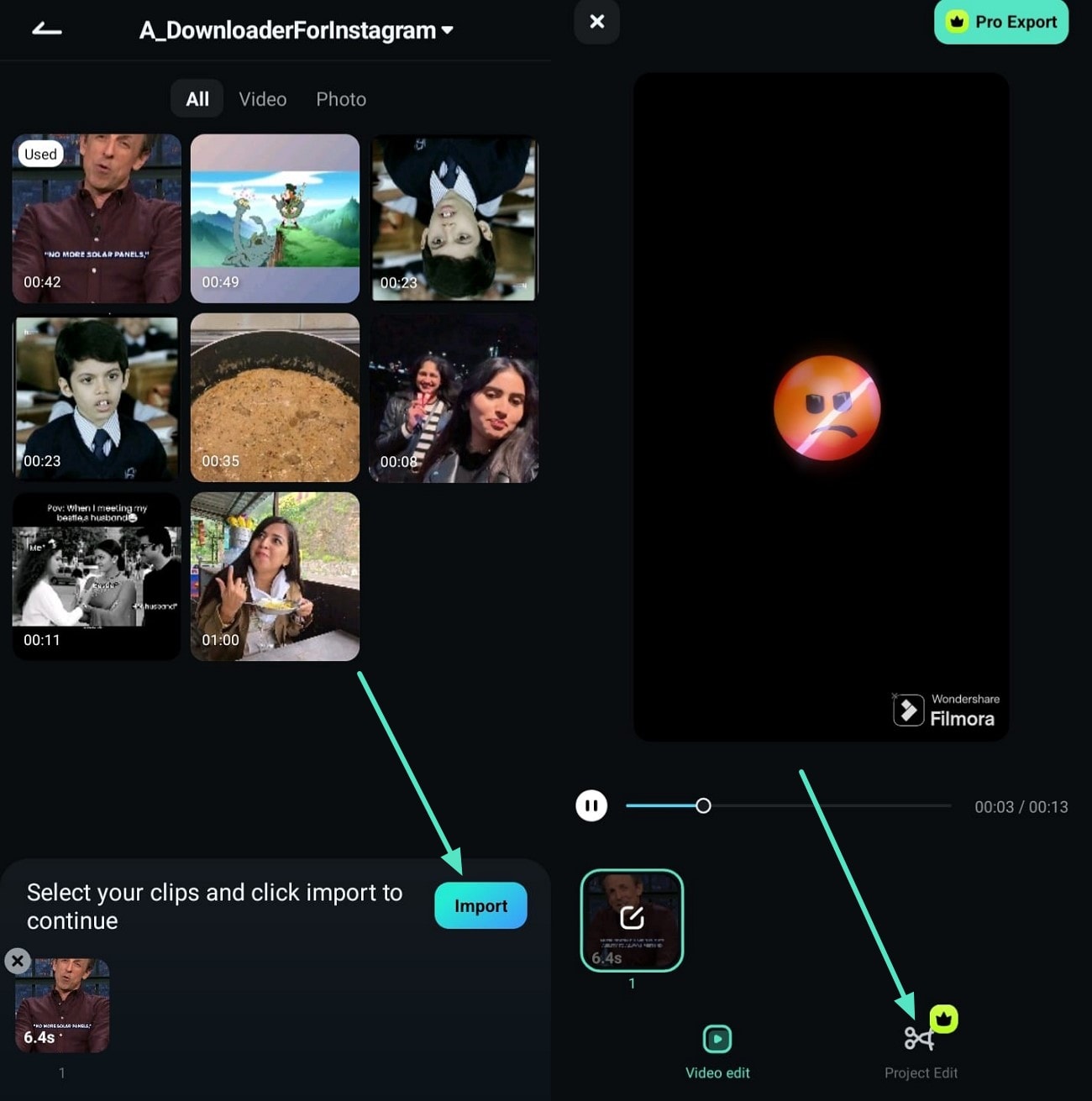
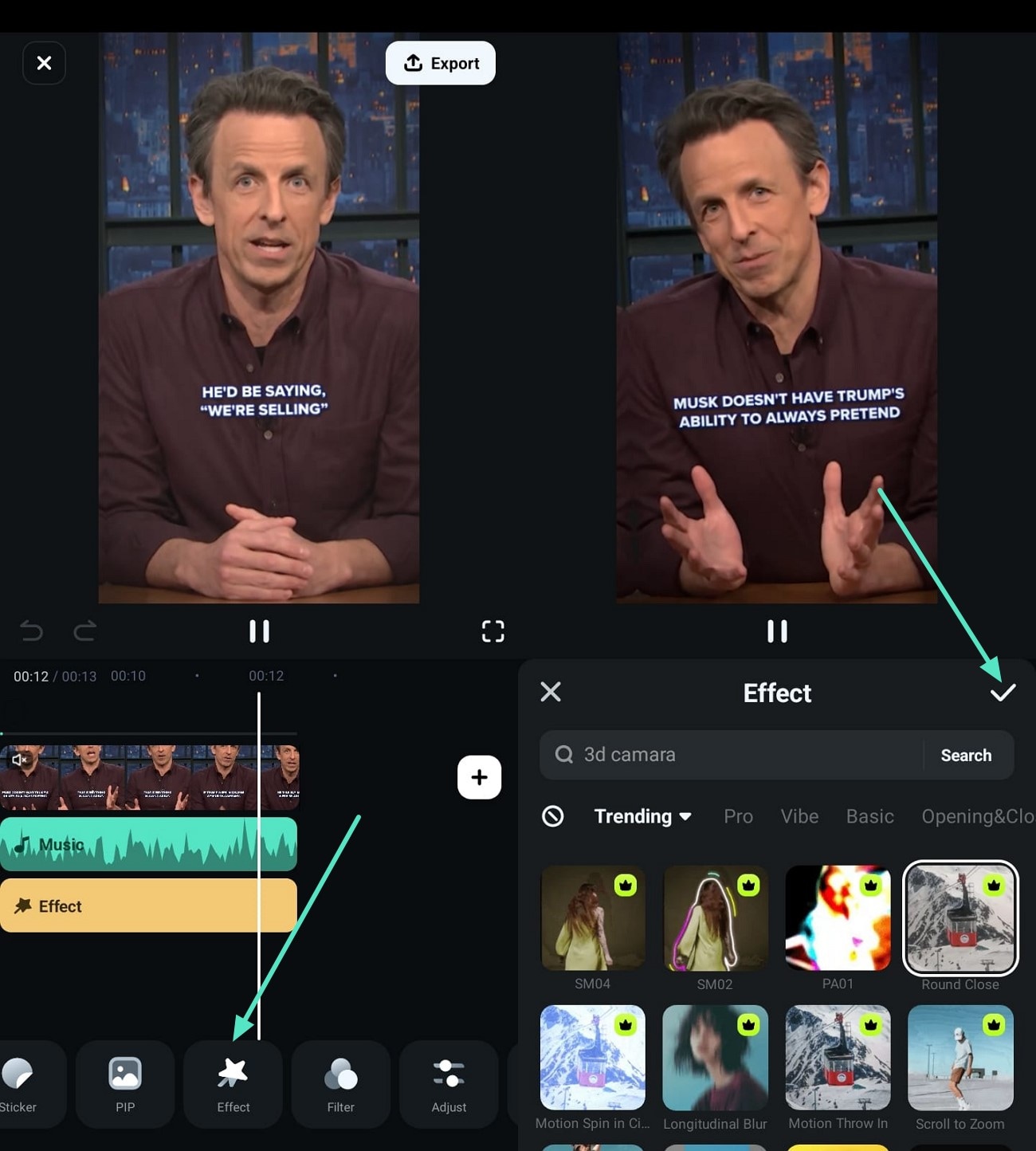
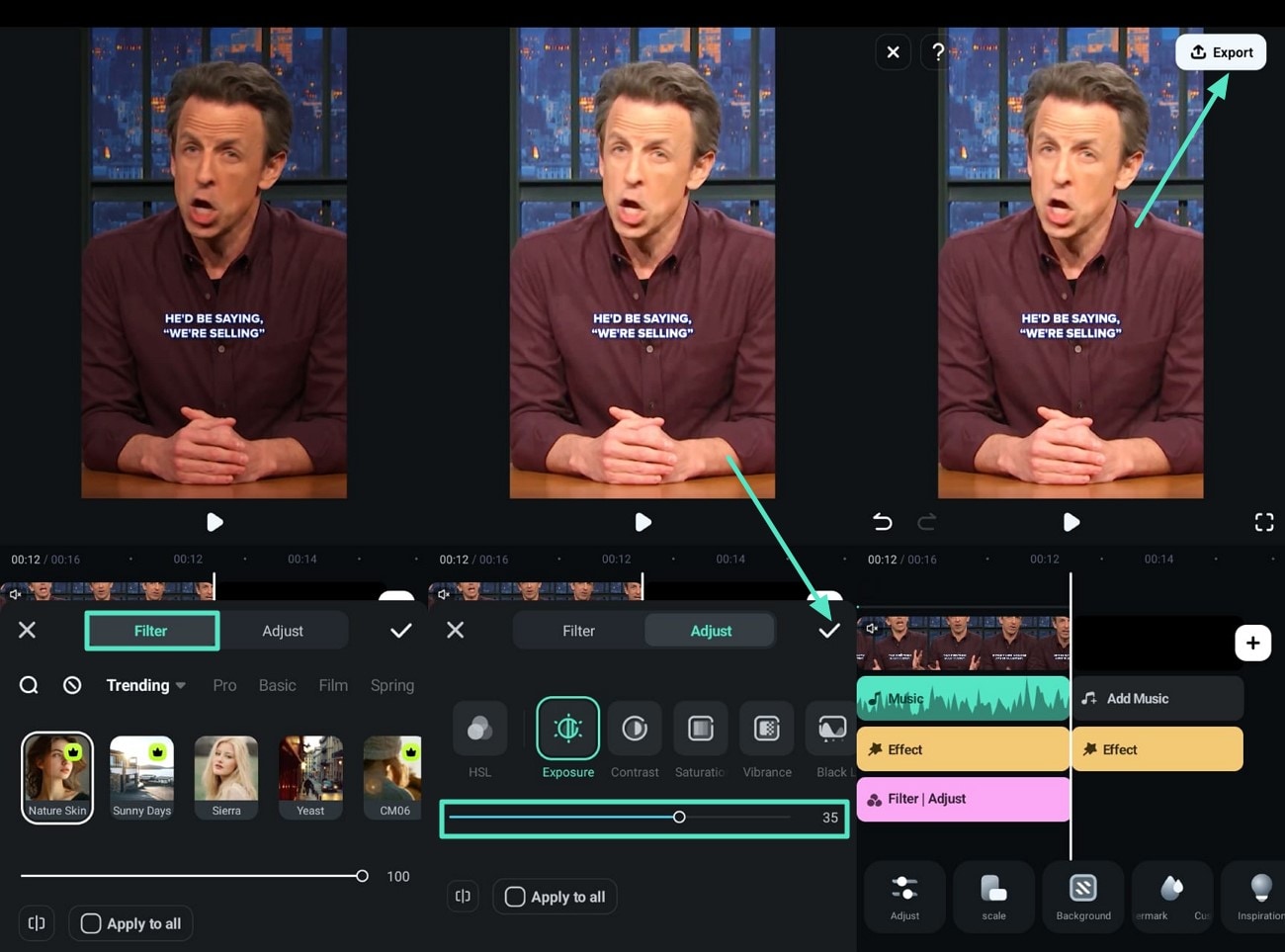
Individuals have clips of creators on their phones that need editing before uploading them. Earlier, you had to transfer it to your PC to edit it effectively, but now, with the Filmora App [Android, iOS], you can edit a TikTok video from your phone. It offers several basic adjustments, such as brightening the colors, adding transitions, effects, and AI captions, so you can edit the clip after using a TikTok downloader.
Key Features That Make the Filmora App Stand Out
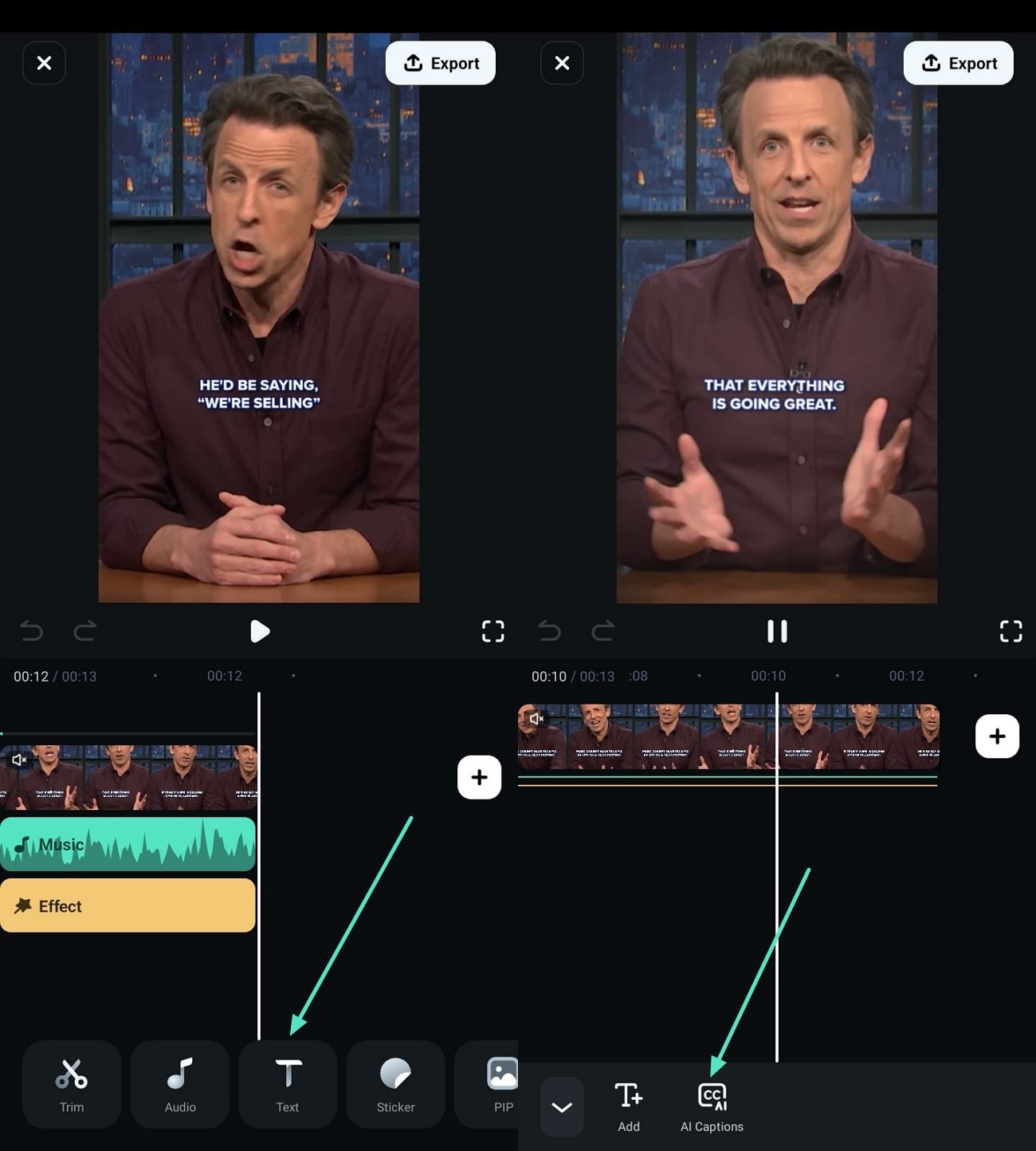
- Adding AI captions enables the audience to read while watching the clip.
- Access the effects of different categories and pick one that matches your clip.
- All available filters, such as their exposure and contrast, are entirely customizable.
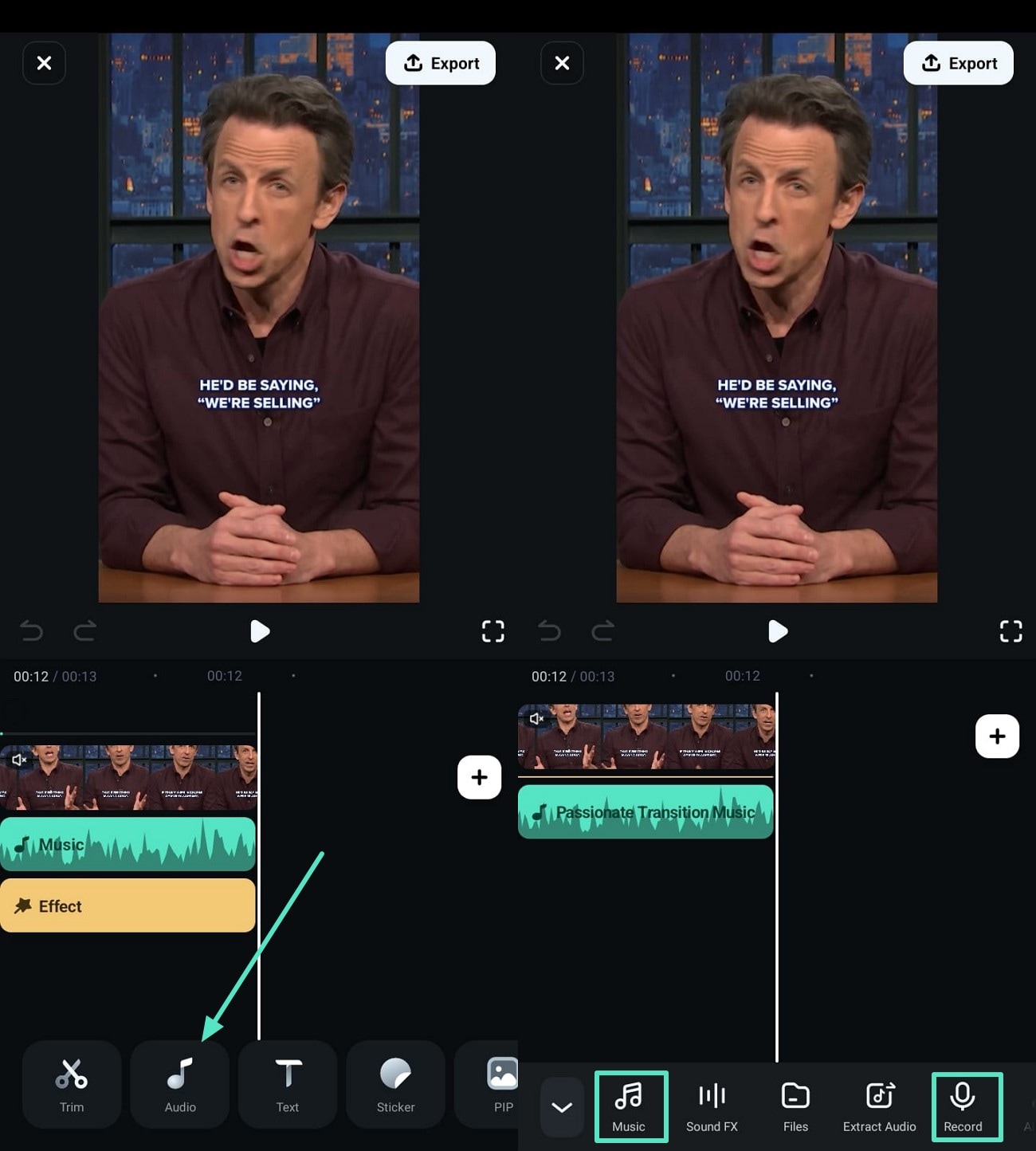
- Use the App's collection to add music to a clip or record dialogues there to use them for the video.
- Offers TikTok templates that users can personalize according to their requirements.
Many TikTok influencers, such as oswal.edits, also use Filmora for Mobile to create their videos.
@oswal.edits Harry Potter Corrido Edit. Me gusta para parte 2 (No se puede subir el edit completo por la duración de la música). Link in bio. #FilmoraAIStory #videoediting #filmora #harrypotter #harrypottertiktok #harrypotteredit #harrypotteredits #harrypottertok #voldemort #hermionegranger #ronweasley #dracomalfoy #lunalovegood #ginnyweasley #nevillelongbottom #dumbledore #severussnape #oswaledits ♬ El Corrido de Harry Potter - El HueyCoyote
 Secure Download
Step-by-Step Guide to Work on a Downloaded TikTok Video Through the Filmora App
Using Filmora Desktop for Polishing a TikTok Video
Finding a user-friendly tool that offers TikTok video editing and refining without learning advanced-level skills is not easy. However, with Filmora, editing clips becomes easier after exporting them through the best TikTok video downloader. The tool is available on both Mac and Windows, allowing you to add colors and transitions to TikTok videos.
Key Features That Make Filmora Desktop a Top Choice for Editing TikTok Videos
- Add audio to a video and let the world recognize you without showing your face.
- Use colors effectively in TikTok through features like HSL and color wheels.
- Access keyframe graphs to make your animations smoother and more engaging.
- Create 3D titles to introduce viewers to your videos and create an everlasting impression.
- Make AI portraits to use as your profile picture at the end of the video to give credit to yourself.
Secure DownloadConclusion
In conclusion, when it comes to downloading TikTok videos without watermarks, these 8 free online TikTok Video Downloaders are among the best available, providing fast, simple, and effective solutions. Additionally, with the CapCut ban impacting many creators, Filmora emerges as the perfect CapCut alternative for video editing. Packed with over 2.9 million creative assets, TikTok-specific templates, and AI-powered tools like AI translation, Filmora ensures you can continue to create stunning TikTok content across platforms with ease. Whether you're downloading or editing, these tools will help you stay ahead in your TikTok content creation journey.

