


 TL;DR:
Grok Imagine 1.0 enables users to generate up to 10-second, 720p AI video clips from text prompts, though compiling these isolated assets into a complete story requires a third-party timeline editor like Wondershare Filmora.
● Grok delivers fast rendering speeds by processing a 6-second video in 30 to 35 seconds, but outputs are strictly capped at 720p resolution with no higher quality options available.
● The mobile-only Spicy Mode permits NSFW generation from text or Grok's internal images, but it strictly prohibits users from uploading their own reference images as a base.
● To finalize a project, users must transfer the Grok-generated clips into Filmora to perform sequential edits, apply 3D LUTs for color grading, and replace the AI-generated audio with custom royalty-free music.
Ask AI for a summary
 ChatGPT
 Perplexity
 Gemini
 Claude
 Grok
Grok
Grok is the AI assistant/chatbot developed by xAI. As with all other chatbots, such as ChatGPT, Claude, DeepSeek, Gemini, etc., you can chat with Grok, get it to create images, videos, and, in its latest iteration, video clips with sound, through Grok Imagine. Let’s read more about the Grok app and see how to convert AI video clips into masterful stories with a video editor.
Part 1. What Is Grok App?
Grok app is the mobile app of Grok AI. You can download the app from the App Store for Apple devices or the Google Play Store for Android devices. If you prefer to use a mobile device, you can use the Grok app. Otherwise, you can simply use Grok on a computer by visiting the Grok website.
Features
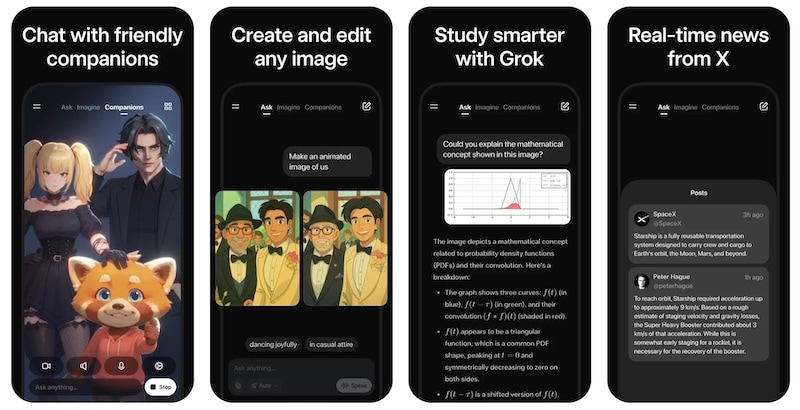
Grok is more than just your chat companion. It pushes boundaries of what AI can and may do.
Here are key features of Grok:
- Advanced AI Assistant: Grok’s AI assistant under the “Ask” mode can do deep research, solve hard problems across different subjects, and analyze documents or websites.
- Grok Imagine 1.0: As the main focus of this article, Grok Imagine is xAI’s powerful new image and video generation model, which we’ll know more of in the later sections of this article. It can help you create and edit videos with the use of prompts.
- Grok Voice Mode: Aside from chatting with Grok, you can also use its voice mode so you can create or solve problems without the hassle of typing. Speak your thoughts, and Grok will understand you.
- Grok AI Companions: There are several AI characters within Grok. This includes Ani, Rudi, and Valentine. Each of them has a unique personality.
- Real-time Information: Grok is part of xAI’s growing suite of apps. This means that Grok can access real-time news and information directly from the X app. It’s always updated as soon as events happen across the world.
Pricing
- Grok Basic: Free for all users.
- X Premium+ Plan with Grok: USD 50 per month.
- SuperGrok: USD 30 per month.
- SuperGrok Heavy: USD 300 per month.
Availability
Web via Grok.com and the Grok app on Apple App Store and Google Play Store.
Part 2. What is Grok Imagine? The Highlight of Grok App
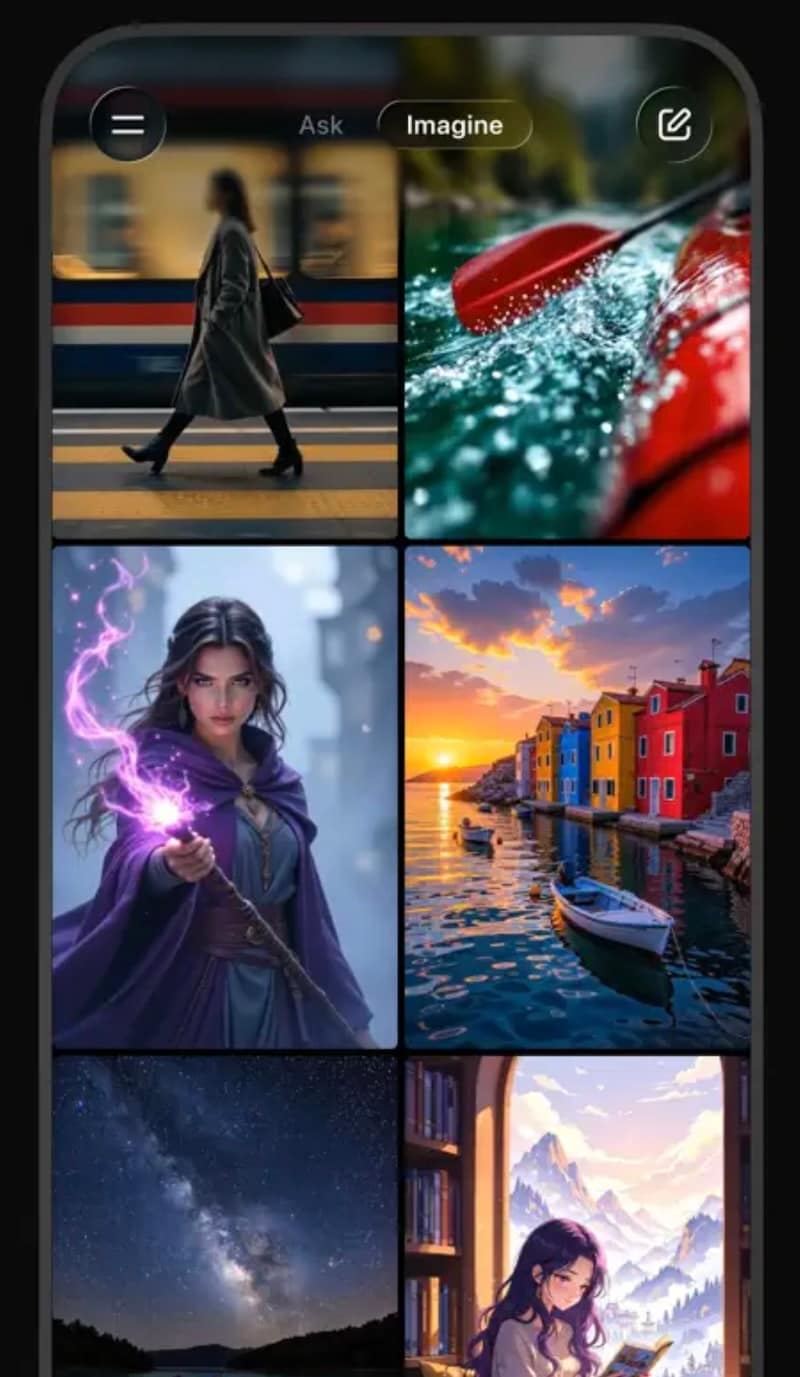
Now that we know all about Grok, let’s take a look at its recently released Grok Imagine 1.0. This one is xAI’s take on video and image generation. It seeks to compete with the leading players right now, such as Sora and Nano Banana.
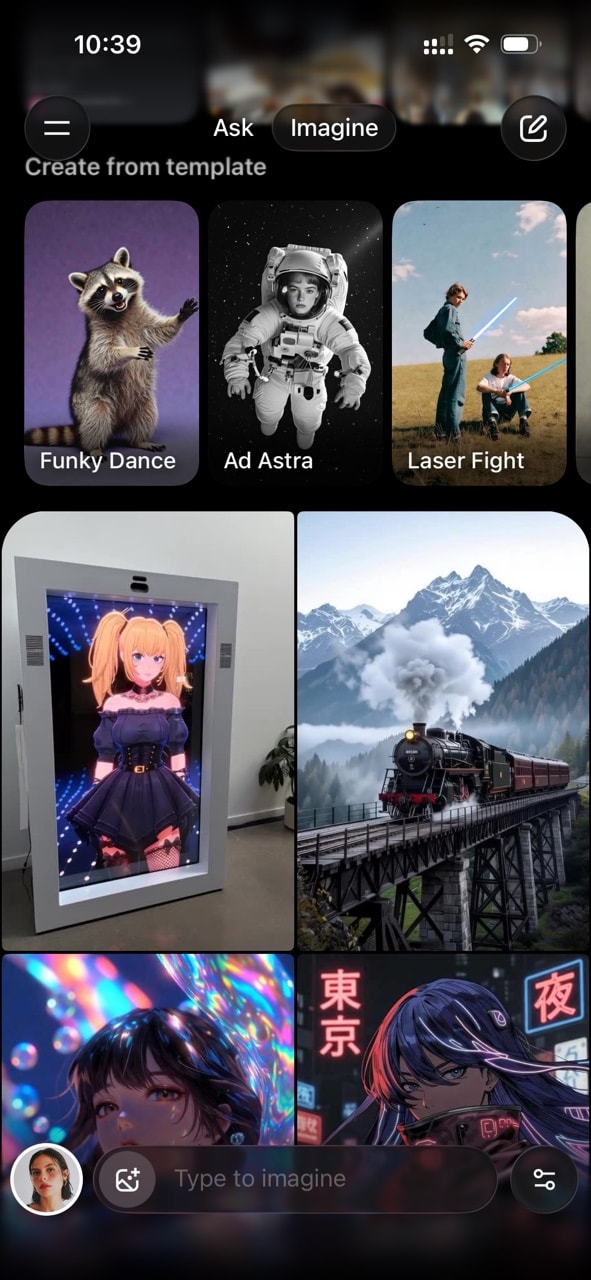
Grok Imagine now takes a full main tab within the Grok app, and from it, you can access hundreds of templates and just the right tools to create amazing pictures and videos.
2.1. What is Imagine 1.0?
Grok Imagine 1.0 comes with a ton of new features from its previous beta versions. It has all the good stuff that people used to love, plus some other new features, which are summarized below:
- Enhanced Audio and Voices: One of the main focuses of Grok Imagine 1.0 is for videos to have more realistic audio. You will notice this from the way the people or characters speak, and how you can generate background music that fits and syncs naturally with the video it just generated.
- Higher Resolution Outputs: Second, and probably one of the most important updates, is that Grok can now create up to 720p video, which is a standard for many video platforms. You can expect realistic-looking videos without a stark loss in quality.
- 10-second Videos: Previously, you could only generate up to 6-second videos with Grok. While that is enough for most use cases, the 4-second bump will be really helpful, especially if you need more footage.
- Better Prompt Understanding: A gripe with the previous Grok versions is that it can have a hard time understanding prompts, especially when you’re asking for simple edits within the video it generated. Now, xAI has promised a smarter Grok Imagine that can understand you a lot better.
2.2. How to Generate a Video or Image With Grok Imagine?
To see the new features of Grok in action, here’s a quick step-by-step guide. We prepared a list of steps you should follow to generate a video.
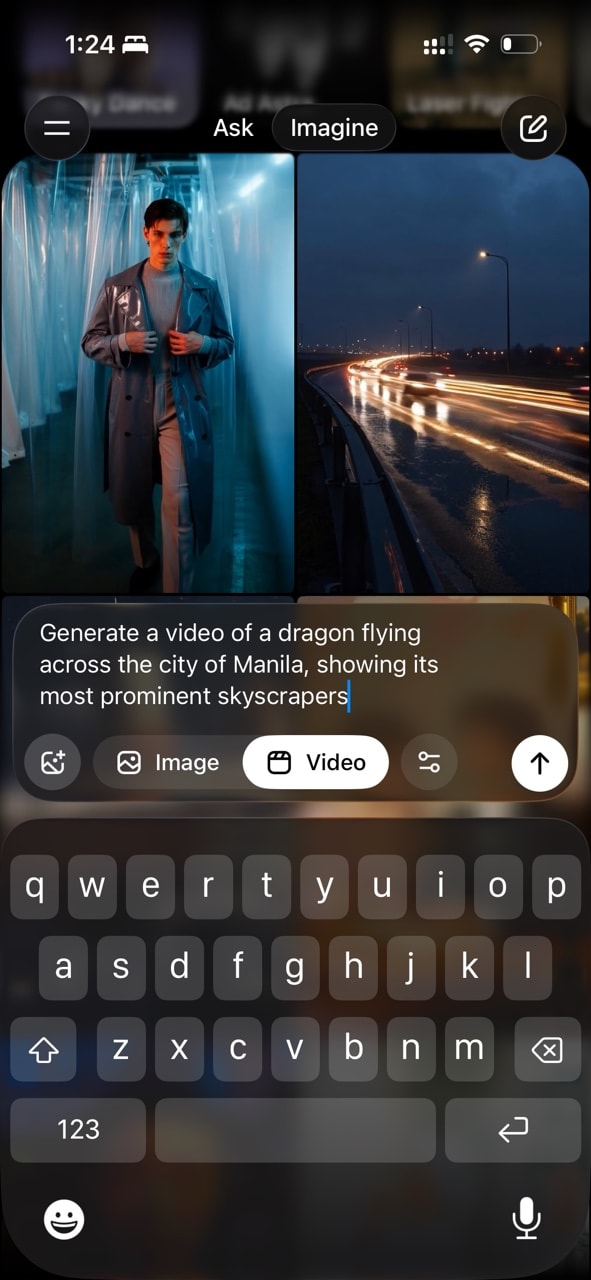
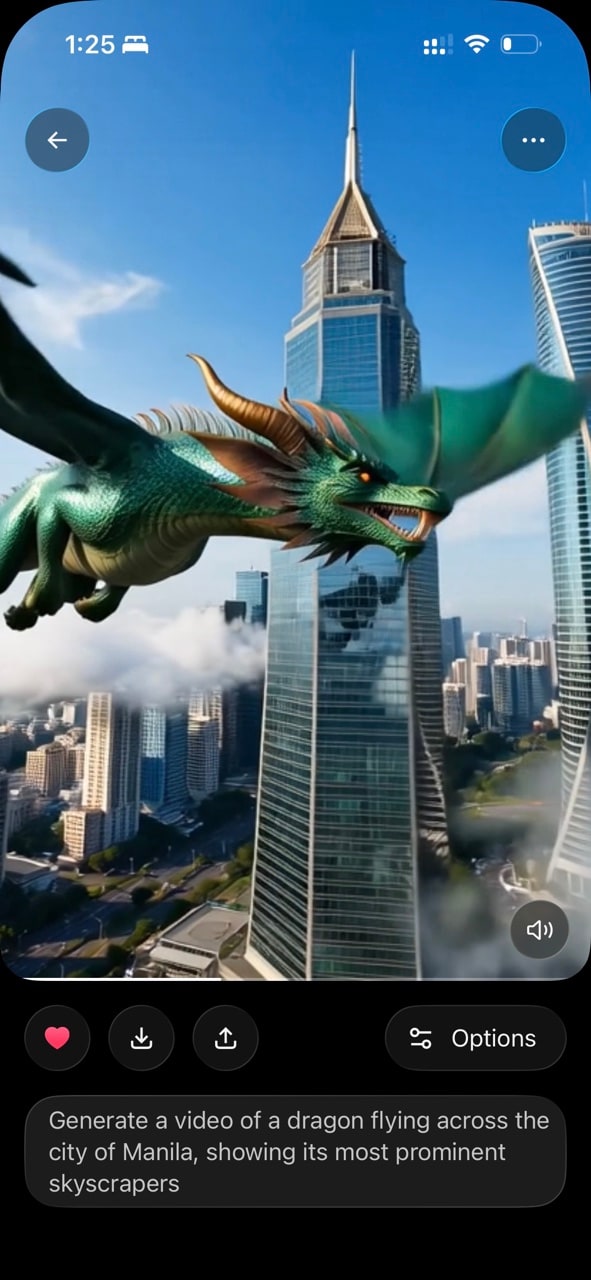
This is the final result:
If you’re interested in generating images instead, just tick the generation mode from "Video" to "Image" as you type in the prompt. You can see the said button under Step 2.
2.3. Example Prompt
You can type anything to get started and then proceed to refine it. If you do not want to waste time figuring this out, you can check this extensive guide on how to create prompts for AI.
Nonetheless, here’s a prompt example, generated using Grok itself:
"Generate a meme featuring a tall young man in Western American attire (plaid shirt, jeans, cowboy boots, and a Stetson hat) strutting confidently down a fashion show runway under dramatic spotlights. At the end of the ramp, he tips his cowboy hat with a charming smile. The meme has bold, white text with a black outline at the top saying, 'WHEN YOU NAIL THE VIBE CHECK,' and at the bottom, 'AND STEAL THE SHOW.' The background is a sleek, modern runway with a cheering crowd faintly visible. The style is vibrant and humorous, perfect for social media sharing."
Here's the result:
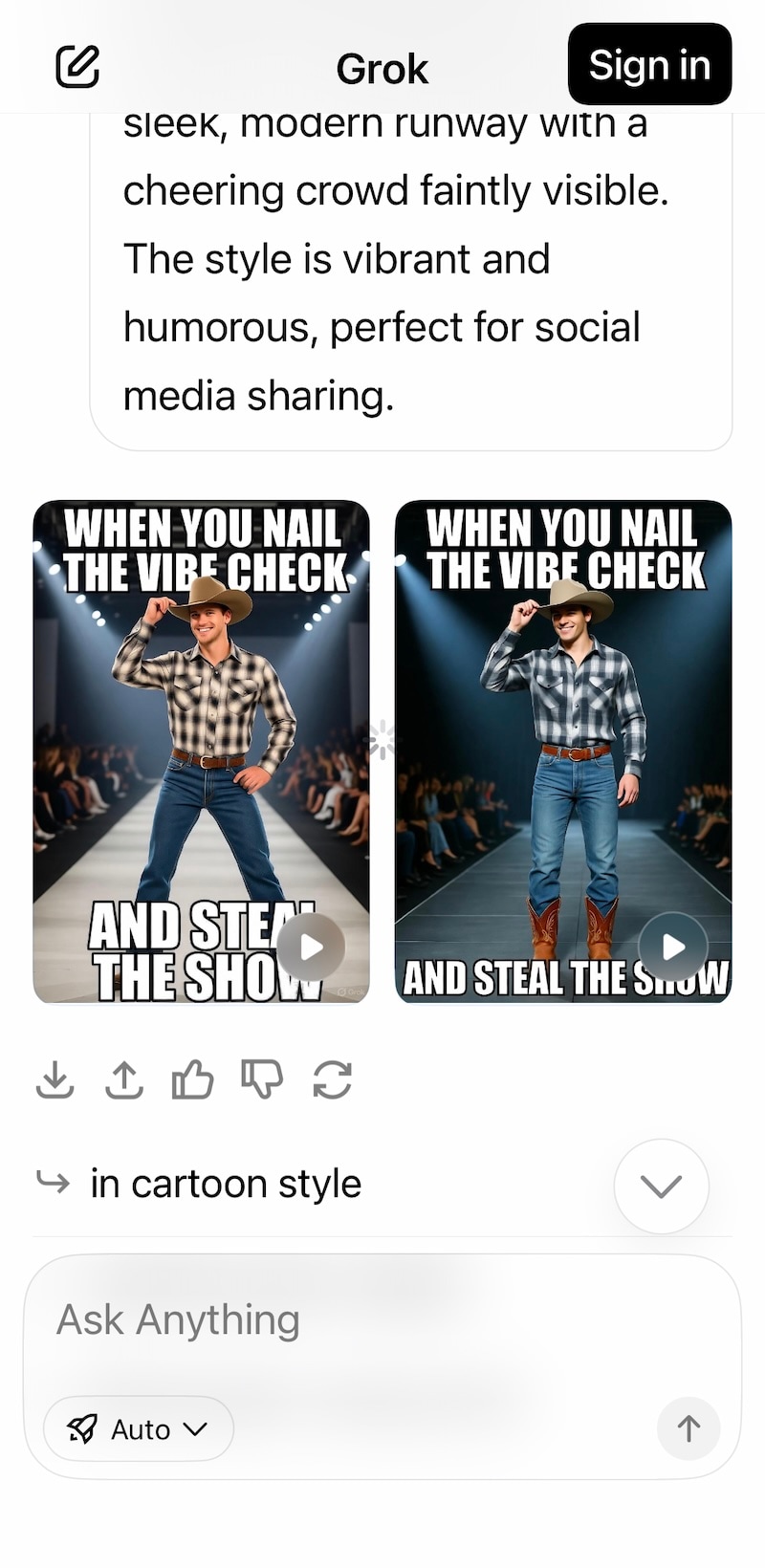
Notice that Grok returns a couple of results, unlike, say, ChatGPT, which returns just one.
2.4. Pros & Cons
If you’re interested in subscribing to Grok for your video-generating needs, it’s best to try it out. It has a 7-day free trial. But if you need more guidance, here are some pros and cons that we think you should look out for:
- Fast video generation (30-35 seconds for a 6-second clip)
- Ability to upload reference images for both image and video generation
- Links directly with your X/Twitter account; fast and easy setup
- Quick access to templates and previously-generated content with the ability to perform edits via prompts
- The Free version provides a lot of tokens, and you can try it out completely before deciding to subscribe
- Generation is limited to 720p; no higher resolution options
- Spicy Mode is not available for Grok’s pre-made templates
- The subscription price can be hefty if it’s going to be used for commercial purposes
Part 3. What is Grok Imagine’s Spicy Mode?
Spicy Mode, as the name might suggest, is a mode/setting in Grok Imagine image generation model that allows users to create life-like, not-safe-for-work images and videos. It allows total freedom over what you want to create, regardless of its nature. Used wisely, this is huge and often time-saving.
Limitations
- Cannot upload an image and use Grok Imagine Spicy Mode to generate NSFW content using that image as base.
- Available on mobile apps only.
Ethical Considerations
Due to the nature of content that is allowed to be generated, Grok has often come under flak and moral and ethical concerns have been raised. We believe that as technology, Grok pushes boundaries and frontiers of what is possible, and in the end, everyone must use technology at their own discretion.
Part 4. Using Filmora to Turn Grok AI Video Clips to Video Stories
You have all these AI video clips generated using OpenAI’s Sora to xAI’s Grok Spicy, but you don’t have a story or a narrative. That’s because AI cannot do that just yet – only you can – with a little help.
Meet Wondershare Filmora – the ultimate AI video editor built for the modern user with demanding workflows. It comes with a curated feature set that allows users to:
- Unleash their creativity and output stunning, law-dropping, and engaging videos in minutes.
- Leverage several thoughtfully developed AI tools that help take videos to the next level while reducing effort and increasing productivity and quality.
- Create short video clips through built-in Veo 3 integration without ever leaving Filmora.
- Increase their productivity and creative focus.
Filmora Everywhere
Filmora is available on Windows, macOS, iOS, iPadOS and Android operating systems. This lets you be creative and productive anywhere you are, whenever you want.
 Secure Download
4.1. A Glimpse into What You Can Achieve with Filmora
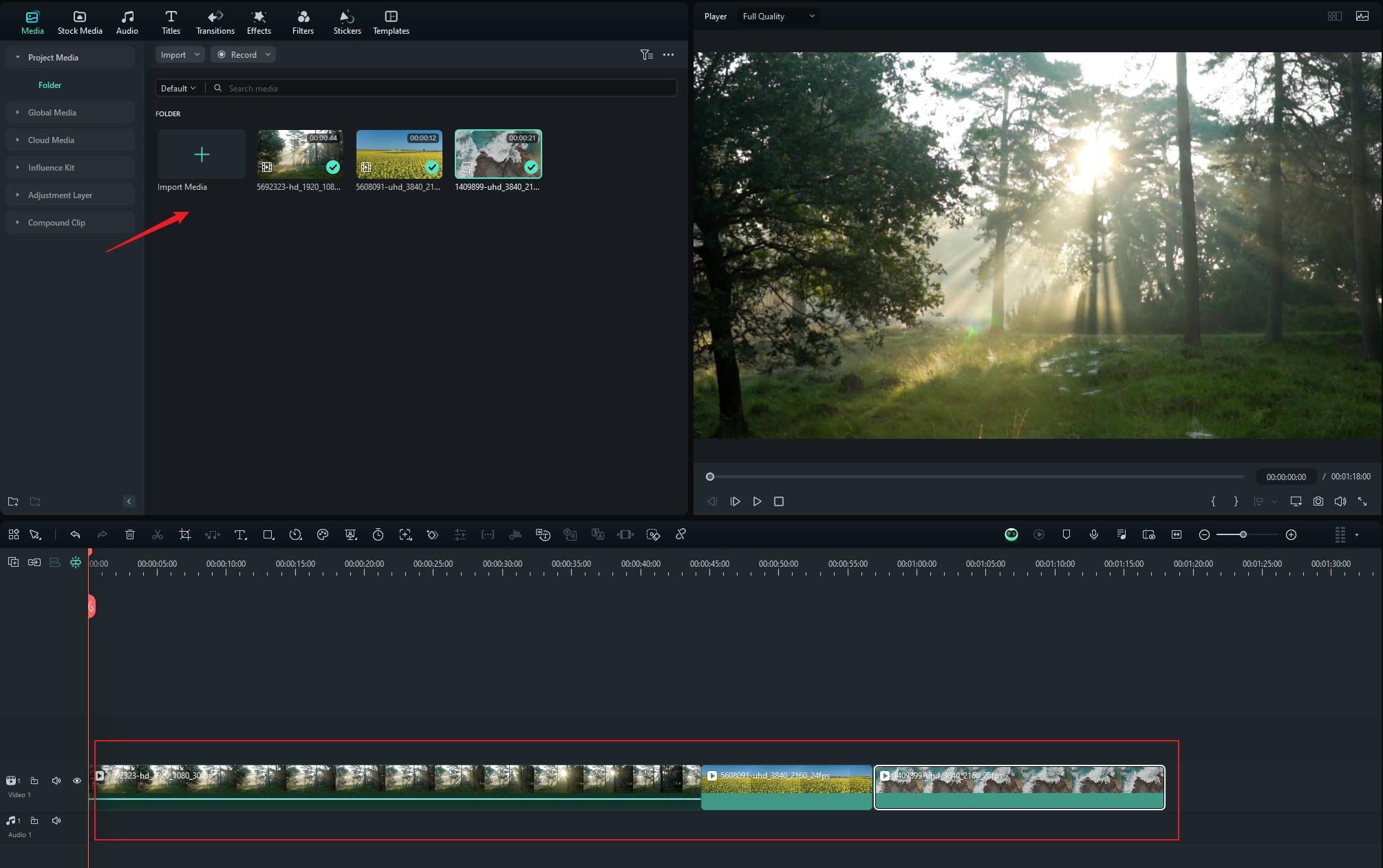
Grok allows you to unleash your imagination and be more productive by generating what you want in seconds and minutes. But Filmora is what you need to tie all those threads together into a coherent narrative that becomes a story.
Here are some things you can do with Filmora to augment your Grok AI generated videos:
- - Combine clips to form stories.
- - Add transitions, effects, titles.
- - Replace AI generated audio with a score of your own using royalty-free music.
- - Use professional-grade tools such as 3D LUTs for color grading, multi cam support, keyframing and more.
- - Use AI tools and be more productive and creative.
4.2. The Workflow
Here’s how to import your clips into Filmora and get started:

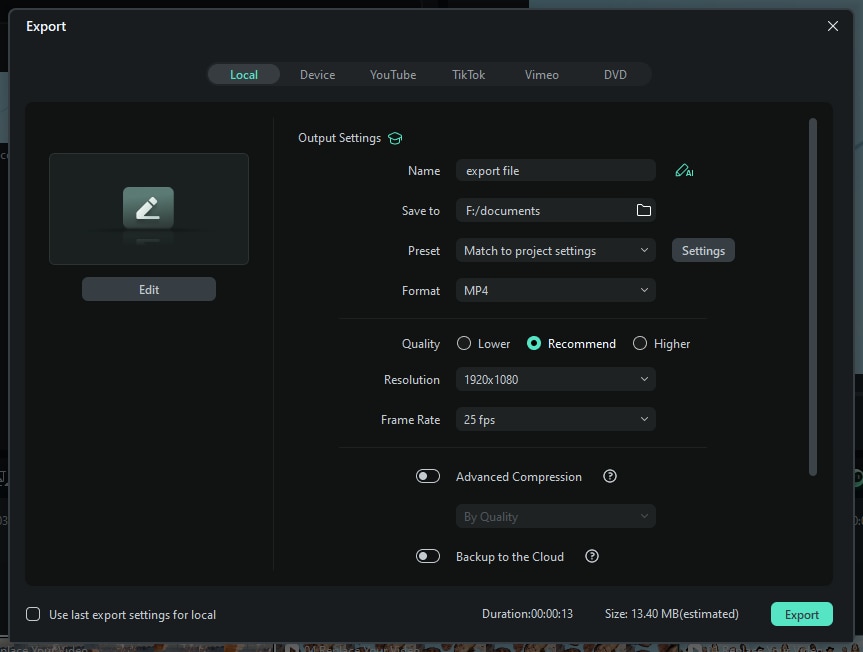
Notice the tabs? You can export locally, direct to your social media account, and even burn discs if you prefer!
What are you waiting for? Stop reading and go grab Filmora now to get started right away! There is a FREE trial available that lets you taste what you can do with Filmora so you can more readily commit to it.
Secure DownloadConclusion
Grok AI is a seriously capable and unique artificial intelligence chatbot. The Grok Imagine image generation model is unique, insofar as that it allows users more freedom in what they want to create and even offers a Grok Spicy Mode in the Grok app that allows users to create suggestive images and videos on the fly. Imagine creating a whole fashion show with AI! However, as always, moral and ethical boundaries must never be breached – that is a hard line that is not to be crossed. AI is certainly becoming increasingly capable by the day, and the future is exciting when you come to think of it. However, we still have work to do, and Wondershare Filmora – the ultimate AI video editor – is the best work companion you can have, one that helps you go from clips to videos as effortlessly as possible!
FAQs
-
How to Use Grok Imagine Spicy Mode?
If you are above-age, you can simply choose Spicy in the Make Video options in the Grok app after you upload/choose an image or prompt Grok Imagine app to make one.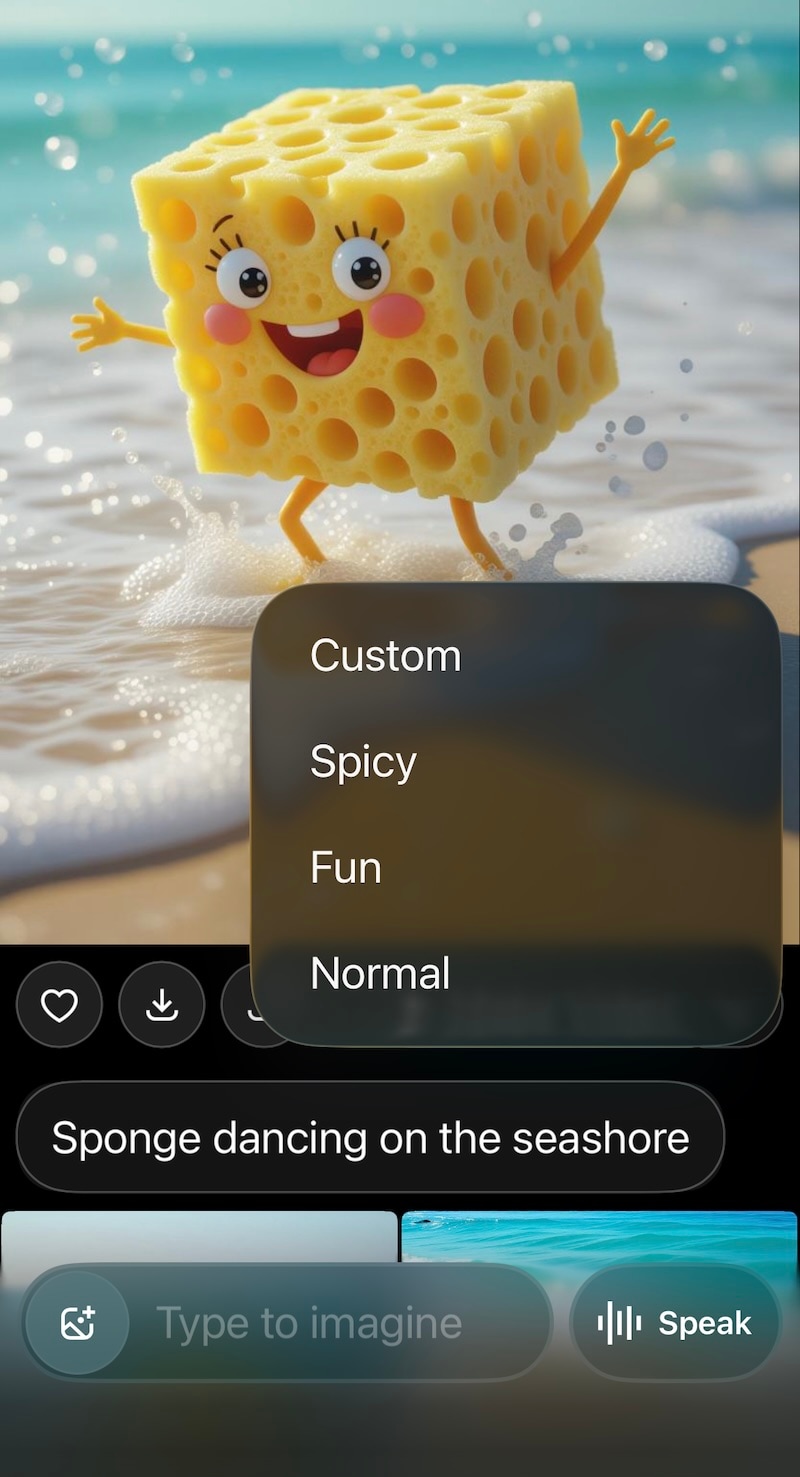
-
Why doesn’t Grok Imagine Spicy Mode work with uploaded images?
The Spicy Mode works only with images you generate using Grok Imagine or select in Grok Imagine and will not use images uploaded by you. -
Is creating NSFW AI videos with Grok Imagine legal?
Yes, it is legal. You are free to create NSFW videos using Grok Imagine. However, ethical and moral dilemmas apply. -
Why should I use Filmora to edit Grok-generated videos?
Filmora is by and large the best video editor for everyday content creation. You can use it to easily edit your videos, add effects, titles, and further, use professional-grade tools and AI features to stand out from the rest. -
Can I download Grok app apk? Is it safe?
Yes, you can download the APK version of Grok app safely, so long as you use trusted websites. However, know that it’s recommended to use the Google Play version. Grok is free to download, anyway.
