

 TL;DR:
To use the original Snapchat dog filter in 2026, search for "Dog Lens" in the app for real-time recording, or download transparent PNG assets to manually apply the effect in post-editing software like Wondershare Filmora.
● Snapchat provides superior face tracking for real pets using lenses marked with a paw icon, whereas Instagram's alternative dog filters are primarily optimized for human faces, apply smoothing effects, and lack the classic tongue-out animation.
● To apply the filter outside of the Snapchat app, import transparent dog filter PNG overlays into Wondershare Filmora and use the Keyframes or Motion Tracking features to maintain alignment when the subject's face moves.
● Real-time pet filter detection relies on recent app updates and clear visibility, which means tracking can fail on older devices or when a pet's long or dark fur hides their eyes and nose in low-light conditions.
Ask AI for a summary
 ChatGPT
 Perplexity
 Gemini
 Claude
 Grok
Grok
If there is one filter that defined social media culture, it is the iconic Snapchat dog filter with its classic brown ears and playful tongue. But how do you find the original Snapchat filters for dogs in 2026, and can you use a transparent Snapchat dog filter in your video edits? This guide covers everything from finding the "Dog Lens" name to using dog filter PNG assets in Wondershare Filmora.
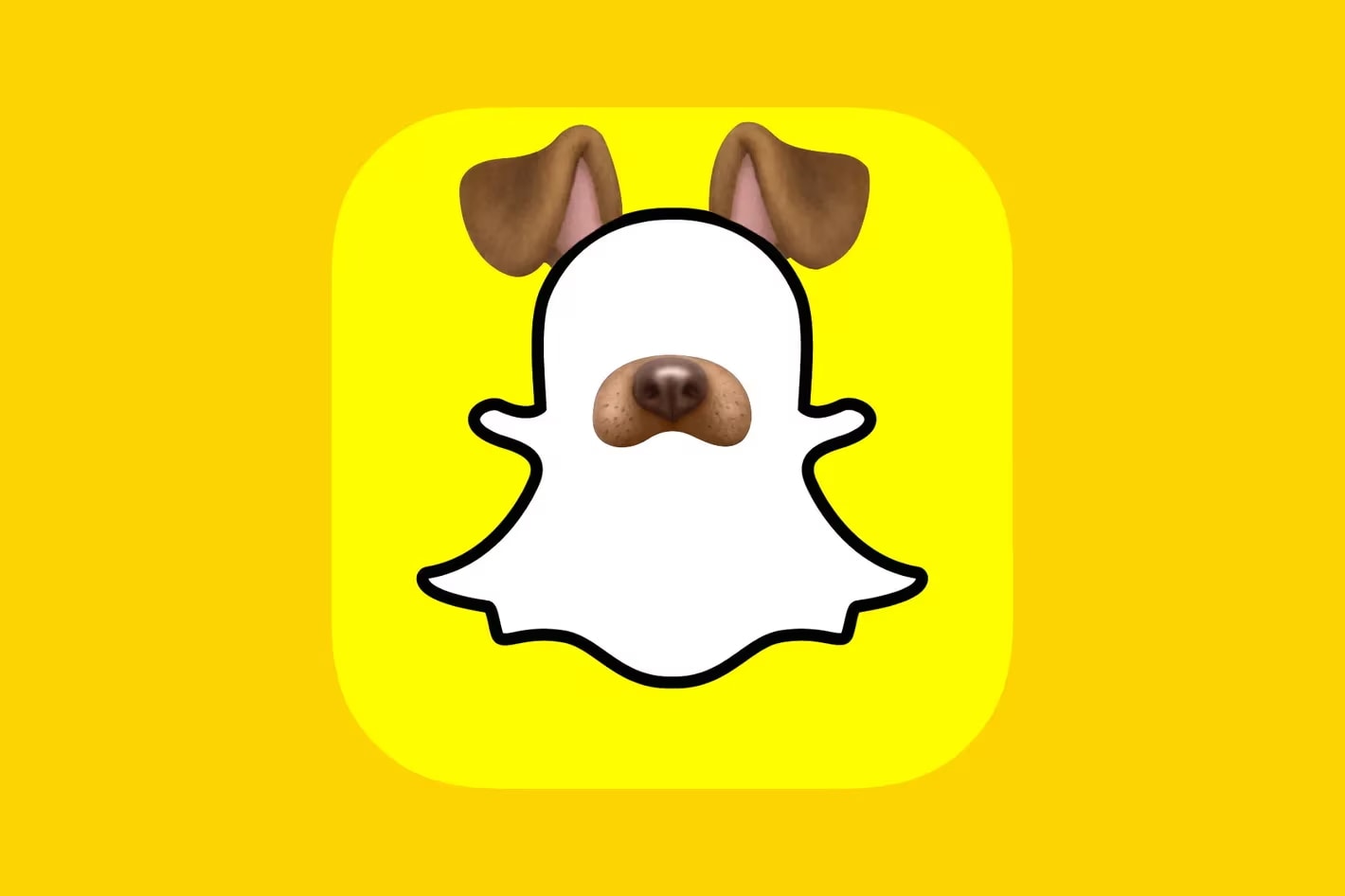
Part 1. The OG Dog Filter (Brown Ears & Tongue)
The original Snapchat dog filter name is simply Dog Lens. This filter gives you soft, floppy ears, a cute nose, and a playful tongue that sticks out when you open your mouth, instantly turning anyone into an adorable puppy. Even in 2026, people still look it up and use it all the time, especially for something to post on Stories.
Dalmatian Dog Lenses
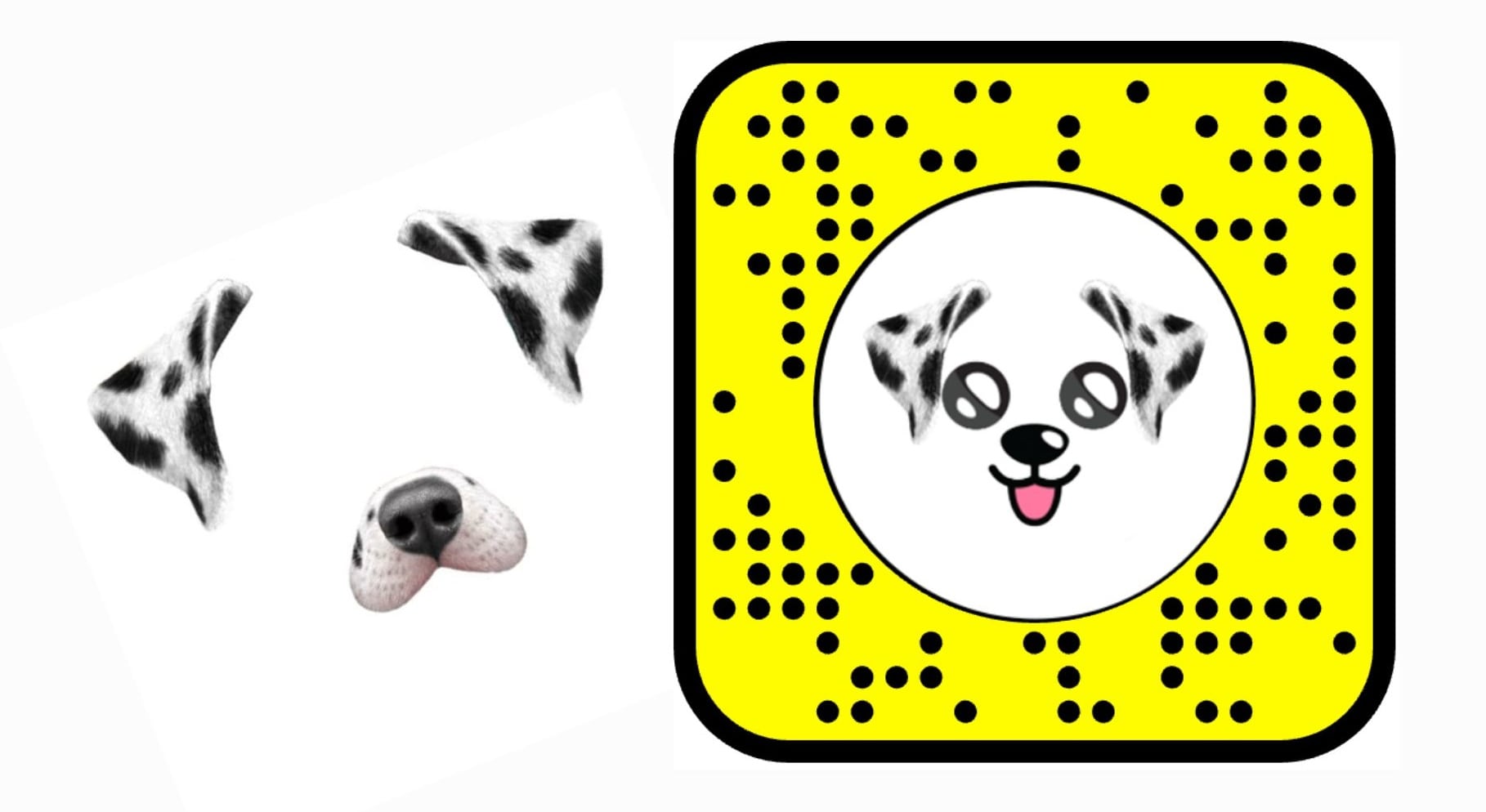
After the original version went viral, Snapchat rolled out more dog styles, including Dalmatian dog lenses. They work in a similar way, with the tongue popping out when you open your mouth. The main difference is the look, since this version uses a Dalmatian-style pattern instead of the classic brown dog.
Snapchat Pet Filters: The "Cartoon Face" (Disney Dog) Trend
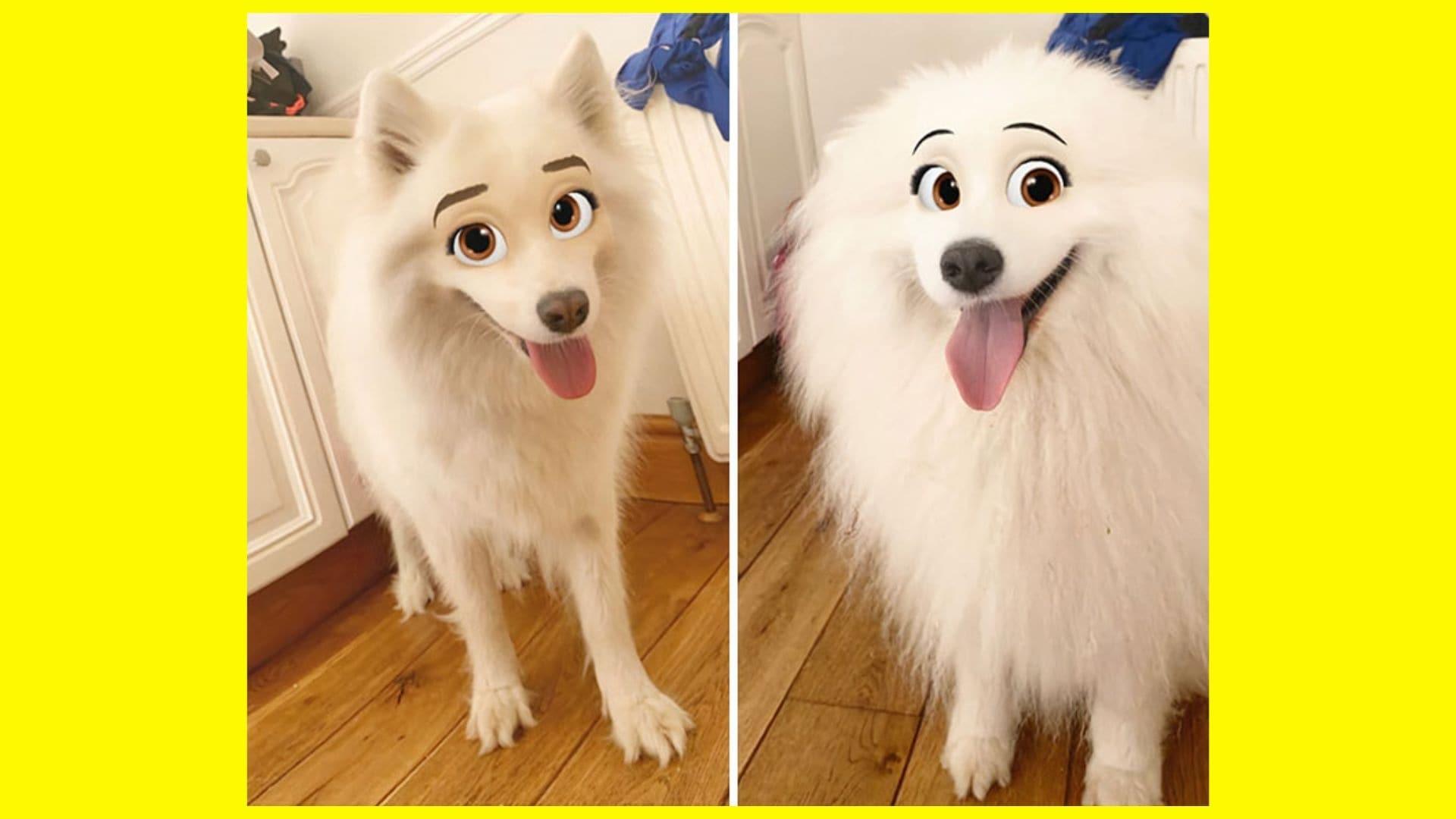
Image Source: Bored Panda
Another dog filter trend that caught on is the cartoon dog face filter. While it can be used on human faces, you can also try it on your own dog to make them look like they came straight out of a Disney movie! It might remind you of movies like Lady and the Tramp, where dogs have big, expressive eyes that make them look even cuter.
Snapchat filters for your dog are just as popular as human face filters. As a pet owner, it's hard not to love seeing your dog turned into a cute cartoon version and sharing it online.
New AI-Powered Dog Filters for 2026
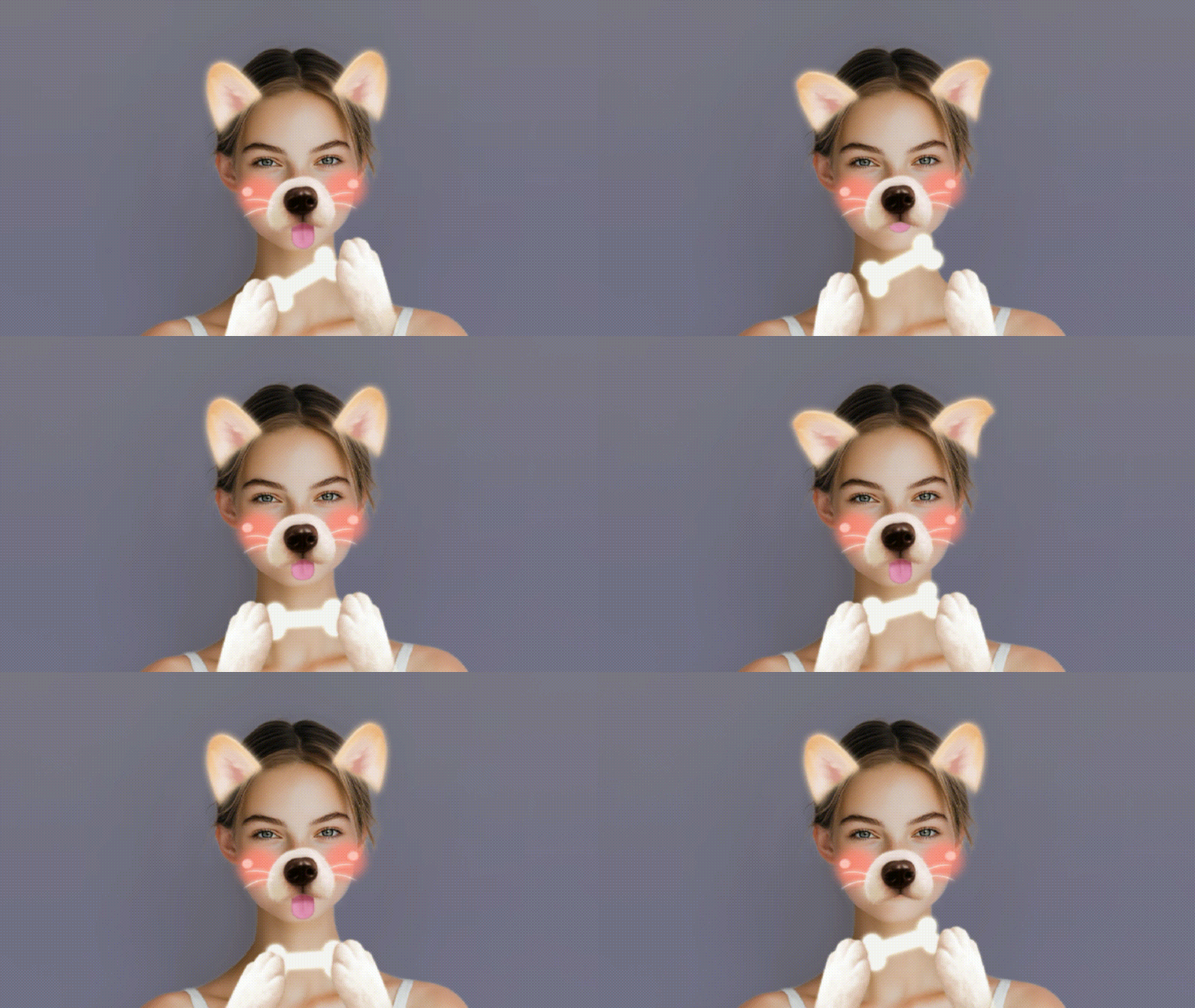
These Snapchat dog filters have been around for years, so what could be in store this year? As we move deeper into the AI era, dog filters are no longer limited to Snapchat alone.
You can now use AI tools to recreate and apply similar effects without needing to use a filter in real time. This means you can add dog filters during post-editing or even use a transparent Snapchat dog filter layer to apply the effect on any photo or video you want.
Part 2. How to Find the Snapchat Dog Filter Name and Activate It
Using Snapchat filters for dogs is easy. You need to install the Snapchat app and sign in with an account. Then, follow the steps below.
Step by Step: How to Activate Lens Carousel on Snapchat
- Open the Snapchat app, and the Lens Carousel will show up at the bottom of the screen
- Swipe left or right to browse through the available lenses to find the dog filter
- If you can't find the Dog Lens, tap the Search button and type in its name.
- Once selected, start recording by holding the capture button
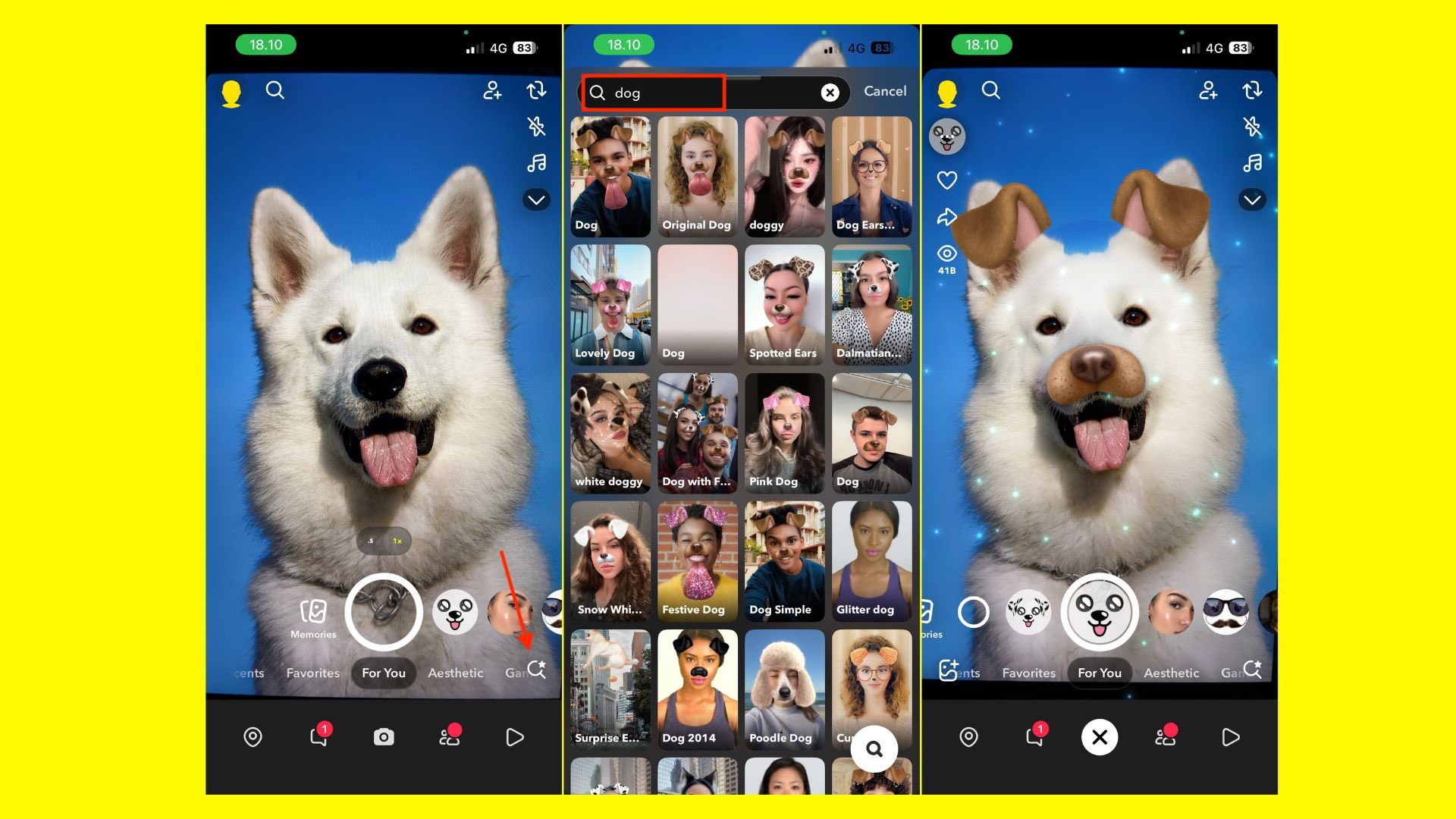
Identifying the "Paw" Icon (For Dog Filters)
If you want to find Snapchat filters for your dog rather than filters designed only for human faces, Snapchat uses a paw icon to mark lenses designed for pets.
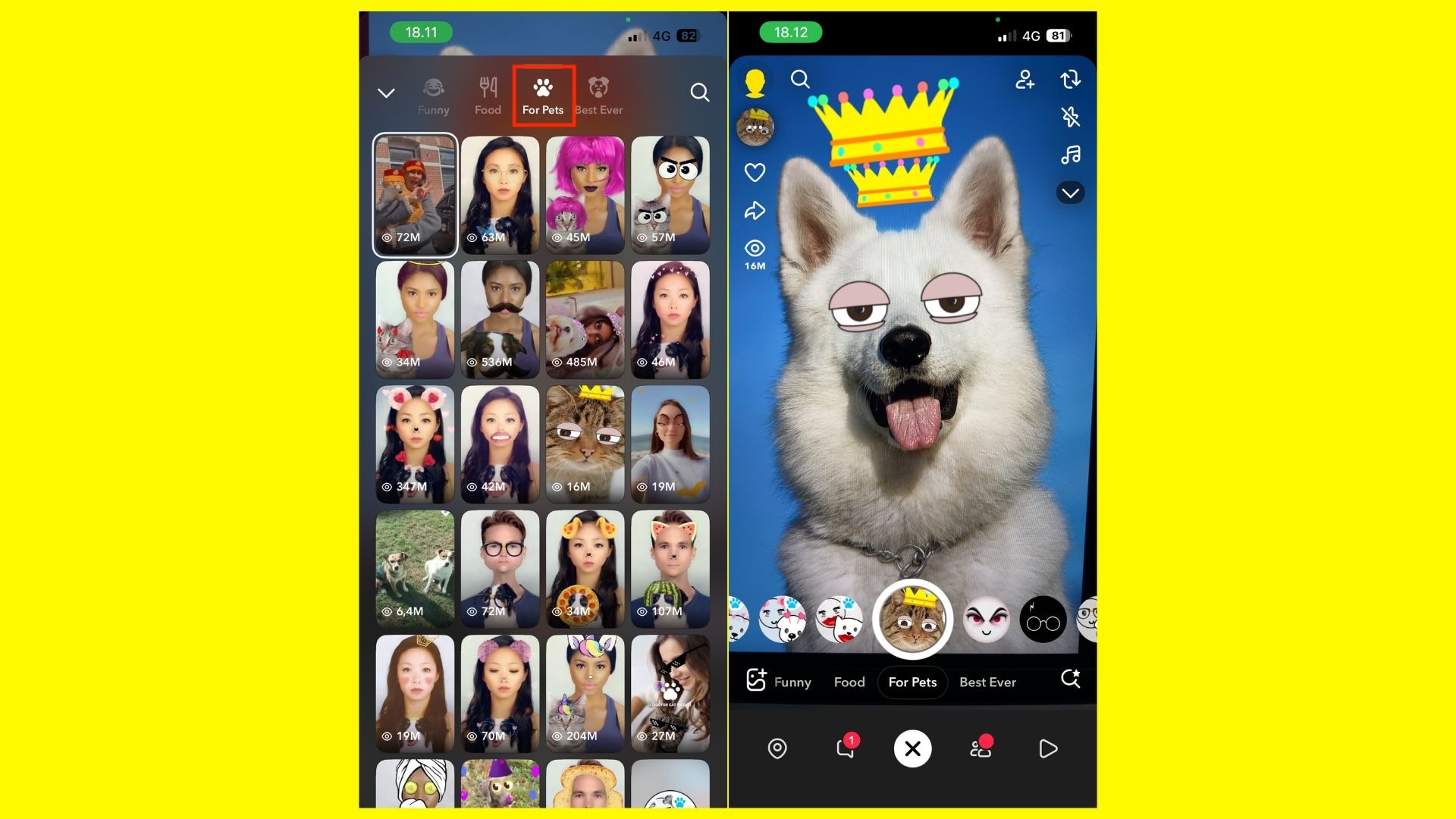
These filters work best for dogs, but can also work on cats. Using the paw icon helps avoid filters that fail to recognize your dog's face, since not all lenses are designed to detect pets.
Pro Tips: Better Lighting and Positioning
For best results, Snapchat needs to see your dog's face clearly.
- Use natural light near a window or outdoors
- Avoid dark rooms or strong backlighting
- Make sure your dog is facing the camera
- Hold your phone at your pet's eye level
- Ensure the eyes and nose are clearly visible
Part 3. Beyond Snapchat: Dog Filter Instagram vs. Snapchat
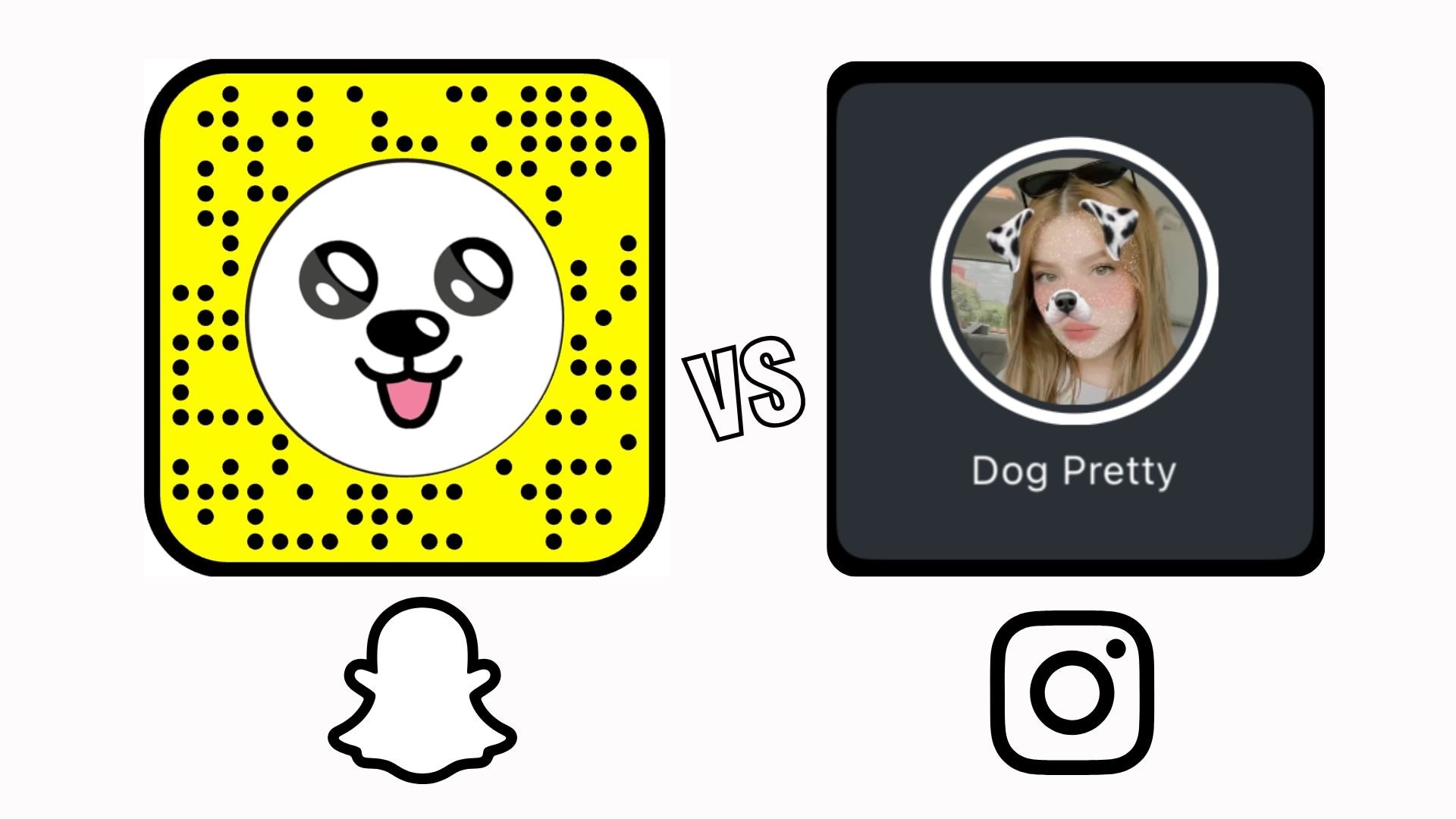
Besides Snapchat, Instagram also has its own dog filters:
- Dog Pretty (Dalmation)
- Glitter Mask Dog V1 (Brown Dog)
However, compared to Instagram's options, Snapchat lenses are usually more responsive and offer more variety. Since Instagram removed most third-party filters, there aren't many dog filter choices left.
On top of that, Instagram's dog filter doesn't make the tongue pop out when you open your mouth. Instead, it gives you options to add glitter, along with face smoothing and subtle makeup effects.
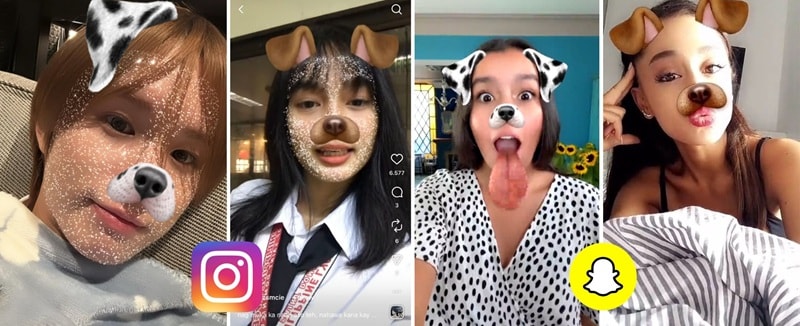
If you are choosing between Snapchat dog filters and dog filter Instagram, this quick comparison shows which platform works better for pets and content creation.
| Feature | Snapchat Dog Filters | Instagram Dog Filters |
| Pet Face Tracking | Very accurate, designed for real dog faces | Less accurate, mainly for human faces |
| Pet-Specific Filters | Yes, marked with the paw icon | Limited pet-focused options |
| Filter Style | Fun, animated, expressive | Clean, soft, aesthetic |
| Works on Moving Dogs | Yes, tracks well | Can lose tracking |
| Ease of Finding Filters | Lens Carousel and Explore | Effect Gallery |
| Best Use Case | Snapchat filters for dogs and pets | Instagram Reels content |
|
Show More
Show Less
|
||
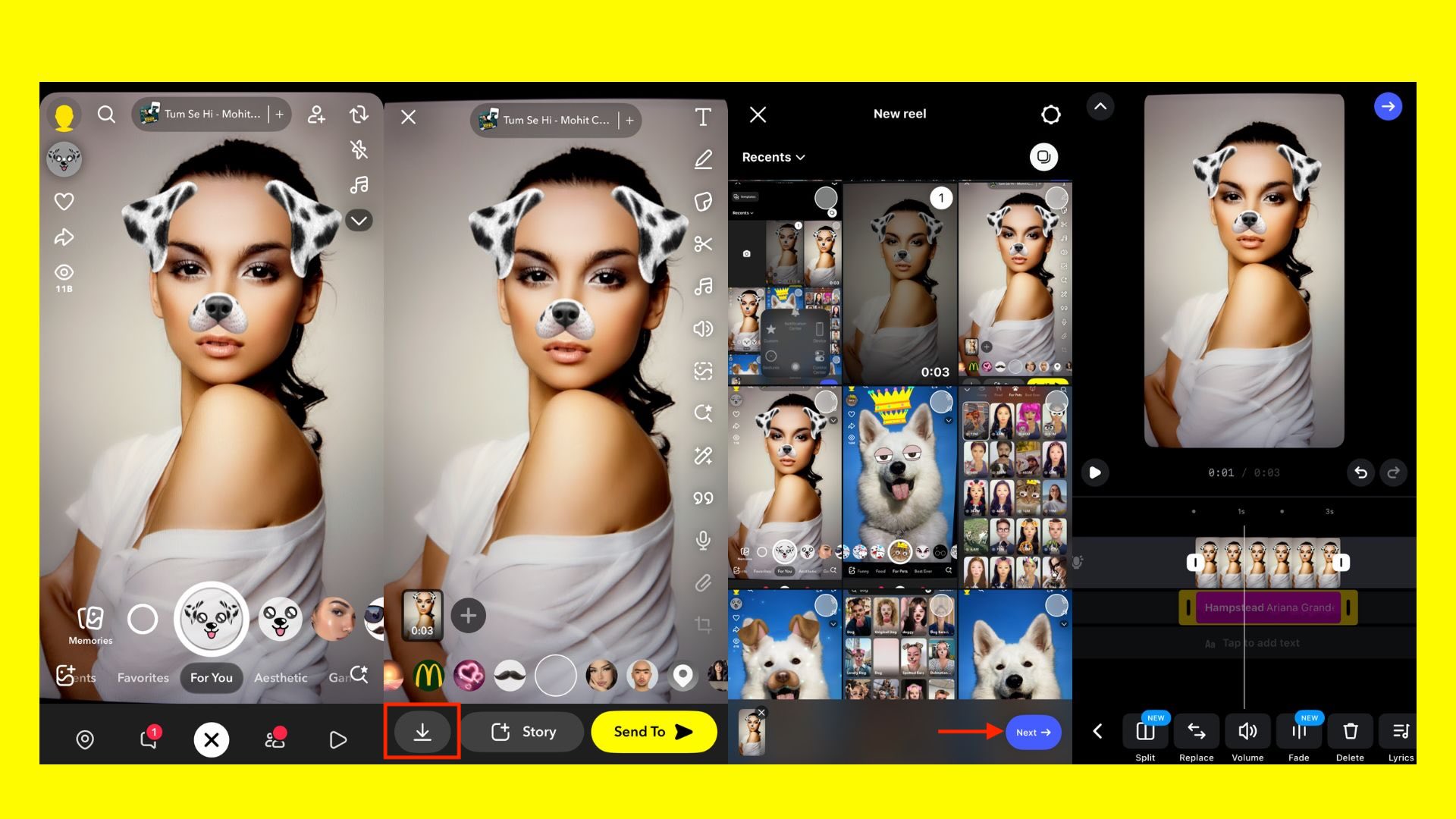
How to Save Snapchat Videos for Dog Filter Instagram Reels
If you don't fancy the dog filter on Instagram, you can use and record Snapchat dog filters first, and then post the video on Instagram.
- Record your video in Snapchat using a dog filter
- Tap the Download or Save icon to save it to your phone
- Open Instagram and create a new Reel
- Upload the saved Snapchat video
- Add music, text, or captions inside Instagram if needed
Part 4. Download Snapchat Dog Filter PNG & Transparent Overlays for Editing
Not everyone needs to use Snapchat dog filters only inside the Snapchat app, especially if you don't have an account or don't want to record in real time. A simple workaround is using Snapchat dog filter PNG files or transparent Snapchat dog filter files overlays so you can edit and reuse them for thumbnails, creative edits, or videos on other platforms.
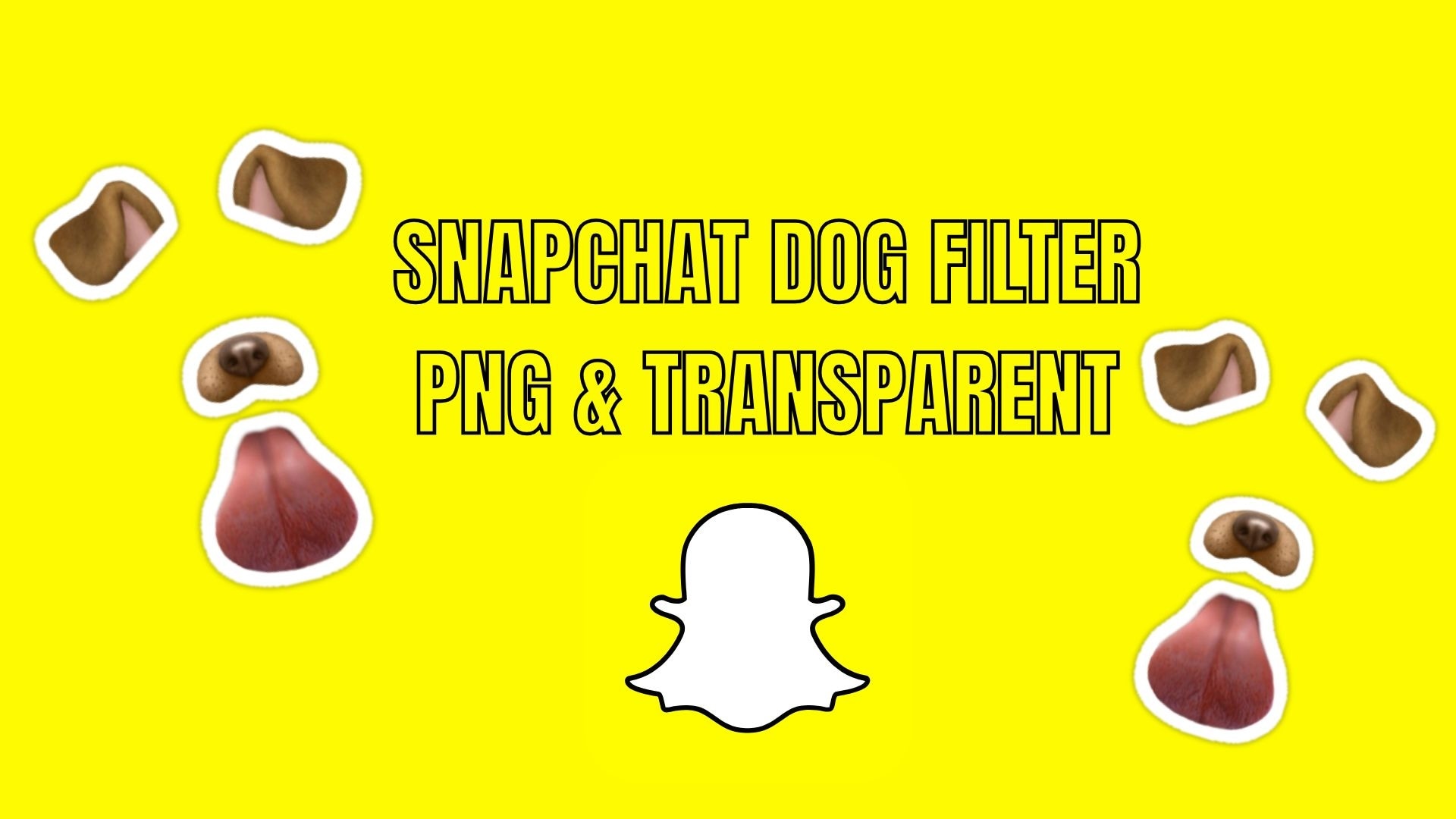
Where to Download Transparent Snapchat Dog Filter Files
Snapchat doesn't officially provide PNG files or transparent versions of its lenses. However, creators often recreate or export similar assets for editing purposes. Common options include:
- Community design platforms that share transparent sticker assets, like wallpapers.com or PNGKey.
- Graphic marketplaces that offer dog ear and tongue overlays.
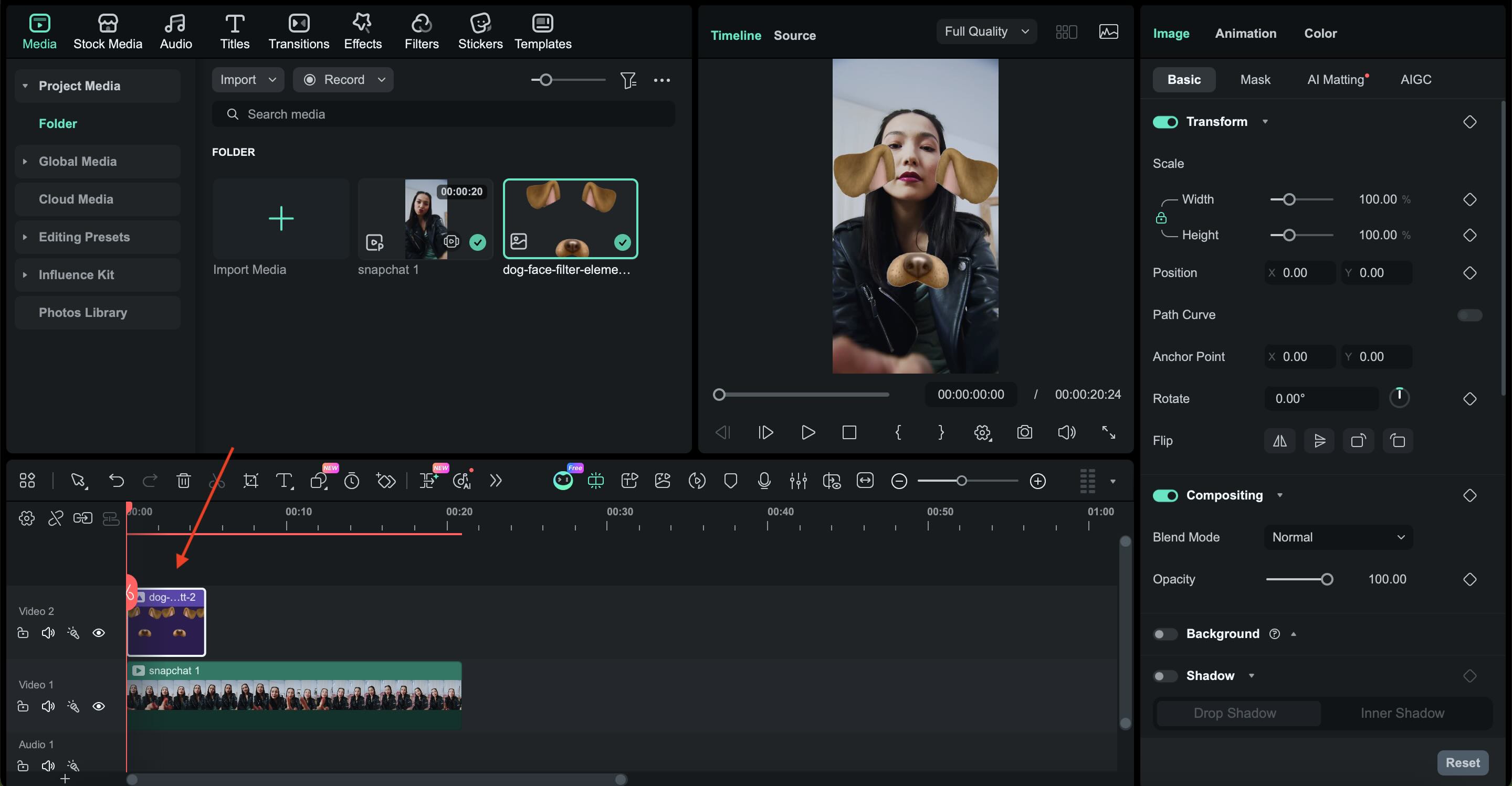
To apply these assets, you can import them as overlay layers in a video editor and adjust the size, position, and timing to match your footage. One recommended tool for this is Wondershare Filmora, which lets you drop in PNG files, track faces, and adjust the placement with ease.
 Secure Download
While Snapchat is great for real-time fun, Wondershare Filmora offers professional control for creators who want to use dog filter transparent layers on high-quality YouTube or TikTok content.
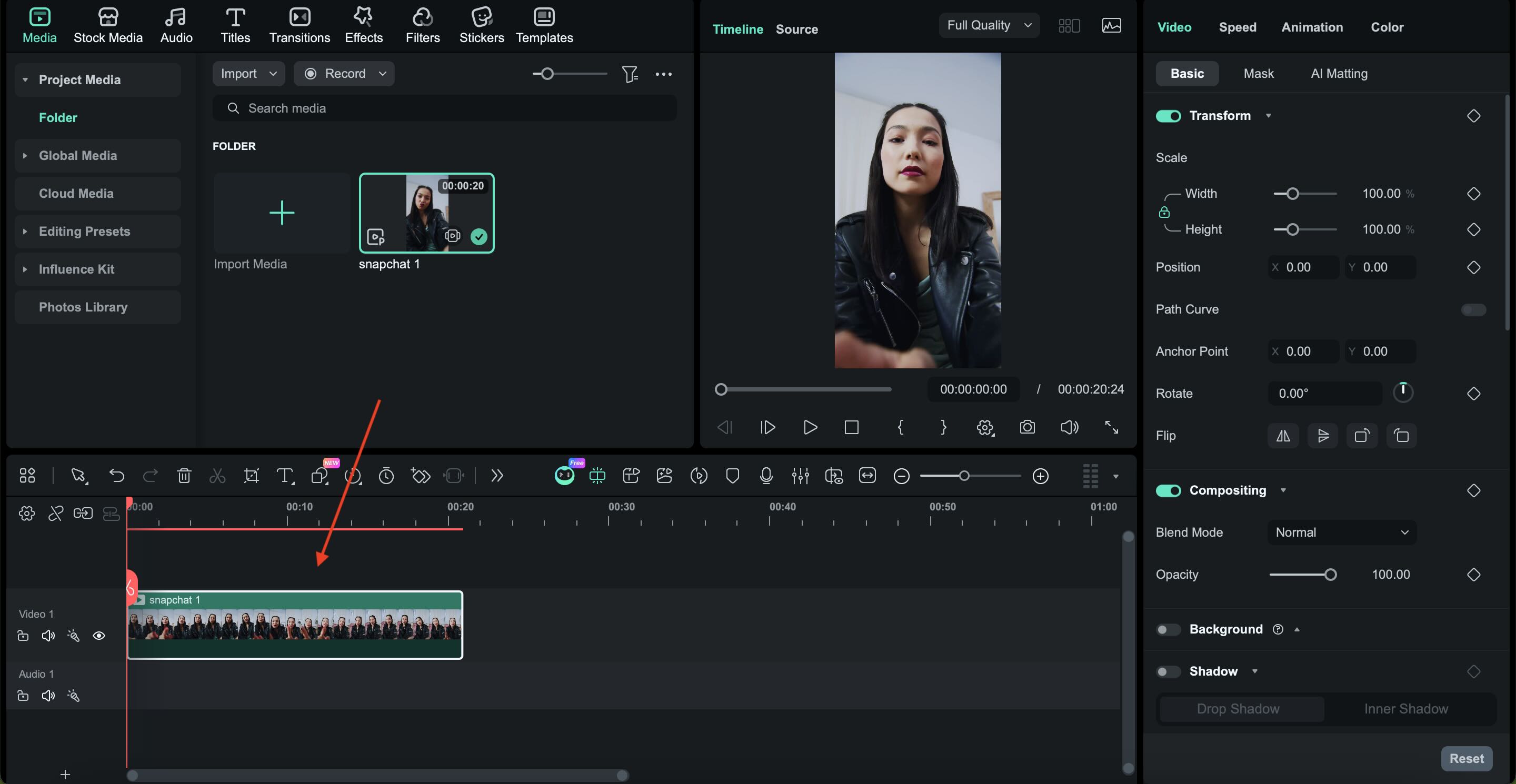
How to Use Snapchat Dog Filter PNGs in Filmora (Step-by-Step)
Filmora is a practical option if you want the Snapchat dog filter look without using the Snapchat app. By using dog filter PNG or transparent assets, you can manually apply ears, noses, and tongue overlays with more control over placement, timing, and style.

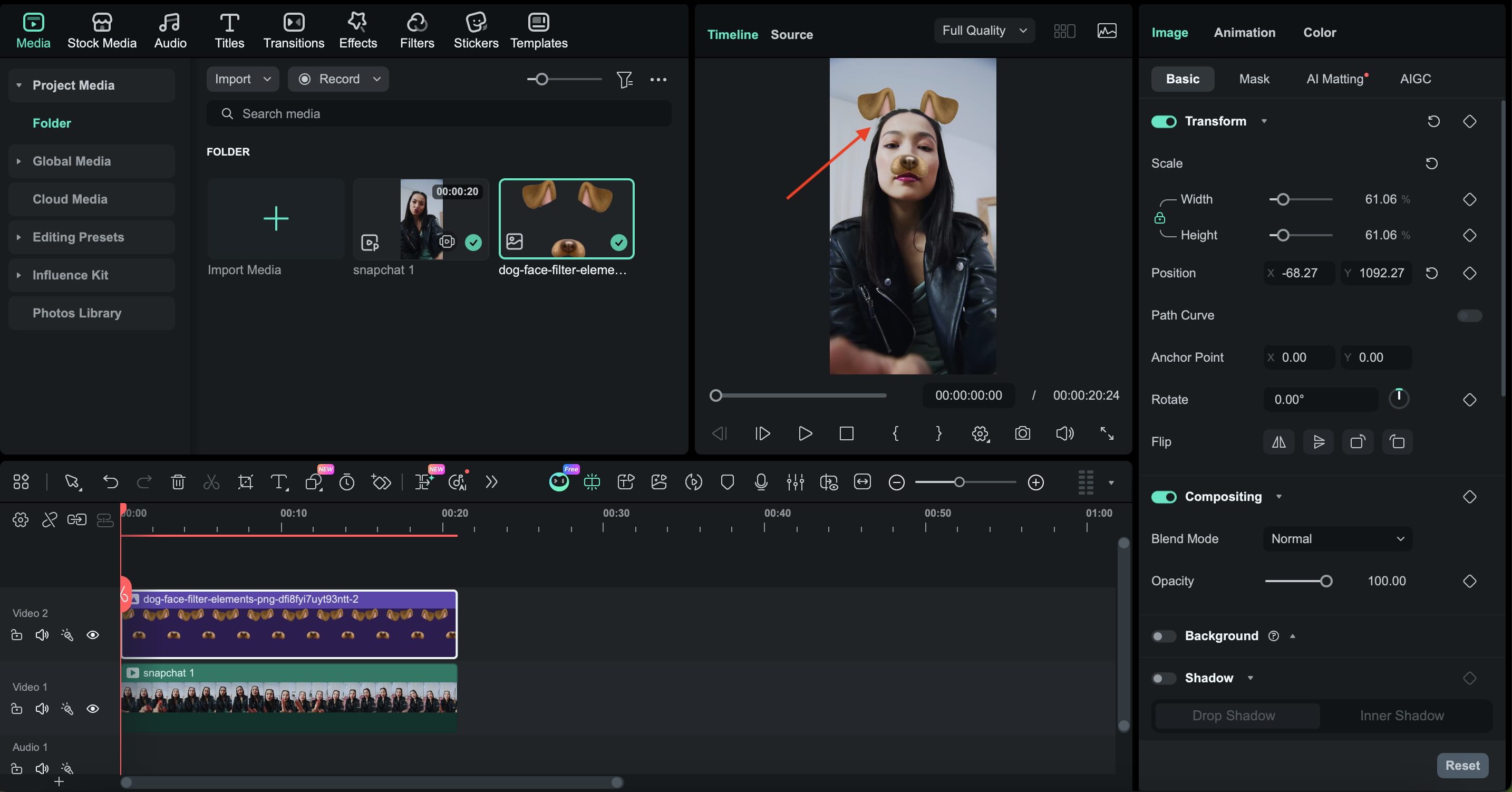
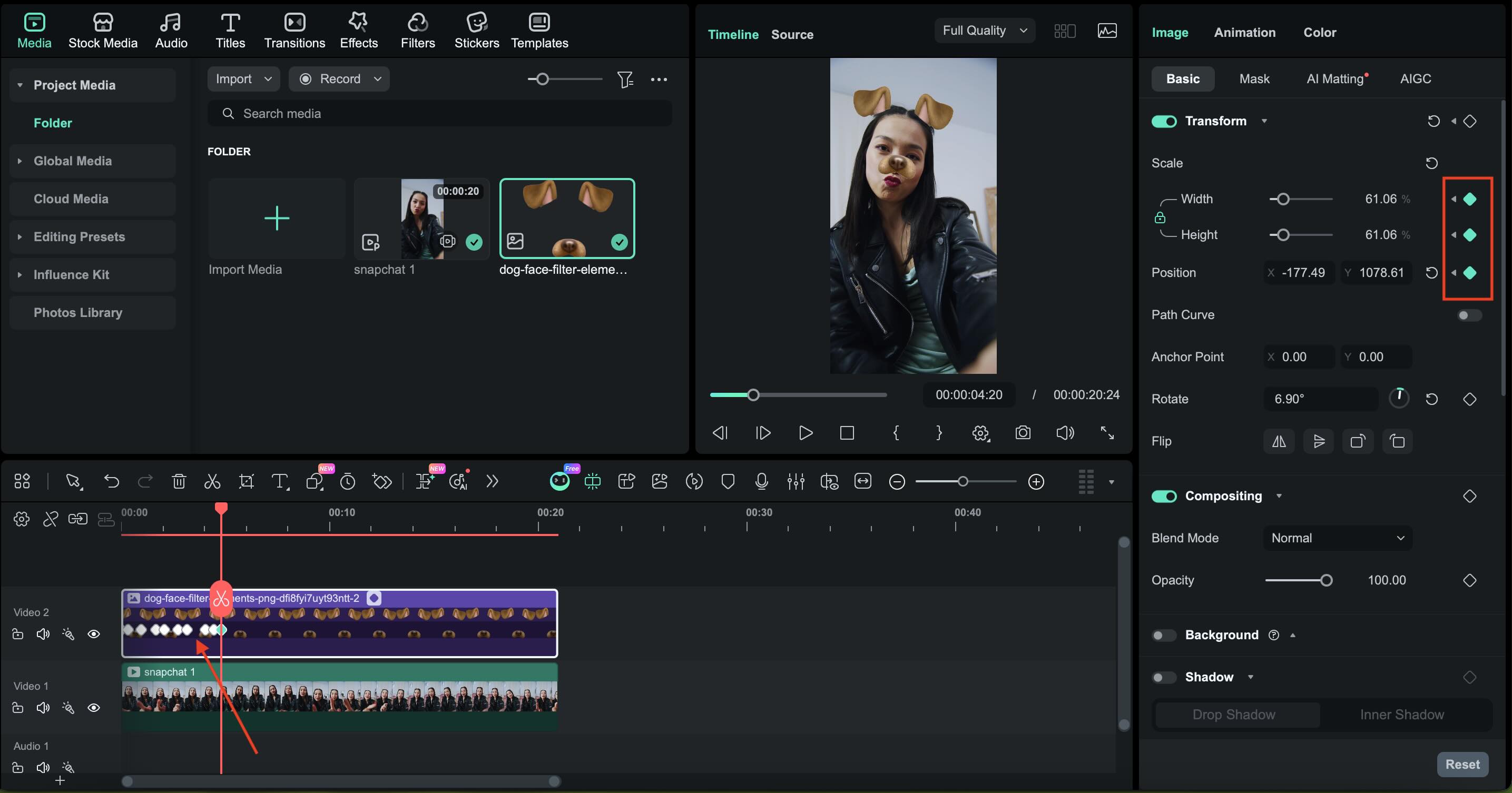
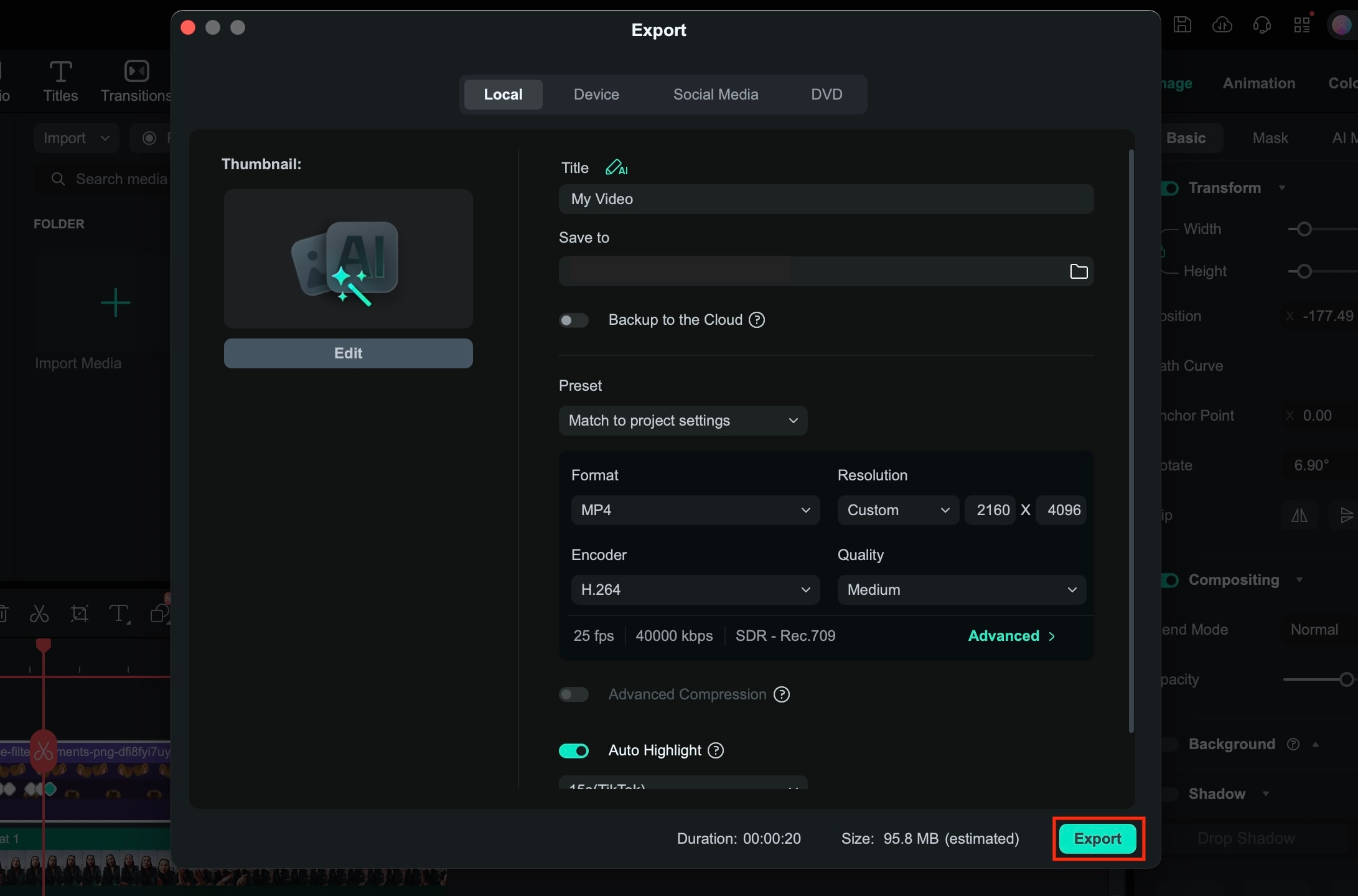
Bonus: Apply Dog Effects and Stickers on Filmora
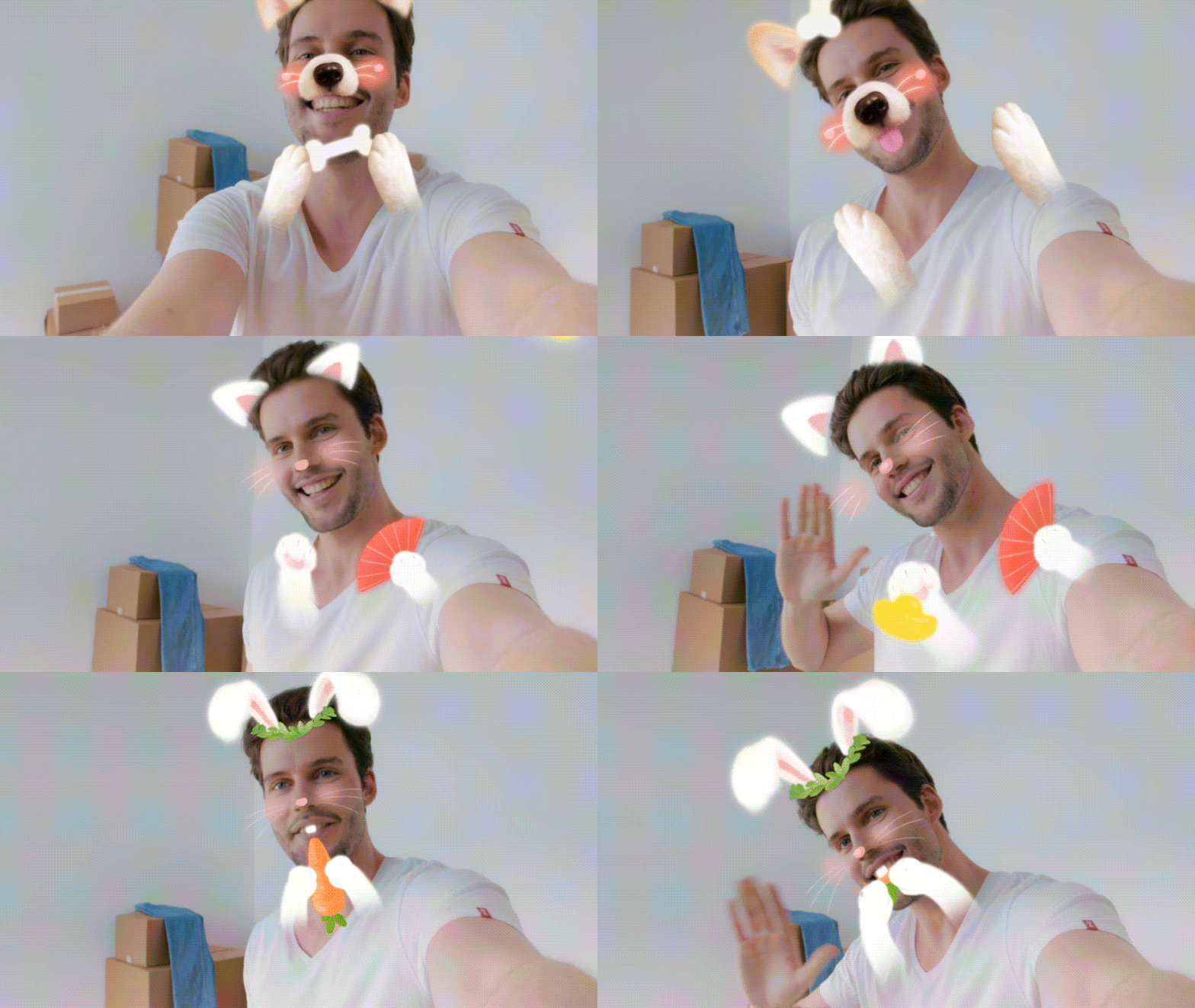
Besides using Filmora to overlay transparent Snapchat dog filters, you can also find many built-in AR effects that move naturally once applied to your video. There are options beyond dogs, too. You just need to download the effect and apply it directly to your clip on the timeline.
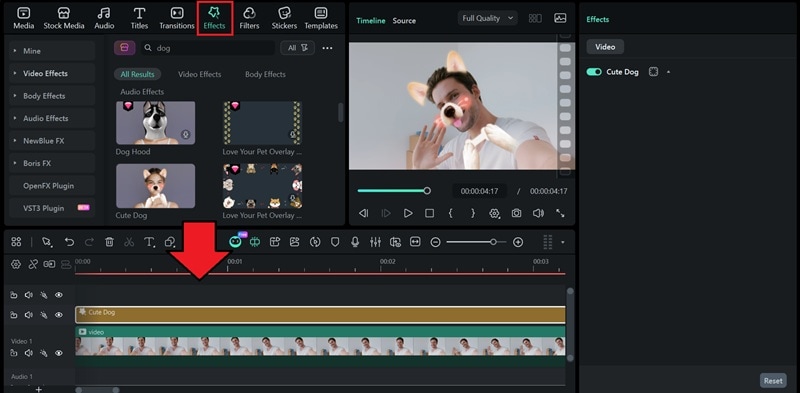
Kindly check the preview results:
Part 5. Troubleshooting: Why Aren't Snapchat Pet Filters Working?
Sometimes Snapchat pet filters don't work as expected. This usually happens due to device limits, app issues, or how well the filter can recognize your pet's face.
Device Compatibility
Not all phones handle Snapchat lenses the same way.
- Older devices may have trouble detecting your pet's face
- Limited camera quality can affect tracking accuracy
- Low storage or memory can cause filters to lag or fail
If filters do not load or keep dropping, your device may not fully support newer pet lenses.
App Version Updates
Snapchat pet filters rely on the latest AI features.
- An outdated app may not show special pet lenses
- Some dog filters only work after recent updates
- Bugs are often fixed through app updates
Always make sure Snapchat is updated to the latest version before trying pet filters.
Pet Breed Recognition Issues (Long Hair vs. Short Hair)
Pet filters work best when the app can clearly detect facial features.
- Short-haired dogs are easier to recognize
- Long fur can cover the eyes or nose, confusing the filter
- Dark fur in low light conditions can reduce detection accuracy
To improve results, use good lighting and try angles where your dog's eyes and nose are clearly visible.
Conclusion
Snapchat dog filters are still going strong this year. While Snapchat remains the best place to find dog filters to use in real time, it's not the only option.
You can record with Snapchat and share on Instagram, or skip real-time filters altogether by using transparent dog filter PNGs and editing tools to recreate the look. To make this work, Filmora lets you import PNG overlays, track faces, and fine-tune the placement so the dog's ears, nose, and tongue stay natural even when the subject moves.

