


 TL;DR:
Wondershare Filmora serves as the best overall Zorq AI alternative by embedding generation models like Sora 2 and Veo 3.1 into a full multi-track timeline, allowing creators to generate, manually edit, and polish videos within a single application.
● Higgsfield AI is the optimal choice for short-form cinematic content, offering over 70 camera movement presets and a Soul ID system for character consistency, though accessing all supported AI models requires higher-tier paid plans.
● Kaiber caters specifically to visual artists and musicians by generating audioreactive visuals that synchronize with the beats and mood of uploaded tracks, but its built-in editing capabilities are restricted to basic trimming and arranging.
● Magiclight AI bypasses the typical 5 to 12-second generation limit to support structured videos up to 50 minutes long for story-based content, although dense scripts often produce unpredictable results that require multiple regenerations.
Ask AI for a summary
 ChatGPT
 Perplexity
 Gemini
 Claude
 Grok
Grok
Zorq AI has been getting attention as a quick way to turn prompts into AI-generated videos. It covers a lot of ground, especially if you just want to generate videos fast. We’ve covered it in depth in our detailed Zorq AI review.
But if the tool turns out don’t quite match what you had in mind, perhaps the videos feel too short, you want more control, or you’re looking for something more affordable, there are Zorq AI alternatives that may work better for you.
We've rounded up the best Zorq AI alternatives that offer everything from total editing control to hyper-consistent AI characters, so you can find the perfect fit for your workflow.
To find the proper Zorq AI alternatives, this list went through a hands-on evaluation process based on the categories that actually matter in real use cases. Below are areas that we looked at:
- Model Variety: How many models are accessible? Do they cover both image and video generation?
- Creative Control: Can you actually edit the result, or are you stuck with what the AI gives you?
- Ease of Use: Can a beginner figure it out in under 10 minutes? Is the interface clean and logical?
- Value for Money: Is the pricing fair, or are you paying a premium for "hype"?
- Platform Accessibility: Web-only, or does it work on mobile and desktop apps too?
- Support & Community: Is there real help available when something goes wrong?
Our Top 3 Picks of Zorq AI Alternatives
If you're in a hurry and just need a quick recommendation, here are the three Zorq AI alternative tools that stood out the most across our testing categories. Each one excels in a different area, so you can pick based on what matters most to your workflow.


Part 1. Top Zorq AI Alternatives at a Glance
You’ve seen a quick teaser of the top three, but we have actually prepared seven solid contenders if you're hunting for a Zorq AI alternative that fits your specific workflow.
See the table chart below, and you'll see exactly how they stack up side-by-side. It covers everything from the heavy-hitting models they use to how they actually charge you.
| Alternative Tool | Highlight | Supported AI Models | Pricing Model | Best For | Rating |
| Filmora | Full video editor + rich built-in AI suite | Sora 2, Veo 3.1, Nano Banana Pro, Topaz Starlight | Subscription & Credit based | Beginners & YouTubers | ⭐ 4.7/5 (App Store, Google Play) |
| Higgsfield | Cinematic video control | Sora 2, Kling 2.6, Veo 3.1, Runway, Luma, Wan, and more | Credit based | Character driven and cinematic videos | ⭐ 4.0/5 (Trustpilot) |
| Glorify | Multi model visual creation | Kling 3.0, Topaz Upscaling, Minimax Hailuo, and more | Credit based | Social visuals and motion content | ⭐ N/A |
| MakeClips AI | Faceless content at scale | Sora 2, Veo 3 Fast, LTX, and more | UGC and faceless videos | ⭐ N/A | |
| Kaiber | Music synced visuals | Kling, Luma, Audioshake, Veo, and more | Free + credit based | Artists & musicians | ⭐ 4.2/5 (Product Hunt) |
| Magiclight AI | Long form storytelling | Gemini 3 Flash, Sora 2, Wan 2-6, Claude Opus 4.6, and more | Free + credit based | Story based and educational videos | ⭐ 4.5/5 (App Store) |
| VO3AI AI | Simple Veo 3 access | Veo 3 Fast, Veo 3 Pro | Credit based | Budget-conscious creators | ⭐ N/A |
 Secure Download
Part 2. Best Zorq AI Alternatives in 2026 Full Breakdown
Alright, here's where we really get into it. Below is a deep dive into each Zorq AI alternative tool: what it does, what it does well, and where it falls short. We've kept it honest and practical, so you can make a real decision based on your actual needs.
1. Wondershare Filmora – AI Tools Inside a Video Editor
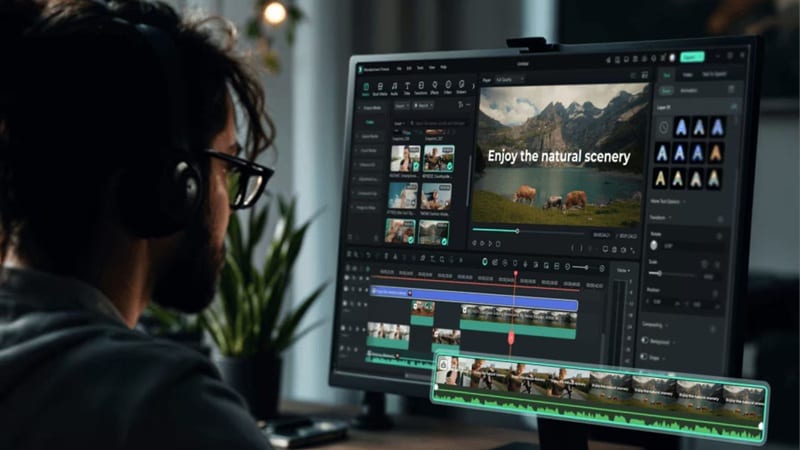
Zorq AI is great at generating clips, but it doesn't really help you turn those clips into a finished video. That gap is exactly where Filmora comes in, which makes it the best Zorq AI alternative. Filmora lets you record, import, edit, and enhance footage with AI assistance at every single step. It's the perfect middle ground for creators who want the speed of AI but still want to be the one in the director's chair. Everything is advanced but feels super natural to use.
- AI Copilot Editing can give smart suggestions while you edit.
- AI Text Based Editing to edit your video by editing the transcript.
- Create videos in seconds with AI Text to Video, Image to Video, and Audio to Video.
- AI Music Generator and AI Sound Effect Generator for custom audio.
- AI Smart Short Clips and AI Smart Scene Cut to turn long videos into short content.
Windows, macOS, iOS, Android.
Beginner to intermediate creators, YouTubers, social media managers, freelancers, and small businesses who want a simple editor with useful AI features.
- Available on both desktop and mobile, so you can edit anywhere.
- Professional timeline editing that gives you full control over your video.
- Strong AI tools for social media like AI Thumbnail Generator, Auto Reframe, and Social Content Planner.
- Extensive media library filled with 2.9M+ royalty-free stock assets built in.
- The free version adds a watermark to the exported videos.
- Using the AI tools requires AI Credits.
Secure Download2. Higgsfield AI – The Cinematographer's AI Video Studio
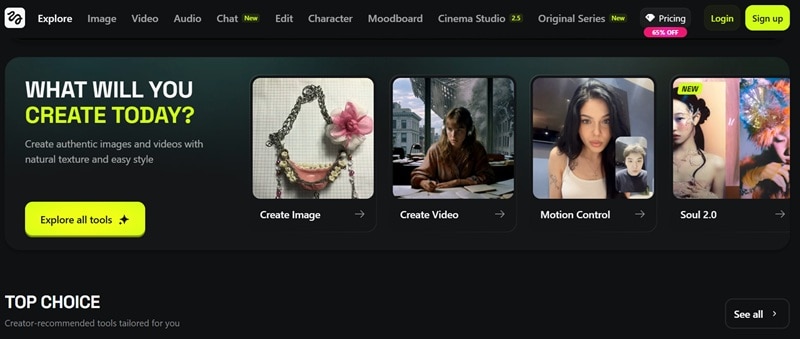
Our next Zorq AI alternative is phenomenal for anyone who wants to feel like directing instead of just generating. Higgsfield AI works a lot like Zorq AI because you get to pick from multiple top-tier models, but the real standout is definitely the Cinema Studio capabilities. It gives you professional camera movement presets that gives you a level of directorial control that most basic AI video tools simply don't offer.
- Access to 50+ AI models including Sora 2, Kling 2.6, Veo 3.1, WAN 2.5, Runway, and Luma.
- Built-in VFX library with effects like explosions, transitions, and style changes.
- Video upscaler to improve output quality.
Web only.
Social media creators, UGC producers, marketers, and anyone trying to create cinematic AI videos with more control.
- Strong audio tools including voiceover generation, voice changer, and speech translation.
- The Soul ID system helps keep characters consistent across different scenes.
- You need higher plans to unlock full access to all AI models.
- Credits run out quickly if you are working on more complex videos.
3. Glorify AI – The Design Weapon Built for Social Media
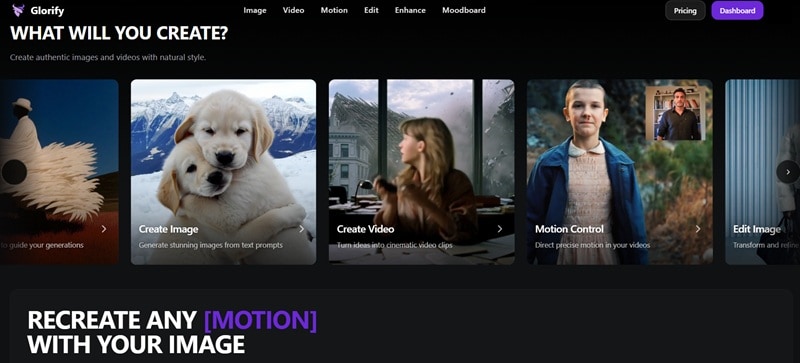
Glorify AI is another solid Zorq AI alternative because it also plays the multi-model game. Just to be super clear, we're talking about Glorify AI (Glorify Dev) here, not the older Glorify design app. This version leans more into the AI generation. You can generate AI images, full-on videos, and even use motion control to make sure things move exactly how you want them to.
- Create AI videos from images using multiple AI models.
- Motion Control to guide movement and animation direction.
- Enhance feature to upscale both images and videos.
Web only.
Social media creators and marketers who want to create eye-catching visuals and short AI videos with more control over how things move.
- Moodboard feature helps you organize ideas and keep your visual style consistent.
- Paint over tool lets you edit specific parts of an image without affecting the whole thing.
- No free version and no free credits when you sign up.
- Still a newer platform, so tutorials and community support are limited.
4. MakeClips AI – The Faceless Video Factory for Social Media
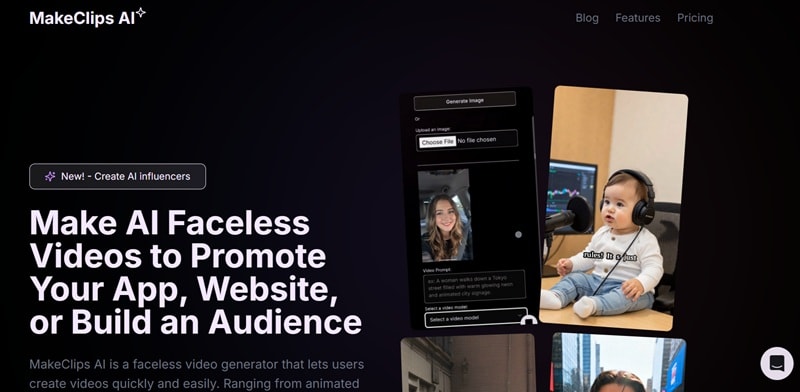
If you prefer staying behind the scenes, MakeClips AI is a really interesting Zorq AI alternative to look at. It goes beyond basic AI video generation. You can create full faceless videos, including UGC style content, animated clips, and even AI influencer videos without using a camera or hiring anyone.
- AI UGC Video Creator for promoting apps, websites, and products without actors or studios.
- AI Influencer Generator to create virtual personas for TikTok and Instagram.
- Prebuilt templates like AI debate, AI evolution, virtual try on, and more to speed things up.
Web only.
Content creators, marketers, and brands who want to produce faceless UGC style videos and scale content quickly.
- Built-in editor gives you basic control to adjust your videos after generation.
- Supports long-form to short-form repurposing along with themed styles and music video creation.
- Not many public reviews yet, so it's harder to judge long-term reliability.
- Free credits are very limited and not enough for proper testing.
5. Kaiber – Where Music Meets Motion: AI for Visual Artists
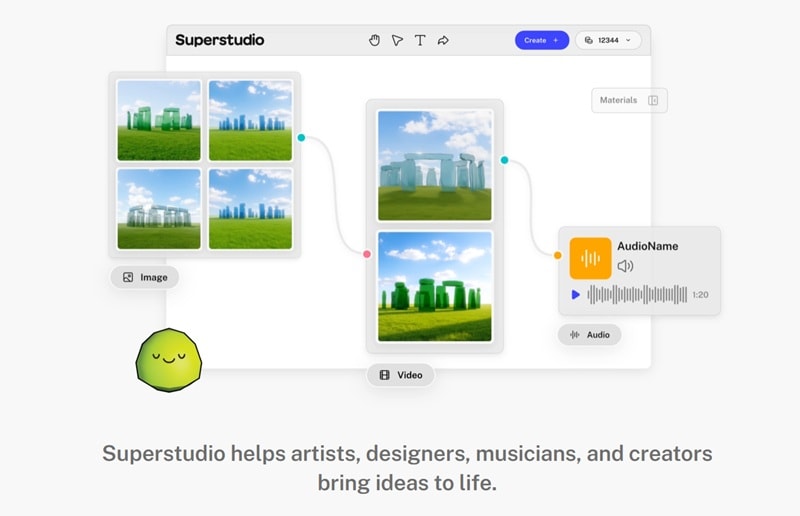
Kaiber is for those of us who think in visuals but feel in music, which is why it's such a unique Zorq AI alternative. Its Superstudio interface is basically an infinite canvas that brings image generation, video creation, and audio tools into one big creative workspace. But the real superpower here is how it handles music. You can upload a track and it will generate visuals that follow the rhythm, the beats, and even the mood of the song.
- Text-to-image, text-to-video, and image-to-video generation for flexible creation.
- Video and image upscaling to improve quality.
- Audio module with stem separation for better sound control.
Web, iOS.
Musicians, DJs, visual artists, and creators who want stylized videos that match music and emotion.
- You can generate videos from text or images and sync visuals to music with Beat Sync.
- Custom Models let you train the AI on your own visual style for more consistent results.
- The built-in editor is basic and mostly limited to trimming and arranging clips.
- Results can be inconsistent depending on the prompt and style you choose.
6. Magiclight AI – The Long-Form AI Storyteller
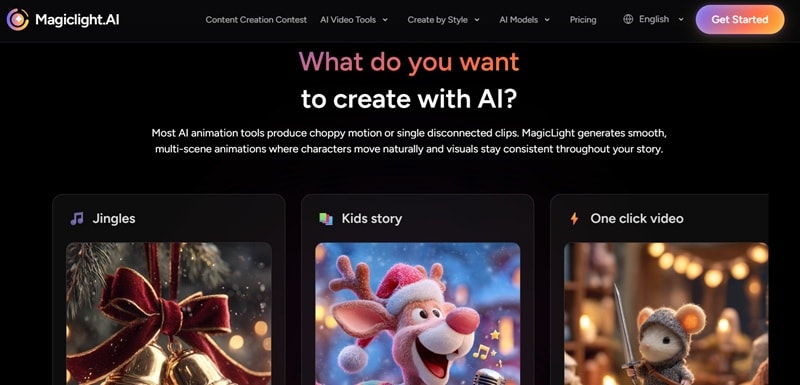
Most AI video tools like Zorq AI max out at 5 to 12 seconds of disconnected clips, but Magiclight AI goes way beyond that, supporting videos up to 50 minutes long. That reason alone makes it a heavy-hitting Zorq AI alternative. It also supports different genres, so you can create anything from kids stories to educational content without starting from scratch.
- Story to Video tool that turns written scripts into structured, scene-based videos.
- AI Avatar Generator to create characters that present your content.
- Music to Video AI that matches visuals with the mood and rhythm of your audio.
Web, Android, iOS.
Educational creators, children's content makers, and storytellers who need longer videos with consistent characters.
- Uses granular 4-step character setup before generation begins (age, style, clothing, art style).
- The free version lets you create one character to test the workflow.
- AI voices can still sound robotic.
- Complex or dense scripts can produce unpredictable results requiring multiple regenerations.
7. VO3AI AI Generator – Simple Way to Use Veo 3
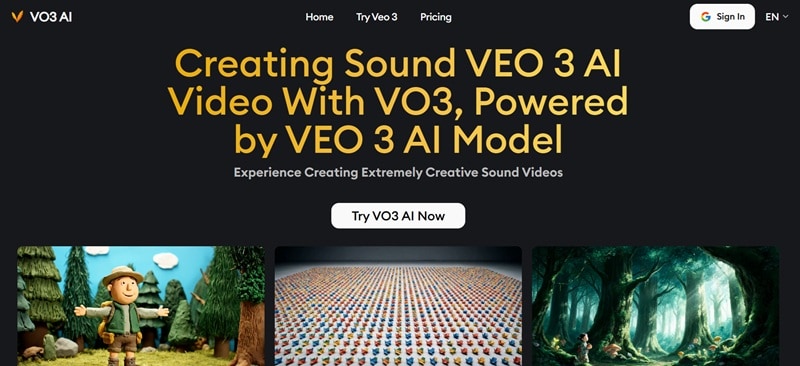
For our last Zorq AI alternative, we're taking it lowkey with VO3AI. It is not trying to be an all-in-one platform or a multi-model tool like others on this list. Instead, it focuses on giving you access to Veo 3 in a more straightforward way. One nice touch is that it generates audio along with the video. You get music, sound effects, and voiceover synced together, which is something many tools still charge extra for.
- Supports resolutions from 360p previews up to 1080p HD.
- Offers widescreen and vertical formats for TikTok, Instagram, YouTube, and more.
- Prompt presets to help you get started faster.
Web only.
Creators, marketers, and educators who want access to Veo 3 without dealing with more complex tools.
- The translate prompt feature helps you write prompts in different languages more easily.
- Built-in audio generation keeps everything synced without extra steps.
- Only supports Veo 3, so you do not get flexibility with other models.
- Free credits are limited, and one video already costs more than what you get at signup.
Part 3. Choosing the Right Zorq AI Alternative for Your Needs
As you can see, every Zorq AI alternative on this list is good at something. But 'good at something' doesn't mean 'right for you.' After all, the 'best' tool for you really depends on what you’re trying to do.
So, let's cut through the noise and match the best pick to your specific situation, so you're not just picking the most popular one, you're picking the right one.
| Your Goal | Best Tool | Why It Works |
| All-in-One Editing | Filmora | It's the only tool on this list that combines a proper multi-track video editor with a full AI toolkit |
| Total Creative Control | Higgsfield AI, Filmora | Higgsfield improves motion realism while Filmora lets you edit and refine results manually |
| Stylized or Artistic Videos | Kaiber, Filmora | Kaiber is the king of trippy visuals, and Filmora’s AI Auto Beat Sync makes your edits hit every drop |
| Cheaper Alternative | VO3AI | Lower cost option that still covers basic AI content creation needs |
Conclusion
We have introduced 7 solid Zorq AI alternative options that cover different needs, including Filmora, Higgsfield AI, Glorify AI, MakeClips AI, Kaiber, Magiclight AI, and VO3AI AI. Each of these tools brings something useful to the table, whether it is better visuals, faster generation, or more creative flexibility.
If we are talking about the best overall pick, Filmora stands out. It may not focus on stacking as many AI models as others, but it offers a much deeper set of AI features that actually help you turn ideas into finished videos. On top of that, the editing timeline is not just for simple cuts; it lets you build, refine, and fully control your content from start to finish.
FAQs
-
Which Zorq AI alternative is best for beginners?
Wondershare Filmora is the easiest starting point. The interface is designed with non-experts in mind, the AI tools are clearly labeled and explained, and there's a massive library of templates and tutorials to get you going fast. -
Are there AI video generators without watermarks?
Filmora's paid plans, Higgsfield's Basic and above, Kaiber's Creator plan, and Magiclight AI's Standard and up all include watermark-free exports. Always check the specific plan details on each tool's website before purchasing, as policies can change. -
Can I use AI video generators on mobile devices?
A few of them, yes. Magiclight AI has a dedicated iOS and Android app that gives you full mobile access to its generation tools. Wondershare Filmora also has mobile apps for both iOS and Android. -
What is the difference between Zorq AI and other AI video generators?
Zorq AI's main differentiator is its multi-model aggregation. It gives you Kling, Veo, Seedream, and Wan in one place without separate subscriptions. It also has unique features like Motion Control (body movement transfer) and Lip Sync AI across 12+ languages. -
Which AI tools work well on low-end devices?
Since most of these Zorq AI alternative tools are cloud-based (the AI processing happens on their servers, not your device), low-end hardware is much less of a barrier than you'd expect. Glorify, MakeClips AI, Magiclight AI, and VO3 AI all run in the browser with minimal local processing.
