

 TL;DR:
A2E AI is a browser-based experimental generator ideal for rapid prototyping with voice cloning and avatars, but professional creators requiring consistent output, predictable pricing, and end-to-end timeline editing are better suited using a stable alternative like Wondershare Filmora V15.
● A2E AI integrates generative models like Veo, Wan, and Kling through a credit-based system featuring 100 free trial credits, but workflow stability is often hindered by unpredictable generation results, false content flagging, and an open-content policy that permits unfiltered 18+ material.
● Wondershare Filmora is optimal for YouTubers and marketing teams needing a unified video production workflow across Windows, macOS, Android, and iOS, replacing fragmented generation steps with direct integration of advanced models like Veo 3.1 and Sora 2.
● While A2E AI temporarily stores media on AWS servers and requires creators to independently guarantee commercial rights for uploaded assets, Filmora mitigates cloud security risks by providing secure offline software licensing and detailed manual refinement tools including AI Mate, AI Relight, and AI Smart Cutout.
Ask AI for a summary
 ChatGPT
 Perplexity
 Gemini
 Claude
 Grok
Grok
Searching for a reliable Video A2E AI tool to automate your content creation? While A2E AI offers experimental generative features, many creators are concerned about its safety and output consistency. This 2026 A2E AI review covers its core features, safety risks, and why professional creators are switching to a more stable A2E AI alternative for high-quality production.
Part 1. What is A2E AI? An In-depth Review
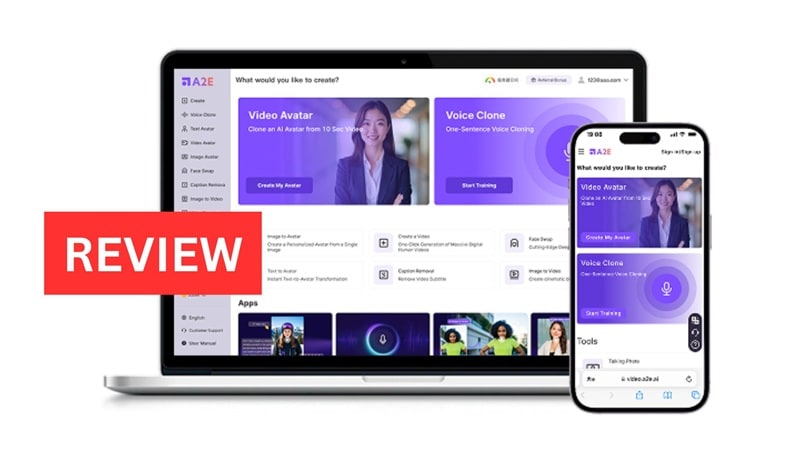
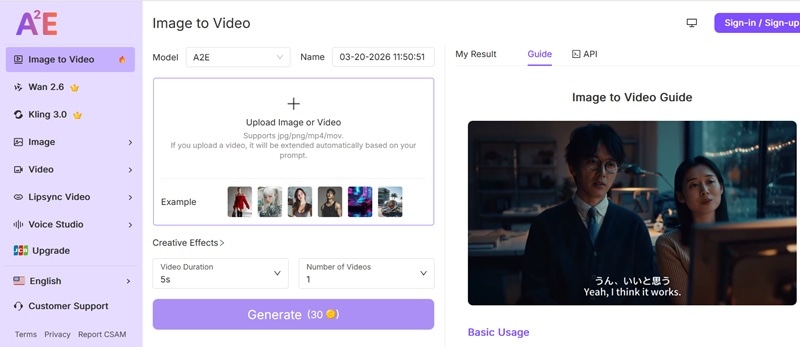
A2E AI is a generative platform built for automated video creation. It allows users to create A2E AI video content using scripts, images, or voice cloning tools. The system runs through a browser interface. It supports avatar videos and A2E AI image-to-video generation. Many creators explore the A2E AI video generator as a lower-cost alternative to other AI video platforms.
1.1 Core Features
Image-to-Video & Media Tools
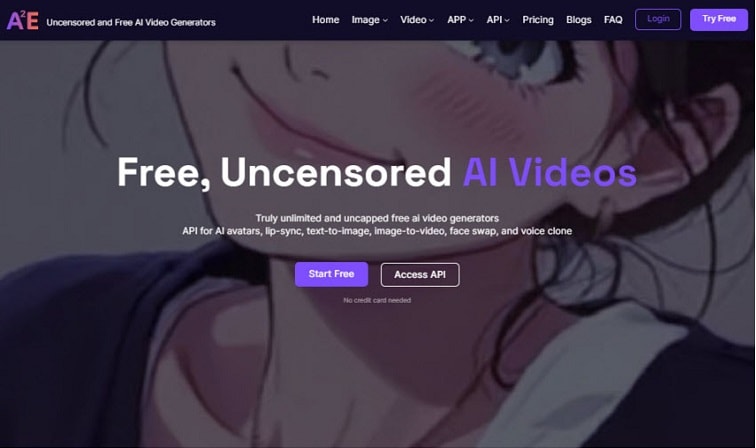
A major highlight of the platform is the A2E AI image-to-video workflow. It allows users to convert static photos into animated clips. However, if you need more creative control over these animations, using a professional A2E AI video alternative like Filmora provides advanced keyframing that basic generators lack.
- Image-to-video generation with resolution ranging from 720p on the free plan to up to 4K on paid tiers
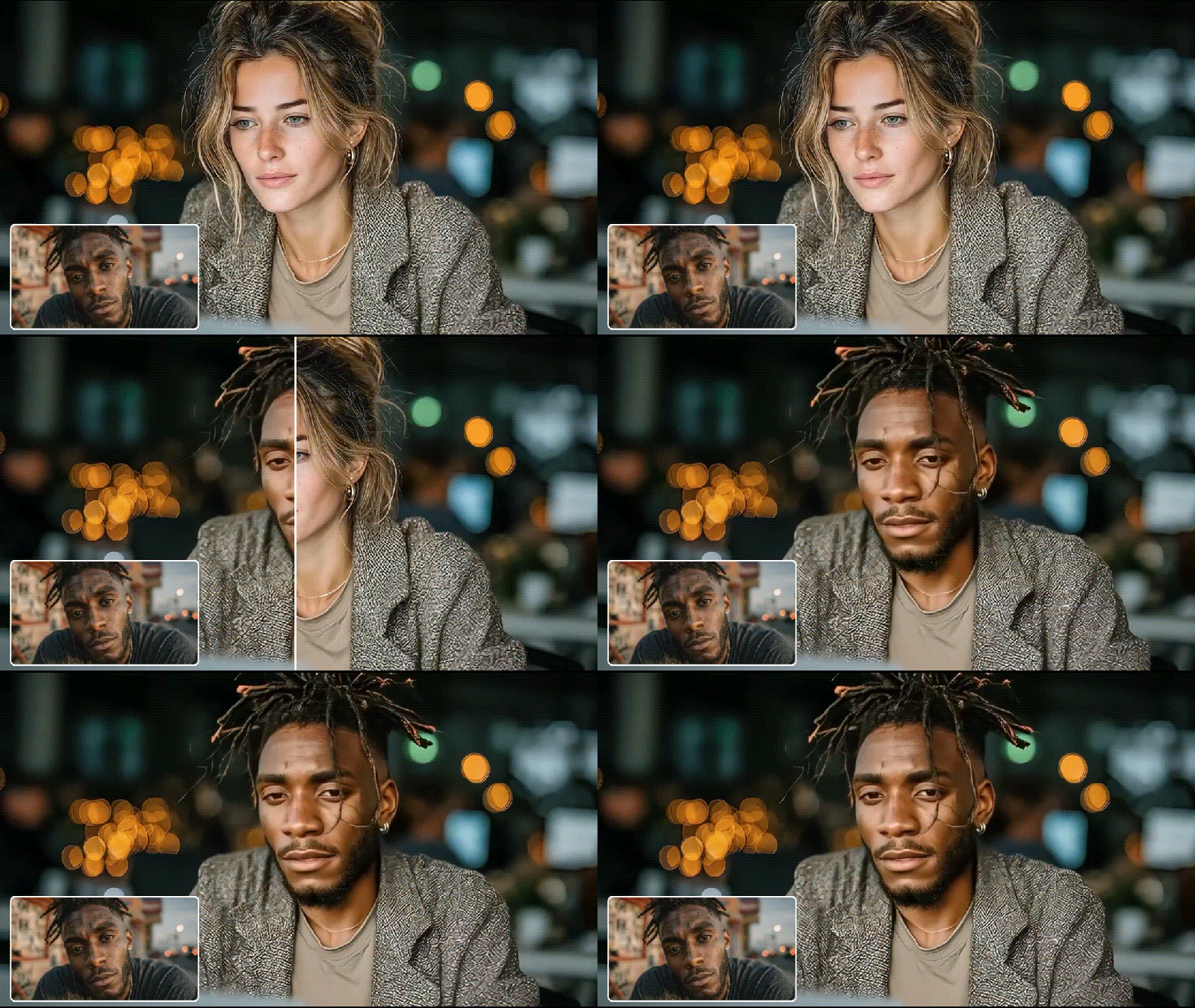
- Head or face swap with talking-photo animation
- Subtitle removal and video-to-audio extraction
- Built-in text-to-image generation within the same toolkit
AI Avatar Video Generation
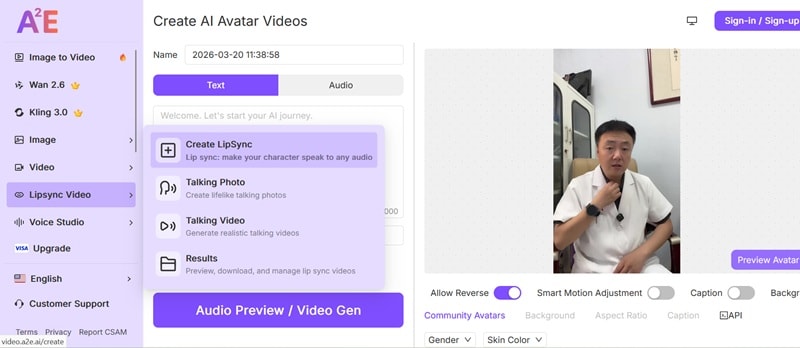
The A2E AI video generator also supports AI avatar video creation. Users can generate talking-avatar videos using text scripts or uploaded media. The system produces realistic facial movement and voice synchronisation. Key capabilities include:
- Accurate lip-sync and natural mouth movement
- Multilingual avatar generation for localization
- Realistic avatar performance without recording new footage
Voice Cloning and Text-to-Speech
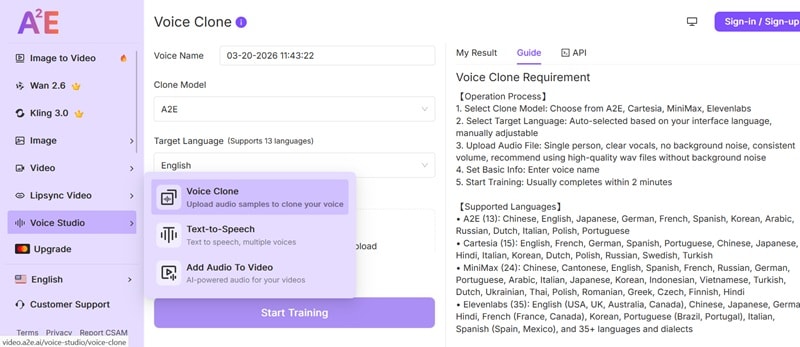
The platform integrates speech synthesis and voice cloning technologies such as Minimax, ElevenLabs, and Cartesia. Key capabilities include:
- Cross-language voice synthesis
- Preservation of accent and vocal tone
- Flexible voice creation for creative or experimental content
Generative Video Models
Beyond avatars and narration, the A2E AI video generator also supports advanced generative video models. The platform integrates cinematic AI models such as Veo, Wan, and Kling. These models can generate:
- Camera movement and scene transitions
- Dynamic character motion
- Visually rich environments
1.2 The User Experience: A neutral look at the interface and the learning curve for beginners:
The interface of A2E AI is built for quick AI video creation. The platform runs fully in a browser, so users can generate A2E AI video content by entering text prompts or uploading images. The design focuses on fast generation rather than complex editing.
Output Quality: A Mixed Picture
When it comes to results, user experiences vary depending on the model used and the complexity of the prompt. On G2, users highlight the platform's ability to produce high-quality 4K video from images, praising its ease of use and the simplicity of its integrations.
However, not all experiences are positive. AI-generated content is sometimes inherently influenced by random seeds and prompt structures, meaning a degree of unpredictability in output is expected.
Part 2. Is A2E AI Safe to Use? Privacy and Risk Analysis
Many creators ask: Is A2E AI safe to use? A2E AI is a web-based platform, so it's important to be cautious about where your data will be stored.
To answer that, the platform said that uploaded media is stored on Amazon Web Services (AWS) servers in the United States. However, A2E also maintains data centers across multiple regions globally, including North America, East Asia, the Middle East, and Europe.
The platform also claims voice samples are not used to train its voice cloning system. User uploads and generated files are automatically and permanently deleted from servers after a set retention period.
2.1 Risk Factors Creators Should Know
Some risks still exist when using the A2E AI video generator tools.
- Open-content policy: The platform allows NSFW, 18+, and unfiltered content. This gives creative freedom but can also expose users to sensitive or disturbing outputs.
- Content flagging: Some users report that the system may flag content incorrectly. Especially when AI misreads fictional characters or stylised visuals as underage or illegal.
- User responsibility: Creators must ensure they own the rights to any images or voice samples used in A2E AI video projects.
- Cloud security limits: Like any online service, the video A2E AI platform cannot guarantee perfect protection for data sent over the internet.
2.2 Community Feedback and Project Security
Community discussions in several A2E AI review threads show mixed feedback. Some users praise the ability to generate open-style A2E AI video content and experiment with AI visuals. Others say output quality can vary depending on prompts or models.
Overall, creators view A2E AI as useful for experimental content. But they recommend using it carefully and understanding its open-content policies.
Part 3. Why You Need a Reliable A2E AI Alternative
A2E AI video generator is useful for testing ideas. However, professional projects often require more stability. Creators report several issues when using A2E AI for large workflows:
- Inconsistent output across models may affect the A2E AI video quality.
- Slow processing can delay production timelines.
- Fragmented workflow often requires extra tools for editing or publishing.
Moreover, with the growth of video production, creators are looking for tools that combine artificial intelligence generation with stable workflows. Due to this, many users are seeking an A2E AI video alternative that provides predictable pricing, integrated editing tools, and improved stability for long-term projects.
Key Requirements for Professional AI Video Tools
- Consistent visual output across scenes
- Clear commercial usage rights
- Advanced timeline editing for manual control
- Broad format and platform support
Part 4. Best A2E AI Alternative: Why Choose Wondershare Filmora?
Among modern AI video editing tools, Wondershare Filmora stands out as a strong A2E AI alternative. FilmoraAI is unlike these experimental generators; it pairs AI automation with complete video editing tools. It provides creators with a tool to quickly generate content, and yet still retain complete creative control.
 Secure Download
4.1 Key AI Advantages of Filmora
AI-Powered Features
Filmora is not your regular video editor. Many stages of the production workflow are empowered by AI. Its AI feature suite spans content generation, editing assistance, audio production, and visual refinement.
For first-timers, the standout entry point is AI Mate. It's an intelligent editing assistant built directly into Filmora V15. Rather than leaving beginners to navigate Filmora's interface alone, AI Mate functions as a personal editing companion.
Text-to-Video Integration
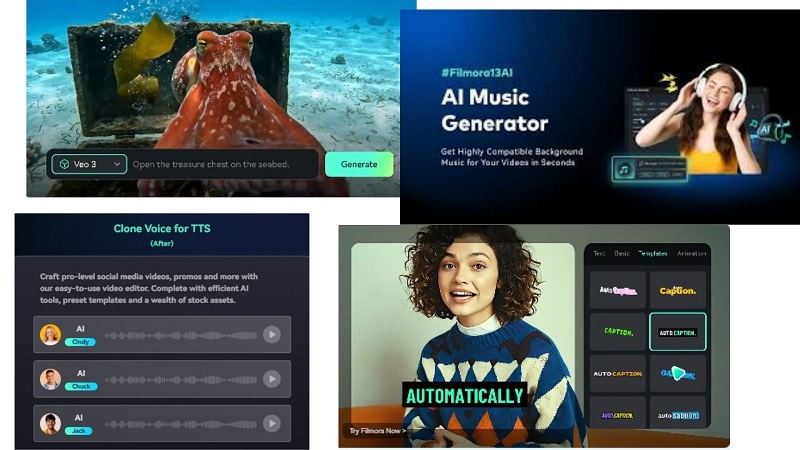
The AI Text-to-Videoin Filmora supports three distinct creation methods to suit different starting points:
- AI Text-to-Video: Generate viral-ready videos with audio from a single prompt. It's powered by industry's leading generative models like Veo 3.1 and Sora 2.
- AI Idea to Video: Turn keywords or random thoughts into scroll-stopping scenes, suited to marketers, trendsetters, and meme creators aiming to ride trends and produce engaging content fast.
- AI Script to Video: Paste a full written script and receive a ready-to-watch video automatically. It's designed for script-based creators, indie storytellers, and educators who want to visualise their narratives with minimal manual editing.
You can use them to generate scenes and then refine them using the timeline editor.
Secure DownloadImage-to-Video Capabilities
Filmora also includes image-based video creation tools. Users can import images and convert them into animated clips with AI effects. This helps creators transform static visuals into shareable video content quickly without always relying on prompts. This workflow offers a more controlled alternative to A2E AI image-to-video tools.
4.2 Safety and Reliability
Filmora is developed by Wondershare, a well-established software company. This means:
- Regular updates
- Official downloads
- Secure licensing
- Active technical support
For creators worried about whether A2E AI is safe, using trusted software significantly reduces risk.
4.3 Comparison: Filmora vs Experimental AI Generators
| Aspect | Filmora | A2E AI |
| Core Function | An all-in-one platform that combines video generation, editing, and publishing. | A video gen platform for avatars, image to video and automated videos |
| Best For | Creators, YouTubers, marketers, and teams require end-to-end video production workflows. | Users are playing with AI-based video, avatars and media via prompts. |
| Compatibility | Windows, macOS, Android, and iOS | Browser-based web |
| Editing Capabilities | Comprehensive timeline editor with effects, transitions, audio tools as well as colour grading and motion tracking | It has limited editing features; Mainly AI generation, not much focus on edits. |
| Export & Output Control | Allows detailed control of video resolution, formats, and project editing before export. | Output mainly depends on the AI generation models and prompt results. |
| Workflow Integration | All-in-one workflow: generate → edit → finalise video. | Mostly a generation-first workflow, with editing often done in other tools. |
| Pricing Model | Subscription or perpetual license, depending on platform and plan. | Credit-based pricing with paid subscription tiers. |
|
Show More
Show Less
|
||
Part 5. How to Elevate Your Workflow with Filmora AI
Follow these simple steps to produce professional AI videos using Filmora as a reliable A2E AI alternative.
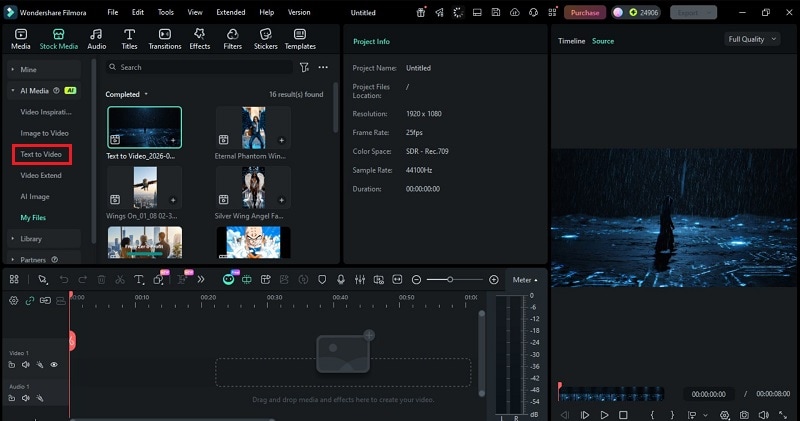
Example prompt:
"A lone figure walking through a digital wasteland. Rain falling. Dark lighting. Glitch effects. Futuristic style.''
Filmora will use this prompt to create the base AI video sequence.
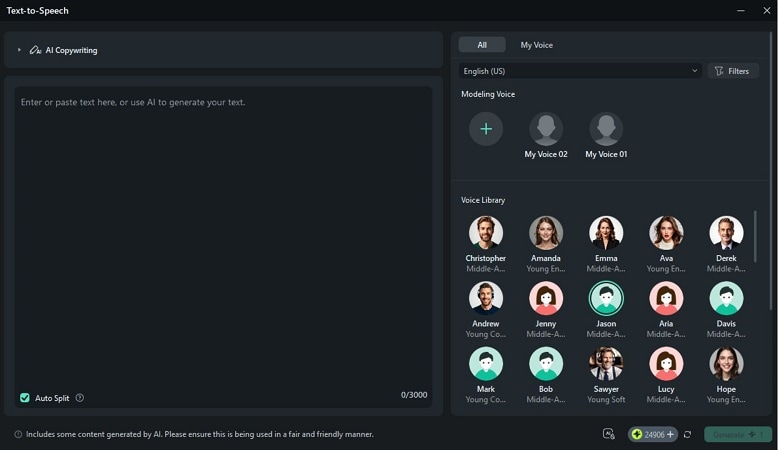
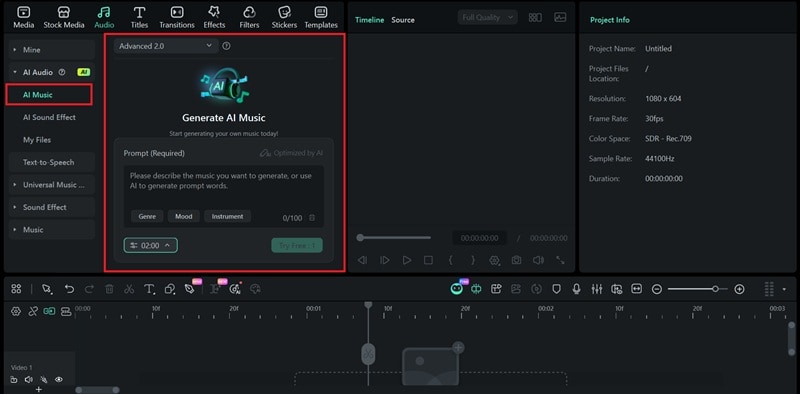
To generate music:
- Go to Audio > AI Audio > AI Music.
- Switch between Normal Mode (quick generation) or Advanced Mode (more specific and refined audio results).
- Choose the Mood, Theme, and Genre.
- Adjust tempo and duration.
- Click Generate.
Filmora also allows for a level of editing depth and artistic control that basic AI generation tools can't match. Where platforms like A2E AI end at the point of output, Filmora's workflow continues to let you refine, enhance, and polish every element of your video before export.
- Adjust colors and lighting with AI Relight and color correction
- Fine-tune scene timing with speed and timeline controls
- Replace visuals with AI Smart Cutout, Chroma Keys, or AI Portrait
- Apply advanced effects and overlays to your videos
This flexibility is why many professionals choose Filmora instead of relying solely on tools like A2E AI Video Generator.
Conclusion
A2E AI video generator is one of many showing how rapidly AI video creation is growing. Such as avatar videos, voice cloning, and A2E AI image-to-video generation. That makes it great for prototyping ideas and generating short AI clips quickly. However, output quality can vary, and larger projects may face limits in editing control and workflow stability.
Often, creators use generation platforms alongside established editors in order to polish their videos. Wondershare Filmora provides organized editing, AI-powered production utilities and export options. It can turn rough AI clips into high-polish content.

FAQs
-
Is there a free trial available for A2E.ai?
Yes, A2E. ai provides an initial free trial feature with 100 credits to get new user experience on the platform. -
Who can benefit from using A2E.ai?
A2E.ai is ideal for developers, content creators, educators. Marketers can also create engaging video content or integrate AI avatars into applications. -
What are some pros and cons of A2E.ai?
Pros: cost-effective pricing and an easy-to-use interface. Cons: limited functionality vs paid alternatives and processing time may lag.
