


 TL;DR:
AniShort is a professional node-based AI platform for producing episodic animated short dramas, but its strict regional SMS login requirements and Chinese-only documentation make Wondershare Filmora a more accessible timeline-based alternative for global solo creators.
● Accessing the AniShort workspace requires an active mobile number from one of its 12 supported regions (including the US, Canada, Australia, and China) for mandatory SMS verification, completely locking out users outside these specific areas.
● The software replaces traditional video timelines with a complex node-based visual canvas that features a built-in novel parser to automatically break down massive text documents into scene-by-scene storyboards for multi-minute episodic films.
● AniShort is best suited for enterprise teams requiring live multi-user collaboration for high-volume drama production, whereas Filmora is ideal for solo marketers and editors who need instant global access and traditional editing combined with AI engines like Sora 2, Veo 3.1, and Seedance 2.0.
Ask AI for a summary
 ChatGPT
 Perplexity
 Gemini
 Claude
 Grok
Grok
If you've ever been through the grind of producing a short drama, AniShort is going to change how you think about all of it. This full-process AI short drama platform covers everything from script to final cut, and claims to cut production costs by 85%.
Three months in, over 10,000 enterprise teams were already on board, producing more than 40 short dramas a day between them. Those numbers were impressive enough to pull in nearly 100 million yuan in backing, as reported by European Central Station.
For those interested in learning more, we’ll break down what Anishort offers, how it works, its limitations, pricing, and whether it deserves your attention.
Part 1. Meet Anishort: AI Platform to Turn Ideas Into Animated Shorts
AniShort is an AI-powered creative platform built by 8.8 Digital, a Chinese AIGC company that's been working on digital human and generative content tech since 2014. The idea behind Anishort is simple: give creators a place where they can start with an idea and gradually transform it into a complete animated short.
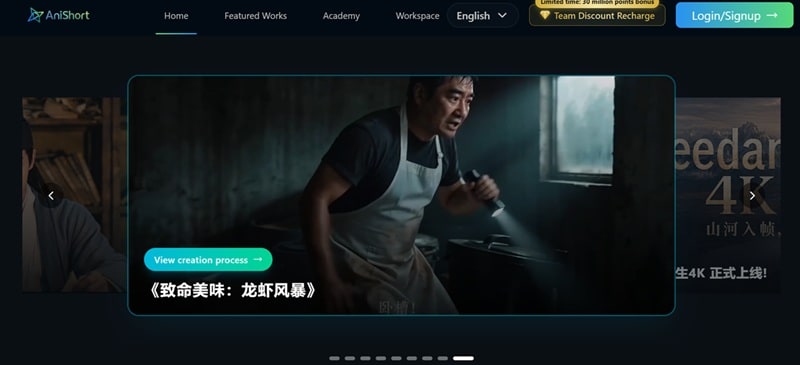
Unlike a typical animation workflow that demands a crew of writers, storyboard artists, and editors all passing files back and forth, AniShort AI tries to fold that entire pipeline into one collaborative AI workspace, aiming to take a short drama from a rough concept all the way to a finished episode without ten different tools in between.
Getting Started With Anishort: Login and Access Limitations
AniShort is fully web-based, so there's no desktop installer to download or update; you just open it in a browser and get going. However, the login process requires a strict SMS verification code.
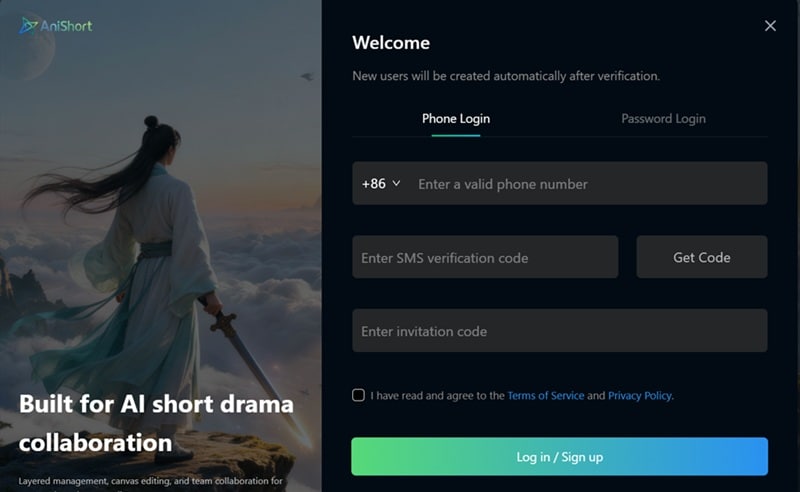
Right now, Anishort only sends these codes to mobile numbers from select supported countries and regions:
- Mainland, China
- Hong Kong, China
- Macau, China
- Taiwan, China
- Malaysia
- Singapore
- Japan
- Korea
- US
- Canada
- Australia
- New Zealand
Meaning, if you do not have an active phone number from those areas, you are completely locked out of the workspace before you even get a chance to test it.
Part 2. Anishort AI’s Features That Power Its Creative Workflow
At first glance, many AI video tools look similar because they all promise one thing: type an idea, get a video. But Anishort takes a slightly different direction. Instead of a traditional timeline as you'd see in a typical video editor, AniShort AI runs on a node-based visual creation canvas.
Picture a flowchart where every box represents a step in production, a script beat, a storyboard frame, an image generation, a video clip, and you drag lines between them to define how the project flows.
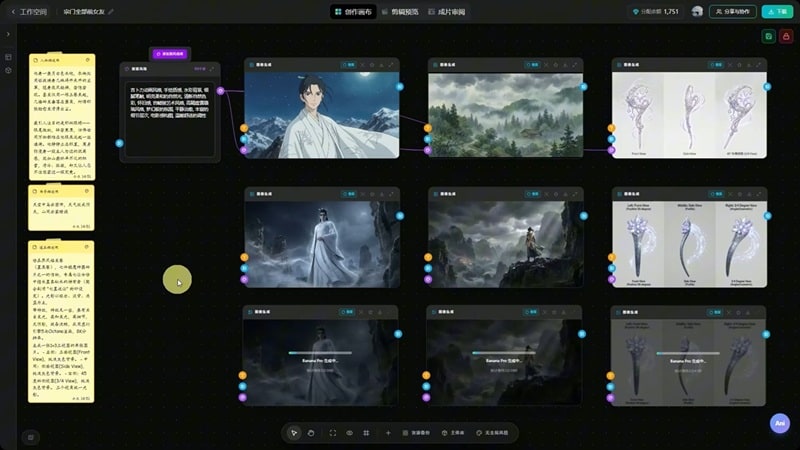
By stringing these nodes together, the AI understands how a character from scene one should look and behave in scene five, giving you an actual, organized system for full-process video generation.
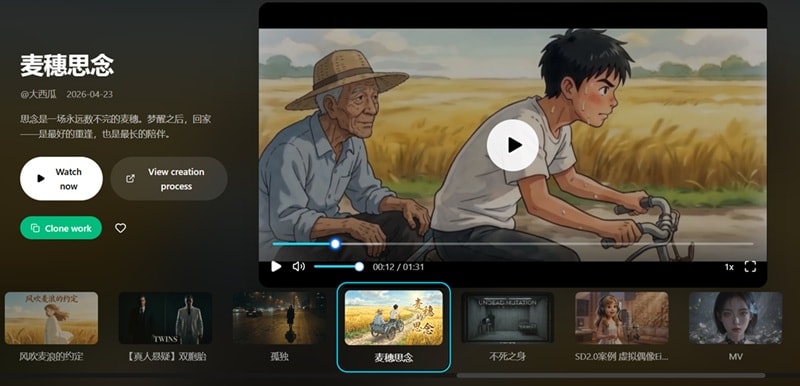
Five Visual Styles Crafted by AniShort AI
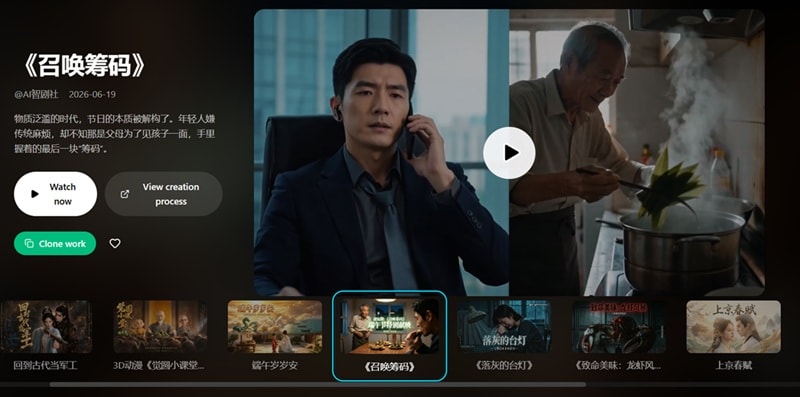
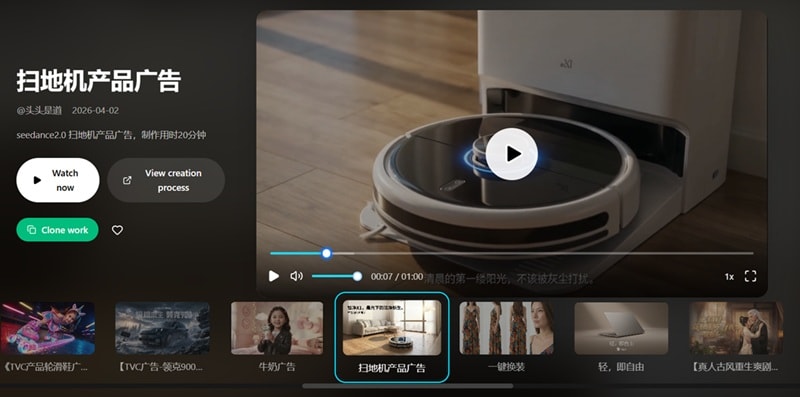
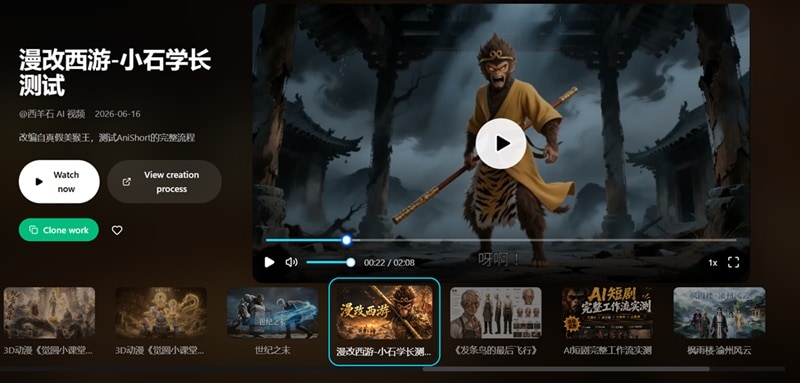
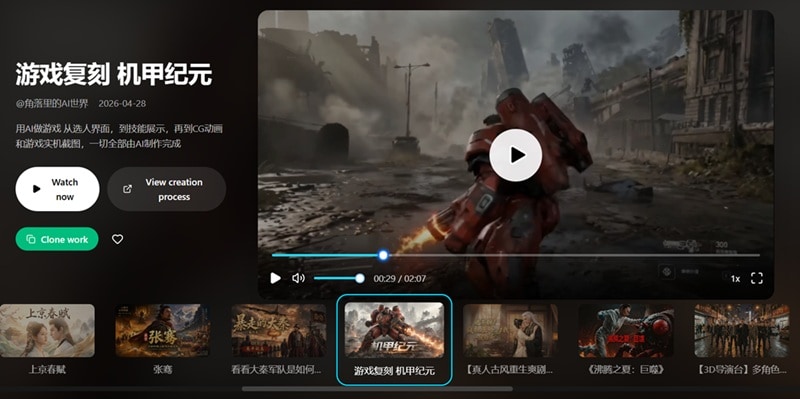
Anishort is designed around storytelling, which means the output is not limited to one visual style. Its AI workflow can be used for different types of animated content. To give you an idea of what the engine can render, here are five distinct aesthetics the platform handles across different genres:
1. AI Live Action
2. Commercial Ads
3. 3D Comic
4. Game
5. Art Shorts
Part 3. Anishort Pricing: How Much Does It Cost?
Like many AI creation platforms, Anishort uses a credit-based system. Instead of unlimited generation, users spend points (similar to credits) when creating content, and these points come with different subscription plans. Let’s have a look.
| Trial | Basic | Advanced | Pro | |
| Price | ¥88 / month | ¥888 / year | ¥2,888 / year | ¥5,888 / year |
| Base Points | 880 | 8,880 | 28,880 | 58,880 |
| Bonus Points | 120 | 1,688 | 6,888 | 36,800 |
| Team Members | 5 seats | 5 seats | 10 seats | 20 seats |
| Ideal For | Casual testing | Short experiments and small projects | Active indie creators | Small production studios and dev teams |
Part 4. Anishort Pros & Cons
AniShort AI might look like a fully cooked, advanced AI animation solution on the surface, and in some ways, it genuinely is. But no tool is perfect, and understanding both sides of the coin is what actually helps you decide if this fits your workflow or just adds another login to manage.
- Long-Form Production Capability: While most AI tools cap out at a few seconds, this system can piece together cohesive, multi-minute episodic films.
- Exhaustive Learning Portal: The platform features a thorough, step-by-step documentation library covering every single advanced node function.
- Built-In Collaboration Engine: Teams can work inside the same canvas simultaneously with visible, live cursor tracking.
- Built-in Novel Parsing: You can upload massive text documents, and the AI will automatically break down the text into scene-by-scene storyboards.
- Regional Access Restrictions: The strict mobile verification system leaves global creators without regional phone access entirely in the dark.
- Strict Language Barrier: The extensive learning portals are available exclusively in Chinese, making it difficult for English-only editors to use.
- Lack Global Reviews: Finding unbiased English tutorials, user feedback, or indie creator reviews online is nearly impossible right now.
- Steep Learning Curve: The node-based visual layout is complex and takes a good chunk of time to master if you are used to simple text prompt boxes.
Part 5. Create AI Short Films Without Confusion with Filmora
Based on our reviews, AniShort can be a genuinely interesting pick for creators who want AI-powered animation and don't mind a learning curve. But the access limitations, the documentation locked behind a language barrier, and the workflow restrictions we just walked through can be real obstacles, especially if you're outside its core supported regions.
Thankfully, AniShort AI isn't the only road into AI video creation. Wondershare Filmora offers an excellent, fully accessible alternative that combines powerful AI generation with a traditional, user-friendly video editing environment.
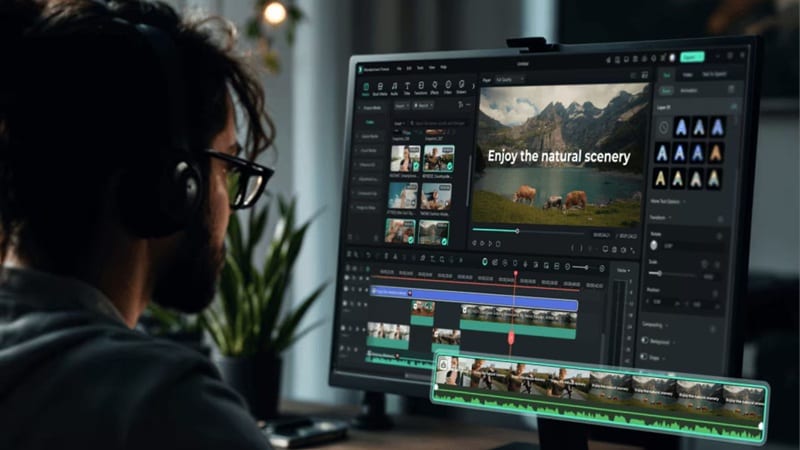
Instead of locking you out with regional phone checks, Filmora puts top-tier creative engines like Seedance 2.0, Sora 2, Veo 3.1, and Tomoviee 2.5 right inside your main workspace. You can brainstorm ideas, generate clips, cut scenes, add professional effects, and export your final video all in one place without jumping through hoops.
 Secure Download
Different Ways to Create AI Short Movies With Filmora
1. Using AI Storyboard Generator

Type out your core narrative concept, and Filmora's AI Storyboard Generator will instantly map out a visual storyboard layout with scene ideas and shot suggestions to jumpstart your edit. You can tweak plot points, regenerate scenes you're not happy with, and keep characters looking consistent across the whole project before ever touching the timeline.
2. Using AI Script to Video

If you've already got a script (or want AI to draft one from a topic), this feature turns it into a complete video with scenes, voiceover, and captions in one pass. It works in two flavors: a quick mode for short, viral-style clips, and a longer mode for more developed minute-plus videos pulled from Filmora's media library.
3. Using AI Audio to Video

Got a podcast episode, an audiobook chapter, or a recorded story sitting around? Upload the audio file (or paste a YouTube link), and Filmora automatically finds the most compelling moments and turns them into video, complete with a choice of visual styles and even an AI talking avatar with lip-sync if you want a narrator on screen!
Anishort vs Filmora: Which AI Video Tool Fits Better?
Both Anishort and Filmora aim to make video creation easier with AI, but they approach the process differently. Anishort focuses more on AI animated storytelling, while Filmora combines AI generation with a complete editing environment.
Here's how they stack up side by side:
| Category | Anishort AI | Filmora |
| Core Focus | AI short-drama collaboration and team production at scale | All-in-one AI video generation plus full traditional video editing |
| Global Access | Highly restricted by regional SMS verification codes | Open worldwide with instant account creation. |
| Workflow Style | Node-based visual canvas, built for structured, multi-step pipelines | Timeline-based editing with AI tools built directly into the workflow |
| Language Support | Documentation is primarily in Chinese | Full English support, plus multiple other interface and script languages |
| Collaboration | Built-in, live multi-user canvas with cursor tracking | Primarily single-user editing, with project files that can be shared |
| Learning Curve | Steep, especially for newcomers to node-based systems | Beginner-friendly, with guided AI workflows and a more familiar interface |
| Best For | Professional short-drama teams producing episodic content at volume | Solo creators, marketers, and editors who want AI plus full editing control |
Secure DownloadConclusion
Anishort AI shows how quickly AI video creation is evolving. Instead of only generating short clips, it focuses on helping creators build animated stories with a more structured workflow. Its node-based system, AI assistance, and storytelling approach make it an interesting option for creators who want to explore AI animation.
However, accessibility issues, limited reviews, and the learning curve mean it may not be the best fit for everyone. For creators who want a more complete video-making solution, Wondershare Filmora offers a more flexible approach by combining AI generation tools with professional editing features. With AI-powered creation and traditional editing in one place, Filmora can help turn ideas into polished videos faster.
FAQs About Anishort AI
-
Does AniShort AI work on mobile devices?
AniShort is fully web-based, so it should technically load on a mobile browser, but its node-based canvas and detailed production tools are clearly built with a desktop screen and mouse in mind. -
What is the difference between a node-based video editor and a timeline-based editor?
A timeline editor (like the one in Filmora) lays your project out left to right in chronological order, which feels intuitive for most editors. A node-based editor (like AniShort) represents each step as a connected box on a canvas, which gives you more flexibility for complex, branching production pipelines, but takes longer to learn if you've never used one before. -
Can AniShort AI create full animated movies?
AniShort is built around short dramas, typically episodic content running several minutes per episode, rather than feature-length animated movies. It's designed for high-volume, repeatable production of shorter-form episodic content, not a two-hour film in one go.
