

 TL;DR:
Choosing the right Filmora alternative depends entirely on your hardware capabilities and project scope, with DaVinci Resolve suiting high-end professional setups, CapCut dominating short-form social media trends, and Filmora 15 maintaining the most efficient balance of AI automation and moderate system requirements.
● DaVinci Resolve provides free, Hollywood-grade color correction and audio tools but strictly requires a dedicated GPU with at least 4GB of VRAM to prevent severe system crashes on standard laptops.
● CapCut Desktop offers an exceptionally easy learning curve with viral assets for short-form content but lacks the precise timeline management needed for long-form video, whereas Adobe Premiere Pro delivers a deep professional ecosystem tied to a continuous lifelong subscription.
● Filmora 15 remains the optimal choice for mid-level creators seeking to avoid manual keyframing and external media sourcing, as it integrates AI motion tracking and 2.9 million built-in assets without the advertisement-cluttered interface found in CyberLink PowerDirector.
Ask AI for a summary
 ChatGPT
 Perplexity
 Gemini
 Claude
 Grok
Grok
In the modern digital era, video storytelling has become the universal language of the internet. For years, Wondershare Filmora has been the cornerstone for creators who need a blend of simplicity and power. However, as the industry expands, many creators find themselves searching for a Filmora alternative that might better suit a specific niche, a tighter budget, or a more demanding professional workflow.
Whether you are a YouTuber seeking free Filmora alternatives or a professional editor looking for programs like Filmora that offer high-end color grading, the market is saturated with options. This guide aims to provide an objective, data-driven analysis of the best Filmora alternatives, helping you decide if you should make the switch or stay with the reliable performance of Wondershare.
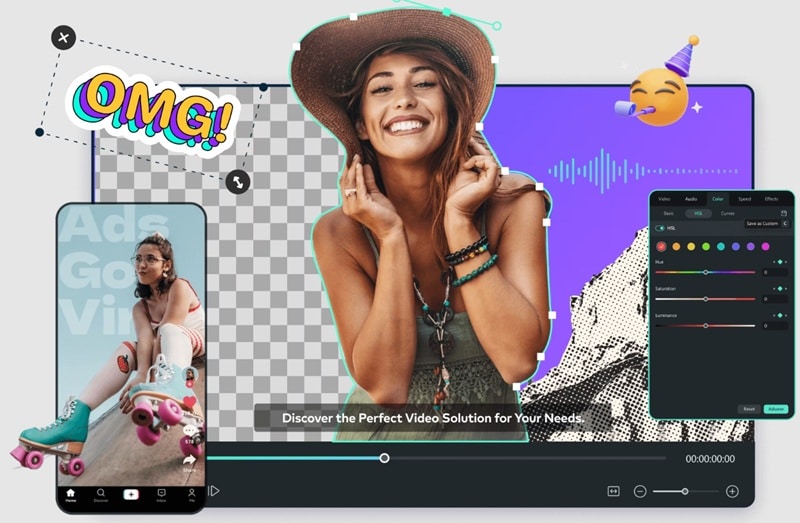
Part 1: The Evolving Landscape of Video Editing Software
The quest for an alternative to Filmora usually begins when a creator hits a specific wall. For some, it is the desire for an alternative Filmora experience on open-source platforms. For others, it is about finding apps similar to Filmora that can handle heavy vertical video processing for TikTok and Reels without a hitch.
As we navigate through 2025, the rise of Artificial Intelligence has further complicated the choice. Many software similar to Filmora have integrated AI, but few have managed to maintain the user-centric interface that made Filmora famous. In this deep dive, we will compare software like Filmora across various categories: from professional suites to free apps like Filmora.
Part 2: The Framework for Evaluation: Consistent Dimensions
To ensure a deep and objective analysis, every alternative to Filmora featured in this guide is evaluated through the following six professional lenses:
- Interface & User Experience (UX): The balance between complexity and ease of use.
- Advanced Editing Capabilities: Support for keyframing, masking, and multi-track management.
- Built-in Creative Assets: Quality and quantity of stock music, titles, and transitions.
- AI Integration: How the software utilizes neural networks to speed up workflows.
- Technical Performance: Proxy handling, GPU acceleration, and export stability.
- Value Proposition: The actual return on investment considering the learning curve and price.
Part 3: Top Free Filmora Alternatives: Breaking Down the No-Cost Options
1. DaVinci Resolve: The Powerhouse Choice
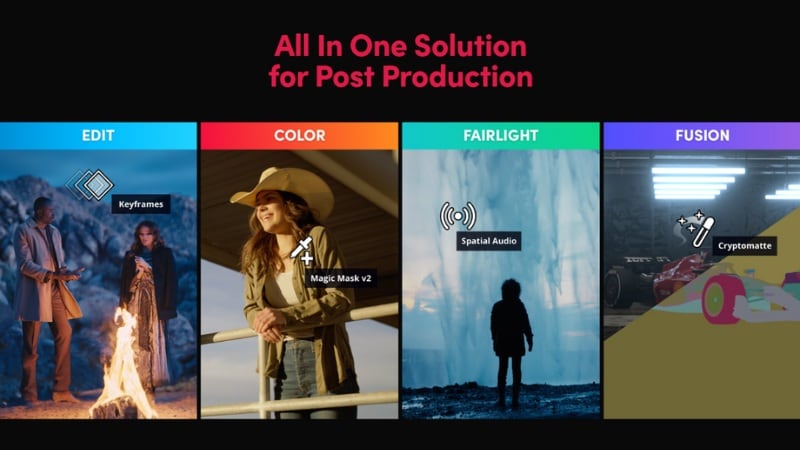
When users ask for the best free alternative to Filmora, DaVinci Resolve is the undisputed champion of the high-end market. It is more than just a video editor like Filmora; it is a full post-production suite. Its color correction tools are used in Hollywood movies, and its Fairlight audio page is world-class.
However, objectivity is key. While it is a free alternative to Filmora, its system requirements are massive. You need a dedicated GPU with at least 4GB of VRAM to even start. For a creator using a standard laptop, this Filmora similar software free might cause more crashes than creations.
2. CapCut Desktop: The Social Media Contender
CapCut has rapidly become one of the most popular apps like Filmora. It offers a Wondershare Filmora free alternative experience that is heavily focused on trends. With its huge library of viral music and auto-captions, it’s a strong alternative to Filmora for those who only care about short-form content.
But there is a catch: CapCut lacks the advanced file management and long-form storytelling tools found in Wondershare Filmora alternatives. If you are editing a 20-minute documentary, CapCut’s timeline becomes cluttered and unmanageable compared to the precision of Filmora.

3. Shotcut: The Open-Source Route
For enthusiasts who support open-source philosophy, Shotcut is a reliable free software like Filmora. It supports 4K and native timeline editing. As a free video editor like Filmora, it respects user privacy and offers total freedom. However, the UI feels dated. Compared to the modern Filmora 15 alternative versions, Shotcut requires a lot of manual configuration, which can stifle the creative flow.
Part 4: Professional Alternatives: When You Need More Depth
4. Adobe Premiere Pro
Premiere Pro is the most cited video editing software like Filmora in professional studios. It offers a deep ecosystem with After Effects and Photoshop. If you are looking for an alternative for Filmora to start a career in a creative agency, this is it. But the subscription model is a major hurdle. Unlike Filmora’s affordable plans, Premiere Pro is a lifelong financial commitment.
5. CyberLink PowerDirector
Often considered a direct competitor of Filmora, PowerDirector focuses on speed. It is editing software like Filmora that caters to the home-movie market and enthusiast YouTubers. While it is a great Filmora-like software, its interface can feel cluttered with advertisements for other CyberLink products, whereas Filmora maintains a clean, creative-first environment.
Part 5: A Comparative Analysis: Features, Pricing, and UX
| Feature | Wondershare Filmora | DaVinci Resolve | CapCut Desktop | Shotcut | Adobe Premiere Pro | CyberLink PowerDirector |
| Learning Curve | Beginner-Friendly | Very Steep | Very Easy | Moderate | Steep | Moderate / Easy |
| AI Tools | AI Copilot, Smart Cutout | Advanced Neural Engine | Basic Trends | None (Manual focus) | Adobe Sensei (Generative) | AI Sky, Body Effects |
| System Requirements | Moderate | Extremely High | Low | Low / Moderate | High | Moderate |
| Asset Library | 2.9M+ Built-in Assets | None (Import only) | Large (TikTok-based) | Minimal / None | Adobe Stock (Integrated) | Large (Getty/Shutterstock) |
 Secure Download
Part 6: The "Free" Myth: Understanding the Cost of Filmora Alternatives Free
Many users search for Filmora alternatives free of charge, hoping to get the same premium experience for $0. However, in the software world, "free" often comes with a different price tag.
For instance, a Wondershare alternative free of cost might lack a stable proxy editing system, meaning your 4K footage will lag during playback. Other free editing software like Filmora, may not include licensed music, forcing you to spend hours searching for royalty-free tracks on external sites. When you use Wondershare Filmora's free alternative versions, you are often trading your time for money.
Part 7: Why Filmora 15 Remains the "Goldilocks" Solution
After reviewing dozens of editors like Filmora, it becomes clear why millions stay with Wondershare. Filmora isn't just a Filmora-like software; it is a bridge between amateur and professional.
The introduction of AI Mate Editing allows you to talk to your editor. You can ask it to "remove the background" or "add a cinematic look," and the software does the heavy lifting. This is a level of innovation that many Filmora-like software free options simply cannot afford to develop.
AI Innovation vs. Manual Labor
While an alternative to Filmora, like Adobe Premiere, requires you to manually keyframe every motion, Filmora’s AI Motion Tracking does it in seconds. For a creator who needs to upload three times a week, these minutes saved per video add up to hours of reclaimed life per month.
Secure DownloadPart 8: Is it Time to Switch? A Decision Matrix
Before you commit to a Wondershare free alternative, ask yourself these three questions:
- Is my hardware powerful enough? If not, avoid DaVinci Resolve and stick to Filmora.
- Am I editing for a career or for fun? For a career, Premiere Pro is an alternative to Filmora worth the cost. For fun and profit, Filmora is the sweet spot.
- Do I need stock media? Filmora’s integration with Pixabay, Pexels, Giphy, and Unsplash is unmatched by any software similar to Filmora.
Conclusion: Finding Your Best Filmora Alternatives
The search for the best Filmora alternatives is a healthy part of a creator's journey. It forces you to evaluate what features truly matter to your workflow. You might find that for 90% of your tasks, the Wondershare Filmora alternatives you've tried feel either too basic or overly complex.
Filmora has managed to evolve from a simple tool into a sophisticated, AI-driven powerhouse while keeping its soul: accessibility. Whether you are looking for Filmora free alternatives to save money or software like Filmora to increase your production value, always remember that the best tool is the one that stays out of your way and lets you create.
In the end, while there are many programs like Filmora, few offer the same "all-in-one" peace of mind. Why spend hours troubleshooting a free video editor like Filmora when you could be finishing your next viral masterpiece?

