

 TL;DR:
Flora AI is an advanced, node-based visual generation platform integrating over 50 third-party AI models to give professional creators repeatable control over aesthetic workflows, though it is not designed for beginners seeking instant results.
● Unlike Midjourney's prompt-first ecosystem utilizing V6.1, V7, and Niji models, Flora AI relies on an infinite shared canvas with connectable nodes for granular, step-by-step editing, making it strictly suited for design agencies and motion designers building complex pipelines.
● The platform struggles with dynamic action sequences and realistic character motion during complex video generation, producing visually detailed but stiff animations, while also lacking native sound design tools, non-linear editing timelines, and fast render speeds.
● To resolve these production gaps, the required professional workflow involves exporting raw MP4 or MOV visual assets from Flora AI into Wondershare Filmora to apply AI Frame Interpolation for 60fps cinematic smoothness, stabilize noise, and complete final scene assembly.
Ask AI for a summary
 ChatGPT
 Perplexity
 Gemini
 Claude
 Grok
Grok
The AI video industry has shifted from simple "one-click" prompts to advanced creative control. In this Flora AI review, we dive deep into this node-based platform designed for professionals. Whether you are looking for a Flora AI video generator to streamline your workflow or exploring Flora Fauna AI for consistent visual storytelling, this guide covers its features, pricing, and how it integrates with editors like Wondershare Filmora.
Part 1. What is Flora AI? (A Deep Dive into Flora Fauna AI)
Flora AI (also referred to as Flora Fauna AI) is a node-based creative platform designed for visual creators. Instead of just producing one-write-up from one prompt, it acts as an intelligent canvas on which a myriad of AI tools function cohesionally.
1.1 Core Features of the Flora AI Video Generator
Node-based workflow: The Flora AI video generator uses modular nodes. Each node performs a task such as generating images, adjusting motion, or refining prompts. Creators connect these blocks to build structured creative workflows.
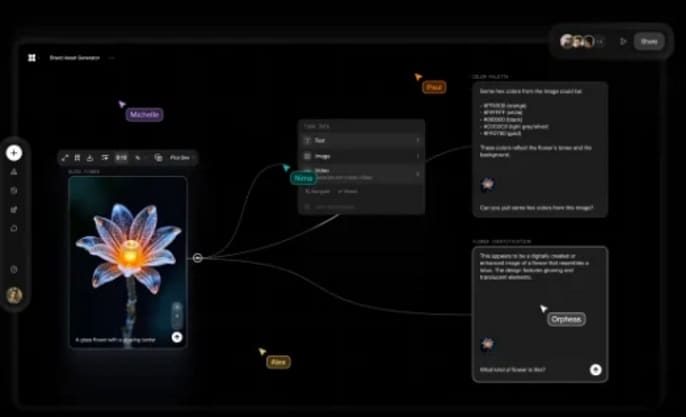
Non-Linear Iteration: The platform also allows non-linear creation. One idea can branch into several variations at the same time.
Multi-model integration: Flora AI supports many AI models in one workspace. Creators can switch or combine models during the same project instead of moving between separate tools.
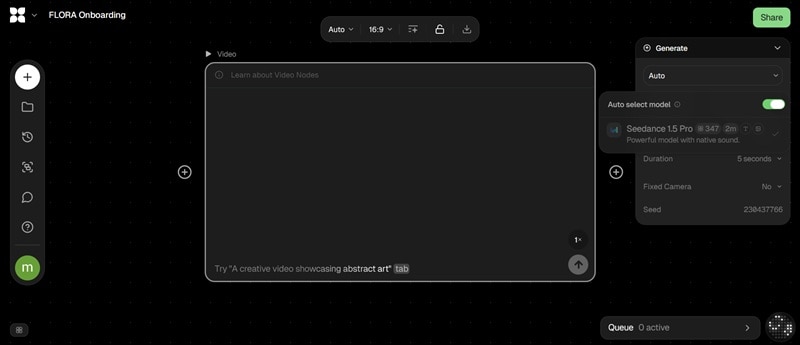
Style and Subject Consistency: You can upload reference images to define a visual look. Flora AI will maintain that aesthetic across all generated assets, keeping colors, textures, and design visually aligned throughout a project.
1.2 Target Audience
The Flora AI video generator is designed mainly for professional creators who need accuracy and repeatable workflows.
- Filmmakers: Used for concept visualization, cinematic storyboards, and product scene previews before production begins.
- Motion Designers: Helpful for building repeatable pipelines when creating animated visuals, advertising graphics, or high-resolution digital content.
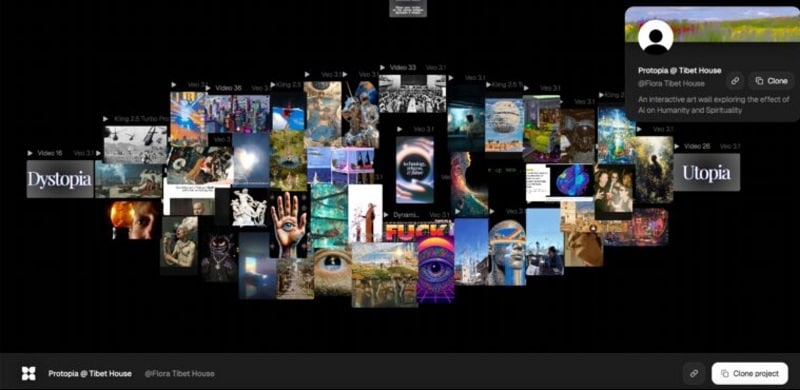
- Creative Teams and Agencies: Teams can collaborate on the same canvas, share assets, and maintain consistent visual styles across large projects.
1.3 Key Differentiator: Flora AI vs Standard AI Tools
Most AI generators focus on instant results from a single prompt. In contrast, Flora AI video generator focuses on controlled creative workflows. One of the clearest ways to illustrate this difference is by comparing it with Midjourney, a leading prompt-based image and video generator that many creative professionals already use.

| Feature | Midjourney | Flora AI |
| Interface | Web app, mobile app, and Discord bot. | Infinite visual canvas with node-based editing |
| Workflow | Prompt-first with iterative tools (variations, remix, inpainting, zoom/pan) but no reusable pipeline structure | Structured pipelines that can be reused and refined |
| Model Access | Multiple switchable model versions (V6.1, V7, Niji series) within the Midjourney ecosystem | Model-agnostic system integrating 50+ third-party AI models in one workspace |
| Control | Broad parameter control (stylize, aspect ratio, style reference, image weight) but within a single generation step | Granular, step-by-step control across each node in the generation chain |
| Collaboration | Web chat rooms and Enterprise seat management; community-driven via Discord | Real-time shared canvas with team-level workflow collaboration |
|
Show More
Show Less
|
||
Part 2. Deep Dive: Core Features & Functionality
The concept of Flora AI sounds impressive, but the real story lies in how it functions. Its core features reveal the design philosophy behind its visual generation system.
2.1 Node-Based Interface
Unlike traditional generators, Flora AI offers a sophisticated node-based interface for maximum precision. For creators who find the movement in AI clips too stiff, a professional tip is to export your Flora AI art and use Wondershare Filmora's AI Frame Interpolation to achieve 60fps cinematic smoothness. This hybrid workflow bridges the gap between raw AI generation and high-end video production.
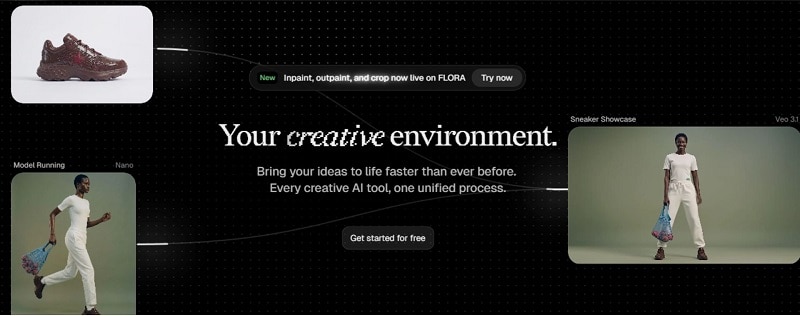
Key benefits:
- Visual workflows: Build ideas by connecting nodes.
- Model flexibility: Switch or combine multiple AI models.
- Granular control: Adjust each step of the generation chain.
2.2 Consistent Content Generation
Maintaining visual consistency is one of the biggest challenges in AI generation. Flora AI solves this through reference-driven workflows.
How it helps:
- Reference inputs: Upload images to guide style and design.
- Reusable workflows: Repeat the same setup across scenes.
- Stable aesthetics: Reduce style drift in complex visuals.
For Flora Fauna AI style visuals—often nature-inspired or stylized scenes—this workflow helps keep colors, textures, and design consistent. Flora AI also includes native Character and Background Swap Tools, which help you test different environments, add or remove objects, and reimagine compositions without starting over.
2.3 Advanced Control
The Flora AI video generator focuses heavily on technical control. Creators can refine visuals at multiple levels.
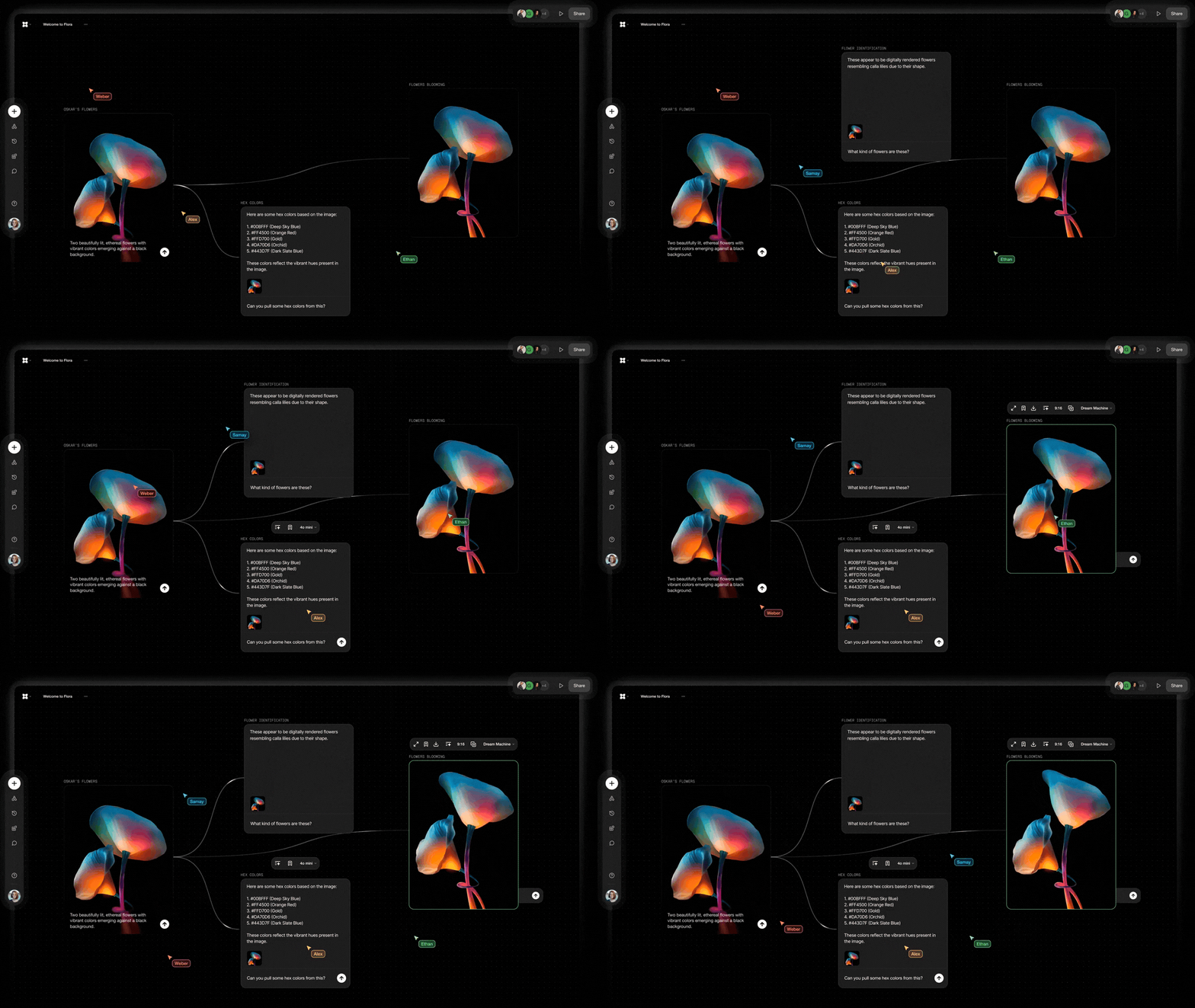
Core controls include:
- Style controls: Apply curated looks such as cinematic lighting or 3D styles.
- Frame control: Generate video sequences from structured image frames.
- Motion parameters: Adjust how closely output follows the source clip.
- Advanced guidance controls: Flora AI abstracts low-level generation controls, such as pose guidance and depth-aware generation, into its node workflow.
Part 3. Hands-On Test: Putting Flora AI to the Test
To test real performance, several practical tasks were run with Flora AI. These included image generation, simple video prompts, and multi-step creative workflows.
3.1 Image generation test
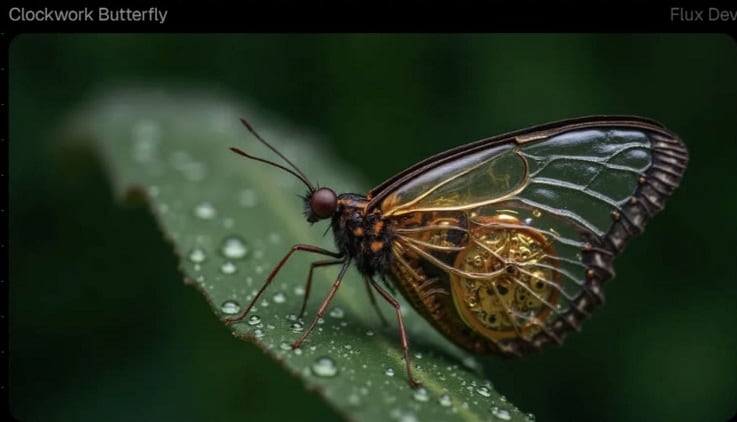
Prompt: "A hyper-detailed macro shot of a clockwork butterfly with golden gears inside glass wings."
Results:
- High-resolution output
- Strong color depth
- Fine texture detail
Refining prompts inside the node workflow produced better results than restarting the generation each time. Because every step is visible on the canvas, it was easy to identify what improved or weakened the output.
3.2 Creative Freedom test
The node system makes Flora AI art experimentation easy. Creators can compare models, adjust nodes, and branch ideas into multiple variations.
Key advantages:
- Parallel model testing
- Reusable workflow templates
- Easy visual debugging
However, complex pipelines can feel confusing at first. New users may need time to understand the workflow structure.
3.3 Video generation test
Simple prompt: "A short looping clip of a steaming coffee cup on a wooden table in morning light."
Results:
- Clean lighting
- Natural steam effect
- Smooth, slow camera movement
But the clip remained basic. Animation detail was limited.

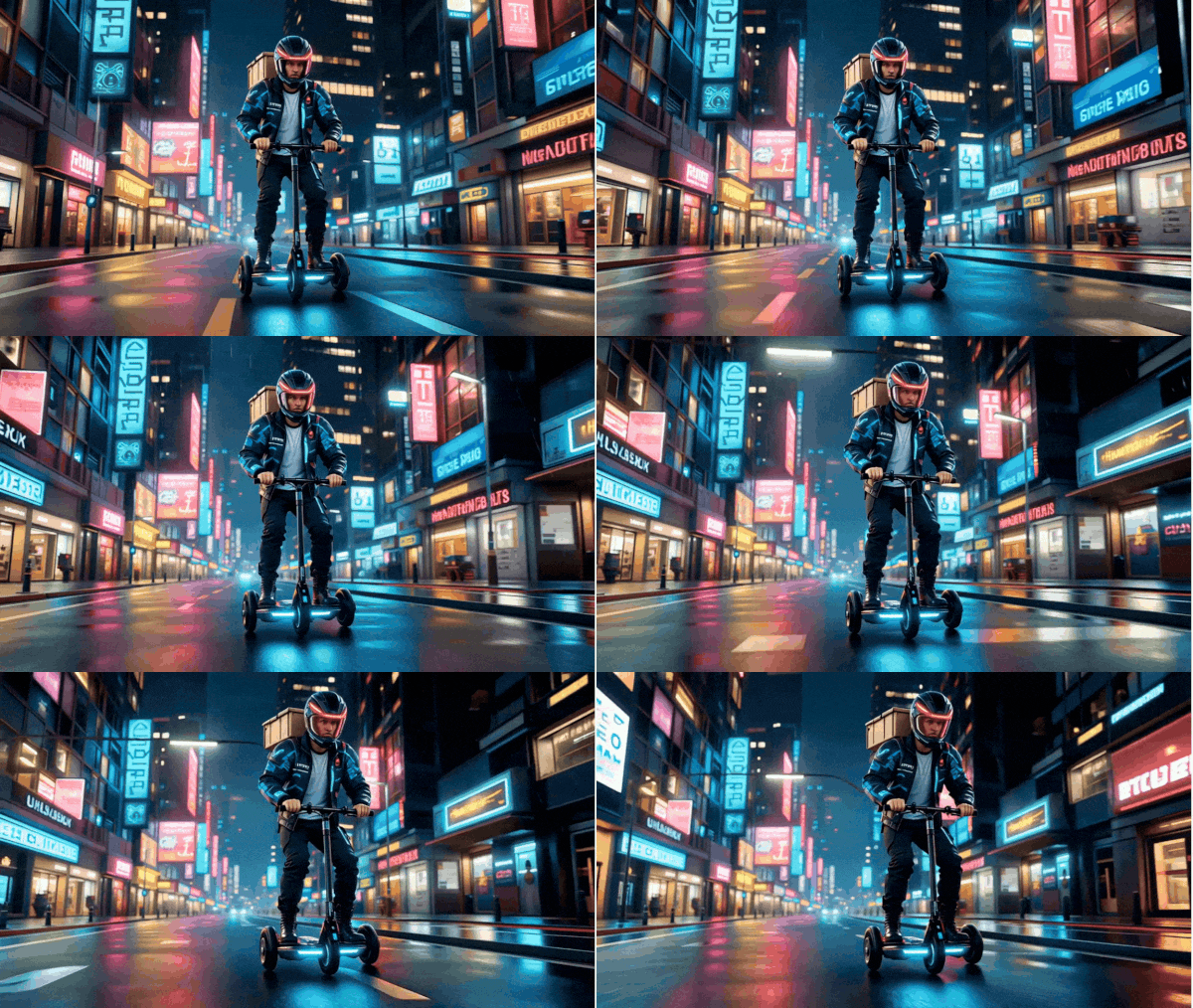
Complex prompt: "A cyberpunk courier riding a hoverbike through a neon-lit rainy city."
Results:
- Strong environmental detail
- Correct visual elements (bike, city, rain)
- Character motion felt stiff
The scene looked detailed but lacked natural movement.
Part 4. How to Use Flora AI to Generate Raw Assets for Professional Editing
Flora AI video generator is powerful for idea development and asset creation. It helps creators generate visuals, concept art, and short video clips quickly. However, it is not designed to complete the entire production process.
Several practical gaps appear when moving toward final video creation:
- No native tools for voiceovers or sound design
- Limited motion realism in complex scenes
- No non-linear editing timeline for assembling sequences
Because of this, the most effective workflow is to treat Flora AI as the asset creation engine. Then move those assets into Wondershare Filmora for full post-production.
Phase 1: Asset Generation in Flora AI
The process begins inside Flora AI, where creators build visual assets using its node-based canvas. Common tasks at this stage include:
- Text-to-Video generation for short visual clips
- Image-to-Video animation for cinematic b-roll
- Model experimentation to compare styles across different AI models
- Concept art creation, including stylized Flora AI art scenes
Phase 2: Export and Transfer
Once the assets are generated, the next step is moving them into a full editing environment. To do it:
- Export clips from Flora AI in high-quality formats such as MP4 or MOV.
- Import the files into Wondershare Filmora through the Media Library.
- Enable proxy editing if working with heavy 4K AI clips to keep playback smooth.
Phase 3: Post-Production in Wondershare Filmora
With assets inside Filmora, creators can refine and assemble the final video. Filmora fills the production gaps left by AI generation through several advanced tools:
Video Enhancement & Motion Refinement
- AI Video Enhancer improves clarity in low-resolution AI clips.
- AI Frame Interpolation smooths motion by generating additional frames.
- Video Denoise and Stabilization reduce visual noise and correct motion issues.
These tools help fix common weaknesses in Flora AI video, such as stiff animation or inconsistent motion.
Scene Assembly & Editing
Filmora also provides a non-linear editing environment, missing in the Flora AI video generator. Key editing tools include:
- Keyframing and Speed Ramping for cinematic camera motion.
- Motion Tracking for attaching graphics to moving elements
- Color Palette (Color Matching) to keep visuals consistent across clips
Part 5. Flora AI Pros & Cons
As with any creative medium, Flora AI has specific strengths and some limitations. That system is designed for creators who want control and experimentation, rather than for users who want fast, simple results.
- Visual workflow system: The node based canvas helps visualize and organize complex AI generation.
- Flexible model usage: The Flora AI video generator allows creators to test different models and compare results inside one workspace.
- Strong visual creation tools: Works well for concept images, stylized scenes, and Flora AI art development.
- Collaboration support: Teams can share canvases, reuse workflows, and refine projects together.
- Reusable templates: Pre-built setups help speed up repeated creative tasks.
- Output quality varies: Its state-of-the-art results depend on the model and how you built the workflow.
- Long render times: For additional complexity, nodes other than the covered Mode(S) cause multi-model tasks to slow generation.
- Learning curve for beginners: node-based tools can be tricky for first-time users.
| Best Suited For | Less Suitable For |
| Creative professionals managing complex visual projects | Casual users wanting one-click AI generation |
| Design agencies producing large visual campaigns | Beginners prefer very simple interfaces |
| Marketing teams creating branded visuals at scale | Users needing occasional AI visuals only |
| Designers comparing outputs across multiple AI models | Creators who avoid workflow setup |
| Freelancers refining ideas through structured workflows | Users expecting instant final results |
Conclusion
This Flora AI review shows the platform is built for creators who want deeper control over AI generation. The workflow uses nodes. It also supports multiple models. The canvas is flexible. These features make it strong for concept design, structured pipelines, and experimental visual work. However, the Flora AI video generator still shows limits. Motion realism can be weak. Audio production tools are missing. Final scene assembly is also limited.
These gaps highlight an important reality of current AI tools. Generation and production often need different systems. In practice, many creators generate visuals in Flora AI. Then they refine them in a full editor. Wondershare Filmora naturally complements this process. It improves motion. It enhances video quality. It helps shape raw assets into a complete story.

 Secure Download
FAQs
-
Is Flora AI beginner-friendly?
Not really. Flora AI uses a node-based workflow that requires setup and experimentation. Beginners may find it complex at first. Many creators generate visuals in Flora AI and finish editing in tools like Wondershare Filmora. It offers a simpler timeline interface. It has AI-assisted editing tools, such as AI Text-Based Editing and Text-to-Speech.
-
Can Flora fauna AI be used for commercial projects?
Yes, in most cases. Commercial use of Flora Fauna AI visuals is as per the AI models used in the workflow. Some teams create concept visuals or Flora AI art first. Then, finalize branded videos in editors like Wondershare Filmora that have commercially usable music and assets.
-
How does this AI video generator differ from others on the market?
Flora AI video generator uses node-based workflows and not simple prompts. Creators create well-defined pipelines, they test with many models and iterate the output. Other AI tools almost always output from a single prompt, with little control.
