

 TL;DR:
Fotor AI Video Generator is not entirely free but operates on a strict credit-based freemium model, functioning best as a beginner-friendly tool to instantly animate static images into short 4 to 8-second clips rather than a complete production suite.
● The free tier serves only as a watermarked trial with 512 MB of storage, as generating a single 4-second clip consumes between 10 credits at 360p and 50 credits at 1080p, requiring users to upgrade to the ~$8.99/month Pro plan for watermark-free, high-definition exports.
● While Fotor excels at automatic motion generation for fast social media repurposing, it lacks the complex scene choreography and advanced generative models found in cinematic AI tools like Runway and Pika.
● Because Fotor restricts users to minimal editing control and short durations, creators typically generate quick visual assets on the platform and export them into comprehensive software like Wondershare Filmora to arrange timelines, apply color grading, and finalize professional long-form content.
Ask AI for a summary
 ChatGPT
 Perplexity
 Gemini
 Claude
 Grok
Grok
Looking for an easy Fotor AI Video Generator review? Whether you want to turn images into AI videos or create quick clips for social media, Fotor is a popular choice in 2026. This guide explores its AI image-to-video features, credit-based pricing, and how it stacks up against professional editors like Wondershare Filmora.
Part 1. What is Fotor AI Video Generator?
Fotor AI Video Generator is a lightweight, beginner-friendly tool that turns images, prompts, or simple ideas into short videos using artificial intelligence. This tool is part of the broader creative platform developed by Fotor, which is widely known for its photo-editing and graphic-design tools.
With the Fotor AI Video Generator, users can quickly transform static visuals into dynamic clips. For example, the Fotor AI image-to-video generator can animate photos, add motion effects, and generate short video sequences without requiring advanced editing skills. It's useful for creators who want fast visual content for social media, presentations, or short storytelling formats.
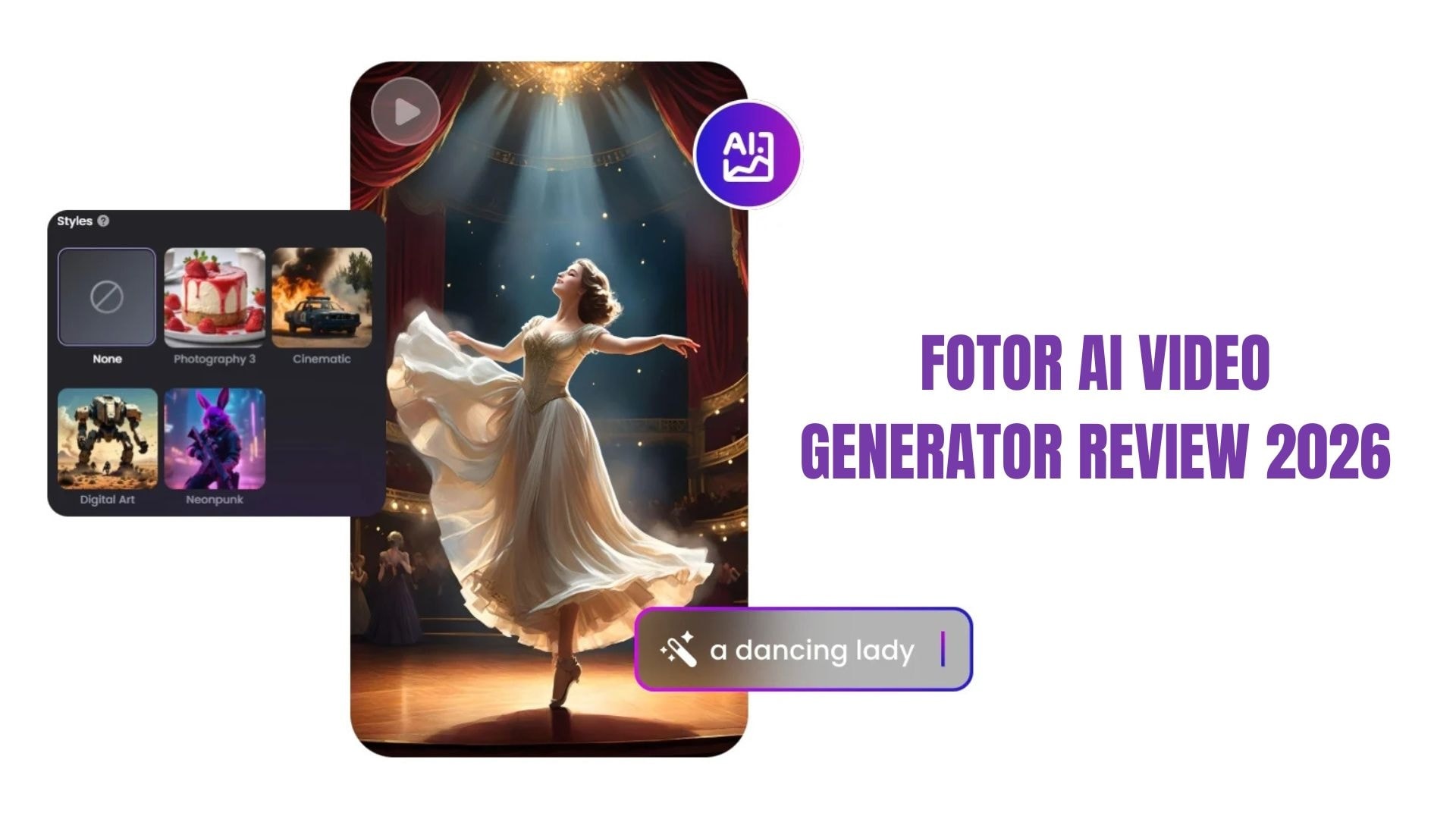
The platform focuses on simplicity. Instead of complicated timelines or professional editing panels, it offers an intuitive interface where users can upload images, enter prompts, and let AI automatically generate a short video.
Overall, the Fotor AI Video Generator is designed for creators who want a quick, accessible way to produce AI-powered clips, especially short-form content like social posts, promotional visuals, or quick creative experiments.
Part 2. Key Features: Exploring Fotor's AI Image to Video & Short Video Generator
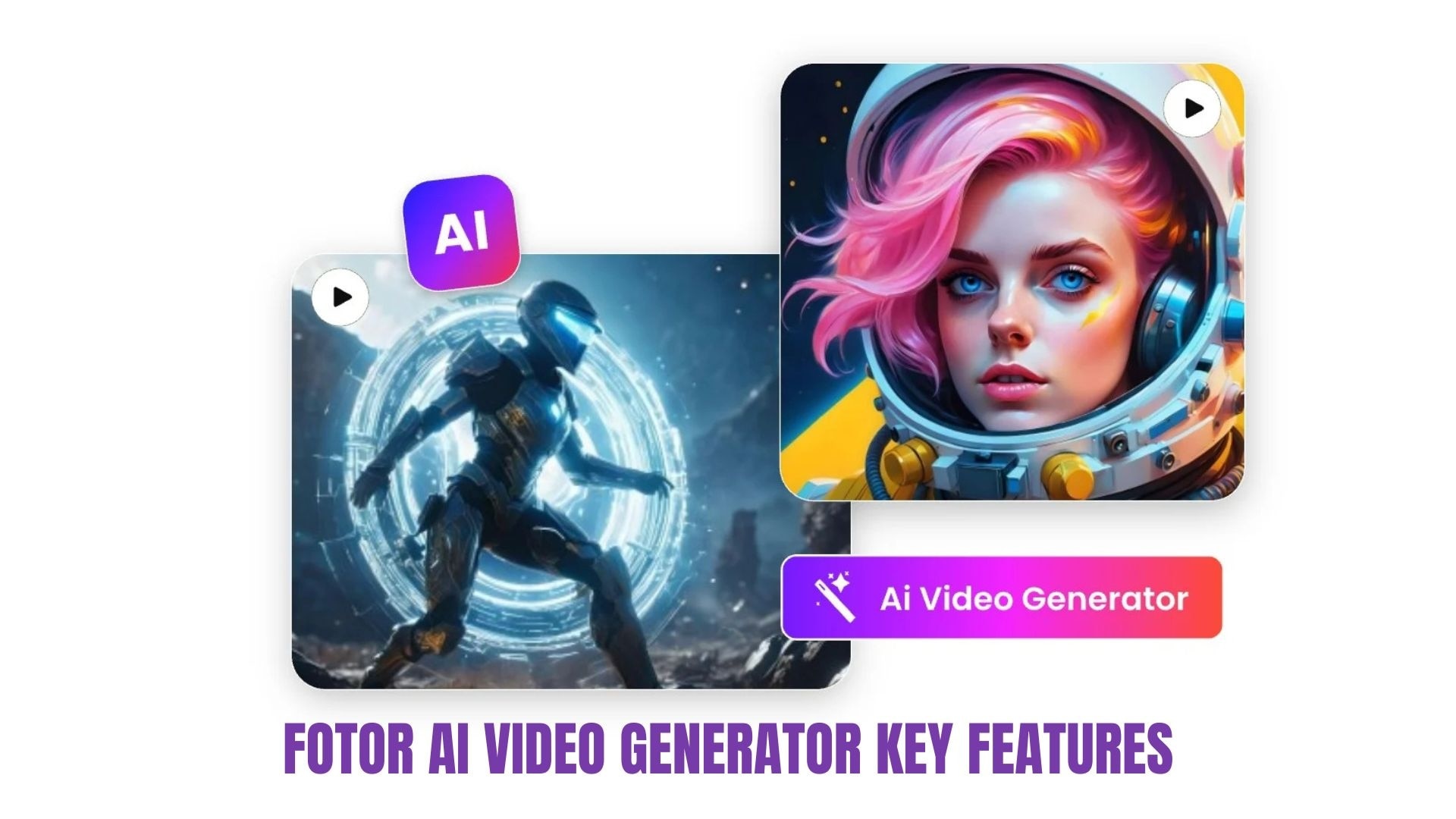
Fotor AI Video Generator offers a streamlined approach to AI video creation, focusing on speed and simplicity. The tool does not require a traditional editing workflow; users can instantly generate short videos from images or prompts with minimal setup. The interface is designed to keep the process simple, so beginners and casual creators can easily experiment with AI-generated visuals. As part of the broader Fotor platform, this tool helps users transform basic visual ideas into animated clips suitable for modern digital content.
Fotor AI Image to Video Generator
The Fotor AI image-to-video generator focuses on transforming still images into animated visual clips. The AI analyzes the image and automatically generates motion to make the content feel more dynamic.
Key features include:
- Automatic motion generation: The AI adds natural movement such as camera pans, zoom effects, and subtle environmental animation.
- Image element recognition: The system detects subjects, backgrounds, and lighting to apply motion effects. This makes Fotor a competitive AI video generator from images, though it lacks the advanced timeline control found in professional desktop software.
- Quick content repurposing: Old photos, artwork, or product images can easily be converted into short animated clips.
- Minimal editing required: Users simply upload an image and select a style, with the AI handling most of the animation process.
Fotor AI Short Video Generator
The Fotor AI short video generator is designed for creators who produce quick, shareable content for modern platforms. This tool helps turn simple ideas into short-form videos suitable for social media.
Key features include:
- Short-form video creation: Generate compact videos ideal for platforms like TikTok, Instagram, and YouTube.
- AI-powered scene flow: The tool automatically arranges images, transitions, and visual movement to create a smooth video sequence.
- Fast content production: Creators can quickly generate multiple short videos, which is useful for social media posting schedules.
- Simple creative prompts: Users can guide the AI using short text prompts to influence the style or mood of the generated video.
Part 3. Hands-on Review: My Experience with Fotor Video Maker
After testing the features in Fotor AI Video Generator, it's clear that the platform focuses on speed, accessibility, and short-form content creation. Unlike complicated editing timelines, the workflow revolves around prompts, image uploads, and automatic generation.
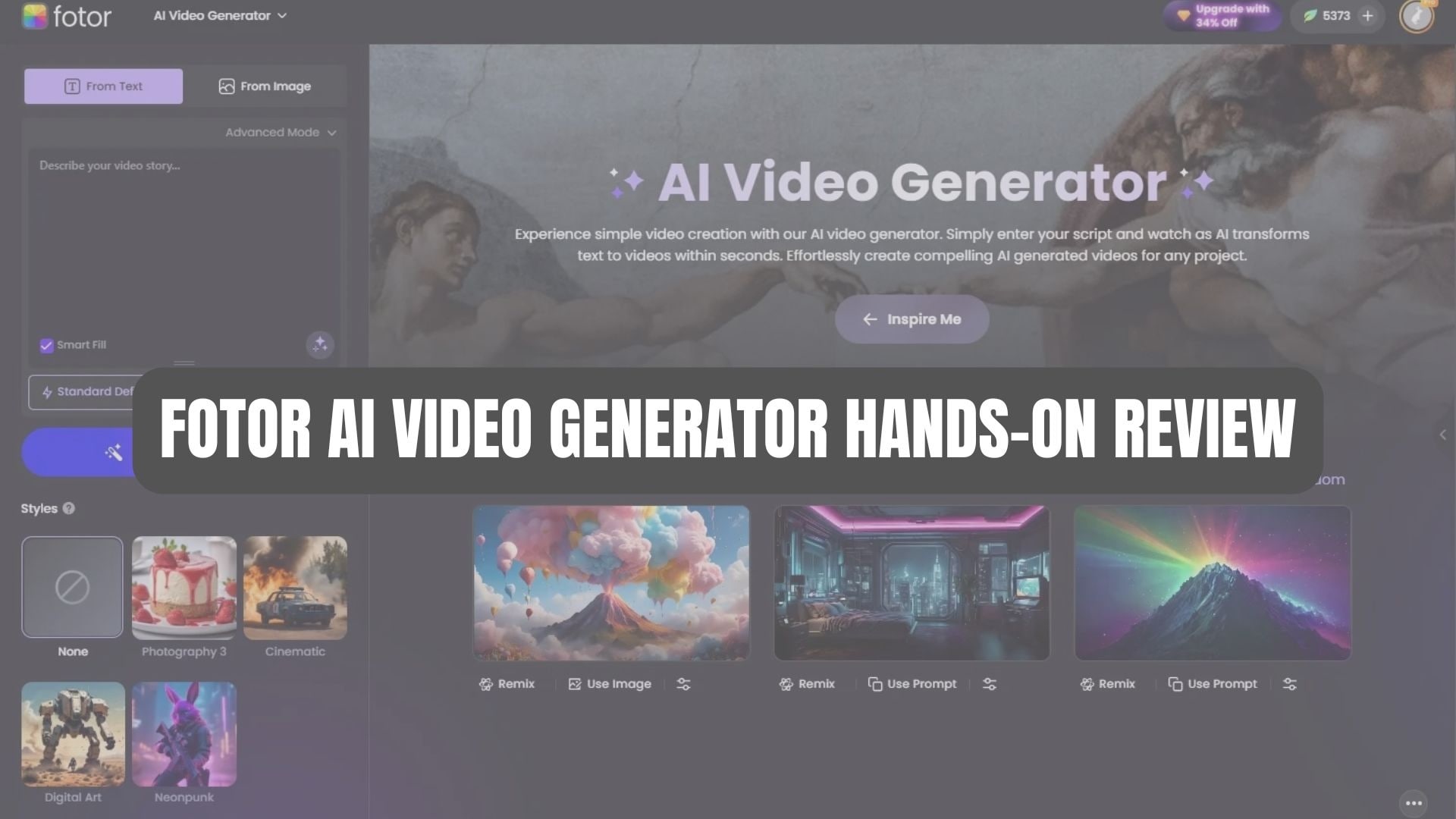
Below is a closer look at how the Fotor video maker performs in real use.
Ease of Use: Beginner-Friendly Experience
One of the biggest strengths of the tool is how easy it is to start creating videos.
- Simple workflow. You only need to upload an image or enter a prompt, and the AI automatically generates a video without requiring editing skills.
- No complicated editing timeline. Unlike traditional video editors, the platform focuses on AI automation rather than manual layers, keyframes, or multi-track timelines.
- Preset styles and templates. Built-in templates help generate videos quickly, facilitating experimentation with different visual styles.
- Fast generation process. The system analyzes images and automatically adds motion, transitions, and visual flow to produce short animated clips.
Overall impression:
The interface feels intuitive even for first-time users. For beginners or social media content creators, the learning curve is almost nonexistent.
Output Quality: Strengths and Limitations
The generated videos look surprisingly polished for such a simple tool, but they still differ from cinematic AI generators.
Strengths
- HD video export options: The tool supports multiple resolutions, including 360p, 720p, and 1080p, giving users flexibility depending on their needs.
- AI motion and scene generation: Images are transformed into animated clips with movement, transitions, and depth effects.
- Multiple style options: Users can generate videos in different visual styles such as realistic, cinematic, anime, or cartoon themes.
- Suitable for short content: The output works well for quick social videos, marketing visuals, or animated photo posts.
Limitations compared with cinematic AI tools
- Short video duration: AI-generated clips are still relatively short (e.g., a few seconds depending on settings).
- Less control over camera movement: Advanced AI video tools often allow for more detailed prompt control over camera angles and scene choreography.
- Occasional motion inconsistencies: Some AI-generated scenes can appear slightly artificial or less smooth than those produced by high-end cinematic generators.
Overall impression:
The output quality is good enough for quick AI animations and short social clips, but it doesn't quite match the realism and storytelling depth offered by more advanced cinematic AI video platforms.
Part 4. Fotor AI Pricing & Free Plan Analysis
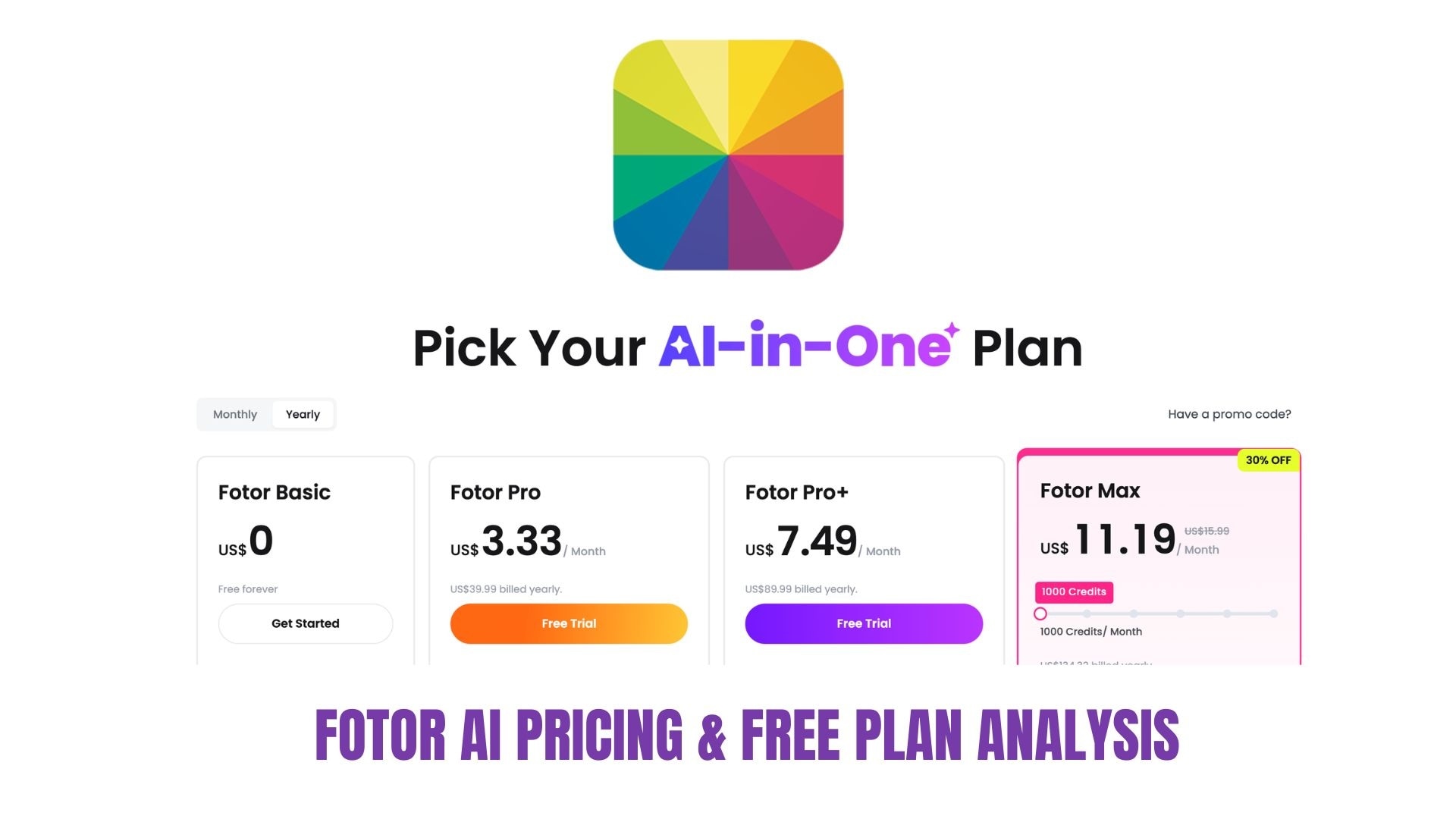
Fotor AI Video Generator promotes itself as a free AI video generator, but its pricing structure is actually credit-based. This means you can try the tool without paying, but frequent video creation quickly requires paid credits or a subscription. Here's an honest explanation of what you actually get.
Is Fotor AI Video Generator Really Free?
Technically, yes, but only at a basic level. The platform offers a Free (Basic) plan, which allows users to experiment with the AI tools without a subscription. However, the free tier includes several restrictions that affect how often you can generate videos.
What the free plan includes:
- Limited AI credits to test AI tools, such as image or video generation
- Basic editing tools and templates
- Exports with a watermark for generated content
- 512 MB cloud storage
- Limited effects, fonts, and assets
Since AI generation uses credits, this free plan functions more as a trial environment than a full production tool.
How the Credit System Works
Each AI-generated video in Fotor video-maker requires credits depending on resolution and duration.
Typical credit usage:
- 360p (4-second video): ~10 credits
- 720p (4-second video): ~20 credits
- 1080p (4-second video): ~50 credits
- 720p (8-second video): ~40 credits
Because of this system, the free credits are usually only enough for a few short test videos.
Paid Plans (Pro and Pro+)
Most creators eventually switch to a paid plan to use Fotor's AI short video generator regularly.
Typical plans include:
| Plan | Price (approx.) | Key Benefits |
| Basic | Free | Limited AI credits, watermark, basic tools |
| Pro | ~$8.99/month or ~$3.33/month annually | 100 AI credits/month, HD exports, no watermark, premium assets |
| Pro+ | ~$19.99/month or ~$7.49/month annually | 300 AI credits/month, advanced AI tools, and larger storage |
The paid plans also unlock access to premium templates, advanced AI models, and watermark-free downloads, which are important for professional or commercial content.
Honest Verdict on the Free Version
The Fotor AI video generator free plan is useful for:
- Testing the platform
- Creating a few short experimental videos
- Learning how AI video generation works
However, this plan is not ideal for heavy content production, as the credit system quickly limits how many videos you can generate.
Part 5. Fotor vs. Competitors: Which AI Video Tool Wins?
AI video generation tools are improving quickly, and creators now have several options. While Fotor AI Video Generator focuses on quick image animation and short AI clips, other platforms offer deeper editing capabilities or more cinematic outputs.
Choosing the right tool depends on whether you prioritize speed, creative control, or professional video production. Below is a practical comparison of how Fotor performs compared to other popular AI video tools, including:
| Tool | Best For | Key Strength | Limitations |
| Fotor AI Video Generator | Fast AI image-to-video clips | Very beginner-friendly, quick generation | Limited editing control and shorter outputs |
| Runway | Cinematic AI video generation | Advanced generative models and realistic motion | Steeper learning curve |
| Pika | Creative AI animations | Strong prompt-based animation styles | Less editing flexibility |
| Filmora | AI video creation + full editing | Combines AI generation with professional editing tools | Requires slightly more editing involvement |
For beginners and casual creators, Fotor is one of the easiest ways to get started with AI video creation. If your goal is to turn photos into animated clips quickly, Fotor does that exceptionally well.
Where Cinematic Tools Have the Edge
On the other hand, tools like Runway and Pika focus more on high-end generative video. They allow users to generate entire scenes from prompts with more complex motion, lighting, and storytelling potential.
However, these tools can feel more experimental and often require prompting techniques or multiple generations to get the desired results.
Why Many Creators Still Choose Filmora
For creators who want AI assistance without losing editing control, Filmora often becomes the more practical long-term tool.
Filmora stands out since it combines AI generation with a full video editing environment. Instead of just generating one clip and stopping there, creators can refine the final result.
 Secure Download
Key advantages include:
- AI Image-to-Video and AI Video tools are integrated with a full editing timeline
- Advanced editing features like motion tracking, color grading, and keyframing
- Built-in effects, transitions, and music libraries
- Better workflow for long-form videos, tutorials, and YouTube content
In practice, many creators use tools like Fotor to generate quick visuals, then polish the final video inside Filmora for a more professional result.
Quick Verdict
- Choose Fotor if you want the fastest way to animate images into short AI clips.
- Choose cinematic AI generators if you want experimental prompt-based video scenes.
- Choose Filmora if you want AI tools plus full creative control for real video production.
For content creators who regularly produce videos, the ability to generate, edit, and finalize content in a single platform often makes Filmora a more flexible long-term solution.
Part 6. Step-by-Step Guide: How to Create AI Videos with Fotor
Creating a short AI video with Fotor AI Video Generator is designed to be simple and beginner-friendly. The platform focuses on a quick generation process, where users can transform images or prompts into animated clips within minutes.
Follow these steps to create your first AI video using the Fotor video maker.
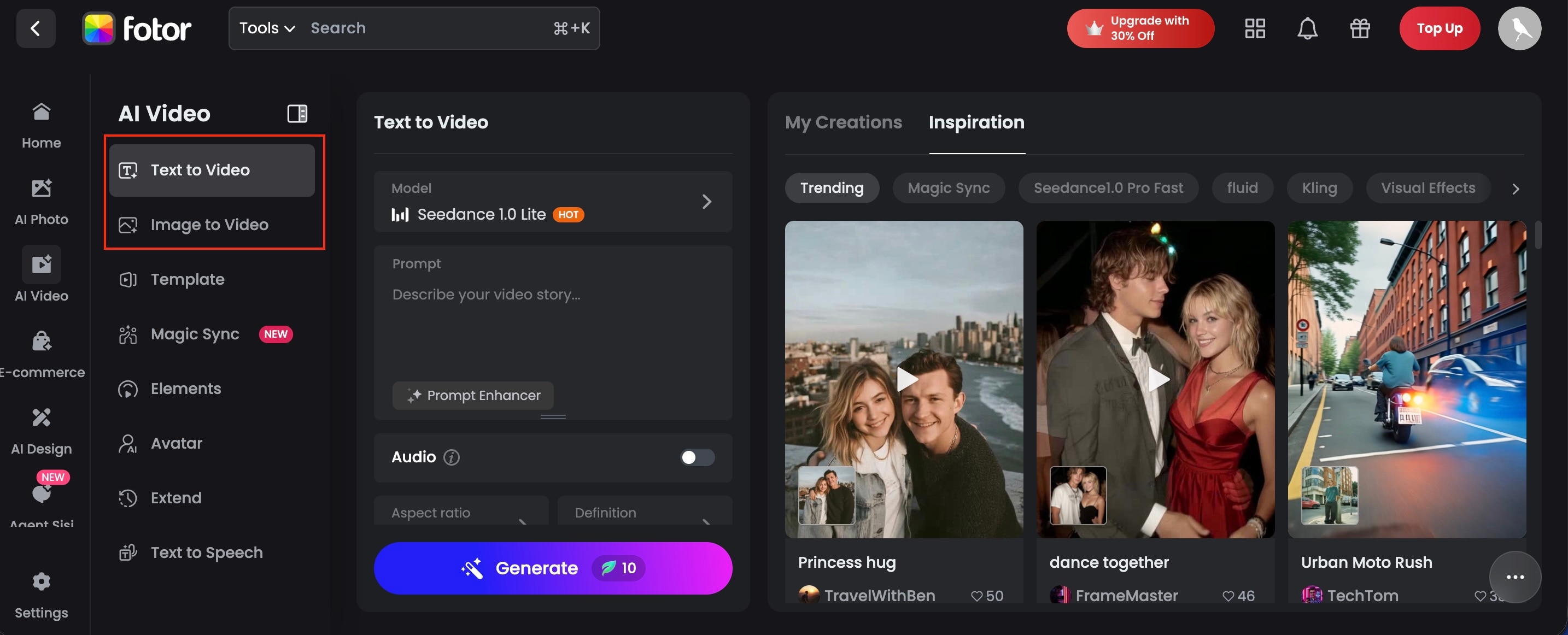
Go to the Fotor official platform and navigate to the AI Video Generator tool. From the dashboard, you will typically see options such as:
- Image-to-Video
- Text-to-Video
Select the option that fits the type of content you want to create.
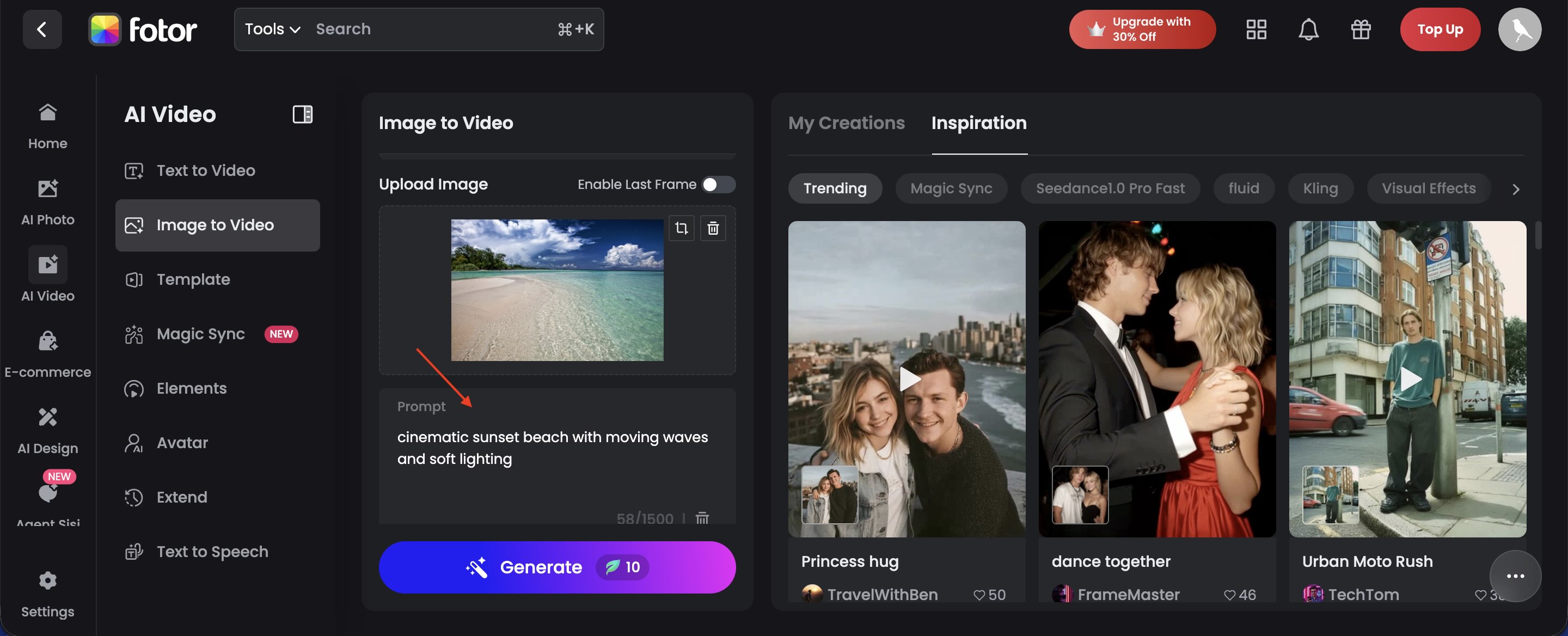
Next, add the visual input for the AI to work with. You can:
- Upload a photo to use the Fotor AI image-to-video generator
- Enter a text prompt describing the scene you want to animate
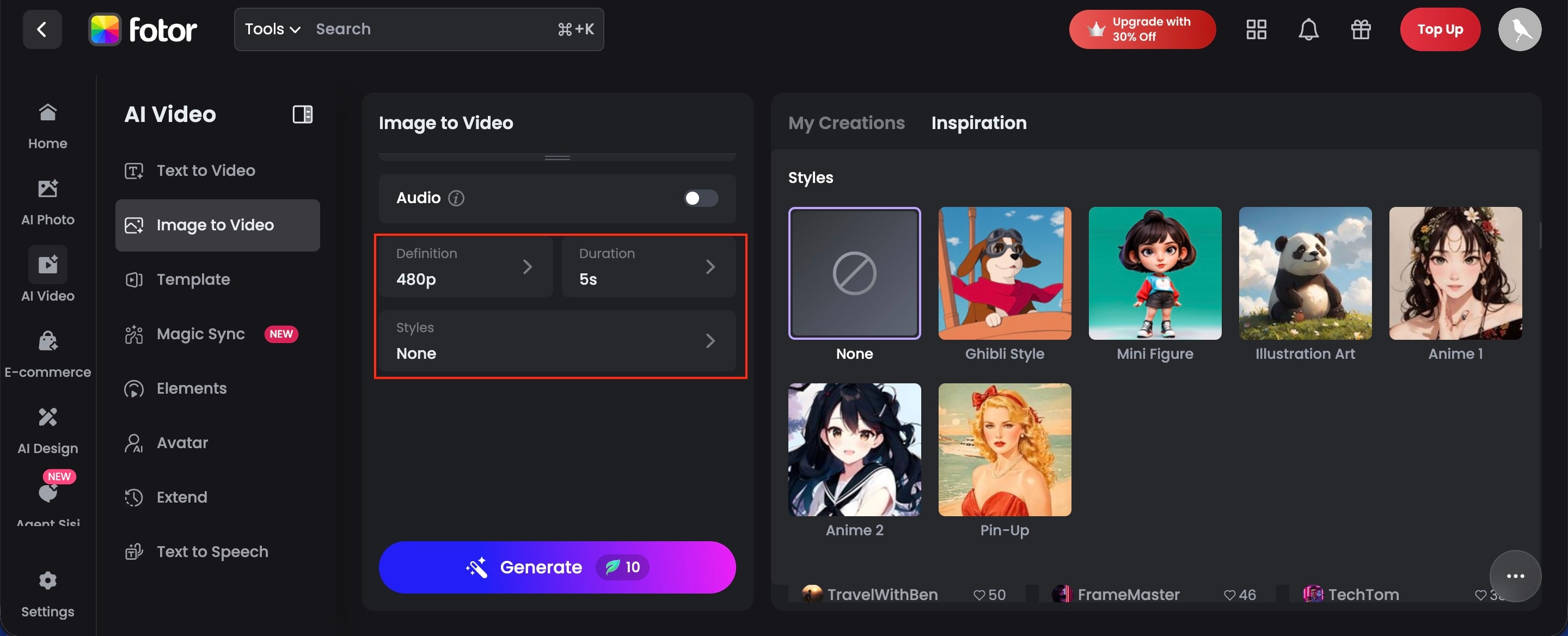
After adding the input, customize the video generation settings. Common options include:
- Video style or theme
- Resolution (360p, 720p, or 1080p)
- Video duration
- Animation style
These settings guide the AI in creating the overall look and motion of your video.
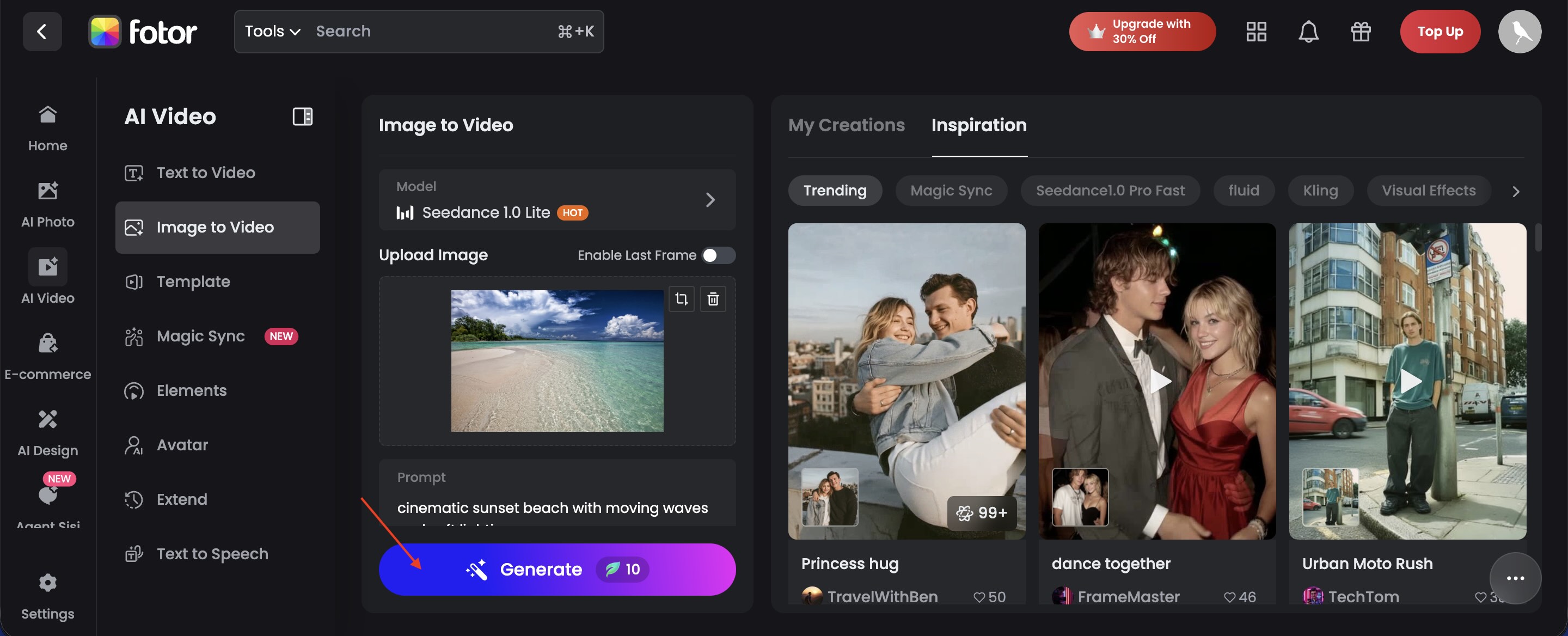
Click Generate and let the AI system process the video. The platform will:
- Analyze the image or prompt
- Apply motion effects and transitions
- Render the final animated clip
Generation usually takes a few seconds to a few minutes, depending on the settings and server load.
Once the video is ready, you can preview the generated result. If you are satisfied with the output:
- Download the video to your device, or
- Regenerate the clip with different prompts or styles
For creators who want to take the video further, many users export their AI clips and refine them in \Filmora, where they can add transitions, music, subtitles, and more advanced visual effects.
Conclusion
Is Fotor AI Video Generator worth it? For beginners needing a quick AI photo to video tool, yes. However, if you need more than a 4-second clip, combining Fotor's assets with Wondershare Filmora's powerful editing suite is the best workflow for 2026. Its ability to turn images or prompts into animated clips makes it especially useful for quick social media visuals and creative experiments.
However, the credit-based system and limited editing control mean it works best for short, simple projects rather than full video production. For creators who want deeper customization and advanced editing after generating AI clips, tools like Filmora can help transform those ideas into more polished and professional videos. Like Fotor, Filmora also uses a freemium model, offering free editing with a watermark unless you upgrade.

FAQs
-
What is Fotor AI Video Generator?
Fotor AI Video Generator is an AI tool that helps users create short videos from images or text prompts. Simply upload a photo or describe a scene, and the AI automatically generates an animated clip. It is designed for beginners who want quick video content without complicated editing. -
How does the Fotor AI image-to-video generator work?
Fotor AI image-to-video generator analyzes photos and adds motion effects such as camera movement, zoom, or animated elements. It transforms static images into short animated videos with minimal effort. -
Is Fotor AI Video Generator free?
Fotor offers a free plan, but with limited AI credits. Each video generation uses credits, so the free version usually allows only a few test videos before you need to upgrade or buy more credits. -
How long are Fotor AI videos?
Most videos created with the Fotor video generator are short clips, usually around 4 to 8 seconds, depending on the settings and resolution you choose. -
Can I use Fotor AI videos for social media?
Yes. Videos created with Fotor are suitable for platforms like YouTube, TikTok, and Instagram, so they're perfect for short content like reels, shorts, or quick promotional clips.
